How to Make Viral Photos with AI: 11 Prompts for Stylish, Eye-Catching Edits
One photo and one line of text, and out comes a studio portrait, a collectible figure in a box, a movie frame, or you as tall as a skyscraper. I gathered 11 viral 2026 prompts, wrote a detailed working command for each, ran them in ChatGPT on my own photo, and I show the before and after. At the end there is a method for coming up with your own ideas and writing prompts like these.
To edit a photo with AI, open ChatGPT, attach your photo and paste a prompt from this article. The main rule: ask it to keep your face and features unchanged while adapting the outfit, pose and setting to the scene, so it looks like a real photo, not a cut-out face. Below are 11 ready prompts with before/after examples and a method for making your own.
Below are 11 ready prompts. Copy each one, attach your photo, and get the result. I gathered the most viral 2026 formats and wrote a detailed working command for each.
For every prompt I put an example: on the left your original, on the right what ChatGPT made of it. So you see what to expect right away. And at the end of the article, a method for coming up with your own ideas and building prompts like these.
Inside
- What you need
- Prompt 1. LEGO
- Prompt 2. Giant in the City
- Prompt 3. Anime
- Prompt 4. Meeting Yourself
- Prompt 5. GTA 6
- Prompt 6. With a Celebrity
- Prompt 7. In Space
- Prompt 8. Vogue-Style Portrait
- Prompt 9. The Simpsons
- Prompt 10. Rock Star
- Prompt 11. Mini Me
- How to invent your own ideas and write prompts
- If something goes wrong
- Frequently asked questions
StartWhat you need
Three simple things.
First, ChatGPT. It works right in the chat, with the best quality on the Plus plan, though some of it is available for free. There is a free alternative, Google's Gemini, but ChatGPT gave me noticeably better results, so all the examples here are on it.
Second, your photo. The sharper the face and the better the light, the more accurate the result. A close-up selfie in daylight by a window is ideal. A dark or blurry photo the AI will fill in its own way, and the likeness drifts.
Third, access. ChatGPT works in most countries. If it is blocked in yours, use a VPN with a supported location and sign up with a regular email. Everything else works the same.
Prompt 01LEGO
The contrast that grabs you: you stay a real living person while the whole world around is built from LEGO bricks. Street, houses, trees, cars, all toy, and you are real.
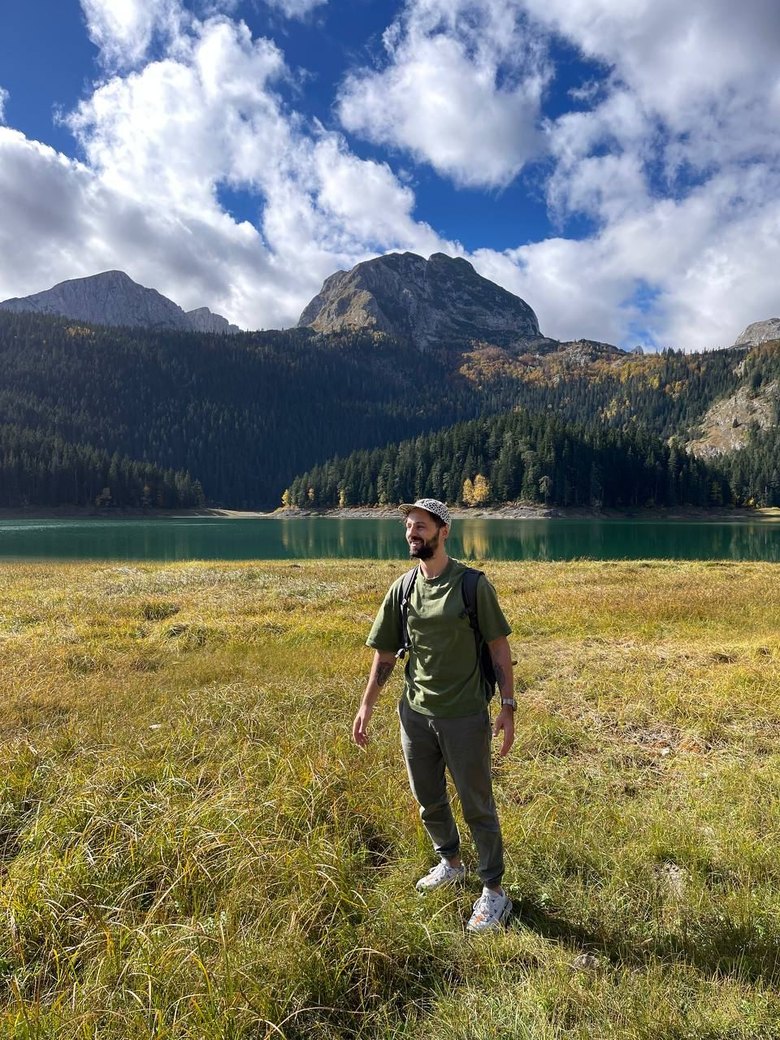
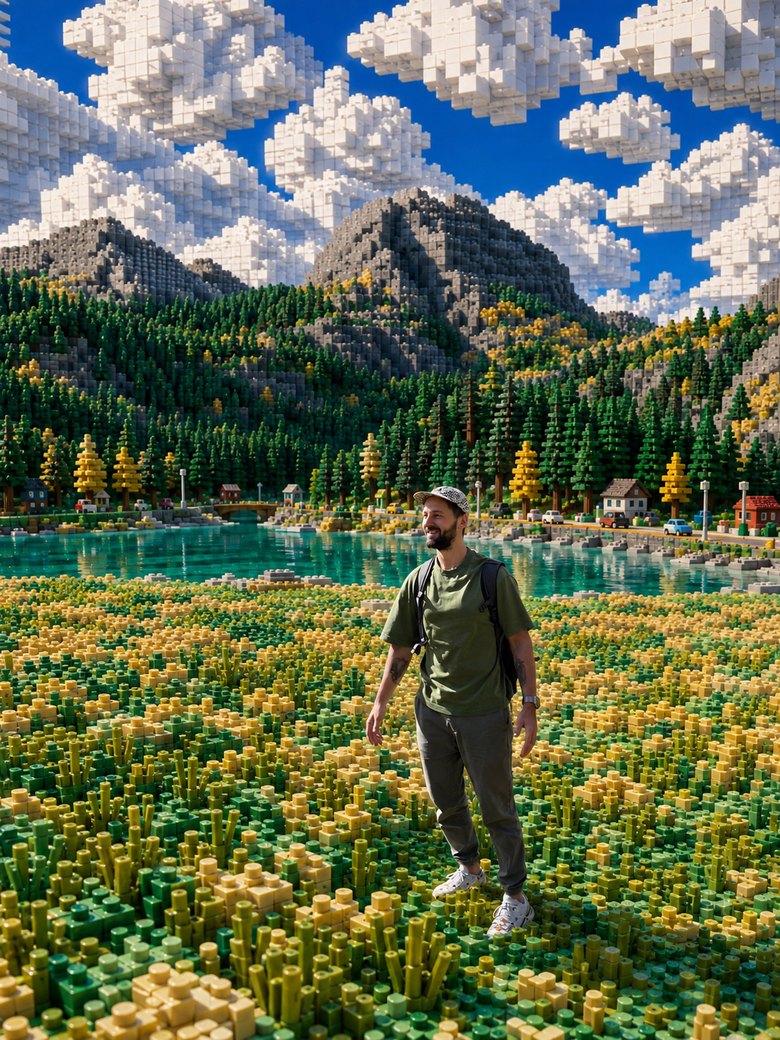
Place me inside a world built entirely from LEGO bricks. I stay a real, photorealistic living person (keep my face and features, use the uploaded photo as the face reference), everyday clothes are fine, while everything around me is made of LEGO bricks: road, houses, trees, cars, streetlights, clouds. Contrast between the real me and a toy world of plastic bricks with round studs. Bright sunny daylight, crisp shadows, macro detail on the bricks, unified lighting. I stand naturally in this world, not cut out and pasted. Keep the same aspect ratio as the original photo. Keep the face, no distortion.
Tip. You can flip it and turn yourself into a LEGO minifigure too. Just add: turn me into a LEGO minifigure with my facial features and hairstyle.
Prompt 02Giant in the City
A striking sense of scale: you are as tall as a skyscraper walking through a real city while the people and cars below are tiny. The brain latches onto the mismatch and holds your gaze.
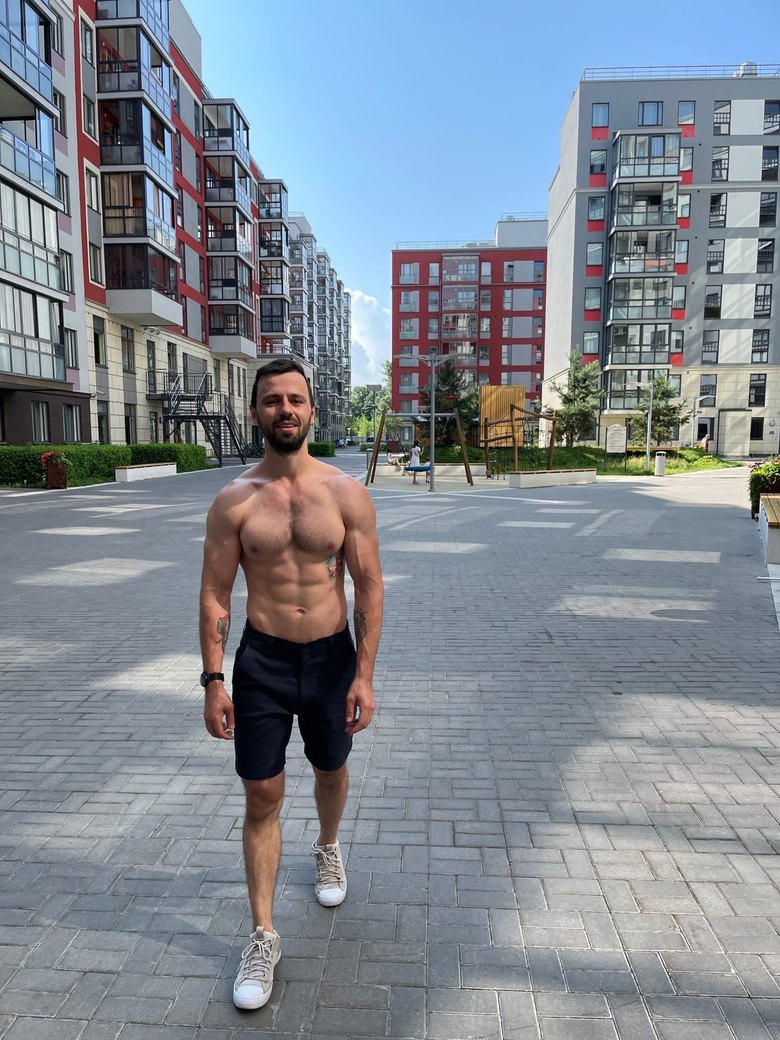
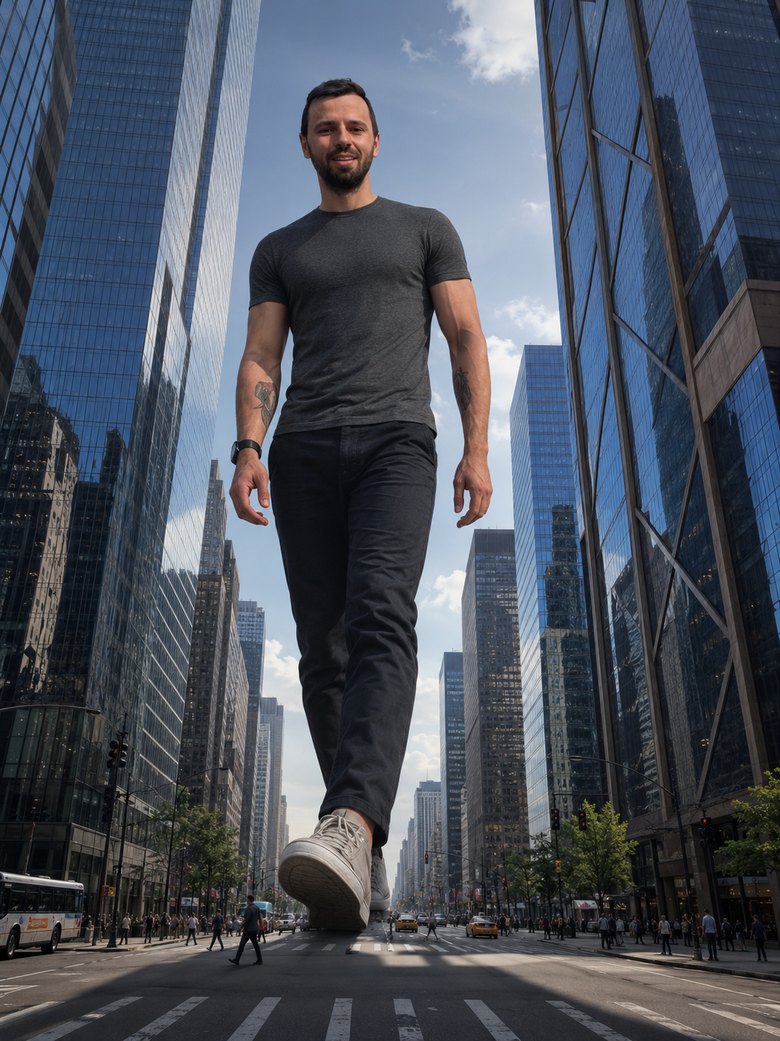
Place me as a giant in a real modern metropolis. Keep my face and recognizable features (use the uploaded photo as the face reference), dress me in natural everyday clothes as if I were really walking the city. I am enormous, as tall as the skyscrapers, walking between buildings; tiny real people, cars and buses below for scale. Realistic shadows from my figure on the buildings and streets, correct reflections in the glass. Daylight, light city haze, low upward angle, wide 24mm lens. Photorealistic, high detail, unified lighting across the whole scene. Keep the same aspect ratio as the original photo. No face distortion.
Tip. Name a specific city and it comes alive. Between the skyscrapers of New York, over the rooftops of Barcelona. A recognizable place strengthens the effect.
Prompt 03Anime
A classic that never goes out of style. Your photo becomes an anime frame: clean lines, expressive eyes, soft fill, a cinematic background. Your features stay, you recognize yourself.
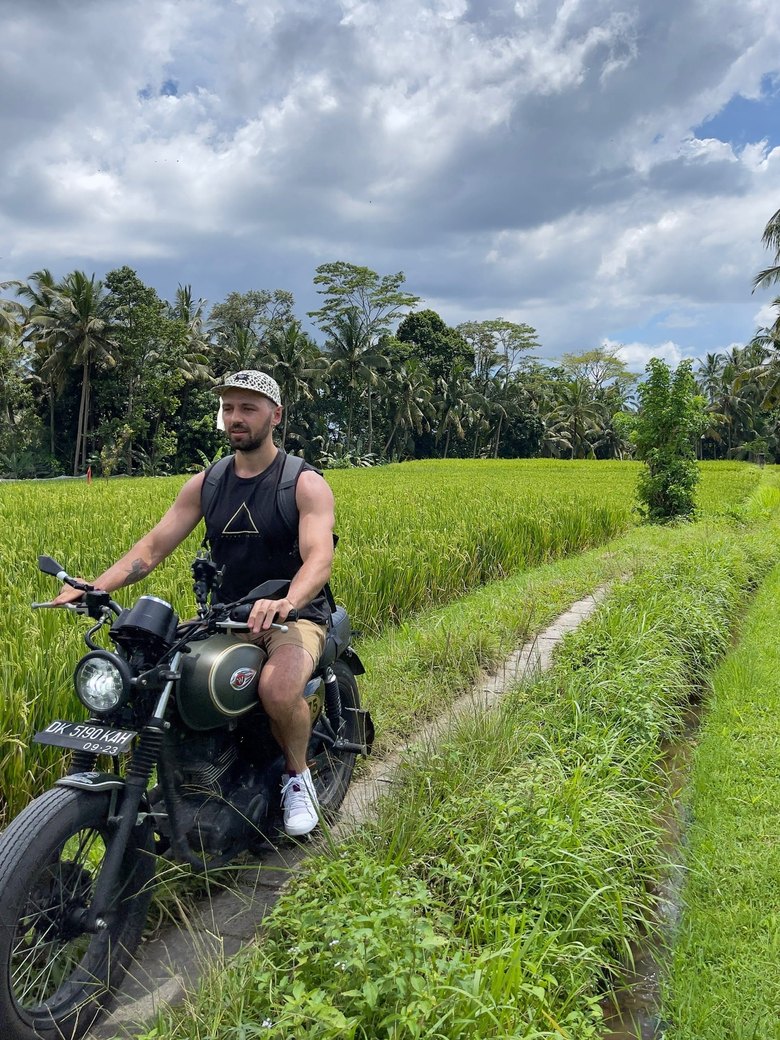
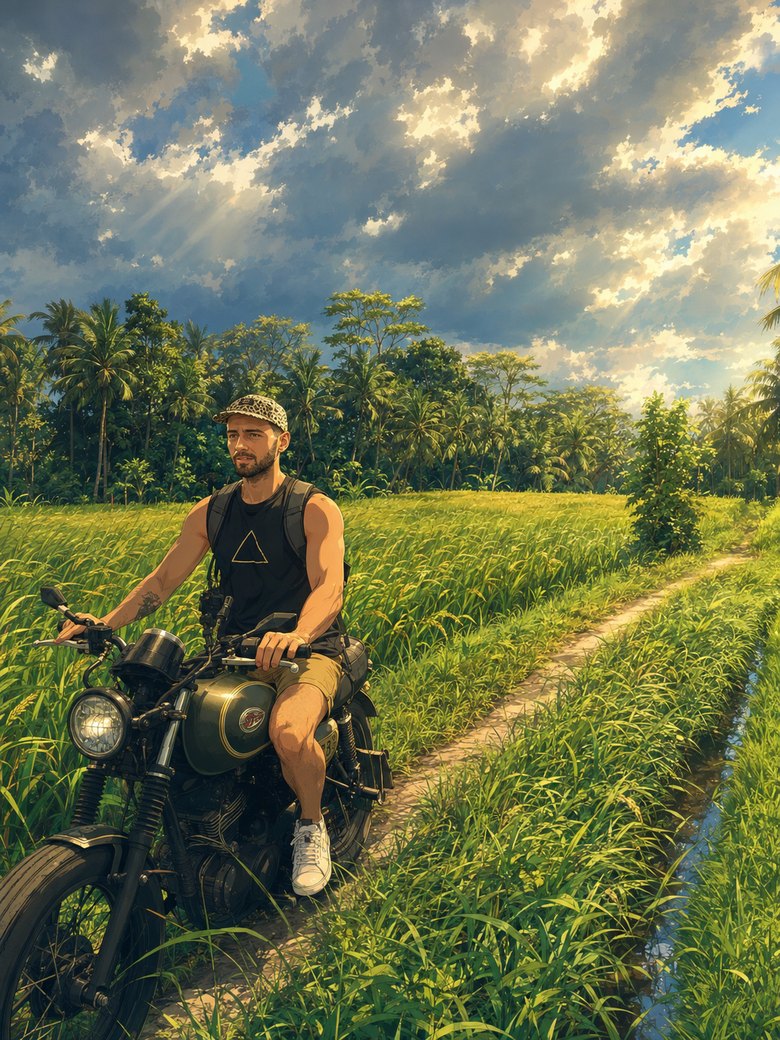
Turn this photo into a frame from a high-quality modern anime film. Keep my recognizable features (face shape, hairstyle, characteristic details), do not turn me into someone else, but adapt clothing, pose and expression to the anime frame. Style: clean anime linework, expressive eyes, soft cel shading, a light highlight on the hair. Atmospheric cinematic background with blur and soft light, a warm cinematic mood. Keep the same aspect ratio as the original photo. Quality like a still from a feature anime.
Tip. Name a mood instead of a studio to avoid copyright issues. Warm summer anime, rainy melancholic frame, and the model gets the style without studio names.
Prompt 04Meeting Yourself
A warm, catchy format: in one photo you meet yourself at another age. The past and future you in a single frame. It works on emotion and fits a personal, reflective post.
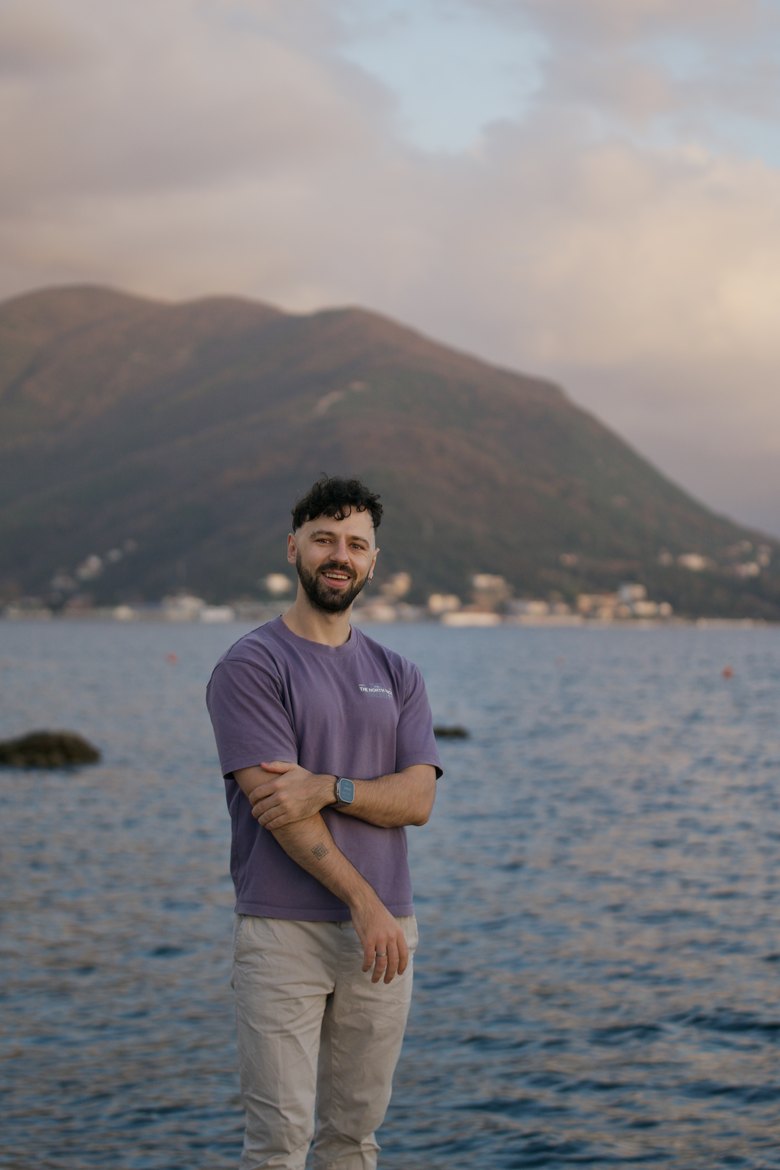
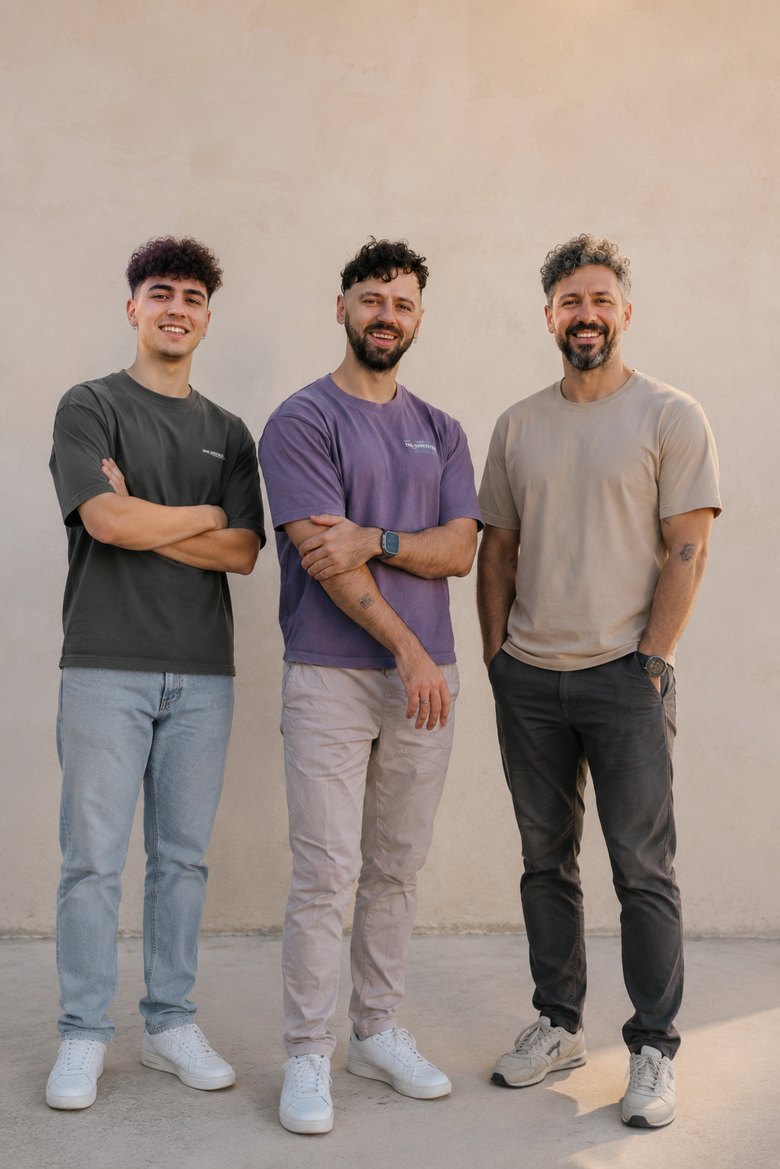
Make a realistic group photo where I stand next to myself at three ages. Use the uploaded photo as the face reference for all three, and adapt clothing and styling naturally to each age. On the left, me about twenty years younger (youthful features, smooth skin); in the center, me today; on the right, me about twenty years older (wrinkles, grey hair, but clearly the same person). One face, only the age changes. All three full-length in one frame, natural lively poses, the same even daylight, a neutral background, a warm palette, photorealistic, unified light. It should look like a real photo. Keep the same aspect ratio as the original photo. No feature distortion.
Tip. If three is hard to fit, do two, the present and future you. A two-person frame is more stable and the emotion is the same.
Prompt 05GTA 6
A viral format tied to the most anticipated release: GTA 6 launches in November 2026 and the hype is huge. Your photo becomes a game character in its signature illustrated style.
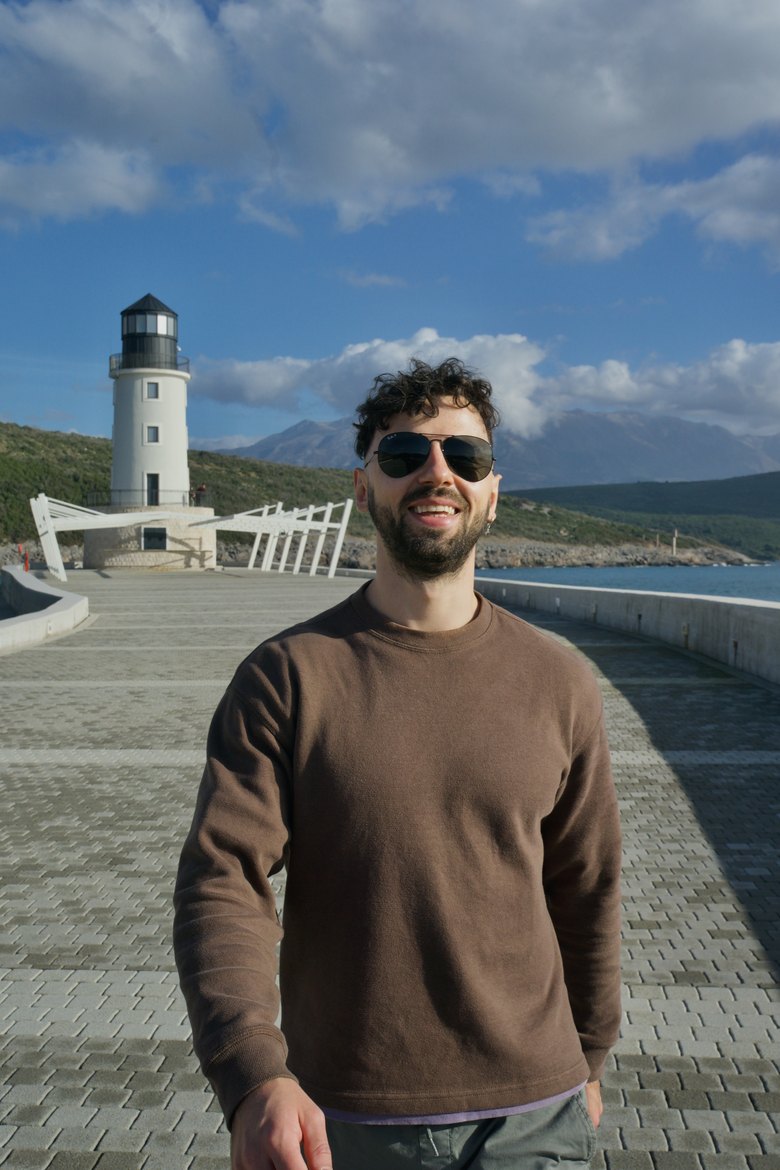
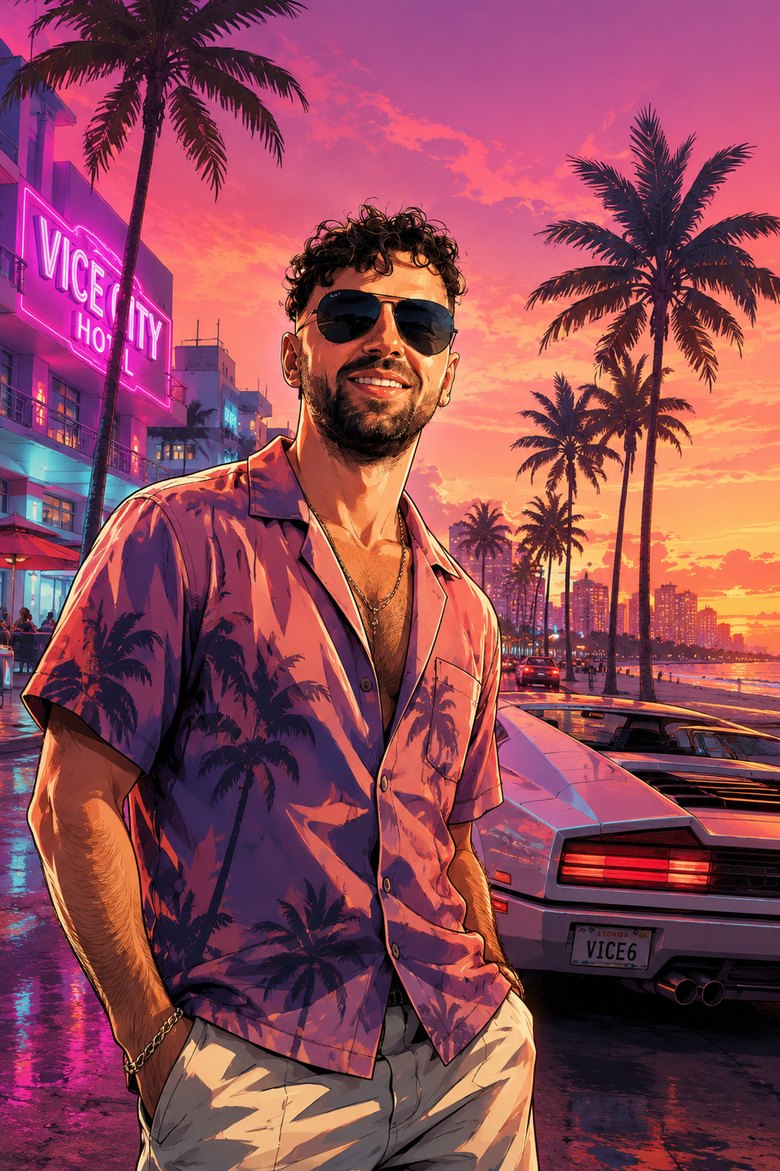
Turn me into a character from the game GTA 6 in Rockstar's signature illustrated style of covers and loading screens: a semi-realistic digital illustration, clean outlines, rich saturated color, light comic stylization. Keep my recognizable features (face shape, hairstyle, characteristic details) but stylize them into the GTA look, and adapt clothing and pose to the game's vibe. Look and background in the spirit of Vice City: sunny neon Miami, palm trees, beach and ocean, a pink-purple sunset, a retro-modern vibe, a sports car or motorbike nearby. Confident pose, a slight cocky grin, high detail. Keep the same aspect ratio as the original photo. No feature distortion, no extra fingers.
Tip. Swap the game to taste: The Witcher gives fantasy armor, Cyberpunk 2077 gives neon and implants, FIFA gives a kit on the pitch. Just name the game at the start.
Prompt 06With a Celebrity
The classic people forward first. You and a favorite celebrity in one frame, as if you really took a photo together. A childhood idol, a favorite actor, a musician, anyone.
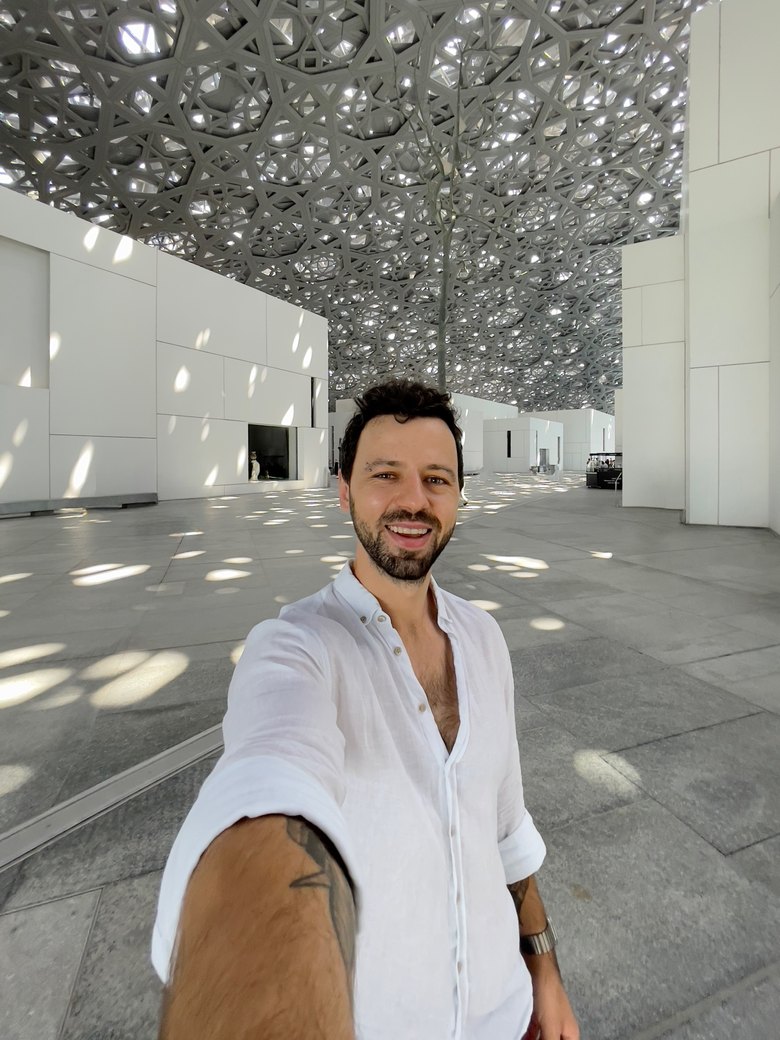
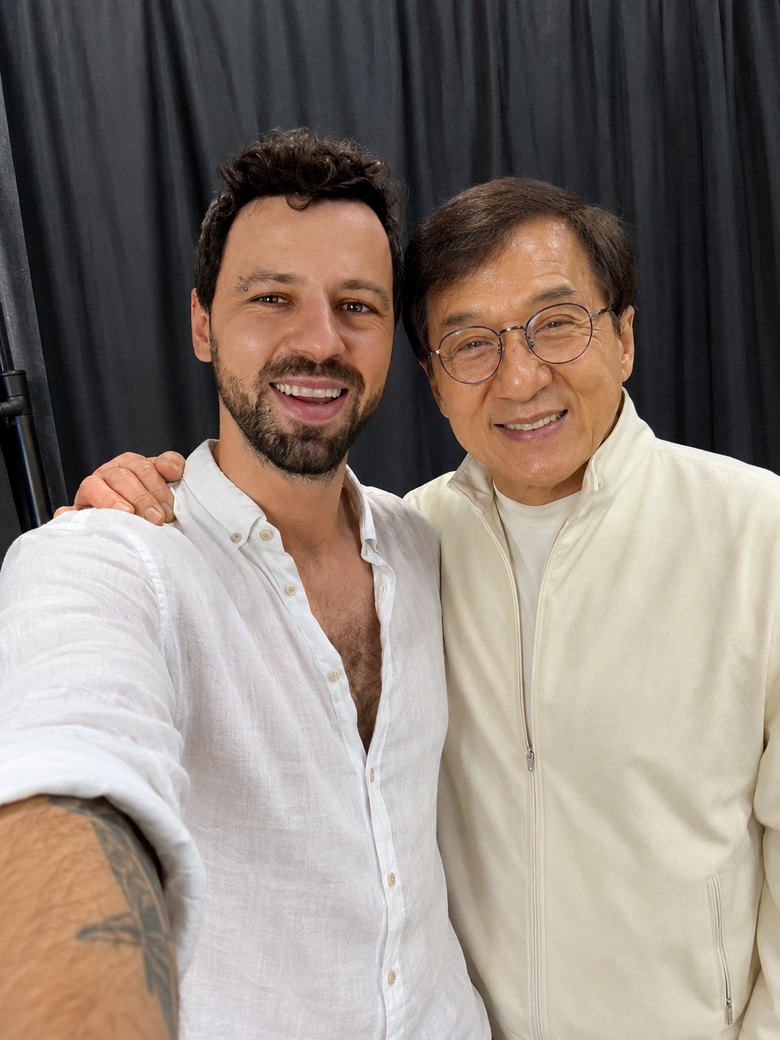
Make a realistic photo where I stand next to [insert celebrity name], as if we took a photo together at an event. Keep my face and recognizable features (use the uploaded photo as the face reference), and adapt clothing, styling, pose and expression naturally to the occasion. Both of us framed to the waist, standing close, natural lively poses, light smiles, my arm around the shoulder. A realistic setting to match: an event, a stage, a red carpet, live light like a real shot. Quality like a good phone photo, light depth of field, photorealistic, unified light. It should look like a real photo together. Make the celebrity recognizable. Keep the same aspect ratio as the original photo.
Tip. Set the scene to match: a concert stage for a musician, a red carpet for an actor, a stadium for an athlete. And remember, it is fun, do not pass it off as a real photo.
Prompt 07In Space
A breathtaking shot: you are an astronaut in open space with the blue Earth below. It looks expensive, like a frame from a real mission.
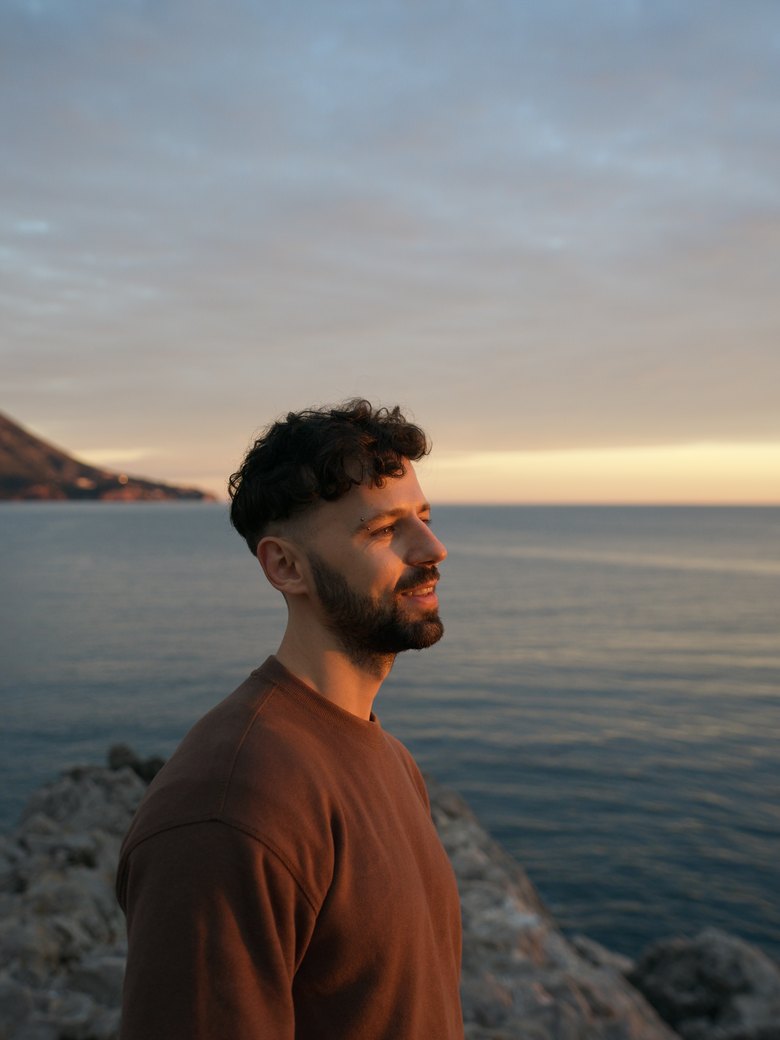
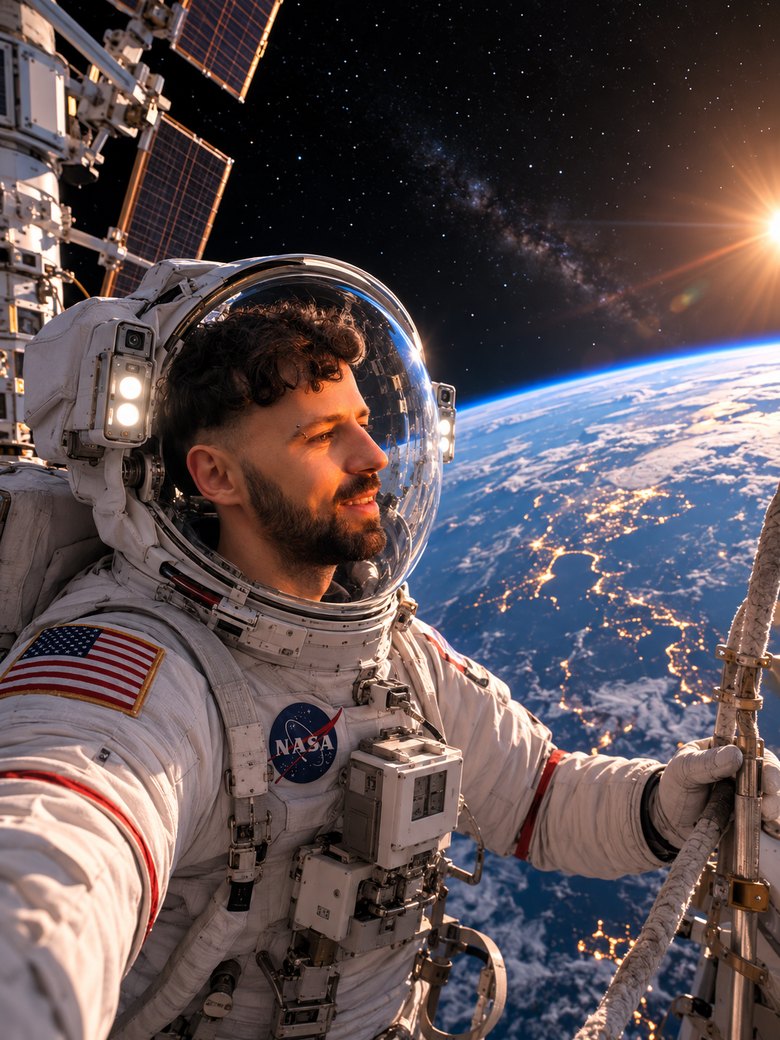
Turn me into an astronaut in open space. Keep my face and recognizable features (use the uploaded photo as the face reference: eye shape, nose shape, age, skin texture) and fully adapt the look to the scene: I am in a realistic spacesuit, the helmet visor clear or raised so the face is visible. Around me is open space: Earth as a blue sphere below, a scatter of stars, soft sunlight from the side, reflections in the helmet glass, part of a space station or a tether nearby. A photorealistic frame like a NASA shot, cinematic light, a sense of the depth of space, high detail. It should look like a real photo from space, not a cut-out face. Keep the same aspect ratio as the original photo. No face distortion, no extra fingers.
Tip. Change the scene: a moonwalk with a flag, a view from the ship's cabin at the stars, or drifting over a night city from orbit.
Prompt 08Vogue-Style Portrait
Start here: a stylish portrait at the level of a fashion shoot is useful for everyone, for an avatar, a website, a profile header. We take the Vogue aesthetic, rich fashion light and a polished look, but a clean frame with no magazine layout or text.
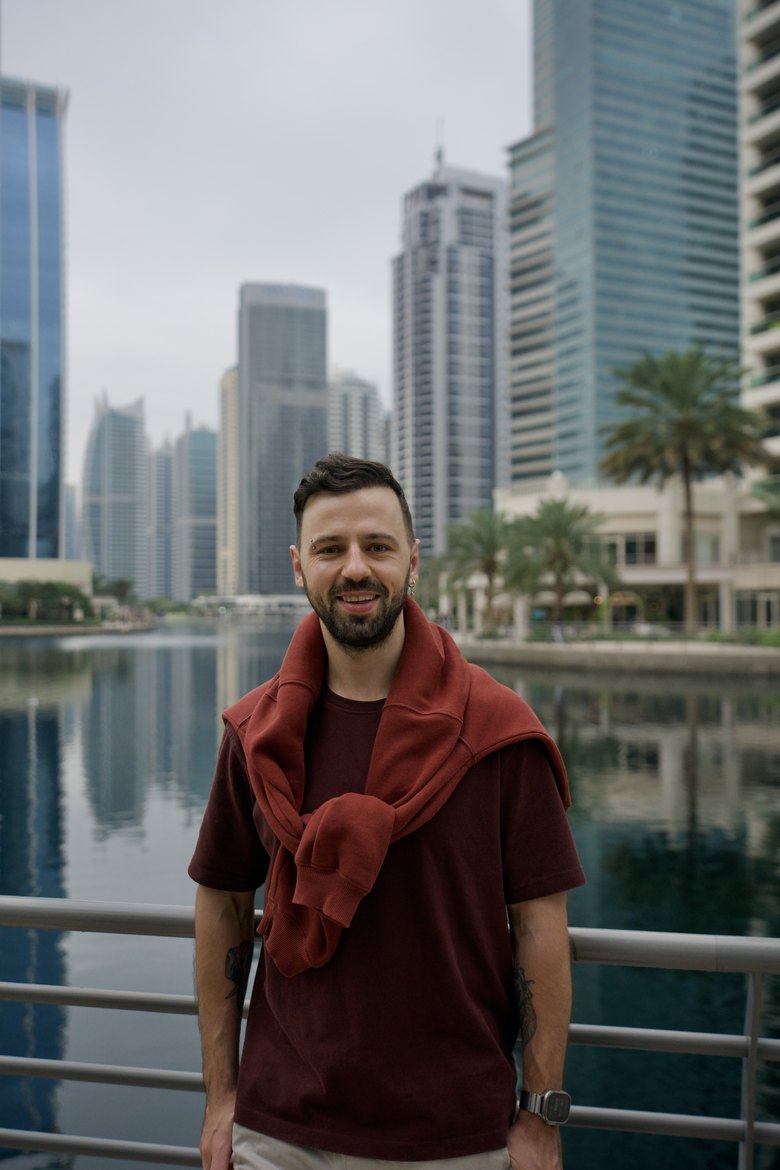
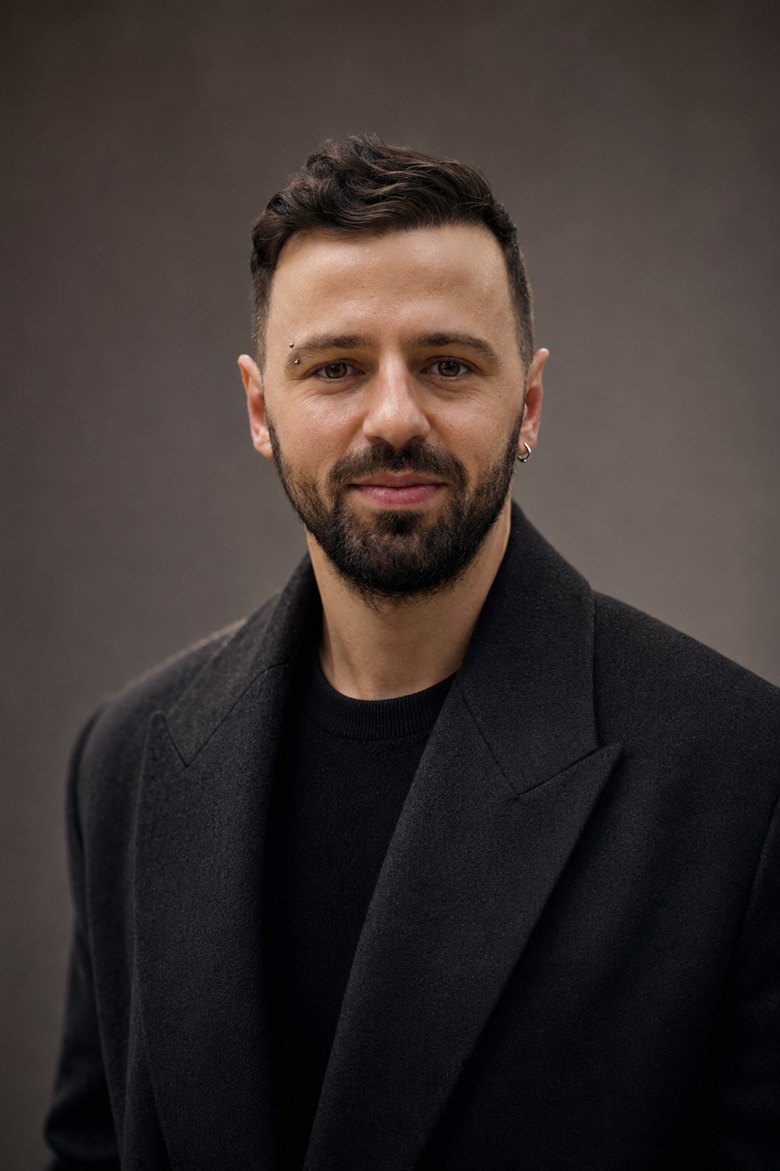
Turn this photo into a stylish studio fashion portrait in the aesthetic of a Vogue shoot. Keep my face and recognizable features (nose and lip shape, eye shape and color, age, natural skin texture with pores; use the uploaded photo as the face reference, do not beautify) but adapt the look, hair styling, pose and expression to a high-end fashion shoot. Flawless studio fashion light: a soft key light front-side, a gentle rim light, catchlights in the eyes. A clean solid or soft gradient background, an 85mm lens, f/2.8, shallow depth of field. Professional retouch while keeping the skin texture, photorealistic, high detail. Chest-up crop, a confident model gaze into the camera. It should look like a real shoot, not a cut-out face. No text, captions, logos or frames. Keep the same aspect ratio as the original photo.
Tip. Change the mood with one word: warm golden light for a soft look, hard contrast light for a bold fashion frame.
Prompt 09The Simpsons
A cartoon format everyone knows, young and old. Your photo becomes a yellow character from the iconic show. Funny and instantly shared.
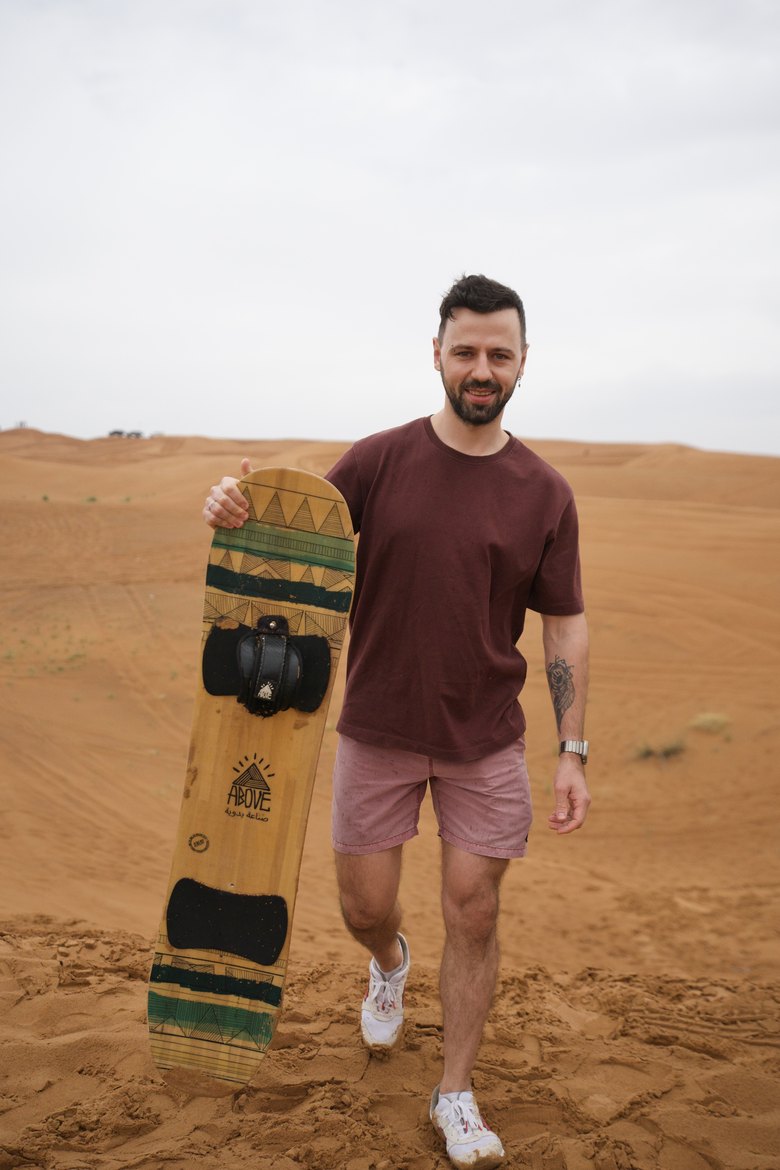
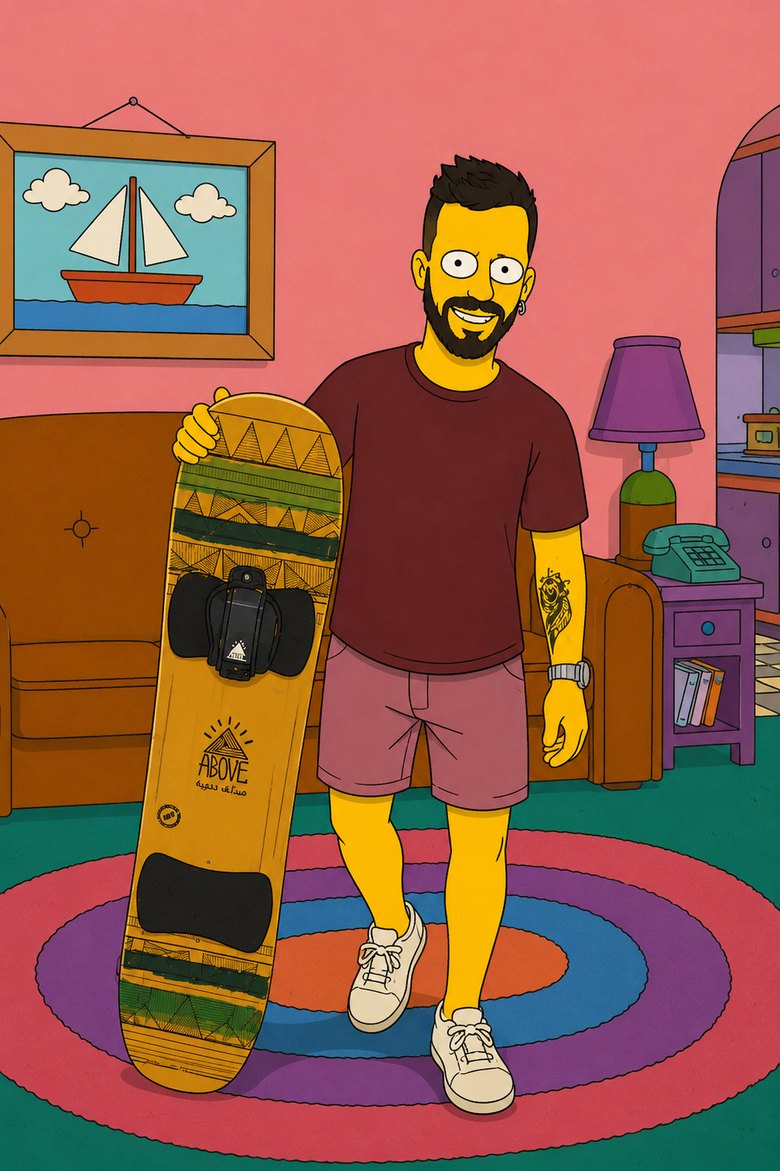
Turn me into a character from The Simpsons in the show's signature yellow cartoon style: yellow skin, big round eyes, simple clean outlines, flat color fill, a classic American cartoon. Keep my recognizable features (hairstyle, beard, characteristic details) but stylize them into the cartoon look, and adapt clothing and pose to the scene. Background in the spirit of the show: a cozy living room with a couch or a small-town street. Keep the same aspect ratio as the original photo.
Tip. If the model refuses because of the name, drop The Simpsons and write in the style of a classic yellow American family cartoon.
Prompt 10Rock Star
Pure energy: you are the main star on the stage of a big concert, the crowd roaring. Everyone who ever dreamed of the stage tries it on.
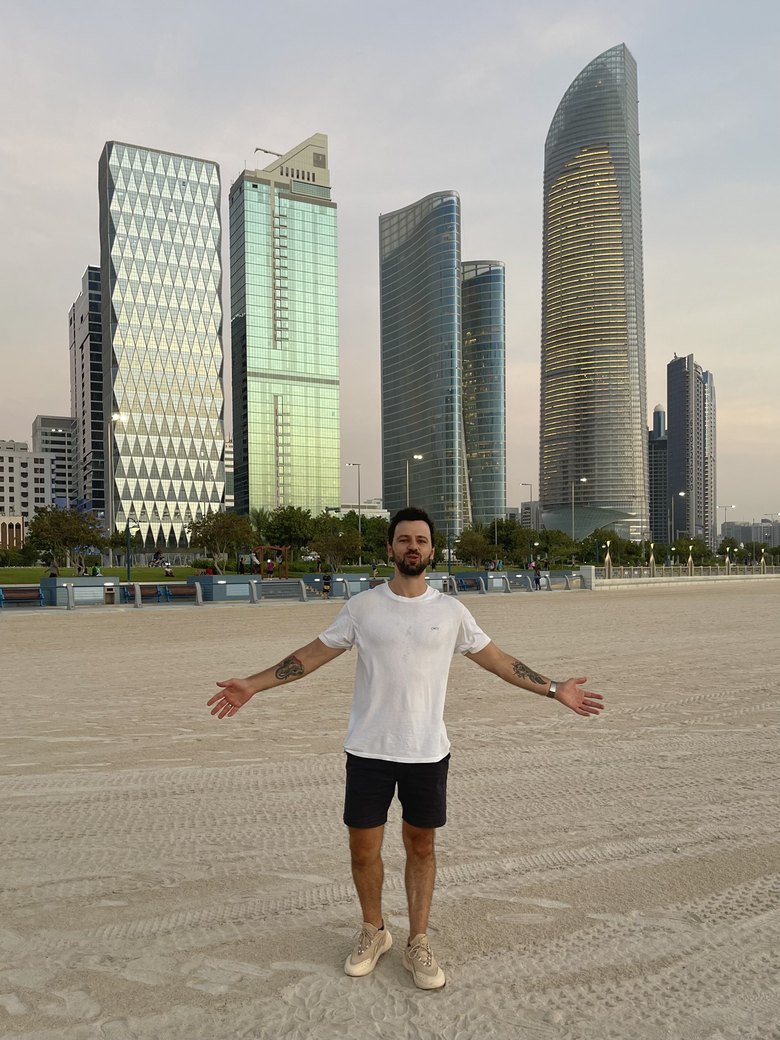
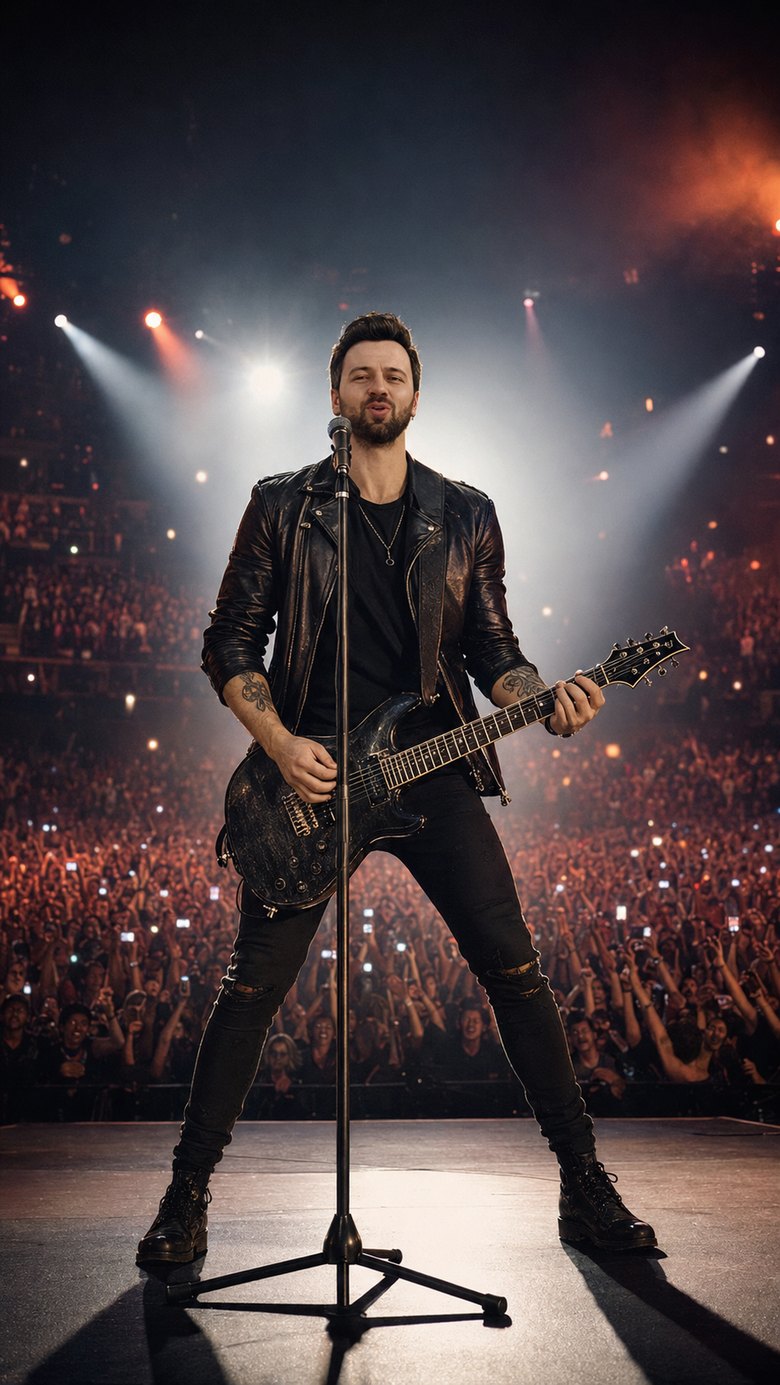
Turn me into a rock star on the stage of a big concert. Keep my face and recognizable features (use the uploaded photo as the face reference: eye shape and color, nose shape, age, skin texture) but adapt the look, stage outfit, hair, pose and expression to a live performance. I am center stage with an electric guitar, a charismatic pose, as if singing at the song's peak. Around me: bright spotlight and floodlight beams, colored rays, light haze, a huge crowd with raised hands and phone lights in the dark hall. Concert cinematic light, a rim light along the figure, the energy of a live show, photorealistic, light grain. It should look like a real concert photo with unified light, not a cut-out face. Keep the same aspect ratio as the original photo. No plastic skin, no face distortion, no extra fingers.
Tip. Set the genre: rock guitar and haze, a rap stage with a gold chain and a mic, or a DJ booth at an open-air festival.
Prompt 11Mini Me
The trend that blew up social media in 2026. You turn into a collectible figure: a plastic statuette on a base with a box like a real toy. People forward this to everyone.
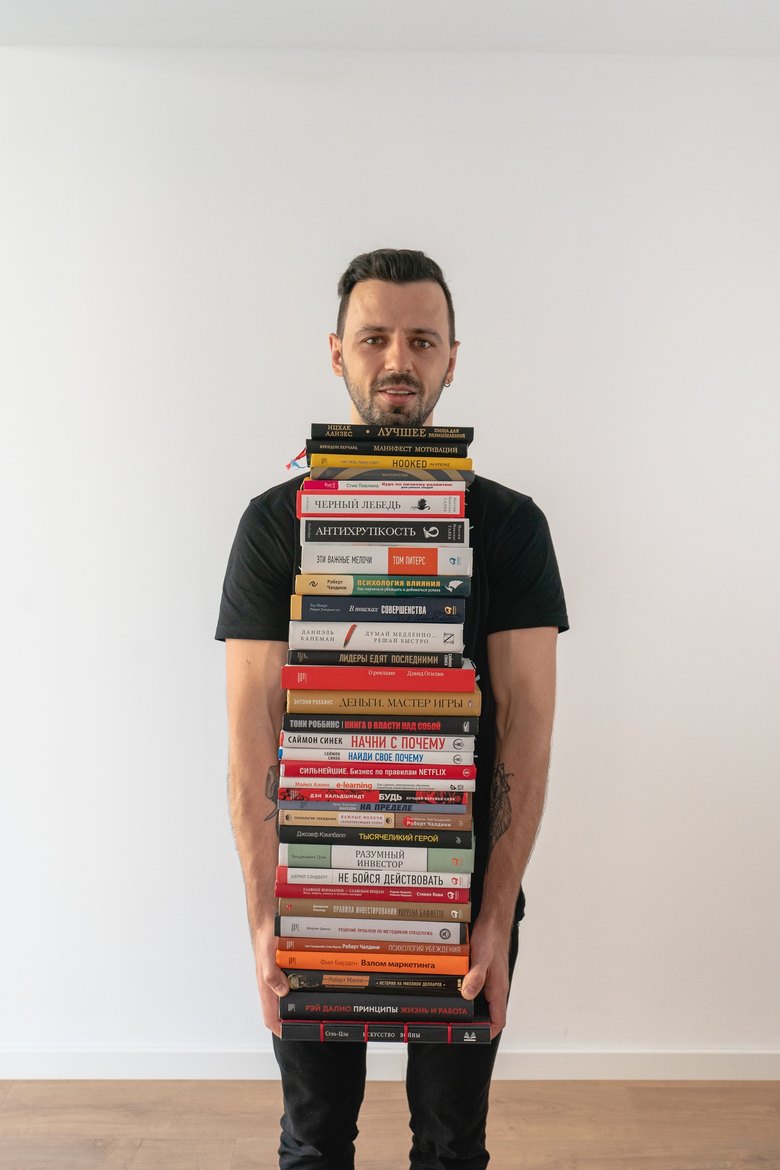
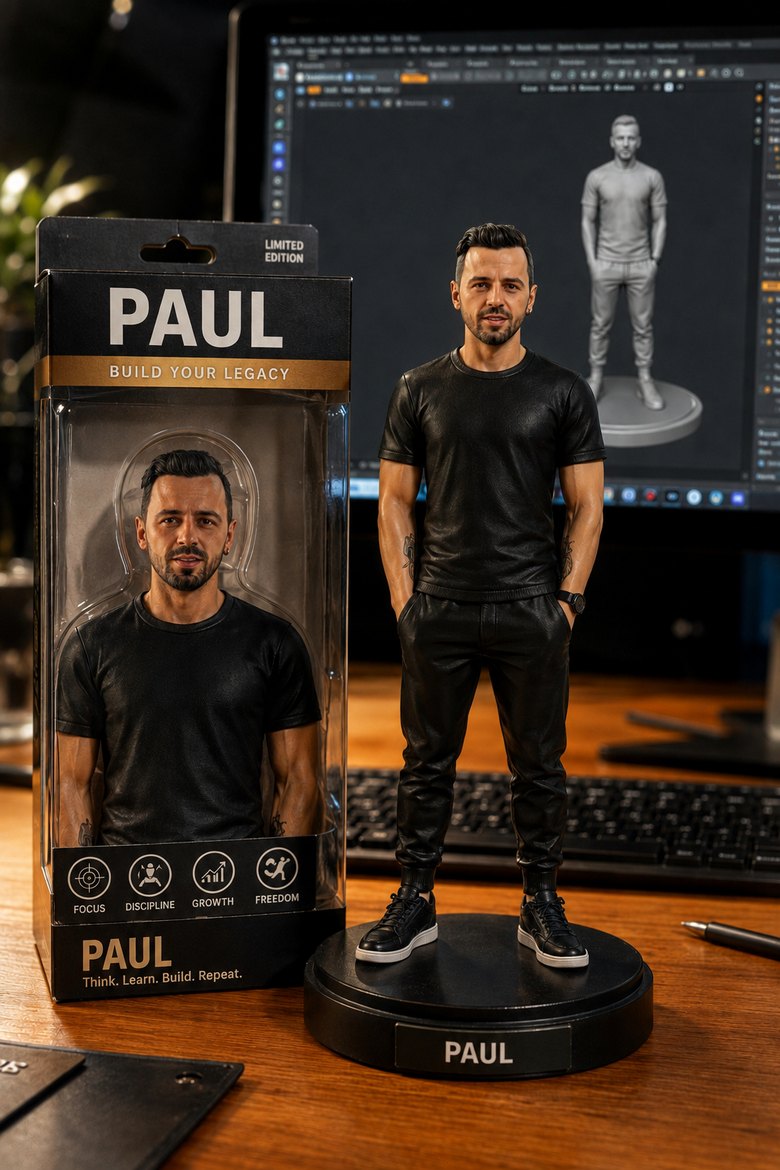
Turn me into a collectible figure. In the center of the frame, a realistic plastic figure of me, full length, on a round base, glossy plastic. Keep my recognizable face and features (use the uploaded photo as the face reference), and style the figure's look and outfit nicely. To the left, a blister box like a real toy in a store: my image on the packaging, my name in big letters, a tagline and icons. In the background, slightly blurred, a computer screen with the 3D model of this figure in an editor. Everything on a table, studio light from above, soft shadows, macro detail, photorealistic. It should look like a real store-shelf photo. Keep the same aspect ratio as the original photo. The face on the figure is recognizably mine, no distortion.
Tip. Detail on the box and the face on the small figure matter. If it comes out messy, regenerate and add: sharp face on the figure, readable text on the box.
MethodHow to invent your own ideas and write prompts
The prompts above are the fish. Here is the rod: how to come up with your own viral ideas and build prompts that work on the first or second try, based on how these models actually behave.
Part 1. How to invent ideas people want to forward
A shot goes viral when it collides you with an unexpected context. Five levers that produce viral ideas:
- Transport into another world. A game (GTA), a cartoon (The Simpsons, anime), an era (the 90s, the Renaissance), a material (LEGO, clay, bronze).
- Change your role or status. A superstar, a rock musician, an astronaut, a king in a portrait, a magazine cover hero.
- Play with scale and physics. A giant in the city, a tiny figure, meeting yourself at another age.
- The trend of the moment. Whatever is launching and buzzing right now: a new game, a film, a viral format from your feed.
- The what-if move. What if I were on a banknote, on a monument, on a magazine cover, on a stadium stage.
The formula is simple: you plus an unexpected world or role plus a recognizable style. One test: if the description already makes you want to forward it, the idea works. Where to find fuel: watch which formats take off on social media and which games and films launch in the coming months, and be first to try them on yourself.
Part 2. How to turn an idea into a prompt that works
You have an idea, now the command. Seven rules behind every prompt in this article:
- Say what changes and what stays. The classic mistake: people say what to add and forget to say what to leave untouched. Then the model improves the face and it is no longer you. Always write: keep my face and features, use the uploaded photo as the face reference.
- Keep the face, change everything else to fit the scene. To get a real photo instead of a cut-out face, ask it to adapt the clothing, pose and expression, and add: unified lighting across the whole scene, blended in, not a collage. The face is yours, the look fits the frame.
- Set the five levers. Look, style, light, lens and angle, aspect ratio. The more you set, the less the model invents for you.
- Name specifics, not pretty. A film stock (Cinestill 800T, Kodak Portra 400), a lens (85mm f/1.8 for a portrait, a wide 24mm for a giant), a light type (soft studio, golden hour, hard flash). Specific words trigger the right associations.
- Add quality boosters. Photorealistic, high detail, natural skin texture with pores, unified light. This works like a quality slider and the model starts trying harder on detail.
- Spell out what to avoid. No plastic skin, no feature distortion, no extra fingers. For realistic shots add: not cartoonish, not a collage. A ban cuts off the usual glitches in advance.
- Refine one change at a time. The first result is rarely final. Do not rewrite everything, ask precisely: make the light more dramatic, change the background to a sunset. Not working out, regenerate; the model is non-deterministic and the second or third try is often clearly better.
Build your own prompt off the frame: Turn me into [role or world]. Keep my face and features, use the uploaded photo as the face reference, and adapt clothing, pose and expression to the scene. [Environment, light, lens]. Photorealistic, unified light, looks like a real photo, not a collage. Keep the same aspect ratio as the original photo. No face distortion, no extra fingers. Drop your idea into the brackets and the prompt is ready.
FixesIf something goes wrong
Common problems and quick fixes so you do not get stuck.
The face looks similar but not mine. The most common issue. Add to the end of the prompt: keep my face and features unchanged, and attach a sharper photo. If it still drifts, regenerate.
It came out too smooth and plastic. Add: natural skin with texture and pores, no plastic gloss, light grain.
The result is generic and dull. You set too few levers. Add the light, the lens, the aspect ratio, name a specific film stock.
Extra fingers or objects appeared. Add the ban: no extra fingers, no stray objects. And refine: remove the object on the right.
The model refuses a real celebrity. That is normal. Replace with a generic figure: a famous actor, a 90s star, without a specific name.
FAQFrequently asked questions
Why are all the examples on ChatGPT, not Gemini?
I tried both. ChatGPT holds the face more reliably and builds complex scenes better, so all the examples here are on it. Gemini is free, and you are welcome to try it too, the prompts are the same.
Is it paid?
The best quality is on the ChatGPT Plus plan, but some of it is available for free. You can start without paying.
Do I need to code?
No. The whole job is to attach a photo and paste text. Not a line of code.
Do prompts have to be in English?
English works great for image models, and all the commands above are ready to use. If a tricky frame is stubborn, rephrase and regenerate.
How many tries does it usually take?
One to five. The first result is rarely final, and that is normal. Refine one change at a time and you land it in three or four steps.
Can I edit a photo of a child or the whole family?
Technically yes, one photo per person. But be careful with children's photos and do not post them publicly without a reason.
What do I do with the finished images?
Avatars, covers, stories, posts, profile branding. And if you sell services, it is ready visual content for your blog and landing pages without a single dollar on a designer.
Where does the trend come from?
These formats blow up on TikTok and Instagram in waves. Being early with a fresh one is half the reach.
RecapThe whole path in a minute
Open ChatGPT. Attach a sharp photo. Copy a prompt from the article: keep the face, adapt the look and scene to the story. Get the result, refine one change at a time. The eleven formats above are eleven looks from one selfie, from a LEGO world to a collectible figure. From there, swap cities, eras and genres, and one photo feeds you looks for a long time.