Free AI Tools 2026: What Actually Works Without Paying
Here's the honest breakdown of which AI tools you can use for free in 2026 - for text, images, voice, music, and video. Which ones are truly free forever, which are just trials, where the free-tier limits hide, and how to squeeze the most out of them before it's time to pay. No card required for any of it.
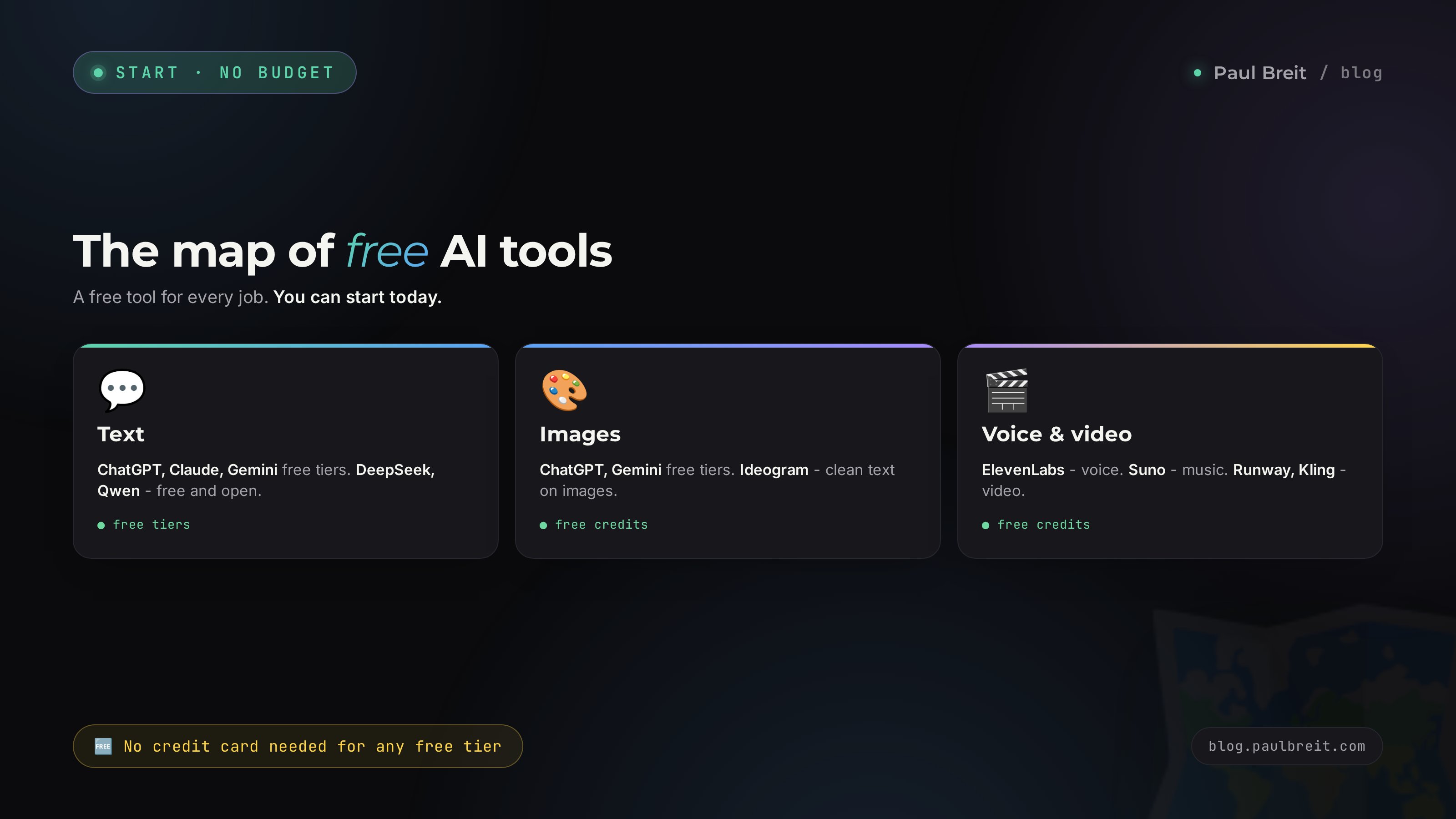
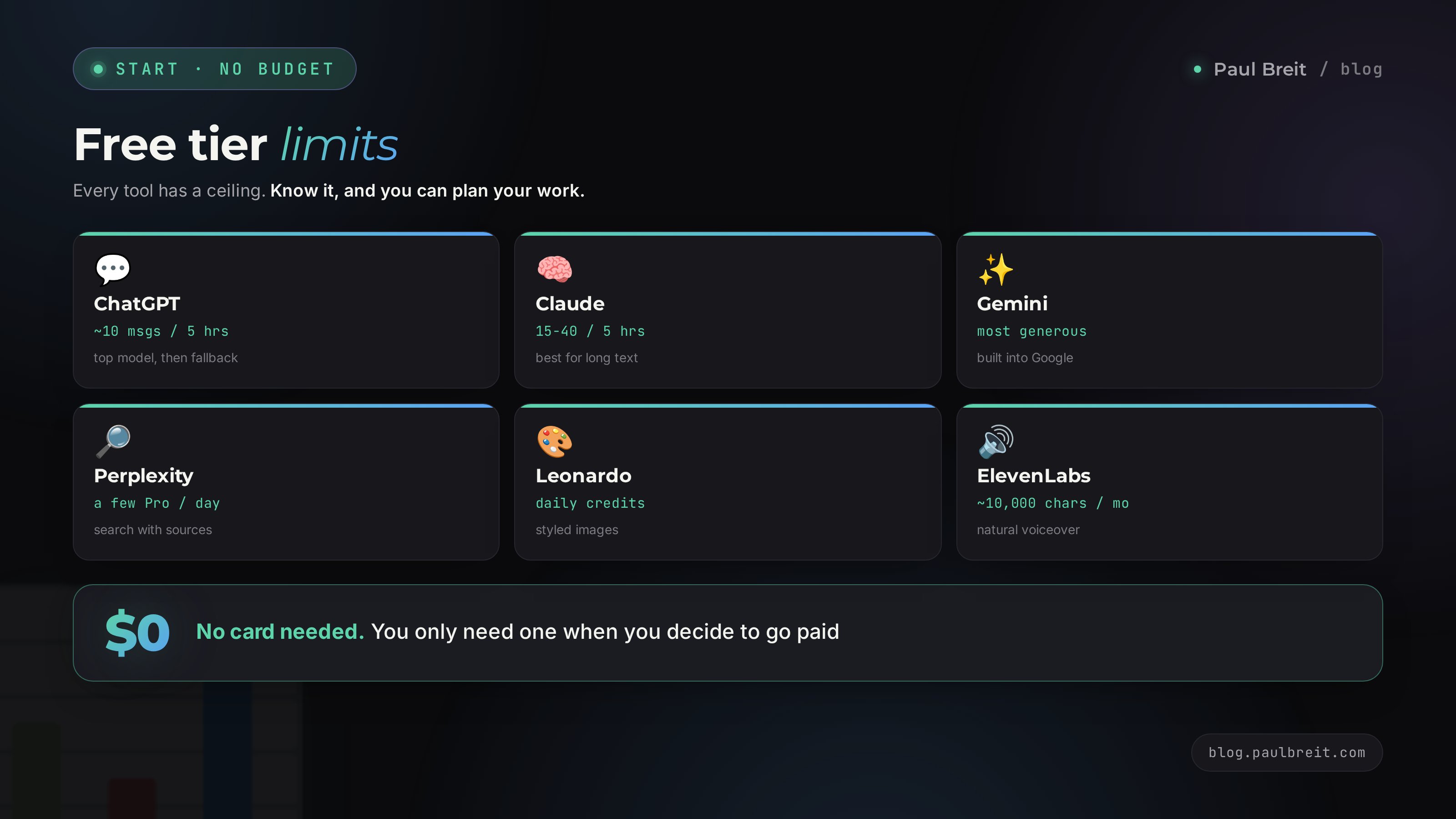
In 2026 dozens of AI tools are free with no card at all. For text, ChatGPT, Claude, and Gemini each give a free tier that never expires, Microsoft Copilot is free, and the open models DeepSeek and Qwen run with roomy limits. Gemini has the most generous free plan of the big three. For images the free tiers of ChatGPT and Gemini plus Leonardo, Ideogram, Krea, and Recraft cover most jobs. Voice is ElevenLabs, music is Suno, video is Runway, Kling, and Hailuo on free credits. The catch is limits: roughly 10 messages per five hours on ChatGPT's top model, 15-40 on Claude, and the most headroom on Gemini. For learning and first experiments the free tiers are plenty. Paying makes sense once you hit a wall on real work.
You hear about AI from every direction, you open the first link you find, and it hits you with "subscribe for $20 a month" right away. You've never once used the thing, the price feels like a dinner out, and you have no idea what you'd even be paying for. So you close the tab and quietly decide this whole AI story isn't for you.
Here's the thing. You don't need to pay to start. I run four client projects and a channel with 20,000 followers, and a solid half of my daily tasks still get done on free tools. This article is an honest map: what's free, where the catch is, and how to stretch a free tier as far as it goes. No pushing any one service - I don't get paid to name them.
It's a 22-minute read. You'll walk out with a ready set of five or six free AI tools matched to your work, and a clear sense of when free runs out and paying starts to make sense.
What's inside
- What "free" really means for an AI tool
- Text for free: chatbots that write and think
- Images for free: from avatar to banner
- Voice, music, and video for free
- Study and work: translation, notes, slides
- How to get the most out of a free tier
- What free simply can't do
- Where to start: your free starter kit
- The whole path in one minute
In the US, the big three are directly available - ChatGPT, Claude, and Gemini all open in your browser with no workarounds. The only friction is the free-tier limits, which we'll map out below. If you're a total beginner, you can start with any of them today and never touch your wallet. A step-by-step first-steps walkthrough lives in the piece on what you can actually do with AI.
Section 01What "free" really means for an AI tool
The word "free" next to an AI tool means four different things, and mixing them up costs you money and nerves. Let's take them in order, so you know exactly what you're stepping into.
A free tier, forever
This is when a company lets you use the service without paying and doesn't yank your access after a week. That's how ChatGPT, Claude, Gemini, DeepSeek, and Microsoft Copilot work. A free tier always has a ceiling: how many messages a day, which model answers, whether you can upload files. But the access itself is permanent and never asks for money. This is what you want at the start.
A trial period
The service gives you full access for 3 to 7 days, then asks for a card. Plenty of video generators and editing apps do this. You can use a trial honestly: do the job, get the result, walk away. The one trap is a card attached at the start of the trial, where the full charge hits a week later and you forgot to cancel. Simple rule: if a trial asks for a card, set yourself a reminder for the day before it ends.
Credits and tokens
Many tools for images, voice, and music hand you a set number of credits per period. Say, 10,000 characters of voiceover a month, or 50 image generations a day. Spend them and you wait until tomorrow or next month. It's an honest model and easy to plan around: count how many tasks fit inside the quota and space them out.
Open models
A category of its own: models with open code, like DeepSeek and Qwen. You can run them for free on someone else's servers through a website, or, if you really want to go deep, on your own machine. For a normal person this means one thing: services like these usually give a more generous free tier, because the company isn't spending as much per request as a closed lab like OpenAI does on each of yours.
Fair question - if it's free, where's the catch. There's no catch, there's a business model. The free tier is a storefront. The company shows you what the tool can do, gets you used to it, and takes money from the people who run out of limits and want the top model. Some also sell APIs and enterprise plans to businesses while handing individuals a generous free tier for reach. That's entirely in your favor.
Section 02Text for free: chatbots that write and think
Text AI is what most people open this whole topic for. Draft an email, untangle a knotty idea, brainstorm 30 post ideas, translate, calculate, explain a homework problem to a kid. The free versions do all of this today. The differences come down to how strong the model is and how generous the free tier feels.
The big three: ChatGPT, Claude, Gemini
ChatGPT. The best-known name. Free gives you around 10 messages on the top model every five hours, then drops to a lighter one. For emails, ideas, and simple text the lighter model is plenty. It searches the web and reads images even on the free tier. A great default that everyone recognizes.
Claude. My working tool. The free tier gives roughly 15-40 messages per five-hour window - the number floats with load. Claude is the strongest of the group at long text, reasoning, and working through big documents. If your task is to think something through, write an article, or analyze a long file, free Claude is often enough. Sign up at claude.ai.
Gemini. Google's AI, and it has the most generous free tier of the three. Lots of messages, it reads images and documents, and it's baked into Search and Google Docs. For everyday tasks you almost never hit the ceiling, which makes it the easiest one to lean on for free.
The free heavyweights: Copilot and the open models
Microsoft Copilot. Free, runs on strong models under the hood, and it's built into Windows, Edge, and the Office apps. Handy when you're already in a Word doc or a spreadsheet and want help without switching tabs. A solid free everyday assistant most people overlook.
Don't skip the open models. DeepSeek is an open AI that has pulled level with the top Western models on coding and math, and beats them in spots. The free tier is generous and there's no card in sight. Qwen from Alibaba is a similar story: strong, free, no barriers. If you want a powerful free helper with zero friction, start with these two. Perplexity is worth a slot too - it's an AI search engine that answers with links to sources, free with a few Pro searches a day. And Meta AI is free and built right into Instagram, Messenger, and WhatsApp if that's where you already are.
What to pick for the task
| Task | Free pick | Why |
|---|---|---|
| Quick everyday question, short text | Gemini, Copilot | fast, roomy limits |
| Long article, document breakdown | Claude | best at long text |
| Code, calculations, math | DeepSeek | strong and free |
| Search with sources you can check | Perplexity | answers with links |
| Lots of ideas, brainstorming | Gemini, ChatGPT | fast and creative |
| Working with an image and text at once | Gemini, ChatGPT | read images free |
Perplexity in that table stands on its own. It's a search engine built on AI: you ask a question and get an answer with links to the sources. Free gives you a few Pro-level searches a day plus unlimited basic search. When you need an answer you can verify against its links, that's where you go.
Section 03Images for free: from avatar to banner
The second thing people come to AI for is images. A cover for a post, an illustration for an article, an avatar, a Stories background, a product mockup. A couple of years ago that meant a designer's fee and a day of work. Now free generators put out a decent result in a minute.
The strongest free image quality
The free tiers of Gemini and ChatGPT both include image generation, and the quality leads the pack on photorealism and on following your prompt closely. For most people these two cover nearly any image job for free, inside the daily limits. Start here and you'll rarely need anything else for a quick post illustration or a Stories background.
Specialized generators worth knowing
Beyond the big two, a set of specialized generators run their own free tiers. Leonardo gives a daily batch of credits and shines on stylized illustration and game art. Ideogram beats the rest at putting readable text on an image - if you need a banner with a headline and no garbled letters, that's your pick. Krea and Recraft hold free tiers for different styles, and Recraft is especially good at clean vector and brand assets. Bing Image Creator is free and runs a solid model with no fuss. Each one takes a minute to try, so keep two or three bookmarked and switch when one runs dry.
Free image generation isn't about a perfect cover on the first try. It's about ten attempts where one or two are keepers. Hands with six fingers, warped text, odd faces in the background - all of it still shows up. Budget time for re-rolls and don't expect a free generator to replace a designer on an important project. For a quick post illustration, it will. For the face of your brand, not yet.
What you can realistically do for free
- Illustration for an article or post - easy, ChatGPT or Gemini in a minute.
- An avatar in one consistent style - easy, any generator.
- A Stories background or a video thumbnail - easy, with a couple of re-rolls.
- A banner with text - medium, use Ideogram so the letters don't mangle.
- A product on a new background, background swaps - medium, several tools do this free.
- A set of 20 images in one brand style - hard, you'll hit daily limits and it stretches over a few days.
Section 04Voice, music, and video for free
Free works just as well here as it does in text and images, people just talk about it less. Let's take the three directions.
Voice: narration and transcription
ElevenLabs is the benchmark for speech synthesis. The free tier gives around 10,000 characters of voiceover a month, which is a few minutes of finished audio. The voices are alive, with real intonation. That's enough to voice a reel, make an audio version of a post, or narrate a script for a video. A little planning goes a long way with the monthly cap.
The reverse - turning audio into text - is free almost everywhere. A 10-minute voice memo, a call recording, an interview, a lecture all become text in a couple of minutes. Many text chatbots do this out of the box, and there are dedicated free speech-to-text services on top. Transcribe a call, and the AI turns it straight into notes and a task list.
Music and sound
Suno generates a whole song: you give it a theme and a style, and you get a track with vocals and music. The free tier hands you a batch of credits a day, enough for a few songs. A channel jingle, background music, a birthday song for a friend - all of it free and done in a minute. For royalty-free background music under a video, it's a great option.
Video: the priciest, but you can still get in
Video generation is the most resource-hungry task, so there's the least free here. But getting in is real. Runway, Kling, and Hailuo all give free credits for a handful of generations, turning text or a still image into short clips. The logic is the same as with images: free gets you short fragments and lets you test variants, but the credits won't cover a full-length project.
The most useful free combo in 2026 is transcription plus a text chatbot. Record a 15-minute stream of thought by voice, run it through free transcription, and hand it to Claude or DeepSeek with the task "turn this into a structured post." Out comes a finished draft in the time it takes to walk around the block. No money, no keyboard. I use this every single day.
Section 05Study and work: translation, notes, slides
Here's a separate bucket of tasks people do every single day without realizing an AI closes them for free. This is the most underrated part.
Translation that gets context
Any free chatbot translates better than a classic machine translator, because it grasps context and style. You set both the text and the tone: "translate this email into Spanish, businesslike but warm." The result reads naturally, with the context intact. For business correspondence, articles, and instructions the free tier has plenty of headroom. You can also ask it to explain tricky phrases or suggest a more natural wording - a school-grade translator can't do that.
Notes and breaking down material
A long article, a textbook chapter, a lecture video, a 40-page PDF - an AI compresses all of it to the essentials. Claude and Gemini on their free tiers read uploaded files, make notes, pull out the key points, and answer questions about the text. For a student that saves whole evenings; for a professional it means digesting an industry document before a meeting.
Spreadsheets and calculations
The Excel or Google Sheets formula you spent half an hour googling gets written by an AI in one request. "Give me a formula that sums column B when column A shows the right month" - and you get it back, with an explanation. The free tier always has enough room for this.
Presentations
Gamma builds a deck from your text: give it a topic and bullet points, and you get finished slides with layout and images. The free tier gives a batch of credits, enough for a few decks. For a work talk, a lesson, or a project pitch, you get a skeleton in a minute and polish it by hand from there. A deeper look at that approach, with ready wordings, is in the article on AI prompts.
Section 06How to get the most out of a free tier
A free limit is a resource, and you can spend it smart. Here are the moves I actually use to make free tiers cover most of the work.
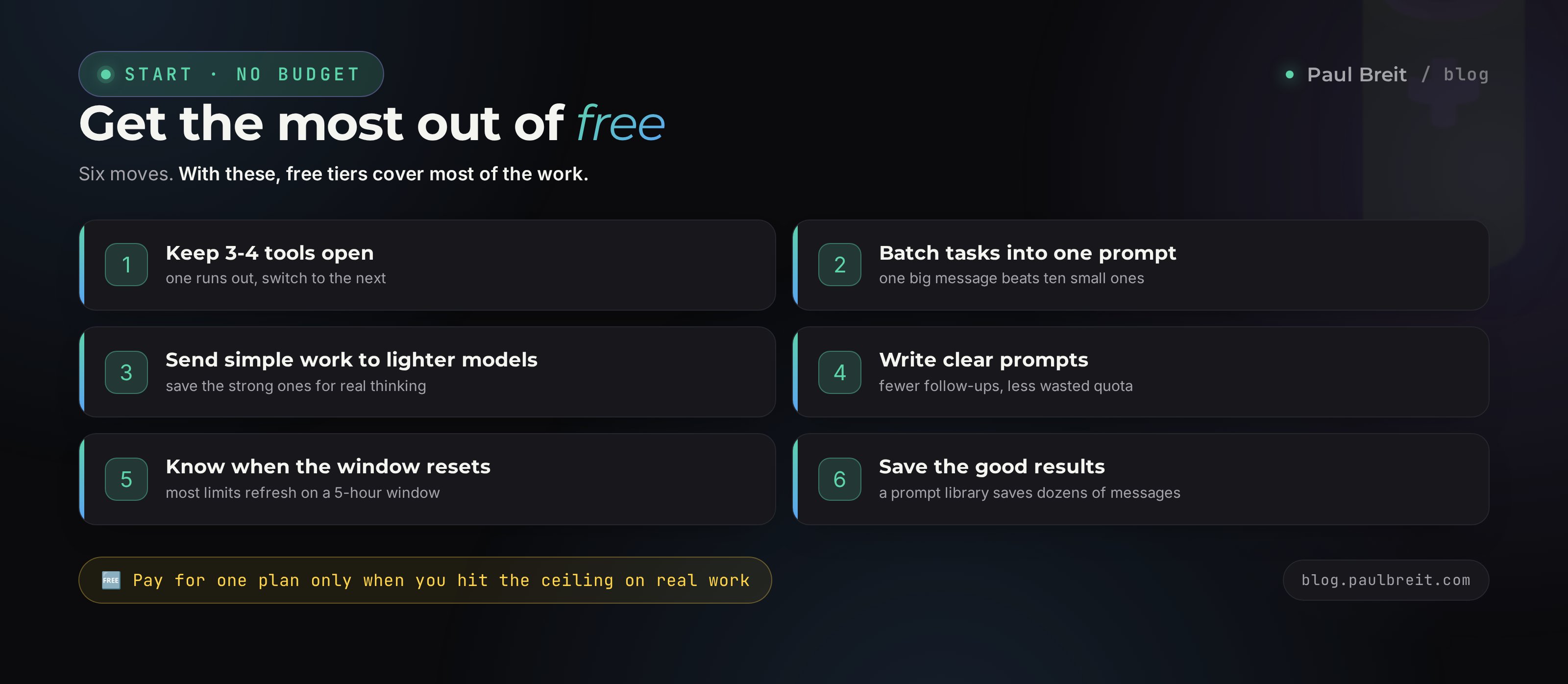
Keep three or four services handy
Out of messages in Claude? Jump to DeepSeek. Hit the daily image cap in one generator? Finish up in another. With a few tabs open you're almost never left without a tool. Make a "AI" bookmark folder and drop five links in it.
Bundle tasks into one request
Instead of ten short messages - "write a headline," "now five more," "now for a different post" - write one big request: "here are three posts, give me five headlines for each, fifteen total." One request instead of ten, and your limit drains far slower. An AI handles long tasks just fine.
Send simple work to lighter models
Don't burn precious top-model messages on trivia. Rephrasing a line, translating a short text, finding a synonym - a lighter free model handles that without eating your best limit. Save strong Claude and Gemini for the work that actually needs a brain: analysis, long text, hard reasoning.
Write clear prompts
Half of your spent messages go to follow-up questions because the first request was vague. The more precisely you describe the task up front - role, goal, format, example - the fewer rounds you burn. A good prompt saves you five messages of limit. How to build them is in the separate piece on prompts.
Know when the windows reset
On the big Western services the limit is usually a rolling five-hour window. Hit the ceiling by lunch, and access comes back on its own a few hours later. No need to spin up a second account and rig schemes. Just plan: do the heavy work at the start of a window, mop up small stuff on a lighter model in between.
Save the good results
A great answer or a strong image cost you a message from your limit. Don't throw them out. Keep a note and stash working prompts, finished text, and links to generations you liked. Next time, instead of a fresh request you grab the ready one and tweak it. Over a month that stash becomes a personal library that saves you dozens of messages.
The urge to spin up five inboxes and grab five free limits is understandable, but it's a dead end. Services track it, cut access, and you burn time on the workaround instead of the work. An honest rotation across different real services is more reliable and breaks no rules. And a combo of four honest free tiers gives you more in practice than five clones of one.
Section 07What free simply can't do
Honesty beats a pretty picture, so let me mark the line. There are tasks where free actively gets in the way, and pushing through it costs time that's worth more than a subscription.
- A daily workload. If an AI is your working tool and you're in it several hours a day, the free limits run out by lunch. Here a subscription pays for itself the first day.
- Big documents and long memory. Uploading a book, running a project with weeks of accumulated context, holding a knowledge base - these are paid-tier abilities. Free forgets faster and takes smaller files.
- Bulk image and video generation. A set of fifty images in one style, or a full minute of video, is dozens of generations, and daily limits won't let you through.
- Stability at peak hours. In the evening, when load is high, free users go to the back of the queue. Paid moves without the wait.
- Working through the API. If you automate and wire an AI into your site or bot, the free API quotas cover tests but not a live stream of traffic.
- Commercial work for clients. When you make images or text to sell, free tiers often restrict commercial use in their terms. For a stream of client work you need a paid plan with the rights.
One more warning about the "free AI tools" that pop up in ads and promise unlimited access with no sign-up. Often there's a reseller behind them, passing your requests to the same ChatGPT and Claude through a middle layer: you hand your prompts to an unknown site, and it charges you for something that's free at the source. Stick to the official services in this article and never enter card details on a sketchy mirror.
Count your time. A subscription to the AI you need runs about $20 a month. If the tool saves you even three hours a week, that's 12 hours a month. Your hour almost certainly costs more than about $1.50. So it pays off with huge room to spare. Free is for trying things and figuring out what you actually need. Paid is for once you've figured it out and hit a wall on a real task.
And don't buy three subscriptions at once. Live on free for a week or two, watch where you hit walls most often, and pay for exactly one service that matters most. For most people that's Claude or ChatGPT for text. The rest you finish off on free. How to choose between them is in the article Claude vs ChatGPT.
Section 08Where to start: your free starter kit
Let me pull the whole thing into a starter kit. If you're just beginning and don't want to overthink it, this is the exact set to open today, and every item here is free with no card.
Truly free, forever
- Gemini - the most generous free tier: text, answers, images, search, built into Google. The easiest place to start.
- ChatGPT - the all-rounder: search, images, file work. About 10 top-model messages per five hours, then a lighter model.
- Claude - the strongest for long text and reasoning, roughly 15-40 messages per five-hour window.
- Microsoft Copilot - free, strong, and built into Windows and the Office apps.
- DeepSeek - powerful text, code, and math on a generous free tier, open model.
- Qwen - another strong open model with roomy free limits.
- Perplexity - AI search with sources, free with a few Pro searches a day.
- Meta AI - free and built into Instagram, Messenger, and WhatsApp.
Free tiers for media
- Images - the free tiers of Gemini and ChatGPT for quality, Ideogram for text on a banner, Leonardo for stylized art, plus Krea, Recraft, and Bing Image Creator.
- Voice - ElevenLabs, around 10,000 characters of narration a month.
- Music - Suno, a batch of song credits a day.
- Video - Runway, Kling, and Hailuo on free credits for short clips.
- Slides - Gamma, a few decks from your bullet points.
I'll say it again because it's the number-one worry: the free tier needs no card anywhere. Not for the big three, not for the open models, not for the media tools. A card only comes up when you decide to buy a paid plan. So "I don't want to put my card in" is no reason to hold off. You can start today, completely free, with an email and nothing else.
The whole path in one minuteWhat to remember
If you didn't have time to read and skipped straight here, here's the gist you can act on.
- There are dozens of free AI tools. You don't need to pay a cent to start.
- Free forever, no card: Gemini, ChatGPT, Claude, Microsoft Copilot, DeepSeek, Qwen, Perplexity, Meta AI. This set covers most everyday and study tasks.
- Gemini is the roomiest, Claude the strongest for long text, ChatGPT the all-rounder. Reach for the one that fits the job.
- Images: Gemini and ChatGPT for quality, Ideogram for text on a banner, plus Leonardo, Krea, Recraft, and Bing Image Creator.
- Voice, music, video: ElevenLabs, Suno, and Runway, Kling, Hailuo - all with free quotas.
- Get the most from free: keep three or four services handy, bundle tasks into one request, send simple work to lighter models.
- Pay for one subscription, and only once you hit a wall on a real working task. Your time is worth more than $20.
The cost of getting into AI in 2026 is zero. Everything that used to block people from starting - "it costs money," "I don't want to pay yet," "what do I even pick" - is answered by the free tiers of the big three and the open models. Open Gemini or DeepSeek right now, give it a first task, and see what comes back. After a week of practice you'll already know which single service is worth paying for. That understanding is where results begin.
FAQFrequently asked questions
Which AI tools are actually free in 2026?
ChatGPT, Claude, and Gemini all ship a genuinely free tier that never expires, and Gemini gives the most generous one. Microsoft Copilot is free, and the open models DeepSeek and Qwen are free with roomy limits. For images the free tiers of ChatGPT and Gemini work, plus Leonardo, Ideogram, and Bing Image Creator. Voice is ElevenLabs, music is Suno, video is Runway, Kling, and Hailuo on free credits.
Do free AI tools need a credit card?
No. Every free tier listed here works with a plain email sign-up and no card. A card only comes into play when you decide to upgrade to a paid plan. Watch trials, though: video generators and editing apps that give a 3-7 day full trial often ask for a card up front, so set a reminder before it renews.
Is the free tier enough for real work?
For learning, personal tasks, and first experiments it's plenty. For a daily workload the free limits run thin: you hit the message ceiling by lunch. Once an AI saves you a few hours a week, a $20 subscription pays for itself the same day. Start free, then pay for the one tool you lean on most.
What's the difference between the free and paid version?
Paid unlocks the top model, more messages, longer memory, file and image uploads, image generation, and priority at peak hours. The free version often runs on the smaller model and drops to it after a handful of messages on the flagship.
How do I stretch a free AI limit further?
Keep three or four services open and rotate: run out in one, jump to the next. Bundle several tasks into a single request instead of ten short ones. Send the simple stuff to a lighter free model and save your top-tier messages for the work that needs real thinking. Clear, specific prompts also burn fewer messages.
Which free AI is best for images?
For top quality, the free tiers of Gemini and ChatGPT lead on photorealism and prompt accuracy. For text on an image without garbled letters, use Ideogram. For stylized illustration and game art, Leonardo's daily credits are strong, and Krea, Recraft, and Bing Image Creator round out the free options.
Which is the most generous free AI chatbot?
Gemini has the most generous free tier of the big three: lots of messages, image and document understanding, and it's built into Google Search and Docs. Claude gives roughly 15-40 messages per five-hour window and is the strongest for long text. ChatGPT gives about 10 messages per five hours on the top model, then drops to a lighter one.
Should a beginner pay for an AI tool?
Start free and live on it for a week or two. The moment you hit a limit on a real task and feel the tool saving you time, buy one paid plan for the service you need most. There's no reason to pay for three subscriptions at the start. For text, that first paid plan is usually Claude or ChatGPT.