Make a Telegram Bot Without a Programmer: Build a Working One in an Evening
A step-by-step build for a live Telegram bot with zero lines of code. You register the bot with BotFather, set up Claude, rent a small server, and in one message you assemble a helper that takes requests, answers the common questions, and sends broadcasts. All through a plain chat with AI. Made for anyone who sells services, courses, or consulting and is tired of doing by hand what a bot could do.
To make a Telegram bot without a programmer, register the bot with the built-in BotFather and get a token, set up access to Claude, rent a small server for about $8-10 a month, and install Claude Code on it. Then describe in plain words what the bot should do, and the AI writes the code, launches the bot, and keeps it alive. A first working lead-intake bot comes together in one evening, and the whole month runs about $40.
You sell a service or a course. People message you the same questions over and over: what does it cost, how do I pay, is there an installment plan, when does it start. You answer ten times a day with the same lines. Someone writes at night, you see it in the morning, and by then they've cooled off. Requests get lost in the thread, you send reminders by hand, and there's less and less time left for the real work.
A bot closes exactly this piece. It answers instantly and at three in the morning, collects requests in one place, and reminds people about payment and calls on its own. And the best part is you don't need to be a programmer to build it. I run four client projects and a channel with 20,000 subscribers without a dedicated developer on the team. I build bots for the task by talking to AI. Below is the whole path, with ready wording you can copy.
You'll read it in 22 minutes. You'll build it in an evening. By morning you'll have a bot that works while you sleep.
What's inside
- What a Telegram bot is and what it can do
- What you need: three things and not a line of code
- Step 1. Register the bot with BotFather
- Step 2. Set up Claude, your builder
- Step 3. Rent a server so the bot lives on its own
- Step 4. Install Claude Code and introduce it to the bot
- Step 5. Build your first bot in one message
- Five bots that pay for themselves: ready briefs
- How to keep the bot running around the clock
- If something goes wrong
- What it costs
- Launch checklist
- The whole path in a minute
Claude is blocked in a handful of countries. If you're outside the US or EU and the page won't open, a VPN set to a US or EU location fixes it – Proton VPN and similar tools work fine. Anthropic blocks by the region your connection exits from, not by who you are, so a US or EU exit makes you a normal user again. Keep the VPN on every time you log in.
Section 01What a Telegram bot is and what it can do
A Telegram bot is a separate account with a program inside instead of a person. Someone messages the bot like any other contact, and the bot replies on a set script: it shows buttons, asks questions, saves answers, forwards some things, reminds about others. To the reader it's just another chat. To the owner it's a staff member who never sleeps, never mixes up prices, and never forgets to follow up a day later.
Let's separate two things beginners tend to confuse. A channel and a group are places where your audience lives. A bot is the doer that does something on command. One bot happily serves a channel, a group, and your DMs all at once.
What the bot can do right out of the gate
- Answer common questions. Price, program, how to pay, when it starts – the bot delivers all of it instantly, with buttons, with no input from you.
- Take requests. Someone leaves a name and contact, the bot drops it into a spreadsheet and pings you in DMs right away: a new request came in.
- Walk people through a form or quiz. It asks questions in order, and at the end shows a result or picks the right product.
- Send broadcasts. You write one message and the bot delivers it to everyone subscribed to it, with none of the limits of manual DMs.
- Send reminders. About a webinar an hour before it starts, about a payment a day later, about a call in the morning.
- Hand out materials. After someone subscribes, it opens access to lessons, a guide, a checklist.
It's all the same technical foundation. Only the script changes – the one you describe to the AI in words. So once you've built a first simple bot, you'll make the second and third in half an hour.
A bot is a doer that follows the rules you set. It's great at repeating tasks and template replies. Live conversation with warming up, working through doubts, and closing is still done by a person. The right way to think about it: the bot takes the routine and leaves you the parts where you're needed. For a full AI staffer that talks in free-form text itself, I wrote separately about an AI employee in your Telegram DMs.
Section 02What you need: three things and not a line of code
Let's make a short list. Everything else follows from these three.
Telegram and the built-in BotFather
Your regular Telegram account. Inside it there's a service bot called BotFather – the messenger's own official tool for registering new bots and getting a key to them. Nothing to download; it already lives in Telegram.
Access to Claude
Claude is the AI that will write the code for you. It handles the programming; your job is to explain in plain words what should come out. Claude does the technical work, you stay the person who knows what the result should be.
A small server
The bot has to work even when your laptop is closed. For that it's given a server – a rented computer in a data center that's on around the clock. It's cheap, you set it up once, and after that you can forget about it.
And that's it. No code editor, no programming languages, no command line to learn. You do three things with your own hands: a couple of clicks in BotFather, signing up for Claude, and renting a server. Everything technical is handled by the AI. Below we'll go through each step in enough detail that even someone hearing the word "server" for the first time can do it.
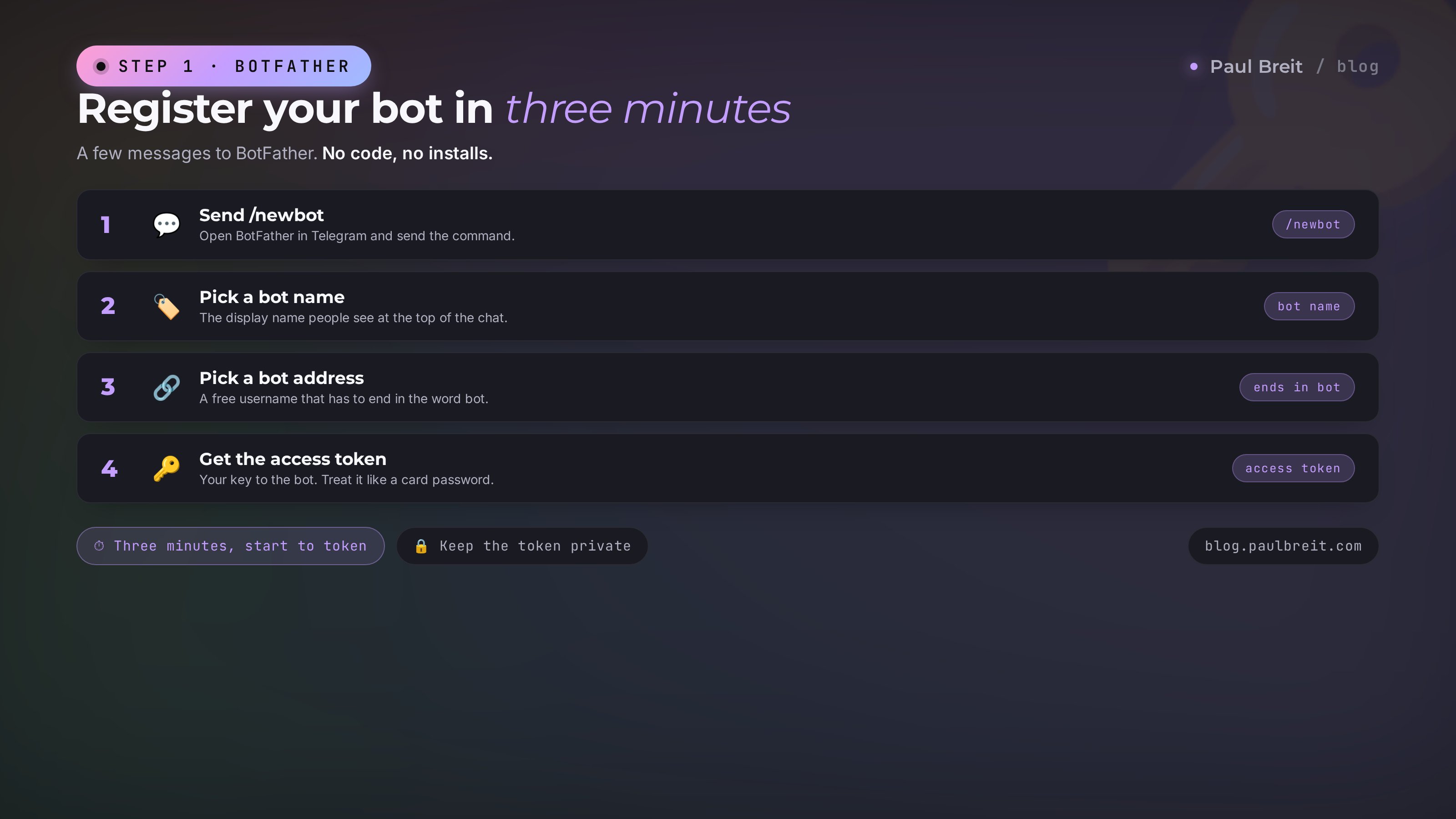
Step 01Register the bot with BotFather
This is the fastest part. Three minutes, a few messages, and you're holding the key to your future bot.
- In Telegram search, type BotFather and open the chat with it. The real one has a blue checkmark next to the name – that's the official bot. Tap "Start".
- Send the command
/newbot. - BotFather asks for a bot name – the one people see at the top of the chat. Write something clear: for example, "Marina's Requests" or "School Helper".
- Next it asks for a short address name. It has to end in
botand be available: for example,marina_requests_bot. If it's taken, just add a number or a word. - In reply, BotFather sends a message with a long string like
7654321987:AAH...a long run of letters and digits. That's the token – the access key to your bot. You don't show it to anyone, like a card password.
The token is the access to the bot. Whoever holds the token controls the bot. Don't post it in screenshots, don't forward it in open chats. When we get to the build, you'll just hand it to the AI in your private working window, and it stays on your server.
That's all for now. The bot is registered, but it has no brains yet: it's an empty account with a key. We'll give it brains in step five. For now, let's set up the one that writes those brains.
Step 02Set up Claude, your builder
Claude will be your programmer. You give the task in words, it turns it into working code. It handles the programming itself; you don't need to know it. There are two ways to work with it, and for building the bot we need the second one.
The first way is the familiar chat window at claude.ai. You type there, you read the answer there. For thinking through the bot's script or drafting message text, it's perfect.
The second way is Claude Code. It's the same Claude, except it can create files, run programs, and keep the bot alive right on the server. You install it once, and it works like an assistant you can tell "launch the bot" or "add a button," and it does it. I wrote a separate piece on it: Claude Code for non-coders – if you want to understand the tool more deeply.
Signing up, step by step
- Open claude.ai. If Claude is blocked in your country, turn on a VPN with a US or EU location first, or the page won't even open.
- Sign up with any standard email – Gmail, iCloud, or your work address. Nothing special is required.
- To build the bot you'll want the paid Claude Pro plan – about $20 a month. It pays for itself the first time you'd otherwise hire someone to write a bot.
Anthropic, the company behind Claude, restricts access from certain regions. It's not personal – it blocks by the country your connection exits from. A VPN changes that exit point to a US or EU one, and to the service you become a normal user. Keep the VPN on for every login, and the account stays calm.
Step 03Rent a server so the bot lives on its own
The bot needs to be online around the clock. If it runs on your laptop, then the moment you close the lid the bot is dead and clients are writing into the void. So the bot gets its own home that never turns off. That home is called a server, or a VPS – a rented computer in a data center.
It sounds serious, but renting one takes ten minutes and costs about the same as a couple of coffees a month. For a first bot, the smallest configuration is plenty.
I recommend Timeweb Cloud
My steady provider for servers built around Claude. Simple panel, pay with a normal card, servers in the US and Europe – which matters, because you want a location where Claude works without surprises.
Go to Timeweb Cloud →Signing up through this link gives you a balance bonus, and me a small partner percentage. The price for you is the same.
How to rent one, step by step
- Open Timeweb Cloud and sign up. You want the "Cloud servers" section, not ordinary web hosting.
- Click "Create server". Pick a location where Claude is available – a US or EU data center. Don't pick one where Claude is blocked, or the server will run into the same wall.
- For the operating system, choose the latest version of Ubuntu – it's the most common option, and everything is tuned for it.
- Take the minimal configuration: 1-2 cores, 2 gigabytes of memory, a little disk. For a Telegram bot that's more than enough. It comes out to about $8-10 a month.
- The server is ready in a minute. Its address and password arrive by email and in the panel – like the keys to the bot's apartment. Save them.
A server for your business is your property and your responsibility. Don't put a working bot on someone else's server, on a friend's, or on one shared with other projects. If a neighbor fills the disk, your bot goes down too, and you won't even know why. Your own separate server costs pennies and sleeps soundly.
Step 04Install Claude Code and introduce it to the bot
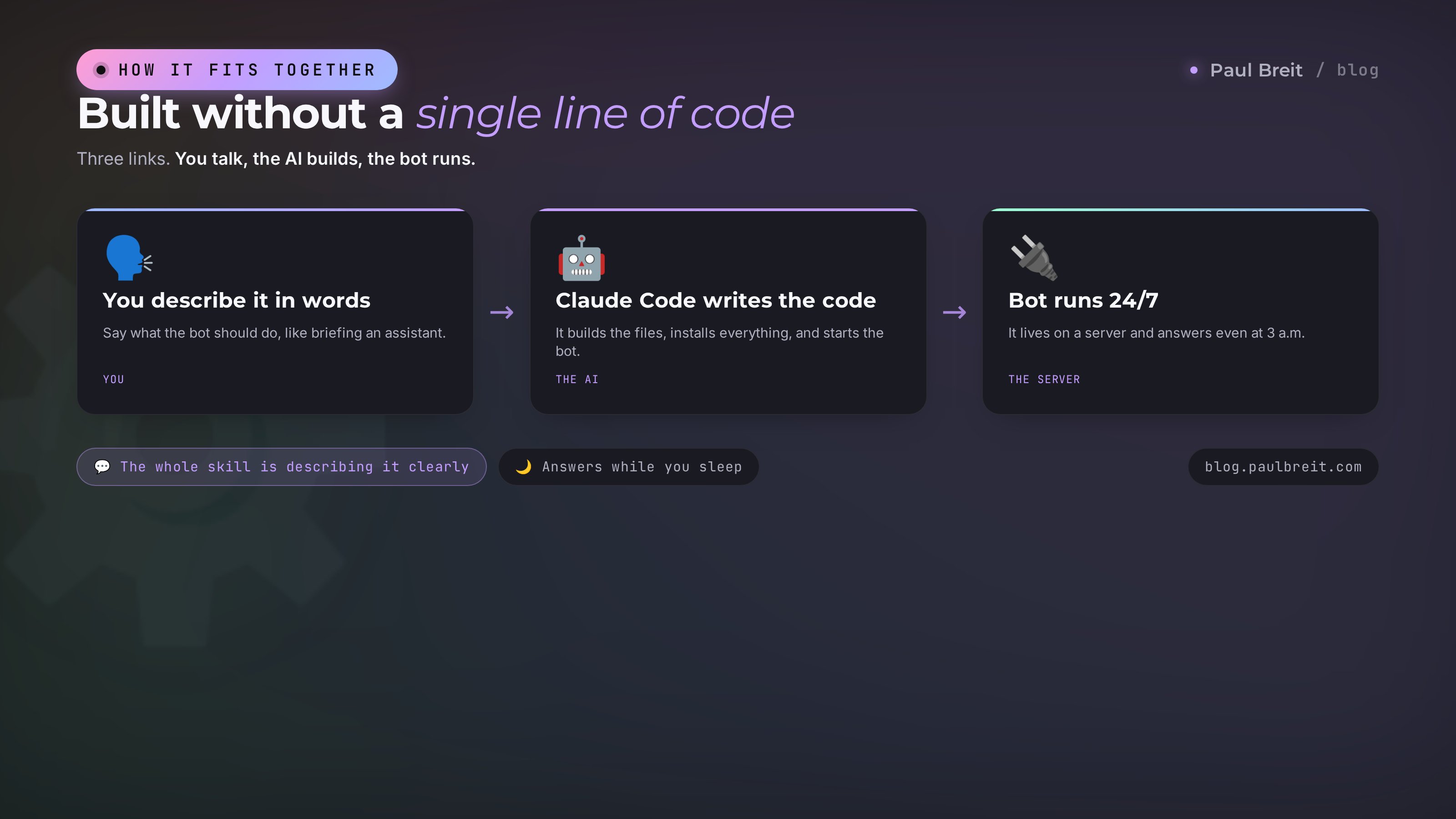
Now we bring it all together. We install Claude Code on the server, and from here the whole build is a conversation. Here's the key idea: you won't be typing commands or fixing errors. You'll tell the AI what you want, and it installs and configures everything itself.
There are two ways to connect to the server and install Claude Code. The easiest is the browser console built into the Timeweb panel: open the server, click "Console," and a black command window opens in front of you. And into that window you simply ask the AI in the chat at claude.ai to dictate the install commands one at a time.
You open the chat with Claude and write in plain text: "I have an Ubuntu server, accessed through a browser console. Help me install Claude Code from scratch. Give me the commands one at a time, I'll paste them and send you the output." Claude gives the first command, you copy it into the server console, and paste the result back into the chat. It reads it, gives the next one. Step by step, in ten minutes Claude Code is on the server. You don't need to understand a single command – you're the courier between two windows.
The first time you run Claude Code on the server, it asks you to authorize at anthropic.com. Our server is in the US or EU, so it usually goes through smoothly. If authorization stalls, the server needs a VPN with a US or EU location as well. Tell Claude about it in the chat, and it'll walk you through what to do.
After installing, you launch Claude Code with one short command (the AI gives you that too), and the same dialog opens in front of you, except now your conversation partner can create files and run programs right on the server. From this point on, building the bot is a conversation.
Step 05Build your first bot in one message
We're at the best part. Now, in one message, you'll hand the AI a task, and in a few minutes the bot comes to life. Let's build a simple but useful one – it greets a person, shows buttons with answers to common questions, and can take a request.
Paste this message into Claude Code, dropping in your own token and your own text:
Build a Telegram bot in Python using the aiogram library.
Bot token: 7654321987:YOUR_TOKEN_HERE

What the bot should do:
1. On /start, greet the person by name and show
   4 buttons: "Pricing", "Program", "How to pay", "Leave a request".

2. "Pricing" button - shows the text:
   "A consultation is $200. A month of coaching is $1,000."

3. "Program" button - shows a short description
   (I'll send the text in my next message; use a placeholder for now).

4. "How to pay" button - shows:
   "Payment by a link I send after your request. Installments available."

5. "Leave a request" button - asks for a name, then a phone,
   saves them with a date to a file called requests.csv
   and sends me a DM: a new request came in, with the name
   and phone. Ask me for my Telegram id if you need it.

After building it - launch the bot and tell me what to check.
If something is missing to launch it - ask me in words,
don't leave placeholders in the working parts.
Here's what happens next. Claude Code creates the files it needs, installs the library, writes in your token, writes all the code, and launches the bot. Along the way it may ask a couple of questions – for example, your Telegram id so it can send notifications to you specifically. You answer in plain words. A few minutes later it writes: the bot is running, open it in Telegram and press /start.
You open your bot, press "Start," and it greets you. You tap the buttons – it answers. You leave a test request – a notification lands in your DMs. That's it, the bot works. You just built a program without writing a single line of code.
Want to fix a line or add a button? Just say so in the same window. "Change the consultation price to $250." "Add a fifth button, Reviews, that gives a link to a channel of testimonials." "Make the bot thank people after a request and promise a reply within an hour." Claude edits the code and restarts the bot. You keep talking in words, it keeps doing.
How to find your Telegram id in 10 seconds
For the bot to send notifications to you, it needs your numeric id. Finding it is easy: in Telegram search, find the bot @userinfobot, start it, and it instantly sends you your id – a run of digits. Copy it and paste it into the Claude chat when it asks.
Section 03Five bots that pay for themselves: ready briefs
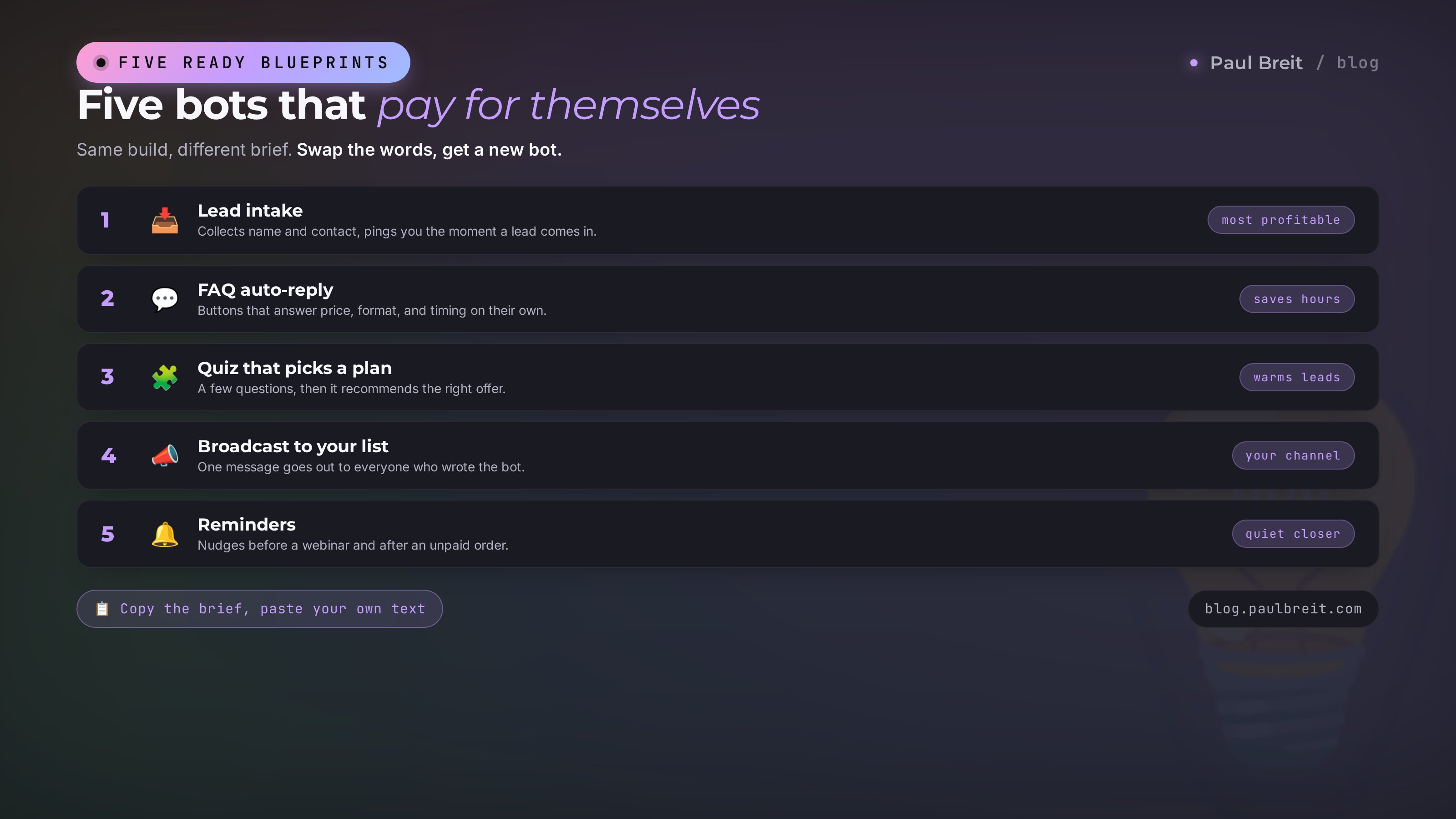
You've built the first bot, the mechanics are clear. From here it's a construction kit: change the task description, get a different bot. Below are five working scenarios with ready wording. Take them, drop in your own text, send them to the AI.
Lead intake with a notification
The basic and most profitable one. Someone leaves a name and contact, the bot files it all in a spreadsheet and messages you instantly. Not a single request gets lost in the thread.
Wording: "The bot takes a request: it asks for a name, a phone, and a convenient time to call. It saves everything to a spreadsheet with a date. It sends me a DM with these details and a Message the client button that opens a chat with them."
Auto-reply to common questions
Takes dozens of identical conversations off your plate every day. Buttons with answers to everything people ask most.
Wording: "A reference bot. On /start it shows buttons with the common questions: price, format, length, documents, how to join. Each button gives a ready answer. At the bottom there's always an Ask your own question button that forwards the question to my DMs."
A quiz that picks a plan
Walks a person through a few questions and, at the end, recommends the right plan or service. It warms them up along the way: they get involved by answering.
Wording: "A quiz bot with 5 questions, each answered by buttons. Based on the answers, it decides which of my three plans fits the person and, at the end, gives a recommendation with a description and a Leave a request button. It saves the answers to a spreadsheet."
A broadcaster to your list
Everyone who wrote to the bot becomes your list. One message, and it's out to all of them. This is your channel of contact that works even without reach.
Wording: "The bot remembers everyone who pressed /start. Add a private command for me: when I send the bot text marked BROADCAST, it sends that text to all subscribers with a pause so Telegram doesn't complain. At the end it reports how many it reached."
A webinar and payment reminder
The quiet worker that closes gently and on time. People signed up – it reminds them a day and an hour before. They left a request – it reminds them about payment.
Wording: "The bot collects sign-ups for a free webinar: name and webinar date. A day and an hour before it starts, it sends a reminder with a link to the stream. If someone left a request and didn't pay, after 24 hours it sends a gentle payment reminder."
Notice what they share: in all five, you describe the behavior in plain words, as if explaining it to a human assistant. No technical terms. That's the whole skill – stating clearly what you want. For how to phrase tasks for AI more precisely, I broke it down in how to write prompts.
Section 04How to keep the bot running around the clock
Here's the spot almost every beginner trips on. You built a bot, it's running, all works. You close the console window, and after a while the bot goes quiet. Here's why, and how to fix it.
When Claude Code simply "launches" the bot, it lives as long as the window is open. Close the window or lose the connection to the server, and the process stops. For the bot to run all the time, it needs to be set up as a permanent server service. Then it starts on its own when the server powers on and comes back up on its own if it ever crashes.
Good news: you don't do this by hand. Tell Claude Code one message:
Set the bot up as a permanent systemd service
so it runs around the clock, starts itself after
a server reboot, and comes back up on its own if
it crashes. Show me how to check that it's alive,
and how to read the logs if something breaks.
Claude sets it all up and briefly explains, in human words, how to check the bot's status. From this point you can close every window, turn off your laptop, and go to sleep. The bot on the server keeps working on its own.
One thing that really takes bots down after months of running is a full disk. The bot piles up logs and data, space runs out, everything stalls. Ask Claude to set up cleanup of old logs right away and, if the bot collects requests, a regular export of them to a spreadsheet. Then the server won't clog. And once every couple of weeks, glance at the free space in the Timeweb panel – a habit that saves your nerves.
Section 05If something goes wrong
Let's go through the common beginner situations. Almost everything is solved with one message to the AI – the key is understanding what's happening so you don't panic.
The bot doesn't respond to /start
Most often the bot simply isn't running or has crashed. Write to Claude Code: "The bot doesn't respond to /start, check whether it's running and look at the logs." It checks the status and finds the cause. The second most common cause is a typo when pasting the token. Then just say: "Check whether the bot token is correct."
Claude Code won't start on the server
Usually this is an authorization wall because of a blocked region. Turn on a VPN with a US or EU location on the server, or recreate the server in a US or EU data center. If you're unsure, describe the situation in words right in the chat at claude.ai, and it'll give you the exact steps.
Requests come in, but I don't get notifications
That means the bot doesn't know your Telegram id, or you never messaged your own bot. Telegram won't let a bot message first anyone who hasn't written to it. The fix: open your bot, press /start, then give Claude your id via @userinfobot. Say: "Notifications aren't coming through, here's my id, fix it."
The bot worked, then went quiet after a week
Two suspects: the bot wasn't set up as a permanent service (see the section above), or the disk filled up. Write: "The bot stopped responding, check the service and the free disk space." Claude brings it back and tells you how to prevent a repeat.
You don't fix the bot by hand and you don't read code. You describe the symptom in plain words: what you pressed, what you expected, what you got. The AI reads the logs, finds the cause, and fixes it. Your job is to explain clearly what's wrong, the way you'd explain it to a repair tech over the phone.
Section 06What it costs
Let's count it honestly, no lowballing. Three line items, all small.
| What | How much | Why |
|---|---|---|
| Registering the bot with BotFather | Free | It's Telegram itself, nothing to pay |
| Claude Pro subscription | ≈ $20/month | The AI that builds and fixes the bot |
| Server on Timeweb | $8-10/month | The home where the bot lives around the clock |
All in, it comes to about $40 a month for everything. One server, by the way, easily holds several bots at once – so the second and third bot add nothing to the server side.
Now think about what the bot replaces. An hour of your time on template replies every day is thirty hours a month. One request from a coaching client lost in your DMs already costs more than the whole bot for half a year. A lead-intake bot pays for itself with the very first request it doesn't lose. This is the case where the time and money saved shows up immediately, not a year later.
You can think through the bot's logic and message text on the free tier of claude.ai in a plain chat. Draft the script there, the button text, the answers to questions. Add the paid subscription and the server when you decide to build the bot for real. That way you lose nothing at the trying-it-on stage.
Section 07Launch checklist
Run through the list. As long as all seven boxes are checked, the bot works at full strength.
- The bot is registered with BotFather, the token saved somewhere safe.
- Claude is set up, the Pro plan is active, and if your region is blocked you log in through a VPN.
- The server is rented in a US or EU location, and access to it is saved.
- Claude Code is installed on the server and launches.
- The first bot is built in one message, tested through /start and the buttons.
- Notifications reach you in your DMs, and a test request came through.
- The bot is set up as a permanent service, runs with the laptop closed, and its logs are cleaned.
You can build a Telegram bot without a programmer and without a single line of code – the whole skill is in explaining the task clearly. The AI does all the technical work; your role is the client who knows what the result should be. One evening of building takes off your plate a routine that was eating hours every week. And once you understand the mechanics on the first bot, you'll build the fifth in half an hour.
How this connects to other articles
A bot is a doer. If you want it to reply not just with buttons but to hold a live, free-form conversation, read about an AI employee in your Telegram DMs. If the bot is only the first step and you want to automate the whole routine of the business next, look at the breakdown of how to build an AI agent with no code. And to get confident giving the AI tasks, the foundation is in how to write prompts. Three pieces add up to one system: the tool, the skill, and the result.
Section 08The whole path in a minute
- Register the bot with BotFather, get the token.
- Set up Claude – through a VPN if your region is blocked – and add the Pro plan.
- Rent a small US or EU server on Timeweb.
- Install Claude Code on the server, dictating the commands from the chat – no understanding of code required.
- In one message, describe what the bot should do, and the AI builds and launches it.
- Ask it to set the bot up as a permanent service so it runs around the clock on its own.
- From there, change the task description and get a new bot for any need.
An evening's work – and you have a staff member who greets clients, collects requests, and doesn't sleep at night. With no team of developers and not a line of code written by you.
FAQFrequently asked questions
Is it really possible to build a bot with no programming skills at all?
Yes. All the technical work – install, code, launch, fixes – falls on the AI, Claude. What you need is to describe clearly, in words, what the bot should do, the way you'd explain a task to an assistant. You don't write or read code.
How long does it take to build the first bot?
One evening. Registering with BotFather is three minutes, renting a server is ten, installing Claude Code is about ten. Building a simple lead-intake bot itself takes a few minutes after you send the task description.
How much does it cost to keep a bot running?
About $40 a month: a Claude Pro subscription around $20 plus a server at $8-10. Registering the bot itself is free. One server holds several bots at once, so a second bot doesn't add to the server cost.
Why do I need a separate server – can't I just run the bot on my computer?
On a computer the bot lives only while it's on and the window is open. Close the lid and the bot goes quiet. A server runs around the clock, so the bot is always online and answers clients even at night.
Claude won't open in my country – what do I do?
Anthropic restricts access from certain regions. You need a VPN set to a US or EU location; Proton VPN and similar tools work. Sign up with any standard email like Gmail or iCloud, and keep the VPN on for every login.
My bot stopped responding after a week – what happened?
Two common causes: the bot wasn't set up as a permanent service, so it stopped when the window closed, or the server's disk filled up. Both are fixed with one message to the AI – ask it to check the service and the free space.
Can the bot hold a free-form conversation with a client on its own?
A simple bot works by buttons and set answers. For it to talk in live text and understand questions in its own words, you connect an AI inside it – that's already an AI agent, and there's a separate breakdown on an AI employee in your Telegram DMs.
Isn't it risky to hand the bot's token to the AI?
You hand the token to Claude Code in your own private working window right on your server; it stays with you. The real risk is posting the token in open chats or screenshots. Treat it like a card password and you're fine.