How to Build an AI Agent With No Code: Your First Agent in One Evening
An AI agent is not a program you write for months. It is a properly set-up AI that you explained a task to once, gave examples, and let loose to work. It builds in an evening, from a chat window, without a single line of code. This guide covers what an agent is in plain terms, the three levels of difficulty, a step-by-step build of your first agent, five ready examples with prompts, and the mistakes every beginner trips over.
To build an AI agent with no code, you don't need programmers or a server. You need three things: an AI (Claude works best), one specific task, and a clear instruction for the agent. You open Claude, create a Project, describe the agent's role, rules, and examples in the instructions field, upload your own materials – and the agent is ready. The first working version builds in one evening; tuning it to run smoothly takes a couple of days. An autonomous agent that works on its own 24/7 gets added later through Claude Code and MCP.
You hear about AI agents everywhere. Someone built a bot that answers clients. Someone else built an agent that writes posts on its own. And you open an article, see the words "API," "webhook," "Python," "deploy" – and close it. The feeling is that this is for programmers and you're not allowed in.
You are. I run four client projects and a channel with 20,000 followers, and half my routine is carried by agents I built myself, without a line of code. Straight from a chat. This article is the whole road from zero to your first working agent, spelled out so plainly that even someone who was scared of AI yesterday will build it.
You'll read it in 24 minutes. You'll build your first agent in an evening. By morning you'll have a digital helper that takes one specific task off your plate – and does it every day while you handle something more important.
What's inside
- What an AI agent is and how it differs from a plain chat
- Three levels of agents: from chat to autonomous coworker
- Build your first agent in an evening: 6 steps
- 5 agents you can build today
- If the agent is dumb: 6 common problems and fixes
- What it costs and where to grow next
- The whole path in a minute
- Build checklist
Anthropic blocks Claude in a handful of regions. If claude.ai won't open where you are, use a VPN with a US or EU location, then open the site. A step-by-step walkthrough of registration and the first steps is in the guide on learning Claude from scratch. From here on I'll keep this in mind and point out where to switch the VPN on.
Section 01What an AI agent is and how it differs from a plain chat
An ordinary AI in a chat works like a smart companion with amnesia. You asked a question – you got an answer. You asked the next one – it already forgot who you are, what you do, and what yesterday's conversation was about. Every time you explain it all again: who I am, what my product is, what tone to write in, what's allowed and what isn't. It's tiring and it eats up all the time the AI was supposed to save.
An AI agent is set up differently. It's the same AI, but you gave it three things once: a role (who you are and what you do), rules (exactly how you do it), and memory (what you know about me and my work). After that the agent stops being a blank slate. It remembers context, holds character, does the task to your standards – and does it consistently, not hit-or-miss.
A simple analogy
Picture two assistants. The first is a random person off the street. Smart, well-read, but knows nothing about you. Every task has to be spelled out from scratch, and half of it still gets done their way. The second is an employee who's worked with you for six months. Knows your product, your tone, your clients, your sore spots. A couple of words is enough – and it's done the way you need it.
A plain chat is the first assistant. An AI agent is the second. The AI's brains are the same. What decides everything is that you invested in its setup once. And from then on that setup works for you every day.
What the agent can and can't do
So nobody's expectations run wild, let's lay it out honestly. In 2026 an agent really can:
- Write copy in your voice – posts, emails, descriptions, scripts
- Sort incoming stuff – messages, reviews, leads, calls into text
- Reply by your rules – in the inbox, in comments, in support
- Analyze data – spreadsheets, stats, client feedback
- Prepare draft decisions – plans, structures, roundups, reports
And here's what the agent won't do on its own, without you in the setup:
- It won't read your mind – anything that matters has to be spelled out in the instruction
- It won't stand behind facts you didn't give it – it will invent them if you don't guard against that
- It won't replace your call on judgment moments – it prepares, you approve
An agent is an amplifier, not a magic button. It makes your work faster and steadier exactly to the degree you explained how to do that work right. A bad instruction means a bad agent. A good instruction means a helper that saves you ten-plus hours a week. The whole difficulty of building is explaining it well once.
By the way, if the term "AI agent" still sounds fuzzy, take a look at the separate breakdown – what an AI agent is in plain terms. I go deeper on the concept there with everyday examples. Here we go straight to the point – to the build.
Section 02Three levels of agents: from chat to autonomous coworker
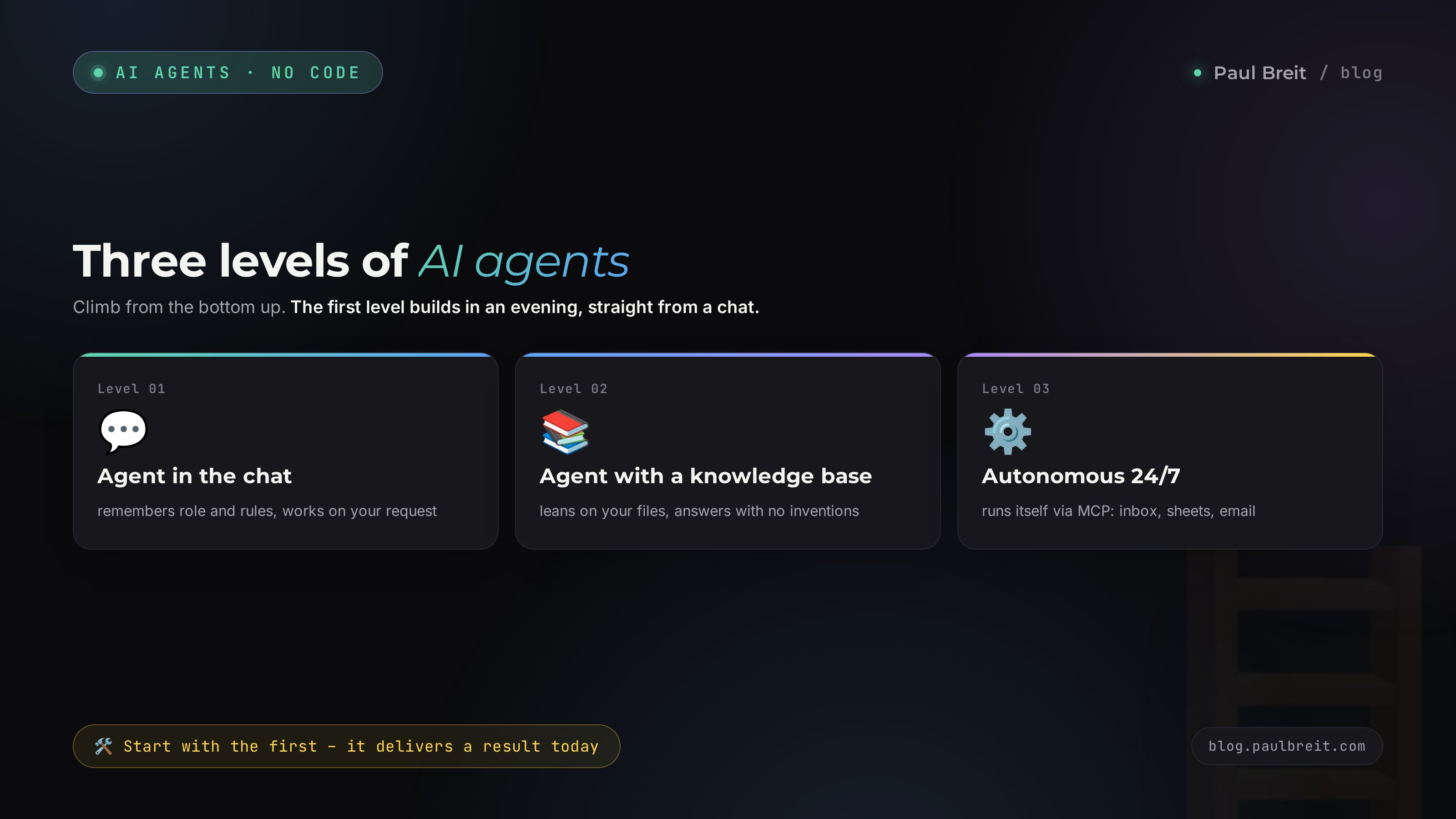
The main beginner mistake is aiming straight at an autonomous agent that sits on a server and works with no human. That's the end of the road, not the start. Agents split into three levels by difficulty, and you climb from the bottom up. Let's walk each.
An agent right in the chat
The simplest. You create a Project in Claude, write the agent an instruction, and talk to it in the same chat window. It remembers its role and rules but works only when you reach out to it.
What it solves: the routine you do by hand every day. Write a post, answer an email, sort a review, sketch a structure. You open the chat, drop in the inputs – you get a finished result in your voice.
An agent with a knowledge base
The same chat agent, but now you've loaded files into its Project: samples of your posts, product descriptions, common client questions, case studies. It leans on your materials instead of general internet knowledge.
What it solves: tasks where accuracy and your specific context matter. The agent answers clients in your phrasing, writes posts in your voice, prepares materials for your products – no inventions.
An autonomous agent, 24/7
An agent that lives on a server and works on its own, without you. It checks the inbox itself, replies itself, brings you a morning report itself. For that it's connected to outside services through MCP – the link that gives the agent access to Telegram, spreadsheets, email, your site.
What it solves: a real replacement for part of the manual labor. The agent monitors comments and replies to them, watches for mentions, and every morning drops a sales-and-content summary on your desk.
Further down the article we build a level-one agent – because it delivers a result today and needs nothing but a browser and an hour of your time. Level two connects with the same logic, you just add files. Level three is a separate topic; we'll come back to it at the end, once you have the foundation.
First build an agent that saves you time in manual mode. Live with it for a week. You'll see where it's dumb, where its instruction needs tuning. And only once it steadily puts out the result you need – automate it on a server. Automating a raw agent means putting your own mistakes on autopilot.
Section 03Build your first agent in an evening: 6 steps
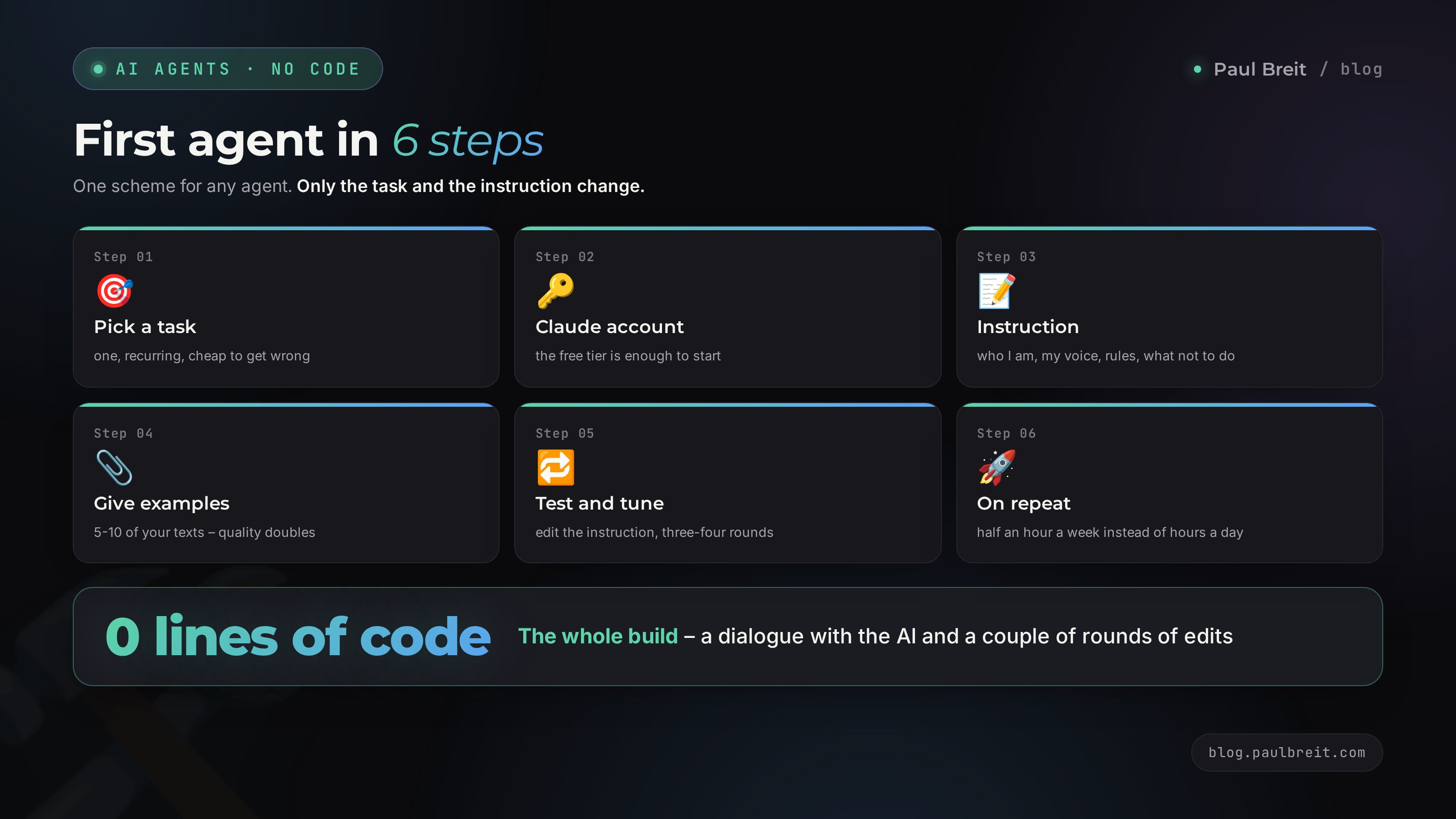
Now for the main thing. The step-by-step build. I broke it into six steps, each detailed enough that you'll build the agent even if you opened Claude for the first time in your life. As an example we'll take the most useful agent for a start – a writer agent that writes posts for your channel in your voice. Any other agent builds the same way; only the instruction changes.
Pick one task – the most painful one
Don't try to make an agent that does everything. That agent does nothing. Pick exactly one task that you do by hand, that eats time, and that repeats. For example: writing posts. Or answering the same questions in your inbox. Or turning voice calls into notes.
How to pick right – ask yourself three questions:
- What do I do every day or every week that I'm tired of?
- Which of those follows one scenario instead of being different each time?
- Where would an agent's mistake not cost me much if it slips at the start?
A post fits these perfectly: it repeats, it's done by a formula, and you can always fix the draft before publishing. That's where we start.
Register with Claude
Of all the AIs for agents I pick Claude – it holds long instructions better than the rest, invents less, and catches voice more precisely. If Claude isn't available where you are, turn on a VPN with a US or EU location first, then open the site.
Go to claude.ai and create an account. The free tier is enough to build and test your first agent. When you feel yourself hitting limits and the agent is needed daily – get the Pro plan at $20 a month; it lifts the caps and opens Projects in full.
No need to fear the signup. If something won't open or it asks for a phone number, the whole process with the usual snags is spelled out step by step in the guide on learning Claude from scratch for non-techies. Come back here with an account ready.
Create a Project and write the agent's instruction
A Project in Claude is a separate room where your agent lives with its own memory and rules. In the left menu click "Projects," then "Create project," and give it a name – say, "Writer agent."
Inside the project find the "Instructions" field. This is the agent's brain. Everything you write here the agent keeps in mind in every conversation. Here's a working structure for the instruction – copy it and plug in your own:
You are my personal content editor. You write posts for my
channel in my voice.

WHO I AM:
[Name, niche, who I work with, what product I sell.
For example: Marina, a nutritionist, I help women 30-45
fix their eating without diets, I run a course and 1:1s.]

MY VOICE:
– I write to "you," warm, like a friend who knows the topic
– short paragraphs, 2-4 sentences
– no jargon or fancy words, plain language
– specifics over generalities: numbers, examples, cases
– clean punctuation, no long dashes

POST RULES:
– one post = one idea
– the first line hooks, it doesn't warm up
– a soft call to action at the end, no pressure
– length 600-900 words

WHAT NOT TO DO:
– don't invent numbers or cases I didn't give you
– no filler openers or corporate clichés
– don't promise anything my product doesn't include

HOW WE WORK:
I give you a topic and a couple of facts. You return a finished
post. If facts are thin, ask me 2-3 clarifying questions first.
Let's unpack why the instruction is built this way. The "Who I am" block gives the agent context – without it, it writes generically and off-target. The "My voice" block is what sets your post apart from a thousand identical AI texts. The "What not to do" block matters more than it looks: an agent loves clichés and inventions by default, and the bans kill that at the root. The "How we work" block teaches it to ask back instead of guessing.
Give the agent examples – it doubles the quality
The instruction explains the rules in words. But AI learns from examples many times faster than from descriptions. So add samples to the project. In the same project there's a file-upload button or a text field – drop 5-10 of your best posts in there.
Don't just drop them, label them with one line on top: "These are examples of my posts. Study their rhythm, tone, and structure. Write in the same manner." The agent will parse them and tune to your real style instead of whatever it made up.
If you have no finished posts or too few, there's a workaround – teach the agent the voice by analyzing your channel. I laid out how that's done step by step in the separate breakdown on teaching AI to write in your voice. The method works even from scratch.
Test it and tune it
Now we launch. In the project chat, write the first task the way you'd give it to a live assistant:
You: Write a post on "why slipping up on a diet is normal, not a failure." A fact from practice: nearly every client of mine goes through 2-3 slip-ups over a course, and the ones who take them calmly reach the result more often.
Agent: [returns a finished post in your tone]
The first result will almost certainly be 80% good. Your job is to close the remaining 20% through edits. Don't rewrite the post yourself. Tell the agent what's off, in its own words:
You: Good, but the opening is too soft, it warms up. Make the first line sharper so it hooks right away. And drop the word "important" in the second paragraph – that's not my style.
Agent: [rewrites with the edits]
Each such edit isn't a one-off fix. Notice the agent steadily missing the same thing? Add it as a rule to the project instruction. After 3-4 rounds the agent stops missing at all, because you tuned its setup rather than a single post. One rule locked in – and it works across all future posts. That's the whole build of an agent – in the dialogue and the edits, without any code.
Put it on repeat
The agent is ready when it puts out a result you only have to read and publish. Now turn working with it into a habit. Once a week sit down for 30 minutes, drop the agent 5-7 topics – get 5-7 draft posts for the week ahead. Fix the little things, queue them in your scheduler. Done.
What used to take you hours every day now takes half an hour once a week. That's the payoff of a first agent – no magic, just moving repeating work onto a tuned helper.
Want to go further and connect the agent straight to Telegram, spreadsheets, or email so it pulls and pushes data itself – that's level 3 through MCP. It's at the end of the article, but first live a week with a level-one agent.
Section 045 agents you can build today
The build scheme is the same for all. The task and the instruction change. Here are five agents that I or my clients actually use every day. Take any of them, plug in your niche – and build it by the six steps from the last section.
1. Writer agent
Writes posts, emails, descriptions in your voice. The most useful at the start – it's the one we built above. Saves the bulk of the time for anyone running a blog or channel. The key to quality is examples of your texts in the project.
2. Inbox replier agent
Sorts incoming messages and prepares replies by your rules. It doesn't publish on its own – it prepares a draft, you send it. Kills the pain for everyone whose inbox is the same questions about price, format, getting started. The instruction is built around a "common questions and correct answers" block.
You are my direct-message assistant. You read a client's
question and prepare a warm reply by my rules.

COMMON QUESTIONS AND HOW TO ANSWER:
– "How much is it?" → give a range, invite to a consult
– "Would it work for me?" → ask 1-2 questions about their case
– "Can I pay in installments?" → yes, explain the terms

TONE: warm, no pushing, lead to a free consultation.
Never invent terms I didn't set.
3. Analyst agent
Breaks down spreadsheets, stats, feedback. Drop it a sales export or a list of reviews – get a summary: what's growing, what's slipping, what to watch. Replaces half a day of number-wrangling. Works well paired with a level-2 knowledge base.
4. Editor agent
Cleans up finished text. You wrote a post yourself, hand it to the agent – it strips clichés, catches run-ons, checks for AI tells and weak phrasing. It doesn't rewrite for you – it highlights the weak spots and suggests options. Indispensable for anyone who writes a lot and wants to hold the bar.
5. Researcher agent
Gathers and structures information on a topic. Prepping a webinar or an article – you give the agent a topic, it brings back a structure, talking points, the questions your audience cares about. A draft in minutes instead of hours of searching. Especially strong if you load it your materials and ask it to lean on them.
Don't build all five at once. Pick the one whose task hurts the most right now. Build one, live with it, get the logic – the second and third go far faster because your hand is in. My first agent took an evening; my fifth took twenty minutes.
Want to see how an agent gets built for a full real task – look at the breakdown of the AI competitor spy that watches rivals, or the AI client hunter that finds clients. These are trickier agents, level 2-3, but the principle is the same: role, rules, memory.
Section 05If the agent is dumb: 6 common problems and fixes
An agent almost never breaks because of the AI. It breaks because of the instruction. Here are six problems every beginner complains about, and the exact fix for each.
Problem 1. The agent writes generically and off-target
Symptom: the texts are correct but empty, as if about anyone. Cause: too little context about you in the instruction. Fix: spell out the "Who I am" block in more detail – niche, product, client pains, concrete examples. The more the agent knows about you, the more precisely it lands.
Problem 2. The agent invents facts
Symptom: the agent confidently cites numbers, cases, and details that never happened. Cause: you gave it no data and it filled the gap itself. Fix: add a hard rule – "don't invent numbers or facts I didn't give you, ask me instead." And feed it the specifics in the inputs to each task.
Problem 3. The style isn't yours
Symptom: the text is smooth but you can feel the AI, not you. Cause: the agent leans on a worded description of the style rather than examples. Fix: load 5-10 of your real texts into the project. Examples beat any worded style description. More on this in the breakdown of how to remove AI tells from text.
Problem 4. The agent forgets the rules mid-conversation
Symptom: it's fine at the start of the chat, then starts slipping ten messages in. Cause: a long conversation, part of the context drops off. Fix: keep the important rules in the project instruction, not in the chat – the instruction is always remembered. And start a fresh chat for each big task, don't drag one endless thread.
Problem 5. The agent does the wrong thing
Symptom: you asked for one thing, got another. Cause: a vague task. Fix: phrase it like you would for a live helper – what's needed, for whom, in what form, what facts to account for. And teach the agent to ask back: add "if the task is unclear, ask clarifying questions first" to the instruction.
Problem 6. I explain everything from scratch every time
Symptom: you work with the agent like a plain chat, from zero each time. Cause: you didn't move the recurring things into the project instruction. Fix: notice yourself explaining the same thing a second time – that's a spot for the instruction. A good agent grows out of your own edits once you lock them into its setup.
Every agent problem is a hint about what's missing in its instruction. Don't get mad at the AI and don't quit. Ask yourself: what didn't I spell out? Write it in as a rule – and the problem won't come back. Building an agent is exactly this cycle: launch, spot the weak point, close it with a rule, launch again. Three or four rounds and the agent works the way it should.
Section 06What it costs and where to grow next
Let's settle the money and what to do once the first agent sticks.
What it costs
| What | Price | When you need it |
|---|---|---|
| Claude free | $0 | Build and test your first agent |
| Claude Pro | $20/month | Agent needed daily, caps lifted |
| VPN (region-dependent) | $0-5/month | Only where Claude isn't available |
| MCP links, server | from $5/month | Only for an autonomous 24/7 agent |
The first agent is realistically free to build and use for months. The subscription matters once it becomes part of the daily work. Everything else is already about level 3, which most people reach later.
Where to grow: level 2 and 3
Once the first agent runs steadily, the road forward looks like this.
Level 2 – add memory. Gather into the project everything the agent should know about your work: products, prices, cases, common questions, sample texts. The agent stops asking the same things and starts answering in your phrasing out of the box. It's the same agent, just with a knowledge base.
Level 3 – make it autonomous. Here the agent moves to a server and connects to your services through MCP – a protocol that gives the AI hands: access to Telegram, spreadsheets, email, your site. The agent starts working on its own – checking the inbox, replying, bringing morning summaries. This is set up through Claude Code, a tool that lets you build an autonomous agent almost without code, explaining the task in words. Full examples of such agents – the AI competitor spy and the AI client hunter.
The temptation to build an autonomous 24/7 agent right away is strong – it sounds impressive. But 90% of the value is already at level one, in an evening and for free. Autonomy adds convenience, not meaning. First let the agent prove its worth in manual mode – then automate what already works.
RecapThe whole path in a minute
If you skimmed and want the gist – here's the whole road from zero to a working agent in eight lines:
- An AI agent is an AI with a role, rules, and memory. It builds with no code, in a chat.
- Three levels: agent in the chat, agent with a knowledge base, autonomous agent 24/7. Start with the first.
- Step 1: pick one recurring task that hurts.
- Step 2: create a Claude account (VPN where Claude isn't available).
- Step 3: create a Project, write the instruction: who I am, my voice, rules, what not to do.
- Step 4: upload 5-10 of your examples – quality doubles.
- Step 5: test, and edit the instruction rather than the text. Three or four rounds.
- Step 6: put it on repeat. Half an hour a week instead of hours a day.
Section 07Build checklist
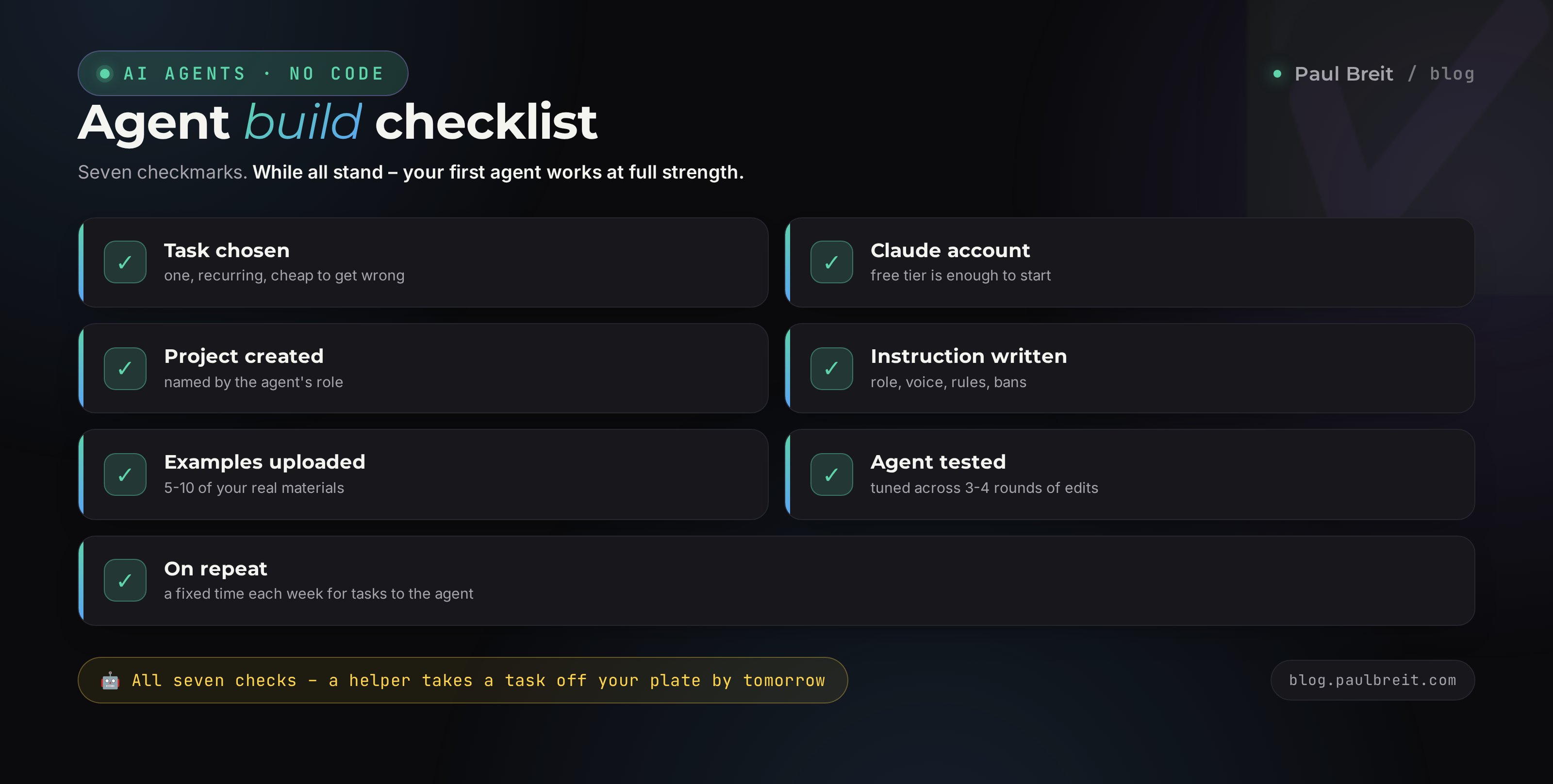
Print it or save it. Check the boxes as you go. When all seven stand – your first agent is working at full strength.
- Task chosen – one, recurring, cheap to get wrong
- Claude account created, VPN where Claude isn't available
- Project created, named by the agent's role
- Instruction written: who I am, my voice, rules, what not to do, how we work
- Examples uploaded – 5-10 of your real materials
- Agent tested and tuned across 3-4 rounds of instruction edits
- On repeat: a fixed time each week for tasks to the agent
Building an AI agent with no code is about explaining your work to an AI well once. Technology has nothing to do with it. The whole difficulty is a clear instruction and a couple of rounds of edits. The first agent builds in an evening and takes one real task off your plate by tomorrow. And from there it's the beaten path: a second, a third, a knowledge base, autonomy. Start with one. Today.
How this ties to the other articles
An agent is the doer. For it to write in your voice, you need the breakdown of teaching AI to write in your voice. To give it tasks with confidence, the guide on how to write prompts helps. And to grasp the idea of agents more deeply – what an AI agent is. Three articles – one skill.
FAQFrequently asked questions
Do I need to know how to program to build an AI agent?
No. Level-one and level-two agents are built entirely without code – through Projects in Claude, in plain text in the instructions field. Programming only shows up at the third level, when the agent runs autonomously on a server, and even there Claude Code lets you explain the task in words instead of writing code by hand.
How long does it take to build the first agent?
One evening. Registering with Claude is 10 minutes, writing the instruction is 20-30 minutes, uploading examples is 10 minutes, testing and edits about an hour. By the end of the evening you have a working agent that takes one task off your plate. After that it only gets small tweaks.
Which AI is best for agents – Claude, ChatGPT, or another?
For agents I pick Claude: it holds long instructions better, invents less, and catches voice more precisely. ChatGPT also works for simple tasks. There's no fundamental difference in the build scheme itself – role, rules, memory work everywhere. A task-by-task comparison is in a separate article on the blog.
How much does it cost to build an AI agent?
You can build and use your first agent for free on the base version of Claude. The Pro plan at $20 a month matters once the agent becomes part of the daily work and you hit the limits. An autonomous 24/7 agent adds from $5 a month for a server and links. Where Claude isn't available, you'll also need a VPN.
How is an AI agent different from a regular chatbot?
A chatbot answers by rigidly scripted flows and breaks on any non-standard question. An AI agent understands meaning, holds context, and acts by your rules flexibly instead of a button tree. Plus the agent remembers who you are and what you do, and works in your voice rather than spitting out template phrases.
Can I make an agent that works on its own, without me?
Yes, that's the third level. The agent moves to a server and connects to Telegram, spreadsheets, and email through MCP – the link that gives the AI access to services. After that it checks the inbox, replies, and brings reports itself. But don't start here: first build an agent that helps in manual mode and confirm it puts out the result you need.
What do I do if the agent invents facts and slips up?
The cause is almost always the instruction, not the AI. Add the rule "don't invent numbers or facts I didn't give you, ask me instead" and feed it the specifics in the inputs to each task. If the style isn't yours – upload examples of your texts. Every agent mistake shows what's missing in its setup.
Which agent should a beginner start with?
The one whose task hurts the most right now and where a mistake isn't costly. Most often that's a writer agent that writes posts, or an inbox replier. Both build by one scheme in an evening. Build the first – and the second and third go far faster, because the logic is already clear.