Claude Code for Non-Coders: What It Is and How to Start
The word "Code" in the name scares off half the people who need Claude Code the most. It sounds like a programmer's tool with a scary black screen. In reality it's Claude living right on your computer or server, seeing your files and doing real work with them: building sites, turning voice notes into summaries, tidying folders, keeping spreadsheets, prepping content in batches. You talk to it in plain words. In this article: what it is, how it differs from Claude in the browser, how to set it up in an evening, and how not to break your computer.
Claude Code is a free program from Anthropic that runs Claude right on your computer or server. Unlike Claude on the website, it sees your folders and files and does real work with them: it creates documents, builds and publishes sites, turns audio into summaries, keeps spreadsheets, and runs tasks on a schedule. You talk to it in plain words and never write code yourself. It installs in an evening with one command, and it works worldwide (through a VPN if you're outside the US or EU). The subscription is the same one you'd use for regular Claude: Pro at $20 a month is plenty to start.
A familiar situation: you've used Claude in the browser for months, pasting text in, copying the answer back out, moving everything into files, onto your site, into a spreadsheet by hand. Claude is smart, but it lives behind glass – the hands are still yours. Then you read that there's some Claude Code, but the word "Code" in the name puts you off: it sounds like something for techies with a black screen.
I run four client projects and a personal channel of 20,000 followers with no team on standby. Claude Code took over half of my routine: it builds landing pages, breaks down my voice notes, preps content, and watches over scheduled tasks. I don't write a single line of code – I just explain what I need. This article is for anyone who sells services, courses, and consulting and wants the same. No technical background required.
You'll read it in 22 minutes. You'll set it up in an evening. You'll do your first useful task the same day, and after a week of daily use you'll stop being nervous and start handing over everything in sight.
What's inside
- What Claude Code is in plain words
- Claude Code vs. Claude in the browser: the difference
- 10 tasks without a single line of code
- How to set it up in an evening
- Your first conversation: how to talk to it
- Laptop or server: where to keep a 24/7 agent
- Safety: how not to break your files
- 3 real scenarios for your business
- 5 beginner mistakes
- Starter checklist
Claude doesn't open directly from some regions – you'll need a VPN with an EU or US location. Reliable picks in 2026: Proton VPN, Mullvad, and other reputable services. A few regions sit on Anthropic's blocklist, so choose an EU or US exit node rather than a nearby one. If you need the systematic ramp-up – accounts, first prompts, Projects – start with the guide to paying for Claude and the Claude from scratch walkthrough.
Section 01What Claude Code is in plain words
Picture an assistant you've let sit at your desk and handed the keys to your files. Regular Claude in the browser is a consultant on the phone: smart, on point, but it never touches anything on your desk. You talk, it advises, and then you do the work by hand. Claude Code is the same assistant, except you've let it sit down at your desk. It opens folders, reads your files, creates new ones, edits old ones, runs programs, and publishes a site online. All of it on your command, in plain words.
Technically, Claude Code is a small free program from Anthropic, the company that makes Claude. You install it once on your laptop or a rented server. After that you open it and talk to Claude in a text window: you write what you need, it does the work and reports back. There's one difference from the website, but it's a huge one: it gets hands. It doesn't just think – it also works with what's really sitting on your computer.
Where the word "Code" comes from and why it doesn't concern you
Claude Code was originally built for programmers, to help Claude write software right inside their working environment. The name stuck from those days. But over the past year it turned out that writing code is only a small part of what it can do. Building a site, turning an audio recording into text, tidying up a hundred files, keeping a leads spreadsheet, generating posts by the dozen – for all of that, the code is its job, not yours. You explain the task in plain language, and it figures out and runs the commands itself, behind the scenes.
The comparison is simple. When you take a taxi, you tell the driver the address – you don't explain how to work the pedals and steering wheel. The pedals and wheel are the driver's job. With Claude Code it's the same: the address is yours, the driving is its. So the phrase "Claude Code for non-coders" only sounds strange at first. In truth it saves the non-coder the most time, because it takes over the routine you used to either do by hand or pay someone to do.
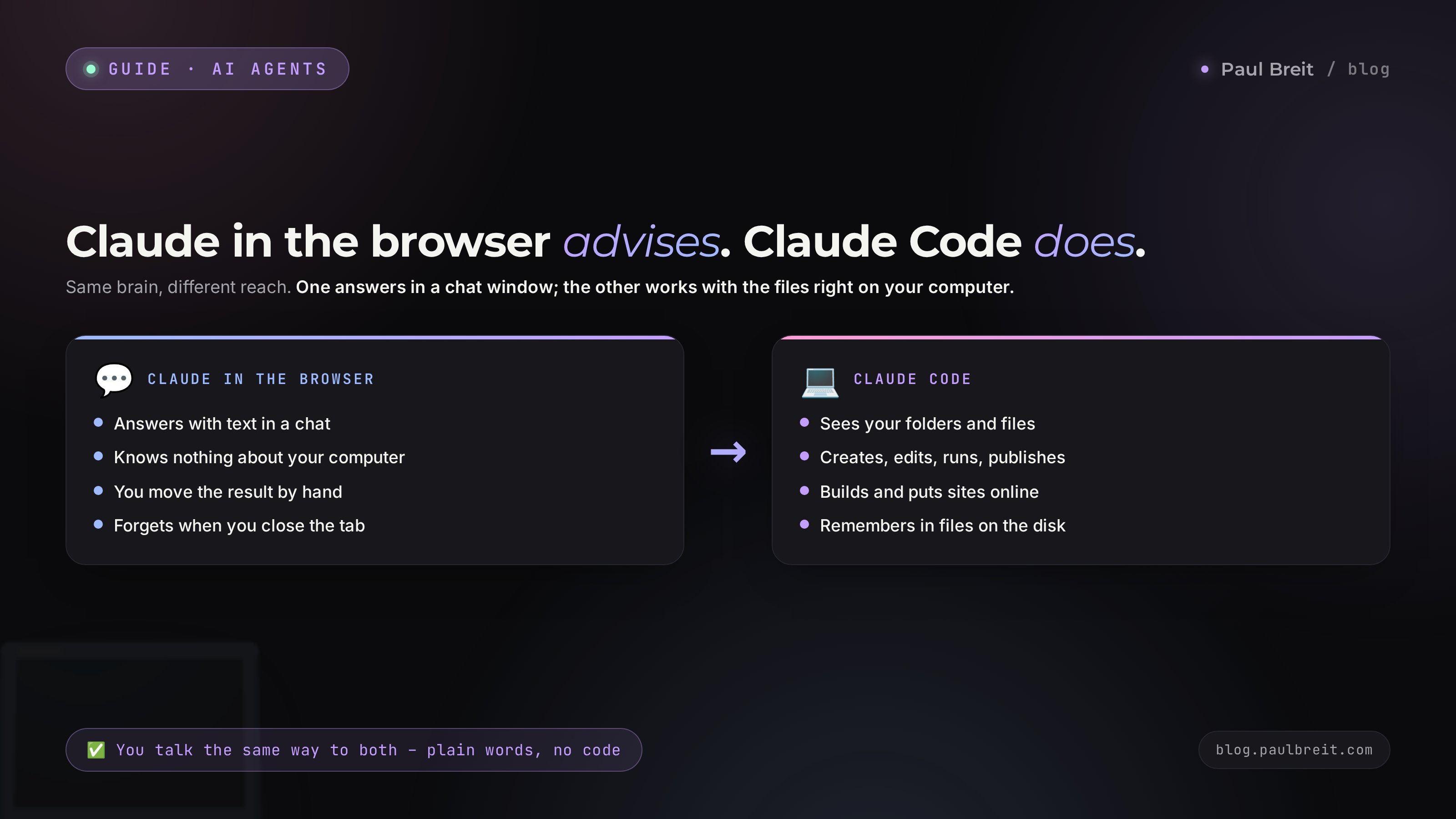
Claude in the browser advises. Claude Code does. The first lives in a website window and knows nothing about your computer. The second lives on your computer, sees your files, and works with them by hand. You talk to it the same way either way – in plain words.
Section 02Claude Code vs. Claude in the browser: the difference
To decide whether you even need Claude Code, it helps to lay out where browser Claude ends and the version with hands begins. Both are the same Claude under the hood. What differs is what it can touch.
| Task | Claude in the browser | Claude Code |
|---|---|---|
| Answer a question, write text | Yes, great at it | Yes, great at it |
| Create a file on your computer | No, only text in the chat | Yes, creates and saves it |
| Read a hundred of your files at once | No, you paste them in by hand | Yes, opens the folder and reads it all |
| Build a site and publish it online | Gives you code, the rest is on you | Builds and publishes the whole thing |
| Turn a folder of audio into summaries | No | Yes, with one command |
| Run a task by itself every morning | No | Yes, on a schedule |
| Remember context between sessions | Via Projects, but inside the chat | Keeps memory files right on the disk |
Here's the takeaway from the table. As long as the task fits in a conversation – ask, think it through, write one piece of text – browser Claude is enough and you don't need Claude Code. The moment the task involves many files, requires creating something, publishing somewhere, or repeating on a schedule, you're in Claude Code territory. It removes the main pain of the browser version: moving the result out of the chat window into real work. That manual moving is what eats the most time.
There's another important difference – memory. Browser Claude forgets the conversation the moment you close the tab. Projects partly fixes that, giving you a place to store a knowledge base. But Claude Code goes further: it keeps its memory in plain files right on the disk and re-reads them every time you launch it. You can say "remember that my client is named Marina and she's a nutritionist," and it writes that to a file, then recalls it tomorrow with no reminder. In effect you get an employee who keeps their own work notebook.
Section 0310 tasks without a single line of code
Abstract "works with files" says little until you see examples. Here are ten tasks Claude Code handles for someone who sells services and courses. In none of them do you write code – you only explain what you need.
- Build a landing page and put it online. You describe what page you need, what it's for, and what copy goes on it. It builds the whole thing and publishes it at a link you can send to clients right away. There's a separate walkthrough on the blog about building sites by voice.
- Turn voice notes and calls into summaries. Drop in a folder of recordings and get a text transcript, short summaries, and a task list for each conversation. What used to eat an evening now takes minutes.
- Tidy up your files. Hundreds of scattered documents get sorted into folders, renamed on a clear scheme, and de-duplicated. Your desktop stops being a junk pile.
- Keep a leads spreadsheet. A new lead comes in and it adds a row to the sheet, tallies the totals, and flags who's due for a call back.
- Prep content in batches. From one of your streams it makes a series of posts, a set of talking points for reels, and emails for your list. How to teach it to write in your voice is covered in a separate article on the 30-posts method.
- Prep lead magnets. A PDF guide, a checklist, a mini-book – it will both write it and lay it out into a finished file you'd be proud to give away for a signup.
- Assemble a simple lead-intake agent. A small helper that replies in your DMs and books people for a call is something Claude Code assembles too. That's a big topic of its own, covered in the guide on how to build an AI agent without code.
- Analyze exports. A spreadsheet export, an ad report, a subscriber list – it reads them and explains in plain language where the money leaks out and what to fix.
- Batch-process images and documents. Compress a hundred photos, convert a dozen documents into one format, build a single presentation from a folder – routine it does without complaining.
- Work on a schedule. You can hand it a task it does by itself every morning: a digest pulled together, post drafts prepped, leads checked. You wake up and the work is done.
- Be your digital notebook with hands. It remembers your projects, clients, rules, and voice, because it stores them in files and re-reads them on every launch.
Notice the common denominator. Each of these tasks used to mean one of two things: either you do it by hand in the evenings, or you pay someone. Claude Code is the third option: it does the routine, while you make the decisions and stay the face of your business. That's exactly what sets it apart from a plain chat, where you still finish the work by hand.
Write down three tasks from your week that are repetitive actions on files, text, or spreadsheets. Chances are at least two of them Claude Code will handle on the very first evening. Start there – don't try to build a complex agent right away.
Section 04How to set it up in an evening
This is the one place where you'll walk through technical steps once. After that, all the talking is in plain words. Let's go through it in as much detail as possible so it works even for someone who uses a computer for work, not for configuring software. And here's the key tip up front: if you get stuck on any step, open Claude in the browser, describe what kind of computer you have and what's not working, and ask it to walk you through it. It'll explain for your exact system.
Get a Claude subscription
Claude Code is free, but it runs through your Claude account. You need a subscription: Claude Pro at $20 a month is enough to start. Sign up at claude.ai. If you're outside the US or EU, both signup and payment take a couple of extra steps – laid out in detail in the guide to paying for Claude. Do this first; there's no point going further without a working subscription.
Turn on a VPN if you're outside the US or EU
Anthropic restricts access from some regions. So before every launch of Claude Code, turn on a VPN with an EU or US location. Reliable picks in 2026: Proton VPN and Mullvad. Pick an EU or US exit node rather than a nearby one – a few regions sit on Anthropic's blocklist. The rule is simple: VPN first, then Claude. Forgot the VPN? You'll see a sign-in error – it's not a breakage, just switch it on and try again.
Install the free foundation – Node.js
Claude Code runs on top of a free program called Node.js. Think of it as the power outlet it plugs into. Go to nodejs.org, download the version for your system (Windows or Mac), run the installer, and click "next" to the end. Nothing to configure – the defaults are fine. This is the only third-party program you'll have to install.
Install Claude Code itself
Open the "Terminal" program (on Mac it's called exactly that; on Windows it's "PowerShell" – find it through your computer's search). This is the very window whose look scares people, but there's nothing to fear: you paste in one line and press Enter. Grab the install line for Claude Code from Anthropic's official page – there's just one there and it's always current. Copy, paste, press Enter, wait a minute. Done, the program is installed.
Launch it and sign in
In the same window, type the launch command (the official page tells you this too – usually it's just claude). On first launch it'll ask you to sign in – a browser opens, you confirm the login to your Claude account, and you come back to the window. From that moment on, you're just talking. Type your first line: "hi, what can you do and what files can you work with?" It'll answer in plain language. Congrats – no more code from here.
If you see an access error or "service not available in your region" at sign-in, it's almost always a VPN that's off or set to the wrong place. Check that the VPN is on and the location is EU or US, then try launching again. The second most common cause is skipping Node.js from step 3. Both are fixed in a minute.
The whole path from zero to a working Claude Code takes an evening, or less than an hour if you already had a subscription. The hardest part here is psychological – opening the terminal and pasting one command. After that you'll never run into anything resembling programming: just conversation.
Section 05Your first conversation: how to talk to it
Claude Code understands plain language, but the result depends a lot on how you frame the task. The good news: the rules are the same as for any conversation with an AI, and they're simple. There are no bad prompts – only ones that are too vague.
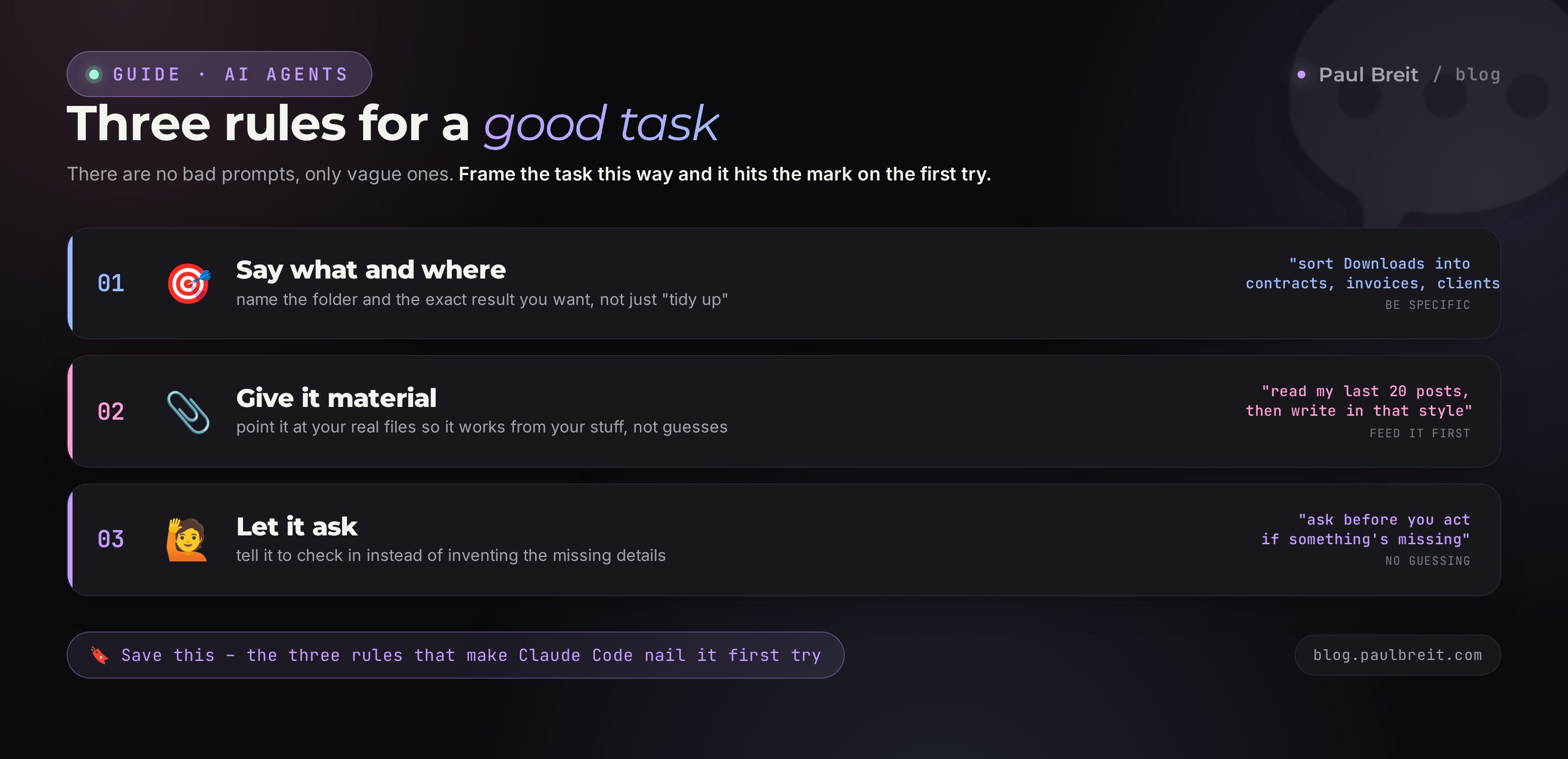
Three rules for a good task
- Say what and where. Instead of "tidy up," say "in the Downloads folder, sort all documents into subfolders: contracts, invoices, client materials." It sees your folders, so it can lean on the specifics.
- Give it material. Want a post in your voice? Say: "read my last twenty posts in this folder and write a new one in the same style." It studies first, then does the work. That's closer to working with a live assistant than to a search-engine query.
- Let it ask. Add the line "if something's missing, ask before you do anything." Then it clarifies the details instead of inventing them. That sharply improves getting it right on the first try.
Below is an example of a first working conversation. On the left is what you type; from there it does everything itself. Notice: nowhere do you explain how exactly to sort the files or write code. Only the result you want to see.
Read the folder "July Calls" – it has audio recordings.
For each recording, make a text file next to it:
- a short 5-line summary
- a list of agreements
- what I should do after the call

If the recording format is unclear, ask – don't guess.
Put the finished files in a subfolder called "Notes."
After a prompt like that, it talks through its plan: "found 6 recordings, I'll make three blocks for each, put them in Notes, starting now." Then you see a report for each file. If something's off, just say it in words: "make the summaries shorter" or "add who was speaking." It redoes it. No settings, just a conversation and edits in plain language.
Spend ten minutes once and tell it about yourself: what you do, who your clients are, what voice you write in, what your rules are. Ask it: "save this to memory and always take it into account." It creates a memory file and checks against it on every launch. It's the same idea as Claude Projects, except the memory lives as a file on your disk and applies across all your tasks at once.
Section 06Laptop or server: where to keep a 24/7 agent
There's a fork worth understanding right away. Claude Code can live in two places, and the choice depends on what you want out of it.
On your own laptop. The simplest start. Install, open, work. Perfect for one-off tasks: build a landing page, process a folder of calls, prep a week of content. The one downside: while the laptop is off or asleep, the agent sleeps too. It works only when you work.
On a rented server. A server is a computer that sits in a data center somewhere and never turns off. You rent it for about $5-9 a month and install Claude Code there. The point of this appears when you want the agent working on its own: pulling together a digest each morning, replying to leads in your DMs, prepping post drafts while you sleep. Keeping a laptop on around the clock is awkward; a server is always up.
For your first steps you don't need a server – start on the laptop, get comfortable, do five or ten tasks. When you feel you want to hand the agent something ongoing and autonomous, that's when you get a server. Among the proven low-cost options are providers like DigitalOcean or Hetzner: card payment, data centers close to you, and the cheapest plan is enough for one or two agents. You install a VPN on it too, so Claude opens.
Keep your own working server separate from the one where your clients and their data live. If you're building an agent for a client, put it on the client's server, not yours. That way you don't mix someone else's operation with your own and you're not on the hook for anyone extra. It's a boring rule that saves you from very un-boring problems.
Section 07Safety: how not to break your files
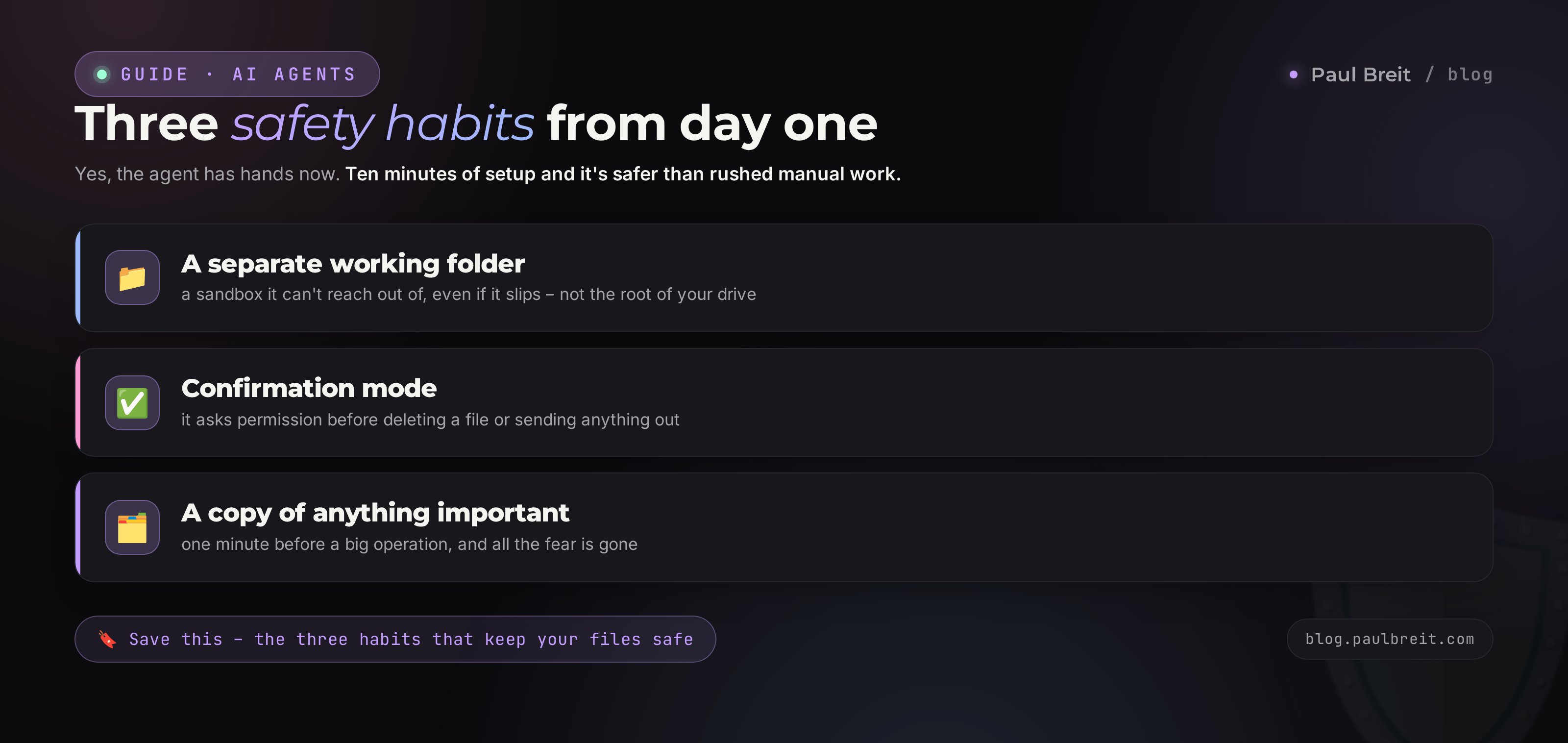
Now that the agent has hands, it's reasonable to ask: won't it cause trouble? Delete something it shouldn't, send something it shouldn't? Fair question. The answer: there's risk with any tool that has file access, and it's fully handled by three simple habits. Build them from day one.
A separate working folder
Set up one folder for your Claude Code work and keep it inside it. Don't run it at the root of your drive or in the folder holding all your documents from the last ten years. In its own sandbox it can't reach anything extra, even if it slips up. It's like letting a kid draw at a table covered with a tarp, not on a white carpet.
Confirmation mode
Claude Code has a mode where it asks permission before every serious action: deleting a file, sending something to the internet, running a program. Turn it on and leave it on at first. Then nothing happens without your "yes." You see what it's about to do and either confirm it or stop it. Over time, once trust builds, you can drop some of the routine permissions.
A copy of anything important beforehand
Before you hand the agent a big operation on a folder, copy it just in case. It takes a minute and removes all the fear. If something goes wrong, you have the original to fall back to easily. This is a good habit to have even without Claude Code, but it's especially fitting with it.
A word on client data. There are things you shouldn't feed any AI: ID documents, card numbers, passwords, someone else's messages without consent. Claude is built more privately than many, but the rule is simple – if it's sensitive information about a real person, anonymize it first or don't share it at all. There's a separate piece on the blog about what's worth trusting an agent with and what to keep to yourself.
A separate folder, confirmation mode, a copy of anything important beforehand. Three habits, ten minutes to set up on the first day – and Claude Code becomes safer than rushed manual work, where you accidentally delete the wrong file yourself. A beginner's fear is always bigger than the real risk.
Section 083 real scenarios for your business
To make it all click, let's walk through three scenarios for people who sell services and courses. In each one: what you say and what you get out. All three come from the everyday tasks Claude Code handles daily.
Scenario 1. A therapist reviews her practice
Marina, a therapist, has piled up a couple dozen voice notes after sessions over the month, plus a heap of scattered client materials. Organizing it used to eat her whole weekend. Now she tells Claude Code: read the folder of notes, make one card per client with the history of their request and their progress, and sort the materials by topic. Half an hour later she has a ready structure: a separate file per client that shows the trajectory. From those cards she later asks it to build channel posts about common requests – no names, no details, fully anonymized.
Scenario 2. A coach builds a landing page for a new program
Oleg, a coach, is launching a new group program and needs a page to send people to. The designer is busy and the launch is tomorrow. Oleg describes it to Claude Code: here's the program, who it's for, what's inside, the results, the price, a sign-up button. An hour later he has a finished landing page, published at a link he can drop into his channel. Claude Code wrote the copy in his voice because it read a folder of Oleg's past posts first. If something's off, Oleg fixes it in words: "make the first screen shorter," "add a testimonials block." He can't build web pages and never learned to – he didn't have to.
Scenario 3. A tutor preps a month of content ahead
Zita, an English tutor, runs a channel but never has the energy for content after lessons. She gives Claude Code a standing task: once a week, take topics from this list, prep three posts each in my style, and drop the drafts into the "To Publish" folder. She puts it on a server so it runs on its own. Every Monday a ready batch of drafts is waiting – all that's left is to proofread and post. From a tutor who'd abandoned her channel, she became one whose content ships consistently. How to set up content generation in your voice in detail is covered in the article on the 30-posts method.
Three different niches, one mechanic: the routine goes to the agent, the person stays on what only they can do – living the expertise and making the decisions. Start with the sorest spot in your week, not the prettiest scenario.
Section 095 beginner mistakes
Being scared of the terminal and never starting
The most common and the most frustrating. Someone sees the black window, gets spooked, and puts it off to a "later" that never comes. And it's just one command to install and one to launch. After that it's an ordinary conversation. Do the install with Claude in the browser at your side, and the fear disappears the first evening.
Building a complex agent right away
After reading up on autonomous helpers, a beginner wants to build an agent that runs sales on its own. And drowns in complexity. The right path is a simple one-off task: process a folder, build one page. The complex stuff assembles itself once confidence shows up. There's a separate step-by-step guide for a full agent.
Setting vague tasks
"Make it good for me" doesn't work with people or with AI. The more specifically you say what and where, the more precise the result. And add "ask if you're missing data" – it saves you from guesswork.
Working without a separate folder and confirmations
Running the agent right in the shared pile of documents and dropping all confirmations on day one is like handing a new hire the keys to everything and walking off. Set up a sandbox and confirmation mode, get comfortable, and only then widen access.
Forgetting the VPN and blaming the program
From a restricted region, Claude simply won't let you in without a VPN, and the person decides "nothing works, the program's broken." It works. VPN with an EU or US location first, then launch. Keep this rule at the top of your list.
Section 10Starter checklist
Go down the list from top to bottom. Once every box is checked, you have a working Claude Code and a clear idea of what to do with it.
- Claude subscription set up (Pro at $20 is enough to start)
- VPN configured with an EU or US location, if you're outside the US or EU
- Node.js installed from nodejs.org
- Claude Code installed and launched, signed in to your account
- A separate working folder set up for the agent's tasks
- Confirmation mode turned on before serious actions
- You told the agent about yourself and asked it to save that to memory
- You did your first one-off task from your real week
- You decided about a server: whether you need a 24/7 agent
Claude Code is Claude with hands: it lives on your computer, sees your files, and does real work instead of just advising. No programming needed, the talking is in plain words. It sets up in an evening – with a VPN if you're outside the US or EU. Start with a simple one-off task on your laptop, keep the three safety habits, and get a server when you want an agent that runs on its own. Next up is the article on how to build a full AI agent, and you'll put together your own digital employee.
How this connects to other articles on the blog
This article is about the tool. Claude from scratch is about how to get started with Claude if you haven't used it yet. Claude Projects is about the memory and knowledge base the agent will pick up. How to build an AI agent without code is the next step, once you want an autonomous helper. Four articles add up to one path: from a first introduction to your own digital employee.
FAQFrequently asked questions
Do you need to know how to program to use Claude Code?
No. You talk to it in plain words, like in a chat: you set the task, and it writes the commands and code itself when they're needed. All you do is install the program once and then explain what you want done. You can even hand the install to Claude in the browser and it will walk you through it step by step.
How is Claude Code different from Claude on claude.ai?
Claude in the browser answers with text in a chat window and lives separate from your computer. Claude Code runs right on your machine or server: it sees your folders and files, creates and changes them, runs programs, builds sites, and schedules tasks. Browser Claude advises; Claude Code does the work with its own hands.
Is it paid?
The Claude Code program is free, and it runs through your Claude subscription. Claude Pro at $20 a month is enough for simple tasks, or the Max plan if you run the agent all day. If you're outside the US or EU, you just need a VPN to reach Claude.
Is Claude Code dangerous? Will it wipe my files?
There's risk with any tool that touches files. The protection is simple: keep the work in a separate folder, turn on confirmation mode so the agent asks permission before deleting or sending anything out, and copy anything important beforehand. With that approach it's safer than it sounds.
Does Claude Code work outside the US and EU?
Yes, but with a VPN. Anthropic restricts access from some regions, so switch on a VPN with an EU or US location before you start. Reliable picks in 2026 include Proton VPN and Mullvad. A few regions are on Anthropic's blocklist, so choose an EU or US exit node.
Where should I keep it: my laptop or a server?
For one-off tasks a laptop is enough. If you want the agent running around the clock, on its own while you sleep, put it on a rented server for about $5-9 a month. A laptop would have to stay on for that; a server is always up.
What exactly can it do for someone who sells services and courses?
Build a landing page and put it online, turn voice notes and calls into text and summaries, tidy up folders of materials, keep a leads spreadsheet, prep posts and email batches, and assemble a simple lead-intake agent. All of it with no code on your side.
How long does it take to get comfortable?
You'll do your first useful task the same evening you install it. You'll set tasks confidently and stop being nervous after about a week of daily use. It's closer to learning a new messenger than learning to program.