Claude Artifacts: Mini-Apps Right Inside the Chat
You describe what you need in words – a price calculator, a client quiz, a landing page, a finished document – and Claude builds it next to the chat in a couple of minutes. What you get is a working thing people use and share by link. Let's break down, in plain English, what artifacts are, how to turn them on, and what you can actually build for your own work if you sell services, courses, or consulting.
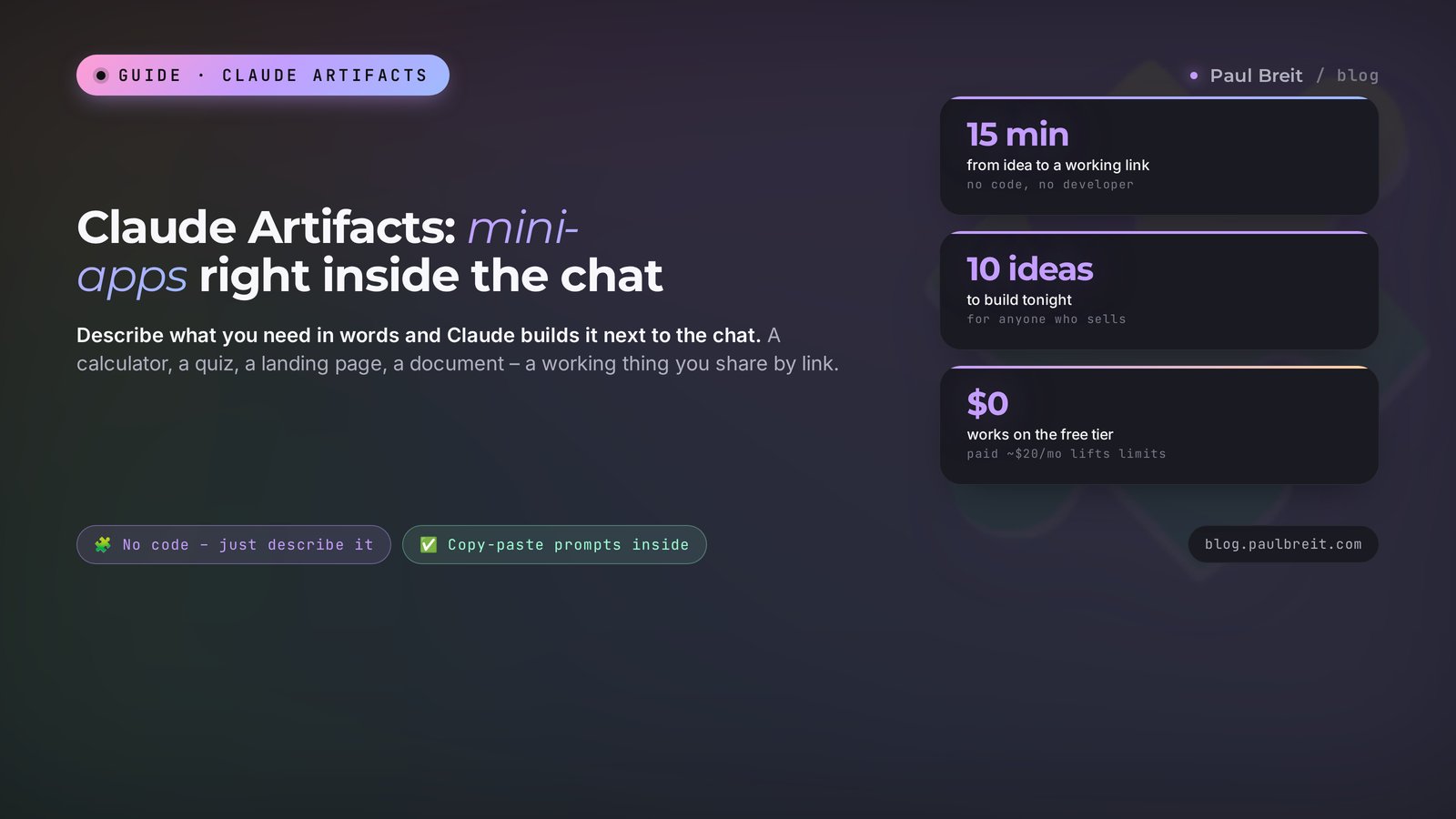
Claude Artifacts is a built-in builder that turns your request into a finished, working object: a calculator, a diagnostic quiz, a landing page, a deck, a document, or a small app. Everything shows up in the panel to the right of the chat, gets edited in plain words, and shares by link. No coding required. If you're outside the US or EU, you sign in with a VPN set to Europe or the US and an email on Gmail or iCloud.
You need a simple calculator on your site so a visitor can price a job themselves and leave a request. Or a quiz that walks a client through a few questions and hands them a result. You ask a freelancer, hear a price around $200-400 and a one-week wait, put it off, and keep doing the math by hand in DMs.
I run four client projects and a channel with 20,000 followers. Half of these little things I stopped outsourcing a long time ago – I build them myself as Claude artifacts in a single evening. In this article I'll show you how it works on a live example, with prompts you can copy.
You'll read this in about 20 minutes. Inside: a walk-through on a real example from the first word to a finished link, ten ideas for people who sell their own services, and a section on access if you're outside the US or EU. At the end, a checklist you can use to build your first artifact tonight.
What's inside
- What artifacts are, in plain words
- How it differs from a normal chat reply
- How to open your first artifact
- 10 ideas for people who sell services and courses
- Live example: a price calculator in 15 minutes
- Artifacts with AI inside
- How to share an artifact with clients
- What artifacts can't do
- How to use it from outside the US or EU
- 6 beginner mistakes
- Checklist: your first artifact tonight
- FAQ
Section 01What artifacts are, in plain words
Picture a normal chat with an AI. You type a question, it answers with text. You can copy that text, paste it somewhere, polish it. Great for emails, posts, ideas. But the moment you need a living, working object – a calculator you type numbers into and get a result, or a quiz with buttons – text in a chat stops helping.
That's where artifacts come in. An artifact is a separate window next to the chat where Claude builds the whole finished thing. On the left you talk, on the right you see the result right away: a page you can scroll and click, a document laid out like a human made it, a spreadsheet with formulas, a diagram, a deck. Not a description of how to make it. The thing itself.
The word "artifact" here just means "the thing you made together." Anthropic, the company behind Claude, named this mode back in 2024, and it has grown a lot since. Today almost any request where the output is something you use, not just a paragraph of text, can become an artifact.
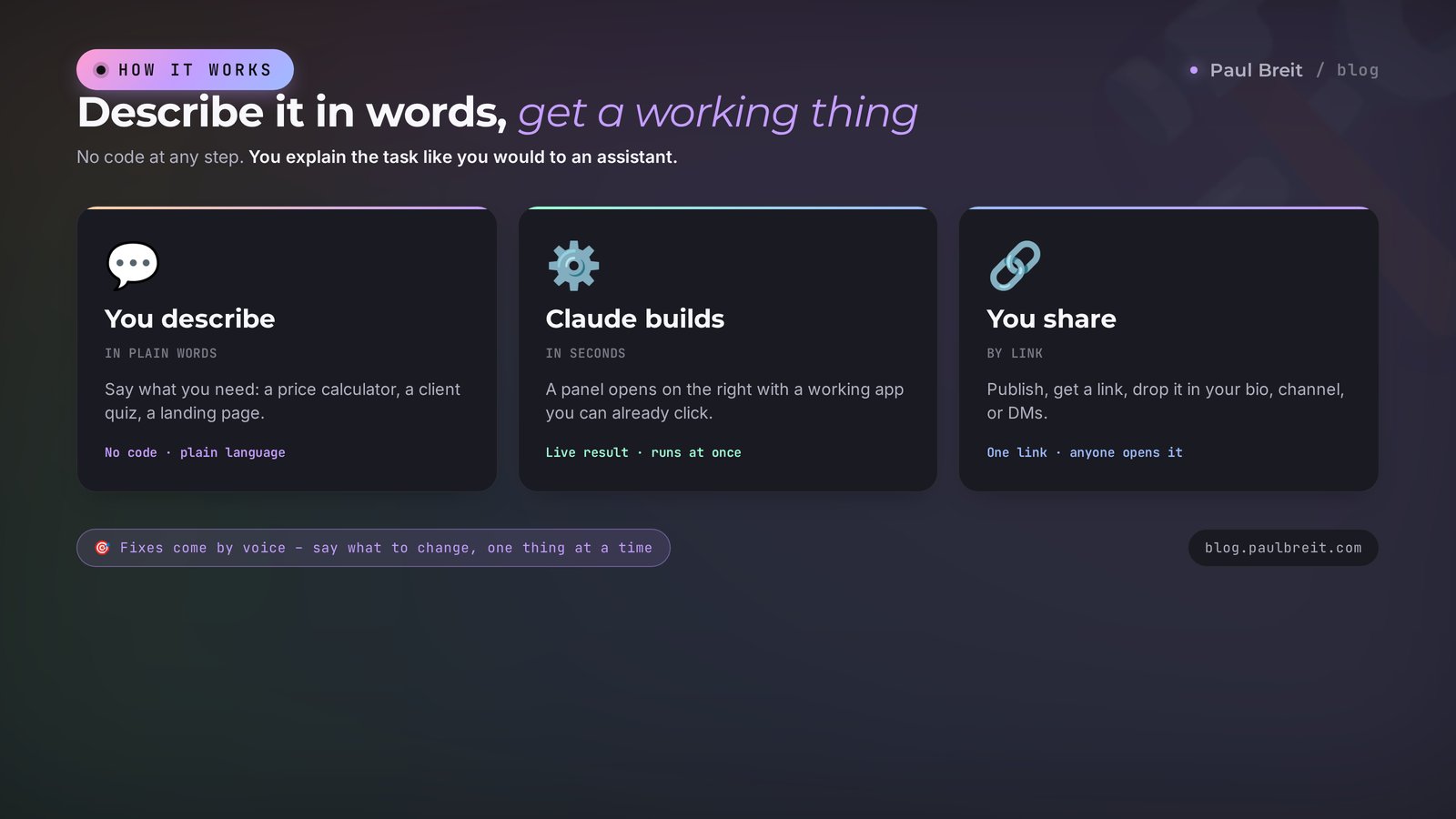
The most important part for a beginner: you don't need to know how to program. At all. You explain the task in plain words, the way you'd explain it to an assistant: "Make a calculator where someone picks a service package and sees the final price." Claude writes all the code itself and shows you a working result immediately. Don't like it? Say what to change and it redraws on the spot.
An artifact is when the AI hands you an already-built, working thing that you edit by voice and hand out by link. Not advice on how to make it. The thing itself.
Who gets hooked fastest? People who sell their services and knowledge and keep hitting the same wall: they have an idea for a simple tool but never get to it, because "that means finding a developer." A psychologist wants a quiz for their followers. A coach wants a calculator that shows how much a client loses to procrastination. A tutor wants a mini practice tool. A nutritionist wants an intake form before the first call. All of these are one-evening artifacts.
Section 02How it differs from a normal chat reply
The difference is simpler than it sounds, and it's where all the value lives. Look at three things: the result, the edits, and reuse.
The result. In a normal chat the AI gives you text. Even if you ask "write me the code for a calculator," you get letters you then have to paste somewhere and run. An artifact runs that code right away and shows a working page. You type numbers in and watch it calculate.
The edits. This is where artifacts really shine. You don't rewrite the task from scratch. You say: "Make the button green," "Add a phone field," "Drop the third question," "Make the price bigger." Claude changes only that and shows the new version. Old versions are saved, and you can flip back if a new edit falls flat.
Reuse. A chat reply lives inside the conversation. An artifact can be published to give you a link you hand to clients, drop into stories, send in DMs. People open it and use it, installing nothing. There's a whole section on that below.
When does an artifact open on its own? Claude turns on the panel when it sees you're asking for something whole and standalone: a page, a multi-section document, a chunk of code, a diagram, a spreadsheet with calculations. If the panel doesn't appear and you want it, just say so: "Build this as an artifact." That's enough.
One more perk practitioners love: artifacts aren't nailed to a single conversation. You can come back a week later, reopen the same artifact, ask it to update the numbers or add a block, and get a fresh version. It lives alongside your chat and is always within reach. Handy for things that change: prices, promo terms, your service list. Build it once, then just tweak it as life happens instead of ordering a rebuild every time.
A quick note on Claude Projects, so you don't mix them up. Projects are a storage space with memory where you upload your materials and the AI keeps them in mind from one conversation to the next. There's a separate article on Claude Projects. Artifacts are about what you create as output. One doesn't get in the way of the other: you can work inside a project and build artifacts there from your uploaded files.
Section 03How to open your first artifact
We'll go in through claude.ai – the web version, nothing to download. It opens in a browser on a computer or a phone. Step by step, spelled out for anyone doing this for the first time.
Create an account
Open claude.ai and sign up. Use an email that isn't tied to a blocked region – Gmail from Google or iCloud from Apple. Some regional providers often fail at signup. If you don't have a suitable email, make a fresh one with your VPN already on, so the account isn't tied to a blocked region. More on access in the section below and in getting started with Claude.
Check that artifacts are on
Most accounts have it on out of the box. If the panel doesn't appear, go to settings, find the features or experiments section, and make sure artifacts are active. It's a toggle, not a paid add-on.
Ask it to build something simple
Start small so you can see how it looks. Type in the chat: "Build a one-page card about me: name, what I do, three services, and a button to message me on Telegram. Make it an artifact." In a few seconds the panel opens on the right with a finished page.
Fix it with words
Say: "Make the background dark, the button bigger, add a fourth service." Watch Claude change only what you asked for. From this moment on, you already know how to use artifacts. The rest is practice and ideas.
That's it. Four steps and you're in. From here it's only a question of what to build. Let's get into that.
Section 0410 ideas for people who sell services and courses
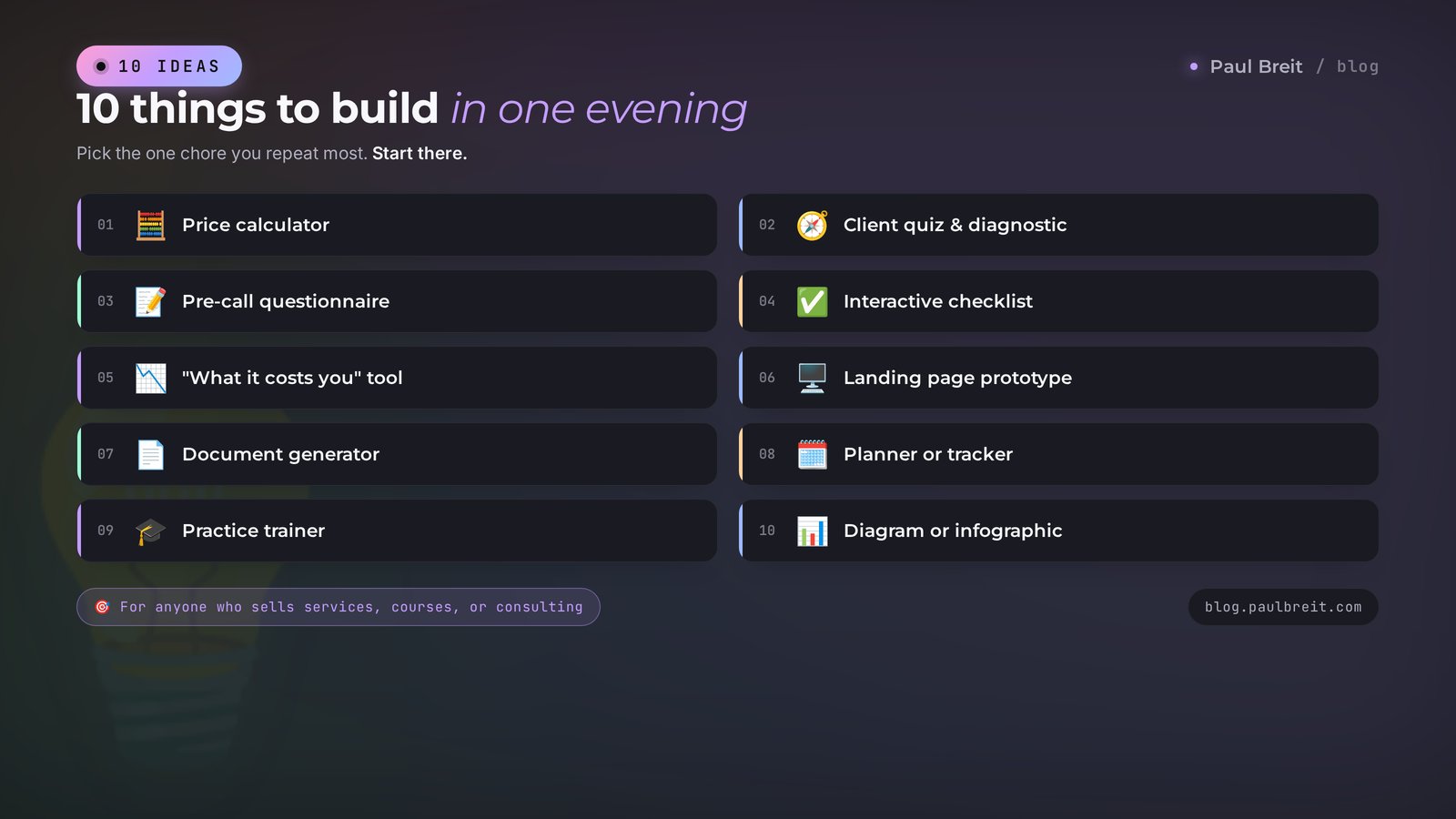
Theory without use evaporates fast, so let's get concrete. Here are ten things you can genuinely build as artifacts in one evening and put to work right away. Under each: who it fits and why.
1. Price calculator
Someone picks a package, a quantity, add-ons, and sees the price instantly. It kills half your DM questions and screens out people for whom it's too expensive before the call. Great for anyone whose price depends on volume: designers, editors, lawyers, tutors.
2. A diagnostic quiz for your followers
A series of questions ending in a result with a type and a recommendation. It lands especially well for psychologists, coaches, nutritionists. Someone takes the quiz, learns something new about themselves, and is already warmed up to talk to you.
3. Pre-call intake form
The client answers a few questions ahead of time, and you show up to the call prepared. It saves 15-20 minutes on every meeting and makes you look like someone who works systematically.
4. Interactive checklist
A list with checkboxes that saves progress. Hand it out as a lead magnet: "launch checklist," "prep-for-your-challenge checklist." It works better than the same list as a PDF, because it's actually pleasant to use.
5. A "what it costs you" calculator
Shows a client how much they lose without your service. A coach counts the cost of procrastination, a marketer the revenue left on the table, a financial advisor the overpayment. A number on the screen convinces harder than any words.
6. Landing page prototype
Build a one-pager in 20 minutes to show a client or test an offer idea before you order development. If landing pages are your thing, see the article on building sites without a programmer.
7. Document generator
Fill in a couple of fields and get a ready brief, a template contract, or a proposal with your data dropped in. Build it once, use it for months.
8. Planner or tracker
A weekly content plan, a habit tracker, a task board for one specific project. Simple things you want tailored to you, when the ready-made services are always slightly off.
9. A practice trainer
Flashcards with questions, a mini-quiz on your topic, a terms trainer. Tutors and course creators give these as a bonus with lessons, and people keep them.
10. A visual diagram or infographic
A funnel, a roadmap, the structure of your product – as an image you're not embarrassed to drop into a deck or a post. Claude draws diagrams right inside the artifact.
Don't reach for the hardest thing. Take what you do by hand most often and what annoys you with its routine. Pricing jobs in DMs ten times a day? Start with a calculator. Prepping a briefing before every call? Start with an intake form. Your first artifact should kill your own personal pain, then you'll actually use it.
Section 05Live example: a price calculator in 15 minutes
Enough theory, let's build a real thing. I'll take a task almost anyone who sells services knows: a price calculator for a site or a profile bio. We'll go the whole way from the first word to a finished link. You can copy the prompts as-is and swap in your own services.
Step one: describe the task
Open the chat and write clearly and in detail. The more specific you are, the fewer edits later. Here's a working prompt.
Build a price calculator for my services as an artifact.
I edit video. The visitor picks:
– type of work: reel, YouTube video, ad spot;
– number of videos per month: 1 to 30 on a slider;
– whether they want subtitles and color grading (checkboxes).
Base prices: reel $30, YouTube $70, ad spot $160 each.
Subtitles add $8 per video, color grading adds $14 per video.
At the bottom, show the total monthly price in large type and a
"Message on Telegram" button linking to t.me/my_handle.
Make it clean, dark theme, big font on the price.
Notice: I didn't write a single line of code. I described the task the way I'd explain it to an assistant. Every number and rule is mine – Claude won't invent them.
Step two: look at the result
In a few seconds the panel opens on the right. Inside: a finished calculator – a dropdown, a slider, checkboxes, a big price at the bottom, and a button. You drag the slider, the price recalculates. It all works right away.
You: The price is wrong when I pick the ad spot. Check the formula.
Claude: Found the bug in how add-ons were counted and fixed it. Subtitles and color grading now multiply by the number of videos. Artifact updated.
Step three: polish it with edits
From here you just say what to fix. One edit at a time, so it's easy to follow.
Make the button green and full width.
Add a line "10% off for orders of 10+ videos"
and factor it into the total.
At the top, add my text logo "Editing by Ivan".
Make the price font even bigger.
Claude changes only that and shows the new version. Don't like it? You can roll back to the previous one – they're all saved. In three or four rounds of edits you get exactly what you wanted.
Step four: publish and grab the link
Above the artifact there's a "Share" or "Publish" button. Click it, get a link. Open it in another browser to check it works for an outsider. Drop that link into your profile bio, a pinned post, or DMs when someone asks about price.
In 15 minutes and without a single line of code you've got a working calculator behind a link. A freelancer would've charged $200-300 for this and taken a week of back-and-forth. And the best part – you can rebuild it yourself anytime, dependent on no one.
The same script builds anything from the list above. Only the description in the first prompt changes. A quiz – describe the questions and results. An intake form – list the fields. A landing page – describe the offer and the blocks. The mechanic is one: describe it in words, look, fix, publish.
A small tip from practice. Before you hand a calculator to clients, run it yourself on the edge values. Set zero videos, set the max, turn on every checkbox, turn them all off. Sometimes a formula bug hides at the boundaries and stays invisible on normal numbers. Find one? Tell Claude exactly what came out wrong and at which values, and it'll track it down and fix it. Five minutes of that saves you the awkward moment when a client sees a negative or a zero price on a big order.
Section 06Artifacts with AI inside
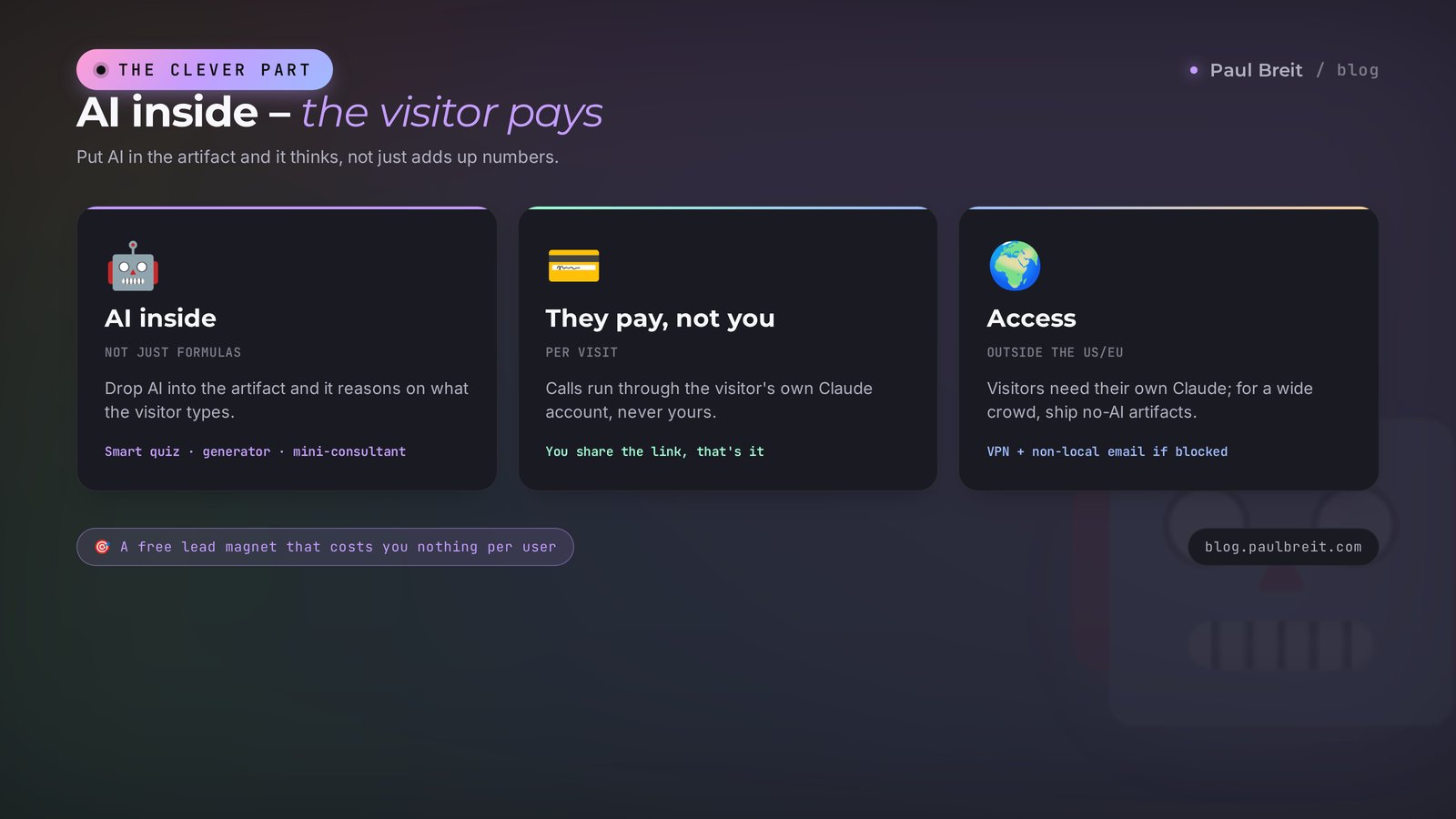
Here's where it gets genuinely interesting, and few people know about it. An artifact doesn't have to just crunch a formula. You can embed AI inside it, and then the app thinks instead of merely adding numbers up.
The difference in an example. A plain calculator runs on a rigid formula: pick a package, get a price. Now picture a quiz where a person writes an answer in their own words and the app responds to it meaningfully. Or a generator where you type in a post topic and it hands back three ready options. Or an analyzer where you paste a client review and it pulls out the main pain points. All of these are artifacts with AI inside.
Anthropic opened this up in 2025. Inside an artifact, Claude connects to the AI itself – you need no key and no technical setup. You simply say, "Make the app come up with its own answer based on what the person typed," and it does.
The best part. When you share an app like this by link, the calls to the AI run through the account of whoever's using it, not yours. The visitor is signed in under their own Claude, and the cost is charged to them. You handed out a link and you don't pay for everyone who opens it. For a lead magnet or a free tool, that changes everything.
What you can actually build in this format to sell services:
- Smart quiz. A person describes their situation in words, the app reads the answer and gives a personal recommendation instead of one of three canned results.
- Headline or post generator. Type a topic, get ready options in your voice. How to set the voice, I covered in the article on writing prompts.
- Mini-consultant. Answers common questions about your service by the rules you set. It doesn't replace you, but it takes the first wave of repetitive questions off your plate.
- Text review. A client pastes their profile description or offer and the app shows the weak spots. A great way to show expertise and lead into paid work.
It's important to know the line. An app like this lives in a browser and talks to the AI, but it doesn't store data on a server, doesn't send emails, and doesn't message people on Telegram by itself. If you need a bot that takes requests and files them in a spreadsheet or replies in a messenger, that's a full bot or site. See the articles on a Telegram bot with no programmer and on building sites and apps. An artifact is a fast tool and a storefront, not the whole automation.
Section 07How to share an artifact with clients
Building the artifact is half the job. The other half is getting it to people. A few simple plays here.
Link. The most common one. You publish the artifact, get a link, and drop it anywhere: profile bio, pinned post, stories, a reply to a DM. The person opens it in a browser and uses it. Nothing to download.
Updates. Changed your prices or added a package? Edit the artifact and the same link now opens the new version. No need to resend anything. Handy for calculators and price lists that shift.
A copy per client. Made a quiz or calculator that works? You can quickly rebuild it for a specific client by swapping the colors, logo, and numbers. Ten minutes and you have a personal version you're glad to hand over as part of your service.
Always open the finished link in another browser or in incognito, as if you were an outsider. Sometimes what works in your chat looks different to a guest. Five minutes of checking saves you the awkward moment where a client opens it and there's nothing there.
One honest note about artifacts with AI inside. For a visitor to use them, they need their own Claude account. For your audience that can be a barrier, especially if they're outside the US or EU where signing in needs a VPN. So for a wide public, plain artifacts without AI inside land better – calculators, button-based quizzes, checklists. They open for anyone, instantly. Save the smart apps for people already in the know, or for your own work.
Section 08What artifacts can't do
So you don't collect bruises, here's the honest list of limits. Artifacts are powerful, but they have edges, and it's better to know them upfront.
They don't store data between visitors. If someone fills in your calculator and leaves, those numbers are saved nowhere. An artifact won't build you a database of leads on its own. For collecting data you need a form on a site or a bot.
They don't send emails or messages. A "Message on Telegram" button just opens your chat, which is fine. But the app itself won't send an email or drop a client into a CRM. That's a job for a full bot.
They don't handle heavy loads. An artifact is a light app in a browser. A giant spreadsheet with tens of thousands of rows, or a complex system with user accounts, isn't something you build in one. There are other tools for that.
They don't replace a designer on complex work. Claude will build a simple, clean page beautifully. But a pixel-perfect brand design with animations still calls for a person.
Artifacts cover everything that's done in one evening and lives in a browser: calculate, test, show, hand over by link. The moment the task is about storing data, sending campaigns, taking payments, and user accounts, you're on the territory of a real site or bot. Knowing that line means not burning hours on something the tool wasn't built for.
Section 09How to use it from outside the US or EU
Claude isn't available everywhere: in some regions the login is blocked by IP. It's solvable – let's go point by point so you don't get stuck at the start.
A VPN with the right location
You need a VPN set to Europe or the US. Solid options: AmneziaVPN, Proton VPN, Hiddify. Turkey and the UAE, though, are on Anthropic's blocked list – logging in through them won't work. Turn the VPN on before you open claude.ai.
An email not on a blocked-region provider
Sign up with Gmail or iCloud. Some regional providers often fail. No suitable email? Make a fresh one with the VPN already on, so the account isn't tied to a blocked region from day one.
Payment, if you want the paid tier
The free tier is plenty to get to know artifacts. If you later want the paid plan (about $20 a month), you'll need a foreign card or a payment intermediary. For your first artifacts it's not required.
Sign in to artifacts with the same VPN turned on that you use for Claude as a whole. If the panel starts lagging or stops loading, the first thing to check is that the VPN is on and set to the right location. A step-by-step walk-through with all the details is in getting started with Claude.
Build your first artifact today
Don't put it off to "when I have time." Open claude.ai with your VPN, ask it to build the calculator from the example above, and swap in your own services. In 15 minutes you'll have a working thing behind a link. That's the best way to get artifacts – build one, don't read about them.
Open Claude →Section 106 beginner mistakes
I've built more than a few dozen artifacts and I can see where people just starting out trip up. Run through these so you don't lose time.
Mistake 1. A first prompt that's too vague
"Make a calculator" with no details forces Claude to guess, and it'll guess something that isn't you. Describe the services, prices, and rules right away. The more detail in, the fewer rounds of edits.
Mistake 2. Asking for ten edits at once
When you dump it all in a pile – "change the color, add a field, rewrite the formula, move the button" – it's easy to lose track of what worked and what didn't. Edit one at a time so you always see the result of each step.
Mistake 3. Not checking the link from the outside
Published and blasted it out right away. And for a guest it opened crooked. Always check the finished link in another browser before you show it to clients.
Mistake 4. Expecting what an artifact can't do
Trying to build a lead-collection system with a database and email campaigns inside it. That's not its job. Remember the limits section and don't ram the wall.
Mistake 5. Forgetting your audience's access
You built a smart app with AI inside and handed it to a wide public that's outside the US or EU and without a VPN. They won't be able to use it. For mass hand-outs, use plain artifacts without AI inside.
Mistake 6. Build once and abandon it
Artifacts are strong because they're easy to rework. Prices changed, a new service appeared – update it in five minutes. A tool that lives and changes pays off for months.
Section 11Checklist: your first artifact tonight
Let's put it all into a short plan. Go through the points today, and tomorrow you'll already have a working tool.
1. Go to claude.ai with a VPN, create an account on Gmail or iCloud.
2. Pick one task you do by hand most often and that annoys you with routine.
3. Describe it in detail in the chat: what it should have, which numbers, which fields. Ask for it as an artifact.
4. Look at the result in the panel on the right, fix it with words, one thing at a time.
5. Publish, grab the link, check it in another browser.
6. Put the link where clients will see it: profile bio, pinned post, stories.
7. A week later, look at what you actually use and refine it around people's real questions.
Artifacts are one of those things you can't grasp from a description and grasp instantly in practice. The first one takes about fifteen minutes, sign-up included. After it, you'll look at the pile of small tasks around you with new eyes: half of them you can close in an evening, ordering from no one and depending on no one.
Start small, with one pain of your own. From there it builds on its own.
FAQFrequently asked questions
What are Claude artifacts, in plain words?
It's a built-in mode where Claude builds a finished, working object in a separate panel next to the chat: a document, a spreadsheet, a calculator, a quiz, a landing page, or a small app. You describe the task in words and get, as output, the working thing itself, something you can use and share by link.
Do I need to know how to program to build artifacts?
No. Claude writes all the code itself. You explain the task in ordinary words, the way you'd explain it to an assistant, and you edit in words too: say what to change and the app redraws. You don't need to know any programming languages or set anything up.
Do artifacts work on the free tier?
Yes, you can build and use artifacts on the free tier. The paid plan (about $20 a month) lifts the limits on how many requests you can make and unlocks the top models, but for getting acquainted and building your first tools the free version is enough.
Can I share an artifact with clients?
Yes. An artifact gets published and you get a link you can hand out anywhere: a profile bio, a pinned post, stories, or DMs. The person opens it in a browser and uses it, installing nothing. Update the artifact and the same link opens the new version.
Is it true that I don't pay for the app's users?
If AI is embedded inside the artifact, then when it's used through the link the calls to it run through the account of whoever's using the app, not through yours. The visitor is signed in under their own Claude, and the cost is charged to them. You handed out the link and you don't pay for everyone who opened it.
How are artifacts different from Claude Projects?
Projects are a storage space with memory where you upload your materials and the AI keeps them in mind between conversations. Artifacts are what you create as output: working objects and apps. One doesn't get in the way of the other, you can build artifacts inside a project from your uploaded files.
How can I use artifacts from outside the US or EU?
In some regions Claude blocks the login by IP, so you need a VPN with a location in Europe or the US (AmneziaVPN, Proton VPN, Hiddify; Turkey and the UAE won't work) and an email not on a blocked-region provider, Gmail or iCloud. Sign in to artifacts with the same VPN turned on that you use for all of Claude.