Vibe Coding: build a website and app without a developer
Vibe coding is when you describe what you want to an AI in plain words, and it writes the code and assembles a finished result. You never read code and never learn a programming language. This article covers what you can build in one evening, which tools to use, how to talk to the AI step by step, and how to put the result online. With real dialogues and prompts you can copy.
Vibe coding is a way to build a site or an app by talking to an AI in plain words instead of writing code. You describe the task ("build me a business-card site with my services and a booking button"), the AI writes all the code and shows you the result, and you refine it with lines like "make the button bigger and drop the blue." A business-card site comes together in 20-40 minutes, a landing with a form in a couple of hours, a simple app in one evening. The go-to tool in 2026 is Claude: artifacts for mini-apps right in the browser and Claude Code for real projects. You don't need a developer for the starter tasks - one comes in when it's about taking payments, handling sensitive data, or serving heavy traffic.
You need a simple site for a service, or a small app for clients. You go to a freelancer - they quote $500 and three weeks. You try a site builder - you hit the templates, the blocks you want sit behind a subscription, and the moment you try something of your own, it breaks. The project stalls for months, and sometimes it dies for good, because "well, I'm not a programmer."
I'm not a programmer. And yet my projects - lead bots, trackers, internal tools for my school - are all built by talking to an AI. I describe what I want in words, it writes the code. This article is that whole system, step by step, with example dialogues and prompts you can copy for yourself.
You'll read it in 22 minutes. You'll build your first site that same evening. And after a week of practice you'll stop flinching at the word "app" - it becomes an ordinary two-hour task.
What's inside
- What vibe coding is, in plain words
- What you can actually build in an evening
- 2026 tools: what to build with
- Setting up Claude
- Build a business-card site in 20 minutes
- A landing with a request form
- A mini-app: calculator and quiz
- How to talk to the AI
- How to put your project online
- 6 beginner mistakes
- Limits: what to leave to a developer
- Launch checklist
Section 01What vibe coding is, in plain words
Andrej Karpathy - a co-founder of OpenAI - coined the term "vibe coding" in early 2025. He described a new way of working: you don't write the code by hand and you don't even look at it. You tell the AI what you want, it writes it, you run it, you see the result, and you say in words what to fix. Around and around until it's right. The "vibe" part is that you steer by feel and by how the result looks, while the AI holds the technical side.
Compare it to a home remodel. You hire a contractor and say: I want a bright kitchen, the counter right here, an outlet by the window. You don't lay the tile yourself or study brands of adhesive. You look at the result and say: shelf higher, warmer light. The contractor does it. In vibe coding the AI plays the contractor - except it works in seconds and never tires of the twentieth revision.
What "without a developer" means
It used to be that a person who knew programming languages stood between your idea and a finished site. You explained the task, they translated it into code, you waited, you paid, you explained again. The AI removed that middleman for simple and medium tasks. You explain straight to it, in plain English, in the same words you'd use with a human.
That doesn't mean developers are obsolete. For taking payments, handling medical or legal data, and projects with thousands of simultaneous users, an experienced person is still needed - we'll talk about that honestly in the limits section. But a business-card site, a landing for a service, a price calculator, a quiz, an internal tool for you and your team - all of that you now build yourself.
Who this actually helps
Vibe coding covers the needs of everyone who sells services, courses, and consulting, and who always needs a landing, or a form, or a small tool:
- Experts and coaches - a service page, a quiz to match a program, a calculator for package pricing.
- Therapists and nutritionists - an intake form, a booking page, a simple journal for clients.
- Tutors and mentors - a site with a schedule and prices, a level test for newcomers.
- Small businesses - a services showcase, a request form, an internal calculator for the team.
They all share one thing: the task is clear, the budget for a developer feels wasteful, and there's no time to wait three weeks. That's exactly where vibe coding fits.
Section 02What you can actually build in an evening
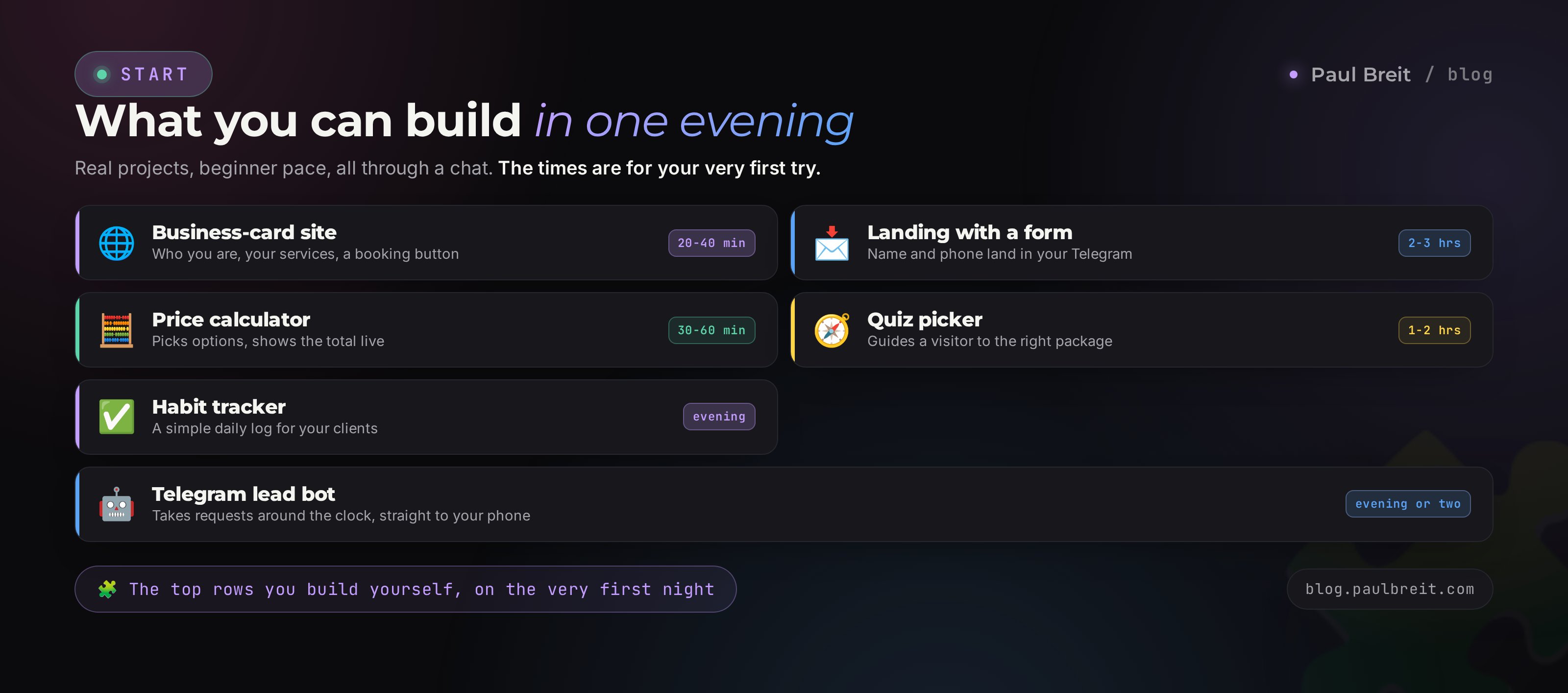
Let's be honest about what comes together fast and what takes a few passes. These estimates are from practice, for a first-timer working through Claude.
| What you're building | Difficulty | Time for a beginner |
|---|---|---|
| Business-card site (who you are, services, contacts, booking button) | Easy | 20-40 minutes |
| Landing with a form that sends you the request | Medium | 2-3 hours |
| Price calculator for a service or package | Easy | 30-60 minutes |
| Quiz that matches a product or service | Medium | 1-2 hours |
| Habit tracker or a simple journal for clients | Medium | one evening |
| Telegram lead bot | Above medium | an evening or two |
| Member area with payments and a user database | Hard | you need a developer here |
The top five rows are the zone where you'll manage on your own, on the very first evening. The bot is a bit harder, because it has to run somewhere around the clock (more on that in the publishing section). But anything that touches taking money and storing people's personal data is best not thrown together with vibe coding. The reason is simple: the cost of a mistake is other people's money and other people's privacy.
One key idea up front. Don't try to build a whole big project at once. Build a small working version, show it to people, watch the reaction, then expand. The AI is great at growing a project piece by piece, and that's far more reliable than a heroic attempt to do everything in one sitting.
Section 032026 tools: what to build with
There are a lot of tools, and that paralyzes beginners. Let's simplify. To start, one is enough - Claude. The rest come in handy later, when you want more. Here's the lay of the land so you know what's for what.
| Tool | For what | For whom |
|---|---|---|
| Claude (artifacts) | Build a mini-app right in the chat window: calculator, quiz, tracker. The result works immediately on the right side of the screen | Everyone, as a first step |
| Claude Code | Full projects with many files: sites, bots, services. Lives on your computer or a server | When you outgrow the browser |
| Lovable, v0, Bolt | Build a site from a description with a polished design and publish it online right away | Anyone who wants a fast landing |
| Cursor | An editor with the AI built right into working with your project files | Once you've caught the bug |
My advice for the first evening - start with Claude artifacts. Open a chat, write "build a price calculator for my service," and ten seconds later a working calculator appears on the right that you can click around. It's the best way to feel vibe coding with your hands, installing nothing.
When you want a real multi-page site or a bot, move to Claude Code. It's the same Claude, only it works with a project folder on your computer: it creates files, edits them, runs them. There's a full step-by-step walkthrough in the piece on Claude Code for non-coders - install and all.
For building sites and apps, Claude consistently produces the cleanest, most workable code among mainstream AIs in 2026, and it holds a large project in its head better than the rest. A head-to-head for your kind of tasks is in the piece Claude vs ChatGPT. You can build through other AIs too - the steps are the same, just with Claude you'll do fewer revisions per pass.
Section 04Setting up Claude
Claude is the main tool in this guide, and getting set up takes a few minutes. Here's the order.
Create your account
Go to claude.ai and sign up with email or Google. The free tier is plenty to try vibe coding and build your first site.
Consider Pro when you build regularly
For steady work people take Pro at $20 a month - higher limits and unrestricted access to artifacts. There's no rush: try the free tier first and upgrade once you start hitting the ceiling.
If you're outside the US or EU
Anthropic serves the US and most of Europe directly. If Claude isn't available in your region yet, a VPN set to a US or EU location fixes it, and you sign up as usual. The whole thing takes about ten minutes.
If this is your very first time with AI at all, start with the piece on what you can do with AI, and a full walkthrough of Claude itself is in the guide learn Claude from scratch. From here on I'll assume you already have access.
Stage 01Build a business-card site in 20 minutes
Let's start with the simplest and most common thing - a one-page business-card site. Who you are, how you help, your services, testimonials, a booking button. We'll walk through it on a live example, as if you're a therapist. Swap in your own niche - the steps are the same.
The first line sets everything
Open Claude and write something like this. Don't be afraid of a long message - the more specifics, the fewer revisions later.
Build me a one-page business-card site. I'm a therapist,
I work with adults, and I specialize in anxiety and burnout.

I need these blocks in order:
1. Hero: my name, the line "Therapist. I help you handle
   anxiety and get your energy back," and a "Book a session" button.
2. About me: 4-5 sentences, education, 8 years of practice,
   400+ clients.
3. What I work with: a list of 6 concerns as tiles.
4. How it works: 3 steps - request, session, plan.
5. Testimonials: 3 cards with a name and text.
6. Contact: a "Message me on Telegram" button and email.

Calm style, warm beige and green tones,
large readable type. The "Book a session" button
links to my Telegram t.me/yourhandle.
Make it as an artifact so I can see the result.
A few seconds later a finished site appears on the right. With blocks, buttons, spacing. You can scroll and click it. It's already a working page, not a picture.
Next - edits by talking
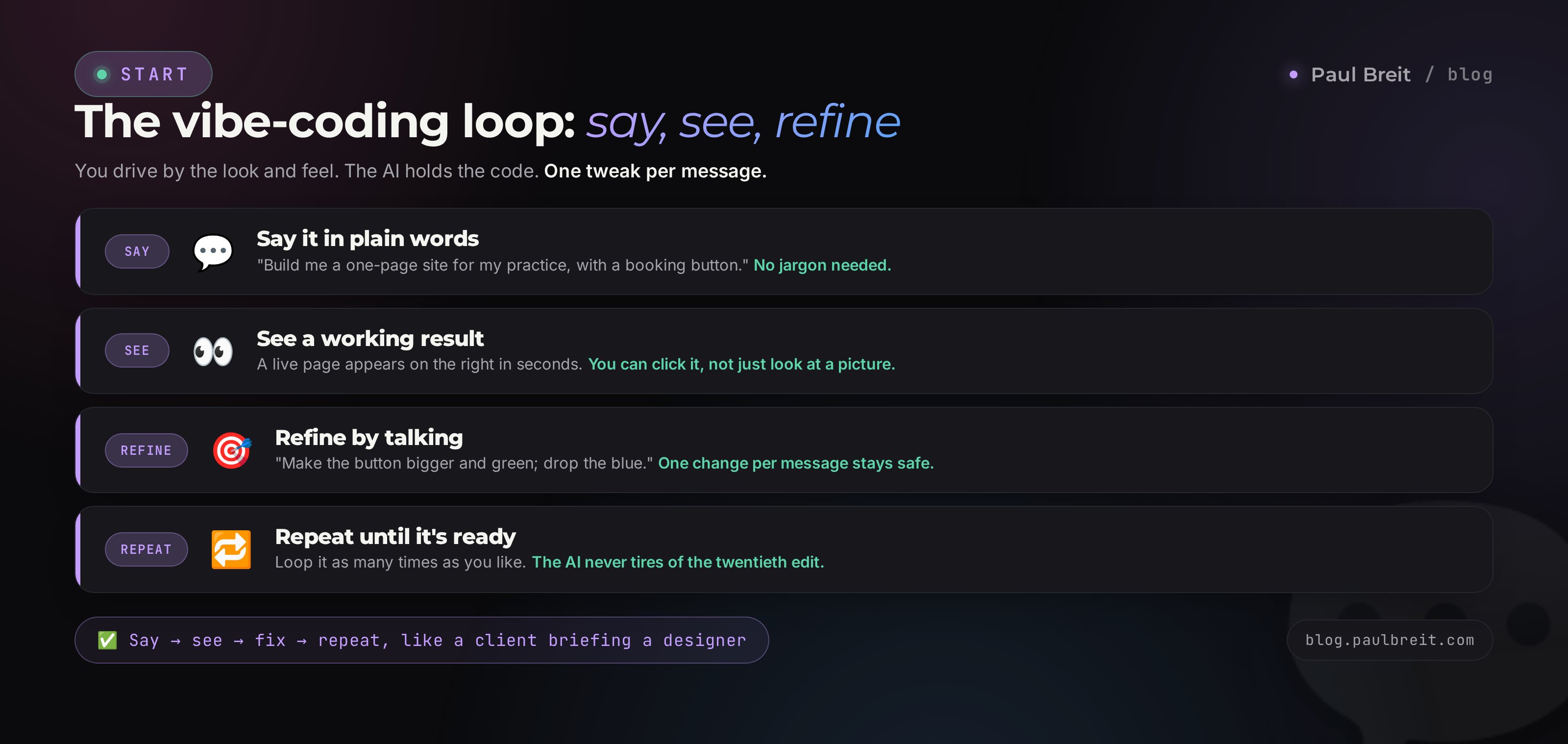
Look at the result and say what to fix. One edit per message, so it's easier for the AI not to break the rest:
- "The hero is too washed out - make the background a bit richer and add my photo on the left."
- "Put the concern tiles in two columns; they're too narrow right now."
- "The Book button gets lost - make it bigger and green so it stands out."
- "Add a small line at the bottom about the privacy policy."
Claude applies each edit and shows the updated site. You never touch the code - you just look and comment, like a client with a designer. In 15-20 minutes of lines like these, the page gets to "ready to show people."
Don't write the site copy yourself ahead of time. Give the AI facts about you in chunks and it will shape them into living lines right in the blocks. Add the photo at the publishing stage - in the artifact it's enough to leave a spot for it. That way you don't get stuck on "what do I even write" and you keep your pace.
A finished site from an artifact can be downloaded as a single file and put online - more on that in the publishing section below. For now, the point is to feel the rhythm: say it, see it, fix it.
Stage 02A landing with a request form
A business-card site is a static page: you look and leave to Telegram via the button. A landing for a service usually wants more - a form where a person leaves their name and phone, and you get the request. Here's the first technical wrinkle, explained without scary words.
Why a form is trickier than it looks
The form on the page comes together in a minute - three fields and a button. The real question is where the data goes when someone hits "Submit." A page on its own can't send you messages - it needs a helper on the side that catches the request and forwards it to you. That helper is called a backend. The good news: for a simple form you can also build it with vibe coding or plug in a ready service.
Three working paths, from simple to advanced:
The form sends the request to your Telegram
The fastest option. Ask Claude: "Make it so that when the form is submitted, the request comes to me on Telegram." The AI will explain that you need to create a bot through @BotFather (you do this inside Telegram itself in a couple of minutes, no code to type) and it wires in the connection. Requests trickle straight into your DMs.
The form logs requests into a Google Sheet
Handy when there are lots of requests and you want to see them as a list. Claude builds the link to a Google Sheet, and each request becomes a new row: name, phone, date. A full breakdown of a landing like this is in the separate piece on taking requests and booking calls.
A ready-made form service
If you'd rather not fuss at all, grab a free form service and drop its block into your landing. Then it handles all the request intake, and your page just shows the form. Less flexible, but not a single technical detail on your side.
For a first landing I recommend Path 1. A request in Telegram is an instant notification on your phone - you won't miss a hot lead. When the flow grows, add the sheet.
Always test the form yourself: send a fake request and confirm it arrives. Half the lost clients on homemade landings are forms that look great but send nowhere. You click, "thanks," silence. One manual check closes that hole.
Stage 03A mini-app: calculator and quiz
"App" sounds scary, but in practice it's often a small interactive tool that calculates or matches something. The two most useful for anyone who sells services are a price calculator and a quiz matcher. Both come together as an artifact in half an hour to an hour.
Price calculator
A person picks options, the app shows the price. It kills the eternal "so how much is it" and gently nudges toward a request. The prompt:
Build a price calculator for my services as an artifact.

I build websites. Parameters:
- Type: business-card ($200), landing ($500),
  multi-page ($1,000) - pick one.
- Rush: normal (+0), within a week (+30%) - a toggle.
- Copywriting: myself (+0), done for me (+$100) - a checkbox.

Show the total large at the bottom; it recalculates
instantly on any change. Under the total, a button
"Leave a request" linking to t.me/yourhandle.
Clean, light design, large buttons.
The finished calculator appears on the right, the numbers add up on the fly. Then you refine it with lines: "add a third parameter - number of pages," "also show the total split into 3 monthly payments." A calculator like this later embeds into a site or lives at its own link.
Quiz matcher
A quiz walks a person through a few questions and, at the end, hands them a recommendation - which package or program fits. It pulls people in more than a static page and gently collects contacts. The logic goes in the prompt: 4-5 questions, each with 3 answer options, ending in one of three results and a booking button. Claude builds all the screen-to-screen logic itself; you just supply the questions and options.
An artifact is handy to poke at in the chat, but to give clients a link, the app has to be published. A simple calculator and quiz are a single page, published the same way as a business-card site (next section). Nothing extra to install.
Section 05How to talk to the AI
Here's the main secret. The result of vibe coding is 80% about how you frame the task. The same AI turns a vague request into a lopsided draft, and a precise one into a nearly finished product. Here's the formula I use to set tasks.
Context: who you are and what the product is
Start with one or two sentences about you and the task. "I'm a nutritionist, I need a landing for a course on eating well." The AI tunes tone, examples, and structure to your niche instead of guessing in the abstract.
Exactly what you need, point by point
List the blocks or screens top to bottom, in the order they appear on the page. The AI reads a list more precisely than a solid paragraph. The more specific the point, the fewer revisions.
How it should look
A couple of words on style and color: "calm, warm tones, large type." You can point to something familiar: "Apple-style, lots of whitespace." The AI understands those cues.
One task per pass
Build the skeleton, then edit one element at a time. "Make the button bigger" is safer than "change the button, the colors, the font, and add a testimonials block" in one line - less chance the AI accidentally breaks what worked.
Ask to see the result
Add "make it an artifact" or "show me how it looks." Then you edit against a picture, not a description. See it, say it, fix it.
Compare two requests and feel the difference.
"Make me a site for a therapist." The AI hands back a generic draft with watery text and random colors. You'll redo almost all of it.
"I'm a therapist working with anxiety and burnout, 8 years of practice. Build a business-card site as an artifact. Blocks in order: hero with my name and a Book button, about me, 6 concerns as tiles, 3 steps of how it works, 3 testimonials, contact with Telegram. Calm style, warm beige-and-green tones, large type." The result is a near-finished page on the first try.
Framing tasks for an AI is a skill of its own, and it pays off anywhere you work with AI. A full breakdown with a five-part formula and before-and-after examples is in the piece how to write prompts. Read it right after this one - the quality of your builds will jump noticeably.
Section 06How to put your project online
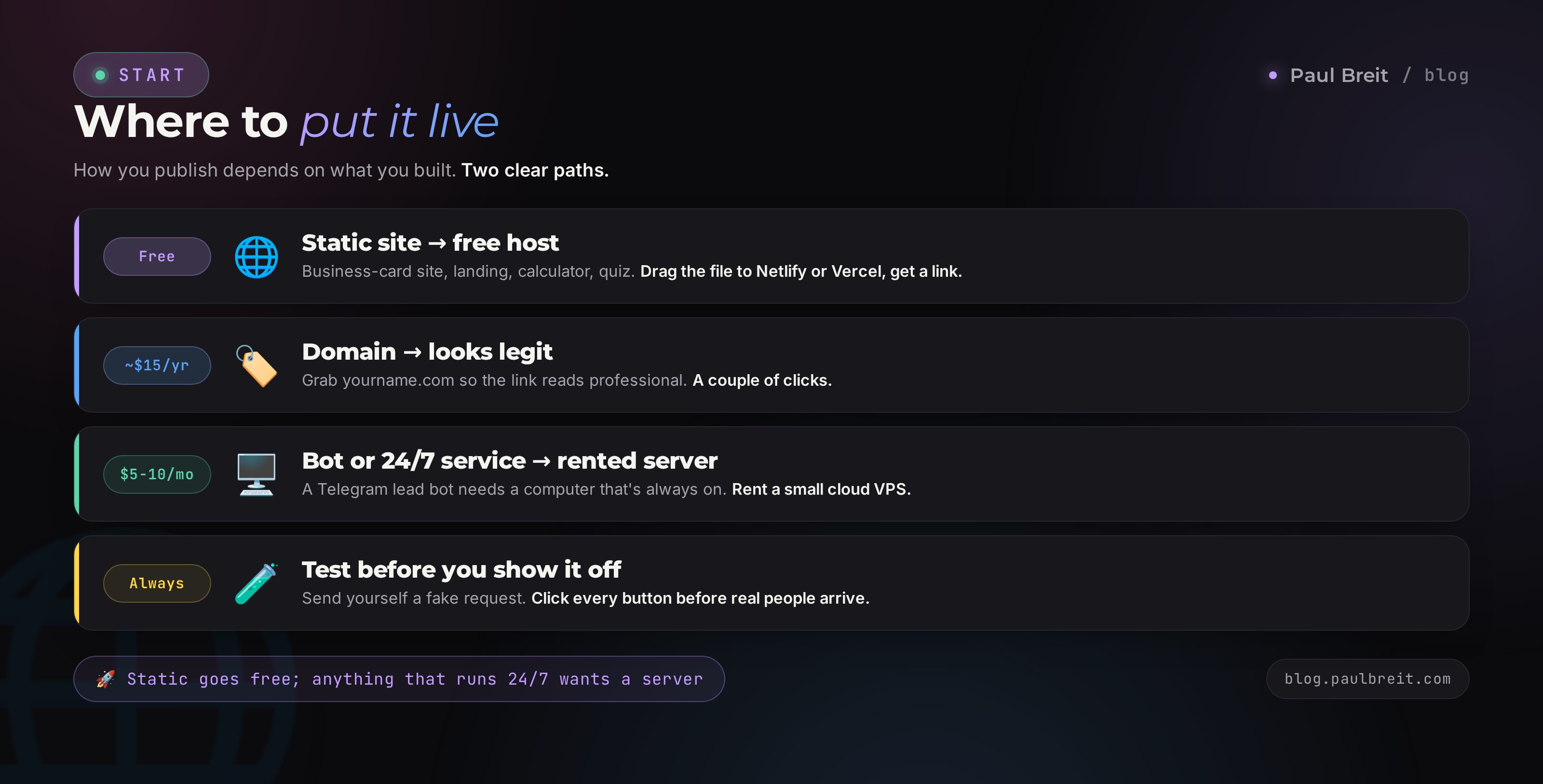
You've built a site or app - now people need to see it at a link, not just you in the chat. The method depends on what you built.
A static site or single-page app
A business-card site, a landing, a calculator, a quiz - these are a single page that works on its own, without a server. You publish it to a free host in five minutes:
- Netlify or Vercel - drag in the file, get a link. Free, fast, no card.
- GitHub Pages - a few more steps, but free forever and reliable.
- Cloudflare Pages - another solid free option that scales without fuss.
Claude will walk you through the steps of whichever option you pick, if you ask: "explain step by step how to publish this site on Netlify." Separately, buy a domain like your-name.com for about $15 a year - and the link looks legit.
An app or bot that has to run around the clock
It's a different story if you built a Telegram lead bot or a service that calculates and answers clients on its own at any hour. That needs a computer that's always on - your home machine won't do, it powers off and loses the connection. For that, you rent a server in the cloud (a VPS). It's the same kind of computer, just in a data center, running without weekends off.
For a bot or a service that runs 24/7, rent a small cloud server. Providers like DigitalOcean, Hetzner, or Vultr start around $5-10 a month with a simple dashboard - plenty for a starter project. You can also run Claude Code right on that server to finish the project in place.
If this is your first bot, don't let the word "server" scare you. Claude Code can deploy the project to a rented server on your command, in plain words. The full path is in the piece on Claude Code for non-coders.
Section 076 beginner mistakes
Almost everyone steps on these rakes on their first builds. Knowing them in advance saves you hours.
- Asking for everything at once. "Build me a site with a member area, payments, a client database, and a newsletter" - the AI hands back a mush where nothing really works. Build one piece at a time and check each.
- Vague edits. The AI reads "make it prettier" however it likes. Be concrete: "increase the spacing between blocks and make the headings bigger."
- Not testing the result by hand. A pretty form that sends requests nowhere is a classic. Test every button and form yourself before showing people.
- Storing other people's data carelessly. The moment you build something people type phones and emails into, you're responsible for keeping it safe. Don't drag that onto random services; add a privacy line.
- Losing the version that worked. Sometimes an edit breaks what was already good. Ask Claude to "restore it to before the last change," or save good versions separately by copying the file.
- Quitting halfway. The first site rarely comes out perfect in one pass. That's normal. Three or four evenings of practice and you'll build things like this calmly and fast.
Section 08Limits: what to leave to a developer
An honest talk, without which this article would be a con. Vibe coding covers a lot, but not everything. There are zones where the cost of a mistake is high, and there it's better to call in someone experienced.
- Taking payments. The moment other people's money flows through your site, you need real protection and a correct link to a payment system. For accepting payments, use a proven service (for example, the breakdown of accepting online payments), not a homemade form.
- Sensitive data. Medical records, IDs, legal documents. A leak of data like that is a liability that can reach fines. Here you shouldn't go without a security specialist.
- Heavy traffic. If you expect thousands of people at once, a homemade build may not hold. For a project like that, an engineer designs the architecture.
- Complex logic with clients' money. Exchanges, wallets, accounting. An error in the math hits other people's finances - a professional should check it.
A good strategy is to build a working prototype with vibe coding, show it to people, confirm the idea has legs, and only then invest in a developer for the serious version. That way you don't pay $3,000 to test a hypothesis you could check yourself in an evening. A prototype in hand also makes the developer's work cheaper - they don't have to guess what you wanted, they see a finished example.
Section 09Launch checklist
Run through this list when you build your first project. It keeps you in a working rhythm and stops you from getting stuck.
- Decided what I'm building: a business-card site, a landing with a form, or a mini-app.
- Signed up for Claude (with a VPN and a supported region if needed).
- Wrote a strong first prompt: context, blocks as a list, style, "make it an artifact."
- Refined the result one edit per message, without breaking what worked.
- If there's a form - wired request intake to Telegram or a sheet and checked it with a live send.
- Tested every button and link myself.
- Published: a static page to a free host, a bot or 24/7 service to a rented server.
- Bought a domain if I want a professional link.
- Added a privacy line if I'm collecting other people's data.
- Showed it to real people and gathered the first feedback.
Vibe coding is building sites and apps by talking to an AI in plain words. You describe the task, Claude writes the code and shows the result, you refine it with lines. In one evening you get a business-card site, a landing with a request form, or a mini-app like a calculator or quiz. The starter tool is Claude artifacts right in the browser; for bigger projects, Claude Code. Form intake connects to Telegram or a sheet, a static site goes to a free host, and a bot or round-the-clock service goes to a rented server. Success comes down to how you frame the task: context, blocks as a list, one edit at a time. Anything involving payments, sensitive data, or heavy traffic, leave to a developer - build the prototype yourself.
FAQFrequently asked questions
Do I need to know how to code for vibe coding?
No. You describe the task in plain English and the AI writes the code. You never read code or learn a programming language. All it takes is attention to detail and the ability to say clearly what you want.
How much does it cost to build a site with vibe coding?
A business-card site is almost free: the free tier of Claude is enough, or Pro at $20 a month. Hosting a static page is free. A domain runs about $15 a year. For a bot that runs around the clock, add an inexpensive server from about $5-10 a month.
How is vibe coding different from a site builder like Squarespace or Wix?
A builder assembles a page from ready-made blocks inside its own templates. Vibe coding writes code for your specific task from scratch, so you never hit template limits and can build anything - a calculator, a quiz, a bot. In exchange, you spend a little more effort on publishing.
Which tool should a beginner pick?
Start with Claude artifacts: open a chat, describe the task, and a working result appears on the right - nothing to install. When you want a full multi-page site or a bot, move to Claude Code.
Will a form on a homemade site actually work?
Yes, if you wire up submissions. The easiest setup sends each request to your Telegram - Claude shows you how to create a bot and connect it to the form. Always send a fake request to confirm the message arrives.
Can I take payments on a site built with vibe coding?
You can add the payment button, but taking money is best left to a trusted payment provider, not a homemade setup. Your site just holds a button that leads to a secure checkout page. Anything involving other people's money needs real protection.
What do I do if an edit breaks the site?
Ask the AI to roll back: “restore it to how it was before the last change.” To avoid losing good versions, save a working copy as a separate file now and then. Edit one element per message - it breaks less often that way.
Do I need anything special to use Claude for vibe coding?
In the US and most of Europe, no - sign up at claude.ai and start. If you are in a region Anthropic does not serve yet, a VPN set to a US or EU location fixes it. Setup takes about ten minutes.