Udio: How to Make a Song With AI and How It Differs from Suno
Udio is an AI music service that writes a full song with vocals from a short description or from your own lyrics. In places it sounds livelier and more nuanced than Suno, but in 2026 it comes with a limit most reviews skip: you can't download the finished song, and you can't use it for work. Here's how to use Udio in 2026: what the free plan gives you, what it costs, how to sign up and pay, how to make your first song, how to write prompts and lyrics, how to polish a track, and when to pick Suno instead.
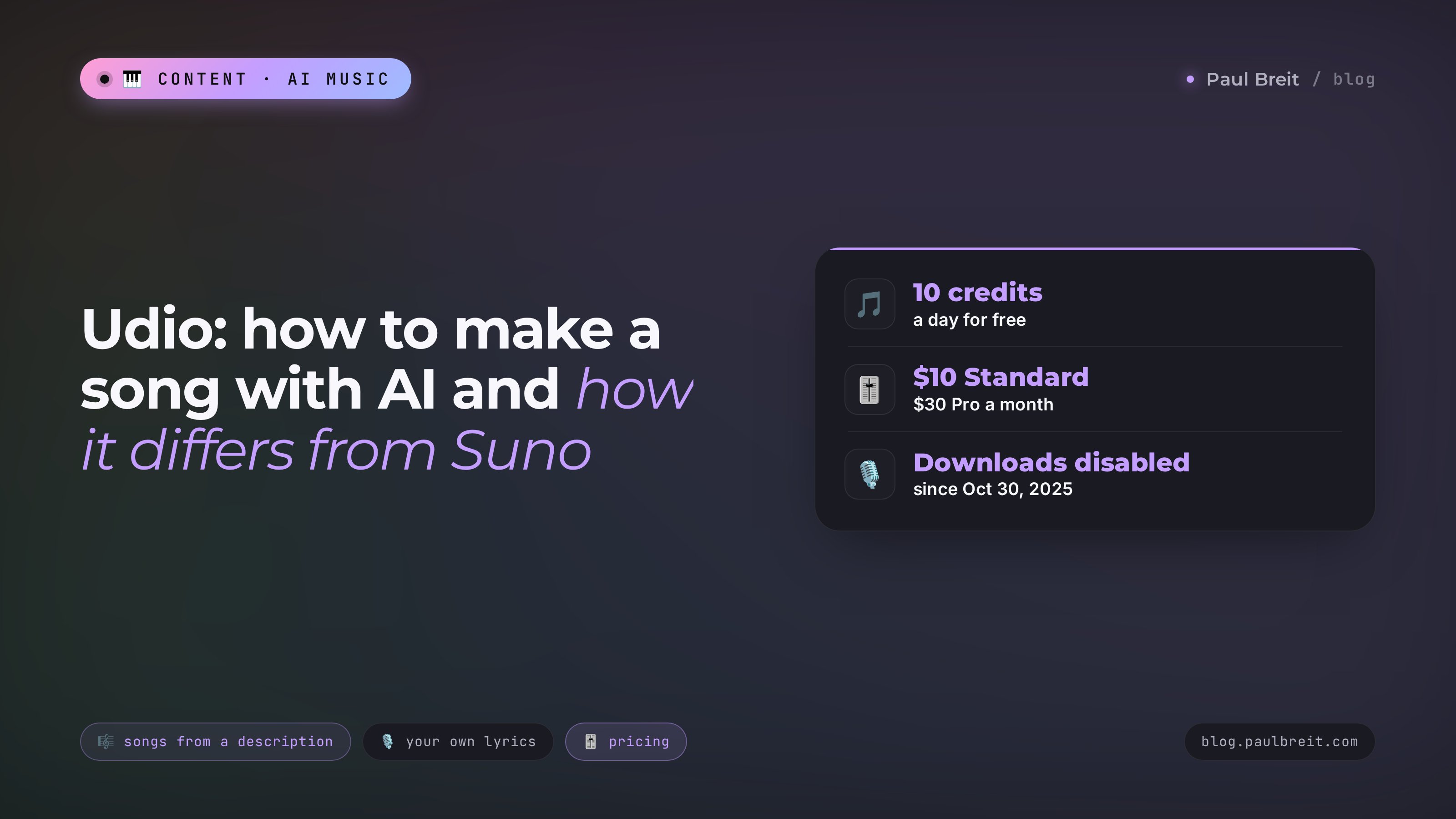
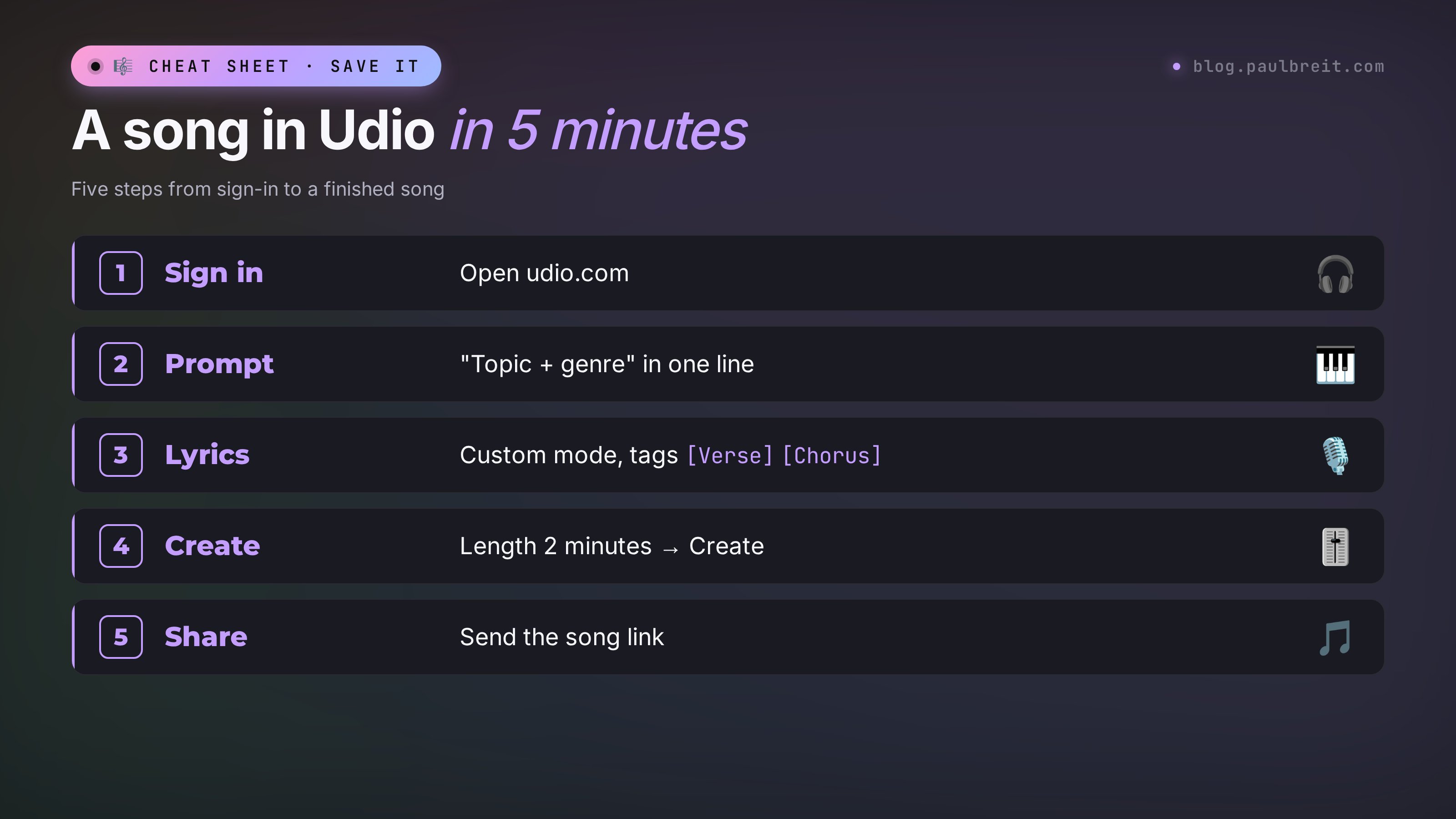
To make a song in Udio, open udio.com and sign up with Google, Apple, or email. On the home page, type a description of the song: topic plus genre, for example "song about a rainy day, 80s pop". Set the length to 2 minutes and click Create. Udio makes two versions. Your own lyrics go into Custom mode, with verses and chorus marked by the tags [Verse] and [Chorus]. In 2026 you can't download the finished song, and Udio's terms prohibit commercial use. For music in Reels and ads, use Suno on a paid plan.
Anyone who wants to try an AI music tool for themselves: write a song for your mom's birthday, make an anthem for the team's Friday call, play with genres, or find the sound of a future jingle before you make it somewhere commercial use is allowed. If you sell services, courses, or consulting and need music for work content, read the Suno section: that's where I show where the line is.
What's inside
- What Udio is and what happened to it
- Can you download a song and use it for work
- Udio free plan and pricing
- Availability and payment
- Your first song in 5 minutes
- Your own lyrics and tags
- How to write a prompt for Udio
- Claude writes the lyrics and the prompt
- How to polish a song
- Lyrics tips
- Udio vs Suno: the differences
- Where Udio helps and where it doesn't
- If something goes wrong
- The whole path in a minute
- FAQ
Section 01What Udio is and what happened to it
Udio is a service that makes an entire song: music, vocals, and lyrics. It launched in April 2024, built by people who came from Google DeepMind. For the first few months Udio and Suno ran neck and neck, and plenty of musicians thought Udio sounded more natural: the vocals felt less robotic, and the guitars and piano sounded closer to the real thing.
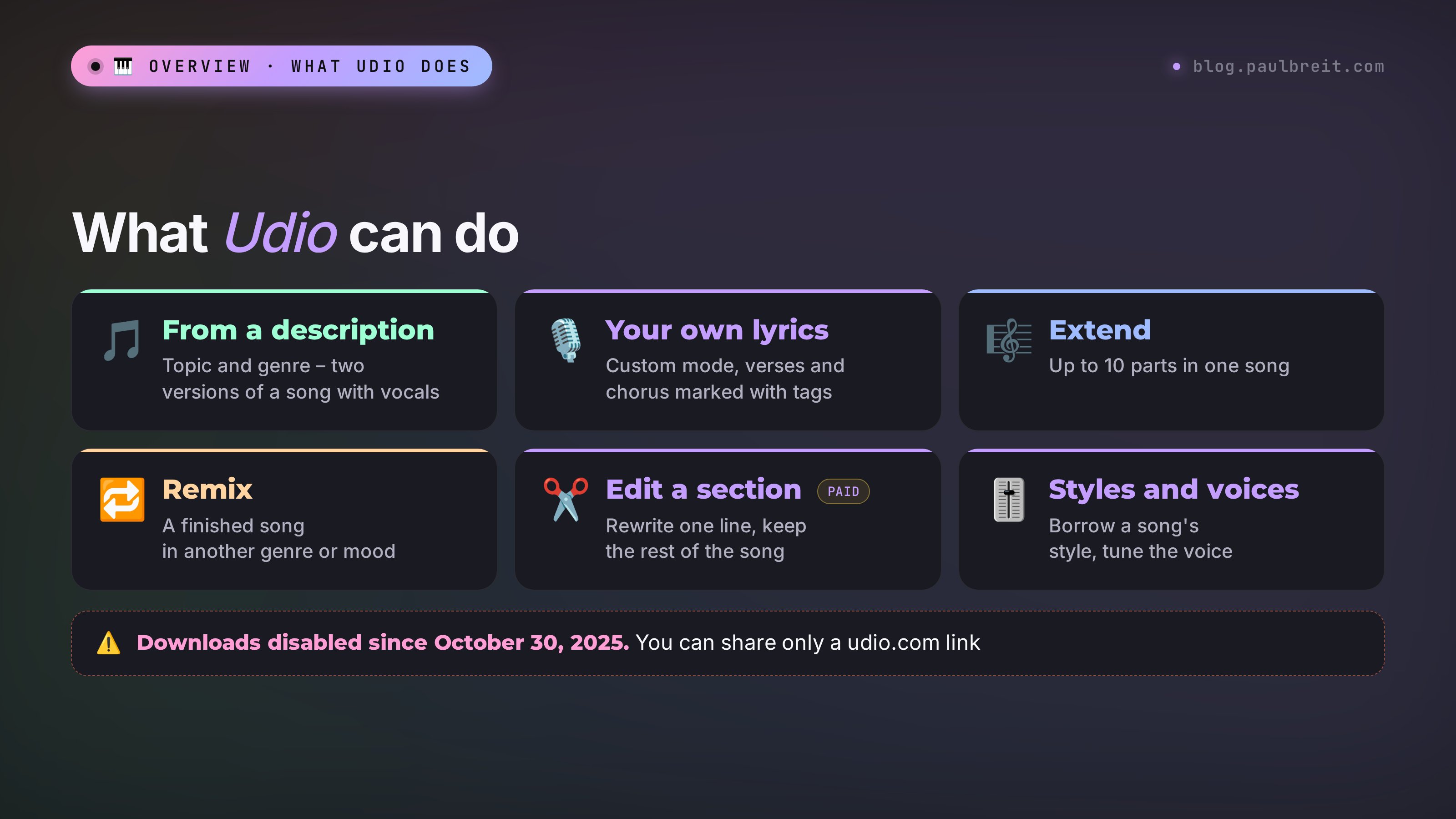
What Udio can do today:
- A song from a description. You give a topic and a genre, and Udio writes the lyrics and the music.
- A song from your lyrics. You paste finished verses and a chorus, and Udio sings them.
- Extend. Adds an intro, a new verse, or an ending. Up to 10 parts in one song.
- Remix. Reimagines a finished song in another genre or mood.
- Edit a section. You select a stretch of the song and rewrite the music or the words in it. This is a paid feature.
- Styles. You give one or two songs as a sound reference, and Udio makes a new one in a similar style. You can blend two styles.
- Voices. You pick a voice from Udio's library or from one of your earlier songs. You can't upload your own real voice.
- Sessions. A timeline editor that makes it easy to build a long song from parts.
Udio runs in the browser on desktop and mobile, and there's an iPhone app. The interface is in English.
What happened at the end of 2025
In 2024 the major labels sued Udio and Suno: the AI models had been trained on their music without permission. On October 29, 2025, Udio reached a deal with Universal Music Group, and on November 19 of the same year, with Warner Music Group. The labels didn't buy Udio. These are licensing agreements: Udio will train new models on licensed music and work with artists who opt in.
The plan is a new platform where you'll be able to make remixes, covers, and songs in the voices and styles of participating artists. Until it launches, Udio runs under transitional terms, and they changed the service a lot. As of November 4, 2026, the new platform hasn't launched: the latest post on Udio's official blog is dated November 19, 2025, and the help center still describes the transitional mode. The available models are v1, v1.5, and v1.5 Allegro.
Section 02Can you download a song from Udio and use it for work
This is the first question to ask before you sign up. Short answer: no, and no.
Udio's help center article on the Universal partnership says plainly that downloading audio, video, and individual stems is disabled. That happened on October 30, 2025, the day after the deal. There's no Download button in the interface on any plan, including the $30 Pro.
The terms of service prohibit more than downloads. I read them in full. Here's the gist in plain words:
- Downloading copies of songs is prohibited, for any purpose.
- Posting, transferring, or distributing songs on personal devices, streaming platforms, and user-generated content services is prohibited. The text names YouTube, Facebook, Instagram, TikTok, Spotify, and SoundCloud.
- Songs may be used for personal, non-commercial purposes only. A separate clause prohibits extracting any commercial benefit from the service or the songs.
- Udio may use your descriptions, lyrics, and finished songs to train its models.
Sources: udio.com/terms-of-service and the help article on the changes after the Universal partnership.
What's still allowed: listening to songs on the site and sharing them with a link like udio.com/songs/… Anyone can open that link, even without a Udio account. Udio's help center confirms this separately.
That leads to a simple conclusion for everyone who sells services, courses, and consulting. You can't make music in Udio for Reels, an ad, a podcast, a webinar, or a chatbot: even if you find a workaround to save the file, you'll break the terms, and your account can be closed. The internet is full of Udio "downloaders". Don't use them for work content: legally, it's the same as publishing something the terms prohibit.
Use Suno on a paid plan. According to Suno's pricing page as of October 28, 2026, Pro costs $10 a month and includes 20 downloads, Premier costs $30 and includes 60. Songs made on a paid plan can be used commercially, and that right stays after you cancel. For voiceover and sound effects, try ElevenLabs.
Section 03Udio free plan and pricing
Udio runs on credits. According to its help center, 1 credit is roughly 30 seconds of a track. Each run gives you two versions at once, so a short 32-second run costs 2 credits. A two-minute song costs more, roughly in proportion to its length. Credits are spent only on creating new tracks.
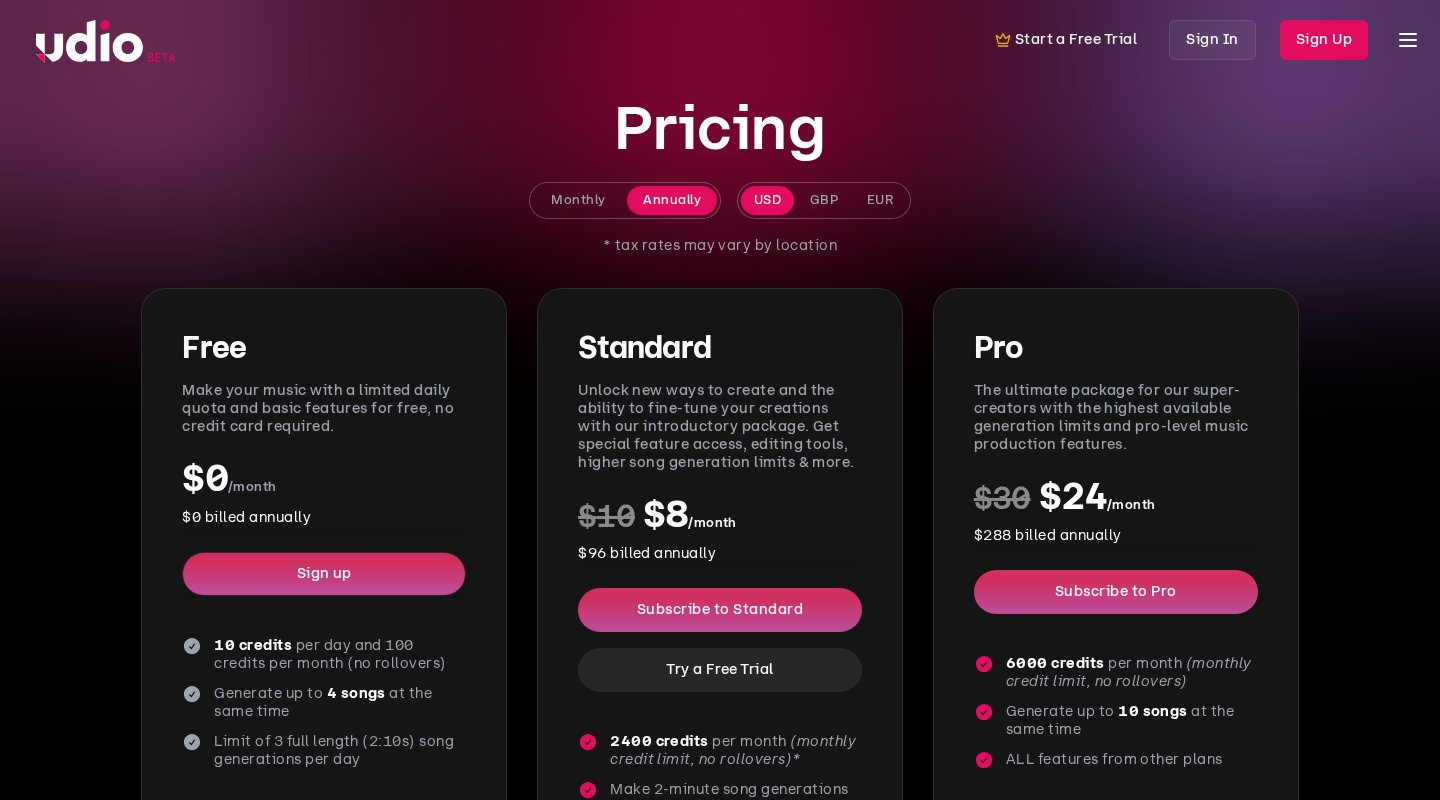
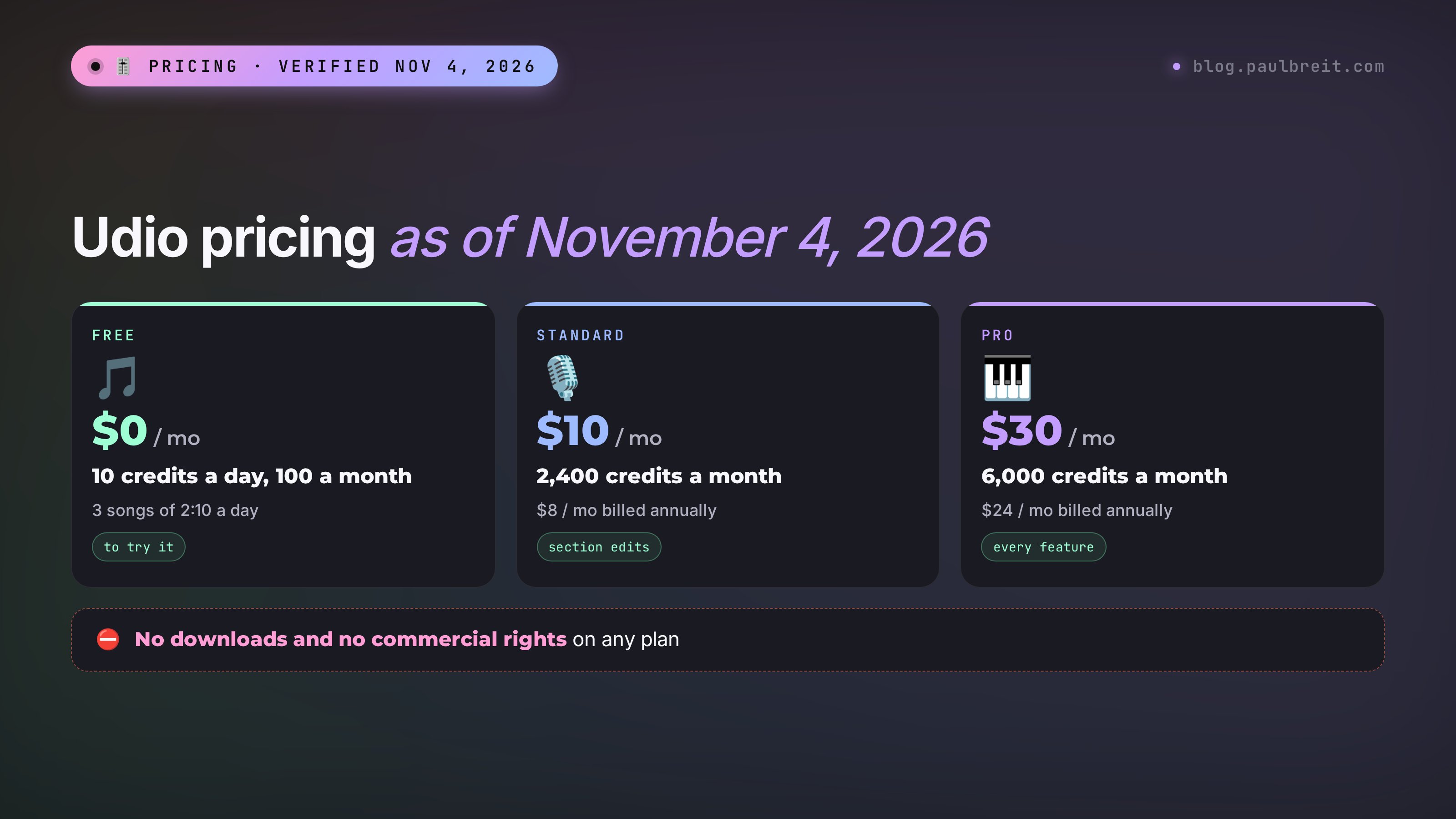
| Plan | Monthly price | Billed annually | Credits | What matters |
|---|---|---|---|---|
| Free | $0 | – | 10 a day, 100 a month | Up to 3 full-length (2:10) songs a day, 2 runs at once. No section edits, no audio uploads |
| Standard | $10 | $8 ($96 a year) | 2,400 a month | Full-length songs with no daily cap, 3 runs at once, music and lyrics edits, audio uploads, custom cover art, voice settings |
| Pro | $30 | $24 ($288 a year) | 6,000 a month | 5 runs at once, every feature |
Unused credits don't roll over to the next month. You can buy more separately: 100 credits for $3, 1,000 credits for $25. There's a student discount and a Standard trial: it opens up Standard features, but your limit stays at the free 10 credits a day. Prices and limits were checked on udio.com/pricing on November 4, 2026; sales tax may be added at checkout.
To make credits less abstract, here's the math. The free 10 credits a day cover five short 32-second runs, which means ten sketches. Or one or two full songs with their versions. Standard's 2,400 credits come to about 1,200 short runs a month; with two-minute songs, proportionally fewer.
Which plan to pick:
- You want to find out if this is your thing. Free. Three full songs a day is enough to get a feel for the service in a week.
- You write songs for yourself and the people you love on a regular basis. Standard. The main thing it adds is section editing: you can rewrite one weak line without regenerating the whole song.
- Pro is for people who spend hours in Udio and run dozens of versions in parallel. For work content it changes nothing: there are no commercial rights and no downloads on Pro either.
A tip that saves money: don't pay for a year upfront. Udio has promised a new platform, and the rules there could change in any direction. Paying monthly keeps your options open.
Section 04Availability and payment
Udio is available in the US: the site works in any modern browser on desktop and mobile, and there's an app for iPhone. Signing up takes a minute.
Step 1. Sign up
Open udio.com and click Sign Up in the top right corner. Udio offers five ways in: Google, Discord, X, Apple, and email. Google or Apple is the easiest. Remember which one you used: signing in through Apple one day and through Google the next can create two separate accounts.
Step 2. One free account per person
Under Udio's rules, one person can have only one free account. Paid accounts – as many as you like. Don't open a second free account for extra credits: that gets both of them blocked.
Step 3. Payment
Subscriptions and extra credits are paid by card on the pricing page. Sales tax may be added at checkout depending on your state. Before you pay, remember the section above: a subscription doesn't give you the right to use the songs commercially.
Section 05Your first song in Udio in 5 minutes
Start with the simplest mode: a song description, no lyrics of your own. In a couple of minutes you'll hear what Udio is capable of.
Step 1. Open the home page or the Create page
After you sign in, you land on the home page with an input field. The same field is on the Create page in the left menu. It's called Prompt – the description of your song.
Step 2. Describe the song: topic plus genre
The formula from Udio's help center: topic first, then genre and mood after a comma. Examples: song about New York, jazz or song about a rainy day, 80s pop. Below the field Udio suggests genre tags – click the ones that fit and they'll be added automatically. Out of ideas? Click the dice and Udio will suggest a random description.
Step 3. Pick the length
In the Clip Length block the default is 32 seconds, which is handy for quick tests. For your first full song, choose 2 minutes: you'll get a track that runs 2 minutes 10 seconds. On the free plan you can make three of those a day.
Step 4. Click Create
In a minute or two you'll see two versions. Udio wrote lyrics for them based on your topic. Listen to both: they often differ more than the description suggests.
Step 5. Didn't like it? Change one detail
The description stays in the field, so you can tweak it and run it again. Change one thing at a time: genre, tempo, instrument. If you change everything at once, you won't know what worked.
Step 6. Save the good version and share the link
Songs live in your Library, and you can sort them into playlists. To play a song for someone close to you, copy its link and send it: they can listen without signing up. You can keep a song private or publish it for everyone in the Udio feed.
Section 06Your own lyrics and tags
When Udio writes the lyrics itself, the result is sweet, but it's about everything and nobody. A song for your mom or a friend sounds real when it has your words, names, and details. That's what Custom mode is for.
Step 1. Turn on Custom
On the Create page, in the Write Your Lyrics section, choose Custom. A lyrics editor opens.
Step 2. Paste your lyrics or ask Udio to write them
You can paste finished lyrics. Or you can type a description and click Write for me: Udio will suggest lyrics, which you can regenerate with Regenerate Lyrics and edit by hand. Udio keeps a history of versions, so you can go back to earlier ones.
Step 3. Mark the parts of the song with tags
Press the "/" key right inside the lyrics and a list of tags drops down. They tell Udio which part of the song is which. Tags go in square brackets on their own line before the part.
The tags that work most often:
| Tag | What it does |
|---|---|
| [Intro] | Opening, sets the mood |
| [Verse] | Verse, the main story |
| [Pre-chorus] | Lead-in to the chorus, the build |
| [Chorus] | Chorus, the part people remember |
| [Bridge] | Bridge, a change of mood before the final chorus |
| [Instrumental Break] | A break with no vocals |
| [Drop] | The peak in electronic music |
| [Outro] | Ending |
Udio's own help center is honest about it: tags are hints, and the model makes the call. Sometimes the chorus starts a line early or the break comes out shorter. That's normal; fix it with another run or a section edit.
How much text to paste. A two-minute track fits roughly a verse, a chorus, a second verse, and a chorus. Paste three verses plus a bridge, and Udio will either cram them together or cut the song off halfway. Split long lyrics into parts and add them with Extend – more on that in Section 09.
Section 07How to write a prompt for Udio
The description (prompt) controls the sound: genre, mood, tempo, instruments, the character of the voice. A good Udio prompt follows a formula:
song topic + genre + mood + tempo + 1–3 instruments + voice
Example: birthday song for a best friend, acoustic pop, warm, upbeat, ukulele and handclaps, female vocals
Before you write, answer five questions from Udio's help center: what mood (happy, dreamy, dark, nostalgic), what genre, what tempo, what instruments, what story. Your answers are your prompt.
Three more tricks that work:
- Repetition adds weight. If you want lots of piano, write piano twice.
- An artist's style. You can add "in the style of …" with an artist's name. Udio won't copy the voice, but it will pick up the general musical feel.
- Manual mode for precision. By default Udio expands your description with genre tags. Manual mode turns that off. If you also fix the seed in Advanced Settings, the same prompt with the same settings gives the same result. Handy when you want to change one detail at a time and hear the difference.
Ten ready-made descriptions for different occasions:
| Occasion | Prompt |
|---|---|
| Birthday song for mom | heartfelt birthday song for mom, soft pop ballad, piano and strings, gentle female vocals, slow |
| Team anthem | friday team anthem, pop rock, energetic, electric guitar, group chant chorus, fast |
| A friend's wedding | wedding song for two best friends, indie folk, acoustic guitar, warm male vocals, mid tempo |
| Kids' party | happy kids party song, bright pop, xylophone and claps, cheerful, simple melody |
| Background for a walk | lo-fi hip hop, mellow, vinyl crackle, soft piano, rainy evening, instrumental |
| Meditation music | ambient meditation, dreamy, soft pads, slow, ocean waves, instrumental |
| Funny song | funny song about a cat who hates mondays, swing jazz, playful, big band, male crooner |
| Nostalgia | nostalgic song about summer in the 90s, synthwave, retro synths, dreamy female vocals |
| Workout motivation | workout motivation, electronic dance, powerful, punchy drums, build and drop, fast |
| Story song | story song about moving to a new city, acoustic singer-songwriter, honest, mid tempo, male vocals |
Section 08Claude writes the lyrics and the prompt for Udio
The hardest part of a song is the lyrics. Rhymes, meter, lines that sit on the music, one idea in the chorus. That's easy to hand to Claude: you tell it who the song is for and what it's about, and it returns tagged lyrics plus a style prompt. You can open Claude at claude.ai; the free plan is enough for this.
Here's the prompt I give Claude. Copy it and change whatever is in square brackets:
Write song lyrics in English for the AI music service Udio. Occasion: [my friend Kate's birthday, she's turning 35]. Things to mention: [she loves to travel, drinks coffee by the gallon, recently learned Spanish, calls everyone "sweetie"]. Mood: [fun and warm]. Structure: [Verse], [Chorus], [Verse], [Chorus], [Outro], each tag on its own line. Verse – 4 lines, chorus – 4 lines, short lines of 6–9 syllables. Write numbers as words. Separately, give a one-line style description for Udio: genre, mood, tempo, instruments, vocals.
I ran this prompt myself. Below is the full answer, unedited:
Style description: birthday song for a best friend who loves travel and coffee, acoustic pop, warm and playful, upbeat, ukulele and handclaps, bright female vocals
[Verse]
Suitcase waiting by the door,
Passport running out of space,
Kate, you're never home for long,
Always chasing some new place.
[Chorus]
Thirty-five and off you go,
Coffee strong the way you like,
Sweetie, don't forget to call,
Come back home some summer night!
[Verse]
"Hola, gracias," now you say,
Spanish rolling off your tongue,
All your friends are raising cups,
Singing loud like we're still young.
[Chorus]
Thirty-five and off you go,
Coffee strong the way you like,
Sweetie, don't forget to call,
Come back home some summer night!
[Outro]
Come back home to us sometimes, Kate.
What works here: the number is written as a word, the chorus has one idea and short lines, and the personal details keep the song alive. What I'd fix before running it: in the chorus, "go" and "call" don't rhyme, and "like" and "night" only half-rhyme, so the chorus sounds looser than the verses. Ask Claude: "Make line 3 of the chorus rhyme with line 1, keep it at 7 syllables." That's the way to work: the first draft of lyrics almost always needs one or two fixes.
Next: paste the style description into the Prompt field and the lyrics into Custom, set the length to 2 minutes, and click Create.
Section 09How to polish a song in Udio
The first result is rarely perfect. Udio's strength is its editing tools: you can refine a song piece by piece without starting over.
Extend
Click Extend next to the song title. The original prompt fills in automatically, and you can adjust it. Then choose where to add a piece: at the start or the end, an intro or an outro, or crop part of the original and continue from that point (Crop & Extend). One song can have up to 10 parts. For an instrumental break, leave the lyrics field empty. This is also the easiest way to add long lyrics: verse by verse.
Remix
Takes a finished song and reimagines it. Useful when you like the melody and dislike the arrangement: the same song as jazz, rock, or acoustic.
Edit
Available on paid plans and in the trial. Open the song in your Library, click Edit, and select a section. There are two modes: Replace Section changes the music and mood in that stretch, Edit Lyrics changes the words. A lifesaver when the whole song works and one line is sung unclearly.
Trim
Cuts extra bits at the start or the end. Handy if Udio added a long intro or dragged out the ending.
Styles
Instead of describing the sound in words, you show it. The reference can be your own Udio song, someone else's Udio song (if the author allows it), an uploaded audio file, or a style from Udio's library. You can blend two styles and set the balance. Blending and the style library work only on desktop, and blending is for subscribers. An important caveat: upload only what you have the rights to. Your own guitar recording – fine. Someone else's radio hit – no.
Voices
You can take a voice from Udio's library or from one of your earlier Udio songs. You can't upload your own real voice. On the free plan, voices are available in Playground mode: there Udio pairs a random voice with a random style, and you can't set exact lyrics. Full voice control in Create mode is for subscribers. The iPhone app doesn't have voices yet; they're browser-only.
Sessions
A timeline editor. You see the whole song at once, and it's easy to extend and rearrange parts. Useful when a song is built from five or six pieces.
Section 10Lyrics tips
Udio sings what you give it, but the model has its habits. A few rules make the vocals cleaner:
- Numbers as words. "Thirty-five" instead of "35", otherwise the model may read the digits any which way.
- Short lines. 6–9 syllables per line sit on the music more evenly than long sentences.
- Swap awkward words. If Udio stumbles on a word or stresses the wrong syllable, find a synonym. It's faster than regenerating the song ten times. If the line works overall and one word slipped, fix it with Edit on a paid plan.
- Genre names in the style prompt. Keep genres, instruments, and mood in the Prompt field and the story in the lyrics. Mixing them up confuses the model.
- Foreign words are fine. Udio pronounces "hola" or "gracias" cleanly even in the middle of English lyrics.
If the vocals are what matter most to you, compare Udio and Suno on the exact same lyrics. I covered how Suno handles pronunciation in the Suno guide.
Section 11Udio vs Suno: the differences
This comparison is based on both services' official pages: Udio checked on November 4, 2026, Suno on October 28, 2026.
| Udio | Suno | |
|---|---|---|
| Download a song | Not on any plan since October 30, 2025 | Yes, paid plans have a monthly download limit |
| Commercial use | Prohibited by the terms, personal use only | Allowed for songs made on a paid plan |
| Paid plans | Standard $10 / Pro $30 | Pro $10 / Premier $30 |
| Free | 10 credits a day, 3 full songs | A free plan, songs for personal use only |
| Length of one run | 32 seconds or 2:10, then extend | A full song in one run |
| Editing | Extend up to 10 parts, remix, section edit, styles, voices, Sessions | Extend, cover, section edit, stems, Suno Studio on Premier |
| Models | v1, v1.5, v1.5 Allegro | v6 |
| Future | A new licensed platform promised, no date announced | Running as usual |
What this means in practice:
- Music for Reels, ads, a podcast, a webinar, a course, a chatbot. Suno on a paid plan only. I showed how to build videos around content like this in the guide on AI for Reels.
- A song for loved ones, a joke anthem for friends, sound experiments. Either one works. People love Udio for its detailed sound and flexible piece-by-piece editing, and Suno for getting a whole song from one run that you can keep.
- You need the song file on your own device. Suno only.
If you're unsure, make the same song in both services on the free plans. Same prompt, same lyrics. In one evening you'll hear whose sound is closer to yours.
Section 12Where Udio helps and where it doesn't
Udio is a toy for personal use and a workshop for finding a sound. Here's where it's genuinely useful if you sell services, courses, and consulting, and where to leave it alone.
Where it helps
- A gift for loved ones. A song for your mom's birthday, a friend's wedding, a child's graduation. You send a link, and they listen without signing up. Personal, non-commercial use is exactly what the terms allow.
- Finding a sound before you commission music. You want a podcast jingle but don't know the genre. Run five 32-second versions in Udio and hear for yourself what you like. Then describe that sound in words and make the jingle in Suno on a paid plan or hire a musician. The Udio files themselves go nowhere and are used nowhere.
- A song for your team. A joke anthem for an internal celebration that you play together from a link. No posting on social media and no ads.
- Practice writing lyrics. Udio teaches you well how lines sit on music. That skill carries over to Suno.
Where it doesn't
- Background music for Reels, Stories, YouTube.
- Music for an ad or a landing page.
- An intro for a podcast, a webinar, or a course video.
- A song as a gift to a client as part of your service or a promotion.
- Releasing on streaming services.
All of that is commercial use or publishing on platforms Udio's terms explicitly prohibit. For those tasks: Suno on a paid plan; for voiceover, ElevenLabs; for video with your avatar, HeyGen.
Section 13If something goes wrong
| Problem | What to do |
|---|---|
| The site won't open or loads forever | Clear your browser cache, turn off your VPN or ad blocker, and open udio.com again. If it still hangs, try another browser |
| Endless captchas | According to Udio's help center, captchas show up more often on the free plan and with a VPN on. Turn the VPN off, and don't fire off lots of actions within seconds |
| No download button | That's by design: downloads have been disabled for everyone since October 30, 2025. Share a link |
| Songs vanished from the Library | Check Trash and your folders. Make sure you signed in the same way you signed up: Apple and Google sign-in can create two different accounts. Sometimes a server glitch hides songs; they come back in a few minutes, more rarely in an hour |
| Subscription paid, no credits | According to Udio's help center, the delay is usually on the bank's side. Wait a couple of hours, then sign out and back in. Still nothing? Contact support through the chat button in the bottom right |
| Credits ran out by lunch | Make 32-second sketches and switch to 2 minutes only for a winning idea |
| Udio swallows or crams lines | The lyrics are longer than 2 minutes can hold. Keep a verse and a chorus, add the rest with Extend |
| The chorus sounds like a verse | Check that [Chorus] sits on its own line. Repeat the chorus word for word both times |
| Wrong genre | Turn on Manual mode so Udio doesn't add its own tags, and put the genre at the start of the prompt |
| A word is mispronounced | Replace it with a synonym or fix the line with Edit on a paid plan |
Section 14The whole path in a minute
- Decide what the song is for. For yourself and loved ones – Udio. For work, ads, Reels – Suno on a paid plan.
- Open udio.com and sign up with Google or Apple.
- Free: 10 credits a day, up to three full-length songs.
- Ask Claude to write lyrics with [Verse] and [Chorus] tags and a style description.
- Description goes into Prompt, lyrics into Custom, length 2 minutes, Create.
- Pick the better of two versions and polish it with Extend, Remix, or a section edit.
- Share the link. You can't download the song, and you can't post it on social media or streaming services either.
FAQFrequently asked questions
Can you download a song from Udio?
No. Since October 30, 2025, Udio has disabled downloads of audio, video, and individual stems for all users, including paid plans. The terms prohibit downloading songs for any purpose. You can share a song with a udio.com link, and anyone can open it without an account.
Is Udio free?
Yes, there's a free plan: 10 credits a day and 100 a month, up to three full-length songs a day, no card required. Paid plans as of November 4, 2026: Standard at $10 a month ($8 billed annually) with 2,400 credits and Pro at $30 ($24) with 6,000 credits. Prices checked on udio.com/pricing.
Which is better: Udio or Suno?
For music in Reels, ads, podcasts, and any work task, Suno on a paid plan: you can download the song and use it commercially. Udio's terms prohibit that. For songs for loved ones and experiments, both work; people value Udio for its detailed sound and flexible piece-by-piece editing.
Can I use Udio music in Reels or on YouTube?
No. Udio's terms allow personal, non-commercial use only and explicitly prohibit posting songs on YouTube, Instagram, TikTok, Facebook, Spotify, SoundCloud, and similar platforms. That applies to paid plans too.
How do I get Udio to sing my lyrics clearly?
Keep genres, instruments, and mood in the style prompt and the story in the lyrics. Write numbers as words, keep lines short at 6–9 syllables, and mark parts with [Verse] and [Chorus] tags. If a word comes out wrong, swap it for a synonym or fix the line with Edit on a paid plan.
Is Udio available in the US and how do I pay?
Yes, Udio works in the US in any browser and in the iPhone app. Sign up with Google, Apple, Discord, X, or email; free credits arrive right away. Paid plans and extra credits are paid by card on the pricing page, and sales tax may be added at checkout.