Analyze Sales Calls with AI: Find Where Your Deals Leak
You run dozens of consultations and discovery calls, and yet you close fewer deals than you could. The reason sits inside the conversations themselves, and live, on the call, you can't hear it. This article shows you how to record your calls, transcribe them, and review them with Claude so you can see every point where the deal leaks. With ready prompts, a call map, and a plan for your first week.
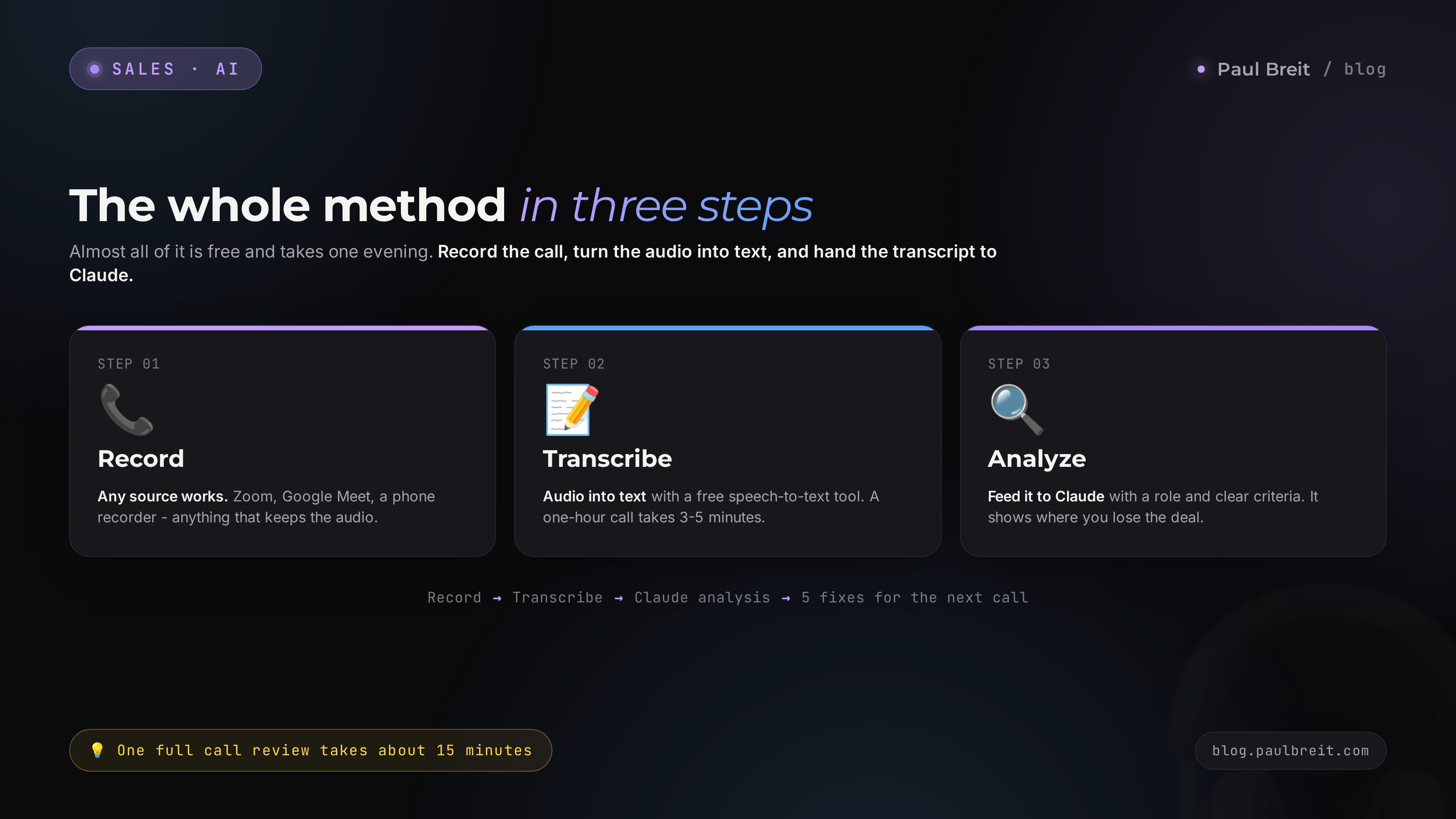
Analyzing sales calls with AI means you record a sales conversation, turn the audio into text, and hand the transcript to Claude with the role of a strict sales coach and clear scoring criteria. The AI walks the call through 7 stages, finds where you didn't push, which questions you skipped, and where you cut the client off, then assembles a list of fixes for the next conversation. One review takes 15 minutes; a stable picture shows up across 10-15 calls.
You hang up after a consultation and tell yourself: the client was cold, they'll think it over and won't buy. A week later they buy from someone else. And again you're sure it was the client's fault. In reality there was a fork in the conversation where you took the wrong turn: you didn't ask one question, you swallowed an objection, you jumped into the pitch too early. In the moment you can't see it - you're inside the conversation, not looking down on it.
I run four client projects and a personal channel with 20,000 subscribers. Reviewing recorded calls with AI is the most underrated thing in sales, and you can set it up in one evening. Below I'll lay it all out step by step, with prompts you copy and paste.
You'll read it in 22 minutes. You'll do your first review in fifteen. And by your next call you'll have a list of five concrete fixes in hand, not a vague sense that something somewhere went wrong.
What's inside
- Why you can't hear your own mistakes live
- What you need to start: a recording and a transcript
- Turning the call into text
- Reviewing one call: the base prompt
- The call map: 7 stages where the deal leaks
- Objection breakdown: what the client really said
- Batch analysis: patterns across 20 calls
- Call metrics: how much you talk vs. the client
- Client data: what you must never upload
- 5 mistakes in call analysis and how AI closes them
- The whole path in a minute
- First-review checklist
Claude doesn't open directly in some regions - you'll need a VPN with an EU or US location. Working options in 2026: Proton VPN, Mullvad, and others. Note that a few regions are on Anthropic's blocklist, so check availability. Sign up through the Claude referral link, then follow the steps in the article on Claude from scratch for non-techies. The free tier is enough to review your first calls.
Section 01Why you can't hear your own mistakes live
You can't sell and observe yourself from the outside at the same time. While the conversation runs, your whole head is busy with something else: hear the client, find the answer, remember the case study, don't forget the price, keep your nerves in check. There's no bandwidth left for self-observation. So the brain does what it knows how to do - it builds a convenient version. You feel like you asked the right questions. Feel like you pushed. Feel like the client left to think for their own reasons.
The recording removes that self-deception. The text of the conversation sits in front of you in full, and you can read it slowly, go back, count. You suddenly see that at minute four the client said an important line about budget, and you missed it and rolled on down the script. You see that you talked eighty percent of the time. You see that you answered the price objection with one limp sentence and changed the subject.
AI adds a cold eye with none of your ego. It's not embarrassed on your behalf. It won't spare you or explain the loss away with outside reasons. You give it the role of a strict coach and the criteria, and Claude walks the conversation like an auditor: here a question about buying criteria was skipped, here the client hinted at doubt twice with no reply, here you cut in mid-sentence. A live sales mentor does the same thing, but charges thousands for it and reviews one call a week. AI reviews as many as you record, for almost nothing.
You turn the conversation into text and look at it from above together with an AI that's trained on sales and doesn't protect your ego. Where there used to be a feeling, now there's a quote with a timestamp and a clear fix.
Section 02What you need to start: a recording and a transcript
You need only three tools, and almost all of it is free.
- Call recording. Zoom, Google Meet, a Telegram call, a plain phone with a voice recorder. Any source that keeps the audio will do.
- Audio-to-text transcription. Free speech-to-text services or built-in features. More on this below.
- AI for the review. Claude is the most convenient for long texts. The free tier is enough for your first reviews.
How to agree on recording without spooking the client
Many people are afraid to mention recording, as if it were a confession of surveillance. In reality the line works in your favor. Say it at the start of the call, calmly and matter-of-factly:
Let me turn on a recording of our call so I don't miss anything
and can put together a sharper solution for you. Is that okay with you?
Nine times out of ten the person answers: yes, of course. They hear that the recording is for their benefit. A secret recording is a different story: it's both a legal risk and a loss of trust if the person later finds out. One honest sentence at the start settles every question and adds weight to you, because that's what people who take their work seriously do.
Where to get audio from different sources
| Call source | How to get the audio |
|---|---|
| Zoom | Turn on cloud or local recording, then grab the .m4a audio track after the call |
| Google Meet | Recording is available on work accounts; the file lands in Google Drive |
| Telegram call | Screen recording with sound on your phone, or recording via the desktop app |
| Plain phone | Voice recorder on speaker, or call recording if it's allowed on your device |
| In-person meeting | Phone recorder on the table, placed closer to the client |
The quality doesn't have to be studio-grade. Modern speech recognition easily pulls even phone audio with background noise. What matters is that both sides are audible.
Section 03Turning the call into text
AI reviews text, so the audio has to become text first. That takes a few minutes and it's free.
Three working methods
Free online speech recognizers
You upload the audio file to a speech-recognition service, and a couple of minutes later you get finished text. Many such services understand English well. Look for the ones that can separate speakers - then the transcript shows which line is yours and which is the client's.
Recognition on your own computer
If you review calls constantly, it's handy to install a free speech-recognition model that runs right on your laptop. The upside is that the recording never goes to the cloud - important for sensitive conversations. You can hand the setup to Claude itself: it explains step by step what to click, even if you've never opened a command line. More on this in the article on Claude from scratch for non-techies.
Features of the platforms themselves
Zoom and some meeting services can produce a transcript right after the call. If yours is turned on, the separate recognition step isn't needed - you grab the finished text and move on.
The ideal transcript reads like a play: each line on its own row, marked at the start with who's speaking. For example: Seller: ... / Client: ... If the service didn't separate speakers, ask Claude to do it by meaning - it guesses fairly well from context who's asking the questions and who's answering.
What to do with the transcript before the review
Skim it and fix the obvious recognition errors in key spots: numbers, plan names, names. The rest you can leave as is - the AI will get the meaning even with typos. And right away replace the client's name with the word Client, and yours with the word Seller, if you plan to keep transcripts. We'll talk about data safety separately below.
Section 04Reviewing one call: the base prompt
This is where the main part begins. The review breaks on one mistake: people throw the call text at the AI and write "review this." In return they get a polite summary. The AI needs three things in order: role, criteria, task. Then instead of a summary you get a real review.
The full prompt you can copy
You are a strict sales coach with 15 years of experience selling
services, courses, and consulting. You review calls hard and to
the point, with no compliments for the sake of politeness. Your goal
is to find where the seller loses the deal and give concrete fixes.

I'll send you a transcript of a sales call. Review it on these points:

1. Conversation stages. Walk the call through 7 stages: rapport,
   discovery, qualification, presenting the solution, handling
   objections, closing, next step. For each stage write: was it
   present or skipped, and how well was it handled on a 1-10 scale.

2. Leak points. Find 3-5 moments where the deal started leaking.
   For each, give an exact quote from the conversation and explain
   what went wrong.

3. Missed questions. Which important questions the seller didn't ask
   and how that affected the outcome.

4. Objections. List all the client's objections and doubts, even
   the hidden ones, and rate how the seller handled each.

5. Talk balance. Estimate who talked more, the seller or the client,
   and whether that's good or bad in this call.

6. Five fixes. Give 5 concrete actions to do differently on the next
   call. Phrase them as instructions, not advice.

Write in English and address me as "you." Quote the conversation
verbatim. The transcript is below:

[paste the call text here]
You send this to Claude along with the call text. A few seconds later a structured review comes back with quotes. That's already working material for improving yourself.
What a live AI answer looks like
To make it concrete, here's a chunk of a review that's true to what Claude returns on a prompt like this:
Leak point, minute 6. Client: "I've actually looked at similar things elsewhere, they're cheaper." Seller: "Well, our quality is different, let me tell you about the program." This is where the deal started leaking. The client openly compared you to a competitor and hinted at price. You brushed it off with a generic line about quality and ran into your pitch. You should have stopped and asked: what exactly did you look at, and what were those options missing? Then the client would have named the criteria you could sell against.
The gap between this and your feeling after the call is huge. The feeling said: the client was hunting for cheaper, so they didn't buy. The review says: the client handed you the key to their criteria, and you walked right past it. The first can't be fixed; the second is fixed with a single question.
Section 05The call map: 7 stages where the deal leaks
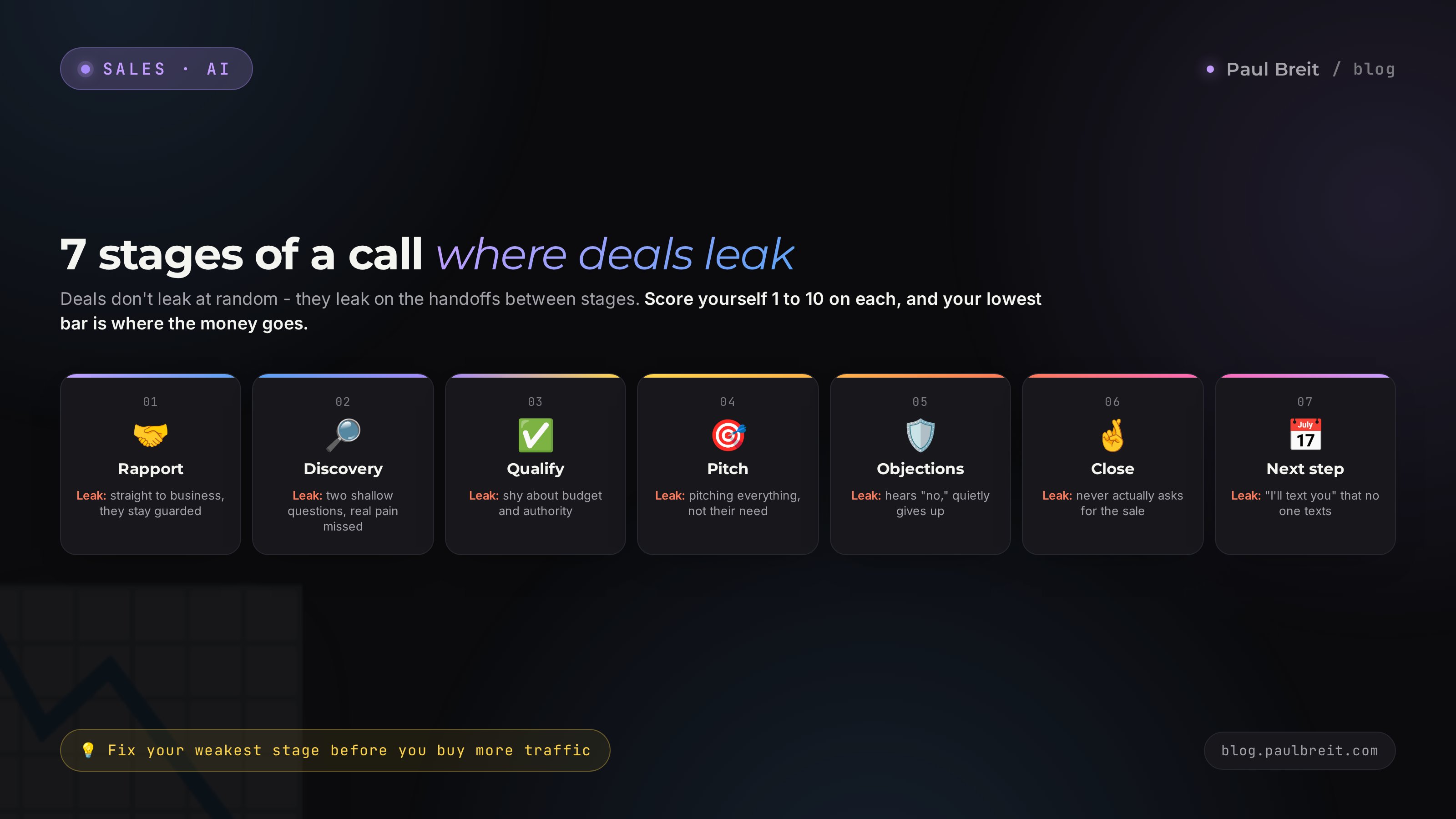
For the review to be sharp, it helps to keep a map of the sales conversation in your head. The deal doesn't leak at random spots - it leaks on the handoffs between stages. Let's take each one and its typical leak.
Rapport
The first minutes, where you take the edge off and get the person settled into the conversation. The leak here: the seller dives straight into business, the client hasn't relaxed and stays on guard the whole call. What to look for in the review: was there a real human connection, or an interrogation from the start.
Discovery
You find out what brought the person, what hurts, what they actually want. The main leak of all sales: the seller asks one or two shallow questions and decides they've got it all. In the review, ask the AI to note whether the seller dug down to the real pain or stopped at the surface.
Qualification
Here you find out whether this is even your client: do they have the budget, the authority to decide, the timeline. The leak: the seller is shy about asking about money and authority, and in the end runs into "we'll talk it over" and "no budget." The AI will highlight whether any qualification happened at all.
Presenting the solution
You show how your product closes exactly their request. The leak: the seller pitches everything under the sun instead of what matters to this person. A good review catches whether the pitch is tied to what the client named as their pain earlier, or whether it's a memorized monologue.
Handling objections
"Too expensive," "I'll think about it," "I'll check with someone," "now's not the time." The most under-handled stage. The leak: the seller hears the objection as a rejection and quietly gives up. Ask the AI to list all objections and rate each answer separately. There's a whole big section on this below.
Closing
A direct offer to take a step: pay, book, sign. The number-one leak in softer niches: the seller never actually offers the sale. The conversation ends on "well, think it over." The AI catches a missing close without fail, because it's simply not in the text.
Next step
If the deal didn't close now, you lock in a concrete agreement: "let's talk Tuesday at 3 p.m." The leak: the conversation dissolves into an "I'll write to you" that nobody writes. The review shows whether a concrete point was left at the end, or emptiness.
Give the AI these seven stages right in the prompt (they're already baked into the base prompt above) and ask for a score of 1 to 10 on each. After ten reviewed calls you'll see your average score by stage. The lowest bar is exactly where your deals leak. That's what to fix - not pour more traffic into the funnel.
Section 06Objection breakdown: what the client really said
Objections are the place where the most money is lost, and the place where AI helps the most. The reason is simple: behind the client's words there's almost always something else, and in the moment you only hear the words.
The prompt for breaking down objections
Go through the transcript and pull out every objection and doubt
the client had, including the hidden ones - when the person doesn't
object outright, but the tone or wording shows hesitation.

For each objection, give a four-column table:
1. What the client said, word for word.
2. What's really behind it (the true reason).
3. How the seller responded.
4. How it should have been answered, with ready phrasing.

Be concrete; the phrasing in column 4 should be something
I could say word for word on the next call.
What a breakdown like this uncovers
Let's take the three most common objections and what the AI finds under them.
| What the client said | What's really going on |
|---|---|
| Too expensive | Most often this is not a signal about money. The person didn't see value at that number. The real fix is to go back to their pain and show the cost of doing nothing; a discount doesn't cure it. |
| I need to think about it | Usually means: there's an unspoken question or fear left. The fix is to ask directly what's holding them back, and pull the doubt into the open before the person goes off to think alone. |
| I'll check with my partner | Either the person doesn't decide alone, which you should have found out during qualification, or it's a soft no. The fix is to learn what exactly they'll take to be approved and what answer they're expecting. |
The value is that the AI does this on your live quotes, not on abstract examples from a book. It sees what your client actually answered and offers phrasing built on their words. You collect these reviews and, little by little, you have your own library of objection responses in hand - assembled from real calls, not copied from trainers. A good pairing is to keep this phrasing in one place together with your sales consultation script, which is broken down in the article on the sales call script.
Section 07Batch analysis: patterns across 20 calls
One call shows random mistakes. The real power comes when you review a batch. Then it's no longer a one-off slip you see. A system emerges: the place where you miss every time.
How to review many calls at once
Gather the transcripts of several calls into one document, label them Call 1, Call 2, and so on. Give the AI this prompt:
Below are transcripts of 10 of my sales calls. I want to see the common patterns across all the calls at once.

Analyze all the calls together and answer:
1. Which of the seven stages I consistently fail on most often.
2. Which objection repeats from call to call and how I usually
   react to it.
3. Which phrase or habit I repeat across all calls that hurts me.
4. What the calls that ended in a sale have in common, versus
   the ones that didn't close.
5. The single biggest change that would give the largest lift
   in conversion if I put it in place.
The fifth point is the most valuable. The AI singles out one bottleneck instead of twenty small ones. People drown when they try to fix everything at once. One fix, drilled into a reflex, moves conversion more than twenty half-remembered tips.
In eight of ten calls you jump into the product pitch before the client has named their real pain. In the two calls that ended in a sale, you did the opposite - you spent the first ten minutes on questions and only then presented. The takeaway: the key change is to not open your mouth about the product until the client has named at least three of their criteria.
A takeaway like this is worth more than any training, because it's about you personally, not some abstract seller. And it comes together in fifteen minutes out of your own conversations.
Keep your reviews in one place
For the patterns to accumulate, store all your reviews in one space. It's handy to set up a dedicated Project in Claude, where you drop the transcripts and the conclusions. Then the AI remembers the context of your past calls and compares new ones against the history. The principle of working with long context is the same as in reviewing your own Telegram channel - see the article on analyzing your Telegram with AI.
Section 08Call metrics: how much you talk vs. the client
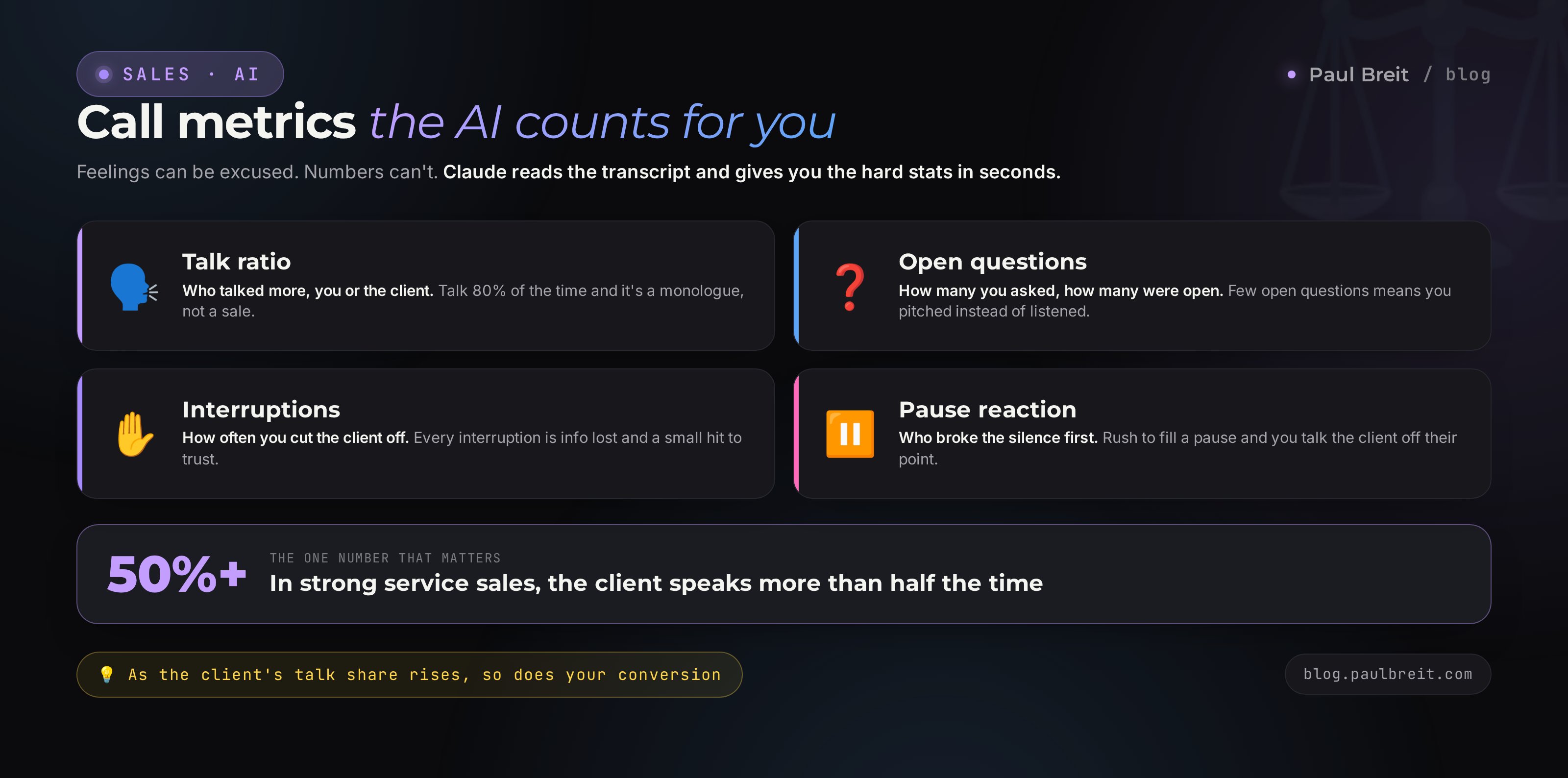
Beyond the meaning, there are numbers, and they're ruthlessly precise. The AI counts them from the transcript in seconds.
- Talk balance. What percentage of the time you talked, and what percentage the client did. In strong service and consulting sales, the client talks more than half the time. If you racked up eighty percent, that's a monologue, not a sale.
- Question share. How many questions you asked and how many of them were open - the kind you can't answer with yes or no. Few open questions means you pitched instead of discovering.
- Who asked the questions. If the questions came mostly from the client, then they ran the conversation and you were on the defensive.
- Interruptions. How many times you cut the client off. Every interruption is information lost and a small signal of disrespect.
- Pause reaction. Who broke the silence first. Sellers who fear a pause and fill it themselves often knock the client off an important thought.
The prompt for counting metrics
From this transcript, count and output as a table:
- the rough share of words for the seller and the client, in percent;
- how many questions the seller asked, of them how many were open;
- how many questions the client asked;
- how many times the seller interrupted the client.
After the table, in one paragraph, say what these numbers tell us
about the quality of the call and what's worth changing.
Numbers are good because you can't argue with them. A feeling can be excused; the number "seventy-eight percent of the talking was yours" can't be. Watch the trend from call to call: as the client's share of talk grows, so does conversion. It's one of the most reliable links in sales.
Section 09Client data: what you must never upload
A conversation with a client is trust, and it has to be handled with care. Before you hand the transcript to the AI, strip out anything that could harm the person if it leaked.
- Personal data. Last names, phone numbers, addresses, dates of birth. Replace the name with the word Client.
- Financial. Card numbers, payment details, account credentials. None of this should be in a sales review to begin with.
- Niche-sensitive. Medical diagnoses, legal case details, family circumstances. Generalize: instead of specifics, write "a health issue" or "a family situation."
- Company names, if the conversation could damage the client's reputation or their business.
The review method doesn't suffer from anonymizing at all. For sales analysis, what matters to the AI is who said what and in what order, not the person's name. So an anonymized transcript gets reviewed just as well. Build yourself a habit: transcribe, replace the names, only then upload. The topic of data safety when working with AI is broader than this one point - there's a separate, detailed breakdown in the article on running a sales webinar with Claude, which also involves a lot of work with recordings and audiences.
Ask yourself: if this text landed in the open tomorrow, would my client be hurt? If yes - clean that spot before uploading. Your reputation is worth more than five minutes of anonymizing.
Section 105 mistakes in call analysis and how AI closes them
Asking to "review this" with no criteria
An empty request gives an empty summary. Always give a role, criteria, and a task. The prompts in this article are already assembled right - start with them and tune to yourself.
Reviewing one call and drawing a conclusion about yourself
One conversation is noise. Maybe the client really wasn't yours. The pattern shows up across a dozen calls. Don't rush to change everything after the first review - build up a base.
Reading the review and not changing your behavior
The most common and the most frustrating one. A review with no follow-through is wasted time. Take exactly one fix from each review and keep it in front of you on the next call, until it becomes a habit.
Believing every word the AI says
Claude is a strong helper, but not an oracle. Sometimes it may misread who's speaking, or offer phrasing that isn't in your voice. You stay in charge. Take what resonates, drop what doesn't sound like you.
Fixing traffic instead of calls
When sales are low, the first urge is to buy more ads. But if you're losing people on the call, you're just pouring into a leaky bucket. Fix the conversation first, then scale the flow. How the flow itself is built - in the article on the expert sales funnel.
RecapThe whole path in a minute
I've packed the whole system into a short route to keep in front of you.
- Record every sales call, honestly warning the client at the start.
- Transcribe the audio into text with a free recognizer, separating the seller's and the client's lines.
- Anonymize the transcript: name to Client, drop the phone numbers and sensitive details.
- Review one call with the base prompt: coach role, seven stages, leak points, five fixes.
- Uncover the objections with a separate prompt: what was said, what's behind it, how it should have been answered.
- Count the metrics: talk balance, share of open questions, interruptions.
- Build a batch and once a week look for one common pattern across all calls.
- Put one fix in place at a time, until it becomes a habit, then take the next.
Your sales are already recorded in your conversations. The place where the money leaks is sitting there in plain sight - you just have to see it. AI gives you that view from above in fifteen minutes and for almost nothing. One reviewed call a day turns you into a different seller within a month.
ChecklistFirst-review checklist
Run through the points on your next call. When all six boxes are checked, you've done a full review.
- Recording is on and the client was warned in the first minute of the call.
- Audio is transcribed into text with the seller and client separated.
- Transcript is anonymized: names, phone numbers, and sensitive details removed.
- Base prompt is run in Claude, with a review of all seven stages and quotes.
- One fix is chosen from the five offered and written down in front of you.
- Metrics are counted: you know your share of talk and your number of open questions.
Don't wait for the perfect call. Take your next consultation, turn on the recording, and in the evening run it through the base prompt. Fifteen minutes - and you'll see the first leak point. If you haven't worked with Claude yet, start on the free tier via the referral link, and get the basics in the article on how to write prompts.
FAQFrequently asked questions
Do I need the client's consent to record the call?
Yes. Before recording, say it plainly: the call is being recorded so you don't miss anything and can serve them better. People usually answer calmly, because the recording works in their favor. A secret recording is both a legal risk and a hit to trust if the person finds out. One sentence at the start settles it.
Which calls are worth reviewing at all?
Any call where a deal is on the line: discovery calls, sales consultations, reviews, product demos, price negotiations. Reviewing free consultations gives the most, because that's where most of the revenue leaks and it's also the easiest place to fix something.
Can I upload client recordings and transcripts into AI?
Transcripts without personal data, yes. Before uploading, remove last names, phone numbers, addresses, card numbers, and company names if they're sensitive. Replace the name with the word Client. Medical, legal, and financial details are better generalized. The review method itself doesn't suffer from it.
How many calls do I need to see a pattern?
One call shows isolated mistakes. A stable picture appears across 10-15 calls: by then it's clear which stage you consistently lose people on and which objection repeats most often. You can draw a first conclusion from even three calls if they're similar.
Which AI is better for reviewing calls - Claude or ChatGPT?
For long transcripts, Claude is more convenient: it holds a large volume of text in one window and quotes who said what more accurately. ChatGPT handles it too. The principle is the same: first give the AI a role and criteria, then the call text, then the task. A review without criteria turns into a summary.
What if the call was voice-only by phone, with no screen recording?
Any audio recording works: a phone recorder, a call recording in a messenger, a separate track from Zoom. You run it through transcription into text, and everything after that is the same. Video isn't required - for sales review what matters is the words, the pauses, and the order of turns.
How long does it take to review one call?
The recording happens on its own during the conversation. Transcribing a one-hour call takes 3-5 minutes. Running it through the prompts in Claude is another 5-10 minutes. That's about fifteen minutes for a full review of one call, including a ready list of what to fix for the next conversation.
Will the analysis hand me a finished sales script?
It hands you a draft built on your real calls: where you didn't push, which questions you skipped, where you cut the client off. From that the AI assembles an improved script and phrasing for specific objections. The final decision stays with you - the script lives and gets edited from call to call.