Grok App Download: iPhone, Android and Web Guide (2026)
The Grok app download is free on the App Store and Google Play, and grok.com works on any phone without installing anything. Below: how to find the official app, what to do when your store says Grok isn't available in your region, how to avoid fake APKs and clones, the first five minutes after install, and what the paid plans cost.
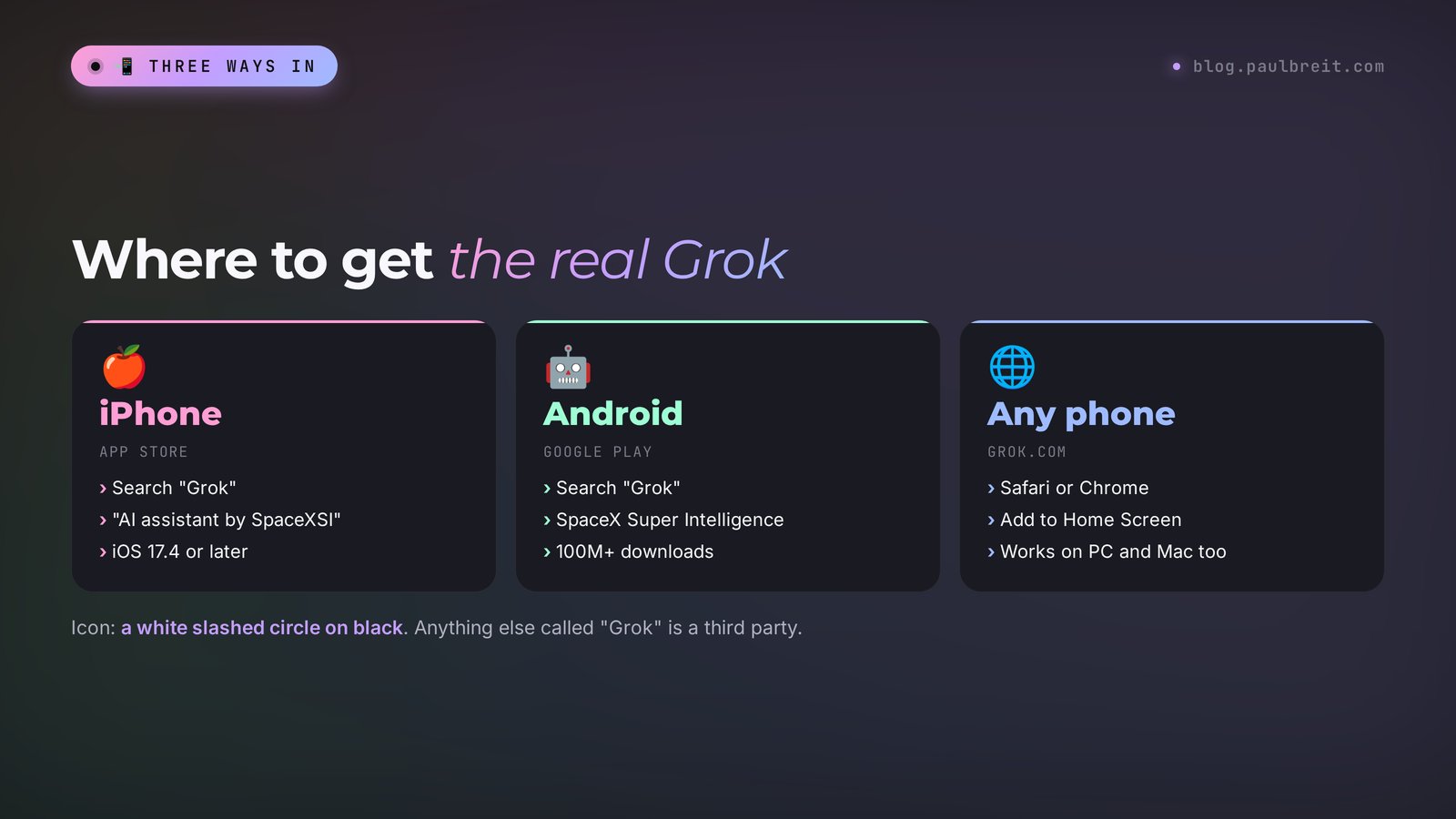
Grok app download is free: on iPhone or iPad, get "Grok" from the App Store (iOS 17.4 or later); on Android, get it from Google Play (developer SpaceX Super Intelligence). If the store says Grok isn't available in your region, open grok.com in your phone's browser and add it to your Home Screen. Skip APK files from download sites.
What's inside
- Where to download Grok and which phone works
- iPhone: install from the App Store
- Android: install from Google Play
- No app: Grok in your phone's browser
- "Not available in your country or region"
- Fake APKs and clone apps
- First launch: sign-in, privacy, voice, camera
- 3 prompts that work best on a phone
- Is the Grok app free? Plans in $
- Troubleshooting
- Cheat sheet
- Sources
Grok on a phone earns its place in three situations. When you want to know what people are saying right now about a piece of news, a brand or a competitor: Grok reads posts on X in real time, and that's its clearest edge over other assistants. When it's easier to ask out loud than to type. And when you have a photo to make sense of: a stats screenshot, a contract, a menu in a language you don't read.
This guide is only about getting Grok onto your phone and setting it up. What Grok can do and how to work with it on a computer is in my full walkthrough on how to use Grok AI: free plan, modes and prompts.
Section 01Where to download Grok and which phone works
I checked both store pages on November 25, 2026. You don't need a new phone: almost any smartphone from the last few years will do.
| iPhone | Android | |
|---|---|---|
| Where to get it | App Store, app "Grok" | Google Play, app "Grok" |
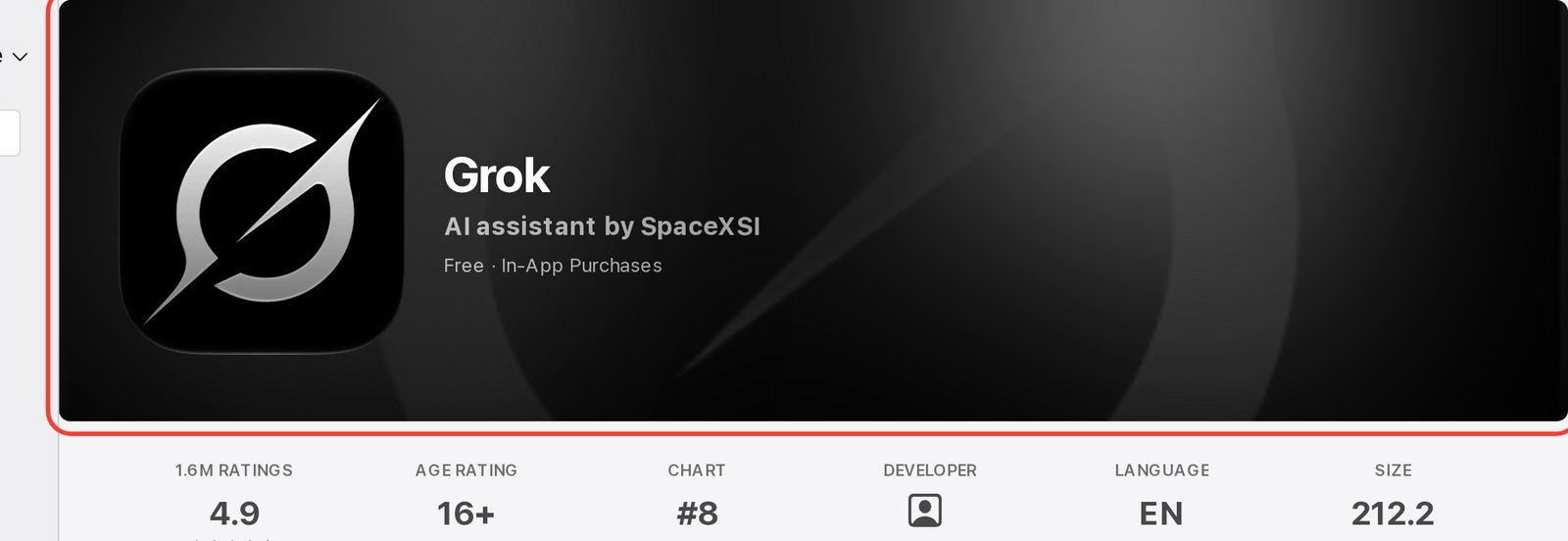
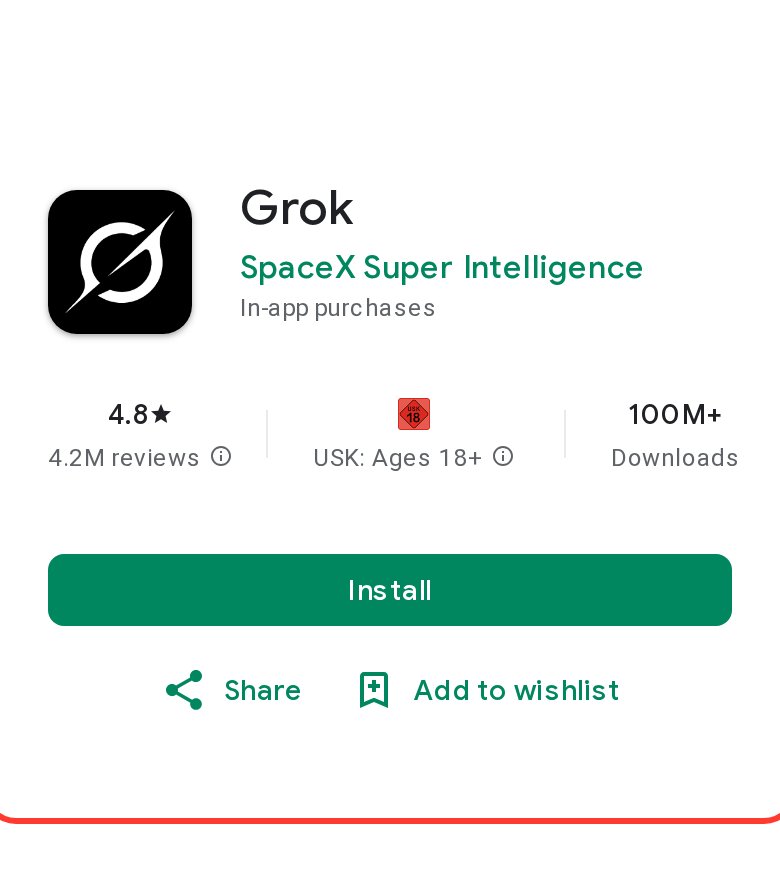
| Listed developer | Seller X Corp., subtitle "AI assistant by SpaceXSI" | SpaceX Super Intelligence |
| System requirement | iOS 17.4 or later (iPadOS 17.4 on iPad) | Listed under "About this app" |
| Size | 212 MB | Varies by device |
| Popularity | 4.9 stars, 1.6M+ ratings | 4.8 stars, 4.2M reviews, 100M+ downloads |
| Age rating | 16+ | 18+ |
| Price | Free, optional SuperGrok subscriptions | |
Why doesn't the developer say xAI? In 2026 xAI, the company behind Grok, became part of SpaceX, so the stores now list the app under SpaceX Super Intelligence (SpaceXSI for short). It's the same official app. The icon is a white slashed circle on a black background. Anything else with a similar name comes from a third party.
Section 02iPhone: install from the App Store
Check your iOS version
Settings → General → About → iOS Version. You need 17.4 or later. If it's older, update in Settings → General → Software Update, or skip to the web version in Section 04.
Search the App Store for "Grok"
Open the listing and check two lines before you tap anything: the subtitle "AI assistant by SpaceXSI" and the seller X Corp. Ads at the top of search results can show other apps first.
Tap Get
The app is free. Confirm with Face ID, Touch ID or your password. On a slow connection, 212 MB can take a minute or two.
Open Grok and sign in
The quickest way is Sign in with Apple or Google. An X account works too. Use the same method you'll use on the web later, so your chats stay in one place.
Section 03Android: install from Google Play
Search Google Play for "Grok"
The right app comes from SpaceX Super Intelligence and has 100M+ downloads. "Grok AI Chat", "Ask Grok" and similar names from other developers are middlemen with their own ads and subscriptions.
Tap Install
If you see "This item isn't available in your country" instead of the button, Google Play doesn't offer Grok in your profile's country. Go to Section 04 for the web version and Section 05 for what that message means.
Open the app and sign in
Choose Google, Apple, X or email. If you already use Grok on the web, pick the same method and your chat history follows you.
Section 04No app: Grok in your phone's browser
The simplest route, and it works on both iPhone and Android. The web version covers chat, image generation and photo uploads. Some of the voice features live only in the app.
Open grok.com
Type grok.com in Safari or Chrome and check the address: exactly grok, dot, com. Sites promising "Grok online free, no sign-up" have nothing to do with the official service.
Sign in
Tap Sign in or Sign up and choose Google, Apple, X or email.
Add it to your Home Screen
iPhone: the Share button at the bottom of Safari → Add to Home Screen. Android: the three-dot menu in Chrome → Add to Home screen. Now Grok opens with one tap, like a regular app.
The same address is the answer for a computer. On a PC or a Mac, Grok runs in any browser at grok.com, with the same account and chat history as your phone.
Section 05"Not available in your country or region"
This is the most common reason a Grok app download fails. The App Store and Google Play show apps based on the country of your store account, and a developer can choose not to offer an app in some regions. So on iPhone, Grok simply doesn't appear in search. On Android, the listing opens but says the item isn't available in your country.
You have three honest options.
1. Use grok.com. The web version from Section 04 doesn't depend on your store account. For most people this is the fastest fix, and with a Home Screen icon the difference from the app is small.
2. If you've actually moved, update your store country. Apple's help page lists what to do first: spend your remaining Apple Account balance, cancel subscriptions that block the change, and have a valid payment method for the new country ready. Google Play is stricter: you have to be in the new country, have a payment method from there, and you can change your Play country only once every 90 days. Family groups on both platforms can block the change.
3. Wait. Store availability changes over time. If you're not in a hurry, check the listing again in a few weeks.
Don't install a Grok APK from a download site because the store said no. That's exactly the situation fake apps are built for. More in the next section.
Section 06Fake APKs and clone apps
Search "grok app download apk" and you'll see pages offering "Grok APK free", "Grok Pro unlocked" and "unlimited Grok". The official Android app is distributed through Google Play. A file from a random site can be a modified copy that asks for access to your Google account, SMS and files. Saving one minute isn't worth that risk.
Clones inside the official stores are a quieter problem. They're real apps that pass review, use "Grok" or "AI" in the name and an icon in the same black-and-white style, then send your messages to whatever model they use and charge their own weekly subscription. They also see everything you type.
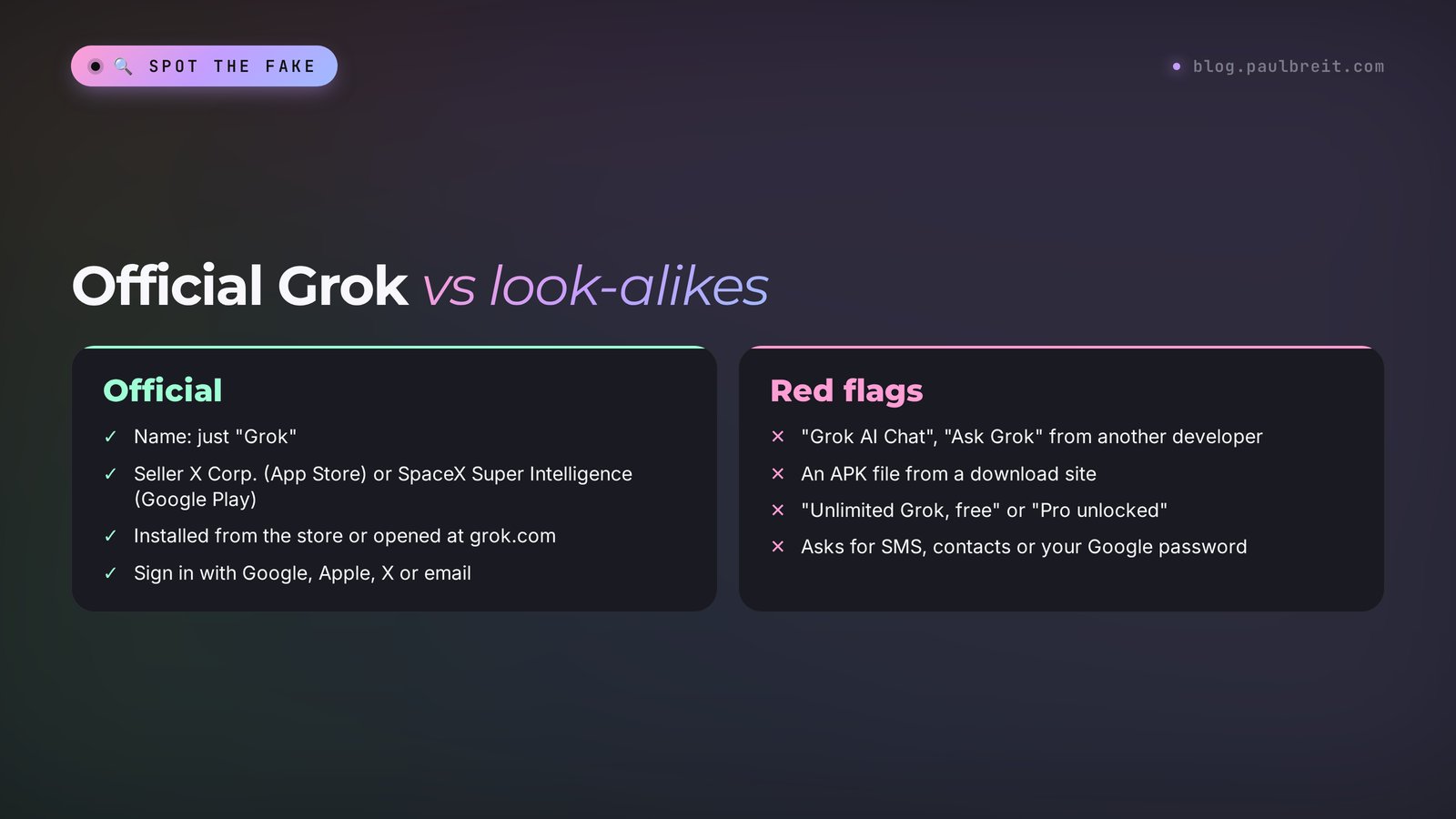
A quick check before you install anything: the name is just "Grok", the developer line says X Corp. or SpaceX Super Intelligence, and the download count on Android is 100M+. If any of these is off, close the page.
Section 07First launch: sign-in, privacy, voice, camera
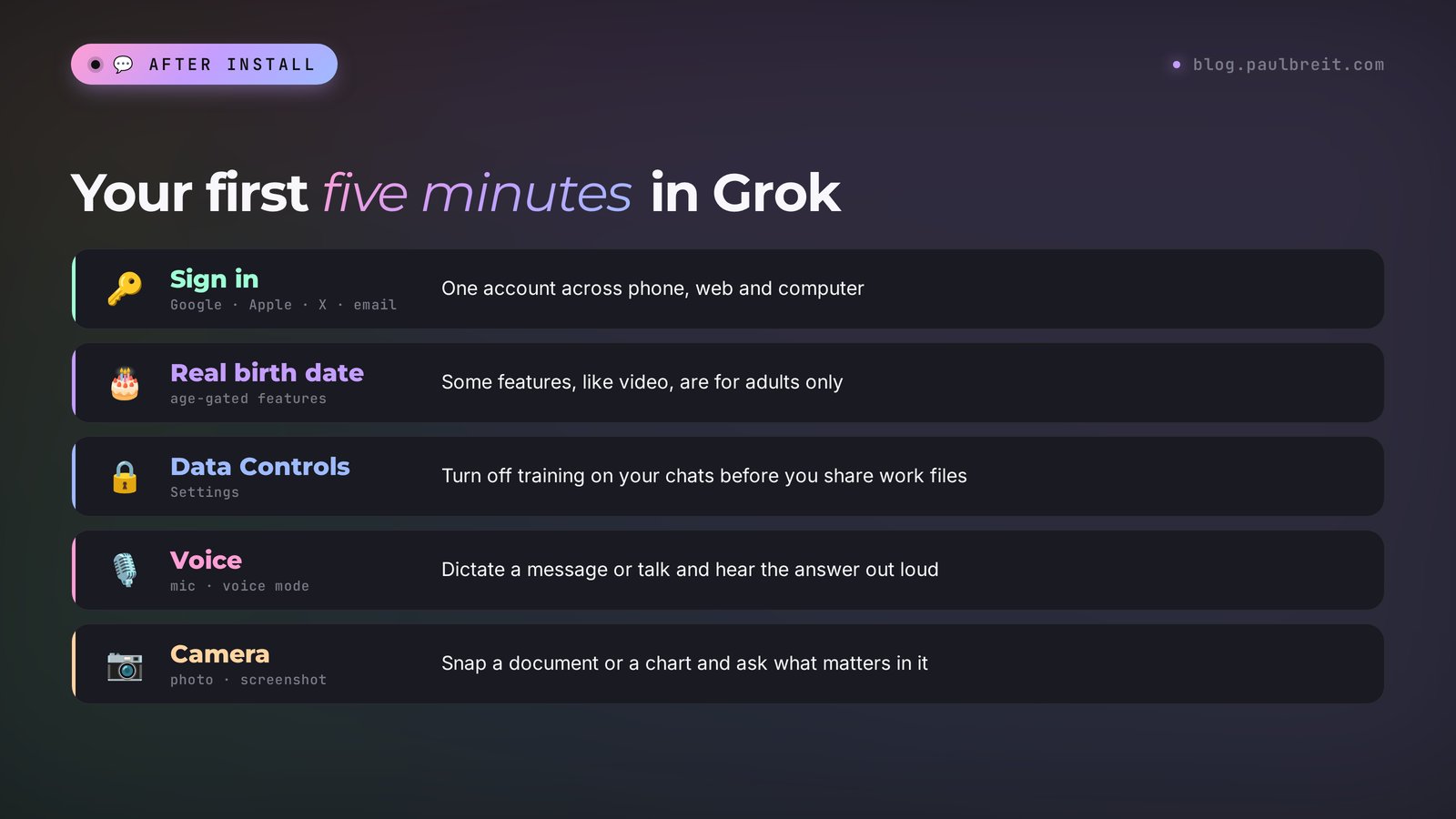
The app is installed. Here's what to do in the first five minutes so you don't have to come back to settings later.
Enter your real date of birth
Grok asks for your age. Some features, video generation for example, are for adults only, and the store ratings (16+ on iPhone, 18+ on Android) tell the same story.
Turn off training on your chats
Profile icon → Settings → Data Controls. There you can stop your conversations from being used to train models. Do it before you show Grok any client documents.
Try voice
The microphone icon in the input field is dictation. The waveform icon starts a voice conversation where Grok answers out loud. Handy while walking or driving.
Try the camera
The paperclip or camera icon adds a photo. Snap a document, a receipt or a screenshot and ask what's on it.
One thing not to confuse: xAI also has a separate app called Grok Bot. It's an agent that runs tasks on a cloud computer, needs a paid plan and iOS 18 or Android 9 or later, according to xAI's docs. For everyday chat, voice and photos, the regular "Grok" app is the one you want.
Section 083 prompts that work best on a phone
Replace the parts in square brackets and send. I picked all three for moments when there's no computer nearby.
1. What people are saying right now. This one plays to Grok's strength: search across recent posts on X.
Search X for posts from the last 7 days about [your topic or niche]. List the 5 questions and complaints that come up most often, and for each one suggest one post idea for my clients. I am [who you are and what you sell]. Include links to the posts.
2. Voice notes into a plan. Ramble into dictation on a walk, then send this.
Above, I dictated some thoughts by voice. They're messy. Turn them into a short plan: 3 to 5 points, what I do first and what comes after. Don't add anything of your own. Only my thoughts, just clear.
3. Make sense of a photo. Take a picture of a document, a price list or a stats screenshot and add this.
The photo shows [a contract / an invoice / post analytics]. Tell me in plain words what matters most here and point out 2 or 3 places I should look at closely. If something isn't readable, say so.
Model: Claude Opus 5.5, first try, no edits. I ran prompt 2 on a tutor's messy dictation: "need to post more often, and parents keep asking about a trial lesson, maybe make it free, and the prices on my site are old, and I should collect reviews."
The reply: "1. Update the prices on your site. 2. Decide whether the trial lesson is free and tell parents. 3. Collect reviews. 4. Post more often."
Nothing added, and the order makes sense: the things that get in the way of bookings right now come first. The prompt has nothing Grok-specific in it, so it behaves the same in any chat assistant you keep on your phone.
Want to see how people use AI tools like this in real client work? I recorded 7 short free video lessons with a practice order, about 25 minutes in total.
Section 09Is the Grok app free? Plans in $
The app is free to download and has a free tier. The subscriptions below come from the in-app purchase list on Grok's US App Store page, checked November 25, 2026. Prices in other countries' stores can differ and may include local tax.
| Plan | Per month | Per year | Who it suits |
|---|---|---|---|
| Free | $0 | $0 | Getting to know Grok, occasional questions |
| SuperGrok Lite | $10 | $100 | You keep hitting the free limits |
| SuperGrok | $30 | $300 | Grok is part of your working day |
| SuperGrok Plus | $100 | $1,000 | Heavy daily use |
| SuperGrok Heavy | $300 | $3,000 | The top tier, for the heaviest workloads |
The same list also has one-off "Extra Usage Credits" from $5 to $100. My advice: spend a week on the free tier. If the limits are enough, you don't need a subscription. If they aren't, start with Lite and move up only when you hit its ceiling. Subscriptions bought in the app are billed and canceled through your App Store or Google Play account.
If Grok isn't the right fit, the other big assistants have solid phone apps with voice and camera too: see ChatGPT on your phone, Claude on your phone and how to use Gemini. None of them has live search across X, so if that's the feature you came for, Grok is worth the ten minutes of setup.
Section 10Troubleshooting: if something goes wrong
| What happens | Why | What to do |
|---|---|---|
| Grok doesn't show up in App Store search | Your Apple Account region doesn't offer it | grok.com in Safari, Section 04; change region only if you've moved |
| Google Play says "not available in your country" | Your Play country doesn't offer it | grok.com in Chrome with a Home Screen icon |
| "Requires iOS 17.4 or later" | Your iPhone runs an older iOS | Update iOS or use the web version |
| Several "Grok" apps in search | Clones from other developers | Pick the one from X Corp. / SpaceX Super Intelligence |
| Your chats from the web are missing | You signed in with a different method | Sign out and sign in with the same Google, Apple, X or email account |
| No verification code by email | The message landed in spam | Check spam, or sign in with Google or Apple |
| Video or other features are locked | Age setting or plan limits | Check your date of birth; compare plans in Section 09 |
| A subscription you don't recognize | A clone app's weekly plan | Cancel it in your App Store or Google Play subscriptions |
For a broader view of what else you can run from a smartphone, I put together a full workday on AI from your phone, and if you're still choosing between assistants, start with free AI tools that actually work.
Section 11Cheat sheet: all of it in a minute
The whole guide in one list. Copy it into your notes.
Cheat sheet: Grok app download
1. Official app: "Grok". iPhone seller X Corp. ("AI assistant by SpaceXSI"), Android developer SpaceX Super Intelligence.
2. iPhone: App Store, iOS 17.4 or later, 212 MB, free.
3. Android: Google Play, 100M+ downloads, tap Install.
4. "Not available in your region": open grok.com and add it to your Home Screen.
5. Moved countries: Apple needs a payment method for the new region; Google Play lets you change once every 90 days.
6. PC or Mac: grok.com in any browser, same account.
7. No APKs from download sites, no look-alike apps.
8. Settings → Data Controls → turn off training on your chats.
9. Free tier to start; SuperGrok Lite $10 a month, SuperGrok $30.SourcesSources
- Grok on the App Store (US) (version 1.4.68, iOS 17.4, 212 MB, in-app prices), checked November 25, 2026
- Grok on Google Play (SpaceX Super Intelligence, 100M+ downloads), checked November 25, 2026
- Apple Support: Change your Apple Account country or region, checked November 25, 2026
- Google Play Help: How to change your Google Play country (90 days between changes), checked November 25, 2026
- xAI Docs: Grok Bot for Mobile, checked November 25, 2026
FAQFrequently asked questions
How do I download the Grok app for Android?
Open Google Play, search "Grok", pick the app from SpaceX Super Intelligence with 100M+ downloads and tap Install. If Play says it isn't available in your country, open grok.com in Chrome and add it to your Home screen from the three-dot menu.
Is there a safe Grok app download APK?
The official Android app is distributed through Google Play. APK files from download sites aren't official and can be modified copies that ask for access to your Google account, SMS and files. If Play won't install Grok, use grok.com in your browser.
Can I download the Grok app on PC or Mac?
For chat, you don't need to: Grok runs in any desktop browser at grok.com with the same account as your phone. The App Store listing names iPhone, iPad and Apple Vision Pro. xAI's separate Grok Bot agent has desktop apps for macOS and Windows on eligible paid plans.
How do I use Grok on iPhone?
Install "Grok" from the App Store (iOS 17.4 or later), sign in with Apple, Google, X or email, then type, dictate with the microphone icon, start a voice conversation with the waveform icon, or add a photo with the camera icon. Turn off training on your chats in Settings → Data Controls.
Is the Grok app free?
Yes, the download and the basic tier are free. Paid plans on the US App Store: SuperGrok Lite $10 a month, SuperGrok $30, SuperGrok Plus $100 and SuperGrok Heavy $300, with yearly options at $100, $300, $1,000 and $3,000.