A Lead Magnet with AI in an Hour: From Idea to Finished PDF
A step-by-step build for a lead magnet that brings in subscribers and clients. Find your audience's pain, pick a topic, write the text in your own voice, lay it out as a PDF, and hook it up to a bot for delivery. All of it through a chat with AI, with ready prompts you can copy and paste. One hour of work and you have a magnet that collects your list while you do other things.
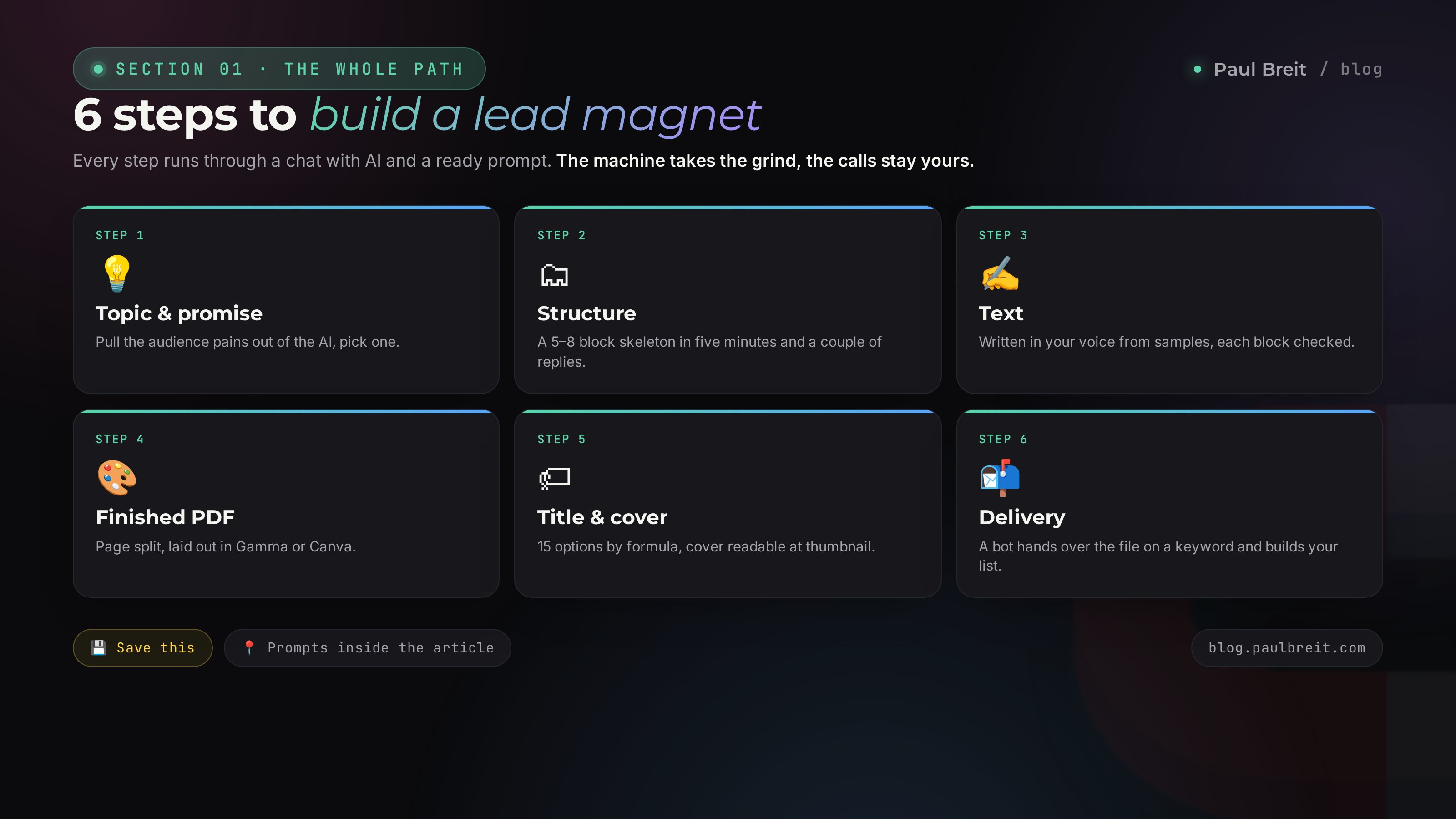
You build a lead magnet with AI in an hour across six steps: pick one pain point and a promise, ask Claude to draft the structure, write the text in your voice, lay it out as a PDF in Gamma or Canva, come up with a title that pulls, and connect a bot to deliver it. Every step runs through an ordinary chat with ready prompts. The strong format is a short PDF of 5–12 pages or a checklist that solves one specific problem in 10 minutes. A good lead magnet converts 25–40% of warm traffic into opt-ins.
You run a blog, shoot reels, go live now and then. People show up, watch, nod – and leave. No list, no contacts, no sales. Every new launch starts from zero because you have to gather the audience again each time. And the ones who already saw you dissolve into the feed and never come back.
A lead magnet closes that gap. It catches a warm person at the moment of interest and moves them from "just browsing" to "give me that, I want the value." It used to take a week to make one: think it up, write it, format it, lay it out. Now AI drafts every step in minutes, and your job is to make the calls and add the living details. This article is the whole path, with prompts you can drop straight into a chat.
You'll read it in 22 minutes. You'll build it in an hour. And you'll walk away with a working tool that brings in subscribers without you being in every single contact.
What's inside
- What a lead magnet is and why an hour
- 7 lead magnet formats and which to pick
- Getting Claude set up and paid for
- Step 1. Topic and promise
- Step 2. Structure in 5 minutes
- Step 3. Text in your voice
- Step 4. Build the finished PDF
- Step 5. Title and cover
- Step 6. Delivery through a bot
- The hour, minute by minute
- 5 mistakes and how AI closes them
- Launch checklist
Section 01What a lead magnet is and why an hour
A lead magnet is free value you hand over in exchange for a contact. The person opts in with a subscription, an email, or a keyword in your DMs, and in return gets a file that solves a specific problem of theirs. The name is honest: the magnet pulls, the lead is a potential client. You get a list, the person gets a fast result and a first taste of how you work.
It works on one simple trade. A cold viewer has no reason to give you a contact. A warm one, whose sore spot you're closing right now, has a reason. They download the checklist, apply it in ten minutes, see a result, and remember that useful stuff comes from you. From there you message them directly instead of waiting for the feed to randomly surface your post again.
The old blocker was the build. Come up with a topic, write a few thousand words, format, lay out, make a cover – it ate a week, and half of these projects died at the "never got around to it" stage. AI removes that blocker. It drafts the topic, builds the structure, fills the text, preps the layout. You never start from a blank page on any step. Hence the hour: not because it's rushed, but because the machine takes the grind and you keep the decisions and the living examples.
A strong lead magnet solves one problem in 10 minutes. Not "everything about losing weight," but "a week of meals for people who eat out." Not "the complete guide to sales," but "5 lines that dissolve the it's-too-expensive objection." The narrower the promise, the higher the opt-in. A broad magnet loses to a narrow one every time.
Section 027 lead magnet formats and which to pick
Format is the packaging of the value. It decides whether the file gets downloaded or scrolled past. Here are seven formats that reliably work, from fastest to deepest.
- Checklist. A list of steps or self-check points. Builds in 20 minutes, gets downloaded the most. "17 points that show your landing page is leaking leads."
- How-to guide. A step-by-step solution to one task. 5–12 pages. "How to set up a DM autoresponder in an evening."
- Template. A ready blank the person fills with their own: a sales-call script, a post structure, a content-calendar sheet.
- Roundup. A set of proven tools, services, prompts. "12 prompts that replace a copywriter."
- Case breakdown. A live client story with numbers and steps. Sells the method harder than any list.
- Mini-book. 20–40 pages on a big topic. Takes longer to build, but lifts your standing in the reader's eyes. How to build one with AI is in the article on writing a book in a weekend.
- Video mini-course. The strongest for converting into a later sale, but it needs recording. I break down the structure of one in the article on the sales funnel.
For a first magnet in an hour, take a checklist or a guide PDF. They build fastest and need no camera. Below is a table of which format lands best for which field.
| Field | Lead magnet format | Example topic |
|---|---|---|
| Therapist, psychologist | Checklist | 11 signs of burnout and what to do about each |
| Nutritionist | Template | A 7-day meal plan for people who eat out |
| Coach, mentor | Guide | How to find your niche in one evening: 6 questions to ask yourself |
| Tutor | Roundup | 20 free apps to sharpen a language over the summer |
| Marketer, media buyer | Case breakdown | How $400 of ad spend turned into $3,200 in sales |
| Service pro | Guide | How to pick a pro and not overpay: 8 questions before you book |
| Course creator, expert | Mini-book | Your first 1,000 subscribers with no budget |
Section 03Getting Claude set up and paid for
I run the whole build through Claude. It handles long text better than the rest, writes in a lively, precise way, and follows the structure you give it. Another AI will work too, but I tuned the prompts below specifically for Claude.
Anthropic restricts access from some regions by IP – claude.ai may not open directly. You'll need a VPN with an EU or US location. Reliable ones in 2026: Proton VPN, Mullvad, and similar. Turn the VPN on, then open the site.
Signing up takes five minutes. Open claude.ai and create an account with your email. The free tier is enough to build your first lead magnet and try every prompt. For regular work it's worth getting Claude Pro at $20 a month: longer memory, no daily limits on heavy text. If you can't pay directly, a virtual card or an intermediary service handles it. A fuller walkthrough of setup and first steps is in the article on Claude versus ChatGPT.
Step 01Topic and promise
The most common mistake is inventing the topic out of your own head. You pick what interests you instead of what hurts for the audience. A magnet on a topic like that gets weak downloads. So the first step isn't to make things up – we pull the pains out of the AI's head, since it has already seen thousands of queries in your field. No guessing from scratch.
Open a new chat and paste the prompt. Replace what's in the square brackets with your own.
You're a marketer who builds lead magnets for experts.
My field: [e.g., nutritionist for women 30-45].
My audience: [who they are, what hurts, what they want].
My paid offer: [what you sell in the end].

Task. Write out the 10 sharpest pains of my audience –
in short phrases, the way a person would say them.
Then pick the 3 pains that:
1) can be solved by a quick free 10-minute piece,
2) logically lead into my paid offer.

For each of the 3 pains, propose a lead magnet:
format (checklist / guide / template / roundup),
a working title, and a one-line promise
using "How to [result], even if [obstacle]."
Claude comes back with three ready options. You pick the one closest to your paid offer – that way the person who grabs the magnet naturally leans toward the purchase. If none clicks, you type "give me 5 more for the second pain" and pick from the new batch. This takes five minutes instead of an evening wrestling a blank page.
A good topic passes a one-line test: say the promise out loud to a friend. If they say "oh, where do I get that" – the topic works. If it's "huh, interesting" – too broad or too dull, and you go back to the prompt for new options.
Step 02Structure in 5 minutes
You have a topic; now the skeleton. Structure is the table of contents for your PDF: which blocks come in what order, and what each one covers. Without it the text sprawls and the person quits on page three. With it the reader rides rails from problem to result.
Don't start a new chat – stay in the one where you picked the topic. The AI remembers your field and audience, so the structure comes out sharper.
Let's build the structure of the lead magnet on the chosen topic:
"[your lead magnet title]".

Format: [checklist / 8-page guide].
Goal – in 10 minutes the reader gets a concrete result
and wants to know about my paid offer.

Give me:
– a gripping cover headline,
– a short intro of 3-4 sentences (pain + promise),
– the main part: 5-8 blocks, each with a name
  and one line on what's inside,
– a wrap-up: what the person can now do after reading,
– a soft transition to the next step
  (book a call / a keyword in the DMs).

No filler. Every block must give value
they can apply right away.
A couple of seconds later you have a skeleton of 5–8 blocks. Read it through the reader's eyes. If a block feels like a spare wheel, type "drop block 4, replace it with [topic]." The structure gets tightened in two or three replies. Don't move on until the outline pleases you – rewriting text later takes longer than fixing the plan now.
Step 03Text in your voice
Here's where the danger hides. By default AI writes smooth and faceless – in those exact phrases that let a reader spot generated text in a second. "In today's world," "it's important to note," "let's dive in." A lead magnet like that gets downloaded, opened, revealed as a robot, and closed. Trust collapses on page one.
The fix is to give the AI a sample of your voice. Gather 5–10 of your own texts: posts, transcripts of your talks, replies to clients. Paste them into the chat before you ask it to write. How to teach AI to speak in your exact words is covered in the article on writing in your voice.
Below are 7 of my texts – a sample of my voice.
Study how I build sentences, where I joke, which words
I repeat, how I address people.

[paste 5-10 of your own texts here]

Now write the lead magnet text following our structure.
Write in my voice, as if I'm the one talking.

Requirements:
- address the reader as "you,"
- short paragraphs of 2-4 sentences,
- living examples instead of general words,
- no corporate filler and no phrases like
  "in today's world," "it's important to note," "let's dive in,"
- specifics: numbers, timeframes, situations,
- every block ends with value they apply right away.

Start with block 1. Then stop, I'll check
and tell you whether to keep going.
Write the text one block at a time. That way you catch the fakeness immediately instead of redoing ten pages at once. Read a block out loud – does it sound like you? Move on. Grating? Type "this part doesn't sound like me, rewrite it simpler and more alive, here's how I'd say it: [a couple of your phrases]." After two or three blocks the AI picks up the rhythm and runs smooth from there.
Before and after
So the difference is clear, here's the same chunk of a nutritionist's guide.
A person finishes the second version. They close the first. The whole difference is the living details and the direct address you added by handing the AI a sample of your voice.
Three moves to make the text grab
Once the draft is done, run it through three quick boosters. Each adds life to the text in a minute.
- Open on the reader's pain, not on yourself. A weak block opener is "Nutrition affects your energy." A strong one is "By four in the afternoon you're squeezed dry." The person recognizes themselves in the first line and reads on. Ask the AI: "rewrite the opening of each block so the first sentence hits the reader's concrete situation."
- Give one concrete action per block. Value with no action gets forgotten. After the explanation always comes "do this right now." Then the reader applies the magnet as they read and sees a result before the file even ends.
- Cut everything that doesn't serve the result. Half-page intros, hedges, repeats. Prompt: "trim the text by 20%, cut anything that gives the reader no value, keep the meaning." A short magnet gets finished, a long one gets abandoned.
These three moves turn a smooth-but-empty draft into text a person reads to the end and remembers you by.
Step 04Build the finished PDF
The text is ready. Now we turn it into a file that's pleasant to open. Bare text in a word document looks cheap and drags down the magnet's value. Clean layout with a cover, breathing room, and accents holds attention and adds weight to you in the reader's eyes.
Two simple paths, no designer:
Gamma – the fastest
Gamma lays out the document from your text on its own. You paste the finished text, pick a theme, and it arranges the pages with images and headings. Then export to PDF. The whole thing takes 10–15 minutes. Ideal for a guide or a mini-book.
Canva – more control
In Canva you grab a ready PDF template, drop in the text block by block, and nudge elements to your taste. Slower than Gamma, but you fully control the look. Good for a checklist or a template where the layout on the page matters.
To make the layout fall into place, have the AI split the text across pages first. Then you just copy ready chunks instead of slicing a wall of text by hand.
Split the finished lead magnet text into pages for a PDF.
Vertical format, Letter size.

For each page give me:
- a number and a short heading,
- the body text (as much as fits on the page,
  don't cram),
- a note on what image or icon goes here.

Page one is the cover: large title,
a subtitle with the promise, my name.
The last page is the call: what to do next,
where to write, the keyword.
You get a ready layout. Move it into Gamma or Canva page by page, set icons per the notes, and export. Out comes a clean PDF you won't be ashamed to hand over.
A busy file with a picture on every page distracts from the value. Keep one or two accent colors, plenty of white space, big headings. One block, one idea. The reader came for a result, not for a gallery.
Step 05Title and cover
The title and cover decide whether the magnet gets downloaded or scrolled past. They're the storefront: the person sees them first, before the text. A weak title kills even strong content, because they never reach the content.
A good title promises a concrete result and hints at speed or ease. Compare: "A Guide to Nutrition" and "A Week of Meals in 15 Minutes for People Who Eat Out." The second gets downloaded far more. Have the AI throw out options.
Come up with 15 titles for a lead magnet on
"[topic]".

Use these formulas:
- "How to [result] in [timeframe],"
- "[number] [ways/mistakes/steps] that [benefit],"
- "[result], even if [obstacle]."

Titles must promise concrete value and a fast result.
No vague words like "effective" and "comprehensive."
Mark the 3 strongest and say why.
You pick a title from the list, or mix two. Then the cover. In Canva, grab a vertical template, set a large title, your name, and one icon that fits the topic. Three rules for a readable cover: the title fills the top third and reads at thumbnail size, the background doesn't fight the text, the font is big. Anything smaller than a post headline on a phone won't work on a cover.
Step 06Delivery through a bot
The file is ready, but it won't deliver itself. You can't just drop a link in a post – then you give away the value and get no contact, and the contact was the whole point. Delivery goes on a bot: the person opts in or sends a keyword, the bot sends the file and adds the contact to your list.
Simple tools for this: ManyChat for Instagram and Messenger, an email service like ConvertKit, MailerLite, or Beehiiv, and Telegram bots if that's where your people are. The logic is the same everywhere:
- Set up the bot or email flow and connect it to your channel.
- Upload the PDF, or host it and paste the link into the flow.
- Set the rule: a keyword comes in – the bot replies and hands over the file.
- Add a follow-request or a double opt-in before delivery if you want a cleaner list.
Then in posts and reels you call for it: "Comment PLAN and I'll send the checklist." A keyword beats a plain link: the person takes an action, you get a live contact and the right to message them again.
Setting up the bot in 10 minutes, by example
So no questions are left, here's how it looks step by step in ManyChat. In other tools the logic is the same, only the button names differ.
- Sign up and connect your Instagram or Facebook page. It takes a minute – the service walks you through the permissions.
- Upload the PDF into the files section, or host it somewhere and grab the link. The service stores it for you, no website needed.
- Create a new flow and set the trigger on a keyword: someone comments or DMs "PLAN" and the bot replies with a greeting and sends the file.
- Add a step that asks them to follow or confirm their email before delivery, if you want to grow that channel too. The file goes out only after that.
- Set delays between the warm-up messages: after a day, after two, after four. The service sends them on a timer.
All of it is built with clicks, not a single line of code. Set it up once and the bot runs for years, handing the magnet to every new person on its own.
The valuable part starts after the download. Set a sequence of 3–5 messages in the bot: a day after delivery – how to apply the magnet; another day – a client story; then – an invitation to a call. That way the magnet doesn't just build a list, it leads to a sale. A breakdown of the warm-up sequence is in the article on the sales funnel.
Where you send the person after the magnet – to a free call or straight to a product – depends on your funnel. If you want to take payment and installments inside the same setup, see how to accept online payments.
Section 04The hour, minute by minute
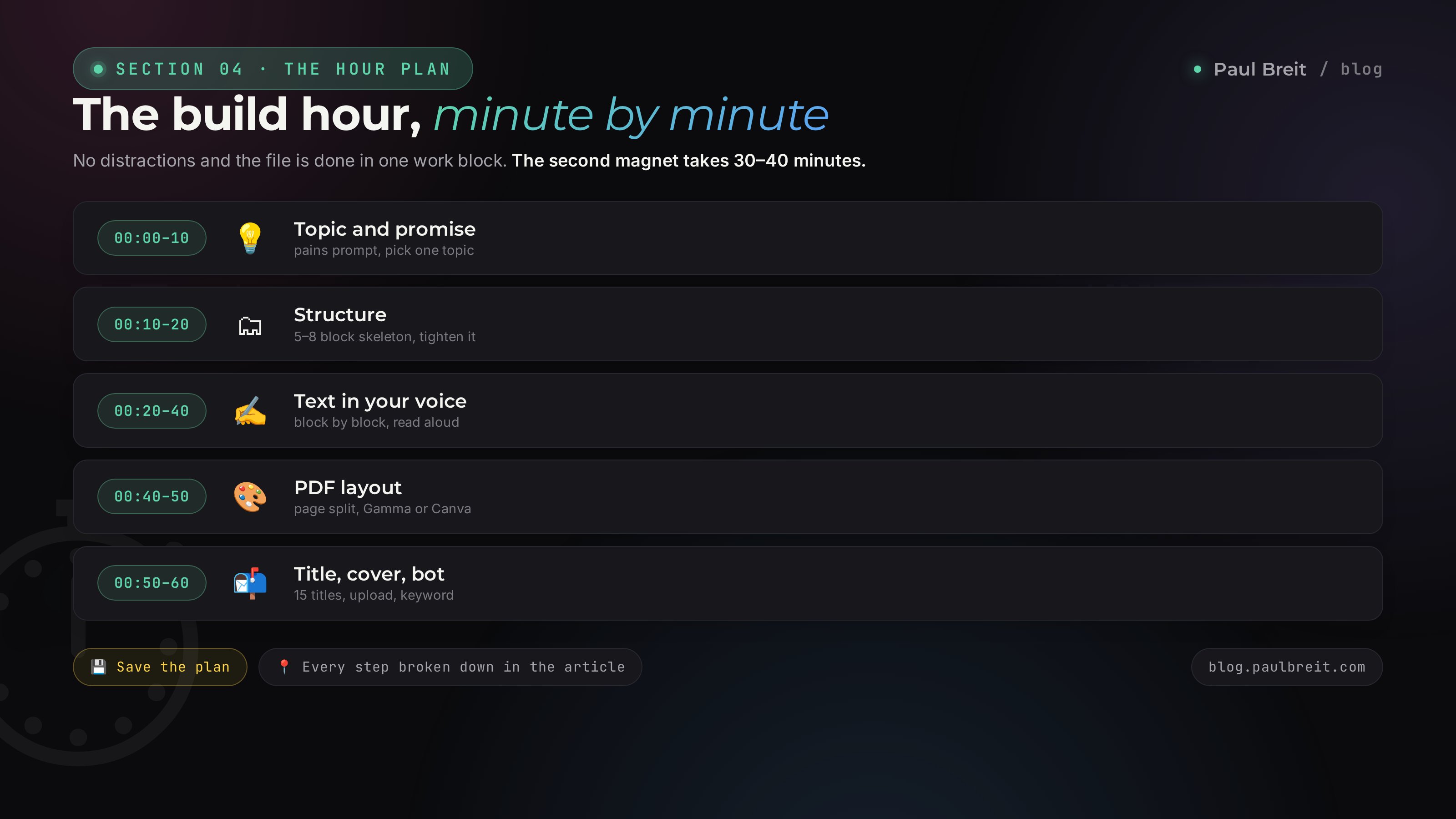
Let's put it all together. Here's what an hour of work looks like when you don't get distracted.
Topic and promise
Prompt for the pains, pick one topic, phrase the promise. Run the "where do I get that" test.
Structure
Prompt for the skeleton, read it through the reader's eyes, tighten it in two or three replies.
Text
Paste your voice samples, write block by block, check each one out loud. The longest step, but the output is living text.
PDF layout
Prompt for the page split, move it into Gamma or Canva, export.
Title, cover, bot
Pick a title from 15 options, build the cover, upload the file to the bot, set the keyword.
An hour is the pace for a first magnet, when you're doing it all for the first time. The second and third you'll build in 30–40 minutes: the prompts are already on hand, the voice sample lives in its own file, the cover template is ready.
Section 055 mistakes and how AI closes them
Over the years I've built dozens of lead magnets and watched plenty of others. The same rakes get stepped on from field to field. Here are the five biggest and how AI helps you dodge them.
A magnet about everything at once
"The complete guide to health" at 50 pages. Nobody finished it, because there's no one concrete result. Fix: the one-pain rule. The prompt in step 1 pulls three narrow pains on its own – you take one.
The text smells like a robot
Generated it, didn't clean it, handed it over. The reader sees "in today's world" and closes it. Fix: the voice sample and the out-loud check per block from step 3. Living text holds trust.
A link instead of a bot
Dropped the file as a link in a post, collected zero contacts. The value walked, the list didn't grow. Fix: delivery through a bot on a keyword. Every downloader lands in your list.
No next step
The person downloaded, applied it, forgot you. The magnet fired blank. Fix: a warm-up sequence in the bot and a soft transition to a call inside the PDF itself. The magnet leads onward instead of dead-ending.
A dull title
"A Sales Handbook" – a miss. They never reach the text, they stall at the storefront. Fix: 15 options by the formulas from step 5. Pick the one that promises a result and speed.
Section 06Launch checklist
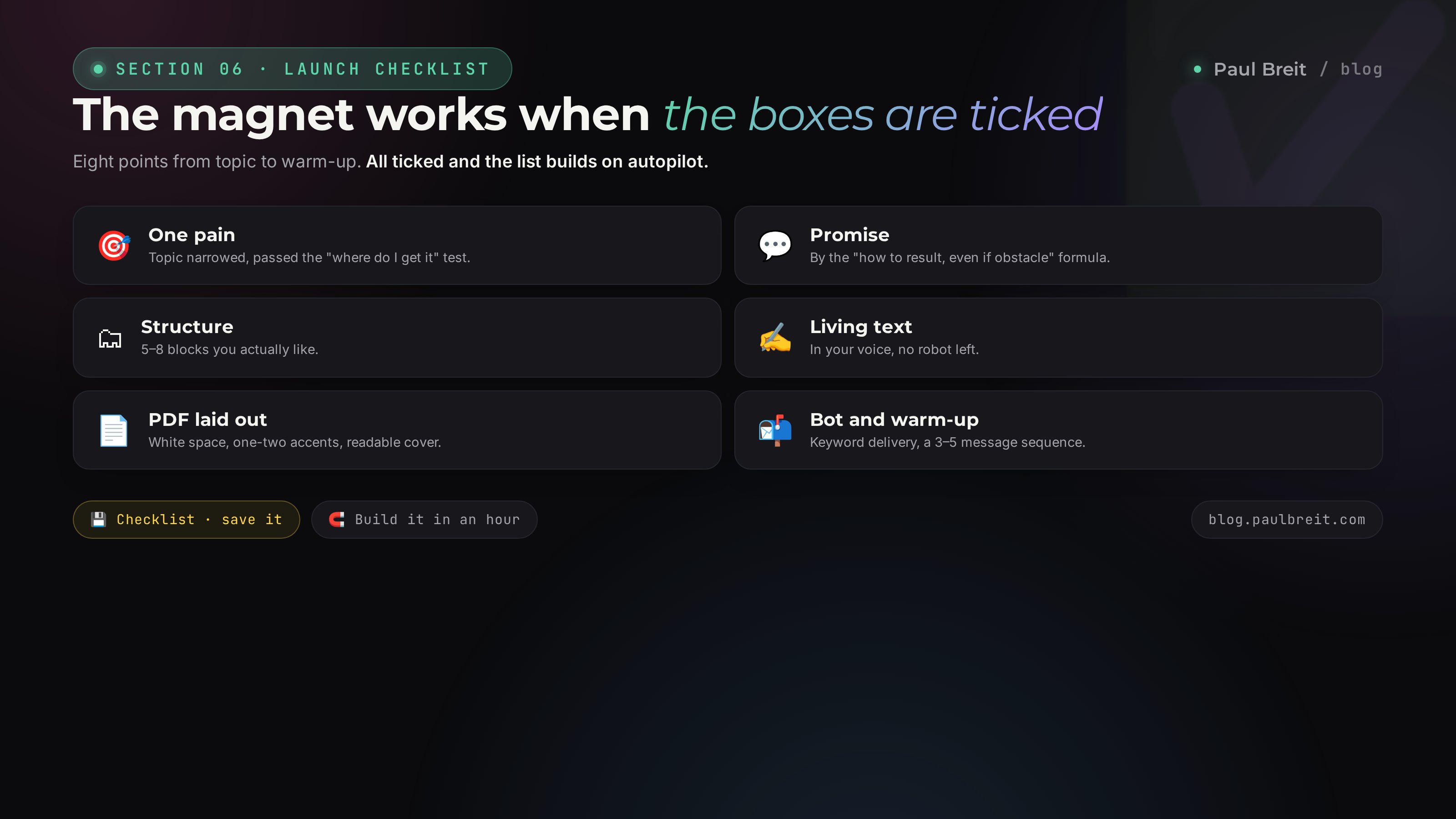
Save it and tick the boxes as you go. When all eight are checked, the magnet is working at full strength.
- Topic narrowed to one pain and passed the "where do I get that" test
- Promise phrased with "how to [result], even if [obstacle]"
- Structure of 5–8 blocks built and you actually like it
- Text written in your voice, every block read out loud, no robot left
- PDF laid out in Gamma or Canva, white space and one or two accents
- Title picked from 15 options, cover readable at thumbnail size
- Bot delivers the file on a keyword, the contact lands in your list
- Warm-up sequence of 3–5 messages set and leading to a call
A lead magnet isn't a one-off trinket, it's an asset that works for months. You build it once in an hour, put it on a bot, and it collects your list while you sleep, shoot reels, take time off. AI takes all the grind of the build: topic, structure, text, layout. What stays with you is what the machine won't do – your voice, your examples, your call on where to send the person next.
How this connects to the other articles
A lead magnet is the entrance to your system. It catches a warm person and leads them into the funnel, where the warm-up leads to a sale. You write the magnet's text in your own voice, and the quality of every prompt in this article depends on how you phrase it. The list you gather is an asset that pays again and again once you turn the magnet into a repeatable part of your offer.
Pick one audience pain with the unpacking prompt. Phrase the promise. Build a structure of 5–8 blocks. Write the text in your voice by pasting samples of your own writing and checking each block out loud. Split the text across pages and lay out the PDF in Gamma or Canva. Come up with a title from 15 options and a cover readable at thumbnail size. Upload the file to a bot, set delivery on a keyword and a warm-up sequence. An hour of work and the magnet collects your list on autopilot.
FAQFrequently asked questions
What is a lead magnet in plain words?
It's free value you hand over in exchange for a person's contact. A checklist, guide, template, or roundup that solves one specific problem in 10 minutes. In return the person opts in or sends a keyword, and you get them on your list plus the right to message them again.
Can you really build a lead magnet in an hour?
Yes, if it's a checklist or a guide PDF and you follow the steps with ready prompts. A first magnet takes about an hour; the second and third take 30–40 minutes because the prompts and voice sample are already on hand. Only a video mini-course takes longer, since it needs recording.
Which lead magnet format gets downloaded most?
The checklist. It builds fastest and gets downloaded most, because it promises a quick result with no long read. Second is a how-to guide of 5–12 pages. A video mini-course converts best into a later sale, but it needs a camera and recording.
How do I strip the AI feel out of the text?
Give the AI 5–10 of your own texts as a voice sample before you ask it to write. Write block by block and check each one out loud. Cut phrases like "in today's world," "it's important to note," "let's dive in." Living examples, numbers, and direct "you" make the text yours.
What do I lay out the PDF in without a designer?
Two simple paths: Gamma lays out the document from your text in 10–15 minutes, good for a guide or mini-book. Canva gives more control through ready templates, good for a checklist or template. Before laying out, ask the AI to split the text across pages so you just copy ready chunks.
How do I deliver the magnet so it builds my list?
Through a bot, not a link in a post. Set up ManyChat, an email tool like ConvertKit or MailerLite, or a Telegram bot, upload the PDF, and set delivery on a keyword. In posts you call for people to send that keyword. That way every downloader lands in your list and you can message them again.
Do I need a paid Claude plan for a lead magnet?
No, the free tier is enough for a first magnet – every prompt in the article works on it. Claude Pro at $20 a month is worth it for regular building: longer memory and no daily limits on heavy text. Outside the US or EU, Claude opens through a VPN with an EU or US location.
Where do I send the person after they download the magnet?
Set a sequence of 3–5 messages in the bot: how to apply the magnet, a client story, an invitation to a free call or to a product. Lay in a soft transition to the next step inside the PDF itself on the last page. Then the magnet doesn't just build a list, it leads to a sale.