SEO for your blog: clients from search on autopilot
Ads stop the moment your budget runs out. A post in the feed lives for a day. But an article that ranks at the top for the right query brings clients in every single day – while you sleep, travel, rest. This is the whole SEO system for a blog run by anyone who sells services, courses, and consulting: how to gather the queries, write the articles with AI, cover the technical base, and turn a searcher into a lead. With a 90-day plan.
Blog SEO is when your articles rank at the top for the queries your future clients type in, and bring them to you with no ads. Here's how it works: you build a keyword core (what people search for), write a detailed, well-structured, marked-up article for each query, cover the technical base (speed, sitemap, fast indexing through IndexNow), link the articles to each other, and put a path to a lead at the end. AI speeds up every step. First rankings in 2-4 weeks, a steady flow of leads in 3-6 months.
You put money into ads, leads come in, you switch the ads off - and the leads stop that same day. You write posts, you get reach, and a day later the post drops down the feed and no one ever sees it again. Every month you start from zero and pay again for attention you already bought yesterday.
A blog works differently. An article you wrote once about "how to choose a nutritionist" or "how much a divorce lawyer costs" catches a person at the exact moment they're looking for a solution and ready to pay. I run the blog blog.paulbreit.com, and it brings me leads from search every day - without a single dollar of ads for those specific visits. Below is how to repeat it for yourself.
You'll read this in 24 minutes. You'll build your first article over a weekend. And a few months later you'll watch a line like "found you in search" show up in your leads - and start showing up more and more often.
What's inside
- What blog SEO is and why it's "on autopilot"
- Why a blog beats feeds: asset vs. rent
- Keyword core: gathering client queries
- The article structure people and search both love
- Writing the article with AI and no robot tells
- Technical base: speed, markup, indexing
- How to get into AI search answers
- How to turn a reader into a lead
- The metrics to watch
- 7 mistakes that kill blog SEO
- The 90-day plan
- Launch checklist
Several steps are easiest through Claude - it holds a long article and clean writing better than the rest. If you're outside the US or EU, it may not open directly and you'll need a VPN with a US or EU location. Sign up at claude.ai. If Claude isn't available, every prompt in this article works in ChatGPT too.
Section 01What blog SEO is and why it's "on autopilot"
SEO stands for search engine optimization. In plain terms for someone who sells their expertise: get Google and Bing to show your articles in the top spots when a person types a query connected to your topic. They type "AI for therapists" - they see your article, read it, grab the lead magnet, book a call. You could have been asleep at that moment.
"Autopilot" here isn't a pretty metaphor. The difference between ads and SEO is what happens when you stop spending money and time.
There's an important caveat. SEO for an expert blog is different from SEO for an online store or a news site. You don't need a million visitors. You need those few hundred people a month who are looking for a solution to their problem and are ready to pay for it. So what matters is targeted traffic: people with a query that sits right next to a purchase. Raw traffic decides nothing here.
Take the gap between two queries. "What is AI" gets typed by a curious teenager - lots of traffic, zero leads. "Hire someone to build AI into my sales team" gets typed by a business owner with a pain and a budget - little traffic, but every other click is worth money. Expert SEO is built around the second type of query, and around the informational articles that lead up to them.
Section 02Why a blog beats feeds: asset vs. rent
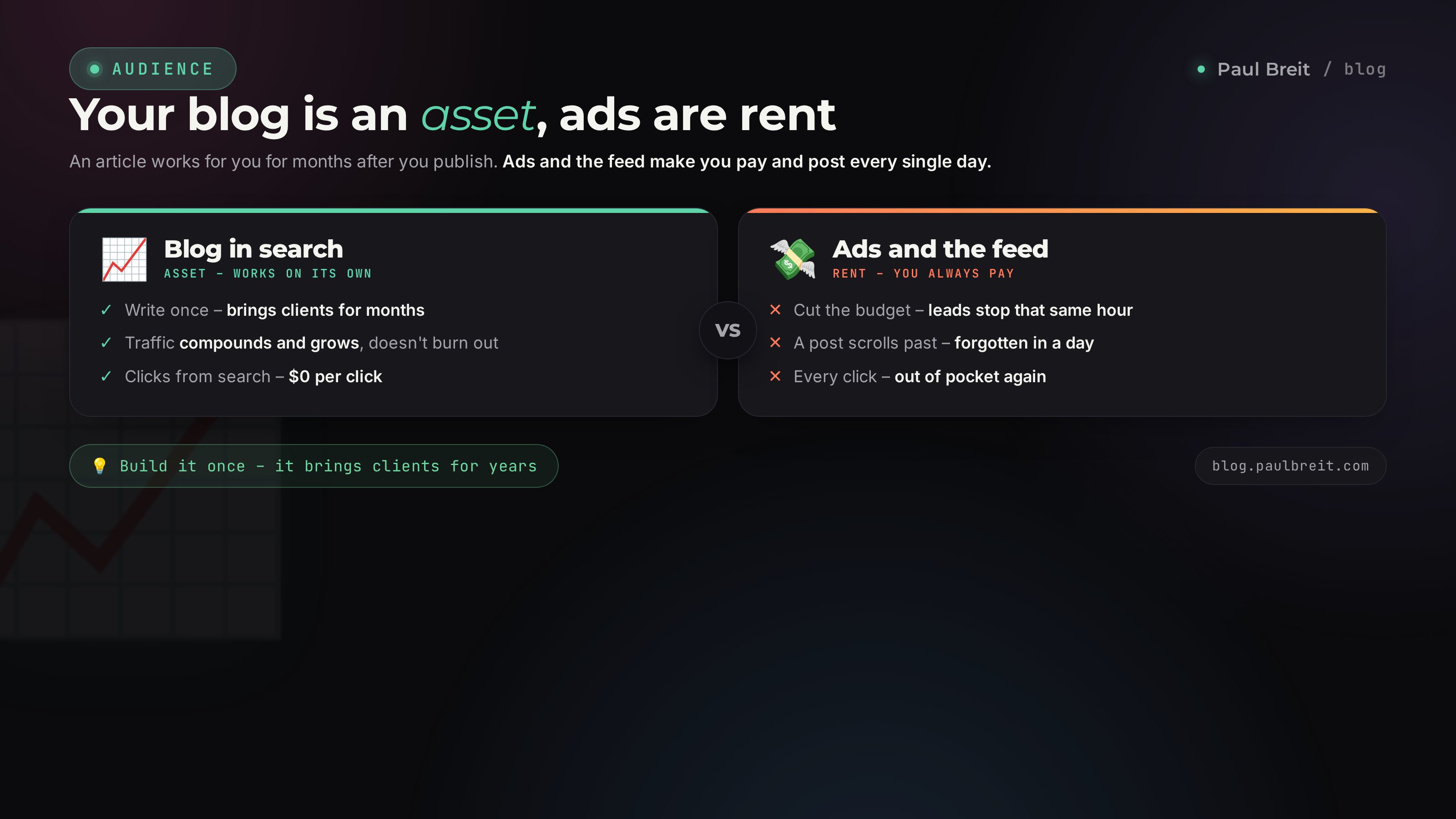
Social platforms are rent. You built an audience, but the ground under it belongs to the platform. The algorithm changes, the account gets banned, the platform shuts down - and your reach drops to zero overnight. We've all watched it happen: one network throttles, another falls under restrictions. People who poured years into a single account were left with nothing.
A blog on your own domain is your land. The domain is yours, the articles are yours, the search traffic comes straight to you, bypassing someone else's algorithm. Even if any social network vanishes tomorrow, search isn't going anywhere: people looked for solutions on Google, and they always will.
A post in the feed is an event - it happened and it's gone. An article on your blog is an employee who showed up to work once and has been standing guard at the door ever since, around the clock. The more of these employees you have, the more tightly you cover every query in your niche, and the steadier your flow of leads.
The second effect is compounding. Ads don't accumulate: you stop, and tomorrow it's as if they never ran. Articles accumulate. Write 10 - they catch 10 groups of queries. Write 50 - they catch 50, and they start linking to each other and rise in the rankings together, because search sees the site as a source on the topic. It's like compound interest versus a paycheck you spend the same month.
The third effect is trust. Someone who came from an ad doesn't know you and resists. Someone who read your detailed article and got value from it for free shows up already warmed up. They've seen how you think and decided they want you. Selling to that person is far easier.
Section 03Keyword core: gathering client queries
A keyword core is a list of the phrases your future clients type into search. Every SEO effort starts here. Writing articles at random, "about whatever you feel like," is like opening a store where no one walks. First you find out where people walk, and only then you open there.
Three types of queries - and which to take
- Informational. "How to choose a nutritionist," "AI for lawyers," "why my channel isn't growing." The person is looking for knowledge. There are the most of these, competition is lower, and they're what feeds the top of the funnel.
- Commercial. "Book a channel audit," "launch mentor pricing," "online nutritionist consultation." The person is looking for someone to hire. Fewer of these, but they stand right at the register.
- Navigational. They search for you by name. You don't gather these - they appear on their own once people know you.
For an expert blog you mostly take informational queries plus a handful of commercial ones. Informational brings volume and warms people up; commercial catches the ones ready to buy.
Another split - by frequency
Every query has a search volume: how many times a month it gets typed. And here's a rule that saves a beginner a lost year.
- High-volume ("AI") - thousands of searches a month, but the competition is so heavy you'll sit on page five for years. Don't touch it at the start.
- Mid-volume ("AI for therapists") - hundreds a month, a real shot at the top within a couple of months. Your main workhorse.
- Low-volume, long tail ("AI for summarizing a therapy session note") - dozens a month, almost no competition, top spot in 2-4 weeks. Start here: quick wins give you your first traffic and signal to search that the site is alive.
First you cover the long tail - you collect quick rankings and your first traffic. Then mid-volume - you build up volume. And only once the site has weight do you go after the high-volume head terms. That's how any healthy core is built: from the bottom up, not the other way around.
How to build the core with AI in one evening
Keyword research used to take weeks by hand. Now AI drafts a core in a single conversation, and a keyword tool is only needed to double-check the numbers. A prompt that works:
You're an SEO specialist. My niche is [nutritionist, I work
online, I help people fix their eating and weight without
harsh diets]. My clients are [women 30-45, busy, tired of
diets].

Build a keyword core for a blog: 40 search queries my future
clients would use to look for a solution to their problem.
Split them into groups:
1) informational (looking for knowledge),
2) commercial (ready to pay).
For each query, mark the rough volume: high / medium / low.
Sort them so the low-competition queries where it's easiest
to rank come first.
The AI hands you a ready table. From there you group the queries into clusters: one cluster is a set of close-in-meaning phrases that one article will cover. "AI for therapists," "AI therapist tools," "chatbot for therapists" is one cluster and one article, not three. Write three separate ones and they'll compete with each other for the same spot, and both will lose.
You can check real volumes for free in Google Keyword Planner and in search suggestions themselves: start typing a query and see what the bar suggests - those are the live phrasings people use. Google's suggestions and the "People also ask" box give you questions for the article's FAQ.
Section 04The article structure people and search both love
Search has long been looking at something else: does the article solve the person's problem. Keyword density played out its role years ago. The signal is simple: came in, read, stayed a while, didn't go back to the results to keep looking - good article, push it up. Came in and closed it three seconds later - bad article, push it down. So structure works on two things at once: hold the person and tell search what the text is about.
The skeleton of an article for one query
An H1 with the query
The cluster's main query goes into the title, near the front. "AI for therapists: 12 tasks from real practice" beats "How modern technology is changing the work of specialists." The first has the query and promises specifics; the second has neither.
A short answer in the first screen
Right under the title - a compressed answer to the query in 3-4 lines. The person gets a solution immediately, and search grabs that paragraph for the quick answer at the top of the results. The very block with the shaded background you see on this page above.
H2 and H3 subheads with sub-queries
Each major section is an H2 with one of the cluster's queries. Inside - H3s for subtopics. Search reads this hierarchy like a table of contents and understands the topic is covered from every angle. The person scans the article by the subheads and finds their piece.
A list, table, or example for every point
A solid wall of text scares people off. Break it into lists, comparison tables, callouts with examples and dialogue. It holds the eye and raises your odds of landing in a rich snippet - the search answer assembled straight from your list or table.
An FAQ at the end
7-10 real questions from search suggestions, with short answers. It closes the person's leftover doubts and catches voice and question queries. An FAQ with markup expands right in the results.
A path to a lead
At the end - one clear next step: grab the lead magnet, book a call, join the channel. Without it the person leaves with value but without you. More on this below.
How much to write
A 300-word article won't rank for a serious query - detailed competitors will pass it. A working target for an expert article is 2,000 words and up, and 4,000-6,000 for complex topics. But volume for its own sake hurts: search reads filler the same way a person does. You reach length with value - examples, breakdowns, answers to "but what if." One screen with no value is worse than not having it.
One article tries to cover ten queries from different clusters at once: "what is a funnel," "how to set up ads," and "how to write posts." Search can't tell what it's about and shows it for none of them. The rule: one article - one cluster, one main query, one job for the person.
Section 05Writing the article with AI and no robot tells
There are two camps here. One is afraid a penalty will hit any AI-written text. The other generates hundreds of empty articles and does get penalized. The truth is in the middle, and it's simple: search punishes text not for being written by AI, but for being useless, faceless, and identical. An expert article built on your real experience, assembled with Claude and cleaned up by you, ranks fine.
The right order of work
- Your material first. Talk out loud for 10 minutes on the topic: what you know, which cases you've seen, which mistakes your clients make. Transcribe it. That's raw material no one else has - and it's exactly what makes the article expert.
- AI structures, it doesn't invent. You hand over the transcript and the structure from the section above and ask it to build the article on your material. Not "write an article about SEO," but "here's my experience and a structure, lay it out into an article."
- You fact-check. AI confidently invents numbers and sources. Every figure, every name, every link - you verify yourself. This is an unbreakable rule.
- You scrub the robot tells. You cut the clichés that give the machine away and put your voice back in.
"Here's a transcript of my thoughts on the topic [query] and an article structure. Build an article for a blog out of this. Write plainly and to the point, short and long sentences mixed, addressing the reader as 'you.' No intro clichés, no bureaucratic language, no filler. Every section gets a concrete example. Don't invent numbers or facts, use only what's in the transcript; if data is missing, leave a note in brackets."
Five tells that give away the machine
Read the draft out loud. If you trip over these, it wasn't your hand writing:
- Empty intros. "In today's world," "as we all know," "it's worth noting," "needless to say." Cut with no loss of meaning.
- Symmetrical triples. "Fast, reliable, affordable," "plan, act, analyze." Live speech doesn't build itself that way.
- Sentences of equal length. The machine writes in an even rhythm. A person alternates a long phrase with a short punch. Break it up.
- Polite emptiness. A paragraph that reads smoothly but adds nothing. If you removed it and the meaning held, it was filler.
- The absence of you. Not one personal example, client name, or detail from practice. Add them - the text comes alive.
The full breakdown of this cleanup is in a separate article on how to remove AI traces from text. And how to teach AI to write in your style from the start is in the piece on the 30-posts method. Then the draft comes out almost clean and there's barely anything left to fix.
Section 06Technical base: speed, markup, indexing
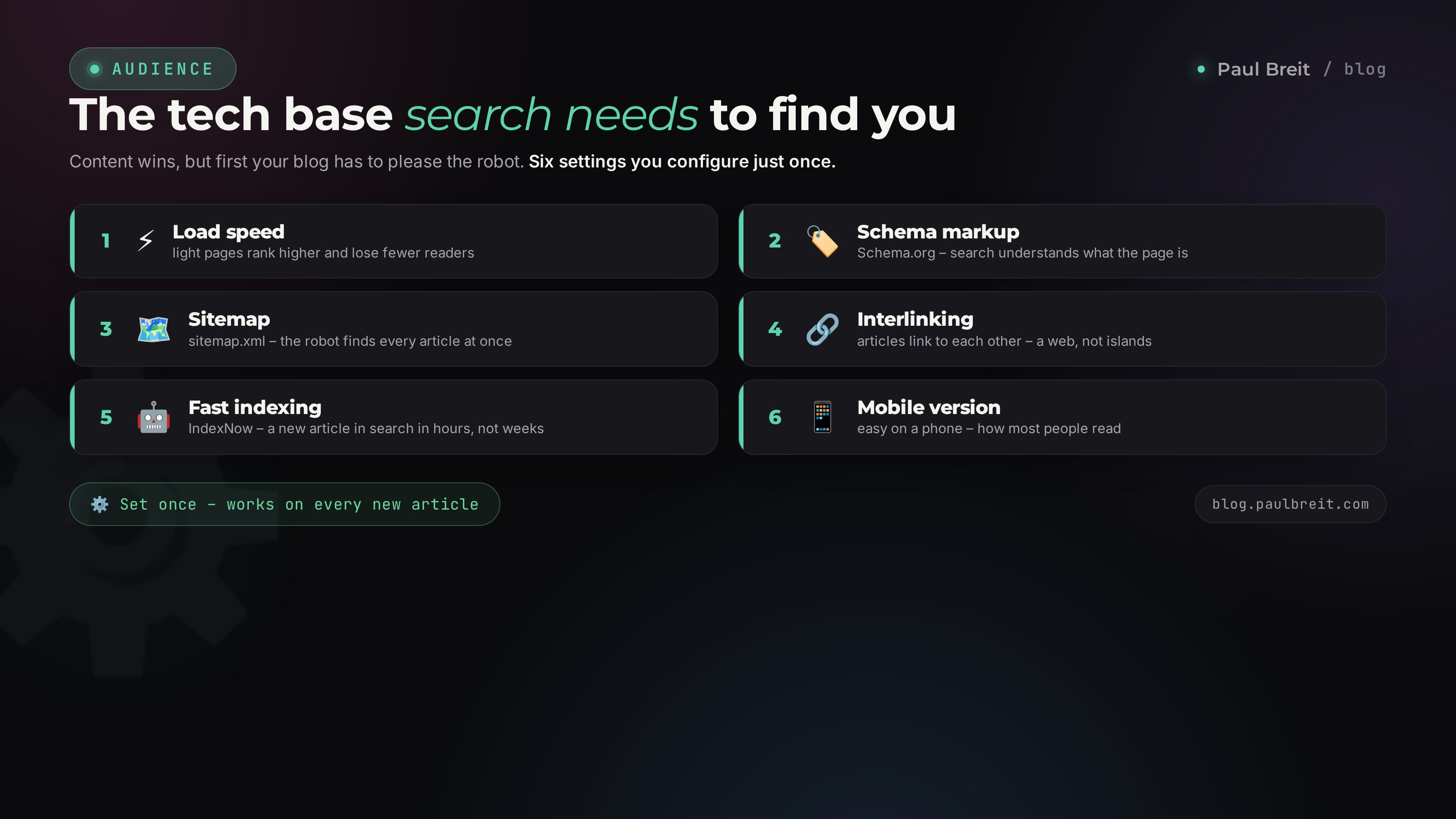
The technical part scares beginners for no reason. Modern blog engines and site builders handle 90% out of the box, and AI assembles the rest from your brief. You don't need a developer. Let's go through what actually moves rankings.
Load speed
A slow site loses both people and rankings: search demotes pages that take longer than 2-3 seconds. The main speed killers are heavy uncompressed images and extra scripts. Compress images to a sensible weight, serve them in modern formats, don't hang a dozen third-party widgets on the page. Check your speed for free in Google PageSpeed Insights.
Mobile version
More than half of search happens on a phone, and search grades exactly the mobile view. Open your article on a phone: does the text run off the edges, is the font too small, do you have to scroll sideways. If your builder is responsive it works on its own, but you still have to check it with your own eyes.
Schema.org markup
This is code in the article that explains to search what the object in front of it is: the article, the author, the date, the FAQ questions, the how-to steps. Thanks to markup your page gets stars, expandable questions, a date in the results - and takes up more space, pulling clicks. AI generates the markup on request:
Generate Schema.org markup in JSON-LD format for a blog
article. Types: BlogPosting (title, author, date,
description), FAQPage (here are my 7 questions and answers),
BreadcrumbList (Home / Rubric / Title).
Here's the article data: [you paste it]. Return finished
code I can drop into the head section.
Sitemap and interlinking
A sitemap (sitemap.xml) is a list of all your pages for search, so it misses nothing. Most engines generate it automatically. Interlinking is the links between your articles by meaning, like the links to neighbors in this article. It keeps a person on the site longer and passes weight between pages. The rule: each new article links to 3-4 related ones and gets links from them in return. That's how separate pages assemble into a connected web, which search values above a scattering of loners.
Fast indexing through IndexNow
Until search adds an article to its index, it doesn't exist for the world. People used to wait weeks. The IndexNow protocol tells Bing about a new page within minutes of publishing, and it lands in the index in 1-3 days instead of two weeks. You set it up once with a key. For Google, add the site to Search Console and submit new articles for indexing manually the first few months, until the site builds weight.
Set up two free accounts: Google Search Console and Bing Webmaster Tools. Verify the site, upload the sitemap, turn on IndexNow. That's the foundation - without it search learns about your articles by accident and with a delay. 30 minutes of work once, and after that indexing runs on its own.
Section 07How to get into AI search answers
A third traffic channel has appeared alongside Google and Bing - AI answers. A person asks ChatGPT or an AI search "recommend a launch specialist" or "how should a therapist run their social media," and the machine answers in coherent text, citing sources. Getting into that answer means getting recommended by the AI as if you were the expert. This direction is called GEO, optimization for generative search.
The good news: what works for GEO largely overlaps with regular SEO. AI models learn on the same web and like the same things - clear structure, direct answers, facts, and markup. But there are a few emphases specific to them.
- A direct answer up front. AI pulls ready-made phrasings. The "Short answer" paragraph at the start of the article is exactly what it will grab for its response.
- Facts, numbers, definitions. The machine quotes specifics more readily than musings. "25-40% opt-in conversion" gets quoted; "it's important to pay attention to conversion" does not.
- Clear authorship and expertise. The author's name, their experience, real cases. AI is trained to trust sources with a clear author.
- Question and answer. An FAQ block is a ready pair of "person's question - your answer" that the machine inserts almost word for word.
A separate big topic is how to track whether you've made it into AI answers and how to strengthen that. I covered it in the article on getting found in AI search: how to get into ChatGPT's answers. In short: write so that a ready chunk of an answer is easy to lift from you, and state who you are.
Section 08How to turn a reader into a lead
This is where most blogs lose money. The article ranks, people read it, they get value - and they leave. Traffic exists, leads don't. Because there's no bridge between "read it" and "bought." Let's build the bridge.
One next step, not five
At the end of the article there should be exactly one clear step matched to the reader's level of readiness. Not "subscribe, and buy, and watch, and join the channel" - faced with abundance, a person does nothing. One call to action, specific.
Lead magnet: how to capture the contact
Search traffic is treacherous because the person came and left, and you'll never see them again. A lead magnet turns an anonymous reader into a contact you can keep working with: a channel subscriber, a number, an email. A strong lead magnet solves one narrow problem in 10 minutes and follows logically from the article's topic. Read about blog SEO - grab an article-structure template and a list of 40 queries for your niche. How to build one in an hour is covered in the article on a lead magnet with AI in an hour.
Next comes the funnel
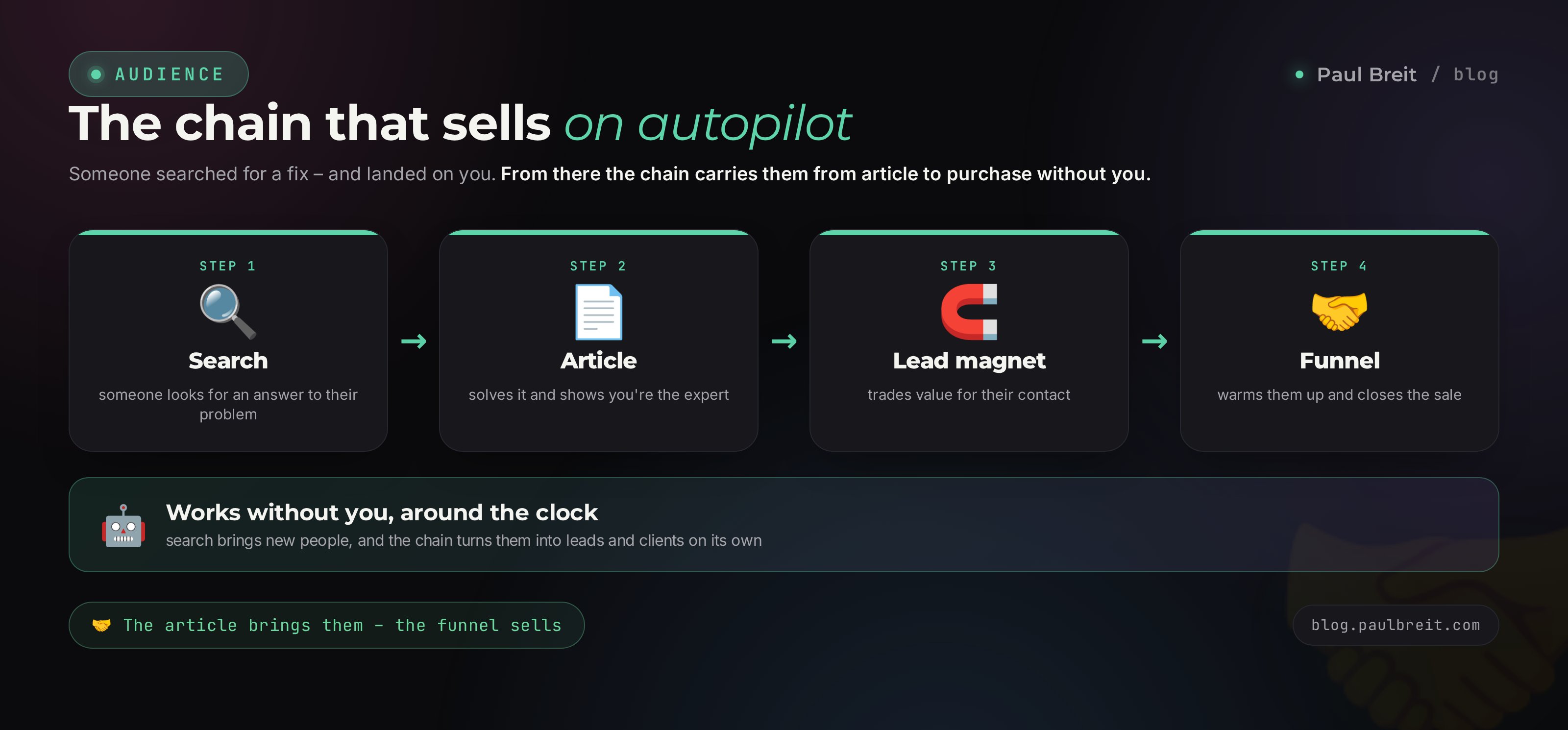
You captured the contact - now the warm-up and the sale kick in. That's funnel territory, with its own mechanics: a series of touches, a conversion event, an offer. The key is to see the chain whole: SEO brings people to the top of the funnel for free and on autopilot, and the funnel turns them into clients. One doesn't work without the other. A blog without a funnel is a museum - people come to look and buy nothing.
Search → the article solves the problem → the lead magnet captures the contact → the warm-up warms them → the offer sells. Each link strengthens the next. SEO covers the first two links and does it with no ad budget - that's its whole power as a source of leads on autopilot.
Section 09The metrics to watch
Without numbers, SEO turns into faith. With numbers, it's a system you can steer, where you can see what to fix. Everything is measured in two free accounts: your web analytics (Google Analytics or a similar counter) and Google Search Console, plus Bing Webmaster Tools. You put the analytics counter on the site once, and after that it collects everything on its own.
| Metric | What it shows | Where to look |
|---|---|---|
| Query rankings | Where you sit for the queries you want and how you're climbing | Search Console, Bing |
| Clicks from search | How many people actually landed on the article | Search Console, analytics |
| Depth and time on page | Reading to the end or closing right away | Web analytics |
| Conversion to a lead | How many readers grabbed the lead magnet or booked | Analytics, goals |
| Lead source | Which article and query brought the client | Analytics, tags |
The main metric for an expert is leads from search. Raw traffic says little: a thousand visitors with not a single lead is worse than a hundred visitors with five leads. So in your analytics set up a goal on the lead magnet and on the booking form - and watch how many leads each article delivered. Total traffic is secondary here. That's how you learn which topics bring paying clients, and you write more of those.
For the first 4-8 weeks the numbers barely move - the articles are just getting indexed and building trust. That's normal and it's no reason to quit. SEO is a long game: the one who kept publishing in month three, when there were still no results, gets a flow in month six; the one who quit in month two gets zero.
Section 107 mistakes that kill blog SEO
- Writing what you feel like, not what people search for. With no keyword core, articles catch not a single query. Queries first - topics after.
- One article for ten queries. Search can't understand it and shows it for none. One cluster - one article.
- Five articles and waiting for a miracle. The core starts at 15-20 linked articles. Below that the site is too small for search to count it as a source on the topic.
- Mass-producing empty text. A hundred faceless AI articles with no value and no author is a straight path to a penalty. Ten expert ones are better.
- No interlinking. Island articles rank weakly. Tie them into a web with links.
- Forgetting indexing. An article with no IndexNow and no sitemap hangs invisible for weeks. 30 minutes of setup fixes it.
- Traffic with no funnel. People read and leave because there's no next step. A lead magnet and a path to a lead are mandatory in every article.
Section 11The 90-day plan
So SEO doesn't stay theory, here's a step-by-step route. Realistic for one person running a blog alongside their main work.
Foundation
You set up a blog on your own domain (or a separate section on an existing site). You connect Google Search Console, Bing Webmaster Tools, an analytics counter, IndexNow, a sitemap. You build a 40-query keyword core with AI and group it into clusters. By the end of the week you have a platform and a list of topics for two months ahead.
Quick wins
You write 6-8 articles for the low-volume long tail - top spot takes a couple of weeks there. You build each one on the structure from section 4, with FAQ, markup, interlinking, and a lead magnet. You submit them for indexing. By the end of the month the first rankings and first search traffic show up - still small, but alive.
Volume and depth
You build the core up to 15-20 articles and move into mid-volume queries. You tie the articles together with interlinking into clusters. You watch in your analytics which topics bring leads and write more like them. You set up the lead magnet and the first warm-up sequence, so the traffic doesn't leak away.
A system on autopilot
You keep a rhythm of 2-3 articles a week. You improve the articles that landed in spots 4-10: strengthen them, add sections - those are the easiest to nudge into the top. By the end of the third month "found you in search" shows up in your leads regularly. After that the blog works like an asset: it brings clients with no ad budget, and you only feed it new topics.
Section 12Launch checklist
Check against it before publishing every article. As long as every box is ticked, the article works for you at full strength.
- Query chosen from the core, one main one per article, competition manageable
- H1 contains the query and promises specifics
- Short answer in the first screen - for the quick answer in search and AI
- H2/H3 with sub-queries, the topic covered from every angle
- Lists, tables, examples instead of a wall of text
- FAQ of 7-10 questions from search suggestions, with markup
- Markup BlogPosting + FAQ + BreadcrumbList in place
- Interlinking: 3-4 links to related articles
- Speed and mobile view checked on a phone
- Submitted for indexing through IndexNow and Search Console
- Lead magnet and path to a lead at the end - traffic doesn't leak away
- An analytics goal set up, so you'll see leads from this article
Gathered client queries → grouped them into clusters → wrote a detailed, well-structured, marked-up article for each → covered the technical base and turned on fast indexing → tied the articles together with interlinking → put a lead magnet and a path to a lead at the end → you count leads in your analytics and write more of what brings clients. First rankings in 2-4 weeks, a flow of leads in 3-6 months. After that the blog brings clients from search on its own, while you get on with your work.
How this connects to the neighboring articles
SEO is "where" the people at the top of the funnel come from. What to write every day to feed the blog is in the article on a content plan in one evening. How to squeeze the top out of the texts themselves with AI is in the breakdown of SEO articles with AI. Where to send the traffic after they read is in the article on a lead magnet in an hour. And how to strengthen your presence in AI answers is in the piece on getting found in AI search. Together they're one system for bringing in clients.
FAQFrequently asked questions
How long before a blog starts bringing clients from search?
First rankings on low-competition long-tail queries show up 2-4 weeks after you publish and get indexed. A steady flow of leads from search usually builds over 3-6 months of consistent publishing: 2-3 articles a week around the queries your clients actually use.
How many articles do I need to write to see results?
The minimum working core is 15-20 articles that cover one cluster of queries and link to each other. A lone article with no neighbors ranks weakly: search rates a site as a source on a topic, not by a single page.
Do I need my own site, or are social platforms enough?
Your own blog on your own domain is an asset that stays with you. Social platforms are good as extra channels, but the algorithm there is someone else's and it changes. The best combination: your own blog as the core, plus reposts on external platforms that link back to the original.
Can I write SEO articles with AI and not get penalized?
Yes, as long as the AI writes on your material and in your voice, and you fact-check and scrub the robot tells. Penalties hit mass-produced, faceless text with no value and no author. An expert article built on real experience with Claude ranks fine.
What matters more for a blog: Google or Bing?
For a US audience, prioritize Google - it holds the biggest share. Bing matters too because it indexes fast through IndexNow and feeds AI answers. Plus a third channel - AI search answers, which pull in well-structured articles. Yandex is optional and only relevant if you also serve a Russian-speaking audience.
How fast will search see a new article?
Through the IndexNow protocol the page reaches Bing within minutes of publishing and lands in the index in 1-3 days. Google indexes on its own schedule - you speed it up through Search Console and internal links from older pages.
Do I need a developer to set up blog SEO?
No. Markup, the sitemap, meta tags, and interlinking are generated by AI from your brief, and blog engines and site builders handle the technical part out of the box. Your job is the meaning, the topics, and deciding what to write about.