AI Video From Text: Make a Clip in Minutes
Every working way to make video with AI in 2026: a clip from a text post, a talking avatar with no camera, one livestream cut into ten shorts, auto-subtitles, and a voice clone. With ready prompts, honest prices, and a straight list of where AI still falls short. Built for anyone who sells services, courses, or consulting and wants to ship far more video without a film crew.
AI makes a video in three ways. First, text to video: you describe the idea and the AI generates the frames (Runway, Kling, Veo, Sora). Second, a talking avatar: you upload a photo and text, and the AI returns a video where your digital twin speaks the lines in your voice (HeyGen, Synthesia). Third, repurposing: a long livestream is auto-cut into vertical shorts with subtitles (Opus Clip, CapCut). The script for any of them is written by Claude or ChatGPT in a couple of minutes. Your first finished clip is realistic to build in one evening, and free tiers are enough to start.
You know video pulls more reach than any text. Reels, shorts, video notes, lessons - everything wants a moving picture. And it is the same story every time: get camera-ready, find the light, prop up the phone, record twenty takes, then spend two hours cutting it in an editor. One clip eats half a day, and shooting regularly just does not happen. Your content stalls, while competitors somehow post a video a day.
I run four client projects and a channel with 20,000 followers, I shoot on the road between cities, and I still ship video steadily. One simple thing makes that possible: AI does half the work for me. This article is the whole system - which tools actually work in 2026, how to turn text into a finished clip, and where AI is still better kept away from the camera.
It reads in 24 minutes. You can build your first clip tonight. In a week you will have a pipeline that turns one text into several pieces of video with no shoot day.
What's inside
- What "AI for video" really is - five different jobs
- Five tool types and what to pick in 2026
- A clip from a text post in 15 minutes
- A talking avatar: lessons and reels with no camera
- One livestream, ten videos
- Subtitles, editing, and voiceover on autopilot
- The prompt: a video script through Claude
- Getting access to the tools
- What it actually costs
- 6 rookie mistakes and how to dodge them
- The whole path in a minute
- Launch checklist
Section 01What "AI for video" really is - five different jobs
When someone says "I want to make video with AI," they usually mean one of five things. It is worth splitting them apart right away, because the tools for each job are different, and a single "one button, finished clip" does not exist yet. Let's go through them in order so you can see which one you actually need.
Job 1. Generating a frame from text
You write, in words, what you want to see: "a golden sunset over the ocean, the camera glides slowly over the water, cinematic." The AI returns a short clip of something that physically never existed. This is the loudest and youngest type. The players here are Runway, Kling, Google Veo, Sora, Luma, Pika. Good for intros, abstract cutaways, atmospheric inserts in a reel. For now it holds 5-10 seconds per clip and struggles with on-screen text and precise physics.
Job 2. A talking head from a photo
You give it a photograph (your own or a generated one) and some text. The AI brings the face to life: the lips move in time with the words, expressions appear, the person looks like they are speaking to camera. These are avatars - HeyGen, Synthesia, D-ID. This is the type that most often rescues a creator: you can record a lesson, a funnel welcome, or a short reel without ever turning the camera on.
Job 3. Voice from text
A separate AI turns what you wrote into a voiceover. It sounds like your own voice once you give it a sample recording. This is voice cloning, and the flagship here is ElevenLabs. The voice is needed for the avatar, for narration over B-roll, and for video notes. I have a separate breakdown of how to put your voice on autopilot - how to teach AI to write in your voice - and the same logic works for how it sounds.
Job 4. Repurposing long into short
You have an hour-long livestream, a webinar, or a podcast. The AI finds the strongest fragments itself, cuts them into vertical clips of 30-60 seconds, and adds subtitles and captions. One stream yields a dozen shorts. The tools are Opus Clip, Vizard, and partly CapCut. This is the most underrated type: you already shot the content, all that is left is to multiply it.
Job 5. Editing and finishing
This covers everything an editor used to do by hand: subtitles, cuts, removing pauses and filler words, color grading, music for the mood. CapCut, Descript, and their peers handle this routine automatically. You say what to remove, the AI removes it.
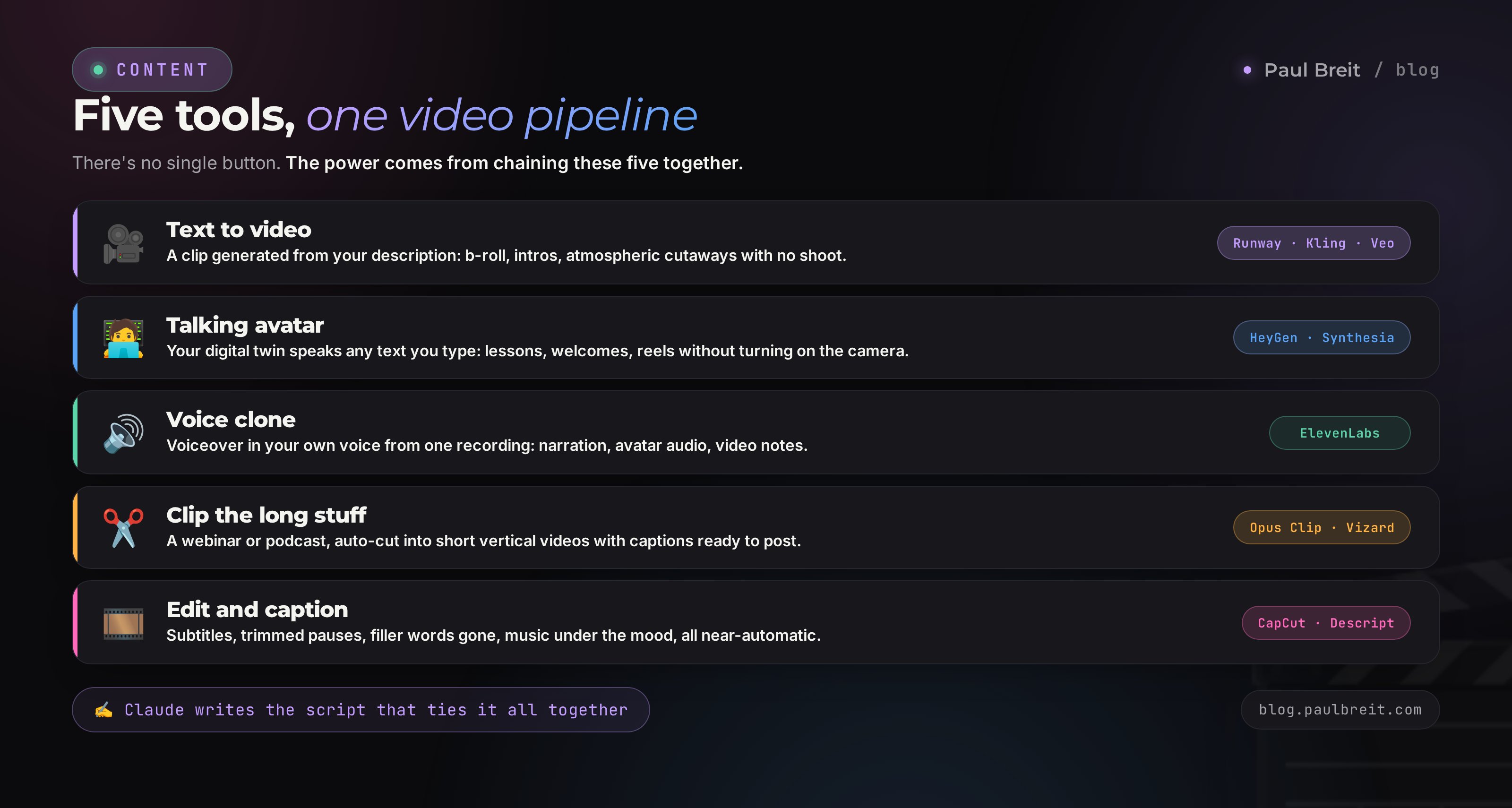
"AI for video" is a bundle of several services. The power shows up when you chain them together: Claude writes the script, ElevenLabs voices it, HeyGen brings the avatar to life, CapCut adds subtitles. Later in the article I'll show you three of these ready-made chains built for specific creator tasks.
Section 02Five tool types and what to pick in 2026
The AI-video market shifts every month, new models drop in batches, and it is easy to drown in reviews. Here is a guide for each type - what to grab if you want results without a pile of extra subscriptions. If you are unsure which tool fits your task, I have a general picking method in how to choose an AI tool in 5 minutes.
| Job | What to take in 2026 | What it's for |
|---|---|---|
| Frame from text | Kling, Runway, Google Veo | Intros, atmospheric cutaways, B-roll with no shoot |
| Talking avatar | HeyGen, Synthesia | Lessons, welcomes, reels with no camera |
| Voice clone | ElevenLabs | Narration, avatar audio, video notes |
| Cutting a livestream | Opus Clip, Vizard | Shorts from a webinar or podcast |
| Editing and subtitles | CapCut, Descript | Subtitles, trimming pauses, cuts |
| Script | Claude, ChatGPT | Video copy in your voice in 2 minutes |
Text-to-video: who's ahead right now
For frame generators I keep Runway and Kling in rotation. Runway has a friendly interface and reliably understands camera movement. Kling holds people in the frame better and gives longer clips. Google Veo puts out the cleanest picture, but access is finicky. Sora from OpenAI is strong on world physics. For a creator the difference between them is not critical at the start - take the one you can access most easily, and do not chase the freshest model of the week.
A prompt formula for frame generation
Generators understand a description better when you feed it by formula: subject, action, camera movement, light, style. An empty "a beautiful sunset" gives mush, while an assembled description gives a film frame. Keep the template handy.
[what's in frame] + [what's happening] + [camera movement] + [lighting] + [mood and style]. Example: "A cup of coffee on a wooden table by the window, steam rising, the camera slowly pushes in, soft morning light from the side, warm cozy atmosphere, cinematic, 9:16." A prompt like that gives exactly the atmospheric cutaway you can lay under a voiceover.
Do not ask the generator to write on-screen text or show precise numbers - it garbles letters. Add captions later in CapCut, where they come out crisp. Give the generator mood and motion, and paint in the rest during editing.
Avatars: HeyGen vs Synthesia
HeyGen is friendlier to a beginner and works better with a personal avatar built from ordinary video. Synthesia is stronger in the corporate format with stock presenters and translation into dozens of languages. For a personal brand I recommend HeyGen: five minutes to make a digital twin from a short recording, and after that it speaks any text you enter.
What not to do
Do not grab ten subscriptions at once. Take Claude for the script, one picture generator, one avatar, ElevenLabs for voice, and CapCut for assembly. That kit covers 90% of tasks. Add the rest when you hit a concrete limit, and not a minute sooner.
Section 03A clip from a text post in 15 minutes
The most common request: "I have a post that landed, I want a reel out of it." Here is the whole chain, step by step, spelled out so plainly that even someone who has never opened a video editor can repeat it.
Hand the post to Claude and ask for a script
Open claude.ai, paste your post, and write: "Turn this text into a script for a 40-second vertical video. First 3 seconds - a gripping hook, then three short thoughts, a call to action at the end. Write it conversationally, the way I'd talk to a friend, in short lines for a voiceover." Claude returns finished copy ready to voice. For how to phrase requests so the AI lands them on the first try, I have a breakdown - how to write prompts with the five-part formula.
Voice the script in your own voice
Go to ElevenLabs, upload 2-3 minutes of a clean recording of your voice once, and the AI creates a clone. Then you paste the script, hit "generate," and get an mp3 that sounds like you. Five minutes for the first setup, then seconds for every clip after.
Assemble the footage
Two paths here. The simple one: take your own shots from travel, shoots, or your desk and lay them under the voiceover in CapCut. The AI one: generate 3-4 atmospheric clips in Kling from the descriptions in your script and stitch them together. For talking clips, real footage is better; for atmospheric and teaching pieces, generated. If you also need still images for inserts, see the separate breakdown - which AI image generator actually works in 2026.
Add subtitles and rhythm
In CapCut, one "Auto-subtitles" button recognizes your voiceover and spreads the captions across the frames. 80% of people watch without sound, so subtitles are non-negotiable. While you're there, trim the pauses so the clip breathes in time with the words, and add quiet music for the mood.
Check the first frame and publish
The first frame is the cover in the feed, and it decides whether the scroll stops. Put your most expressive moment or a big text hook there. Format 9:16, 1080x1920, length 15-45 seconds. Done.
Example: five hooks from one post
Here's what this looks like live. Say the post was about creators being scared to shoot video. You ask Claude: "give me five options for the opening line of the clip, each one stops the scroll." The AI returns: "You post one video a month and wonder why you have no clients." "I didn't show my face for three years and still grew to 20,000." "You don't need a camera. At all." "Your competitor shot ten clips while you were doing your makeup." "The secret of the people who post video every single day." Then you pick the one that hits your audience and build the clip around it. Fifteen seconds of work instead of half an hour agonizing over the first line.
The first time the whole chain takes about an hour, because you're setting up the voice and learning CapCut. From the second clip on, 15 minutes. If you want a whole month of scripts ready in advance, I lay out a separate pipeline in AI for reels: 30 scripts in an evening.
Section 04A talking avatar: lessons and reels with no camera
A separate superpower for anyone who doesn't like being on camera or never finds the time. An avatar is your digital twin that speaks any text you enter, to camera. You record once, and after that it works for you. It especially rescues people who freeze up on camera: half of creators don't shoot video simply because they can't stand watching themselves and redo every take twenty times. An avatar removes that barrier entirely - you write the text, the twin speaks it without a single retake.
How to make your own avatar in HeyGen
- Record 2 minutes on your phone, calmly looking into the camera and talking about something. Even light, no busy background.
- Upload the recording to HeyGen and choose "create avatar." Processing takes from half an hour to a couple of hours.
- Connect your ElevenLabs voice clone so the twin sounds exactly like you, in your own timbre, with no built-in presenter voice.
- Paste text, hit "generate," and get a video of you speaking the words.
Course lessons where a talking head matters but you don't want to record forty takes. A welcome video in a funnel. Answers to frequent DMs. Short news reels, when the fact matters more than the face. Personal video messages to clients with their name dropped in.
Video notes with no shoot
A separate format worth a mention is the round video note - short, personal, and warm. An avatar builds those too: you generate a square video with a talking head, crop it round, and send it. A personal message to followers, an answer to a question, a short announcement - it all comes out warm and alive, and you don't have to film yourself every time. Video notes get read and watched through more often than regular posts, because the format feels like a personal message from you.
Honestly, the limits of an avatar
An avatar doesn't yet carry live emotion a hundred percent. On calm expert content the difference is almost invisible, but in a personal story that needs tears, laughter, a shake in the voice, the viewer will feel the artificiality. My rule is simple: I film selling and emotional videos face-to-camera myself, and hand the routine (explanations, how-tos, news, answers) to the avatar. That saves hours and loses no trust where trust decides.
A word about trust
If all of your content is an avatar, the audience eventually reads it, and a chill sets in. People buy from people. Keep the balance: live streams and stories from the real you, plus an avatar on the routine. Then the digital twin helps and stays warm for your audience.
Section 05One livestream, ten videos
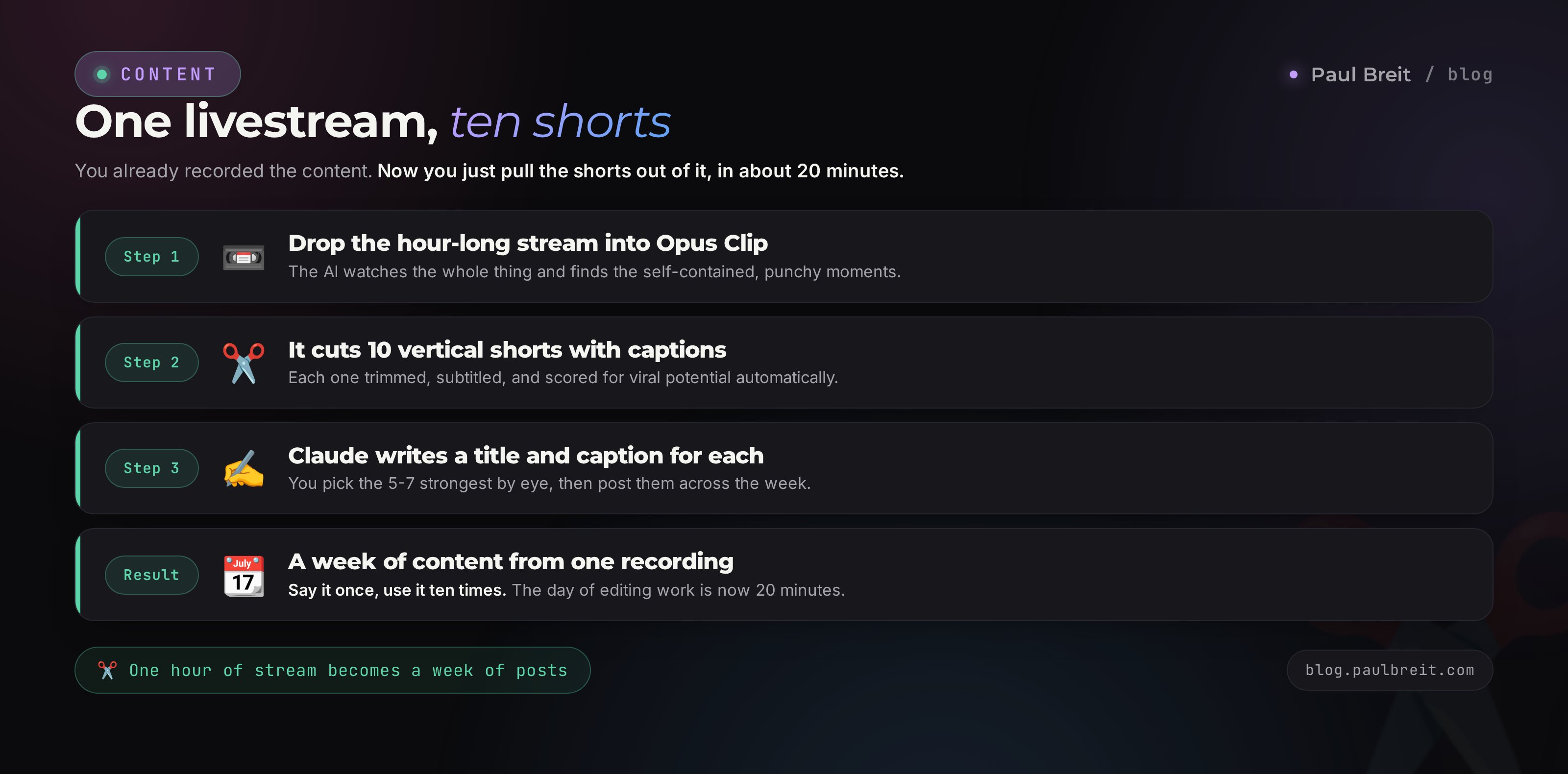
The most time-efficient move there is. You already ran a webinar or a live stream - a dozen ready shorts are sitting inside it, you just have to pull them out. This used to be a day of an editor's work; now it's 20 minutes.
Upload the recording to Opus Clip
Drop the hour-long stream into Opus Clip. The AI watches the whole recording, finds the self-contained, punchy pieces, cuts them into vertical clips, adds subtitles, and even scores each one for "virality."
Pick the 5-7 best
From what the AI produced, pick by hand the clips with a complete thought and a strong first frame. Don't chase the "virality" score blindly - your eye knows more about your audience than the algorithm does.
Write the captions through Claude
Hand each clip's transcript to Claude and ask for a title and caption per platform. One stream becomes a week of content: the shorts plus the post copy to go with them. For how to assemble all of that into a full publishing grid, there's a breakdown - a month's content plan in one evening.
Transcribing the stream into text
The AI transcribes the stream in minutes too - you talked for an hour, you get clean text that later spawns posts, articles, and new scripts. Say it once, use it ten times. You upload the audio or video, the AI returns text broken up by speaker, and Claude turns that text into a summary, key points, and headlines. Your live conversation becomes ready raw material for the whole month of content.
This changes the habit itself. You used to sit down to write a post from a blank page and struggle. Now it's enough to speak a thought into a recorder between things - the AI transcribes it, tidies it, and lays it out into formats. An idea gets from your head to a published post far faster, and content stops being a separate heavy job.
Section 06Subtitles, editing, and voiceover on autopilot
The routine that used to eat the most time is now almost entirely handed to AI. Let's walk through what you can take off your plate.
Subtitles
CapCut recognizes speech and adds subtitles with one button. Then you pick the style: big one-word-at-a-time for energy, or a running line with highlighting. Karaoke highlighting of the active word holds attention best. 80% of views happen with the sound off - without subtitles you lose most viewers in the first second.
Cleaning up speech
Descript and similar tools remove filler words and long pauses automatically: they find every "um," "you know," "like," and cut them in one click. The speech gets tighter, the clip shorter, the whole thing feels more composed. There's a separate "look at the camera" feature too - the AI nudges your gaze if you were glancing at your notes.
Voiceover and translation
Through ElevenLabs and HeyGen a clip gets voiced in another language in your own voice, with lip sync. You can release the same video in another language, and it sounds like you. For reaching an audience in a new language it's a powerful lever: one piece of content, many languages.
AI removes the routine, but you set the pace and the meaning. Every frame has to earn its place - if it doesn't add a thought or an emotion, cut it. A hard cut almost always beats a fancy transition. Music and rhythm matter more than trendy effects.
Section 07The prompt: a video script through Claude
The heart of the whole system is a good script. Any model can generate a picture, but if the text is weak, the clip won't land. So I write the script through Claude, and here's the working prompt that gives living text with none of the dry AI mush.
"You are a short-video scriptwriter. Write a script for a 40-second vertical video on the topic: [your topic]. Structure: a hook in the first 3 seconds that stops the scroll, then one main idea broken into 2-3 short steps, and at the end a call to follow or to DM a keyword. Write conversationally, the way people talk to a friend at the table, in short lines for a voiceover. No corporate speak, no filler openers, no long dashes. Address the viewer as 'you.' Give only the voiceover text plus, in parentheses, a footage hint for each piece."
Then you push further: "redo the hook, give me five options for the opening line." The hook decides watch-through, so you want fifteen options for a title and choose from those. Claude spits them out in seconds.
How to make the script sound like you
Feed Claude 5-10 of your own posts or transcripts and ask: "study my style and write scripts the same way from now on." The AI picks up your vocabulary, rhythm, and favorite turns of phrase. The clips stop smelling of a template and start sounding like you. I've broken down this same trick of training on your own texts in detail in the piece on the 30-posts method.
The final-text check
Before voicing, read the script out loud. If you trip, rewrite it. A living clip comes from text that's easy to say aloud. Prettily written-for-the-eye copy loses here. Cut anything you wouldn't say in a real conversation.
Section 08Getting access to the tools
A quick practical note the reviews skip: getting the tools actually running. Most of them work worldwide from a browser, but a few details trip people up at the start.
- Claude. Works in most countries straight from the browser; a handful of regions aren't supported yet, so if you're outside the US and EU, check availability first. Full setup and payment walkthrough is in how to pay for Claude.
- ElevenLabs, HeyGen, Runway. Open worldwide. Payment is a regular card; if your local card gets declined, an international virtual card or a payment intermediary handles it.
- Kling. Available in most places; the interface is a little rough outside its home languages.
- CapCut. Works everywhere; the mobile app is the most stable, the desktop version is occasionally fussy.
On payment specifically: once you've set up how you pay for one tool, the same method works for the rest, because they all hit the same billing step. Set up Claude once, and ElevenLabs, HeyGen, and Runway follow the same path.
Don't upload sensitive client data, IDs, or trade secrets into these services. For video it's rarely needed, but a face and a voice are personal data too. Your own voice and face you hand over knowingly; someone else's, only with their permission.
Section 09What it actually costs
Let me lay it out honestly, so you don't accidentally rack up $200 a month in subscriptions and use half of them.
| Tool | Free | Paid |
|---|---|---|
| Claude (scripts) | Daily limit | Pro about $20/mo |
| ElevenLabs (voice) | 10 min of audio a month | from $5/mo |
| HeyGen (avatar) | A couple of minutes of video | from $24/mo |
| Kling / Runway (frames) | A few credits | from $10-15/mo |
| CapCut (editing) | Almost everything free | Pro for effects |
| Opus Clip (cutting) | Limited minutes | from $9/mo |
At the start take the free tiers, build your first five clips, and figure out what you actually use. Then keep two or three paid tools for your task. A realistic working budget for an active creator is $40-70 a month for the whole kit. That's cheaper than a single freelance editor for one clip.
Do the math on your own numbers. An editor charges from $20 for a vertical clip and takes a day or two. A shoot day with an operator and lighting runs from $200. AI at $40-70 a month gives you an unlimited number of clips and works at night while you sleep. Even if one client from your funnel brings you $400, the toolkit pays for itself on the very first deal and runs in the black after that. The real question here is simple: how much are you losing right now by posting once a month instead of three times a week.
Section 106 rookie mistakes and how to dodge them
Chasing the freshest model
Every week a "killer of all generators" comes out. While you're learning the new one, the next drops. Take one working tool and make content. Results come from consistency. The trendy model decides little here.
Handing AI everything, emotions included
An avatar on a selling video with a client's tears of joy reads as fake. Routine goes to AI, the living and personal stays with you. That's a line you can't move in the chase for speed.
A weak script under a pretty picture
A cinematic clip with empty text won't get watched through. Strong script and hook first, picture second. Not the other way around.
Forgetting the subtitles
8 out of 10 watch with the sound off. A clip with no subtitles loses most viewers in the first second. It's one button you can't skip.
A random first frame
The cover in the feed decides whether the scroll stops. Put your most expressive frame or a big text hook there. A random moment from the middle won't stop anyone.
Making a clip for the clip's sake
Video is the top of the funnel. A view has to be followed by an action: a follow, a keyword in the DMs, a click. End on a call to action, or you get reach and no clients.
Section 11The whole path in a minute
- Name the job: frame from text, talking avatar, cutting a stream, or editing.
- Claude writes the script in your style in a couple of minutes.
- ElevenLabs voices it with your voice clone.
- Kling or Runway moves the picture, HeyGen brings the avatar to life.
- CapCut does subtitles, pause trimming, and the cover.
- Opus Clip pulls a dozen shorts out of one stream.
- Start on free tiers, add paid tools only when you hit a limit.
- Film the living and selling pieces yourself; hand the routine to AI.
Section 12Launch checklist
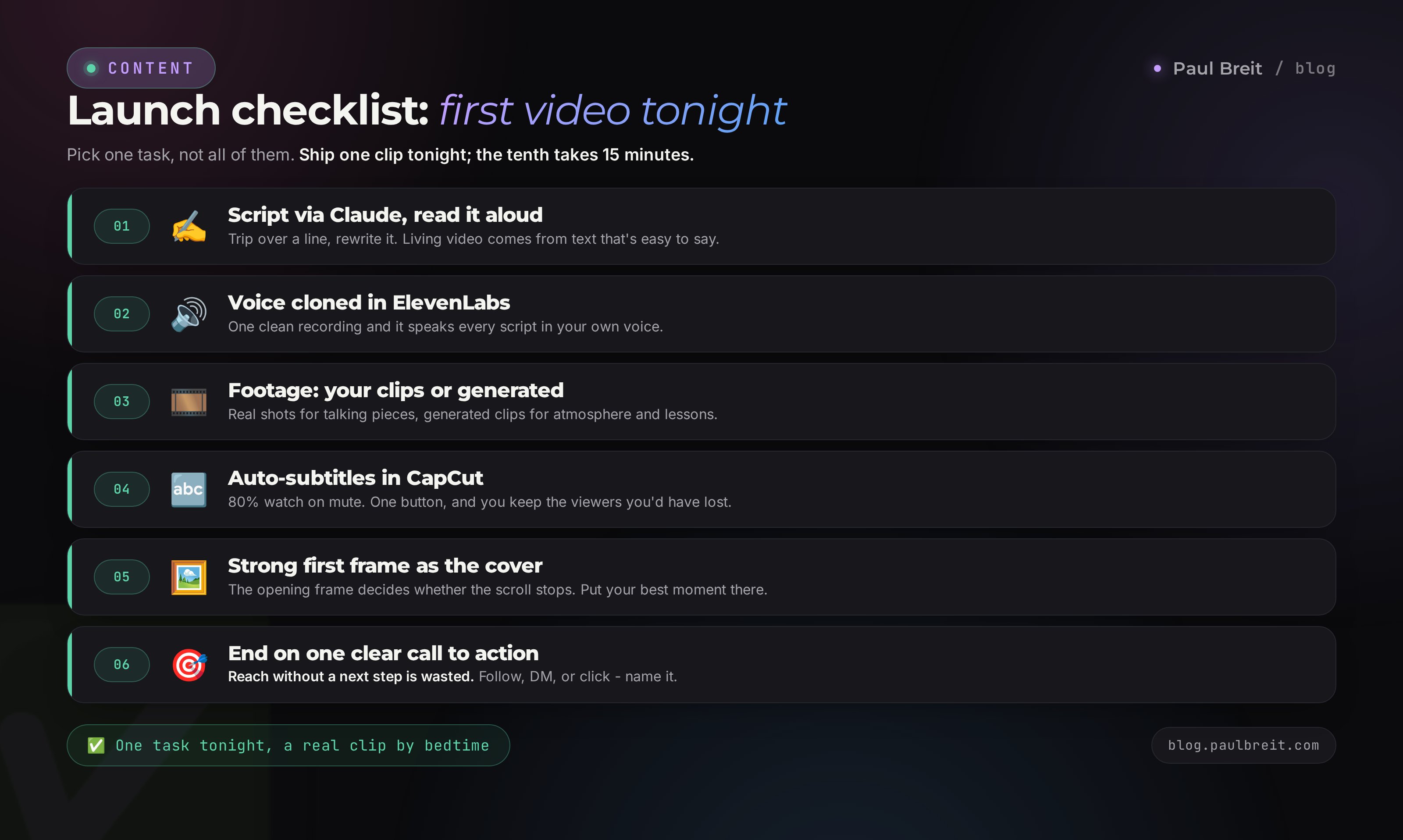
- ☐ Picked one job for the first clip, not grabbing everything at once
- ☐ Set up a voice clone in ElevenLabs from one recording
- ☐ Wrote the script through Claude, read it aloud, rewrote the stumbles
- ☐ Made 15 hook options and picked the strongest
- ☐ Assembled the footage: own shots or generated clips
- ☐ Added auto-subtitles in CapCut
- ☐ Trimmed the pauses, added quiet music for the mood
- ☐ Chose an expressive first frame for the cover
- ☐ Format 9:16, 1080x1920, length 15-45 seconds
- ☐ Ended the clip on a concrete call to action
- ☐ Put an avatar on the routine, kept the living stuff for yourself
Build your first clip from this list tonight. It'll come out imperfect, and that's fine - the second will be better, and the tenth you'll make in 15 minutes without thinking. AI won't replace you on camera where personality decides, but it takes all the routine that's making you post less often than you'd like. And consistency is exactly what brings clients.
FAQFrequently asked questions
Can you make a full video entirely from text, with no camera?
Yes. Claude writes the script, ElevenLabs voices it in your voice, the picture comes from a talking avatar in HeyGen or generated clips in Kling, and CapCut adds the subtitles. The camera never turns on. For routine and teaching content that is plenty; for emotional, selling videos it is still better to film yourself.
Which AI is the best for video in 2026?
There is no single best one, it depends on the task. For a clip from text, Kling or Runway. For a talking avatar, HeyGen. For voice, ElevenLabs. For cutting a livestream, Opus Clip. For editing, CapCut. The power is in chaining these tools together.
How much does it cost to make video with AI?
You can start at zero on free tiers. An active creator gets by on about $40-70 a month for the whole kit: Claude, ElevenLabs, HeyGen, a clip generator, and Opus Clip. That is cheaper than one freelance editor for a single video.
How noticeable is it that a video was made with AI?
On calm expert content it is almost invisible, especially when the avatar speaks in your cloned voice. Live emotion (laughter, tears, a shake in the voice) is still weak, and viewers feel it in personal stories. So film the emotional pieces yourself and hand the routine to the avatar.
How long does one video take?
The first video takes about an hour while you set up the voice and learn the editor. From the second, 15-20 minutes for a finished vertical clip with script, voiceover, and subtitles. Cutting ten shorts from an hour-long livestream is about 20 minutes.
How do you turn one webinar into many short videos?
Upload the recording to Opus Clip. The AI finds the self-contained, punchy moments, cuts them into vertical clips, adds subtitles, and scores each one. Pick the 5-7 best by hand, then have Claude write the titles. One hour of stream becomes a week of content.
Do you need to know how to edit to start?
No. CapCut adds subtitles, trims pauses, and drops in music almost automatically, and the interface takes an evening to learn. Fancy editing is not needed: a hard cut and a clean rhythm beat flashy transitions. What matters is a strong script and hook, and the AI writes that.