How to Cancel Your Claude Subscription and Get a Refund
How to cancel your Claude subscription when it got too expensive or you've moved to another AI tool? The Cancel button sits deep in the settings, iPhone and Android have their own routes, and refunds follow separate rules. Here's where to cancel, how to avoid the next charge, when you can get your money back, and what to do if you paid through a reseller.
To cancel your Claude subscription, open claude.ai, click your initials in the bottom left and choose Settings → Billing → Cancel. If you paid on iPhone or Android, cancel in the app or in your Apple or Google Play subscriptions. Do it at least 24 hours before renewal. Refunds go through Claude Refund Request and are granted only in specific cases.
What's inside
- Before you cancel: four rules
- Cancel where you paid
- Cancel on the web and desktop app
- Cancel on iPhone and Android
- Downgrade instead of cancelling
- How to get a refund for Claude
- Paid through a reseller or lost your email
- Delete your account after cancelling
- Common mistakes when cancelling
- Cheat sheet
- Sources
Before you cancel: four rules
You can cancel any paid Claude plan, Pro, Max or Ultra, at any time. No fees, no retention calls. Four rules trip people up most often.
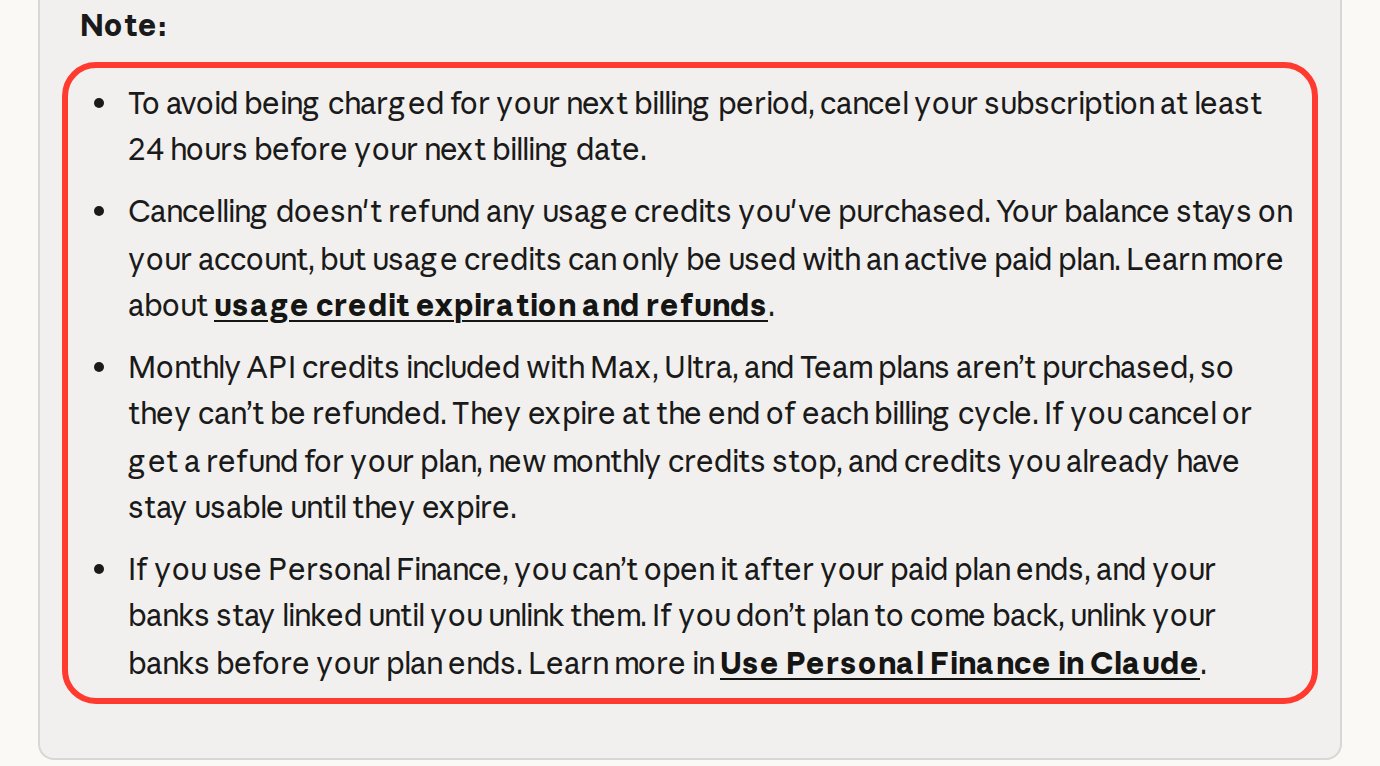
- Your plan runs until the end of the paid period. Until the last day of your billing cycle you keep the plan with all its limits. Cancel on the 3rd with a billing date on the 25th, and you keep working until the 25th.
- Cancel at least 24 hours before the next charge. Anthropic's help center says so directly. Cancel a couple of hours before and the next month may already be charged.
- Extra usage credits don't come back. Usage credits bought on top of your plan aren't refunded. The balance stays, and you can spend it only on an active paid plan.
- Cancelling and getting a refund are two separate actions. Cancelling stops future charges and returns nothing for the current month. A refund request doesn't cancel the subscription. Want both? Do both.
What you'll stop paying, per claude.com/pricing (checked Nov 14, 2026): Pro is $20 a month, or $17 a month billed annually ($200 up front). Max is $100 a month, Ultra is $200 a month. What each plan includes is in my breakdown of Claude pricing plans.
Cancel where you paid
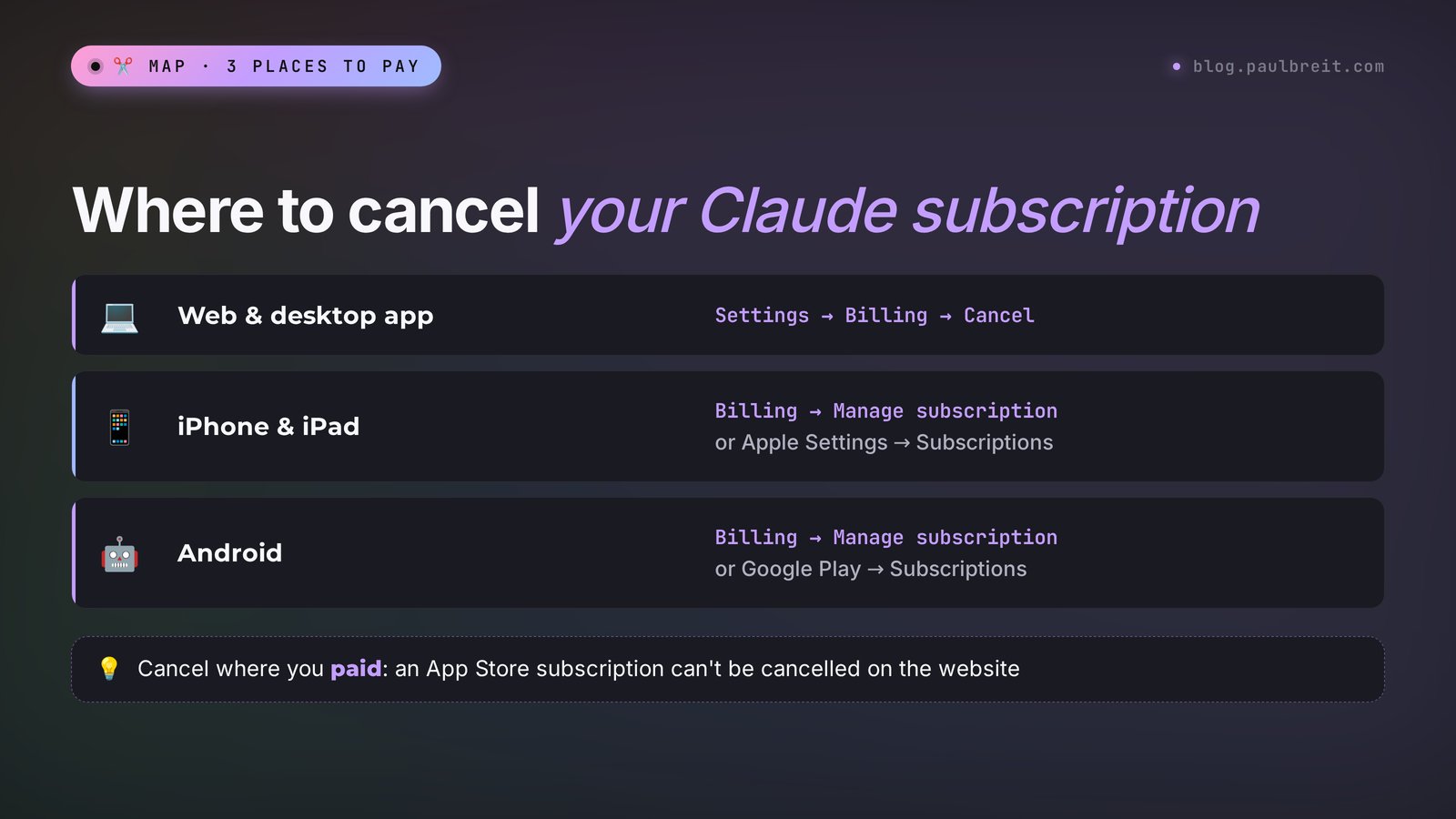
Where you started the subscription decides where the Cancel button lives and who refunds the money. Signed up on the website: Anthropic manages it. Signed up in the iPhone app: Apple took the payment, and Anthropic can't even see it. Android works the same way through Google Play. Don't remember? Check your inbox: the receipt comes from Apple, Google Play or Anthropic.
| Where you signed up | Where to cancel | Where to ask for a refund | How long the money takes |
|---|---|---|---|
| claude.ai or the desktop app | Settings → Billing → Cancel | Initials → Get help → Claude Refund Request | About a day to process, then a few business days to your card |
| Claude app on iPhone or iPad | In the app: Billing → Manage subscription, or Apple Settings → Subscriptions | Only Apple: reportaproblem.apple.com | Up to Apple |
| Claude app on Android | In the app: Billing → Manage subscription, or Google Play → Subscriptions | Claude support with your Google email and GPA order number | Usually one to two weeks |
| A reseller or someone else's account | The account owner, meaning the reseller | Only the reseller, on their terms | Whatever you agree on |
Cancel on the web and desktop app
The most common case: you subscribed on claude.ai with a card. It takes a minute, and the steps are the same in the Claude desktop app for Windows or Mac.
- Open claude.ai and log in to the account you pay for.
- Click your initials or name in the bottom left corner.
- Choose Settings in the menu.
- Open the Billing tab.
- Click Cancel next to your plan and confirm.
Billing then shows the date your plan stays active until. Screenshot it: if a charge ever shows up later, that date settles the talk with support fast.
No Cancel button? Check that you're logged in to the account you actually pay for, since many people have two. If you are, the subscription was probably started on your phone, so jump to the next section.
Cancel on iPhone and Android
Subscribed in the Claude app on your phone? Then the app store charges you, and that's where the subscription lives. Deleting the app won't stop it: the icon disappears, and the billing goes on every month.
iPhone and iPad
- Open the Claude app and tap your initials in the top right corner.
- Choose Billing, then Manage subscription.
- Apple's subscriptions screen opens. Tap Cancel Subscription and confirm.
Without the app: iPhone Settings → your name → Subscriptions → Claude → Cancel Subscription.
Android
- Open the Claude app and tap your initials in the top right corner.
- Choose Billing, then Manage subscription.
- You'll land in Google Play. Tap Cancel subscription and follow the prompts.
Without the app: Google Play → profile icon → Payments & subscriptions → Subscriptions → Claude → Cancel. More on the mobile app in how to use Claude on your phone.
Downgrade instead of cancelling
If the price is the problem and you still need Claude, step down a plan. Say you took Max at $100 for a big launch. The launch is over, and Pro at $20 covers daily posts and emails.
Go to Settings → Billing and click Adjust plan. That's also where Pro switches to annual billing, $17 a month instead of $20. No downgrade option on your account? Cancel, wait for the paid period to end, and subscribe to the plan you need.
Or stay on Free. After you cancel, the account drops to Free automatically, and your chats and projects stay. The limits shrink and some models go away. Try a month and see if it's enough, and check my list of free AI tools for backups.
How to get a refund for Claude
Upfront: as a general rule, Anthropic payments are non-refundable. The exceptions are cases in the terms of service, legal requirements and fraud. Anyone can submit a request, and the system checks whether you qualify. You have a real chance if:
- You live in the EU or the UK. You have 14 days from purchase for a refund, prorated by how much of the plan you've used. This is the main refund case, so act inside those 14 days.
- You were charged without your consent. Someone else subscribed with your card, or a charge went through after you cancelled on time.
- A double charge or a technical error. You were billed twice for the same month.
Changed your mind a week in and live outside the EU and UK? Expect a no, and send the request anyway: it takes five minutes.
Refunds for website payments
- Log in at claude.ai and click your initials in the bottom left.
- Choose Get help, and the support chat opens.
- Click Send us a message, then Claude Refund Request.
- Pick a reason and answer the questions. The system checks whether you're eligible.
An approved refund takes about a day to process, then a few business days to reach your card. If the chat asks for details, fill in this text:
Hello, I would like to request a refund for my Claude subscription.
Account email: [your email]
Plan: [Pro / Max / Ultra], charged on [charge date], amount [amount].
Reason: [I cancelled before the renewal date / I was charged twice / I did not authorize this charge / I am in the EU or UK and within 14 days of purchase].
I have already cancelled my subscription. Thank you.
Refunds for iPhone and Android payments
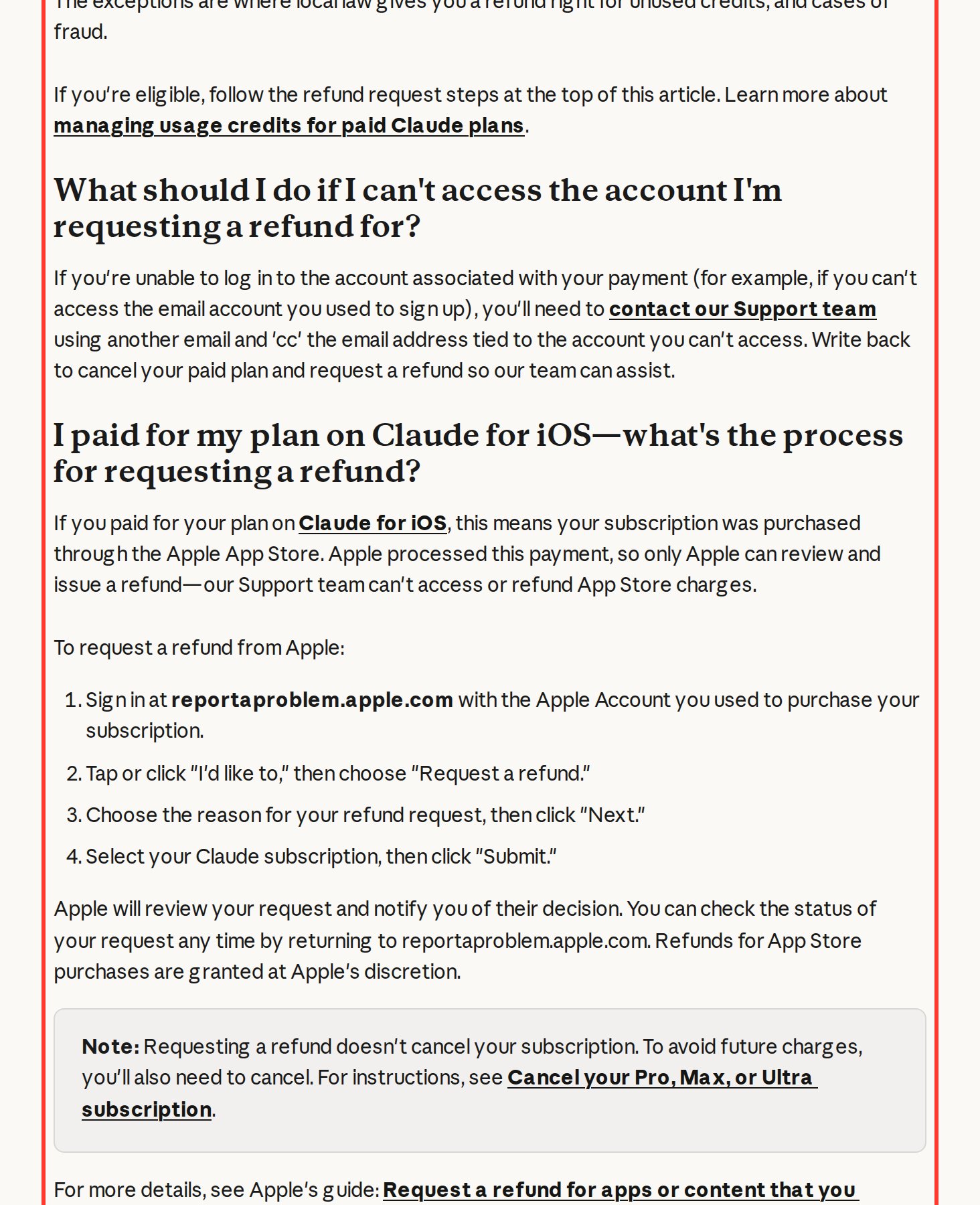
iPhone payments are refunded only by Apple. Go to reportaproblem.apple.com with the Apple ID you used, choose Request a refund and pick the Claude subscription.
Android payments go through Claude support via Get help. Include your Google email or the GPA.xxxx-xxxx-xxxx-xxxxx order number from the Google Play receipt. Expect one to two weeks.
I re-read Anthropic's help articles on cancellation and refunds on publication day. Three easy-to-miss details: a refund request doesn't cancel your plan; without account access you write from another email and CC the account address; and the monthly API credits in Max and Ultra aren't refunded, they last until their period ends.
Paid through a reseller or lost your email
Not everyone pays Anthropic directly, and some people lose the email the account is tied to. Here's how each case works.
- A reseller or someone else's account. If a reseller, agency or colleague pays with their own card, you have no Cancel button. Ask them not to renew at least a couple of days before the date. Refunds follow their terms, since Anthropic isn't part of that deal.
- Emptying or closing the card is a poor substitute for cancelling. The charge fails, the subscription stays active with an unpaid invoice, and the account can run into trouble. Cancel in settings first, close the card after.
- No access to the account email. Write to Claude support from another address, CC the account email, and ask them to cancel and refund. Anthropic's help center recommends exactly this.
- The account was suspended. Export your data, appeal, then ask for a refund via Get help. The full playbook: Claude account suspended.
Coming back later and paying yourself? See Claude payment methods.
Delete your account after cancelling
You can't delete an account while a subscription is active. The order:
- Cancel your subscription as described above.
- Wait for the paid period to end.
- Export your data: Settings → Privacy → Export data. Deletion is permanent, and chats and projects are gone for good.
- Open Settings → Account and click Delete Account.
Think twice: a free account costs nothing and keeps your history for when you come back before the next launch.
Common mistakes when cancelling
- Deleting the app and assuming the subscription is gone. The app store keeps charging. Check your Apple or Google Play subscriptions.
- Cancelling on the billing date. You need 24 hours. Set a reminder two or three days ahead.
- Cancelling in the wrong account. Check which email holds the paid plan.
- Requesting a refund and skipping the cancellation. The refund arrives, then a new charge hits. Do both.
- Waiting for Anthropic to refund an App Store payment. Only Apple refunds those.
- Cancelling and losing your work setup. Free cuts some models and features, so copy key project instructions beforehand.
Leaving because Claude "can't handle" your tasks? Check your prompts first with the Claude prompts formula, or compare options in Claude vs ChatGPT.
Cheat sheet
The whole guide in one list. Copy it and set a reminder before renewal.
How to cancel a Claude subscription (checked Nov 14, 2026)
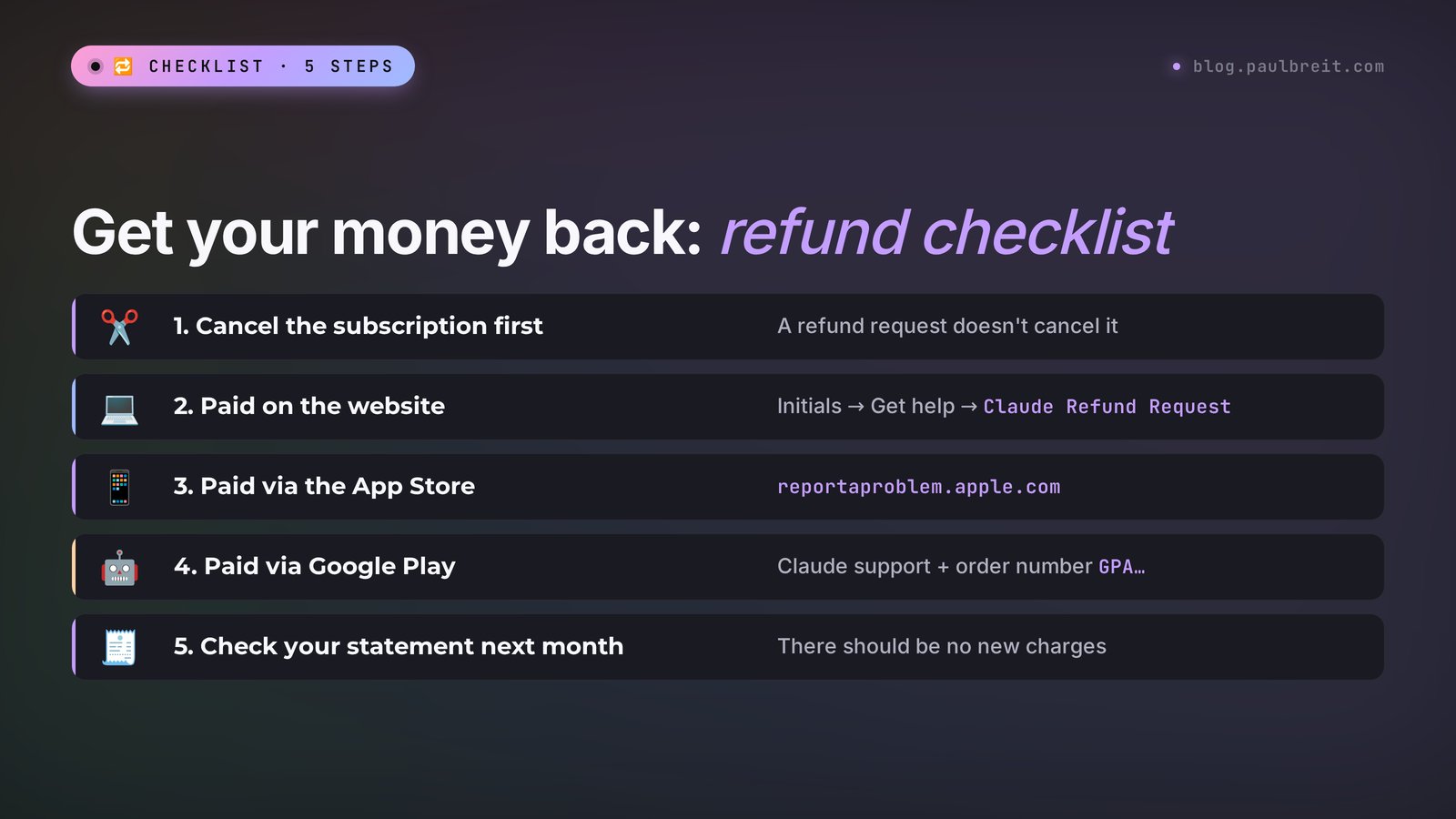
1. Remember where you subscribed: website, iPhone, Android or a reseller.
2. Cancel at least 24 hours before the billing date.
3. Website and desktop app: initials → Settings → Billing → Cancel.
4. iPhone: Claude → initials → Billing → Manage subscription, or Settings → Subscriptions.
5. Android: Claude → initials → Billing → Manage subscription, or Google Play → Subscriptions.
6. Save a screenshot with the date your plan ends.
7. Website refund: initials → Get help → Send us a message → Claude Refund Request.
8. iPhone refund: reportaproblem.apple.com. Android: Claude support + GPA order number.
9. EU or UK: request the refund within 14 days of purchase.
10. Reseller: message them in advance, Anthropic can't help here.
11. Next month, check your card statement.
Sources
- Anthropic: Cancel your Pro, Max, or Ultra subscription, checked November 14, 2026
- Anthropic: Request a refund for a paid Claude plan, checked November 14, 2026
- Anthropic: How can I delete my Anthropic account?, checked November 14, 2026
- Anthropic: Claude plans and pricing, checked November 14, 2026
- Apple: Request a refund for App Store purchases, checked November 14, 2026
Frequently asked questions
How do I cancel my Claude subscription on the website?
Open claude.ai, click your initials in the bottom left corner, choose Settings, then the Billing tab and the Cancel button. Your plan keeps working until the end of the paid period, and then the account moves to the Free plan.
How long before renewal should I cancel Claude?
At least 24 hours before the next billing date, as Anthropic's help center states. If you cancel later, the next month may already be charged. It's safer to cancel two or three days ahead and save a screenshot with the date your plan ends.
Can I get a refund for a Claude subscription?
As a general rule, payments are non-refundable, except for cases in the terms of service, legal requirements and fraud. Customers in the EU and UK have 14 days from purchase for a prorated refund. Send the request on claude.ai: initials, Get help, Send us a message, Claude Refund Request.
How do I cancel Claude on iPhone?
In the Claude app, tap your initials in the top right corner, choose Billing and Manage subscription. Or open iPhone Settings, your name, Subscriptions, Claude and tap Cancel Subscription. Deleting the app doesn't cancel the subscription, and only Apple can refund it.
What happens to my chats after I cancel Claude?
Nothing is lost: the account moves to the Free plan, and your chat history and projects stay. The limits get smaller and some models become unavailable. Chats are deleted only if you delete the account.
Why can't I delete my Claude account?
You can't delete an account while a paid subscription is active. Cancel the subscription in Settings, Billing, wait for the paid period to end, export your data, and only then click Delete Account in Settings, Account.