Claude Account Suspended: Why and How to Appeal
Claude account suspended – you open claude.ai and, instead of your chats, you get a message that your account has been disabled. Your conversations, projects and a paid subscription are suddenly on the other side of a locked door. Here is why Anthropic suspends accounts, how to save your data, how to appeal on claude.ai/restricted, how to get your money back, and how to start over without getting banned a second time.
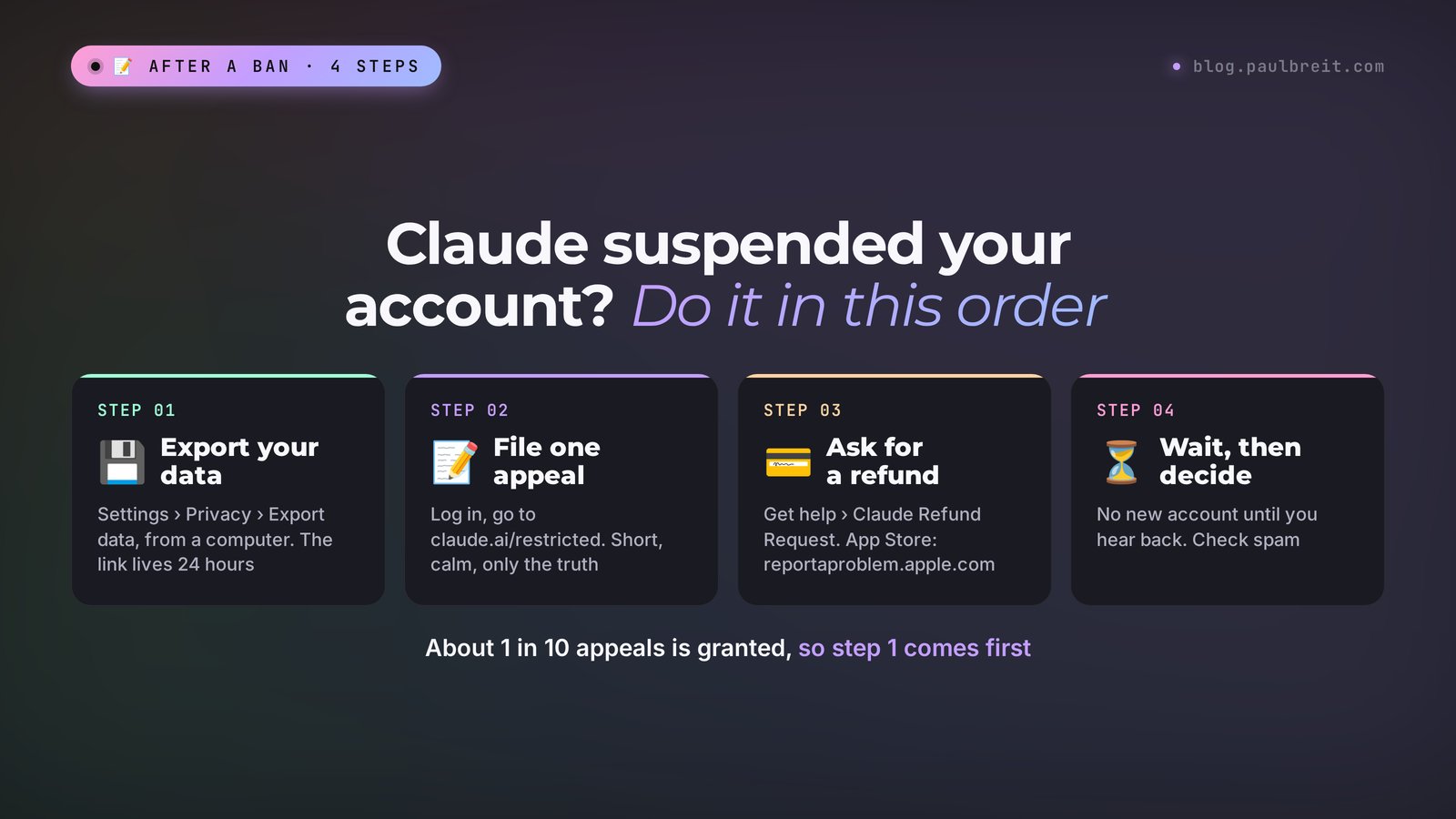
If your Claude account is suspended, log in at claude.ai: you land on a restricted screen with the appeal form and a data export button. Export your chats first, then file one short appeal and request a refund through Get help. About one appeal in ten is granted, so don't open a new account until you hear back.
What's inside
- Is it really a suspension?
- Why Claude suspends accounts
- Suspended due to age: the under-18 check
- Step 1: save your data
- Step 2: file an appeal
- When the appeal form isn't working
- Team plans, the API and Claude Code
- Step 3: get your money back
- A new account: when it's OK and how not to get banned again
- What not to do after a ban
- If you need Claude right now
- Cheat sheet
- Sources
Is it really a suspension?
Half the panic starts when an ordinary outage gets mistaken for a ban. So before you do anything, look closely at what is actually on your screen. The wording tells you which problem you have and which fix applies.
- "Your account has been disabled after an automatic review of your recent activities", or "Your account has been suspended", sometimes with an email carrying the same subject. This is an account ban. "Automatic review" means a system flagged you, and no person has looked at your case yet. That is exactly what an appeal is for.
- The address bar switched to claude.ai/restricted, and the page shows an appeal form plus buttons to export or delete your data. Also a ban.
- "This organization has been disabled" or an organization marked as on hold. If you belong to a team workspace, the organization may be paused while your personal account is fine. The restricted screen lists each organization on hold with a Request a review button next to it.
- A request to verify your age or identity. This is a separate check with its own fix. I cover it in the age section below.
- "Claude isn't available in your region". This is a country restriction, and your account may be perfectly fine. It shows up when you connect from a country that isn't on Anthropic's supported list.
- "Overloaded", a usage limit message, a blank white page. This is server load, your plan's limit or a browser glitch. Wait a few minutes, check Anthropic's status page, clear the cache or try another browser. Limits reset on their own, and the Claude pricing plans guide explains how the 5-hour and weekly limits work.
If you see one of the first two, keep reading. Everything else gets fixed without an appeal.
Why Claude suspends accounts
Anthropic's help center lists three official reasons for a ban: repeated violations of the Usage Policy, creating an account from an unsupported location, and violations of the Terms of Service. The email almost never tells you which one applies to you. So below, next to each official reason, is what usually sits behind it in practice, based on user reports and the wave of bans in 2026.
| Reason | What it looks like in practice | Odds on appeal |
|---|---|---|
| Unsupported location | Logging in from a country that isn't on the list, VPN servers that jump between countries, one account used from several countries in a single day | Low if you really were in an unsupported country, decent if you were traveling or the VPN misled the system |
| Card country doesn't match login country | A card from one country, an IP address from another, a payment made through a middleman with someone else's card | Medium, if you can show that you pay and log in from the same place |
| Third-party tools on your subscription | Your Pro or Max login plugged into an unofficial app, agent framework, bot or a service that resells access | Low: the Consumer Terms forbid it directly |
| Shared or multiple accounts | One account for the whole team, logins from different devices and countries at the same time, spare accounts kept in reserve | Medium: easy to explain if you were the only user |
| Usage Policy flags | Prompts on prohibited topics, attempts to get around the model's limits, mass spam, or a false positive on an innocent request | Case by case: false positives happen, and those are the ones appeals overturn |
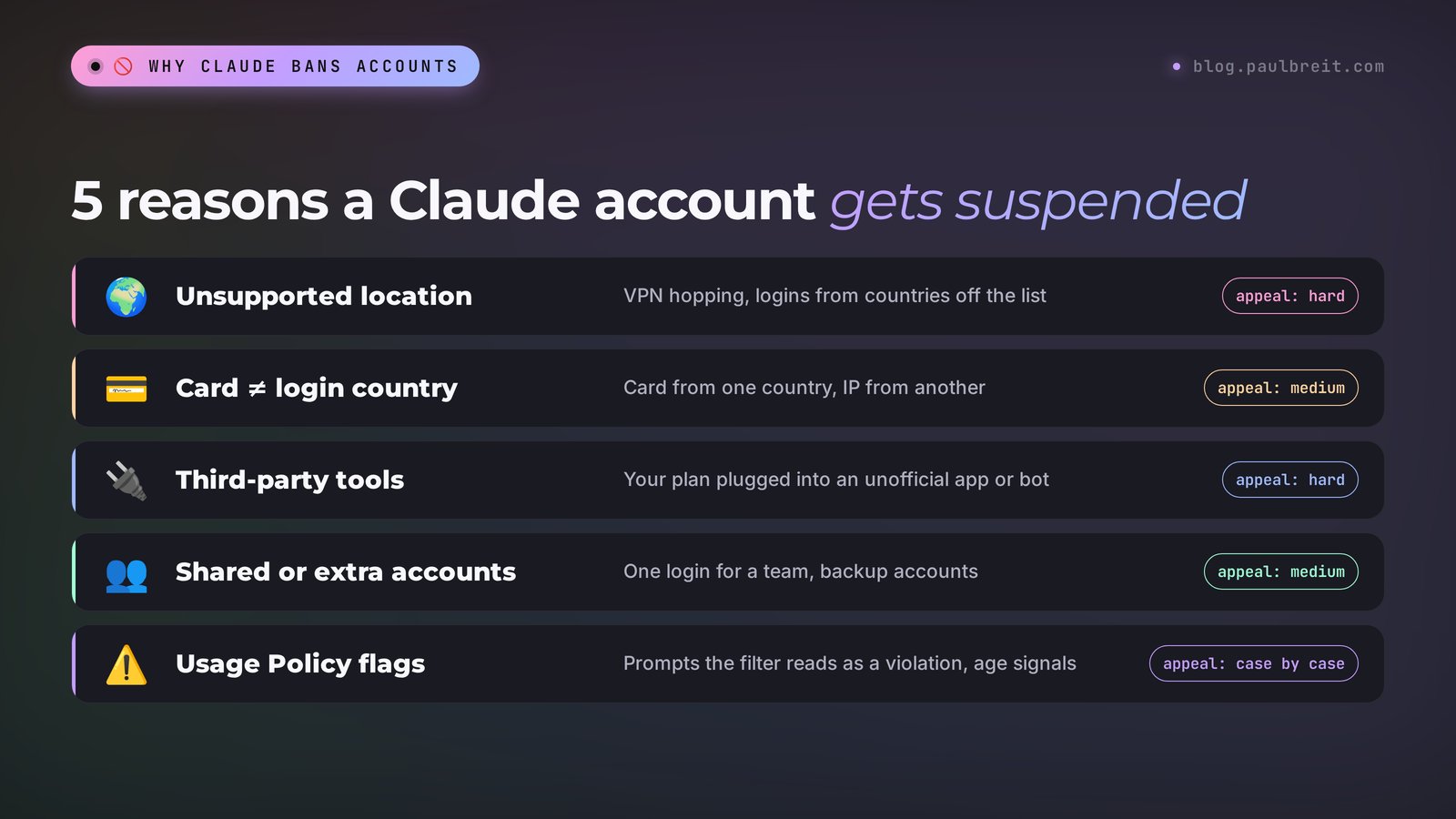
Now, each reason in a bit more detail, because the fix for the next account depends on which one hit you.
VPN and travel
Anthropic's supported regions policy says its products are available only in the countries and regions on the list, and it explicitly prohibits use by people while they are physically located in an unsupported region. Russia, mainland China and Hong Kong, for example, are not on it. The policy doesn't mention VPNs at all, but the risk systems see your login history, and a VPN that rotates servers looks like one account living in five countries at once.
Travel trips the same wire. You subscribe at home, fly to a country that isn't supported or connect through hotel Wi-Fi routed somewhere odd, and the next morning you get the "automatic review" email. If that's your story, say so in the appeal with dates and places. A traveler with a home-country card and a clean history has a real case.
A card from another country
The second classic trigger is a payment that doesn't match the login. A card issued in one country, logins from another, a billing address that matches neither. Gift cards, a friend's card or a reseller who "pays for you" make it worse. If you need a way to pay that keeps everything in one country, I covered the working options in Claude payment methods.
Third-party clients on your subscription
This one catches a lot of power users. A Pro, Max or Ultra subscription is meant for Anthropic's own apps: claude.ai, the desktop and mobile apps, and Claude Code. In 2026 Anthropic clarified in its terms that consumer subscription logins may not be used to power third-party tools, and it started blocking them with server-side checks. If you connected your subscription to an unofficial coding agent, a chatbot wrapper or a "cheaper Claude" service, that is one of the most common reasons for a ban. If you need Claude inside another tool, use an API key with pay-as-you-go billing, which is built for exactly that. The Claude API key guide walks through it.
Several accounts and shared logins
One person, one account. A single login shared by a team of five shows up as five devices in three cities at once. Spare accounts created "just in case" get linked by device, payment and email patterns, and if one goes down the others often follow. If several people need Claude, the Team plan exists for that and costs from $20 a seat per month billed annually.
Usage Policy flags and false positives
The last group is content. Repeated requests on prohibited topics, attempts to jailbreak the model, mass-generated spam. But the classifiers also misfire: security researchers, novelists writing dark plots, doctors and lawyers asking blunt questions sometimes get flagged for perfectly normal work. These are exactly the cases where an appeal works, because a person reviews what a filter decided.
Suspended due to age: the under-18 check
Searches for "Claude account suspended due to age" and "under 18" spiked in 2026, so this deserves its own section. Claude is only for people 18 and older. According to Anthropic's age assurance article, Claude has safety systems that look for signs that someone under 18 might be using it. When those signals fire, the account is disabled until you verify your age, and you get an email with a verification link.
Verification runs through Yoti, a third-party age check provider. You choose one of three methods:
- Facial age estimation. You take a selfie, and the system estimates your age. No document needed.
- An ID document. A passport, driver's license or national ID card.
- Yoti Digital ID. If you already have a verified "over 18" attribute in the Yoti app, you just share it.
Anthropic says it receives only a pass or fail result, and that the selfie and document are deleted after the check. If you pass, the account is reinstated. If the selfie estimate gets you wrong, try the ID document route before you file an appeal.
There is a second, narrower case on mobile. If the Claude app on your phone decides you're under 18 based on your app store account, the fix is outside Anthropic: Anthropic can't see or change your app store details. On iPhone you contact Apple Support, on Android you contact Google Play Support. This happens most often when the Apple ID or Google account is managed by a parent in a family group, or was set up years ago with a wrong birth date.
Don't confuse the age check with identity verification. Anthropic separately asks some users to confirm their identity through Persona with a government photo ID and a live selfie, for access to certain capabilities or as a routine integrity check. Photocopies, screenshots and digital IDs are rejected there, so have the physical document in hand.
Step 1: save your data
The first thing to do after a ban is take your data out. Appeals take weeks and are rarely granted. While the account still lets you reach the restricted screen, the export takes two clicks.
According to Anthropic's help center, a banned account on any plan (Free, Pro, Max, Ultra) can still log in to claude.ai to export its data or delete the account, and you don't need to contact support for that. The buttons sit on the same screen as the appeal form.
- Open claude.ai in a browser on your computer and log in to the suspended account. Use the same network and location you normally use.
- On the restricted screen, click the data export button. If the account still opens Settings, the path is Settings > Privacy > Export data.
- Wait for the email with the download link and download the archive right away.
A few things almost nobody knows until it's too late:
- No exports from your phone. The export can't be started in the Claude app for iPhone or Android. Use the website or the desktop app.
- The link dies in 24 hours and may work only once. You also have to be signed in to download. If it expires, run the export again.
- Your uploaded files aren't in the archive. You get conversations, account information and voice recordings, but not the original PDFs, spreadsheets and images you attached. Look for those on your own drive.
- The export can be trimmed. If the ban is tied to a serious Usage Policy violation, the data you're able to access may be restricted.
- On a Team plan the owner decides. Members can export their own chats only if an owner enabled "Allow members to export their own data". The primary owner exports the whole organization from Organization settings > Data and privacy.
If you worked in Claude Code, most of your work is already on your own computer: the project files and your CLAUDE.md instructions didn't go anywhere, the ban only closed access to the model. Project instructions from Claude Projects may not come through the export in full, so if your projects still open, copy their instructions and knowledge files by hand. I explained why it pays to keep a copy of every project outside Claude in Claude Projects: a knowledge base that remembers everything for you.
Step 2: file an appeal
An appeal is the only official way to get this particular account back. The form opens only after you sign in: log in at claude.ai and you'll be redirected to claude.ai/restricted. You can't reach it while logged out, and appeals by email aren't accepted. Emails to the safety team about a ban usually come back with an automatic reply pointing you to the same form.
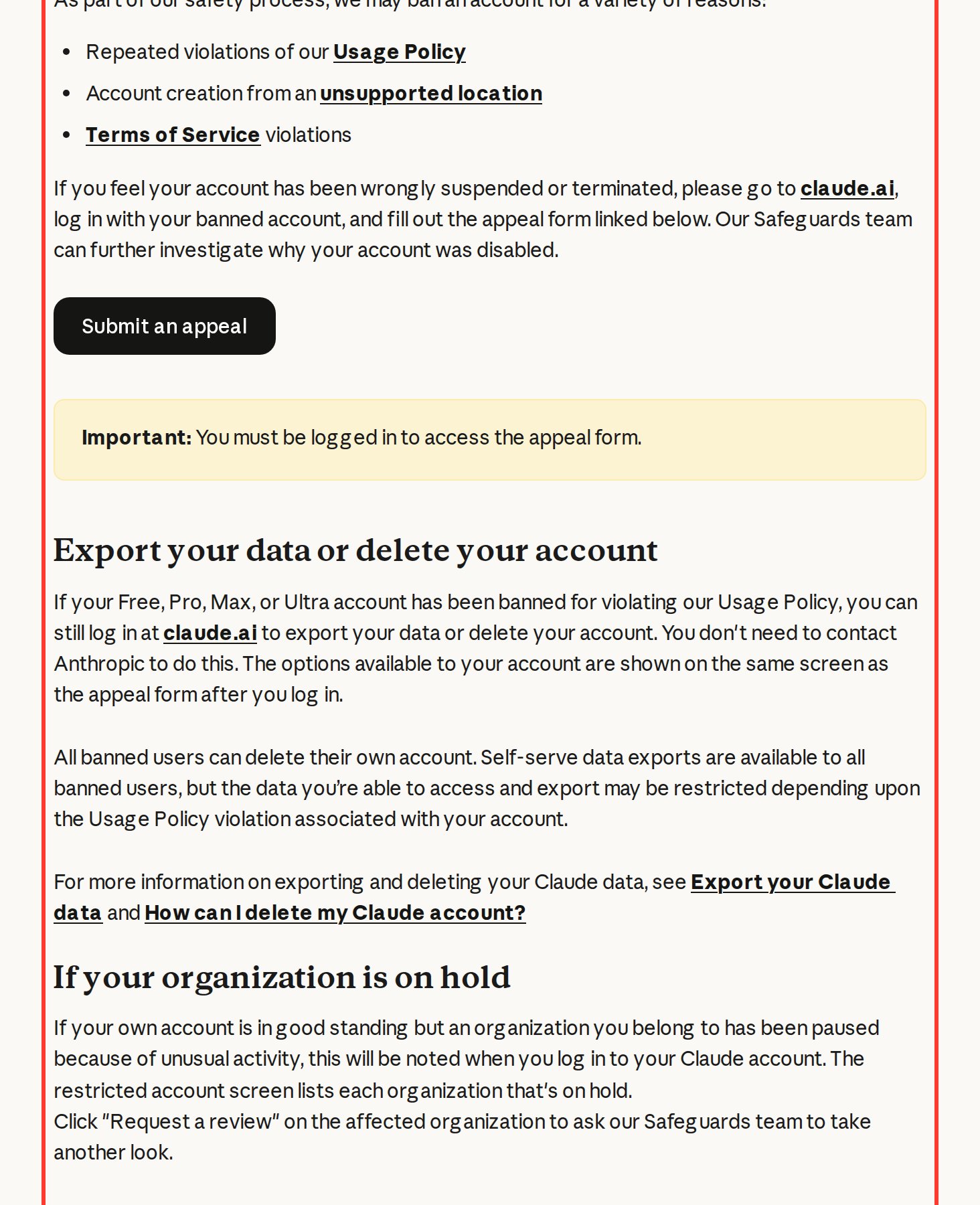
The screenshot shows the official help article: the three reasons for a ban, the Submit an appeal button and the warning "You must be logged in to access the appeal form".
How to fill in the form so a human actually reads it:
- Keep it short and calm. The Safeguards team reads a lot of these. A long angry letter doesn't help, and threats about lawyers or chargebacks don't speed anything up.
- Say what you use Claude for. Writing posts for your business, analyzing documents, planning content, coding a client project. A normal working story is your best evidence.
- Explain anything that could look odd. A trip, a new card, a VPN your company requires, a tool you've since disconnected. Give dates.
- Tell only the truth. Anthropic sees your login and payment history. If the letter says one thing and the data says another, the appeal gets rejected.
- File one appeal and wait. Repeat submissions don't move you up the queue.
Here is a template you can start from and adjust to your situation:
Hello,

My Claude account ([your email]) was disabled after an automatic review, and I believe this may be a mistake.

I use Claude for my work: [for example: writing posts for my business, analyzing documents and planning content]. I have not intentionally violated the Usage Policy or the Terms of Service. I am the only person who uses this account, and it is not connected to any third-party services.

[If relevant: Between [dates] I was traveling in [country] and logged in from there. / I recently changed my payment card to [country].]

Could you please review my account and restore access? If something specific caused the restriction, please let me know so I can fix it.

Thank you.
How long to wait. Anthropic doesn't promise a deadline, and its help page warns that response times are currently longer than normal. Users report anything from a few days to a month or more. The answer comes to the account's email, so check your spam folder too.
I checked the ban numbers against Anthropic's official transparency report. From January to June 2026, Anthropic banned 11.4 million accounts, received 398 thousand appeals and overturned 42 thousand. That's 10.6% of appeals, roughly one in ten. In the second half of 2025 there were 52 thousand appeals and 1.7 thousand overturns, about 3%. The odds have gone up, but betting everything on the appeal is still risky. Below is the actual output of the check.

When the appeal form isn't working
"Claude appeal form not working" is one of the most searched complaints. The typical picture: after you log in, claude.ai/restricted redirects you to an empty claude.ai/new page that says "This organization has been disabled", and the form is nowhere to be found. Users have reported exactly this in Claude's public issue tracker, so it's not your browser.
What to try, in order:
- Type claude.ai/restricted into the address bar by hand, in a private or incognito window.
- Try a different browser on a computer. The mobile app may not show the form at all.
- Log out completely, clear cookies for claude.ai and log back in with the same method you used to sign up (Google login or email link).
- If you're part of a team organization, message its owner. Owners see the organization's status and can click Request a review themselves.
- Still nothing: open the Help Center at support.claude.com, start a chat and choose the path for people who can't log in ("I can't log in"). Describe the redirect, give your account email, and ask them to log the appeal for you. The same chat handles data and billing questions.
Keep a screenshot of the redirect and the date you tried. If the issue drags on, it's your proof that you attempted to appeal through the official channel.
Team plans, the API and Claude Code
Bans don't always hit a personal account. Three other cases work a little differently.
Your organization is on hold
If your own account is in good standing but an organization you belong to was paused for unusual activity, you'll see it when you log in: the restricted screen lists each organization on hold. Click Request a review on the affected organization, and the Safeguards team takes another look. For Team and Enterprise customers it also makes sense for the admin to contact their Anthropic account contact or support directly, because a paused workspace blocks everyone at once.
API and Claude Console
The API lives in the Claude Console, and it's a separate account and organization from your claude.ai subscription. If your API organization is disabled, requests start failing with an error saying the organization has been disabled. Sign in to the Console with the owner's account and look for the review request there, then contact support from the Help Center if it doesn't appear. Check both places: a ban on one side doesn't always mean a ban on the other, and you want to know which of your tools still work. While you wait, rotate any API keys that might have leaked, because stolen keys used for abuse are a common cause of API bans.
Claude Code. Claude Code signs in either with your subscription or with an API key, and it inherits the status of whichever one it uses. When the subscription account is suspended, Claude Code stops working with it too, though your local files stay put. The most common Claude Code trap is the one from the reasons section: routing your subscription login through an unofficial wrapper or another coding tool. If you want Claude Code done the supported way, the guide to Claude Code shows the setup.
Step 3: get your money back
Current Claude plans (claude.com/pricing, checked November 13, 2026): Pro is $20 a month or $17 a month billed annually, Max is $100, Ultra is $200. The differences are in the Claude pricing plans guide.
Anthropic's general rule is that payments are non-refundable, except as stated in the Consumer Terms, where the law requires it, or in cases of fraud. Customers in the European Economic Area and the UK can get a refund within 14 days of purchase, reduced in proportion to usage. Outside those cases a refund isn't guaranteed, but users who were suspended often report getting the last month back, so it's always worth asking.
Where to ask depends on where you paid:
| Where you paid | How to request a refund | Good to know |
|---|---|---|
| claude.ai with a card | Initials (bottom left) > Get help > Send us a message > Claude Refund Request | The bot checks eligibility, then cancels and refunds if you qualify |
| EEA or UK, within 14 days | The refund option may appear in Settings, or use the same Get help chat | Prorated by how much you used |
| iPhone or iPad (App Store) | reportaproblem.apple.com > Request a refund > choose the Claude subscription | Only Apple can refund it. A refund doesn't cancel the subscription, cancel it separately |
| Android (Google Play) | Contact Claude support with your email or GPA order number (GPA.xxxx-xxxx-xxxx-xxxxx) | Refunds typically take 1–2 weeks |
Step by step for the web:
- Log in at claude.ai and click your initials or name in the lower left corner.
- Choose Get help. The support messenger opens.
- Click Send us a message, then Claude Refund Request.
- Pick the refund reason and answer the questions. The system checks whether you're eligible.
If the menu doesn't open in a suspended account, write to the same chat through support.claude.com and give the account email. Unused usage credits are generally non-refundable as well, except where local law says otherwise.
One more check: look at your card statement a month later. If you were charged again after the ban, contact support right away with the date and amount of the charge.
A new account: when it's OK and how not to get banned again
The most common mistake is to sign up again the same evening, on the same computer, with an email tied to the same phone and the same card. A few days later the new account follows the old one. If the cause was location or payment, the system links the accounts by those same signals. And if you were banned for a Usage Policy violation, creating a new account to get around the ban is itself a violation.
So the order is: wait for the appeal decision. If it's a no and you're sure you didn't break the Usage Policy, then a new account, but set up differently:
- One country. Use Claude only from a supported country, and from the same one on every device. Germany, the Netherlands and the US in one day looks suspicious to any risk system.
- Payment from the same country. The card you pay with should match the country you log in from, and it should be yours.
- A clean email. Use an address you control long term, like Gmail or iCloud, that wasn't attached to the banned account.
- One person, one account. Don't share a subscription with colleagues and don't keep backup accounts. If a team needs Claude, get the Team plan.
- Official apps only. The website, the Claude desktop and mobile apps, and Claude Code. If you need Claude inside other tools, use an API key there. Here is how to set up the official phone app.
- A calm start. Work at a normal pace for the first days, without a midnight marathon of hundreds of requests right after you pay for Max.
What not to do after a ban
A ban is stressful, and stress makes people do things that turn a fixable case into a permanent one. Avoid these:
- Don't spin up a pile of accounts. Three new accounts in a week, each with a slightly different email, look like ban evasion. They get linked, and they can drag down your appeal on the original account too.
- Don't keep switching networks and VPN servers. Logging in from a new country every hour to "find one that works" adds more suspicious signals to the account you're trying to save. Pick your usual connection and stay on it.
- Don't file the appeal over and over. One clear appeal is enough. Ten copies just add noise.
- Don't lie in the appeal. "I've never used a VPN" when your login history says otherwise ends the conversation.
- Don't buy "unbanned" or ready-made accounts. Sellers of verified or aged Claude accounts are themselves breaking the terms, and those accounts get banned in waves, with your money gone.
- Don't delete the account in a panic. Deleting closes the door on the appeal. Export first, appeal, and decide about deleting after you have an answer.
- Don't rush into a chargeback. A bank dispute while the appeal is pending can close the billing relationship for good. Ask for a refund through support first.
If you need Claude right now
A ban always lands on an inconvenient day: tomorrow is the launch, and all the drafts live in your chats. While you wait for an answer, the work doesn't have to stop.
- Another AI for a while. Take your exported chats, paste a summary into ChatGPT or Gemini, and keep going. Most good prompts work across models with small changes. I compared the two main options in Claude vs ChatGPT.
- The API, if you already have a Console account in good standing. It runs on separate pay-as-you-go billing, and you can work through the Console workbench while the subscription side is sorted out.
- Your instructions in your own files. Keep your project instructions, business description and favorite prompts in a regular document. Then moving to a new account or another AI takes ten minutes, whatever happens.
If you're starting over and want to set up your work with Claude properly from day one, with fewer risks, go through learning Claude from scratch.
Cheat sheet
The whole sequence in one list. Copy it for yourself, it'll come in handy if a ban ever hits you or a colleague.
Claude account suspended: what to do (checked Nov 13, 2026)
1. Confirm it's a ban: "account has been disabled" or the claude.ai/restricted page.
2. Log in at claude.ai from a computer, on your usual network.
3. Export data: button on the restricted screen or Settings > Privacy > Export data. Download within 24 hours.
4. Copy project instructions and files by hand: uploaded files aren't in the export.
5. Age check email? Verify with Yoti (selfie, ID or Digital ID).
6. File ONE appeal on claude.ai/restricted: short, calm, only the truth.
7. Form redirects to /new? Help Center chat, "I can't log in".
8. Refund: initials > Get help > Send us a message > Claude Refund Request.
9. App Store: reportaproblem.apple.com, then cancel there. Google Play: GPA order number.
10. Wait for the email, check spam. No new accounts, no VPN hopping meanwhile.
11. Rejected: new account, one supported country, your own card from that country, official apps only.
Sources
- Anthropic: Safeguards warnings and appeals, checked November 13, 2026
- Anthropic: Transparency hub, banned accounts and appeals, checked November 13, 2026
- Anthropic: Age assurance on Claude, checked November 13, 2026
- Anthropic: Minimum age requirement access restriction, checked November 13, 2026
- Anthropic: Identity verification on Claude, checked November 13, 2026
- Anthropic: How can I export my Claude data?, checked November 13, 2026
- Anthropic: Request a refund for a paid Claude plan, checked November 13, 2026
- Anthropic: Supported regions policy, checked November 13, 2026
- Anthropic: Claude plans and pricing, checked November 13, 2026
- The Register: Anthropic clarifies ban on third-party harnesses with Claude subscriptions, checked November 13, 2026
Frequently asked questions
Why was my Claude account suspended?
Anthropic names three reasons: repeated Usage Policy violations, creating an account from an unsupported location, and Terms of Service violations. In practice the usual triggers are VPN servers jumping between countries, a card from one country with logins from another, a subscription plugged into third-party tools, shared accounts, and signals that the user may be under 18.
How do I appeal a Claude account suspension?
Log in to the suspended account at claude.ai and you'll be redirected to claude.ai/restricted with the appeal form. The form doesn't open while you're logged out, and email appeals aren't accepted. Write briefly: what you use Claude for and that you didn't break the rules. The answer comes by email.
How long does a Claude appeal take?
Anthropic doesn't give a deadline and says response times are longer than normal. Users report anything from a few days to a month or more. Repeat appeals don't speed it up, so file one and check your email, including the spam folder.
Can I get a refund after my Claude account is suspended?
You can ask. On claude.ai click your initials, then Get help, Send us a message and Claude Refund Request. If you paid through the App Store, only Apple can refund it at reportaproblem.apple.com. EEA and UK customers have 14 days for a prorated refund.
Why was my Claude account suspended due to age?
Claude is only for people 18 and older, and its systems disable accounts that show signs of a minor using them. You get an email with a link to verify your age through Yoti with a selfie, an ID document or Yoti Digital ID. If you pass, the account is reinstated.
Will I lose my chats if Claude suspends my account?
Not right away. A suspended account can still log in and export its data from the restricted screen or Settings, Privacy, Export data. The export works only on the website or desktop app, the link expires in 24 hours, and your original uploaded files aren't included.