How to Prepare a Talk with AI: Outline, Slides, and Rehearsal
Here's the whole prep for a public talk with AI: in one evening, build a structure that fits your goal, write talking points in your voice, make slides with no designer, prep answers to tough questions, and rehearse with the AI playing the room. With ready prompts for every step and a plan for the evening, even if it's your first time on stage.
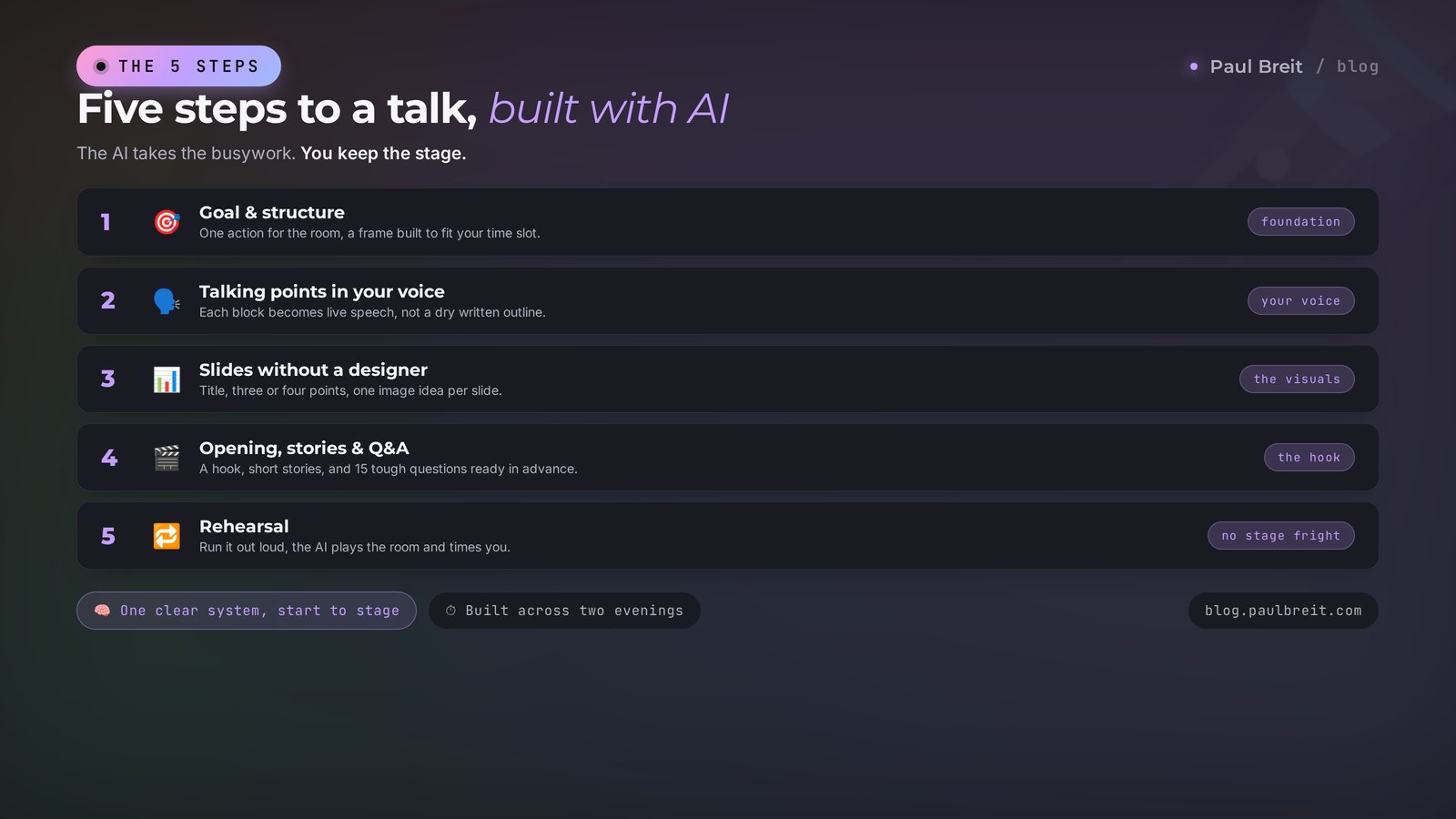
To prepare a talk with AI, run five steps. First, tell the AI your goal, audience, and time – it builds the structure and the frame. Then ask it to write talking points in your voice from sample texts you upload. Next the AI drafts the content of each slide, a strong opening, stories, and answers to tough questions. Finally you run the talk out loud while the AI plays the room and fires questions at you. A solid 20-40 minute talk comes together over a weekend from ready prompts, even if it's your first time.
The talk is a week out. You open a blank file, type three lines, close it. Then you dig up other people's decks, copy their structure, and quit again. The night before, you're up till 3 a.m. gluing slides together from clip art and memorizing your script. On stage you forget half of it, talk faster than usual, and walk off feeling like you botched the one topic you know better than anyone in the room.
I've run hundreds of webinars and live talks, and I lead four client projects. Prep used to eat a whole week. Now a solid frame, talking points in my voice, and slides come together in an evening, and the second evening goes to the run-through. Here the AI works as a co-writer, an editor, a designer, and a picky audience all at once. Below is the whole system, with prompts.
You'll read this in 22 minutes. You'll build your talk over a weekend. And you'll walk on stage calm, in control of every minute.
What's inside
- What AI actually does when you prep
- Step 1. Goal and structure of the talk
- Step 2. Talking points and speech in your voice
- Step 3. Slides with no designer
- Step 4. Opening, stories, and Q&A
- Step 5. The run-through: rehearsing with AI as the room
- Formats: webinar, conference, sales stream
- 6 mistakes and how AI closes them
- The prep checklist
- The whole path in a minute
In some regions Claude doesn't open directly – you'll need a VPN set to an EU or US location. Anthropic keeps Turkey and the UAE on its blocklist, so skip those. Register with a mainstream email like Gmail or iCloud, and if you're setting up a fresh account, do it with the VPN already on so the account isn't tied to a blocked region. A step-by-step walkthrough of sign-up and payment is in the piece on getting started with AI. Throughout this article, when I say "the AI" I mean claude.ai, but the same prompts work in any strong model.
Section 01What AI actually does when you prep
First, let's kill the main fear. AI doesn't walk on stage for you, and it doesn't turn you into some stranger with slick lines from a handbook. It takes the busywork off your plate – the stuff that usually burns up all your prep. Living your expertise, meeting the room's eyes, and standing behind your words is still on you. As it should be.
Here's what the AI takes on while you prep a talk.
- Structure. Out of a pile of thoughts it builds a logical frame: where to open, where to lead, how to close. It cuts the sag and the repeats.
- Talking points and text. It unfolds each point of the plan into live speech in your voice, not a dry outline.
- Slides. It writes the content of each slide: a title, three or four points, a caption for the image. Design comes together in an hour after.
- Stories and examples. It flags where to drop a case study, a metaphor, or a number so the room doesn't nod off by minute five.
- Answers to questions. It plays the skeptic in the crowd and preps you in advance for the awkward questions, so they don't throw you.
- Timing. It counts how many minutes each block takes and trims the excess if you're over the limit.
The difference is simple. Before, you spent 80 percent of your time wrestling with text and slides and 20 percent on the meaning. Now it's flipped: the AI does the busywork, and you pour yourself into the reason you're up there in the first place. Let's go step by step.
Section 02Step 1. Goal and structure of the talk
Nine out of ten weak talks fall apart right here, at the very start. Someone sits down and writes the script straight away or, worse, the slides straight away. An hour later they've got twenty pretty slides, and it's a mystery why they even walked on stage or what the room is supposed to do afterward.
So the first question you ask yourself and the AI is this: what should a person think, feel, and do after the talk. One action. Book a diagnostic call. Adopt one tool. Vote for your project. Buy. With no goal, any script turns to mush.
Building the frame around the goal
Open the AI and dictate or type your inputs. Voice is even easier: talk through everything you know on the topic in a stream, and the AI sorts it into place.
You're an experienced speaker and director of public talks.
Help me build the structure of my talk.

Topic: [your topic]
Audience: [who's in the room, what they care about, what they know]
Format and time: [conference / webinar / team meeting], [minutes]
Goal: after the talk, a person should [one specific action]
What I definitely want to say: [3-5 main ideas, stream of thought]

Build the frame: a strong opening, 3-4 meaning blocks in a logical
order, transitions between them, and a finish with a call to action.
Under each block, one line on why it's here and what it gives the room.
Ask me about anything you're missing for an accurate structure.Notice the last line of the prompt. We ask the AI to ask questions. That matters. A good AI works like a strong editor: it pulls out of you the things you thought didn't matter but the room would love. Answer its questions in full, not with one-liners.
Next, the frame needs tuning to how people take in speech by ear. A listener can't scroll back like a page. So simple tricks work.
One idea – one block. Don't cram three ideas into five minutes. Callback to the promise: at the start you said you'd give three tools, at the end you walk through them. The pendulum rule: a heavy meaning block alternates with a light one – a story, a joke, a question to the room. And an anchor every 5-7 minutes without fail: a number, a surprising fact, a short case. Attention lives in short sprints; it needs footholds.
Ask the AI to check the frame against exactly these criteria: "Go through the structure like a strict director. Where will the room get bored? Where do two ideas fight for one spot? Where's there no transition and I fall into a pause?" The AI will calmly tell you what a live person would be too shy to say: that block two repeats block one, and the finish has no clear action.
How many blocks and how to count time
Simple arithmetic the AI does for you. At a calm pace a person speaks about 120-130 words a minute. So a 20-minute talk needs around 2,500 words of live text, not the 6,000 you'll write in a rush. Give the AI your time limit and it'll tell you that three big blocks won't fit in 20 minutes – you'll have two, plus a strong opening and finish.
What a finished frame looks like on a real example
So this doesn't stay abstract, here's what the AI hands a coach who's speaking at a conference for 20 minutes with the goal "the room signs up for a free diagnostic." The inputs took five minutes; the frame came back right away.
Opening (2 min). The story of a client who spent a year going to trainings and never moved. Hook: "The problem wasn't motivation."
Block 1 (5 min). Why willpower doesn't work and what works instead. One number, one diagram.
Block 2 (6 min). The three steps of the system: measure, tiny action, feedback. One example per step.
Block 3 (4 min). One case walked from start to result, with real numbers.
Finish (3 min). What the room takes home today, plus an invitation to the diagnostic.
You can see the logic: each block leads to the next, heavy meaning alternates with a story, and the finish has a clear action. You edit a frame like this to fit you in ten minutes instead of laboring over it from scratch for a week.
At the end of step one you've got a frame: opening, 2-4 blocks, finish, transitions, and a clear goal. That's the foundation. Now we add the meat.
Section 03Step 2. Talking points and speech in your voice
Here's where the main AI trap hides. If you just ask "write me a speech," you'll get a smooth, faceless text that gives itself away in the first line. A room feels that instantly and tunes out. So we teach the AI to speak in your voice before it writes a single line.
Load the style before it writes anything
Here are 5-10 of my texts: posts, a transcript of a past
talk, voice memos turned to text. [paste examples]

Study my style: which words I repeat, my sentence length,
where I joke, how I explain hard things simply, which
examples I use. Describe my voice in 7 points so you can
write exactly like me, not like a handbook.Don't skip this step. The gap between "the AI wrote a speech" and "the AI wrote a speech in my voice" is enormous. The method is broken down in a separate piece on how to teach AI to write in your voice – it also covers where to find sample texts if you barely write. Quick version: record 15 minutes of yourself talking, transcribe it, and hand over the transcript as your sample. You won't find a livelier source.
Once your voice is loaded, we unfold the frame into talking points.
Each block into anchor points, not a wall of text
Take the block [block name] from our structure.
Write it out in my voice as talking points for a talk:
– 4-6 anchor ideas, each in one live phrase,
– under each, 1-2 sentences of what I say out loud,
– where it fits, suggest a number, story, or comparison.

Write the way I talk live: short phrases, pauses, direct
address to the room. No corporate-speak, no filler.Why talking points, exactly. A word-for-word speech reads flat off the page and shows from a mile off. Memorizing it is scary: forget a word, lose the thought, fall into panic. Talking-point cards fix both. One idea – one bullet. You see the anchor and find the words live, your own. That's how people speak with confidence, without that memorized-lesson feeling.
After the first draft, read it out loud without fail. Out loud, not with your eyes. Anything that trips on your tongue, mark it and ask the AI to rewrite it simpler: "This line doesn't sit in speech, it sounds written. Rewrite it the way I'd say it to a friend over dinner." Toss slick phrases like "this instrument enables" right away, swap them for "here's what this thing does."
The difference is instant. Written version: "Implementing a system of regular feedback enables the attainment of sustainable results." Live version the room gets on the first pass: "Once a week, look at what worked and what didn't. That's it, and things start moving." People forget the first in a minute. They repeat the second to their spouse at home. Your job is to push the text toward the second version, and the AI can do it if you plainly ask it to talk like a human.
A note on niches. The same skeleton works for a psychologist, a tutor, a nutritionist, a trainer, a lawyer, an entrepreneur. Only the texture changes: the examples, the numbers, the audience's pains. Tell the AI which niche you're prepping for and it'll pick stories and objections tuned to your room, not generic lines about "success and growth."
The more specific your inputs, the fewer edits. Always give the AI a role, an audience, a goal, and a format limit. The full formula for a strong prompt, with before-and-after, is in how to write prompts. In short: who you are, what the task is, who it's for, what goes in, what comes out, what not to do.
Section 04Step 3. Slides with no designer
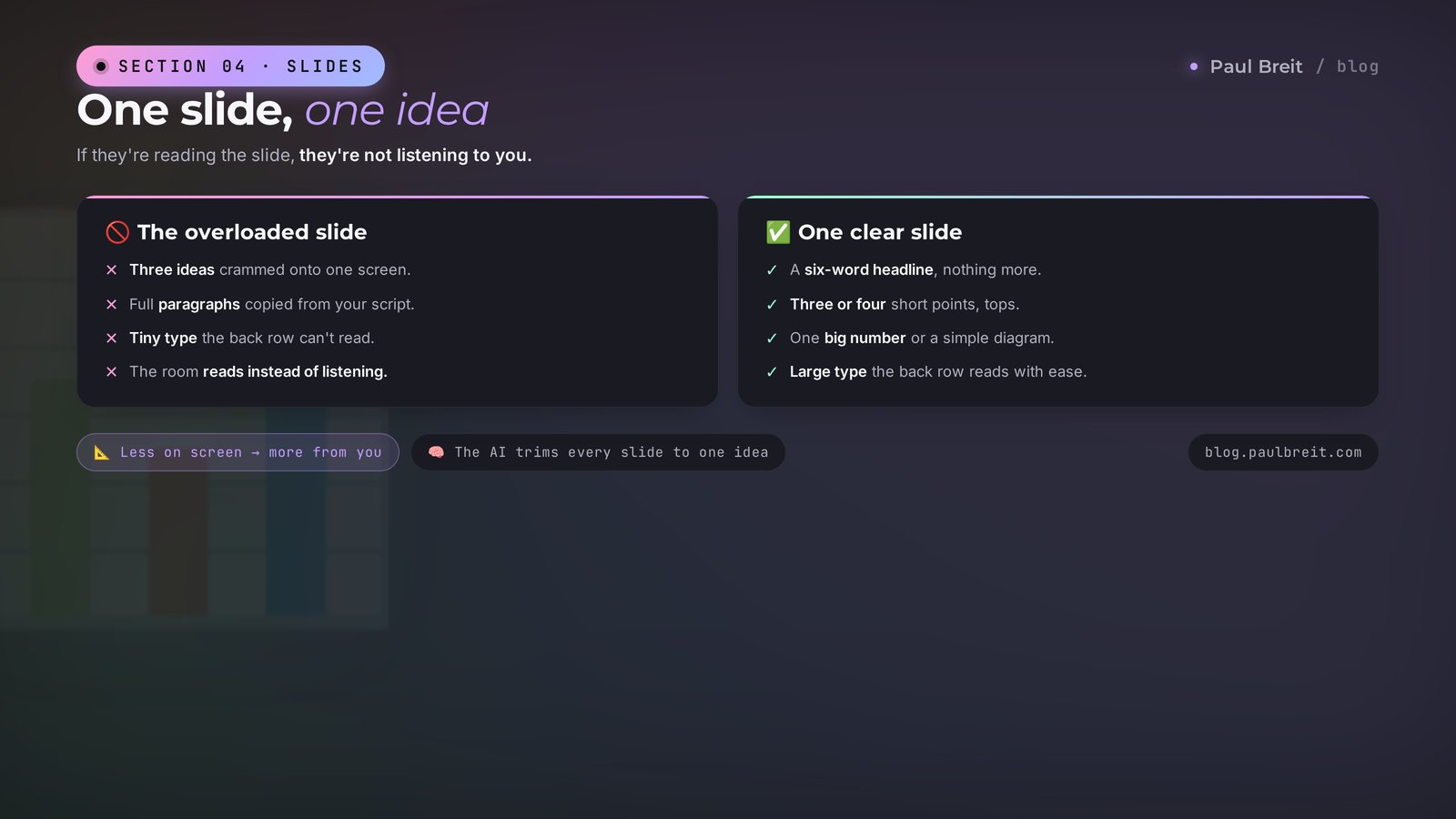
Slides aren't your script chopped into screens. They're a support for the room while you talk. One rule: one slide – one idea. If a person is reading the slide, they're not listening to you. So a slide should hold little, big, and to the point.
First the AI builds the content of each slide, and only then do we think about looks.
From talking points into a slide storyboard
From the talking points, build a slide storyboard.
For each slide give:
– a title (up to 6 words, big),
– 3-4 bullets or one number/diagram (short),
– what I say out loud while the slide is up,
– an image or diagram idea in one line.

Trim to [N] slides for [X] minutes. One slide – one idea.
First slide – a title with the topic and the promise. Last – a call.Then move that storyboard into whatever tool you like. Google Slides and a website builder if you want simple and fast. A ready template with one consistent style if you speak often. A separate image AI if you need an illustration per slide. How to build the whole deck with AI and not fight the layout, I broke down in a presentation built with AI in an hour. It also covers which models render slides without mangled text on the images.
Three slide rules the AI keeps better than you
When you make slides yourself in a panic before the stream, you break all three. The AI holds them, if you ask in the prompt.
- Less text. No more than 6-7 words in a title and 3-4 bullets. If it doesn't fit, that's two slides, not one in tiny type.
- Big type. The back row should read without binoculars. The AI will suggest minimum sizes if you remind it about the room.
- Numbers and diagrams instead of paragraphs. One big number filling the slide hits harder than five lines of text. A three-box diagram is clearer than a paragraph of description.
Ask the AI to proofread your finished storyboard separately: "Find the slides with too much text or two ideas. Suggest how to split or simplify." It'll honestly show where you overloaded the screen.
Section 05Step 4. Opening, stories, and Q&A
The first 30 seconds decide whether they'll listen or sink into their phones. A weak opening sounds like this: "Hello, my name is, today I'll tell you about..." The room already checked out. A strong opening hooks before you even introduce yourself.
Five hooks to choose from
Come up with 5 openings for a talk on [topic]
for an audience of [who's in the room]. Each a different hook:
– a surprising number or fact,
– a short story from life,
– a sharp question to the room,
– a bold claim people will want to argue with,
– a picture of the future: what changes after the talk.

Each option – 2-3 phrases in my voice. No fluff, no
"hello, today I'll tell you."Pick the one that sits right with you. The one criterion: you'll say it naturally and won't be faking. Chasing the AI's idea of the flashiest one isn't worth it – a room reads false bravado faster than any hook.
Stories that liven up any dry block
Bare theory doesn't stick. A story with a specific person and a number does. You've got dozens of those stories, you just don't notice them. The AI helps you dig them out and slot them into the right place.
Tell the AI a couple of cases from your practice in a stream, as they are, and ask: "Here are my stories. Suggest which block each fits best and how to cut it to 40 seconds without losing the point or the emotion." A long story mid-talk kills the pace. A short, sharp one holds the room. On how to break your experience into stories and meaning like this, there's a piece on unpacking your expertise with AI.
Prep answers to tough questions in advance
The scariest thing for a beginner is a question from the room with no answer ready. A simple drill beats that fear: ask the AI to become a skeptic and bury you in questions before the talk.
Run the tricky questions in advance
You're a skeptic in the room who doesn't like my topic.
Here are the talking points of my talk: [paste].

Ask me the 15 most awkward questions such a person could
ask: doubts, objections, tricky follow-ups, "it won't work
for me because...". Sort them from most common to rarest.
Then for each, suggest a short, honest answer in my voice,
no excuses.Once you've talked through 15 possible questions in advance, any real question from the room no longer catches you off guard. You either prepped that answer or a neighboring one, and you slide over easily. Confidence on stage comes from prep. When the questions are talked through ahead of time, the fear fades on its own.
Section 06Step 5. The run-through: rehearsing with AI as the room
Text, slides, and answers are ready. What's left is what almost everyone skips and then regrets: the run-through, out loud. Reading it silently is useless. A talk lives in the voice, the pauses, and the transitions. You have to say them out loud at least twice.
Here the AI works as a patient audience that won't tire of the tenth repeat.
First run – by talking points, out loud, with a timer. Clock the time, check it against the limit. Second run – through the AI's voice mode: you speak the talk, the AI reads the transcript and then breaks it down. Ask it straight: where did I sound flat, where did I lose the thread, where did I drag, which block can I cut without losing meaning. Third run – the questions: the AI fires from the tricky list, you answer out loud.
The AI listens and edits
Here's the transcript of my talk run-through: [paste text].
The limit is [X] minutes, I came in at [Y].

Break it down like a strict but friendly coach:
– where I'm padding and can cut,
– where the thought sags and the logic gets lost,
– where an example or a number is missing,
– where it drags on time.
Give specific edits, not general advice.One more trick for the especially nervous. Ask the AI to build you a one-screen cheat sheet: just the block titles and the first words of each. Short beacons for your eye to catch. You lay a cheat sheet like that in front of you during the talk, and it holds you if a thought suddenly slips. Your eye catches a block title and you're back on the route in a second. With experience the cheat sheet becomes unnecessary, but for your first talks it takes half the anxiety away.
After two or three run-throughs something important happens: you stop being afraid. You've already said this speech several times, you know where you laugh, where you pause, where you look at the room. Your body remembers the route. On stage all that's left is to repeat what you already did with confidence at home. And here's the nice side effect of prepping with AI: you free up so much time that you get to run the talk in advance, a couple of days out, with no all-nighter before the stream. And a calm head on stage decides more than any polished text.
Section 07Formats: webinar, conference, sales stream
The five steps above are the skeleton that fits any talk. From there you tune it to the format. The difference is in the goal and in how you close.
| Format | Goal | What to add to the skeleton |
|---|---|---|
| Conference | Be remembered and give value | One big idea, a strong story, a takeaway they carry home |
| Webinar | Warm them up and invite them further | Value, a case study, a soft move to the offer, Q&A at the end |
| Sales stream | Sell without pressure | An offer with a deadline, objection handling, a call to one action |
| Team meeting | Land a decision | The problem, the options, your recommendation, what we do next |
| Project pitch | Convince and clear doubts | Numbers, risks and answers to them, a clear ask for resources |
For a sales talk and a webinar the skeleton gets the most tuning. There, value gets a funnel added on: the useful part, a live case, the offer, objection handling. The full breakdown of a talk like that, with prompts, is in a sales webinar with Claude. And ideas for regular streams and posts are handy to keep in one plan: how to build it with AI is shown in the piece on a month's content plan.
Section 086 mistakes and how AI closes them
Starting with slides, not the goal
Twenty pretty slides with no answer to "what does the room do after." Fixed by step one: goal and structure first, slides dead last.
Asking the AI for a finished speech without your voice
You get a smooth, faceless text the room reads as someone else's. Fixed by loading your sample texts before writing the speech.
Memorizing the script
Forget a word, lose the thought, panic. Fixed by talking-point cards: one idea – one bullet, and you find the words live.
Overloading slides with text
The room reads the slide and stops listening to you. Fixed by the "one slide – one idea" rule and a prompt to proofread the storyboard.
Not prepping for questions
One tricky question throws you for the rest of the stream. Fixed by a run with the AI as skeptic: 15 awkward questions in advance.
Not running it out loud
You hear how your text sounds for the first time on stage and blow the timing. Fixed by two or three run-throughs with a review from the AI.
Section 09The prep checklist
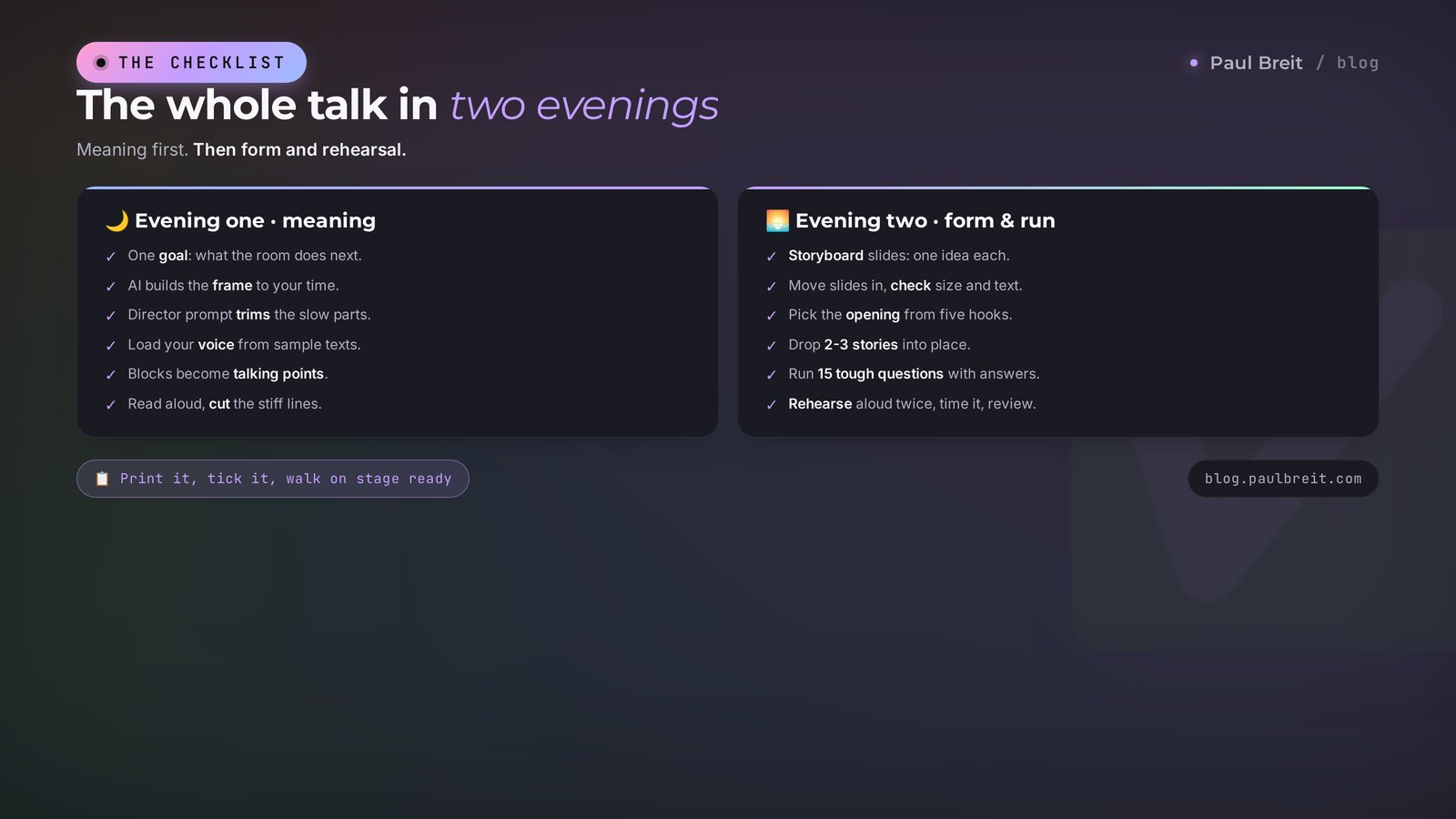
Print it or save it. This list builds a talk over two evenings.
1. Named one goal: what the room does after.
2. Built the frame with AI around the goal and the time.
3. Checked the structure with the director prompt, cut the sag.
4. Loaded my voice into the AI from sample texts.
5. Unfolded each block into talking points in my voice.
6. Read the points out loud, cut the written phrasing.
7. Built the slide storyboard: one slide – one idea.
8. Moved the slides into the deck, checked type size and text.
9. Picked a strong opening from five options.
10. Slotted 2-3 short stories into the right blocks.
11. Ran 15 tricky questions with answers.
12. Ran the talk out loud twice, settled the timing, reviewed with the AI.
Prepping a talk stops being a week of panic once the AI takes the busywork. Structure, talking points, slides, and the run-through review, the AI does for you. What's left is the reason you're up there at all: your experience, your voice, and live contact with the room. Build your first talk off this list, and you won't go back to sleepless nights before the stream.
RecapThe whole path in a minute
- Goal and structure. One action for the room, a frame built to time, a check with the director prompt.
- Talking points in your voice. Load the style first, then unfold the blocks into anchor cards.
- Slides. A storyboard from the AI, one slide – one idea, design in an hour in a ready tool.
- Opening, stories, questions. Five hooks to choose from, short stories in the right spots, 15 awkward questions in advance.
- Run-through. Two or three times out loud with a timer, a review from the AI, less stage fright.
Two evenings from ready prompts, and you've got a talk you're not ashamed of. Start with step one today: open the AI and dictate your goal.
FAQFrequently asked questions
How long does it really take to prep a talk with AI?
The frame and a draft of your talking points – one evening, 2-3 hours. Slides and the run-through – one more evening. All in, a solid 20-40 minute talk comes together over a weekend, even if it's your first time. After that, all that's left is to rehearse out loud.
Do I need to know how to write prompts to prep a talk?
No. It's enough to tell the AI, by voice or text, what the talk is about, who it's for, and the goal. The ready prompts from this article you can copy as they are and drop in your own details. A breakdown of the prompt formula is in a separate piece on the blog.
Claude or ChatGPT for prepping a talk?
For structure, long talking points, and speech in your own voice, Claude is more comfortable: it holds the context of the whole talk and drifts less into template phrases. For quick images for slides, people grab any model on hand. Either one works.
How do I make the speech sound like me and not like an AI?
Load the AI 5-10 of your own texts or a transcript of a past talk and ask it to write in that style: your words, sentence length, and examples. After the first draft, read it out loud and cut the slick phrasing. The method is broken down in the piece on teaching AI to write in your voice.
What if I'm scared to speak and forget my lines?
You don't need to memorize the speech. Prep talking-point cards: one idea – one bullet. The AI assembles them from your text and writes anchor phrases to move between blocks. In the run-through you speak the talk out loud while the AI plays the room and asks questions – that's how the stage fright goes.
Can I prep slides with no designer and no PowerPoint?
Yes. The AI builds the structure of each slide: a title, 3-4 points, an image caption. From there it moves into Google Slides, a website builder, or a ready template. There's a separate piece on how to build a deck with AI in an hour.
Does this approach work for a sales talk and a webinar?
Yes, and there it works hardest of all. To the usual structure you add a block with an offer, objection handling, and a call to action. For a webinar it's handy to walk a person through a funnel: the useful part, a case, the offer. A detailed breakdown of a sales webinar is on the blog.