Recraft AI: How to Make a Logo and Vector Illustrations in 2026
Recraft is an AI design tool that does something almost no other image generator can: it gives you the image as an SVG vector. You can stretch a logo, icon, or illustration from it to a 10-by-20-foot banner, and the edges stay crisp. Here's how to use Recraft in 2026: what you get for free and the catch with ownership rights, what the plans cost, how to sign up and pay, how to build a logo in Logo Maker and a series of illustrations in one style, and which prompts to write.
To use Recraft, open recraft.ai and sign in with email, Google, or Apple. For a logo, open Logo Maker (recraft.ai/logo), enter your brand name and a short description of your business, pick a style, and download the version you like as SVG. For illustrations, choose the Recraft V4.1 Vector model and write a prompt in English. The free plan is fine for testing, but images on it are public and come without commercial rights. For business you need Basic at $12 a month or $10 billed yearly (checked on recraft.ai/pricing on November 5, 2026).
Everyone who sells services, courses, and consulting and wants to look polished without a designer on staff. A psychologist makes a mark for a private practice and an icon set for a guide. An English tutor builds a series of lesson illustrations in one style. A nutritionist designs covers for checklists. The owner of a small coffee shop tries out a logo and sees it right away on a cup and a storefront sign. Designers get value too: rough logo directions in ten minutes and a vector you don't have to trace by hand.
What's inside
- What Recraft is and what makes it different
- Recraft for free: what you get and the catch
- Pricing and credits
- How to sign up and pay
- A logo in Logo Maker, step by step
- A logo on the canvas: more control
- Illustrations and icons in one style
- Text on images
- Mockups, backgrounds, upscaling, and export
- Claude writes your Recraft prompts
- Ideas for different niches
- If something goes wrong
- Recraft, Midjourney, Nano Banana, and Krea
- The whole path in a minute
- FAQ
Section 01What Recraft is and what makes it different
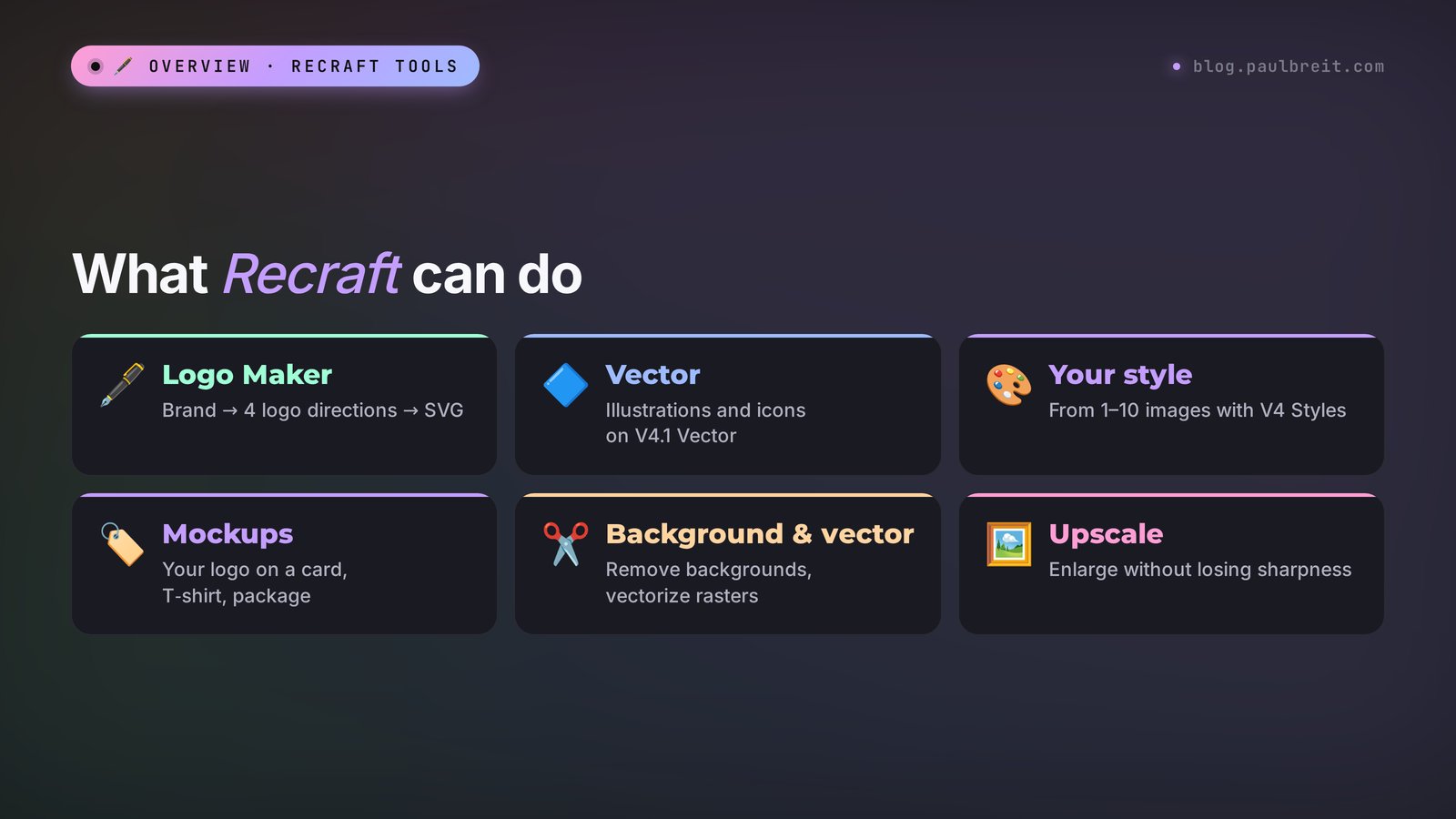
Recraft is an AI tool for designers and for anyone who needs clean visuals for a business. Most image generators give you a raster: a grid of colored pixels at a fixed size. Blow that image up four times and you get blur and jagged edges. Recraft can give you a vector instead: an image made of lines and fills described by math. You can stretch it to the size of a building, change the color of any detail in two clicks, and open it in Figma like a regular layout.
For a logo, this solves the biggest headache. A mark generated in Midjourney or ChatGPT still has to go to a designer for tracing, or you can't print it on a business card, embroider it on a T-shirt, or put it on a sign. Recraft hands you an SVG right away, and that step disappears.
What's inside the service as of November 5, 2026:
- Recraft V4.1 models – the current main lineup, released May 14, 2026. There's a standard version, Pro at 2048 by 2048 pixels, a fast Flash version, and separate vector versions, Vector and Vector Pro. According to Recraft itself, V4 is the only model that produces production-quality editable SVG.
- Logo Maker – a separate logo builder, currently in beta. Name, description, style, four directions, a try-on with mockups, SVG download.
- V4 Styles – your own style from 1–10 of your images, with no model training. Upload three illustrations from your guide, and everything after that is drawn the same way.
- A canvas that holds all your images, palettes, and mockups. You can move things around, compare, and refine piece by piece.
- Tools: background removal and replacement, vectorizing an existing raster, upscaling, redrawing a selected area, extending the image beyond its edges, recoloring with a palette.
- Third-party models on paid plans: Nano Banana, Seedream, GPT Image, and Flux for images, plus Kling, Veo, and Seedance for video on Pro.
- Plugins and apps: Figma, Framer, add-ons for Google Docs and Slides, mobile apps for iPhone and Android.
| Task | Where in Recraft | What you get |
|---|---|---|
| A logo from scratch | Logo Maker (recraft.ai/logo) | 4 logo directions, SVG |
| Icons for a site or guide | Canvas, V4.1 Vector model, icon style | An SVG set in one style |
| Illustrations for posts | Canvas, V4.1 or V4.1 Vector, your own style | A series of images in one look |
| Photorealistic covers | V4.1 Pro or Nano Banana inside Recraft | PNG or JPG up to 2K |
| Turn an old logo into a vector | Vectorize tool | SVG from your PNG |
| Show a logo on real objects | Mockups | Business card, cup, T-shirt, sign |
Section 02Recraft for free: what you get and the catch
Recraft has a free plan, and you don't need a card for it. Credits on it are added every day. Recraft doesn't publish the exact number; the pricing page just says "Limited free credits." Here's what the free plan includes according to the official page recraft.ai/pricing (checked November 5, 2026):
- 3 generations per style per day;
- 3 uploads of your own images per day;
- up to 2 images per generation;
- basic editing tools, the style library, and creating your own style;
- Recraft's own models only, no Nano Banana, Flux, or the rest;
- vector output works too: you can try SVG for free.
Now the catch almost every review skips. On the free plan, all images are public: other users see them in the shared feed. Commercial use is not allowed. And the most unpleasant part: Recraft's terms of use (section 7.1, version of October 21, 2026) say that images from the free plan belong to Recraft, and you're only allowed personal, non-commercial use.
A logo made on the free plan isn't legally yours. You can't put it on your website, business card, or packaging and sell services under it. If you like a version, you can't simply "move" it to a paid plan: rights to an image that already exists follow the rules of the plan it was made on. So the free plan is good for getting a feel for the service and seeing if you like the style. Generate your final logo again after you pay.
On paid plans it's the other way around: the images are yours, the commercial rights are yours, generations are private, and all of this stays in place even after you cancel (section 7.2 of the same terms). One restriction applies on every plan: you can't use Recraft images to train other AI models.
Section 03Recraft pricing and how credits work
Recraft's paid plans run on credits. That's the internal currency you spend on generations and tools. Below is the official pricing page, captured on November 5, 2026. By default it opens with yearly billing, so the screenshot shows prices with the 20% discount.
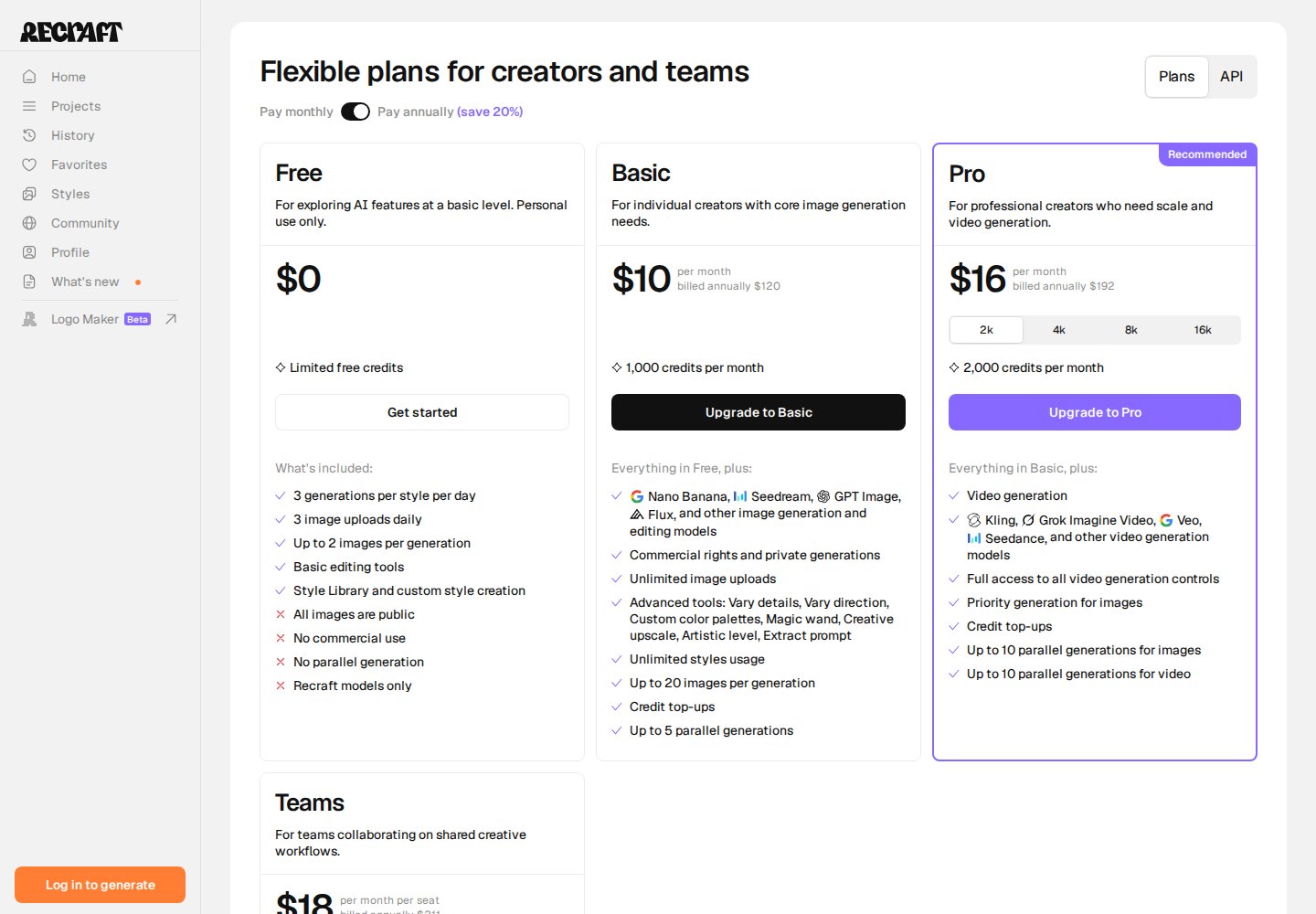
| Plan | Monthly | Billed yearly | Credits a month | What matters |
|---|---|---|---|---|
| Free | $0 | – | a few a day | Recraft models only, public images, no commercial rights |
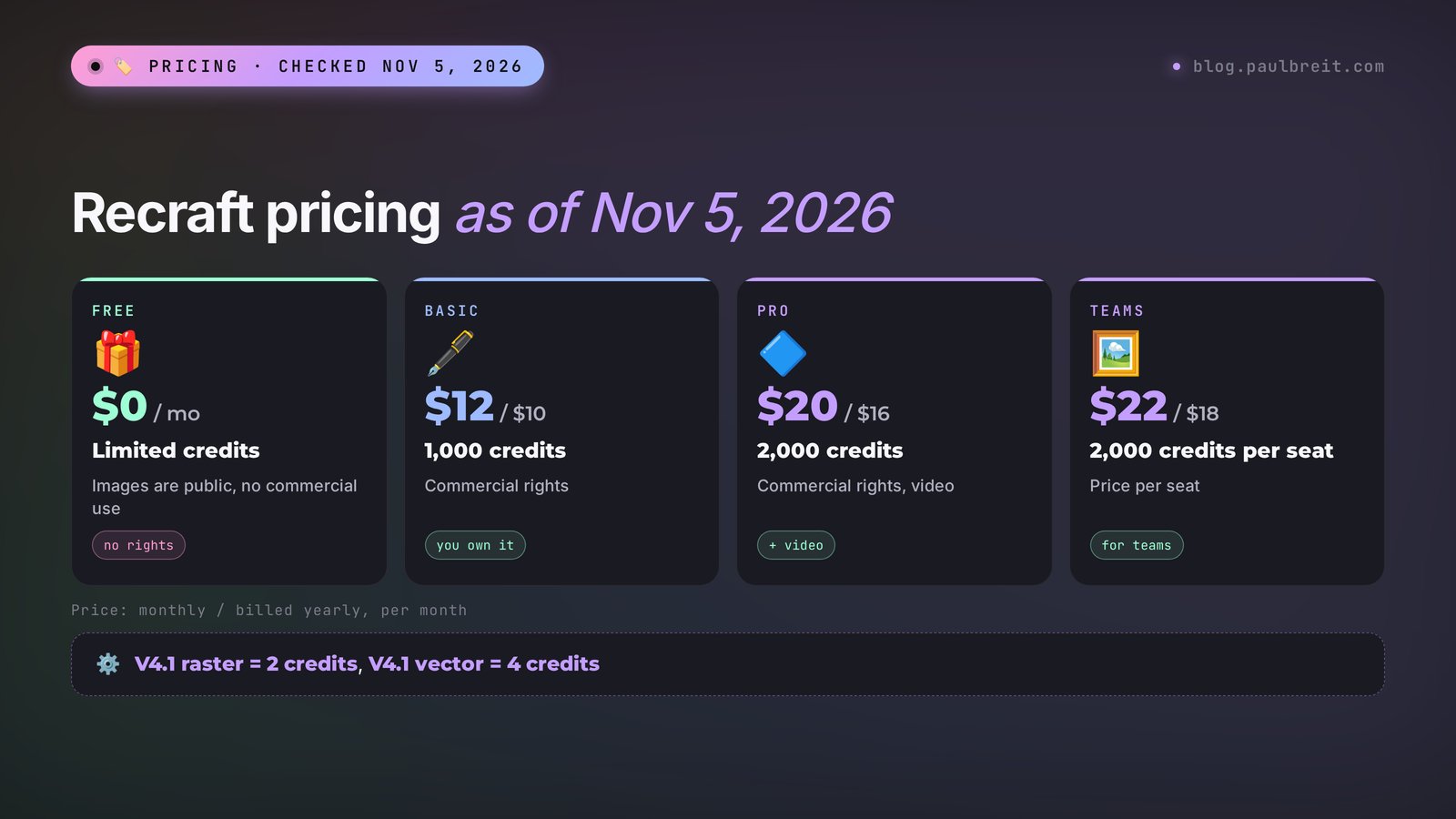
| Basic | $12 | $10 a month ($120 a year) | 1,000 | Commercial rights, private generations, Nano Banana, Seedream, GPT Image, and Flux, custom palettes, up to 20 images at once |
| Pro | $20 | $16 a month ($192 a year) | 2,000 | Everything in Basic plus video (Kling, Veo, Seedance), priority queue, up to 10 parallel generations |
| Teams | $22 per seat | $18 per seat | 2,000 per seat | Shared projects for a team |
Pro also comes in bigger packages: 4,000, 8,000, and 16,000 credits for $40, $80, and $160 a month (or $32, $64, and $128 billed yearly). Prices don't include taxes. If you run out of credits before the month is over, paid plans let you top up: $2 for 200 credits, and purchased credits don't expire.
Now the key question: how many images those credits buy. Based on Recraft's official usage table (checked November 5, 2026):
| What you do | Credits | How many on Basic (1,000) |
|---|---|---|
| V4.1 raster image | 2 | about 500 |
| V4.1 Pro raster image | 10 | about 100 |
| Fast V4.1 Flash | 1 | about 1,000 |
| V4.1 vector image | 4 | about 250 |
| V4.1 Pro vector | 12 | about 80 |
| Background removal, vectorizing, simple upscale | 1 | about 1,000 |
| Mockup | 2 | about 500 |
For one person who makes a logo, a dozen icons, and a couple of post illustrations a week, Basic is more than enough. You need Pro if you want video in the same subscription or you generate in the hundreds, for example for marketplace product cards.
Section 04How to sign up for Recraft and pay
Getting started takes about five minutes. Here's the order that works without surprises.
Step 1. Open recraft.ai
Go to recraft.ai and click sign up. If you're outside the regions Recraft supports and the site says the service isn't available where you are, check Recraft's help center before you pay for anything, and don't switch countries in the middle of checkout.
Step 2. Sign in with Google, Apple, or email
Recraft lets you in four ways: Google, Apple, Discord, or email with a one-time code and no password. A Google account or an Apple ID is the most convenient: one click, and you don't have to wait for a code that might land in spam.
Step 3. Pick your interface language
The Recraft interface comes in six languages, and the switch is in your profile settings. Whatever language you use for the buttons, write prompts in English: that's where the models are most precise.
Step 4. Pay with a card
The subscription is charged in US dollars through Stripe, so a regular Visa, Mastercard, or Amex credit or debit card works. Before you pay, check that the right plan and billing period are selected: yearly billing charges $120 for Basic upfront. If you're not sure how many credits you'll need, start with monthly billing and switch later.
Step 5. Check that the rights are now yours
After you pay, make one test image and open its properties: it should be private. Everything you generate from this point on belongs to you and is fine for business use.
Section 05A logo in Logo Maker, step by step
Logo Maker is the shortest path to a logo in Recraft. It lives at recraft.ai/logo, and there's a link to it in the left menu marked Beta. It's not in the mobile app yet, so work on a computer.
Step 1. Enter your brand name
Keep it short and spelled exactly the way you want it: "Anna Kovaleva," "Mindful Tea," "Smart English." The shorter the name, the fewer chances the model has to get a letter wrong. If the name is long, use a short version in this field or make a mark without text and add the lettering later.
Step 2. Describe your business in two or three sentences
What you do, who it's for, and what feeling the mark should give. Weak description: "psychologist." Strong: "Private psychology practice for adults with anxiety. Calm, warm, trustworthy, no medical feel. Soft natural shapes." The more precise the mood, the less junk among the options.
Step 3. Pick a style
Logo Maker has 24 ready-made logo styles: from strict geometry to handwritten and playful typographic ones. Instead of a style, you can upload your own references – two or three logos whose look you like. Don't copy someone else's mark wholesale: a reference sets the mood, you're not supposed to repeat it.
Step 4. Get four directions
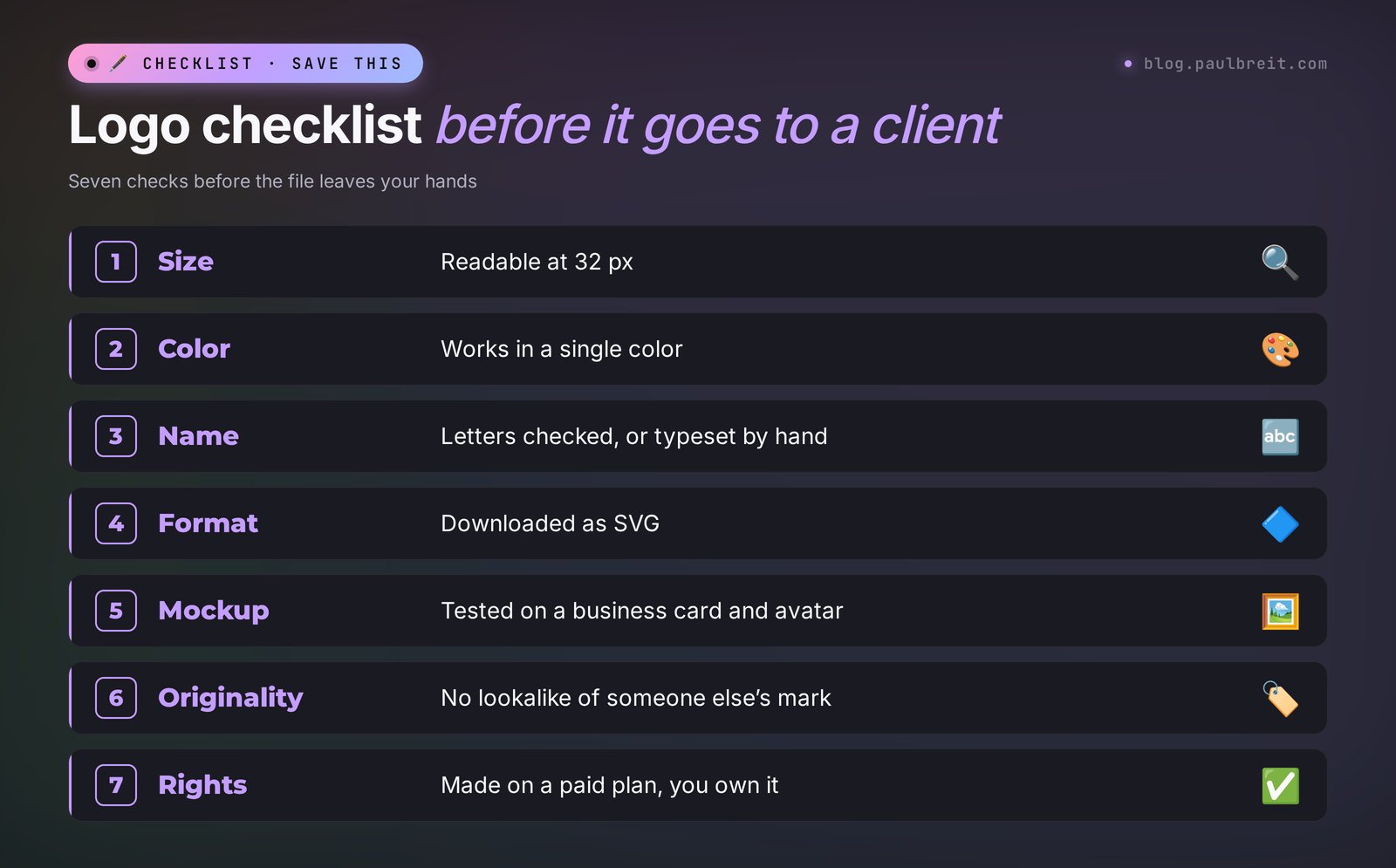
Recraft shows four different versions of the mark. Look at them at a small size right away: a logo lives in a social media avatar and a browser tab, and if it turns to mush at 32 pixels, it won't work, however good it looks large.
Step 5. Try them on mockups
You can preview every version on real objects for free: a business card, a mug, a sign. This is the best filter. A mark that looks great on a white screen often gets lost on a dark T-shirt or a paper cup.
Step 6. Refine and download the SVG
Tweak the version you like: colors, line weight, text placement. Download the finished logo as SVG – that's your master file for print, your website, and any designer. For social media, also export a PNG with a transparent background. Logo Maker uses credits, so the free plan won't take you far.
AI learns from millions of other people's images and sometimes produces a mark suspiciously similar to an existing one. Before launch, open Google Lens, upload your logo, and look for twins. If you plan to register a trademark, also search the USPTO trademark database. Five minutes of checking is cheaper than redoing a storefront sign.
Section 06A logo on the canvas: more control
Logo Maker is convenient, but it makes a lot of decisions for you. If you want to control every detail, make the logo on the canvas. It's the same Recraft, except you choose the model and style and write the prompt yourself.
Step 1. Create a project and pick a vector model
On the home screen, create a new project. In the left panel, choose the Recraft V4.1 Vector model. For complex marks with fine details, take V4.1 Vector Pro; it costs more: 12 credits versus 4.
Step 2. Pick a logo style
In the style list, find the logo ones: Geometric Logo, Sharp Drawn Logo, Playful Typographic. Or type "logo" into the style search and look through everything.
Step 3. Write a prompt and put the text in quotes
Anything that should be written on the logo goes in quotation marks. Example: Minimal logo for a tea shop called "Mindful Tea", a single tea leaf forming a calm face, flat, two colors, sage green and cream, plenty of negative space. Without quotes, the model may rewrite the word its own way.
Step 4. Make a series and compare
Run 4–6 generations with small changes in the prompt: the shape of the leaf, line weight, where the lettering sits. All versions land side by side on the canvas, so they're easy to compare by eye. Delete the weak ones right away so you don't get lost.
Step 5. Polish the best version
Select the area you don't like and redraw just that. Change colors with a palette. If you need to fix a curve or remove a stray point, open the vector editor right in Recraft, or download the SVG and finish it in Figma.
The canvas wins when you already have brand colors. Set them as a palette, and every version of the mark comes out in your colors right away. In Logo Maker you'd have to explain the same thing in words.
Section 07Illustrations and icons in one style
The main problem with DIY visuals is inconsistency. One image is watercolor, the next is flat, the third is a photo, and your blog looks like a yard sale. Recraft fixes this with three tools.
Ready-made styles
Recraft has a large style library: flat vector graphics, line icons, isometric, soft 3D, hand-drawn illustration, and dozens more. Pick a style once, and every image in the project follows it. For an icon series for a guide or website, this is the fastest route.
Your own style from your images
Since August 2026, Recraft has V4 Styles: you upload one to ten of your own images, and the model picks up their look without lengthy training. Precise mode stays closer to the samples, Flexible gives more freedom. If you already have a few illustrations you like, or brand images from a designer, upload them and get new ones in the same style.
How to put together a sample set so the style comes out clean:
- use 3–6 images in one look, without mixing photos and drawings;
- give them different subjects: a person, an object, a scene – that way the model learns the style itself and doesn't latch onto one subject;
- remove images with text and watermarks;
- use only your own images or ones you have the rights to.
Palettes
Set 3–5 brand colors in a palette, and Recraft will draw with those colors only. On paid plans you can save your own palettes and recolor finished images. That way, in one evening you get a series of covers where everything matches: colors, line weight, look.
Make the logo first. Take its colors into a palette. Generate 3–4 illustrations in a style you like and save them as your own style. From then on, every new image for a post or guide takes one line of prompt and comes out on-brand. This is exactly the kind of brand packaging I cover in detail in my article on building a personal brand.
Icons for your site and guide
For icons, pick a vector model and a line or flat icon style. Keep prompts short, one object per icon: icon of a calendar with a check mark, icon of a cup of tea, icon of a speech bubble with a heart. A short prompt and a single style give you an even set you won't be embarrassed to put on your site next to a designer's work.
Section 08Text on images
This is where beginners most often get frustrated, so let's be honest about it. Recraft's newer models are good with text: for V4 and V4.1, Recraft promises "readable text" in short and medium phrases. Readable isn't the same as perfect, though, and a logo with one wrong letter is worse than a logo with no letters at all.
How to get clean lettering:
- Put every word in quotation marks in the prompt:
the text "Quiet Harbor". Without quotes, the model treats the word as a description and may rewrite it. - Keep it short. One to three words come out reliably. A full tagline under the logo is better added by hand.
- Check every letter at full size. AI likes to double a letter, drop one, or turn an "rn" into an "m."
- Mark plus typeset lettering is the most reliable option: generate the mark without text and set the name in Figma, Canva, or right in Recraft's vector editor. That way you control the letters and pick a font you actually like.
- Post covers are best generated without text, with empty space for a headline. Add the headline afterward; I explain how to do it fast in my article about the AI banner maker.
For multilingual brands: Recraft doesn't officially guarantee non-Latin scripts such as Cyrillic in generated lettering, so for those, set the text with a font after generation.
Section 09Mockups, backgrounds, upscaling, and export
Besides generation, Recraft packs a set of tools you used to need two or three other services for.
| Tool | What it does | Credits | When it helps |
|---|---|---|---|
| Mockups | Places your image on an object: business card, mug, T-shirt, packaging. Four ready collections or a mockup from a prompt | 2 | Show a logo to a client, or to yourself, in real life |
| Remove background | Removes the background | 1 | A logo or object on a transparent background |
| Vectorize | Converts a raster image to a vector | 1 | An old PNG logo that needs to be printed large |
| Crisp upscale | Enlarges without losing sharpness | 1 | A cover for print or a big screen |
| Enhance | Improves image detail | 10 | Final polish on an important illustration |
| Inpainting | Redraws a selected area | depends on the model | Remove an extra detail, swap an object in someone's hand |
| Outpainting | Extends the image beyond its edges | depends on the model | Turn a square into a horizontal banner |
Download formats: PNG, JPG, TIFF, PDF, SVG, and Lottie for animation. Vector images export to SVG and PDF. Raster files go up to 5,800 pixels on a side. Standard models generate about 1024 by 1024 pixels, Pro versions 2048 by 2048; for anything bigger, use upscaling.
A separate bonus if you work in Figma: Recraft has a plugin, so illustrations are generated right inside your layout. For a landing page or a presentation, that saves dozens of tab switches.
A common situation: a friend drew your logo years ago, there's no source file, just a small PNG from your avatar. Upload it to Recraft, click Vectorize, and for 1 credit you get an SVG. Simple marks convert almost perfectly. Complex ones with gradients and shadows are worth cleaning up in a vector editor afterward: stray points and blobs are easy to spot.
Section 10Claude writes your Recraft prompts
The hardest part of a logo is coming up with the idea for the mark and describing it so the AI gets it. This is where Claude helps: you tell it about your business, it suggests concepts and writes ready prompts for Recraft. You can sign up at claude.ai.
A prompt you can copy and adapt:
You're an art director. I'm a psychologist with a private practice for adults with anxiety, I work online, and the practice is called Quiet Harbor. I want a logo: calm, warm, no medical associations, no brains or hearts. Suggest 3 different ideas for the mark and explain in one sentence why each one fits. Then for each idea write an English prompt for Recraft V4.1 Vector: what's depicted, the shape, the number of colors and the colors themselves, the style, and the text Quiet Harbor in quotation marks. Separately, give me a short prompt for a version of the mark without text.
Idea 1. A lighthouse in a soft wave. A lighthouse is a guide in the dark, exactly what a person with anxiety comes to a psychologist for. The wave around it softens the mark and moves it away from strict nautical symbolism.
Prompt: Minimal vector logo, a small lighthouse with a soft beam of light, sitting on a single rounded wave, simple flat shapes, no outlines, two colors: deep teal #2F5D62 and warm sand #E9D8B4, generous negative space, calm and warm mood, the text "Quiet Harbor" in a rounded humanist sans-serif under the icon.
Idea 2. A bay made of two palms. Two smooth lines that look both like the shore of a bay and like palms gently holding water. It reads as "you're safe here."
Prompt: Minimal vector logo, two smooth curved lines forming a sheltered bay that also reads as two open palms holding calm water, one small circle of sun above, single-weight lines with rounded ends, two colors: muted navy #2E3A59 and soft peach #F2C9A8, calm, gentle, the text "Quiet Harbor" in a light serif font to the right of the icon.
Idea 3. A boat at anchor. A boat that stays still while the wind blows around it. A simple, recognizable image that holds up well at small sizes.
Prompt: Geometric vector logo, a tiny sailboat resting still on flat water with a small anchor line below, built from simple triangles and one arc, flat, two colors: sage green #7A9E7E and cream #F4EDE1, balanced and quiet, the text "Quiet Harbor" in uppercase wide-spaced sans-serif below.
Mark without text: Minimal vector icon of a small lighthouse on a single rounded wave, flat, two colors, deep teal and warm sand, centered, readable at 32 pixels, no text.
What worked well: every idea is explained through what it means for the client, every prompt has specific HEX colors, a color count, and text placement, and the text-free mark gets checked for small sizes right away. What I'd fix before running it in Recraft: the second idea is "palms" and "bay" at once, a tricky double image that may not read on the first try, so keep it as a backup. And the lettering style is better set by choosing a logo style in Recraft itself, leaving only the quoted text in the prompt.
Two more prompts for Claude that come in handy:
- An icon series: "I'm making a 12-section guide on nutrition for busy moms, here are the section titles. For each one, suggest one simple object as a symbol and write a short English prompt for a Recraft icon, 5–8 words each, all in one style."
- Post illustrations: "Here are 10 topics for my posts this month. Write a shared style part of the Recraft prompt, flat illustration, my colors are such-and-such, and for each topic a short scene with no text and empty space at the top for a headline."
Why I pick Claude for tasks like these is covered in detail in my Claude vs ChatGPT comparison.
Section 11Ideas for different niches
So Recraft doesn't end up as a one-evening toy, tie it to tasks you have right now.
| Niche | What to make in Recraft | Tip |
|---|---|---|
| Psychologist, coach | A practice mark, icons for program stages, guide covers | Soft shapes, 2 colors, no brains or puzzle pieces |
| Tutor, online school | A series of lesson illustrations in one style, icons for course sections | Save your own style after 3–4 good images |
| Nutritionist, fitness trainer | Checklist covers, food icons, recipe illustrations | Flat illustration, fresh palette, no text |
| Beauty pro, studio | A logo for the sign, mockups on a business card and shopping bag | Check the mark in a single color for embossing |
| Marketplace seller | Benefit icons for product cards, product backgrounds | More in my article on AI for marketplaces |
| Freelance designer | Rough logo directions for a client in 20 minutes, vectorizing old logos | Finish the final by hand, show the client mockups |
AI design is also a way to make money in its own right. My client Konstantin Spirin built a whole business line around it: he set up a lead magnet funnel, ran search ads, warmed up his audience through a Telegram channel, and ran a course launch on making money with AI design that made about $10K. If you work with designer clients, take a look at my roundup of AI tools for designers and photographers.
Section 12If something goes wrong
| Problem | Why | What to do |
|---|---|---|
| The site won't open or mentions your region | Country restrictions | You may be outside supported regions: check Recraft's help center, and don't change countries during checkout |
| Payment won't go through | The bank blocked an international charge or the card isn't supported | Approve the charge in your bank app or try a different Visa, Mastercard, or Amex |
| Letters on the logo are off | The name is long or not in quotes | Short name in quotation marks, or a mark without text with the lettering set in a font |
| The logo "falls apart" at small sizes | Too many fine details | Add "simple, bold shapes, readable at 32 pixels" to the prompt and remove extra elements |
| Every image has its own style | No style selected or prompts are too different | Pick one style, set a palette, keep the shared style part of the prompt the same |
| The SVG is heavy with tons of points | A complex image with gradients | Ask for "flat, no gradients, limited colors" and clean it up in a vector editor |
| The model you want, like Nano Banana, is missing | Third-party models are on paid plans only | Upgrade to Basic or stick to Recraft models |
| Credits ran out mid-month | Pro models burn 5 times more | Do drafts on V4.1 or Flash, switch to Pro for the final |
Section 13Recraft, Midjourney, Nano Banana, and Krea: which to choose
Recraft doesn't replace every other AI tool; each one has its own strength. A quick cheat sheet:
| Service | Strength | When to use it |
|---|---|---|
| Recraft | SVG vector, logos, icons, a consistent brand style, mockups | Brand identity, a mark, icons, illustrations for guides and websites |
| Midjourney | Artistic, atmospheric images | Striking covers and concepts where the beauty of the frame matters |
| Nano Banana 2 | Editing photos with words, keeping a face consistent | Your photos in different looks, editing existing shots |
| Krea AI | Real-time images, video, upscaling | Sketching a scene fast and showing options live |
| Leonardo AI | Lots of free generations, ready-made models | Trying image generation without paying |
My setup for brand packaging: logo, palette, and icons in Recraft, photos of you in different looks in Nano Banana, bold ad covers in Midjourney or in Nano Banana inside the same Recraft on a paid plan. One Recraft Basic subscription covers both vector and access to third-party models, so it's usually enough to start.
Section 14The whole path in a minute
- Open recraft.ai and sign in with Google or Apple.
- Pick your interface language in profile settings, and write prompts in English.
- Try the free plan, but remember: images are public and belong to Recraft.
- For business, get Basic: $12 a month or $10 billed yearly, paid by card through Stripe.
- Ask Claude to come up with 3 ideas for the mark and write English prompts.
- Make the logo in Logo Maker (recraft.ai/logo) or on the canvas with V4.1 Vector, with the name in quotation marks.
- Check the mark at 32 pixels, in a single color, and on mockups, and look for lookalikes with Google Lens.
- Download the SVG and a PNG with a transparent background.
- Save the logo colors as a palette, make 3–4 illustrations, and save your own style.
- From then on, every image for posts and guides is one line of prompt in your brand style.
FAQFrequently asked questions
Is Recraft free?
Recraft has a free plan, and no card is needed. It gives you a few credits every day, 3 generations per style per day, and Recraft models only. Images on it are public, belong to Recraft, and can't be used commercially. For business you need a paid plan, from $10 a month billed yearly. Terms checked on recraft.ai/pricing on November 5, 2026.
How do I sign up for Recraft and pay?
Open recraft.ai and sign in with Google, Apple, Discord, or email. Payment goes through Stripe in US dollars, so a regular credit or debit card works. If you're outside the regions Recraft supports, check its help center before paying. Start with monthly billing if you're not sure how many credits you'll use.
How much does Recraft cost?
As of November 5, 2026: Basic $12 a month or $10 billed yearly, 1,000 credits; Pro $20 or $16, 2,000 credits and video; Teams $22 or $18 per seat. A raster image on the V4.1 model costs 2 credits, a vector one 4, and you can top up 200 credits for $2.
Can Recraft put text on images?
Yes. V4 and V4.1 render readable text in short and medium phrases. Put the words in quotation marks in your prompt, keep them short, and check every letter. For long taglines or non-Latin scripts such as Cyrillic, it's more reliable to add the text with a font after generation.
Can I use a Recraft logo commercially?
Yes, if it was made on a paid plan: the images are yours, the rights are commercial, and that stays in place after you cancel. A logo from the free plan belongs to Recraft under its terms, so you can't use it for business. Before launch, check the mark with Google Lens for similarity to other logos.
How do I make a logo in Recraft?
Open Logo Maker at recraft.ai/logo, enter your brand name and a short description of your business, and pick one of 24 styles or upload your own references. Recraft shows four logo directions that you can try on mockups, refine, and download as SVG.