AI for marketplaces: product listings, descriptions and photos
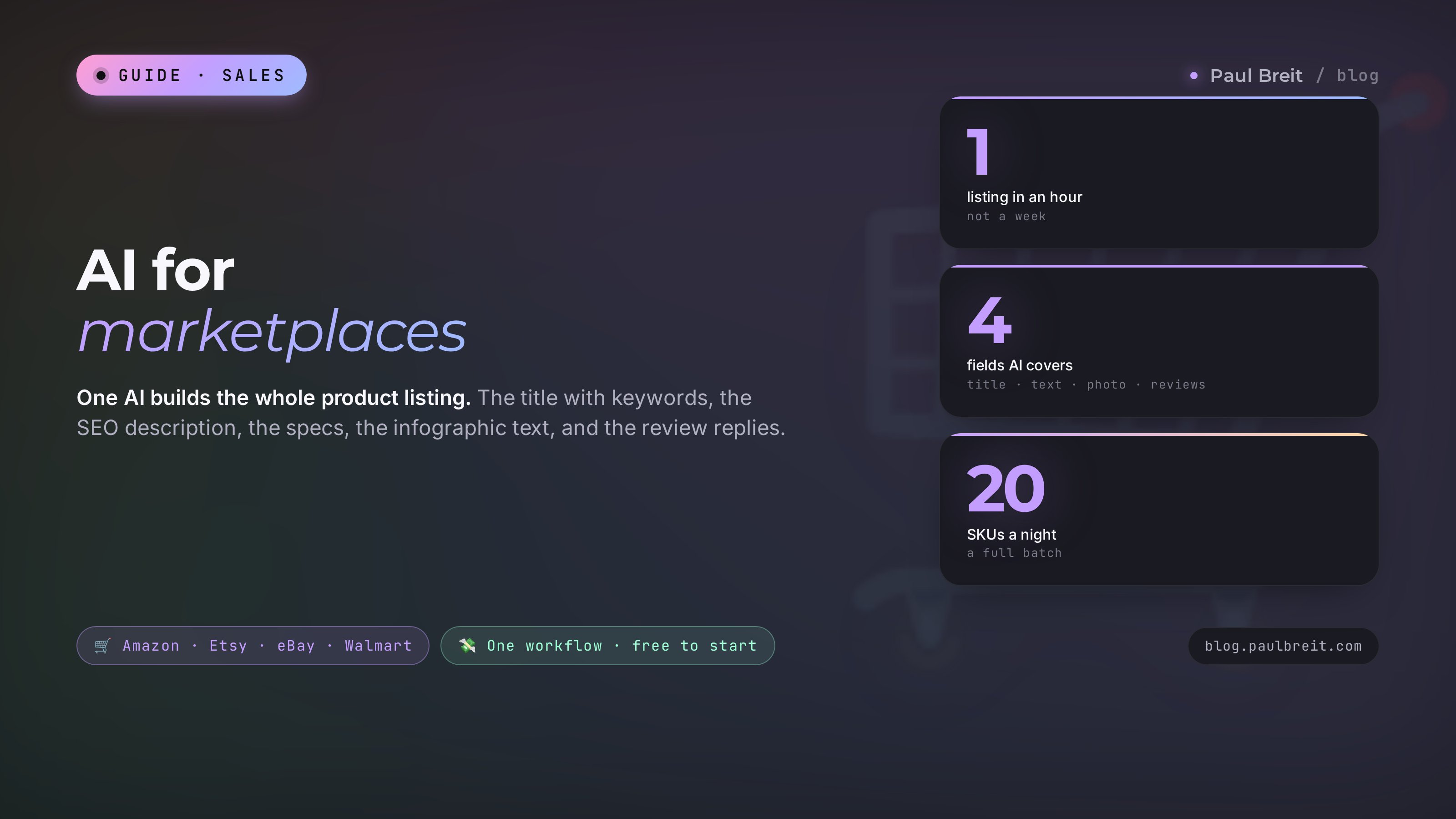
How to build a listing that Amazon and Etsy search actually surface – with a single AI. A keyword title, an SEO description, specs, infographic text, product photos, and review replies. With ready prompts for every step and a before-and-after breakdown, so one listing takes you an hour instead of a week.
AI for marketplaces is a pairing of a text model (Claude or similar) and an image model. The text model builds the keyword title, the selling description, the specs, and the review replies. The image model makes the infographic and puts the product on a clean white background from an ordinary snapshot. You hand the AI a product description and some competitor reviews, get a finished listing in an hour, and upload it to your seller account. The saving: 5-6 hours per SKU.
The product is good, but the listing is dead. The title was written by guess, the description is two sentences long, the infographic was thrown together in a phone app in half an hour, and reviews have gone unanswered for weeks. The listing floats on the third page of results, where nobody sees it. The seller blames the ads and the platform, pours more budget into promotion, and drains it into the same weak listing.
Over two years I have built more than a hundred listings with AI – for clients selling apparel, beauty, homeware, kids' products and electronics on Amazon and Etsy. The scheme is the same everywhere. Below is the whole system, with prompts you can copy and paste today.
You will read it in 24 minutes. You will build your first listing in an hour. In a week you will rework your entire catalog and watch positions climb the results without a single dollar in ads.
What's inside
- What AI really does for a product listing
- Anatomy of a listing the marketplace promotes
- The title: keywords and readability in one line
- Description and specs: landing in Amazon and Etsy search
- Infographic and product photos with AI
- Answering reviews and questions on autopilot
- Reading competitors and the niche before you launch
- Build a listing from scratch in an hour: step by step
- 6 seller mistakes and how AI closes them
- Getting started with Claude
- The whole path in a minute
Section 01What AI really does for a product listing
A marketplace listing is a little salesperson that works instead of you around the clock. It has to catch the eye in search, explain why the product is good, kill doubts, and nudge toward the Buy button. Four things carry that load: the title, the description with specs, the images, and the reviews. Each of the four eats time and takes a skill the seller usually doesn't have.
AI lifts exactly these four loads. It writes the title so shoppers' search terms land in it while it still reads like a living line. It builds the description, where every spec turns into a benefit. It draws the infographic and cleans up the product photo. It answers reviews in your tone while you sleep.
An important point that removes half the fear: AI doesn't replace you and doesn't make decisions. You stay the one who knows the product, the buyer, and the price. AI is the hands that do the grunt work fast and without burning out. You check and edit. That changes the scale: where you used to grind out one listing over a week, you now work through twenty SKUs in an evening.
Building a decent listing by hand is 5-6 hours: pick keywords, write the copy, lay out the infographic, wrestle with the specs. With AI the same job takes 40-60 minutes, and most of that time you are checking, not creating from scratch.
Later in the article we break down each of the four elements separately, then assemble everything into one working process. If you first want to understand how a conversation with AI is structured and what a good request is made of, look at the breakdown of how to write prompts – it underlies everything below.
Section 02Anatomy of a listing the marketplace promotes
Before writing anything, let's sort out what the marketplace algorithm sees and what a human sees. These are two different audiences, and the listing has to please both. The algorithm decides whether you show up in results. The human decides whether to buy.
What the algorithm reads
Search on Amazon and Etsy matches products by the overlap between words in the shopper's query and words in your listing. It pulls those words from three places: the title, the specs, and the description. The more precisely and fully you cover real queries, the more result pages you appear on. This is what's called a marketplace's internal SEO.
The second thing the algorithm watches is shopper behavior on the listing. How many people clicked it in results, how many added to cart, how many bought, how many returned. A good listing with strong images and clear copy earns more clicks and orders, and the platform lifts it higher. That's how copy and images move your position even without direct ads.
What the human reads
A shopper looks at a listing for three to five seconds before deciding to stay or scroll on. In those seconds they catch the main image, the price, the title, and the first two infographic panels. If they haven't grasped what the product is and why it beats the neighbors in that time, they leave. Then come the reviews: eight in ten read them before buying, and often that's exactly where the final decision is made.
AI helps with each of these fields. Below we work through them in order – from the title to the reviews – and I give you a ready prompt for each.
How the platforms differ
The listing logic is the same for all of them, but the fields and emphasis differ by platform. The prompt for the AI stays the same; you only change the limits and where you put the weight.
| Platform | Where it's strong | What to emphasize |
|---|---|---|
| Amazon | Huge traffic, search on title and bullet keywords | Dense keyword title, strong main image, A+ content |
| Etsy | Handmade and niche buyers, tags and titles drive search | Keyword-rich title and 13 tags, story-led description, lifestyle photos |
| eBay | Live demand, item specifics power search | Complete item specifics, clear keyword title, honest photos |
| Walmart Marketplace | Growing traffic, rich attributes and content | Full attribute fields, long description, competitive pricing |
Later in the article I give examples on Amazon and Etsy as the most common, but you carry every prompt onto any platform by swapping the name and the field limits in the request.
Section 03The title: keywords and readability in one line
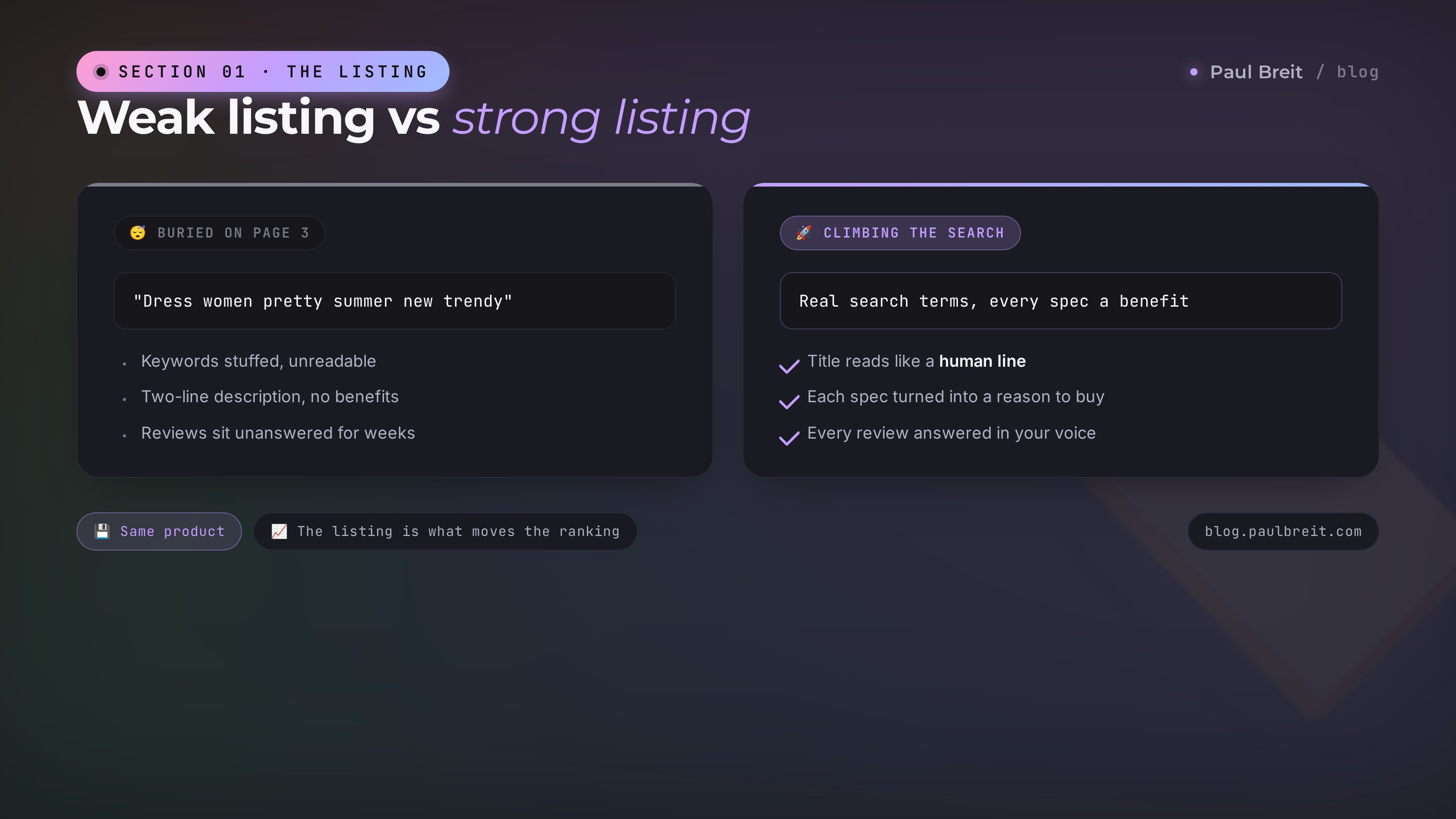
The title is the most valuable field in a listing. It works in search and it hits the buyer's eye first. A bad title sounds like this: "Dress women pretty summer new trendy." Words crammed in a row, impossible to read, and half of them the buyer never types into search. A good title covers real queries and still reads like a human phrase.
For AI to build a title like that, you need to give it three things: what the product is, its main features, and a list of key search terms. You get the keywords from the marketplace's own search autocomplete and from competitor listings (more on that in the competitors section). Then you hand it all to the AI.
You are an Amazon listing specialist. Build 5 title options
for a product.

Product: a linen midi dress, relaxed cut, color milk.
Key facts: natural linen, doesn't wrinkle, has pockets, sizes 4-16.
Buyer search terms: linen dress, linen dress women, midi dress
relaxed, oversized dress, natural summer dress.

Title requirements:
- up to 100 characters;
- the main keyword at the start;
- reads as a living phrase, not words strung by spaces;
- no exclamation marks, no words like "hit" or "new".

Give 5 options, and under each note which keywords it covers.
The AI comes back with something like "Linen Midi Dress Relaxed Fit, 100% Linen, With Pockets, Milk." The main keyword up front, the features, and living readability. Under each option it lays out which queries it catches, and you pick the one that covers the most of what you need.
Ask the AI to build titles around three different main keywords, then compare them by query coverage. In one pass you get options for different buyer groups and pick the strongest one, not just the first that came up.
Before and after
Before: Hand cream moisturizing nourishing care winter repair
After: Moisturizing Hand Cream with Shea Butter, Nourishing, for Dryness and Cracks, 2.5 fl oz
The first is a word pile, part of which nobody searches. The second covers "hand cream with shea butter," "cream for cracked hands," "cream for dry hands," names the size, and reads calmly. The difference in clicks on the results page is severalfold, and it took a minute.
Section 04Description and specs: landing in Amazon and Etsy search
The description works on two fronts at once. For the algorithm it's the field that holds the keywords that didn't fit in the title. For the human it's where you explain why they should buy from you. A weak description is either empty at two sentences or, the opposite, stuffed with keywords to the point of being unreadable.
The power of AI here is that it unfolds every spec into a benefit. The seller writes "material: 100% linen." The AI turns it into "Linen breathes and doesn't cling in the heat, so the dress stays comfortable even at 90 degrees." The spec became a reason to buy.
Write a selling product description for an Etsy listing.

Product: a relaxed-cut linen midi dress, milk.
Specs: 100% linen, relaxed cut, pockets, sizes 4-16,
midi length, machine wash cold.
Buyer: women 30-50 who value natural fabrics and comfort.
Weave in these keywords naturally: linen dress, midi dress
relaxed, oversized summer dress, natural fabric dress.

Structure:
1. First paragraph - the main benefit, to hook in 3 seconds.
2. Turn each spec into a benefit for the buyer.
3. A separate paragraph - who it suits and in what situations.
4. Kill the main doubt (does linen wrinkle, how to care for it).
Length 1200-1500 characters. Living language, no corporate stiffness.
Out comes a finished text you only need to proofread and paste into your account. Separately, ask the AI to fill in the specs: marketplaces give dozens of filter fields, and every completed field is one more way you get found.
Before and after
Before: Travel mug 17 oz. Keeps heat. Stainless steel. Handy.
After: This travel mug keeps boiling water hot for up to 12 hours, so your tea stays warm from home to the office and on a long drive. The stainless steel body won't shatter or hold odors, and the lid won't leak in your bag. At 17 oz it holds two full cups. Fits the car, a stroller walk, and the desk at work.
The first is a dry list of facts that sells nothing. The second unfolds the same facts into situations the buyer understands, and along the way covers the keywords "stainless travel mug," "leakproof travel mug," "17 oz travel mug." Same facts – the difference is that the person sees themselves holding the product.
Here is a product listing and the list of attribute fields
from my Walmart account. Fill each field with a correct value
based on the product description. If data is missing, mark the
field "to confirm" - do not invent anything.

[paste the product description and the field list]AI sometimes invents specs the product doesn't have – it makes up the material or the country of origin. This is called a hallucination. So in the prompt, explicitly ask it to invent nothing and flag doubtful fields. And always check the final specs against the real product: wrong data leads to returns and penalties from the platform.
Description copy is essentially SEO copywriting, only for marketplace search rather than Google. If you want to dig deeper into how AI writes copy for search queries, look at the breakdown of SEO articles with AI – the principles are the same.
Section 05Infographic and product photos with AI
Images decide whether anyone clicks your listing in results. The first photo is your ad on the shelf, and it outweighs any text. Sellers used to pay a designer $8-20 an image for the infographic, and on a batch of thirty SKUs that added up to a tidy sum. Now an image model takes the grunt work.
What AI does with images
Three jobs that AI closes right now:
- A clean photo on white. You shoot the product on your phone at home, AI removes the background, evens the light, and lays the product on flat white – the way marketplace rules require for the main photo.
- An infographic with benefits. AI suggests which benefits to put on the images and generates the backgrounds and layout. You just add the short captions.
- The product in a room or on a model. From a photo of the product on a desk, AI builds a scene: a candle onto a coffee table in a cozy living room, a dress on a person. That removes the need for an expensive photo shoot.
The text model writes the infographic copy, and the image model draws the pictures. First gather the messages:
I have a product listing - a linen midi dress. Suggest 6 panels
for the infographic: what to put on the images to kill buyer
doubts and show the benefits.

Answer format: for each panel - a short headline (up to 5 words)
and a caption (up to 12 words). Order - most to least important.
The first panel must hook in 3 seconds.
The AI returns a list like "100% linen – breathes, never hot," "Has pockets – handy and practical," "Not see-through – checked on a model," "Sizes 4-16 – for any figure." You carry these captions onto the images, and generate the backgrounds and scenes with the image model from a photo of the product.
From a single desk shot of a candle, AI built the main photo on white plus three room scenes: on a windowsill, by the bath, and on a table with a book. A shoot would have taken half a day and cost as much as a month of ads. Here – twenty minutes and zero dollars.
Which image model to pick for product photos and how they differ, I covered in detail in the article on AI image generators. For marketplaces, two things matter: a clean white background with no artifacts, and the right proportions for the platform's rules.
Section 06Answering reviews and questions on autopilot
Reviews are the last thing a buyer reads and often what they decide on. And it's the one field in a listing where you can talk to the buyer. A seller who answers reviews sells more than one who stays silent: replies show a living person stands behind the product, and a smart response to negativity removes the fear for the next buyer.
The problem is that answering a hundred reviews a week by hand is a half-day job everyone puts off. AI closes it in minutes. You set the tone once, and it holds it across every reply.
You answer reviews on behalf of a women's apparel brand.
Tone: warm, human, no corporate stiffness or templates.
Rules:
- to positives - sincere thanks, no cliche "thanks for the review";
- to negatives - an apology, care, a fix, no excuses;
- address the buyer politely, by name if given;
- 2-4 sentences, no stiff language;
- every reply different, not copy-paste.

Here are 10 reviews, answer each:
[paste the reviews]
Separately, AI handles the questions asked on the listing before purchase. Each such question is a doubt, and if you answer fast and to the point, you clear it at once for everyone reading. Same prompt, only questions instead of reviews.
Answering with a template like "Thanks for your review, come again" is worse than silence: the buyer reads the autoresponder and loses trust. In the prompt, always ask for a living human tone and different wordings. And reread replies to negatives before posting – the cost of a mistake here is high.
Review analysis gives one more bonus: AI sees what buyers praise and complain about most. Gather competitors' reviews, hand them to the AI – and you get a ready list of benefits for your listing and a list of weak spots worth fixing in the product or the description.

Section 07Reading competitors and the niche before you launch
Before you build a listing, it's worth seeing what already sells in your niche and how. This isn't about copying. It's about understanding which queries buyers type, which benefits everyone puts on the infographic, and what they complain about in the neighbors' reviews. AI turns this from a week of manual work into an hour.
How to gather keywords
Go into the marketplace search and start typing the product name. The platform suggests continuations itself – these are the real buyer queries, sorted by frequency. Copy a dozen suggestions, add the titles of the first listings in the results, and hand them to the AI:
Here are Amazon search suggestions and the titles of the top-10
listings in the "linen dress" niche. Group the keywords by meaning,
mark the most frequent, and suggest which of them to put in my
title, and which - into the specs and description.

[paste the suggestions and competitor titles]
How to break down competitor reviews
Gather 20-30 reviews each from two or three strong competitor listings and ask the AI to pull the patterns:
Here are reviews of linen dresses from three competitors. Break them down:
1. What gets praised most - these are the benefits to put
   on my listing.
2. What gets complained about most - these are weak spots I'll close
   in the product or address honestly in the description.
3. Which doubts and questions repeat - I'll close these on the infographic.

[paste the reviews]
Out comes a ready map of the niche: what to write in the title, which benefits to show, which doubts to remove. A listing built on that foundation hits the buyer more precisely than one dreamed up from your head. This same feedback-analysis move works in other tasks too – a similar logic underlies analyzing sales calls with AI, where AI pulls patterns the same way, only out of sales recordings.
Section 08Build a listing from scratch in an hour: step by step
Now let's assemble everything into one working process. We'll take a sample product – a linen dress – and walk the path from an empty field to a finished listing. Each step is detailed enough that even someone opening AI for the first time can repeat it.
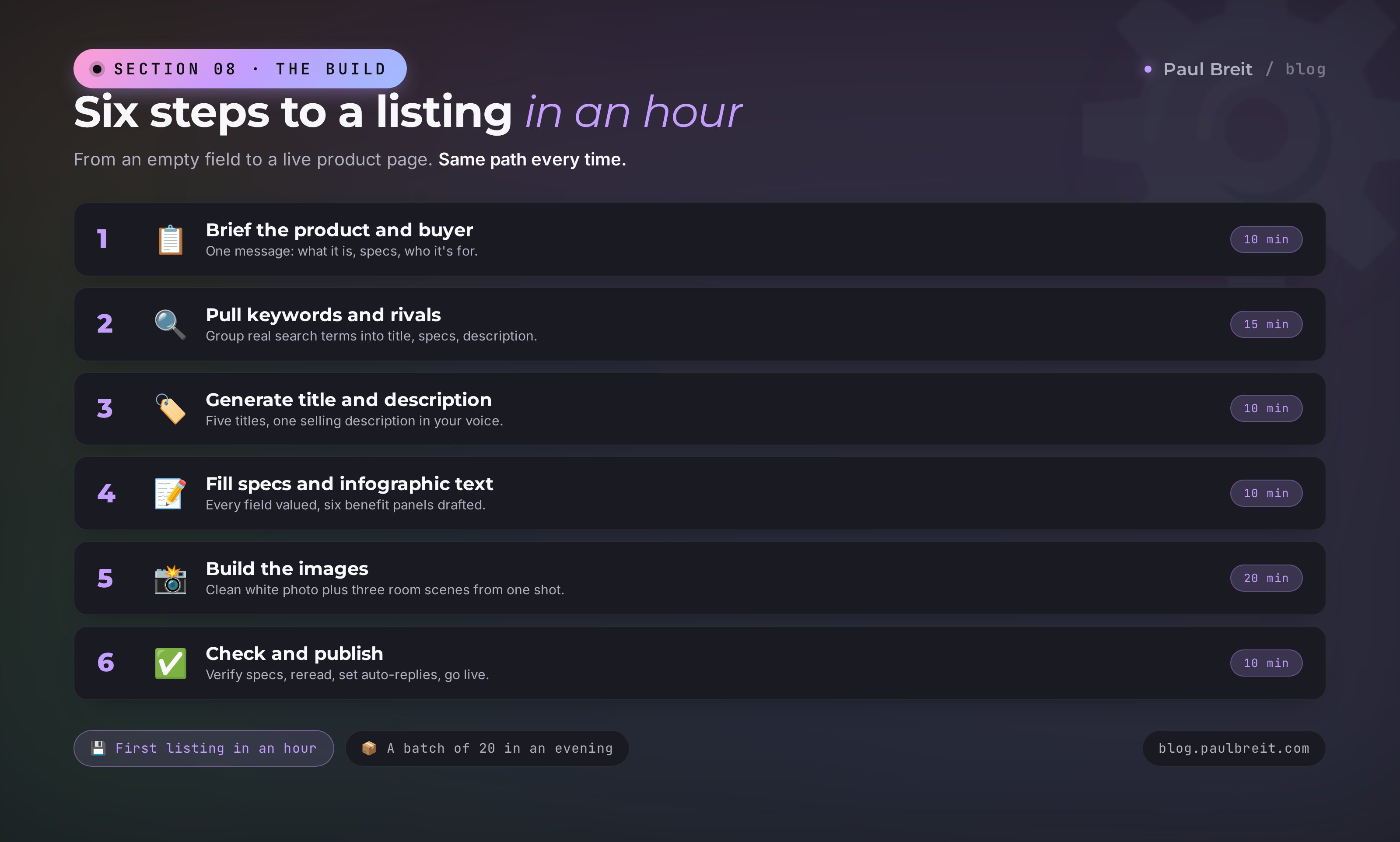
Gather a dossier on the product and buyer
Open a chat with the AI and in one message describe the product: what it is, what it's made of, sizes, how it differs from the neighbors. Add who the buyer is and what matters to them. The AI keeps this dossier in mind for the whole conversation, so you won't have to repeat it in every prompt.
Gather keywords and read competitors
Copy the marketplace search suggestions and the top-listing titles, hand them to the AI to group (the prompt from Section 7). Get a keyword list split across title, specs, and description.
Generate the title and description
With the prompts from Sections 3 and 4, build five titles and a selling description. Pick the title that covers the most keywords, proofread the description, and tune it to your voice.
Fill the specs and infographic text
Hand the AI the field list from your account – it fills correct values and flags the doubtful ones. With a separate prompt, build six infographic panels with benefits.
Build the images
Shoot the product on your phone, hand it to the image model: a clean photo on white plus three room scenes. Carry the captions from Step 4 onto the infographic panels.
Check it by eye and publish
Match the specs against the real product, reread the copy, look at the main photo with fresh eyes: is it clear in three seconds what this is and why it's good. Upload to your account and set up auto-replies to reviews with the prompt from Section 6.
All in, a little over an hour for the first listing. The second goes faster: the brand dossier and review tone are already set, the prompts saved. A batch of twenty SKUs realistically closes in an evening, not a week. It's handy to keep the ready prompts in one place – how to gather and store them is shown in the breakdown of the AI prompt library.
What to change in the prompt for your niche
The scheme is the same, but it's worth nudging the emphasis in the prompt for the product category. Here's where to put the weight in different niches.
| Niche | Key in the title | What to put on the infographic |
|---|---|---|
| Apparel | Type, cut, fabric, size range | Measurements, fit on a model, material, care |
| Beauty | Problem-solution, size, active ingredient | Before and after, ingredients, skin type |
| Home goods | Purpose, material, dimensions | Product in a room, dimensions, what's included |
| Kids' products | Age, safety, material | Certifications, sizes, use scene |
| Electronics | Model, key spec, compatibility | Spec numbers, what's in the box, comparison |
In the prompt it's enough to add the niche and what matters most to the buyer in it, and the AI shifts the emphasis itself. For apparel it adds measurements and care, for beauty the ingredients and skin type, for electronics the dry spec numbers.
Let's count on a batch of 20 listings. By hand with a copywriter and a designer, that's weeks of work and hundreds of dollars on copy and infographics. With AI, it's two or three evenings and a Claude Pro subscription at $20 a month. The difference pays for the subscription on the very first batch.
Section 096 seller mistakes and how AI closes them
| Mistake | What happens | How AI closes it |
|---|---|---|
| Eyeballed title | Listing misses half the searches | Builds the title from real search autocomplete |
| Empty description | Algorithm sees no keywords, buyer sees no benefits | Unfolds each spec into a benefit with keywords |
| Weak main photo | Nobody clicks the listing in results | Cleans the photo and drafts a hooking first panel |
| Silence on reviews | Negatives sit there, trust drops | Holds the tone and answers every review in minutes |
| Blank spec fields | Product drops out of filters | Fills the specs and flags the doubtful ones |
| Launching without niche research | Listing misses buyer intent | Builds a niche map from competitors in an hour |
The overall logic is simple. Almost every listing failure grows from one root: the seller ran out of time and skill to bring four fields up to standard. The product itself is usually fine. AI gives back both the time and the skill. Your role is to know the product and check the result. Its role is to do the grunt work fast.
It won't save a bad product, won't stand in for honesty in the specs, and won't make the call on price and positioning for you. If the product is weak, a pretty listing only speeds up the returns. AI amplifies what's there, so product first, listing second.
Section 10Getting started with Claude
I do the main text work on listings in Claude – it holds long instructions carefully and writes in living language without cliches. Getting set up takes about ten minutes. Let's walk it step by step so it works the first time.
Create an account on claude.ai
Open claude.ai and sign up with your email. The free tier is enough to try everything in this article on a couple of listings before you commit to anything.
Upgrade to Pro if you go for volume
For a batch of listings the free limits won't be enough – take Pro at $20 a month. It lifts the message limits and unlocks Projects, where you keep the brand dossier and prompts so every listing starts in seconds.
Start on the free tier with one listing. The moment you see the scheme saves you an evening of work, the $20 subscription pays for itself on the first batch of products. Which other AI tools suit which tasks – in the roundup of the best AI tools of 2026.
Don't worry if the setup feels unfamiliar. You do it once, and after that you just open the chat and work. Sellers who started from zero pick up this pairing in a couple of evenings and then build listings on a conveyor.
RecapThe whole path in a minute
Let's pack the system into a short list to keep in front of you:
- Four fields. AI closes the title, the description with specs, the images, and the reviews – everything that decides a listing's fate.
- Title. Main keyword up front, product features, living readability. Built from real search suggestions.
- Description. Every spec unfolded into a benefit, keywords woven in naturally, specs filled and matched against the product.
- Images. Clean photo on white, room scenes, and a benefit infographic – from a phone shot.
- Reviews. A living tone, a reply to every review and question, competitor complaints turned to your advantage.
- Process. One listing in an hour, a batch in an evening. The seller's role is to know the product and check; AI's role is the grunt work.
Start with one listing today. Take the product that sells worst, rebuild it on this scheme, and look at its position a week later. One evening of work pays for the subscription and builds a skill that then works across the whole catalog. And if you want to see how AI fits into earning as a whole, not just listings, look at the breakdown of how to make money with AI.
FAQFrequently asked questions
Which AI is best for marketplace listings?
For text, Claude: it holds long instructions and writes in a natural voice without cliches. For images, use a generator that cleanly removes the background and places the product on white. In practice, one text model plus one image model covers every part of a listing: title, description, infographic and photo.
Will Amazon or Etsy ban me for AI-written text?
No. Marketplaces don't forbid AI-written copy and can't tell it from hand-written text. What matters is different: the specs must be truthful and the copy readable. Sellers get penalized for inaccurate data and for keyword stuffing, not for the tool that wrote the text. That is why you always check the final listing against the real product.
Can I make product photos with AI and skip a real shoot?
You still need to photograph the product on your phone at least once – AI works from your real shot. From there it removes the background, drops the item on white, and builds room scenes. Making up a photo of a product that does not exist is a bad idea: the buyer gets something other than what they saw and returns it with a poor review.
How long does one listing take with AI?
The first listing takes a little over an hour, including competitor research and images. The second goes faster: your brand brief and review tone are already saved, and the prompts are reusable. A batch of twenty SKUs realistically closes in two or three evenings instead of several weeks of manual work.
How does AI help a listing rank higher in marketplace search?
Marketplace search matches the words in a shopper's query against the words in your listing. AI builds the title, specs and description so they capture the real search terms from the platform's own autocomplete. On top of that, strong images and copy earn more clicks and orders, and the platform pushes a listing that performs up the results.
Do I have to pay for Claude, or is the free tier enough?
You can try the whole approach on a couple of listings with the free tier. For a batch of products the limits will not be enough – the Pro plan is $20/month. It pays for itself on the first batch because it replaces a copywriter and a designer.
How do I reply to reviews with AI without sounding like a robot?
Set the tone once: warm, human, no cliches, a different wording for each reply. In the prompt, explicitly ban templates like "thanks for your review." Reread the replies to negative reviews before posting – the cost of a mistake there is high. Done this way, the buyer sees a real person, not an autoresponder.