The AI prompt library: 100 ready-made commands for your work
100 ready-made prompts for your everyday work: content, sales, social, analytics, and routine. Each one is built to copy with a button, drop your own details into the square brackets, and get a working result on the spot. A library you run in any AI.
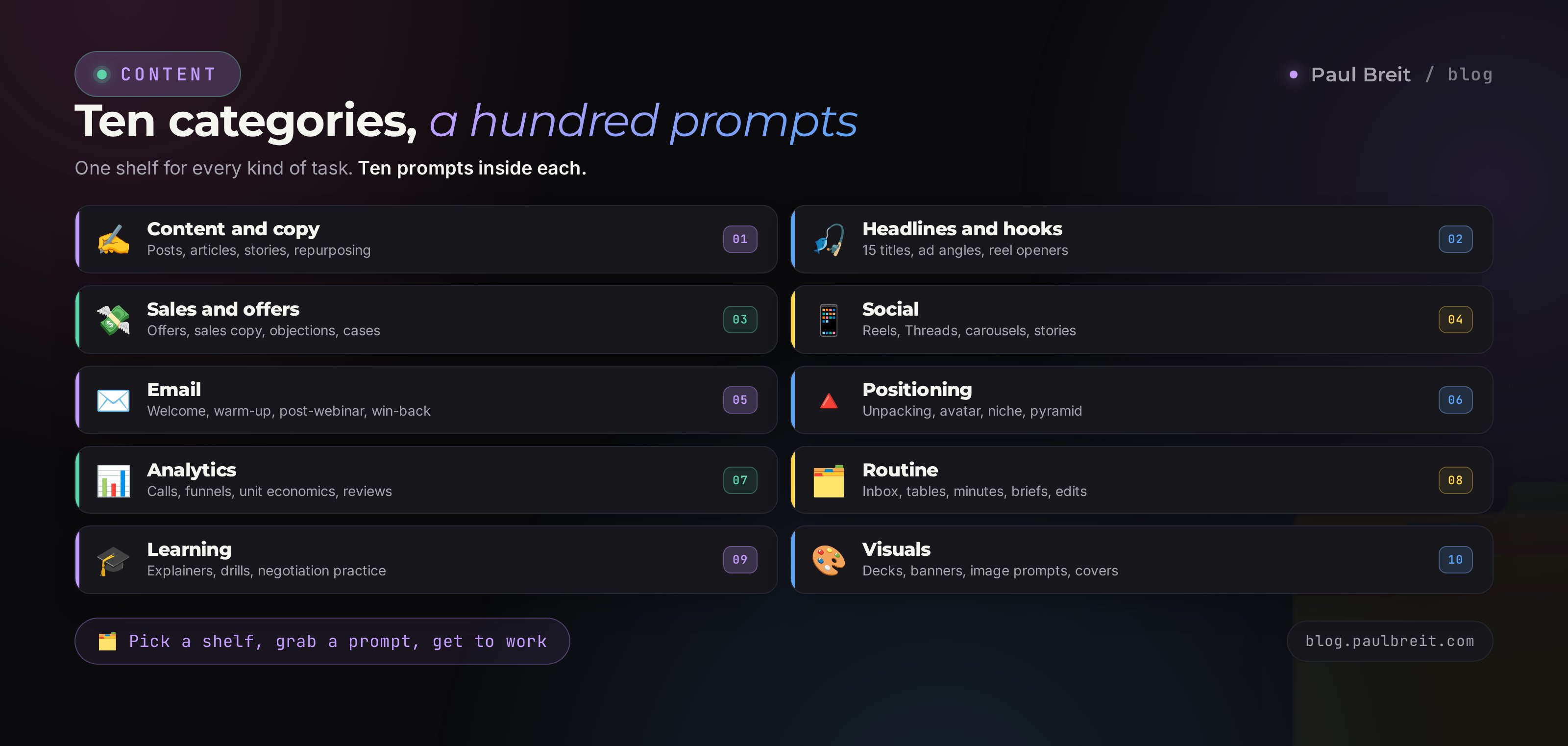
Ready-made prompts are pre-built commands for an AI with the role, task, and output format already written in. The library below has 100 of them across 10 jobs: content, headlines, sales, social, email, positioning, analytics, routine, learning, and visuals. Hit Copy on a card, paste it into your AI chat, swap the words in square brackets for your own, and get a result in seconds.
Every prompt here runs in any major AI. If you don't have an account yet, the fastest start is Claude at claude.ai – free to sign up, no card required. Claude holds your voice best in longer writing; for quick, small tasks any assistant on hand will do. For a step-by-step on signing up and paying, see how to pay for Claude.
Prompts get lost in notes, screenshots, and chat threads. When you need a good one, you can't find it and end up writing the command from scratch again. This page closes that: 100 commands in one place, sorted by job, copied in one click. Bookmark it and come back whenever you sit down for content, sales, or numbers.
What's inside
- How to use this library
- Content and copy – 10 prompts
- Headlines and hooks – 10 prompts
- Sales and offers – 10 prompts
- Social: reels, Threads, carousels – 10 prompts
- Email and newsletters – 10 prompts
- Positioning and strategy – 10 prompts
- Analytics and numbers – 10 prompts
- Routine and operations – 10 prompts
- Learning and performance – 10 prompts
- Visuals and slide decks – 10 prompts
- Turn a prompt into your own AI skill
- 6 mistakes when working with prompts
- The whole path in a minute + checklist
Section 01How to use this library
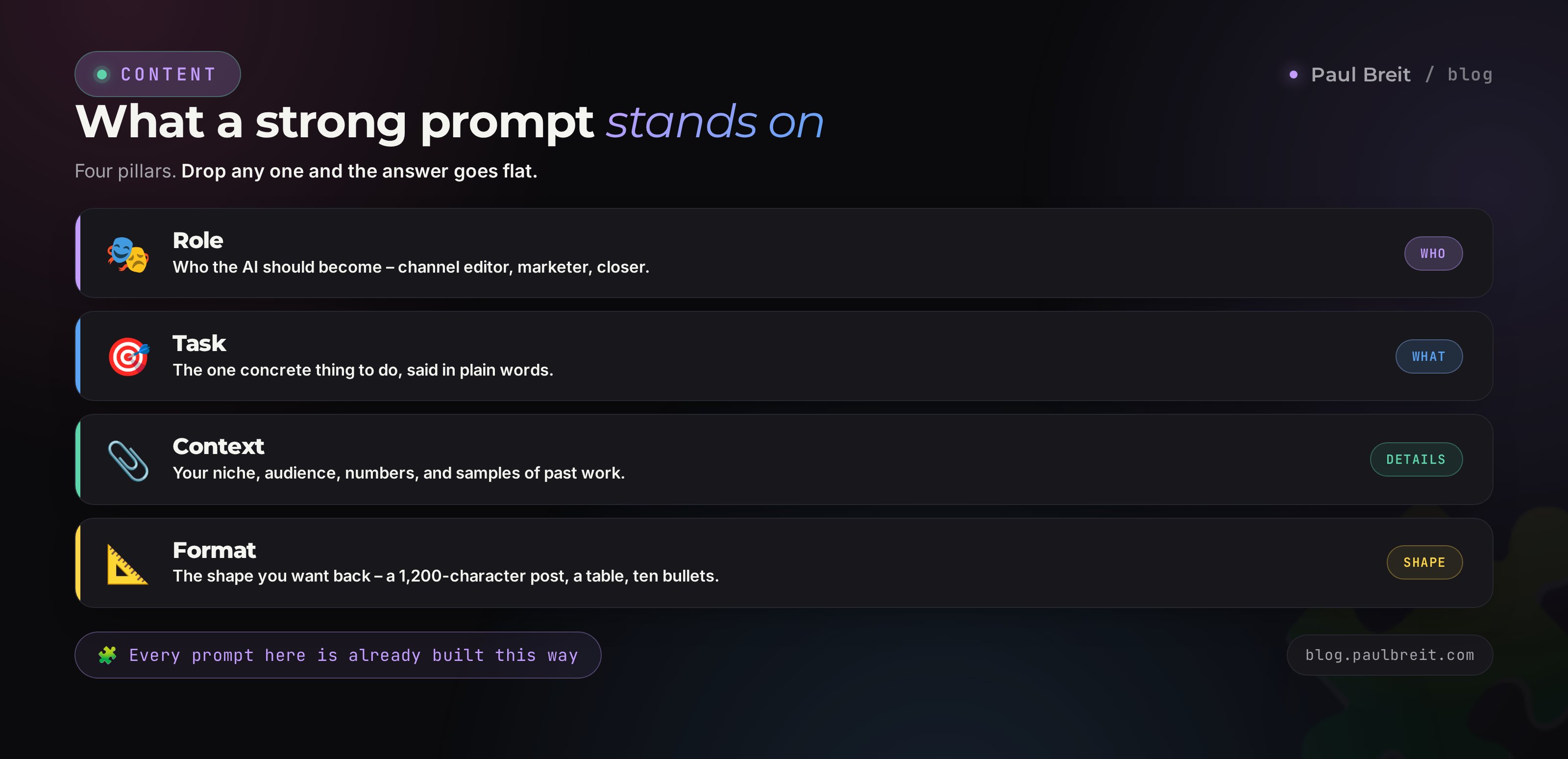
A strong prompt stands on four pillars. Role – who the AI should become (channel editor, marketer, closer). Task – the one concrete thing to do. Context – your niche, audience, numbers, samples of past work. Format – the shape you want the answer in: a 1,200-character post, a table, a list of 10 points. Drop any one pillar and the quality falls off. Every prompt in the library is already built on this frame; all you add is your context.
The full five-part formula, with before and after, is in a separate article on how to write prompts. Here a short rule is enough: the more concretely you fill the square brackets, the sharper the AI answers. Brackets like [TOPIC], [NICHE], [NUMBER], [PASTE POSTS] are the spots for your data. Empty brackets get filled with generalities, and the result comes out average.
How copying works
Every card has a Copy button on the right. Click it, the prompt text goes to your clipboard, and you paste it into your AI chat with Ctrl+V or a long press on your phone. Then you swap the placeholders for your own and send. One prompt can run dozens of times with different inputs – that's the whole value.
Three habits that make any prompt stronger
- Attach samples. Give 3-5 of your own texts and the AI picks up your tone. This matters most for content – the method is broken down in the article on teaching AI to write in your voice.
- Ask for options. Fifteen headlines instead of one. From a long list you pick a strong one; from a single option there's nothing to choose between.
- Refine through dialogue. The first answer is a draft. Say what to fix: shorter, livelier, add numbers, cut the corporate-speak. In 2-3 turns the result reaches a finished level.
The prompts below are neutral and work in any AI: Claude, ChatGPT, Gemini, and others. For long texts and fine work with style, Claude is stronger; for quick little things, any one on hand will do.
Section 02Content and copy
Everyday content is the most common job. These 10 prompts cover posts, articles, stories, and repurposing live streams. Attach 3-5 of your own texts to any of them and the AI picks up your tone.
You're the editor of my Telegram channel. Write a 1,000-1,400 character post on: [TOPIC]. One idea, a living conversational tone, short paragraphs of 2-3 sentences, no corporate-speak and no markdown. Open with a hook that stops the scroll. End with a simple call to action.
Break the big topic [TOPIC] into 5 separate posts for the channel. For each, give a catchy headline, the core idea, a 3-point outline, and an idea for the closing call. The posts build in intensity and lead the reader toward [TARGET ACTION].
Write the structure and a draft of an SEO article for the query [QUERY]. Give an H1, a short answer to the query in the first paragraph, an outline of 6-8 sections with 2-3 useful paragraphs each, a Q&A block, and a conclusion. Write directly to the reader, in plain words.
Here are 5 of my posts as a style sample: [PASTE POSTS]. Study my tone, rhythm, favorite words, and sentence length. Now rewrite this text in my voice, keeping the meaning: [TEXT]. Strip out anything that sounds like AI.
Write a story post: an ordinary situation the reader recognizes, a turn, a takeaway, and a soft bridge to [TOPIC OR PRODUCT]. Real details, emotion, dialogue. Don't spell out the moral – let the story carry it.
Build a how-to post: How to get [RESULT] in [TIMEFRAME]. Numbered steps, each with one concrete action and its result. Open with the reader's pain, close with what they walk away with. Only things they can actually do today.
Build a 30-day content plan for the project [NICHE]. Spread topics across the pillars educate, engage, inspire, sell in a 40/30/20/10 mix. For each day give a format, a topic, and a headline. The goal for the month is [GOAL].
Here's the transcript of my live stream: [TEXT]. Pull 7 standalone pieces of content from it: 3 posts, 2 reel ideas, 1 carousel, and 1 newsletter topic. For each, give a headline and the core idea.
Write a post that dissolves the objection [CLIENT OBJECTION] to the product [PRODUCT]. Name the objection honestly, show where it comes from, work through it with an example, and offer a fresh angle. Calm tone, no pressure, no dismissiveness.
Give me 5 strong endings for a post on [TOPIC]. Each closes with a concrete call – a code word or a clear next step. Vary the tone: warm, bold, calm.
Section 03Headlines and hooks
The headline decides whether the text gets opened or scrolled past. Ask for fifteen options at once instead of three – a long list always hides a strong one. These prompts give headlines for articles, ads, emails, and the opening seconds of a reel.
Give me 15 headline options for a piece about [TOPIC]. Use different formulas: number plus benefit, question that hits a pain, contrast, promise with a timeframe, curiosity. Each under 60 characters. Mark the 3 strongest and explain why.
Write 12 opening lines for a reel on [TOPIC] that stop the scroll in the first 3 seconds. Different types: contradiction, pain question, shock number, promise. Spoken language, as if you're saying it out loud.
Write 10 headlines using the pain formula for [AUDIENCE] in the niche [NICHE]. Each names a concrete problem in the client's own words and hints at the way out. No dismissiveness, no fear-mongering.
Give me 8 ad headlines for a promo that leads to [OFFER]. Half through benefit, half through curiosity. Each under 40 characters so it fits the creative. The headline's message matches the landing page.
Write 12 subject lines for a newsletter about [TOPIC]. Goal: a high open rate. Mix the levers: intrigue, a number, a personal question, urgency. Add a 40-character preheader to each.
Come up with 10 branded names for my method: [METHOD DESCRIPTION]. Punchy, short, easy to remember and say. One line each on what it means.
Write 8 names for a lead magnet that solves [PROBLEM] in 10 minutes. A concrete result in the title, a sense of fast value. Formats: guide, checklist, template, teardown.
Give me 7 first-paragraph options for a post about [TOPIC]. Each pulls the reader further in: a scene, a bold claim, a short question, an unexpected number. Two sentences max.
Build 10 number-driven headlines for [TOPIC]. The number makes the promise concrete: a timeframe, a count of steps, the size of the result. Use believable numbers, no empty round promises.
Give me 8 question headlines for [TOPIC] that hit a real pain of [AUDIENCE] and make them nod. The question sounds like the reader's own thought in their head.
Section 04Sales and offers
This is everything that moves a person toward buying: the offer, the sales copy, objection handling, pricing tiers, cases, and the call script. Feed the AI real facts and numbers – it will invent the missing ones, and that's dangerous in sales.
Build a strong offer for the product [PRODUCT] on the formula: the client's result, in what timeframe, by what method, with what guarantee, for whom. Give 3 wordings for different levels of buyer readiness.
Write sales copy for [PRODUCT] in the structure: pain, amplify, solution, proof, offer, objection handling, call with a deadline. Confident, warm tone, no pressure. Pull facts from here: [FACTS].
Here are 5 common objections from my clients: [OBJECTIONS]. For each, give a calm response that grants the client's point, shows the other side, and returns to the value. Ready wordings for chat and calls.
Describe 3 pricing tiers for [PRODUCT]: basic, best value, premium. For each: what's included, who it's for, the result, and the price [PRICES]. Make the middle tier feel like the smartest buy; spotlight the anchor.
Write a sales message announcing that enrollment for [PRODUCT] is open. A time limit [TIMEFRAME] and a seat limit [NUMBER OF SEATS], with an honest reason for the deadline. Close with a direct call to send the code word [WORD] in a direct message.
Build a 40-minute sales call script for the service [SERVICE]. Blocks: rapport, diagnosing the request, deepening the pain, presenting the solution, price, handling doubts, agreeing on a next step. Give questions and transitions for each.
Give me 15 questions to qualify a client before selling [PRODUCT]. The questions surface their current point, their desired point, what's in the way, and the cost of doing nothing. Ordered from simple to deep.
Write up a client case on the formula: who the client is and their niche, point A with numbers, what you did step by step, point B with numbers, the timeframe, a quote in the client's words. Inputs: [CASE DATA]. Write it as a living story, not a dry report.
Come up with 5 guarantee options for [PRODUCT] that remove the fear of buying while staying safe for me. For each: the wording and the condition under which it applies.
Suggest 3 upsell options for a purchase of [CORE PRODUCT]. What logically pairs with it so the client's result is higher. The wording of the offer and the price. No feeling of a hard sell.
Section 05Social: reels, Threads, carousels
Content built for specific platforms. These prompts give reel scripts, threads, carousels, story warm-ups, and the same post reshaped for different networks. The tone stays living and conversational throughout.
Write a 40-second reel script on [TOPIC]. Structure: 3-second hook, problem, turn or insight, call. Voiceover text in spoken language, addressed to "you." List the b-roll shots separately.
Give me 30 reel ideas for the niche [NICHE] for a month. For each: the format, the hook, and the core idea. Spread them across types: mistake teardown, before-and-after, answering a question, myth vs truth, behind the scenes.
Build an 8-slide carousel script for [TOPIC]. Slide 1 is a gripping cover, slides 2-7 one idea each, slide 8 a call. For each, a headline and text under 30 words.
Write a 6-post thread for Threads on [TOPIC]. The first post is a strong hook; each next one opens one idea and pulls to the next. Living tone, no markdown. End with a question or a call.
Write a caption for a reel about [TOPIC] through a fresh angle instead of retelling the video. Structure: hook, but, way out through action. Verbs over nouns, close on a simple step.
Here are 10 comments under my post: [COMMENTS]. Write a short living reply to each that keeps the conversation going and gently steers toward [GOAL]. No canned "thanks for the comment."
Build a series of 7 stories to warm up to a sale of [PRODUCT]. For each story: the idea, the on-screen text, and the viewer action – a reaction, a question, a tap. They move from interest to ready-to-buy.
Come up with 6 recurring rubrics for a channel in the niche [NICHE]. For each: the name, what it's about, how often it runs, and the payoff for the subscriber. The rubrics add up to a system, no random scattered topics.
Suggest 10 fitting emoji markers and a way to visually break up a long post about [TOPIC] so it's easy to read on a phone. Don't overdo the emojis.
Here's my post: [TEXT]. Repackage it separately for Telegram, for Threads, and as a reel script. Respect the format and tone of each, keep the meaning.
Section 06Email and newsletters
Email still sells when it's alive and well-timed. These prompts build welcome and warm-up sequences, post-webinar emails, list re-activation, and post-purchase onboarding.
Write a 3-email welcome sequence for new subscribers of the project [NICHE]. Email 1 – introduction and value, email 2 – story and method, email 3 – a soft offer. For each: subject, body, call.
Build a 5-email warm-up sequence for the launch of [PRODUCT]. The logic: pain, story, method, cases, offer. For each email: subject, core idea, a ~1,500-character body, and a call to the next step.
Write an announcement email for the start of [EVENT OR PRODUCT] on [DATE]. Briefly: what, for whom, what they get, why now. One clear call. Living tone, no stiffness.
Write an email for people who haven't opened the newsletter in a while in the project [NICHE]. Bring back the value, remind them why they subscribed, give a reason to return. No guilt, no pressure.
Write an email to attendees after the webinar [TOPIC]. Thank them, give the recording and the key takeaway, remind them of the offer with a deadline [TIMEFRAME], and answer 2 common doubts. The call: apply.
Give me 10 subject-plus-preheader pairs for an email about [TOPIC]. Different attention hooks. Subject under 45 characters; the preheader continues the thought without repeating it.
Write an email where, through a personal story about [SITUATION], I lead the reader to the idea [MESSAGE] and the product [PRODUCT]. Emotion and detail, the takeaway not spelled out. Close with a calm call.
Help me split my subscriber list into segments by readiness to buy [PRODUCT]. Describe 4 segments, the signals of each, and the message that fits them.
Build a 4-email sequence for a client right after buying [PRODUCT]. The job: get them to a first quick win so there's no refund. For each email: a step, the value, support.
Write a short survey email for subscribers in the niche [NICHE] to learn their main pain and desired result. 3 questions, light tone, explain why answering helps.
Section 07Positioning and strategy
Before writing content and selling, you need to understand your niche, audience, and message. These prompts run an expertise unpacking, build the client profile, positioning, and the customer journey map.
Run an unpacking of my expertise. Ask me one question at a time about my path, failures, wins, principles, and client results. After 15 questions, assemble a message map: strengths, content topics, what sets me apart from competitors.
Analyze the comments and questions from my audience: [PASTE TEXT]. Write out the recurring pains, fears, desires, and wordings in people's own words. Group them and mark which show up most often.
Help me narrow my niche. Here's what I can do and love: [DESCRIPTION]. Suggest 5 narrow niches with a description of the audience, its pain, its ability to pay, and how I'd stand out. Mark the most promising one.
Build a meaning pyramid for the project [NICHE]: mission, values, big idea, core beliefs, products. Each level is one clear line you can carry into content.
Write my positioning on the formula: I help [WHO] achieve [RESULT] through [METHOD], unlike the market's typical approach of [DESCRIPTION]. Give 3 options of increasing boldness.
Describe a detailed profile of the ideal client for [PRODUCT]: age, role, a day in their life, pain, what they've tried, what they fear, what they dream about, and the words they use for the problem.
Write 12 questions for a customer-development interview with my audience in the niche [NICHE]. Questions about real experience and past decisions, no leading and no selling. The goal: understand what a person will pay for.
Here are 3 competitors and their descriptions or channels: [DATA]. Compare them on offer, price, content, and strengths and weaknesses. Find the open niche and angle where I can stand apart.
Write 5 unique-selling-proposition options for [PRODUCT]. Each is one line with a concrete result and a point of difference. No vague words like "quality" and "personalized."
Build a customer journey map from not knowing me to buying [PRODUCT] and buying again. For each stage: what the person thinks, what they feel, and the content and action that move them forward.
Section 08Analytics and numbers
Decisions without numbers are guesswork. These prompts break down calls, run the math on a revenue plan and unit economics, find the weak link in a funnel, and pull insights from reviews and chat threads.
Here's the transcript of a sales call: [TEXT]. Break down where the seller lost the client, which objections went unanswered, where they didn't close. Give 5 concrete script fixes with ready wordings.
I need [AMOUNT] in revenue this month from [PRODUCT] at a price of [PRICE]. Break the goal down into numbers: how many sales, leads, event attendees, and how much traffic at realistic conversion rates. Show the math step by step.
Here are my funnel numbers: [STAGE DATA]. Calculate the conversion of each step, find the weakest link, and give the priority hypothesis for what to fix first to raise the bottom line.
Calculate the unit economics for [PRODUCT]. Inputs: price [PRICE], acquisition cost [CAC], refund rate [PERCENT], repeat purchases [DATA]. Show the margin, LTV, and the LTV-to-CAC ratio, and assess the profitability.
Here are my numbers for the week: [DATA]. Assemble a short, human report: what went up, what dipped, the likely reason, and 3 actions for next week. No filler, no jargon.
Here are client reviews: [TEXT]. Pull out what gets praised most, what raises doubts, and which client phrasings can go straight into sales copy word for word.
Based on the last 3 months of trend data [DATA], give a realistic forecast for next month on subscribers, leads, and sales. Describe the conditions for an optimistic and a pessimistic scenario.
Suggest 10 growth hypotheses for [PRODUCT]. For each: what we change, what we expect, how we measure it, and how fast it can be tested. Sort by strength of impact and ease of launch.
Here are chat threads with clients who didn't buy: [TEXT]. Find the common point where the deal fell apart and the recurring doubts. Give me what to say in similar cases going forward.
Build a table of competitor prices in the niche [NICHE] from this data: [LINKS OR DATA]. Columns: product, what's included, price, format. Point out where my price looks like a good deal and where it's worth a rethink.
Section 09Routine and operations
Small tasks eat the day without you noticing. These prompts answer emails, turn data into tidy tables, assemble meeting minutes, briefs for contractors, and proofread text.
Write a polite, to-the-point reply to this email: [TEXT]. Tone [FORMAL OR WARM]. Hold my position: [YOUR POINT]. Keep it short, no extra flattery.
Turn this messy list into a tidy table: [DATA]. Decide the logical columns yourself, sort by [CRITERION], and total the numbers if there are any.
Here are my tasks and priorities for the week: [LIST]. Lay them out across the days by deadline and energy, group similar ones, and mark the 3 key tasks without which the week is a bust.
Summarize this document: [TEXT]. Give the 5 main points, the key numbers, and the takeaway of what I should do with it. Keep it under 200 words.
Here's a meeting transcript: [TEXT]. Assemble the minutes: decisions, tasks with owners and deadlines, open questions. Clear and to the point.
Write a clear brief for [CONTRACTOR] on the task [TASK]. What's needed, in what format, by when, the acceptance criteria, and what definitely won't work.
Break the process [PROCESS] into a detailed step-by-step checklist a new person could run without me. For each step: the action and the sign it was done right.
Write 8 ready support replies for common questions about [PRODUCT]: [QUESTIONS]. Friendly tone, each one solves the problem in a single message.
Translate this text into [LANGUAGE] by meaning, keeping the living tone: [TEXT]. Adapt the examples and units for the audience you're translating for.
Proofread this text: [TEXT]. Fix errors, cut corporate-speak and repetition, make the phrasing more alive, keep my meaning and tone. Show the final version and a separate list of edits.
Section 10Learning and performance
AI is a personal coach and sparring partner. These prompts explain hard things in plain words, build a plan to learn a skill, drill negotiations and sales calls, and help you prep for a talk.
Explain [TOPIC] as if I'm 12: plain words, an everyday example, no jargon. Then add one level deeper for an adult. At the end, check with one question whether I got it.
Build a plan to learn the skill [SKILL] in [TIMEFRAME] from scratch. Break it into weeks; for each, what to study, what to do with your hands, and how to check progress. More practice, minimal theory.
Be my sparring partner to drill the skill [SKILL]. Play the role of [ROLE], run the dialogue realistically, and ramp up the difficulty as we go. Afterward, break down what I did well and what to improve.
Make notes from this material: [TEXT OR TOPIC]. The main ideas, how they connect, the practical takeaways, and what to apply first. Format: a structure of short points.
Ask me 10 questions on [TOPIC] from simple to hard, one at a time. After each answer, correct and add to it. At the end, tell me what I know well and what to shore up.
I did this and got a bad result: [DESCRIPTION]. Break down where the mistake was, why it happened, and how to do it right next time. Specific to my case, no generic advice.
Help me prep a talk on [TOPIC] for [AUDIENCE] in [TIME]. Give the structure, a strong opening, 3 key ideas, a story, and a close. Plus 5 likely questions and answers.
Run a negotiation simulation with me about [SUBJECT] against [COUNTERPART]. You play the counterpart, bargaining hard but realistically. After the game, break down my moves and suggest stronger arguments.
Suggest 7 small experiments I can run in a week to test the idea [IDEA]. For each: what to do, what the result will show, and how long it takes.
Ask me 5 evening-reflection questions on the day in the project [PROJECT]: what got done, energy, what I put off and why, and one step for tomorrow.
Section 11Visuals and slide decks
Slides, banners, images, and covers without a designer. These prompts build the structure and text of a deck, banner ideas, a prompt for an image generator, and carousel styling.
Build the structure of a [NUMBER]-slide deck on [TOPIC] for [AUDIENCE]. For each slide, a headline and the core idea. The logic runs from problem to solution to action.
Write the text for slides from this outline: [OUTLINE]. One slide, one idea, short punchy lines, no long paragraphs. Separately, suggest what to show visually on each.
Write a detailed prompt for an AI image generator to get [IMAGE DESCRIPTION]. Describe the scene, style, light, composition, mood, and what must not be in the frame. Write it in English.
Suggest 5 cover-banner ideas for [ARTICLE, VIDEO, OR AD] on [TOPIC]. For each: the main visual image, a short line of text on the banner, and an accent element. Readable on a phone.
Here's the data: [DATA]. Suggest how to show it clearly: which chart or diagram type fits, what to put in the headline, and the one takeaway a viewer reads in 3 seconds.
Write a 60-second video pitch script for [PRODUCT]. What I say, what shows on screen, in what order. The opening grips, the close leads to action.
Describe the visual styling of a carousel about [TOPIC]: palette, fonts, text placement, a consistent slide style. So the design serves the meaning and the decoration stays secondary.
Help me assemble a visual style for the project [NICHE]: mood, 3-4 colors with codes, font type, and the character of the imagery. Explain the feeling it creates in the audience.
Here are descriptions of my photos: [DESCRIPTIONS]. Write a short social caption for each that adds meaning or emotion on top of what's visible in the shot.
Come up with 6 text options for the cover of [ARTICLE, REEL, OR VIDEO] on [TOPIC]. Short, large, grabs you in 1 second. Mark which option pulls the strongest click.
Section 12Turn a prompt into your own AI skill
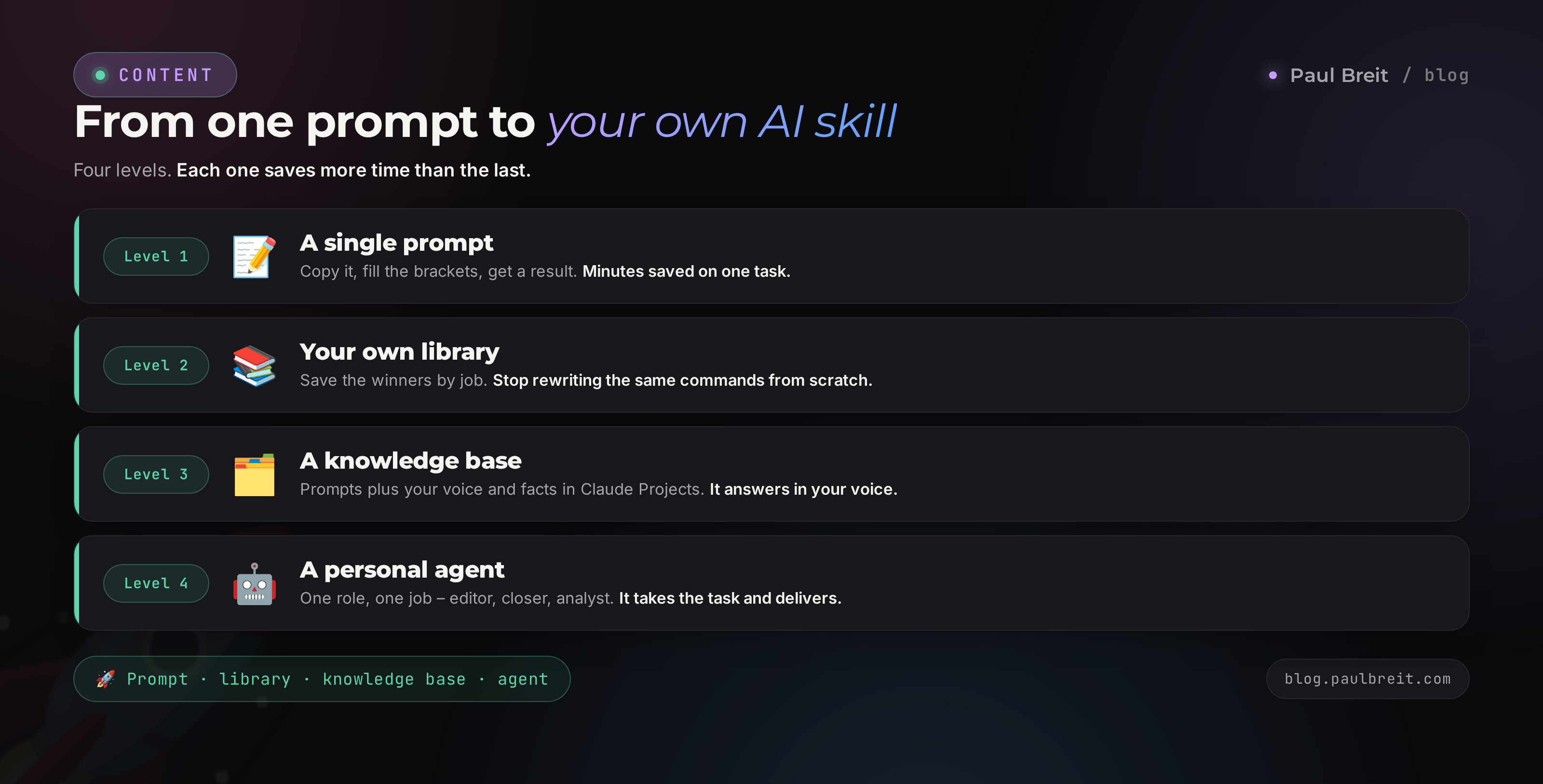
A single prompt saves minutes. A built collection saves hours every week. The moment you find a command that reliably delivers, save it together with an example of the good answer. That's how a personal library for your project builds up, instead of a pile of random finds in your chats.
The handiest place to keep prompts is where the AI sees them all the time. Claude has Projects for this – a workspace with a knowledge base where you drop your prompts, sample texts, niche facts, and brand voice. The AI holds it in memory and answers with your context already in mind. A full walkthrough is in the article on Claude Projects.
Three levels of your own library
- A file collection. A simple document with prompts sorted by job and a short note on when to run which. Minimal setup, works right away.
- A project with a knowledge base. Prompts plus style samples, product facts, a banned-words list. The AI answers in your project's voice without long explanations every time.
- A personal agent. A ready AI teammate for one role – editor, closer, analyst – with its own set of prompts and rules. It takes the task and delivers with almost no input from you.
Version your prompts. When you refine a wording and it starts giving a better answer, replace the old version and mark the date. In a couple of months you'll be holding a tuned instrument that beats any stranger's set from the internet, because it's built around you.
Section 136 mistakes when working with prompts
Empty brackets and generic inputs
Someone copies a prompt and sends it as-is, leaving [TOPIC] and [NICHE] unfilled. The AI answers in averages because it has nothing to work with. Fill the placeholders with specifics: numbers, names, real examples. Empty context gives an empty result.
Expecting a final draft on the first try
The first answer is almost always a draft. Whoever stops there gets disappointed and quits. Whoever refines it over 2-3 turns gets finished text. Ask for shorter, livelier, with numbers, without corporate-speak.
Not giving samples of your style
Without your texts the AI writes politely and facelessly. Attach 3-5 of your posts and the tone becomes yours. It shows most on content and sales, where voice decides.
Publishing without a proofread
AI leaves traces: corporate-speak, boilerplate phrasing, invented numbers. Proofread everything that goes public. There's a prompt for proofreading and stripping the traces in the routine category.
Trusting numbers without checking
The AI confidently makes up statistics and facts. Verify any numbers, dates, and links in important text by hand. In analytics, feed it your real data and don't ask it to invent them.
Keeping prompts in scattered places
Prompts in notes, screenshots, and chats get lost. Gather a working collection in one place and keep adding to it. That's how you stop rewriting commands and save hours every week.
Section 14The whole path in a minute + checklist
The library covers almost any daily task for someone who sells services, courses, and consulting. Content and headlines feed the top of the funnel. Sales, social, and email walk a person toward buying. Positioning and analytics give the meaning and the numbers behind decisions. Routine, learning, and visuals handle the rest. To build a system out of it, the article on the content plan and the expertise unpacking help.
The workflow is simple: find the right category, copy the prompt with the button, fill the brackets with your data, refine the answer through dialogue, and save the good commands into your own collection. In a couple of weeks you're holding a personal set built around your project.
- Category chosen – you know which of the 10 jobs is in front of you
- Prompt copied with the button and pasted into the AI chat
- Placeholders filled with specifics: topic, niche, numbers, examples
- Style samples attached, if the task is about content or sales
- Answer refined over 2-3 turns to a finished level
- Text proofread before publishing, numbers checked by hand
- Winning prompt saved to your personal collection or Claude Projects
- Collection growing – the library scales with your tasks
The value isn't in the prompts themselves – those are easy to find. The value is the habit of working with AI every day on the same tuned commands and filing your best finds into a system. One person with a hundred ready prompts and their own collection covers the workload that used to take a team.
FAQFrequently asked questions
What is a ready-made prompt and why do I need one?
A ready-made prompt is a pre-built command for an AI with the role, task, context, and output format already written in. You copy it, drop your own data in place of the words in square brackets, and get a result without long reformulating. It saves time on every task and gives steady quality.
How do I use this prompt library?
Find the right category, hit the Copy button on a prompt card, paste the text into your AI chat, and replace the square-bracket placeholders with your topic, niche, and numbers. One prompt can run dozens of times with different inputs. Save the best into a separate file or into Claude Projects.
Which AI should I run these prompts in?
All 100 prompts are written neutrally and work in Claude, ChatGPT, Gemini, and others. For long texts and working with your voice, Claude is stronger; for quick small tasks, any will do. If you don't have an account yet, the fastest start is Claude at claude.ai.
Do I have to pay to use the prompts?
Basically no. The free tiers of Claude and ChatGPT are enough to run almost every prompt in the library. A paid plan matters once you hit volume limits or want a smarter model for complex writing and analytics.
Why are there words in square brackets in the prompts?
The square brackets are the spots where you drop your own data: topic, niche, number, channel link. Without filling them the AI answers in generalities. The more concretely you fill the brackets, the sharper and more useful the result.
Can I change these prompts to fit me?
You should. The library is a frame. Add your context: tone, samples of past work, constraints, banned words. After a couple of edits a prompt becomes your own tool that answers in your project's voice instead of an average one.
How do I turn a prompt into a reusable tool?
Save a winning prompt together with an example of a good answer. In Claude Projects or a separate document, gather your working set with a note on when to run which. That way you stop rewriting commands and build a personal system that grows with your tasks.
Do the prompts fit any profession?
Yes. The categories cover content, sales, social, analytics, and routine – shared tasks for everyone who sells services, courses, and consulting: coaches, therapists, tutors, nutritionists, lawyers, and entrepreneurs. You set the specifics of your niche through the placeholders.