AI Terms for Beginners: 30 Words in Plain English
You open an article about AI and every other word is jargon: LLM, tokens, prompt, context, RAG. You want to start, but your hand's already reaching for the close button. Here I've gathered the 30 words that matter and explained each one like a human would – no formulas, no talking down. Read it once, and every piece about AI makes calm sense after that.
AI terms for beginners are a couple dozen words that scare you at the start and take a minute to explain. The main ones: a neural net is a program that learns from examples; a model is a specific trained net like Claude or GPT; a prompt is your request to it; a token is a chunk of text used to count limits and cost; a context window is how much text the model holds in memory; a hallucination is when it states something false with confidence; an AI agent is a model that takes actions on its own. Learn these 30 terms and you'll stop getting lost in any article or video about AI.
The topic is interesting, you've wanted to start for a while. But by the third unfamiliar word a feeling creeps in that this is for programmers and you're not ready yet. It looks like everyone else already figured it out and you missed something for good. And the tab closes.
I know that feeling. I drowned in these words once too, annoyed that nobody explained them like a person. Then I got the simple truth: behind the scary terms there's almost always a simple idea. So I gathered the 30 words that matter here and explained them so anyone without a tech background gets it. Bookmark the page: hit an unfamiliar word, come back, look it up, keep going.
Below, the words are grouped: the basics first, then the levers you can pull, then images and voice, then agents and automation, and finally the practical side everyone hits. At the very end there's a short plan to start tonight and a breakdown of the mistakes that cost beginners time.
What's inside
- What a neural net is, in the simplest terms
- The basics: 10 words you can't do without
- How AI thinks and how to steer it
- Images, voice and video: generative AI
- Agents, automation and the advanced stuff
- Access, payment and data safety
- Bonus: 6 more words for later
- How to start tonight, in one evening
- 5 beginner mistakes
- The whole glossary in a minute + checklist
Section 01What a neural net is, in the simplest terms
Picture a child shown a million photos of cats and dogs, told each time which is which. After a while they start guessing on their own, even on a new picture they've never seen. They didn't memorize a rule about whisker length. They caught a pattern. A neural net works the same way: it's shown a mountain of examples, catches the patterns, and applies them to new tasks.
The only difference is scale. A modern language AI was fed almost every text it could reach: books, articles, forums, code. It caught how language works and how one thing connects to another. That's why it can now finish your sentence, answer a question, write an email, or read through a contract. There's no living mind or human understanding inside. There's a very powerful next-word prediction machine trained on a huge pile of text.
For you as a user the takeaway is simple: to get value, you don't need to understand the math under the hood. You need to understand a few dozen words people describe it with. That's where we start. After this, the jargon in articles, videos, and conversations about AI turns clear, and you stop nodding along while catching only half of it. By the way, I gathered a full list of tasks you can hand off today in a separate piece – what you can do with AI.
Section 02The basics: 10 words you can't do without
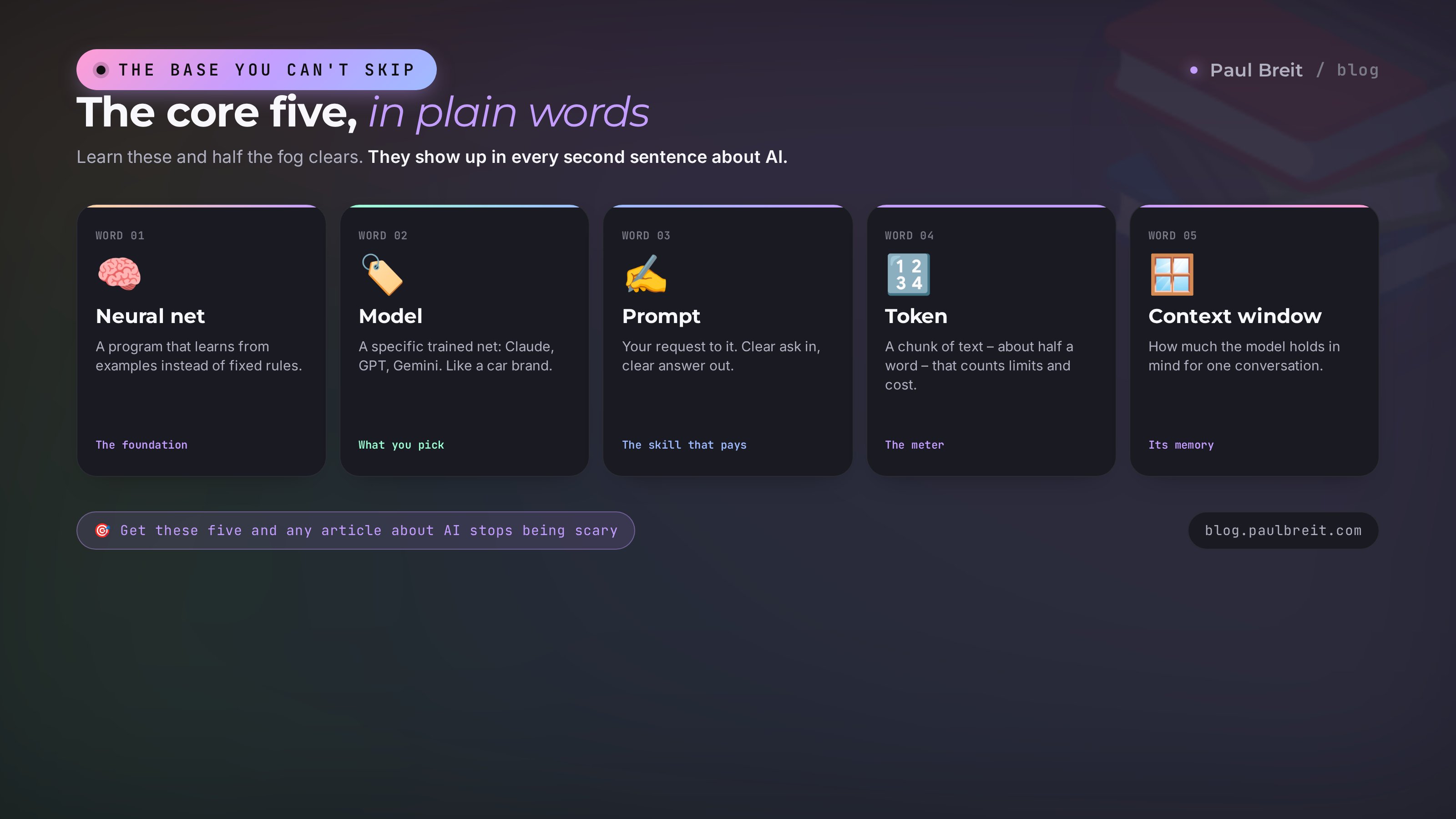
Let's start with the foundation. These ten words show up in every second sentence about AI. Get them and most of the fog lifts.
1. Neural net
A computer program that learns from examples instead of running on hard-coded rules. The name comes from the brain: signals there travel between nerve cells called neurons. In the program, numbers connected to each other play the role of neurons. When someone says "the AI wrote this text" or "the AI drew this picture," they mean exactly this kind of trained program. In everyday talk "neural net" and "artificial intelligence" often get used as synonyms, though strictly speaking they're different things.
2. Artificial intelligence (AI)
A broad umbrella term. Under it sits everything that makes a machine do what used to require a human: understand speech, recognize faces, drive a car, answer questions. A neural net is one way to build artificial intelligence, the most popular one today. So when the news says "AI learned to," there's almost always a neural net behind it. AI is simply the shorthand everyone uses for all of it.
3. Model
The name for a specific trained neural net, ready to work. It's like a car brand: there's "a car" in general, and there's a specific model with its own character. Same with AI: GPT, Claude, Gemini, Llama, DeepSeek are different models. Some write text better, some are stronger at code, some are cheaper. When you choose what to use, you're choosing a model. There's a separate breakdown on picking one for the job – Claude 5 vs GPT-5 vs Gemini 3.
4. Large language model (LLM)
The three letters that scare people most. Nothing scary behind them. LLM stands for large language model. It's a neural net trained on a giant pile of text that works with words: it understands your question and writes an answer. An LLM is exactly what sits inside ChatGPT, Claude, and the rest. "Large" is about size: these models were trained on trillions of words. Hear "LLM" and silently swap in "a smart AI for text."
5. Chatbot and AI assistant
The window where you message an AI like in a messenger. You write, it answers, you follow up. ChatGPT, Claude, and Google's Gemini are chatbots built on top of a model. Don't confuse them with the old support bots that replied with canned phrases off buttons. An AI assistant understands natural language and answers by meaning; the old bot just runs a script.
6. Prompt
Your request to the AI. Everything you type: a question, a task, an instruction. The quality of the answer rides directly on the quality of the prompt. A vague question gives a vague answer; a precise task with details gives a precise result. It's the skill that pays back fastest. There's a whole article with the formula for a good prompt and before-and-after breakdowns – how to write prompts.
7. Token
A chunk of text the AI uses to measure everything it reads and writes. It's something between a letter and a word: about three or four characters. A short word like "hello" is one or two tokens; a long word is several. Why care: tokens are how limits and billing get counted. When you read "the model holds 200,000 tokens" or "price per million tokens," that's this counter. Rough guide: one token of English is about three-quarters of a word.
8. Context window
How much text the AI keeps in its head over one conversation. Measured in tokens. Small window, and the model forgets the start of a long chat by the end, like a person who can't recall how you began. Big window, and you can load a whole book or a long document and it holds all of it in view. When the AI seems to "drift" and lose the thread in a long dialog, you've probably run past the context window.
9. Hallucination
The word for when the AI states something false with full confidence. It invents a nonexistent law, link, quote, or fact and delivers it with a perfectly straight face. The cause: the model predicts a plausible continuation rather than checking against a database of facts. Hence the rookie's iron rule: anything involving numbers, dates, names, laws, and links, verify yourself. AI is a powerful helper, not the final word on truth.
10. Training a model
The process of running the neural net through mountains of examples so it catches the patterns. It happens once, before you ever use it, and costs enormous money and computing power. You don't train a finished model, you just use it. The phrase "the model is trained on data up to such-and-such year" means it may not know events after that date.
You type: "Make a week's grocery list for a family of three, budget $60." That's a prompt. The program that reads and answers is the model. Your text and its reply got counted in tokens. While you refine the list in the same chat, all of it sits in the context window. And if it slipped in a nonexistent store with made-up prices, that's a hallucination to catch. See how five terms fold into one ordinary situation.
Section 03How AI thinks and how to steer it
The next batch of words is about what happens under the hood and the levers you can pull to get better answers.
11. Dataset
The set of data a model was trained on. Those mountains of text, images, or sound. The quality of the dataset decides what the model can do and where it will be skewed. Little of a language in the data, weaker in that language. Data cut off two years ago, and it missed the recent news. For you that's a hint: when you ask about a niche or very fresh topic, keep in mind it might not have been in the dataset.
12. Parameters (weights)
The internal numbers of a model that got tuned during training. This is where everything the AI "knows" is stored. The phrase "a 70-billion-parameter model" is about size: more parameters, more the model can hold and the smarter it is, but the pricier it is to run. You don't tune parameters by hand. It's just useful to know: big models are usually smarter and slower, small ones simpler and faster.
13. System prompt (role)
A hidden instruction that sets the AI's character and rules for the whole conversation. You tell it who to be: "you're a seasoned editor," "you're a tough critic," "you're a kind teacher for a beginner." The model tunes its tone and depth to that role. It's one of the simplest ways to sharply raise quality: start your request by saying who the AI should be and who it's writing for.
14. Temperature
A setting for how much the AI takes risks and improvises. Low temperature gives predictable, strict answers, nearly identical on a repeat. Good for facts, instructions, code. High temperature gives varied, unexpected answers, and the model goes for bolder wording. Good for ideas, taglines, creative work. In a normal chat it's hidden. In settings and when you work through the API you can turn the dial yourself.
15. Examples in the prompt (few-shot)
The trick of showing the AI a couple of samples of what you want, right inside the request. Instead of long explanations you show a sample: this is what a good result looks like, make something similar. The model catches the style and format off the examples instantly. Want posts in your tone – give it three of your old posts and ask it to continue in the same spirit. It works better than any description.
16. Prompt engineering
The skill of writing requests so you get a strong result on the first try. Sounds fancy; in practice it's the skill of explaining a task clearly: give the role, the context, examples, the answer format, and the limits. Someone who has it pulls answers many times better out of the very same model than a random user does. It grew into a profession of its own, but the basics are worth having for anyone who works with AI.
Section 04Images, voice and video: generative AI
AI isn't only about text. This group of words is about how it creates images, speech, and video.
17. Generative AI
The umbrella name for neural nets that create something new: text, images, music, video, voice. "Generative" from "to generate," to create. At the other pole are nets that only recognize and sort: flag spam, match a face in a photo, tell a cat from a dog. When people talk about the AI boom today, they almost always mean the generative kind, the one that draws and writes.
18. Multimodality
The ability of a single AI to work with different data types at once: text, images, sound, sometimes video. A multimodal model understands what you typed and the photo you attached, too. Drop in a screenshot of a spreadsheet, and it reads the numbers. Snap a receipt, and it sorts it by category. Talk to it out loud, and it transcribes and answers. It's one of the biggest improvements of the last few years.
19. Diffusion model
The type of neural net that draws images. It works in an unusual way: it starts with digital noise, like the static on an old TV, and step by step "develops" an image out of it from your description. That's where the quality and variety of modern AI images come from. You don't have to understand the mechanics, but the word shows up often, and now you know: diffusion is about generating images.
20. Text-to-image
The approach where you describe in words what you want to see and the AI draws it as a picture. "A ginger cat in an astronaut suit against a sunset, photorealistic," and a few seconds later you have the image. The same principle powers text-to-video and text-to-speech. There's a separate breakdown of the tools for images on the blog – AI image generators.
21. Speech synthesis and voice cloning
Speech synthesis (in English, TTS, text-to-speech) is when the AI reads text aloud in a lifelike voice. Voice cloning is when it's trained on a recording of a specific person and can then say any text in that person's voice. It's used for video voiceovers, audio versions of articles, voice assistants. The tech is powerful and calls for care: someone's voice can be made to say things they never said, so treat unexpected audio with suspicion.
22. Speech recognition (transcription)
The reverse task: the AI listens to audio or video and turns speech into text. In English, STT, speech-to-text. It's priceless for turning an hour-long stream into notes in minutes, transcribing a call, or captioning a clip. Talk your thoughts out on a walk, and you get a ready draft. It's one of the most underrated ways to save hours of routine.
Section 05Agents, automation and the advanced stuff
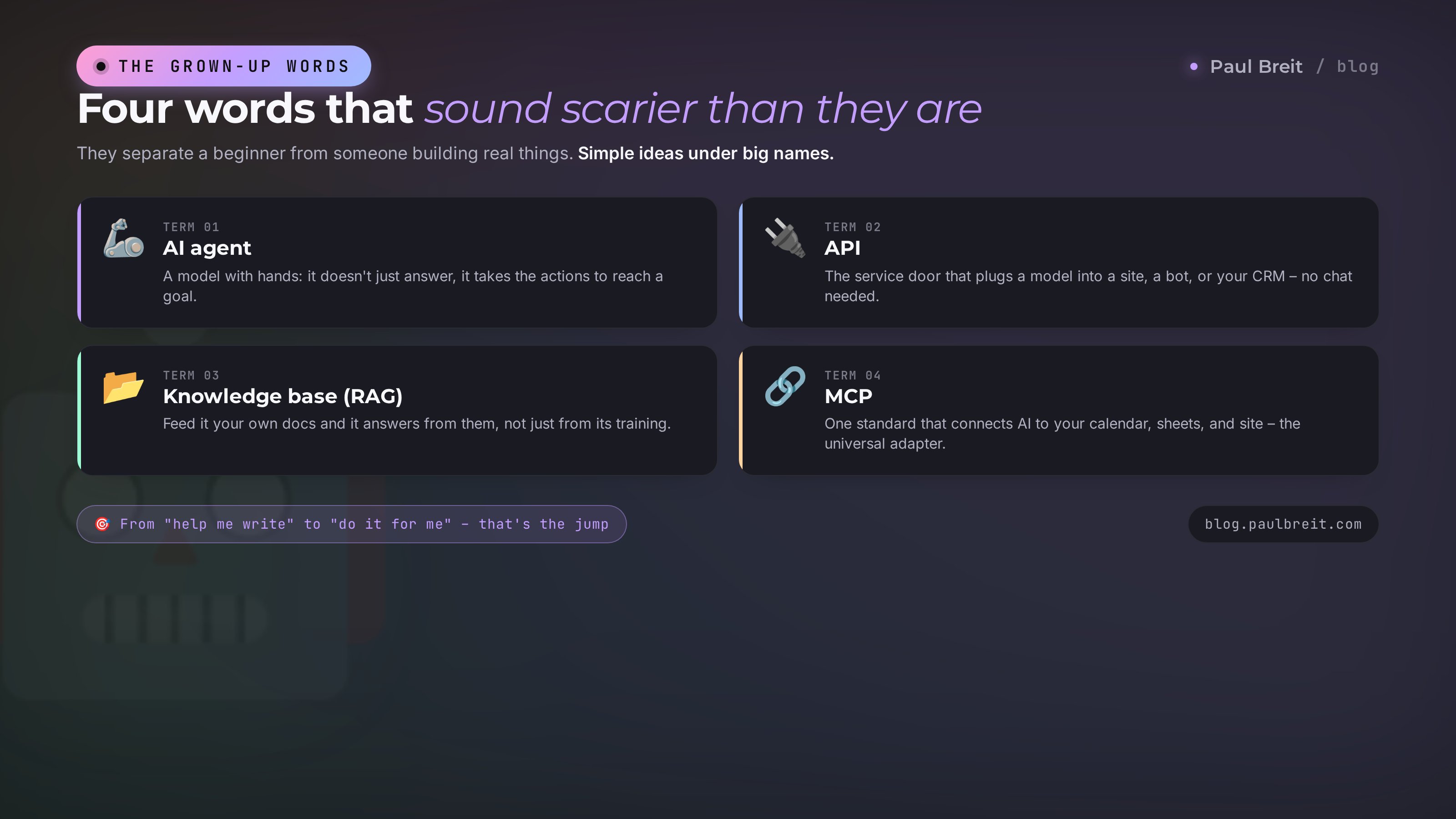
Here are the words that sound hardest, with clear ideas behind them. These terms separate a beginner from someone already building working things on AI.
23. AI agent
A neural net given a brain and, on top of it, hands. A normal chat answers you and that's it. An agent can take actions on its own: go online, send an email, drop data into a spreadsheet, reply to a client in a messenger. You set a goal and it decides which steps to take to reach it. It's the next level of value: from "help me write" to "do it for me." There's a living example of one in your AI personal assistant.
24. API
A way to connect an AI to another program directly, skipping the chat. Picture a service door apps use to talk to the model automatically, with no human at the keyboard. Through an API the AI gets built into a website, a bot, a CRM. A beginner doesn't need the API to start, but the word comes up constantly, and the gist is simple: it's the "outlet" developers plug the model into.
25. Knowledge base (RAG)
The trick of giving the AI your own documents so it answers based on them, not only on what it was trained on. The three letters RAG are about "first find it in my materials, then answer." Load your policies, price lists, and chat logs, and the model answers clients strictly from your data. That's how people build AI consultants that know your specific product instead of talking in generalities. There's a full walkthrough on the blog – an AI consultant for your site.
26. Fine-tuning
A fine adjustment of a ready model for a narrow task on your examples. It differs from full training in that you take an already smart model and only nudge it toward a specific style or topic. It's rarely needed and costs money, so a beginner almost never requires it. More often the same goal is easier to hit with a good system prompt and a knowledge base. But the word is worth knowing: fine-tuning is "teach it a bit more to fit you."
27. MCP
A fresh, fashionable term. It's a single standard for how an AI connects to outside services: email, calendar, spreadsheets, your site. Connections used to be built by hand and each one differently; now there's a shared "adapter." Thanks to MCP an AI assistant can, for instance, look at your calendar itself and book meetings. Want to go deeper – there's a breakdown with live connection examples – MCP in Claude.
Section 06Access, payment and data safety
The last trio of words is about getting in, paying, and keeping your data safe – the practical side everyone runs into.
28. VPN
A program that changes your digital location: a site thinks you're visiting from another country. Most people never need it for AI. It matters in one case: some tools aren't available in every region, and a few models won't open from certain countries. If a service is blocked where you are, a VPN with a location in the US or Europe restores access. Handy to know the word; for most readers it never comes up.
29. Pro plan and token limits
Free versions of AI almost always come with limits: fewer requests a day, a weaker model, shorter memory. A paid plan (often called Pro or Plus, usually around $20 a month) lifts the limits and unlocks the stronger version. Those limits are counted in the same tokens. The paid plan earns its keep once you hit the ceilings and start wanting Projects – persistent knowledge bases that hold your context.
30. Data privacy
Everything you send to a cloud AI goes to someone else's servers. So there's data you shouldn't upload: IDs, passwords, card numbers, trade secrets, clients' personal data without their consent. For sensitive material people use local AI, models that run right on your own computer and send nothing anywhere. The rule is simple: don't hand an AI anything you wouldn't show a stranger.
Bonus6 more words you'll now decode easily
These come up less often but pop up in the news and in conversation. You'll do fine without them at the start. For confidence in the topic, they help. One line each.
- Inference. The moment the model answers your request. The finished work in action, as opposed to training, which happened once, earlier.
- Open model (open-source). A neural net anyone can download and run for free. The best known is the Llama family. The opposite of the closed Claude and GPT, available only through their own service.
- Local AI. A model that runs right on your computer and sends no data anywhere. Weaker than cloud models, but fully private. Good for sensitive material you don't want leaving your machine.
- Benchmark. A standard test used to compare models against each other. When you read "the new model beat the old one on benchmarks," that's these measurements.
- Jailbreak. An attempt to trick a model with clever wording into bypassing its own limits and producing what it normally won't. Worth knowing if only to understand the risks.
- Memory. An assistant's ability to remember you between separate conversations: your preferences, facts about you, your style. Different from the context window, which lives only inside one chat.
Section 07How to start tonight, in one evening
Terms are half the job. The other half is simply trying, because five minutes of live work teaches you more than an hour of reading. Here's a short path for a beginner.
Pick where to start
If you want zero fuss, start with a big free name: Claude, ChatGPT, or Google's Gemini. All three open in a browser, no install. There's a roundup of the ones you don't pay for – the best AI tools of 2026.
Sign up
Go to claude.ai and create an account, or do the same on ChatGPT. The free tier is fine to start. Confirm your email and you're in the chat window in a couple of minutes.
Write your first prompt by the formula
"Write a post" alone isn't enough. Give it a role and details. For example: "You're an editor. Write a post for a psychologist's channel about handling anxiety before an important conversation. Warm tone, address the reader directly, four short paragraphs, no fluff." Send it, then ask for the same thing vaguely, in one line. The gap between the two answers shows the power of a good prompt better than any explanation.
Level up bit by bit
Give your own examples (few-shot), set a sharper role, attach a photo or a document. Every evening add one new trick from this glossary. Within a week you'll talk to the AI in its own language freely and be surprised how fast it became a habit.
With these 30 words and one evening of practice, you're no longer a beginner. From here it's all reps: the more you use it, the more obvious the things that look hard today become. There's nothing left to fear in the terms.
Section 085 beginner mistakes
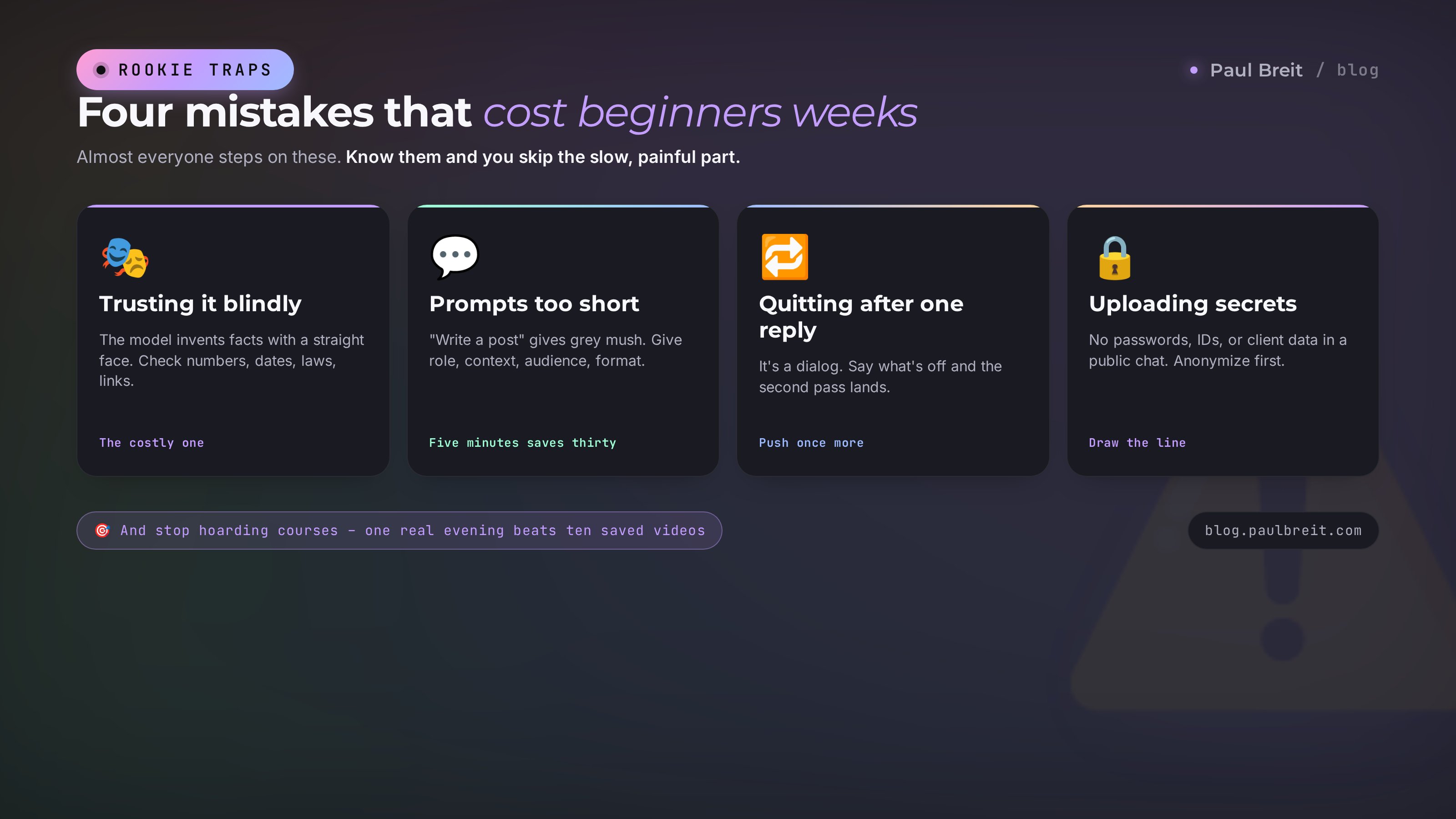
Almost everyone who starts steps on these five rakes. Knowing them ahead saves you weeks and nerves.
- Taking the AI at its word. The most expensive mistake. The model hallucinates and states invented facts in a confident tone. Anything that matters – numbers, dates, laws, links – check separately.
- Writing too short and too general. "Write a text" gives grey text about nothing. Give the role, context, audience, format, and length. Five minutes on a proper prompt saves half an hour of redos.
- Bailing after the first clumsy answer. Working with AI is a dialog. The first answer is rarely perfect. Say what's off, ask for a sharper redo. The second and third passes usually hit the mark.
- Uploading secret data to the cloud. IDs, passwords, and client databases don't belong in a normal chat. For that there are local models on your computer, or anonymizing the data before you send it.
- Collecting courses instead of practicing. You can read about terms forever and never open a single chat. One real evening of practice is worth more than ten saved videos. A full breakdown of the typical slip-ups – 10 beginner mistakes with AI.
RecapThe whole glossary in a minute + checklist
Let's sweep the main points in one glance so it all settles.
- The base. A neural net learns from examples. A model is its specific version (Claude, GPT). An LLM is a model for text. A prompt is your request. A token is the unit of counting. A context window is its memory for one conversation.
- Steering. A role in the system prompt, temperature, examples in the prompt, and a clear ask raise answer quality many times over. That's prompt engineering.
- Generative AI. One tool now does text, images, voice, and transcription. That's multimodality.
- Advanced. An AI agent acts on its own, a knowledge base teaches the model on your documents, MCP connects it to services.
- Practical. Free tiers cover the first week; the paid plan lifts the limits. Secret data never goes to the cloud.
1. Picked a model for the task (Claude, ChatGPT, or Gemini to start). 2. Signed up and opened the chat. 3. Wrote a first prompt with a role and details. 4. Refined the answer instead of bailing after one pass. 5. Sent nothing secret to the chat. 6. Add one new trick every evening.
Bookmark this page and come back whenever you meet an unfamiliar word. Better yet, open any AI right now and write your first request. In half an hour, half these terms turn from abstractions into things you've touched with your own hands.
FAQFrequently asked questions
Do I have to understand the terms to use an AI?
No. You can start without a single term: open a chat and ask in your own words. But a couple dozen words from this glossary are enough to follow articles and videos about AI, not get lost in settings, and reach a strong result faster. It's like learning road signs before you get behind the wheel.
What's the difference between a neural net and artificial intelligence?
Artificial intelligence is the broad idea – everything that makes a machine do what only a human used to. A neural net is one way to build that intelligence, the most popular one today. That's why the words often get used as synonyms in everyday talk, and it's no big error.
What are tokens and why should I care?
A token is a small chunk of text, roughly three-quarters of a word, that the AI uses to measure everything it reads and writes. Free-tier limits and paid billing are counted in tokens. Knowing about them helps you make sense of phrases like a 200,000-token window and price per million tokens.
Why does an AI sometimes lie so confidently?
It's called a hallucination. The model predicts a plausible continuation of the text rather than checking against a database of facts, so it can invent a nonexistent law, link, or number and present it seriously. The rule is simple: always verify numbers, dates, names, laws, and links yourself.
Which AI should a beginner pick?
To start, go with a big free name: Claude, ChatGPT, or Gemini. There's no single best – the choice depends on the task: some models are stronger at text, some at code, some are cheaper. For writing, Claude holds your voice best; for a familiar interface and image generation, ChatGPT.
Is it safe to upload work documents into an AI?
Everything you send to a cloud AI goes to someone else's servers. Ordinary texts and drafts are safe to upload. But IDs, passwords, card numbers, trade secrets, and clients' personal data without their consent must stay out. For sensitive material people use local AI that runs right on your own computer.
How long does it take to learn AI from scratch?
To start getting value – one evening: cover the basic terms and write your first prompts. To feel confident and handle real work tasks – a couple of weeks, a little each day. The main thing is not to hoard courses. Try it right away on your own real tasks.