Remote Jobs in 2026: where to look and what you need to know
Remote work in 2026 is still here, it just got a lot more crowded. Robert Half found that only 3% of the US job postings it analyzed in Q2 2026 were fully remote, while more than 1 in 5 US job seekers on LinkedIn apply only to remote roles. This guide walks you through where to find remote jobs with or without experience, which roles actually hire beginners, the skills you need, how to build a résumé and cover letter with AI, how taxes work for W-2 and 1099, and how to spot a scam in the first message. At the end you get a 30-day plan from your first application to your first paycheck.
In 2026, look for remote jobs on LinkedIn and Indeed (use the Remote filter and the Entry level or No experience filter), on remote-only boards like We Work Remotely and FlexJobs, on Wellfound for startups, and on company career pages. For freelance work, use Upwork, Fiverr, and Contra. Beginners are most often hired as customer support reps, sales reps, virtual assistants, moderators, content managers, and online course assistants. You need clear written communication, self-management, confidence with Google Docs, Sheets, Slack, and Zoom, and in 2026, working knowledge of AI tools like ChatGPT, Claude, or Gemini. You will work either as a W-2 employee, where your employer withholds taxes, or as a 1099 contractor, where you pay 15.3% self-employment tax plus income tax yourself.
Anyone who wants out of the office or needs a second income from home: parents at home with kids, students, people in small towns with few local jobs, and anyone who already sells services, courses, or consulting and wants to add remote gigs on top. If you have been thinking about earning online for a while and have no idea where to start, also read make money with AI from scratch. It covers the very first steps for beginners.
What's inside
- What's happening with remote work in 2026
- Three paths into remote work
- Where to find remote jobs: 14 places
- 10 remote roles that hire beginners
- The skills remote work requires
- A remote-ready résumé with AI
- A cover letter people read to the end
- Video interviews and test tasks
- W-2, 1099, and taxes
- How to avoid remote job scams
- Freelancing: first clients with zero reviews
- The 30-day plan
- When something goes wrong
- The whole path in a minute
You know how this usually goes. Someone decides: that's it, I'm going remote. They open LinkedIn, type "remote jobs," see thousands of listings, and in one evening fire off twenty identical applications. A week later they have silence, a couple of automated rejections, and one strange text: "Work from home, $500 a day, we just need you to deposit a check for equipment."
That's the point where a lot of people decide remote work is a myth for software engineers and everything else is a scam. I disagree with them. I have worked remotely for many years, I have traveled to 40 countries in that time, and my team has never once sat in the same office. Remote work exists and pays the bills just fine. The rules simply changed over the last couple of years, and the old "send your résumé to everyone" approach stopped working.
In this guide I lay it all out: what the market numbers look like right now, where remote jobs and gigs actually get posted, which roles take beginners, what you need to know, how AI can build your résumé and cover letters in one evening, how to set up taxes so April doesn't hurt, and how to recognize a scammer from the first message. Read it in order or jump to the section you need from the table of contents.
Section 01What's happening with remote work in 2026
Let's start with numbers, because without them it's easy to get your expectations wrong. Two recent data points tell most of the story:
- Robert Half analyzed US job postings in Q2 2026: 87% were fully on-site, 10% hybrid, and only 3% fully remote. In Q4 2025, fully on-site roles were 65%, so the shift back to the office has been fast.
- LinkedIn's Economic Graph team found that in late 2024 about 9% of newly listed US jobs were remote, and more than 1 in 5 US job seekers applied exclusively to remote roles.
- In the same Robert Half research, 39% of professionals planning a job search in the second half of 2026 said more remote flexibility was one of their main reasons to move.
What does that mean for you? There are far more people who want to work from home than there are fully remote jobs. A good remote posting pulls in hundreds of applications, and the hiring manager spends a few seconds on the top of each one. If you wrote clearly about yourself and aimed it at that exact job, you get a call. If you sent a template, you get scrolled past.
The second takeaway is better news. Hybrid roles and remote-friendly contract work still make up a real share of the market, and demand never went away on either side. It just moved. Companies pay less and less for copy-paste work and scripted replies, and more and more for people who can take a task to the finish line on their own, without a manager at the next desk.
The third point barely gets written about. A noticeable share of live remote openings never reach the big job boards. They get posted in Slack and Discord communities, LinkedIn groups, and niche newsletters. It's cheaper and faster for the employer: one post in a community for virtual assistants or designers, and by the end of the day they have a shortlist. If you search only the big sites, you simply don't see that part of the market.
Remote work in 2026 is a competition. The winners search in several places at once, apply personally, and can show results. The good news: you can learn all of that in a couple of weeks, and the rest of this guide shows you how.
Section 02Three paths into remote work
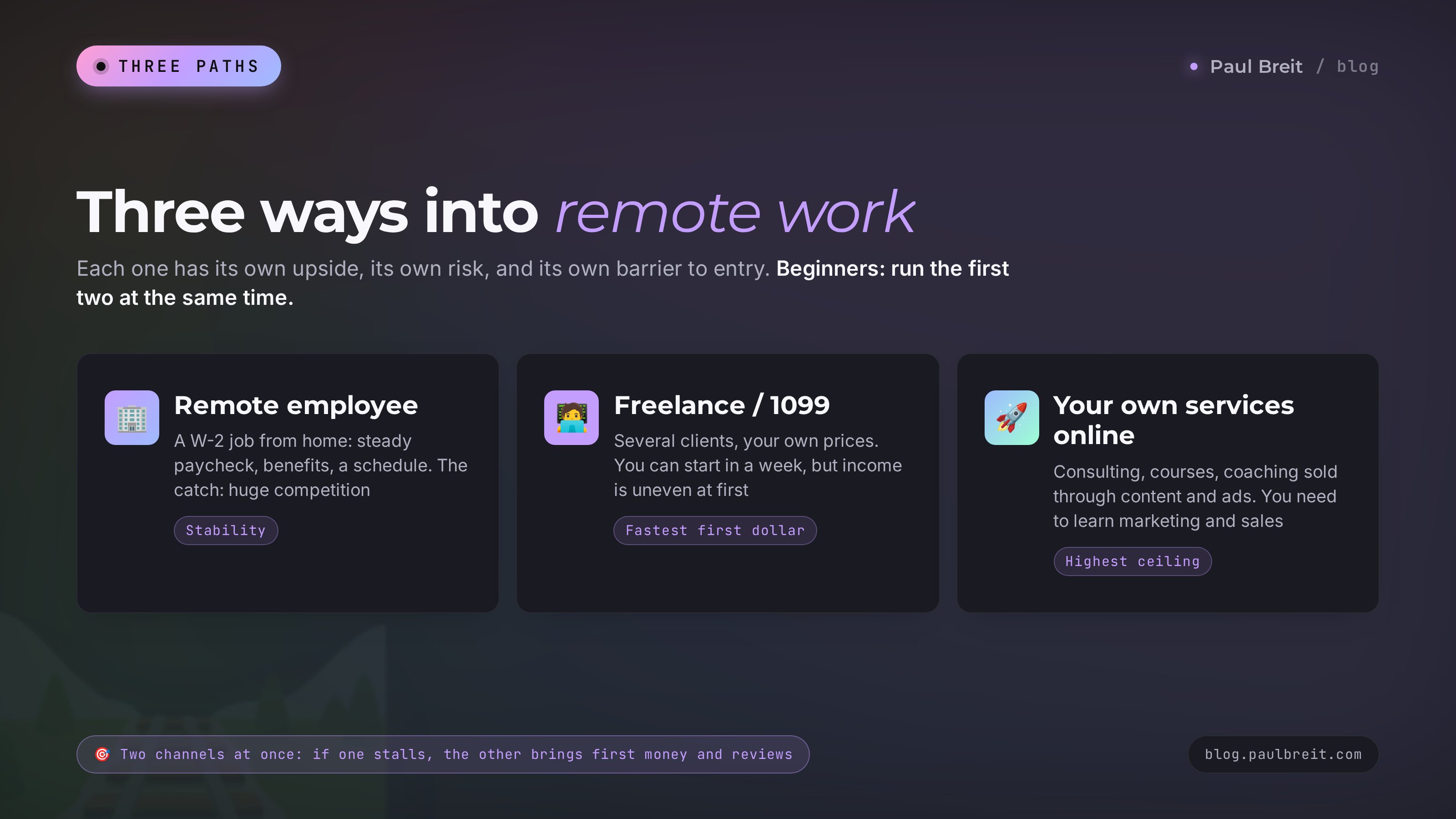
When people say "remote work," they usually mean one of three different stories. Each has its own upside, its own risks, and its own barrier to entry. Look at the table and decide where you'll start.
| Path | What it looks like | Pros | Cons | Best for |
|---|---|---|---|---|
| Remote employee (W-2) | You work for one company from home on a set schedule | Steady paycheck, often health insurance, paid time off, taxes withheld for you | Heavy competition, fixed hours, reporting | People who want stability and a predictable income |
| Freelancer (1099) | You take projects from different clients and set your own prices | Freedom, you can start within a week, income grows with your skill | Uneven at first, you find clients yourself, you handle your own taxes | People who have a skill or want to build one quickly |
| Your own services online | You sell consulting, courses, or coaching through content and ads | The highest income ceiling, you work for yourself | You have to learn marketing and sales | People who already know their topic and are ready to talk about it |
My advice to beginners: don't pick just one on day one. Apply to remote jobs and, at the same time, list one service on a freelance platform. That gives you two channels, and if one stalls, the other brings in at least your first money and your first reviews. A month in, you'll know which one fits you better.
The third path, selling your own services online, I cover separately in how to make money with AI: 7 models, no code needed. That's working for yourself, and the rules there are different.
Section 03Where to find remote jobs: 14 places
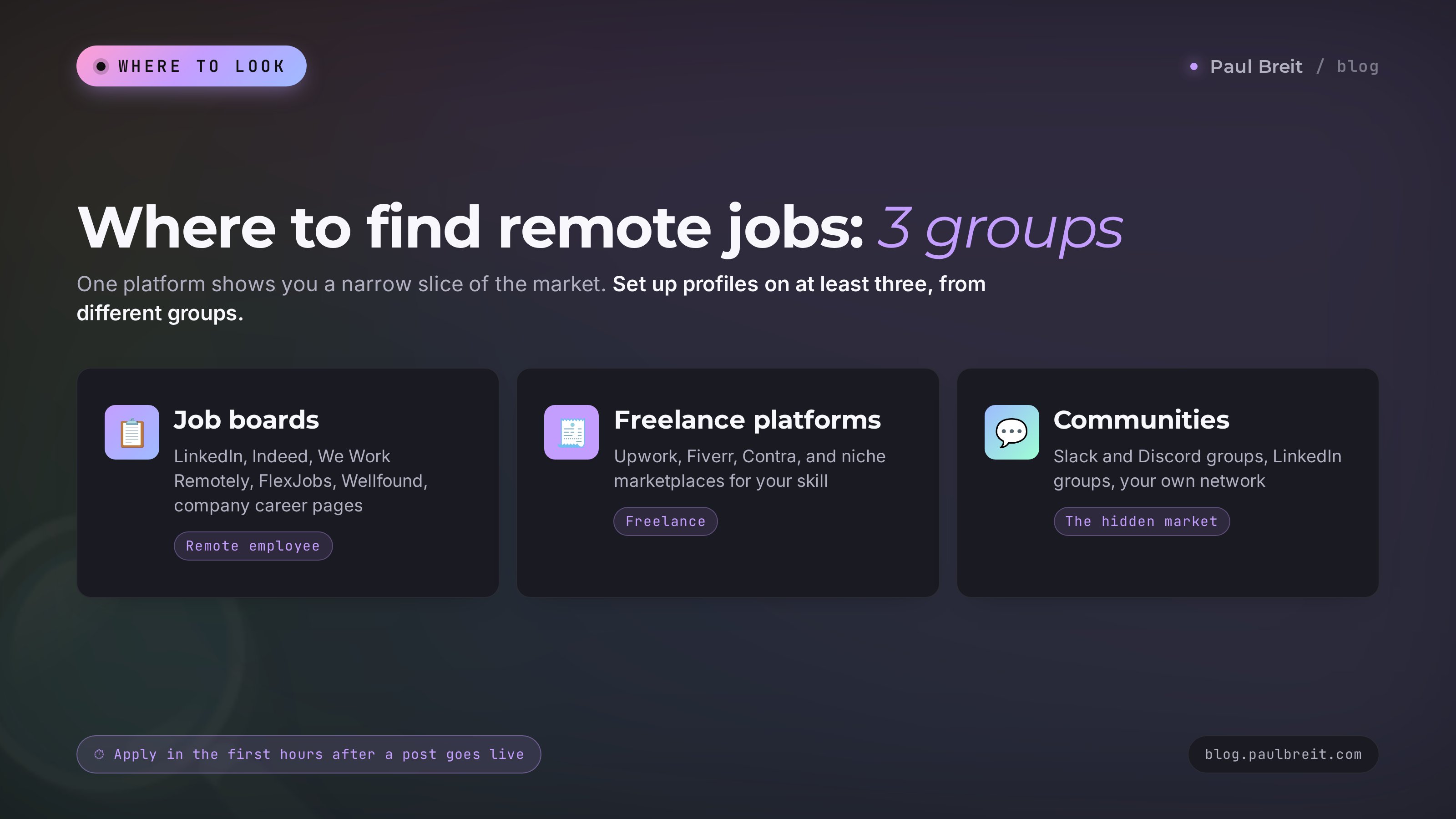
I split these into three groups: job boards, freelance platforms, and communities. The main rule: set up a profile on at least three places from different groups. A single platform shows you too narrow a slice of the market.
Job boards for remote employees
The biggest professional network in the US and the first place many recruiters look. In Jobs, set the "Remote" filter and, if you're new, the "Entry level" or "Internship" experience level. Save the search and turn on job alerts: fresh listings arrive every day, and applying in the first hours after a post goes live works much better than applying on day five. Fill out your profile completely, because recruiters will open it before your résumé.
Indeed
A huge volume of listings, including a lot of simple remote roles in support, data entry, and sales. Type "remote" in the location field or pick "Remote" in the filters, then sort by date. Indeed also has more junk listings than most, so the scam section below will come in handy here.
We Work Remotely
One of the oldest remote-only job boards. Every listing is remote by definition, so you don't waste time on "remote" jobs that turn out to be hybrid. Most roles are in customer support, marketing, design, sales, and development. Filter by category and check whether the job is open to US residents or worldwide.
FlexJobs and Remote.co
FlexJobs is a paid subscription board that screens listings before they go up, which cuts out a lot of spam and scams. Remote.co is its free sister site with remote listings and advice. If you're worried about fake jobs, a screened board is worth trying for a month.
Wellfound
The board for startups (it used to be called AngelList Talent). Startups hire remotely more often than big corporations and are more willing to take a chance on someone without a perfect résumé. Salary ranges and equity are usually shown upfront, which saves you time.
Company career pages
Many software companies, e-commerce brands, and online schools hire remote support reps, course assistants, and account managers straight from their own career pages. Make a list of 10-15 companies you'd like to work for and check their "Careers" page once a week. Some roles never make it to a job board at all.
Freelance platforms
| Platform | How it works | Best for |
|---|---|---|
| Upwork | Clients post projects, freelancers send proposals using paid credits called Connects. Upwork takes a service fee from your earnings | People with a portfolio of 3-5 pieces, any field |
| Fiverr | You list ready-made services ("gigs") with fixed prices, the buyer orders in one click. Fiverr keeps 20% of each order | Beginners: writing, design, slides, photo editing, simple automations |
| Contra | A portfolio plus services, with no commission taken from the freelancer | Creatives and anyone who wants to keep the full price |
| Niche marketplaces | Platforms for one field: tutoring, bookkeeping, voice-over, design contests | Tutors, bookkeepers, coaches, designers |
| Micro-task sites | Small tasks for an hour or two: research, data entry, checking, formatting | Total beginners who want to get used to working for a client |
Fees and rules on freelance platforms change regularly, so read the current "Fees" or "Pricing" page on the platform itself before you sign up. That's where it says what you actually pay for: proposals, a percentage of each order, withdrawals.
Communities and your network
Slack and Discord communities for your field
There are active communities for virtual assistants, marketers, designers, writers, and customer support pros, and many have a #jobs channel. Openings there get snapped up within hours, so turn on notifications for that channel and reply fast.
LinkedIn groups and industry newsletters
People often post "looking for help on a project" in a group long before they post a job anywhere else. Join, read the rules, answer other people's questions. Within a couple of weeks people start to recognize your name, and gigs start showing up in your inbox on their own.
That adds up to 14 places: LinkedIn, Indeed, We Work Remotely, FlexJobs, Remote.co, Wellfound, company career pages, Upwork, Fiverr, Contra, niche marketplaces, Slack and Discord communities, LinkedIn groups and newsletters, and the people you know. Yes, the people you know too. Post on your social accounts that you're looking for remote work and list what you can do. People land their first remote job through a post like that more often than you'd think.
Section 0410 remote roles that hire beginners
Now for what you can actually do remotely if you don't have experience yet. I pulled together roles that really do take beginners, with an honest note on what each one requires. Pay depends heavily on the company and the hours, so check current ranges on the actual listings: a growing number of US states require employers to include a pay range in job posts, and that's more reliable than any average number from an article.
| Role | What you do | What you need | Where to start |
|---|---|---|---|
| Customer support rep (chat and email) | Answer customers in chat, email, and messaging apps | Clear, polite writing, fast typing, staying calm | LinkedIn, Indeed, software and e-commerce career pages |
| Sales development rep | Handle leads, make calls, book or close deals | Talking to people, hearing objections, keeping a CRM up to date | LinkedIn, Wellfound, online schools |
| Virtual assistant | Manage a calendar, inbox, documents, and small tasks for a business owner | Organization, spreadsheets, documents, AI tools | Slack communities, your network, Upwork |
| AI assistant | Handle a client's routine with AI: copy, spreadsheets, images | Confident work with 2-3 AI tools, writing prompts | Fiverr, Upwork, your own social accounts |
| Content moderator | Keep order in comments, reviews, and community chats | Attention to detail, calm, knowing the platform's rules | Indeed, community managers' job channels |
| Content manager | Publish posts, lay out graphics, run the content calendar | Working with text, Canva, AI for images | Fiverr, online schools, Slack communities |
| Online course assistant | Review homework, answer students' questions | Knowing the course topic, patience, clear writing | Online school career pages |
| Copywriter | Write copy for websites, social media, product pages | Writing clearly, editing AI drafts | Upwork, Fiverr, Contra |
| Online tutor | Teach kids and adults over video | Knowing the subject, explaining well | Tutoring marketplaces, your network, social media |
| E-commerce listing specialist | Write product descriptions and make images for Amazon, Etsy, and Shopify stores | Copy, Canva or Figma, AI tools | Fiverr, Upwork, seller communities |
Notice that AI shows up in almost every row? In 2026 AI became an ordinary work tool, like spreadsheets or email. Someone who uses it confidently does the same work two or three times faster and can take on more. Employers see that, and more and more listings say "experience with AI tools is a plus."
I have a separate, detailed article on the AI assistant role: the AI assistant career: where it pays in 2026 and how to start. If the idea of getting paid to work with AI appeals to you, start there.
Software development and QA are still among the most remote-friendly fields, but right now they're also the hardest to break into as a beginner: junior roles get a flood of applicants. If you want to go into tech, plan on several months of learning and practice projects. While you learn, earn with something from the table above.
Section 05The skills remote work requires
Every remote job shares a core set of skills that employers check before they even talk about the role itself. Get these in shape and half your interviews are won in advance.
1. Writing clearly and briefly
Remote work runs almost entirely on messages. Your manager sees you through your Slack messages and emails. If a message is long, tangled, and has no point, they have to ask follow-up questions, and they get tired of you fast. Practice writing like this: the main point first, then details, then a question or a next step. For example: "The report is ready, link below. Three spots need your numbers, I highlighted them in yellow. When's a good time for you to take a look?"
2. Self-management
At home nobody is looking over your shoulder, and that's both the best thing about remote work and the main reason people wash out of it. You need your own rhythm: a start time and an end time, a task list for the day, a set place where you work. A simple list in your notes app or a spreadsheet is enough. Check off what you finished and send your manager a two- or three-sentence update at the end of the day, even if nobody asked. It builds trust faster than anything else.
3. Everyday work tools
- Docs and spreadsheets: Google Docs and Sheets, or Microsoft Word and Excel. You should be able to create a doc, share it by link, leave a comment, and build a simple table with a filter.
- Team chat: Slack is the default at many companies, Microsoft Teams at others. Keep work conversations in their own space and turn off notifications after hours.
- Video calls: Zoom, Google Meet, Microsoft Teams. Test your camera, mic, and what's behind you in advance.
- Cloud storage: Google Drive, Dropbox, or OneDrive, so you can send files as links.
- Task trackers: Asana, Trello, ClickUp, Notion. A lot of companies assign work there, and you can learn the basics in one evening.
4. AI tools
This is where I'd put your time first. AI drafts emails and posts, builds spreadsheets, translates, summarizes long documents, creates images, and answers questions on topics you're new to. A beginner with AI looks like someone with experience on a test task.
The three to know are ChatGPT, Claude, and Gemini, and all of them have free plans. For long writing and complex tasks I use Claude myself, and you can sign up at claude.ai. Which tool to pick for which task is covered in best AI tools 2026: 12 tools for 12 real work tasks, and the free options are in free AI tools 2026. If you can't decide between the two big ones, here's an honest Claude vs ChatGPT comparison.
5. The skill of your actual job
Only now comes the job itself. Pick one role from the table in section 4 and spend two weeks on the basics: watch free lessons, make 3-5 practice pieces, ask friends to rate them. Those pieces are enough for a first portfolio. Without one, a beginner's application looks empty. With one, you're a person who can do something and can show it.
Section 06A remote-ready résumé with AI
A résumé for remote work differs from a regular one in one way: the employer is looking for proof that you'll deliver without supervision. So every line of experience should show a result. Compare these two:
- Weak: "Worked with customers, handled paperwork."
- Strong: "Answered 40-60 customer requests a day, maintained a 300-client database in Google Sheets, cut average response time from one hour to 15 minutes."
The second line shows volume, tools, and results in one go. If you have no remote experience, use any experience: office work, school, volunteering, helping a relative with their business, or running a household of four while home with kids. All of it can be written in terms of results.
The easiest way to build a résumé like that is with AI. Here's the prompt I give my clients. Copy it and replace everything in square brackets:
Help me write a résumé for a remote [virtual assistant] role.
My experience: [5 years as a front desk coordinator at a dental office: scheduling patients, phones, payments, Excel spreadsheets, working with suppliers].
Education: [associate degree in business].
Tools I know: [Excel, Google Sheets, Slack, some Canva, I use AI for writing].
Please do this:
1. A résumé headline and target job title.
2. A 3-4 sentence summary that shows I can deliver remotely without supervision.
3. Work experience: rewrite each duty as a result with numbers. Where numbers are missing, ask me questions. Don't make anything up.
4. A list of skills for this role.
Keep it plain and simple, no corporate buzzwords.
Pay attention to the line "ask me questions, don't make anything up." Without it, AI will happily invent achievements you never had, and that will come out in the interview. Here's what the rest of the conversation usually looks like:
AI: To write your experience as results, can you tell me: how many patients did you schedule per day? How many suppliers did you work with? Was there a time you improved something in how the office worked?
You: I scheduled 30-40 patients a day, we had 6 suppliers. I made a spreadsheet to track supplies, and we stopped over-ordering.
AI: Great. Then that line becomes: "Scheduled 30-40 patients daily and managed relationships with 6 suppliers. Built an Excel supply tracker that ended over-ordering at the practice."
See the difference? You didn't invent a single fact. You just remembered what you did, and AI packaged it into clear lines. Then move the text into your résumé, upload it to LinkedIn and Indeed, and set your job preferences to "Remote." Add a decent profile photo: light background, face filling most of the frame, no sunglasses.
Cut the words "responsible, great communicator, works well under pressure." Everyone writes them and nobody believes them. Add a link to your portfolio or practice pieces, even if it's a single Google Drive folder. And state in your summary which time zone you work in and when you're usually available.
More ready-made prompts for work, writing, and spreadsheets are in my AI prompt library: 100 ready-made prompts.
Section 07A cover letter people read to the end
For a remote role, the cover letter or the short message in your application matters more than the résumé itself. The hiring manager opens applications in a batch and knows from the first two lines whether you wrote to them or to everyone. Here's a simple four-part formula:
- A hook tied to the job. Show you read it: "You're looking for an assistant to take over your calendar and client emails."
- Your relevant experience. One or two sentences with a number: "For five years I scheduled 30-40 clients a day and handled all supplier communication."
- How you'll help them specifically. "From week one I can take scheduling and client reminders off your plate. I'm used to running them from a spreadsheet and Slack."
- The next step. "Happy to do a test task or hop on a call whenever works for you."
Writing a letter like that by hand for every job takes a long time. Hand the draft to AI:
Here is the job posting: [paste the full posting].
Here is my résumé: [paste your résumé].
Write a cover letter of 5-7 sentences using this structure:
1) show that I read the posting and name their main task;
2) my relevant experience with a number from my résumé;
3) how I'll be useful from week one;
4) offer a test task or a call.
No stock phrases like "I am excited to apply for this position." Friendly, direct, and short.
AI gives you a draft, you adjust a few words to sound like yourself, and you hit send. One letter takes three or four minutes instead of twenty. Most importantly, every letter is written for a specific job, and that alone lifts you out of the pile.
Two more rules. First, apply in the first hours after a job goes live, before the hiring manager drowns in applications. Second, 10 tailored applications a day bring more interviews than 50 identical ones. Set yourself a daily target for tailored applications and track how many get a reply. If you want to get better at briefing AI in general, the five-part prompt formula helps with every one of these tasks.
Section 08Video interviews and test tasks
A remote interview happens over video, and half the impression you make comes from how your picture and sound come across. Fifteen minutes before the call, run a quick check:
- Open the meeting link early and make sure your camera and mic work.
- Sit facing a window or a lamp so the light falls on your face.
- Clear the laundry rack and the pile of dishes out of the frame. A plain wall or a bookshelf is perfect.
- Wear headphones with a mic so there's no echo or street noise.
- Keep a note nearby with three facts about yourself and two questions for the employer.
Remote interviews almost always ask the same things: how you organize your day, what you do when you're stuck on a task, how quickly you reply to messages, and whether you have a quiet place to work. Prepare short answers with examples. AI helps here too:
I have an interview for a remote [sales development rep at an online school] role.
Here is the job posting: [paste it].
Play the hiring manager running the interview. Ask me one question at a time, wait for my answer, then briefly rate it and tell me what to improve. 8 questions total, including questions about managing myself while working remotely.
Half an hour of rehearsal like that takes away half the nerves. You've already heard the questions and already answered them once.
Test tasks
Remote employers give test tasks all the time, and that's normal. A reasonable test task takes one to three hours and checks a skill: reply to a customer, format a spreadsheet, write a post. If they ask you to do a full workload for free, say ten blog articles "as a trial," that's a reason to be careful.
When you hand in a test task, add a short note: what you did, why you did it that way, and how long it took. It shows you can think and report back, and for remote work that matters most.
Section 09W-2, 1099, and taxes
A lot of people skip this part and then get a surprise tax bill in April, or go unpaid because everything was "agreed over chat." In the US, remote work usually falls into one of these setups. This is a general overview and not tax advice, so check the details for your state with a tax professional.
| Setup | What it is | Taxes | What you get |
|---|---|---|---|
| W-2 employee | A regular job, you just work from home | Your employer withholds income tax and your share of Social Security and Medicare from each paycheck | Often benefits, paid time off, unemployment insurance, employer pays its share of payroll taxes |
| 1099 contractor | You're paid per project or per hour, as your own business | Nothing is withheld. You pay income tax plus 15.3% self-employment tax on your net earnings | Freedom to work for several clients, but no benefits, and you handle taxes yourself |
| Sole proprietor | The default status when you freelance under your own name | Same as 1099: income reported on your personal return, self-employment tax applies | No paperwork to start, but no separation between you and the business |
| LLC | A company you register with your state | A single-member LLC is taxed like a sole proprietor by default | Separates business and personal liability. State filing fees and rules vary |
For a beginner freelancer, the simplest setup is working as a sole proprietor and getting paid on a 1099. Here's what you need to know. According to the IRS, the self-employment tax rate is 15.3%: 12.4% for Social Security and 2.9% for Medicare. It applies once your net earnings from self-employment reach $400 for the year. On top of that you owe regular income tax. And because nobody withholds anything, you generally need to make quarterly estimated tax payments if you expect to owe $1,000 or more for the year. The usual due dates are April 15, June 15, September 15, and January 15.
A simple habit saves a lot of pain: every time a client pays you, move a set share of it into a separate savings account for taxes. Many freelancers set aside 25-30%, but the right number depends on your income and state, which is exactly the question to bring to a tax professional. Keep receipts for business expenses too, like software subscriptions and a portion of your internet bill, since legitimate expenses lower the income you're taxed on.
If you're going the employee route, ask whether the role is W-2 or 1099 before you accept. Some companies label a job "remote contractor" when it really works like a full-time position, and the difference shows up in your taxes and benefits. For a W-2 job, onboarding is usually fully online: you fill out a Form W-4 for tax withholding and verify your identity for Form I-9, and you'll only share your SSN at this stage, after a real offer.
An agreement in chat with no contract and no invoice is the most common way to end up unpaid. Even for your first small project, send an invoice and put the scope, deadline, and price in writing in your messages. If a client refuses any written terms at all, find another client.
Section 10How to avoid remote job scams
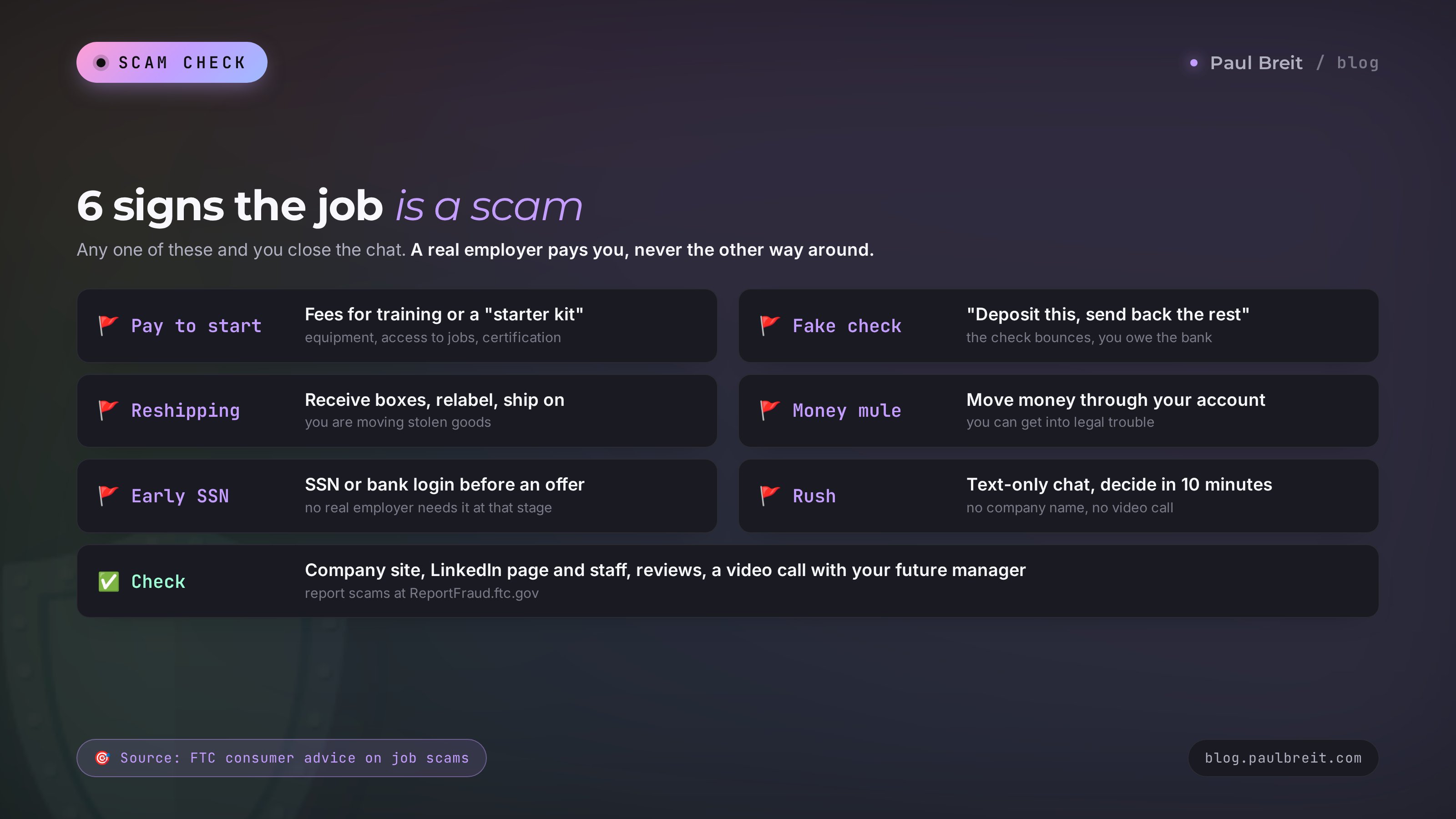
Remote work attracts more scammers than any other job topic. People looking for income from home are often going through a hard time, and scammers play on that. The FTC keeps warning about fake recruiters who reach out by text, social media, and email. Here are the signs I tell people to treat as a reason to close the chat right away:
- They ask you to pay to start. "Pay for training, a starter kit, equipment, access to the job database, a certification." A real employer pays you. You never pay them.
- They send you a check and ask you to send part of it back. "Deposit this, keep your first week's pay, and send the rest to our equipment vendor." The FTC describes exactly this: the check may clear at first, then turns out to be fake, and the bank wants the full amount back from you.
- They want you to receive and reship packages. A fancy title like "logistics coordinator," and the job is to take in boxes, repackage them, and send them on to a new address. The FTC calls this a reshipping scam. The goods are usually bought with stolen cards.
- They want to move money through your bank account. "You'll receive transfers and forward them on, and keep a percentage." That's a money mule scheme, and the FTC warns that if you help move stolen money, you can get into legal trouble even if you didn't know it was stolen.
- They ask for your SSN, bank login, or a verification code before any offer. Your SSN is needed for payroll paperwork after you're hired. Nobody needs your bank login or a one-time code, ever.
- They promise big money for simple tasks and rush you. "$300 a day for liking videos," "rate products and earn," "only one spot left, decide in 10 minutes." In task scams, the end of the chain is always a request to "deposit money to unlock your earnings." Real hiring never needs a decision within minutes.
Before you say yes to a job, run a quick check. Find the company's website and make sure the recruiter's email uses the same domain, not a free Gmail address. Look up the company page on LinkedIn and see whether real people list it as their employer. Search the company name plus "scam" and read reviews on Glassdoor. Ask for a video call with your future manager. Scammers almost never agree to honest verification and disappear fast.
Call your bank right away using the number on the back of your card, stop any transfers you can, and change your banking passwords. If you shared your SSN, go to IdentityTheft.gov for a recovery plan. Report the scam to the FTC at ReportFraud.ftc.gov. If money from strangers already passed through your account, stop all transfers and talk to your bank and a lawyer before doing anything else.
Section 11Freelancing: first clients with zero reviews
The most common fear of a new freelancer goes like this: "I have no reviews, who's going to pick me?" They will pick you if you do three things.
One: a narrow, clear service. Nobody buys "I do everything." People buy "I'll write 10 Instagram posts for a therapist in 3 days" or "I'll create 5 Amazon listing images with infographics." The client sees right away what they get, for how much, and by when.
Two: a portfolio before your first client. Make 3-5 pieces for an imaginary client or for people you know. Posts for a friend who's a nutritionist, listing images for an acquaintance who sells online, a slide deck for a neighbor who runs a remodeling business. Put them in your service description. Label them honestly as practice pieces: what the client wants to see is how you work.
Three: a price slightly below the market for your first 3-5 projects. Look at what freelancers with 10-20 reviews charge for the same service and set yours a little lower. As soon as your first reviews come in, raise your price. There's no reason to stay cheap for more than a month.
AI helps with this too. Here's a prompt for your service description:
I'm new on [Fiverr]. My service: [writing Instagram posts for therapists and coaches].
Help me write my service listing:
1) a title under 60 characters with a clear result;
2) a 600-800 character description: what the client gets, turnaround time, what I need from them, how many revisions are included;
3) three packages: basic, standard, premium;
4) 5 questions I'll ask the client before I start.
Friendly and direct, and no promises I can't keep.
Once the listing is live, work on speed. Clients on every platform tend to hire whoever replies first with a clear answer. Turn on the app's notifications, keep a saved reply template for common questions, and personalize the first line every time. If you want to sharpen how you package a service so people actually pay for it, read how to write an offer people pay for.
Section 12The 30-day plan
Now let's pull it all into a plan you can follow day by day. It's built for 1-2 hours a day, in case you still have another job.
Days 1-3: pick a direction
Choose one role from the table in section 4. Open 20 remote listings for it on LinkedIn or Indeed and write down, in a spreadsheet, the skills that come up most often. That's your list of what to improve.
Days 4-10: the basics of the skill plus AI
Take free lessons for the role, sign up for one or two AI tools, and solve one real work task in them every day: an email, a spreadsheet, a post, a summary of a document. By the end of the week you'll be using AI without looking anything up.
Days 11-14: portfolio
Make 3-5 practice pieces for your chosen role. Put them in one Google Drive folder and share it by link, or set up a free portfolio on Contra.
Days 15-16: résumé and profiles
Build your résumé with the prompt from section 6, put it on LinkedIn and Indeed, create a profile on one freelance platform, and list your first service. Join 3-5 Slack or Discord communities for your field and turn on notifications for their job channels.
Days 17-30: applications every day
Send 10 tailored applications a day using the formula from section 7 and answer requests on the freelance platform. Keep a spreadsheet: where you applied, when, whether they replied. Once a week, look at which applications worked best and write the next ones in a similar way.
After 30 days: review the results
Count your applications, interviews, and clients. If you're getting fewer than one interview per 20 applications, rework your résumé and the first line of your cover letter. If you get interviews but no offers, rehearse with AI and ask the people who turned you down for feedback.
To be honest: some people land their first client on day five, and for others the first job takes two months. Both are normal. What decides it is consistency. Someone who sends 10 good applications a day for 30 days straight almost always finds something.
Section 13When something goes wrong
| Problem | What to do |
|---|---|
| Nobody views your résumé or profile | Check your headline: it should name one specific job title. Set your preferences to "Remote," turn on "Open to work" for recruiters on LinkedIn, and refresh your profile every few days |
| They view it but don't call | Rewrite your experience as results with numbers, add a portfolio link, cut the generic words about being responsible |
| They interview you, then say no | Rehearse answers with AI, prepare examples of how you manage your own time, ask the employer what was missing |
| No orders on the freelance platform | Narrow the service, write a clear title with a result and a deadline, add pieces to your portfolio, reply to requests within minutes |
| The client disappeared and won't pay | Work with a 50% deposit or through the platform's payment protection, and keep scope and price in writing |
| You can't focus at home | Set up a dedicated spot, work in 50-minute blocks with breaks, turn off social notifications during work hours |
| You're scared it won't work | Start with one small paid task on a micro-task site or Fiverr: the first money you earn from home takes away most of the fear |
Quitting after one week. Your first 50 applications almost always go unanswered, because you're still learning to write them well. Treat that week as practice and judge the numbers after a month.
Once your first remote job arrives, the next step is to make your income higher and steadier. Many of my clients started out freelancing and within six months turned their skills into a service of their own. How to do that with AI is in my free guide at the end of this article, and the step-by-step version of the first month is in make money with AI from scratch: first income in 30 days.
Section 14The whole path in a minute
- Only 3% of the US postings Robert Half analyzed in Q2 2026 were fully remote, while more than 1 in 5 US job seekers apply only to remote roles. Whoever applies personally wins.
- Take two paths at once: remote job applications and one service on a freelance platform.
- Search on LinkedIn and Indeed with the Remote filter, on We Work Remotely, FlexJobs, Wellfound, company career pages, Slack and Discord communities, and on Upwork, Fiverr, and Contra.
- Beginners get hired in support, sales, virtual assistance, moderation, content, course support, and tutoring.
- Sharpen your writing, self-management, docs, spreadsheets, video calls, and AI skills.
- Write your résumé as results with numbers, your cover letter with the four-part formula, and let AI do the first drafts.
- Know your setup: W-2 means taxes are withheld, 1099 means 15.3% self-employment tax plus income tax and quarterly estimates. Check the details with a tax professional.
- Never pay to start, never deposit a check and send money back, never share your bank login or one-time codes.
- 30 days of 10 tailored applications a day almost always gets results.
Open LinkedIn right now, set the Remote filter, and save a job alert for your role. It takes five minutes, and tomorrow morning the first fresh listings will already be in your inbox.
FAQFrequently asked questions
Where can I find a remote job with no experience in 2026?
On LinkedIn and Indeed with the Remote filter and the Entry level filter, on remote-only boards like We Work Remotely and FlexJobs, and on Wellfound for startups. For freelance work, try Fiverr and Upwork. Some openings are posted only in Slack and Discord communities for your field, so join 3-5 of them.
Which remote jobs are good for beginners?
Customer support rep, sales development rep, virtual assistant, AI assistant, content moderator, content manager, online course assistant, copywriter, online tutor, and e-commerce listing specialist. These roles hire people without experience if you write clearly and are ready to learn.
How much do remote jobs pay?
It depends on the role, the company, and the hours, so there is no honest single number. Entry-level roles pay less than experienced ones. The most reliable way to check is the pay range on the actual listings, since a growing number of US states require employers to include one.
How do I spot a remote job scam?
Scammers ask you to pay for training or equipment, send you a check and ask you to send part of it back, want you to reship packages or move money through your account, ask for your SSN or bank login before any offer, and rush you to decide. A real employer has a website and a matching email domain, agrees to a video call, and never asks you for money.
What is the difference between W-2 and 1099 remote work?
As a W-2 employee, your employer withholds income tax and your share of Social Security and Medicare from each paycheck, and you often get benefits. As a 1099 contractor, nothing is withheld: you pay income tax plus 15.3% self-employment tax and usually make quarterly estimated payments. Check the details for your situation with a tax professional.
Can AI help me find a remote job?
Yes. In one evening AI can help you rewrite your résumé as results, draft a tailored cover letter for each job, rehearse an interview, and create practice pieces for your portfolio. On the job itself it speeds up writing, spreadsheets, and images, which employers increasingly list as a plus.
Should I start with a remote job or freelancing?
It pays for a beginner to start both at once: apply to jobs and list one clear service on a freelance platform. A job gives stability, freelancing brings first money and reviews faster. After a month you will know which fits you better.
How do I write a résumé for a remote job?
Put one specific job title in the headline, set your preferences to Remote, write your experience as results with numbers, add a portfolio link, and say which time zone you work in and when you are available. Drop generic phrases like "responsible and a great communicator."