What Is Claude Code, Explained Simply
Claude Code is a version of Claude that lives right on your computer and does the work itself: it builds sites, edits files, tidies up folders, and crunches numbers from your spreadsheets. You explain the task in plain English – no programming required. Here's the whole thing without the tech jargon: how Claude Code differs from the chat you already know, what it can do, which model it runs on in 2026, what it costs, and how to run your very first task.
Claude Code is a version of the Claude AI that runs right on your computer and does the tasks itself: it reads and edits files, runs programs, and builds sites, bots, and scripts. A regular Claude chat hands you text that you apply yourself; Claude Code does the work for you. You control it in plain words, with no coding knowledge. It's included in the Claude Pro plan (about $20/month) and runs on the Claude 5 models.
In some regions Claude won't open directly, because Anthropic restricts access by IP. If that's you, use a VPN with a US or EU location (Proton VPN is a solid, well-known option). Sign up with a Gmail or iCloud address, and if your country isn't supported yet, create the account with the VPN already on so it isn't tied to a blocked IP. Everything else works the same as anywhere else.
What's inside
- What Claude Code is in two sentences
- Claude Code vs a regular chat: the difference
- How it works: you talk, it does
- What Claude Code can do, task by task
- Which model it runs on in 2026
- Where it lives: terminal, editor, app, browser
- Who needs it, and who's fine with a regular chat
- What it costs and how to pay
- How to start: three steps to your first task
- Common beginner mistakes and how to dodge them
- Examples for non-programmers, by profession
- The limits: what not to expect
- The whole thing in a minute
Section 01What Claude Code is in two sentences
Picture a very sharp assistant. Until now, he sat behind glass: you asked him a question, he gave you a detailed answer, and you still had to do everything by hand. Copy the text, paste it, save the file, tweak the settings. Claude Code removes the glass. Now the assistant sits right at your computer and takes the keyboard himself.
Claude Code is a tool from Anthropic, the same company that makes the Claude AI. It takes that same smart model and gives it hands. The model gets access to your files and folders; it can run programs, build sites, and write small apps and scripts. You state a task in a plain human sentence, and it plans and carries it out step by step.
The most important part for a beginner: you don't write any code by hand. You talk to Claude Code the way you'd message a freelancer. "Build me a one-page site for booking consultations," "sort these three hundred photos into dated folders," "look at my spreadsheet export and add up August revenue." It figures it out and brings back the finished result.
The word Code in the name scares off a lot of non-technical people. It's a leftover from the early days: the tool was originally built for programmers, to help them write software more easily. Over 2025 and 2026 it grew up and became something anyone can use. Today Claude Code just as happily builds a working site for a developer and a simple automation for a therapist who's never seen a line of code.
A regular Claude chat is a consultant on the phone: he explains what to do and how, but your hands do the work. Claude Code is the handyman who shows up at your door with tools: you say what you need, he does it and shows you the finished job. Same model both times – the difference is that the second one has access to your computer.
Section 02Claude Code vs a regular chat: the difference
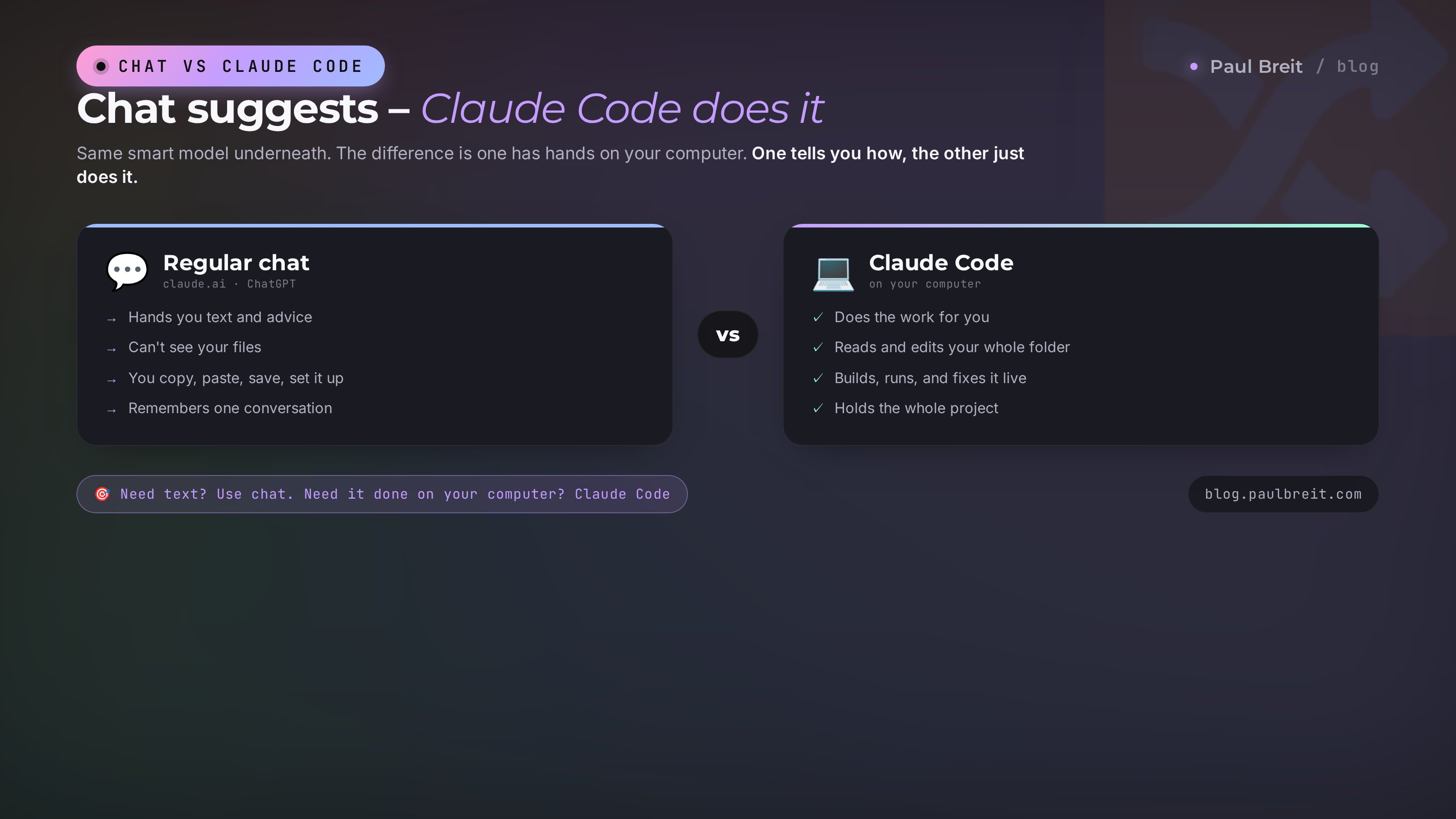
You've probably already tried AI in a browser: you opened claude.ai or ChatGPT, typed a request, got an answer. That's a chat. It's great at generating text, ideas, breaking down documents, answering questions. But a chat has a ceiling: it lives in its own window and knows nothing about your computer. It hands you text, and from there you copy it, paste it where it needs to go, save it, set it up.
Claude Code lifts that ceiling. It sees the folder you're working in, holds your whole project in mind, creates and edits files itself, runs what it built, and shows you the result right away. A single task might be ten small steps, and it walks through all of them in a row without making you copy the in-between pieces back and forth.
To make the difference clear, here it is in a table.
| What we're comparing | Regular chat (claude.ai, ChatGPT) | Claude Code |
|---|---|---|
| What it does | Hands you text and advice | Does the work on your computer itself |
| Access to your files | None – only what you paste into the window | Yes – sees the whole project folder |
| Running programs | Can't | Runs, checks, and fixes |
| Memory of the project | Within a single conversation | Holds the whole project and comes back to it |
| Multi-step tasks | You have to lead it by the hand | Plans and takes the steps itself |
| Best for | Text, ideas, quick questions | Sites, bots, automation, file work |
Both tools are alive and useful, just for different jobs. If you need a post, a client email, or a contract review, a chat is plenty. If you need AI to build you a working site or bring order to hundreds of files, Claude Code pulls ahead. And if you're still choosing between Claude and ChatGPT in general, I have a separate comparison – Claude or ChatGPT.
Section 03How it works: you talk, it does
Under the hood it's easy to follow. You open the folder where you want something done and write the task in plain words. Then Claude Code goes through a few steps, and you see each one.
It looks at what's already there
Before doing anything, it reads your folder: which files are there, what the project is, what's already done. That way it doesn't break finished work and it understands the context. If the folder is empty, it starts from a blank page.
It makes a plan
It breaks your task into small steps and often shows the plan in text: first I'll do this, then that. On harder tasks you can ask it to show the plan first and only then get started. That keeps you in the loop.
It does the work and shows it
Claude Code creates and edits files, runs what it built, and shows you exactly what it changed. Every change is visible: here's how the file was, here's how it is now. Nothing happens quietly.
It asks permission for the big stuff
Before any action that deletes something or makes a major change, it stops and asks: confirm? You answer yes or no. That's your protection against it wiping out something you needed.
Let's walk through a live example. Say you write:
Build a simple one-page site for a therapist. One screen: name, what I help with, a "Book a session" button linking to my Telegram. Calm, warm colors.
Got it. I'll create an index.html file, add a block with the name and description, a button linking to Telegram, and pick a warm pastel palette. Done – here's the file, opening it in the browser so you can take a look. Want to change the colors or the text? Just say so.
From there you look at the result and keep going in plain words: "make the button bigger," "add my phone number," "change the background to light green." It edits on the spot. That's the whole job: a conversation where you describe and it builds.
One important detail, so we don't credit the AI with more than it has. Claude Code doesn't get tired or lazy. It has a context window (how much information it can hold at once) and plan limits. If a task is huge, it may split it into parts or ask for clarification. That's normal mechanics, not moodiness.
Section 04What Claude Code can do, task by task
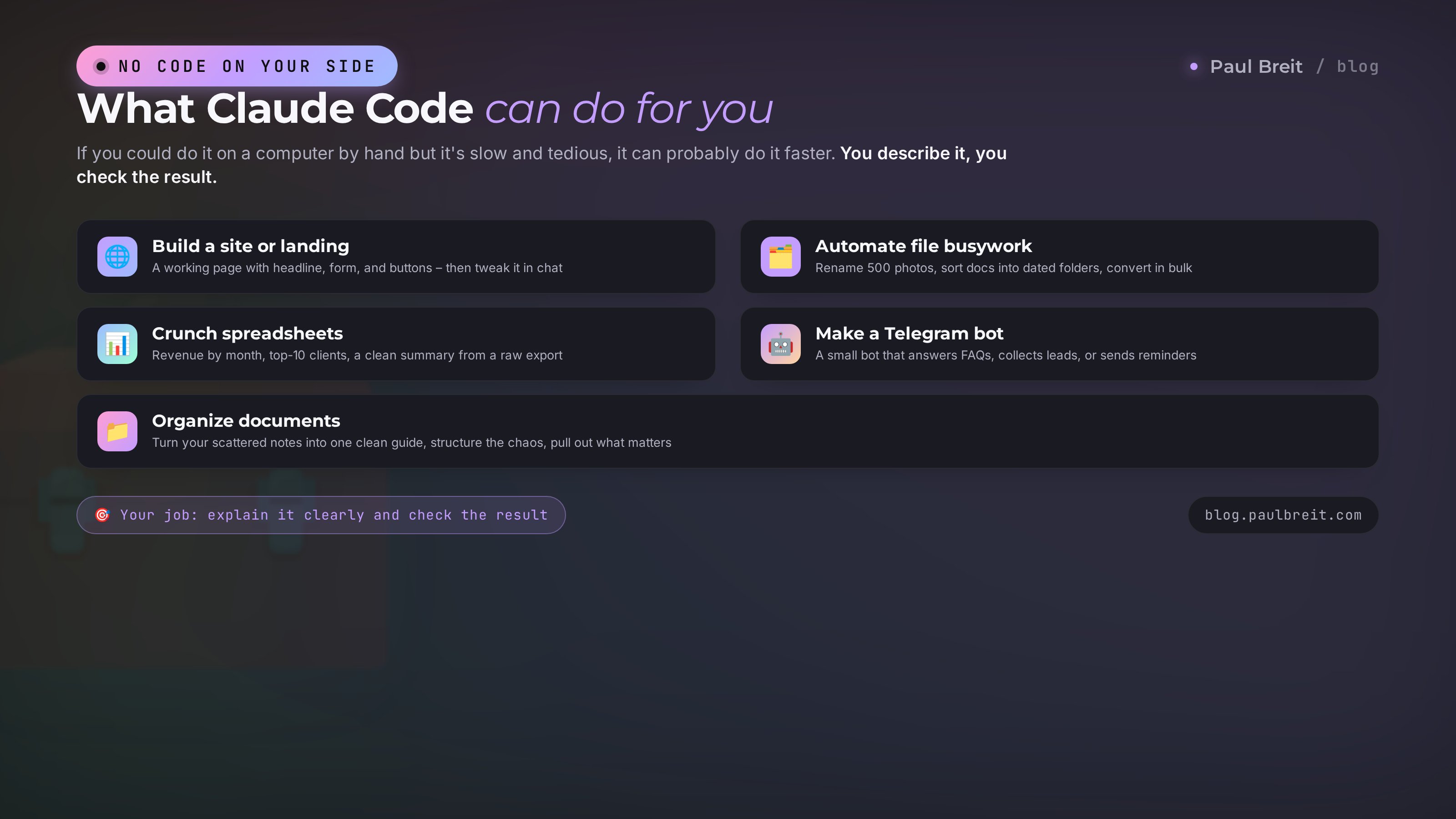
Now the part that matters most if you sell services, run courses, or consult. Here are the jobs Claude Code closes without a single line of code on your end.
Build a site or landing page
Describe in words what the page is and what it's for, and it builds a working site: headline, blocks, a form, buttons, mobile layout. Then you fine-tune it in conversation. For anyone who wants to build a site without touching the keyboard at all, by voice, I have a walkthrough – build a site by voice with Claude.
Automate file busywork
Rename five hundred photos to one naming pattern, sort documents into dated folders, pull only the files you need out of a pile, convert dozens of images to another format. What takes you an evening by hand, it does in a couple of minutes.
Crunch spreadsheets and data
You have a spreadsheet export or a sales report. Say: add up revenue by month, find the top 10 clients, roll it all into a clear summary. Claude Code parses the data and hands back the result. That's a lifesaver for online schools and anyone drowning in numbers.
You: "Here's the August orders export in orders.csv. Add up total revenue, the average order value, and name the five clients who spent the most." Claude Code opens the file, runs the numbers, and answers in plain text: revenue is X, average order value is Y, here are the top five clients with amounts. If you want, it'll fold it right into a tidy table or a short report you won't be embarrassed to forward to a partner.
Make a simple Telegram bot or script
A small bot that answers common questions, collects leads, or reminds people about a meeting gets built from your description. That's a big topic on its own – how to make a Telegram bot without a developer, laid out step by step.
Bring order to your documents
Turn your scattered notes into a clean guide, roll materials into one document, structure the chaos. It reads the source files and assembles what you need out of them.
Break down and rewrite text
Run a big file through it, pull out the key points, rewrite it into the format you need, check it for errors. Here it works like a chat, but straight on your files, with no copying chunks back and forth.
The general principle is simple: if a task can be done on a computer by hand but it's slow and tedious, Claude Code will most likely do it faster. Your role is to explain clearly what you need and to check the result. For more ideas on what people hand AI in general, I've collected them in what you can do with AI.
Section 05Which model it runs on in 2026
The smart part of Claude Code comes from the Claude model. As of 2026, the current family is Claude 5. There are a few models, and they differ in speed and depth of thinking. Claude Code lets you switch between them mid-work, to fit the task at hand.
| Model | What it's for | When to use it |
|---|---|---|
| Opus 5 | The smartest and deepest | Hard tasks, big projects, subtle logic |
| Sonnet 5 | Balance of speed and quality | Everyday work, the best default |
| Haiku 4.5 | Fast and cheap | Simple jobs where speed matters |
For a beginner, the advice is short: keep Sonnet 5 as your default, and when a task stalls or you know it's heavy, switch to Opus 5. There's also a fast mode that speeds up output on the Opus models without dropping quality. It's all in the Claude Code settings; you don't need to understand how the models are built.
If you want a deeper look at how Claude's models stack up against the competition, I have a fresh comparison – Claude 5, GPT-5, and Gemini 3. And for a broad market overview, see the blog.
Section 06Where it lives: terminal, editor, app, browser
Claude Code runs in several places, and your choice decides how gentle the on-ramp is.
Claude Code's main home
The terminal is that black window where you type commands. It sounds scary, but you just type tasks into it in words. It runs on Mac, Windows, and Linux. This is the main and most powerful option, though it feels unfamiliar to a beginner at first.
Extensions for VS Code and JetBrains
If you already use editor programs (VS Code, JetBrains), Claude Code plugs right into them. Handy when everything's in one window. For non-technical folks, this isn't the easiest entry point yet either.
A program for Mac and Windows
A standalone app with a window, buttons, and a clear layout. For a beginner this is the friendliest way in: it feels like a normal program, not a command line.
The web version at claude.ai/code
You can work right in the browser, installing nothing. Open the page, sign in, give it a task. A great way to try it the first time and figure out whether you even need it.
My advice to a beginner: start with the web version or the app. Get comfortable, catch the feeling of "I talk, it does." Add the terminal later, when you want more freedom. Don't be afraid of the terminal – you type into it in plain human words anyway.
Section 07Who needs it, and who's fine with a regular chat
I'll be honest, because it matters more than a pretty picture. Not everyone needs Claude Code, and not always. If I told you it's a must for everyone, I'd be lying.
A regular chat on claude.ai is enough if your tasks are text, ideas, answers to questions, document breakdowns, image generation. Writing a post, brainstorming headlines, reviewing a contract, sketching a script. For that, Claude Code is overkill – the chat handles it faster and simpler.
Claude Code is worth learning when you regularly need AI to actually do things on your computer. Build sites and landing pages for launches. Automate routine that eats hours. Crunch your exports. Assemble small bots and tools for your business. If that happens even once a week, Claude Code pays back the time many times over.
Ask yourself one question: do you need text, or do you need an action? Need text, advice, an idea? Go to the chat. Need work done on your computer – files created, a site built, order restored? That's a job for Claude Code.
And one more thing. The audience I work with isn't just programmers. It's therapists, coaches, tutors, nutritionists, trainers, mentors, freelancers, owners of small online schools. Everyone who sells services, courses, and consulting. For them, Claude Code stopped being a toy for tech people a while ago. It's a working way to take some of the routine off your plate and build sites and tools without contractors. If you're just getting into AI, start with the basics – AI terms for beginners.
Section 08What it costs and how to pay
Claude Code itself is free; you pay for access to the Claude model. Here's how the plans work.
| Plan | Rough price per month | Who it fits |
|---|---|---|
| Free | $0 | Try the chat, but Claude Code is nearly out of reach because of the limits |
| Pro | about $20 | Getting started and regular small tasks – enough for most beginners |
| Max | $100 or $200 | Heavy, steady work, big projects, high limits |
| API (pay as you go) | whatever you use | For anyone who wants exact usage costs with no fixed subscription |
The key thing for a beginner: Claude Code is included in the Pro and Max plans – there's nothing extra to pay for it. One subscription unlocks both the chat on claude.ai and Claude Code, and the model limits are shared. Start with Pro; it's enough to learn the tool and do real work. Hit the limits, and you can move up to Max.
What it actually costs in practice. If you build a couple of sites a month, automate some routine, and crunch a spreadsheet now and then, Pro at twenty dollars is plenty. The limits there work in sessions: work hard, hit the ceiling, and a few hours later it resets. Max is for people who live in Claude Code every day and run big projects without breaks. Think of it this way: a single page a freelancer would charge you $100-200 for comes free inside the same subscription. The tool pays for itself with the first serious task.
The prices here are approximate – Anthropic changes them from time to time, so check the exact numbers on the site when you pay. In the US you pay with a normal card and it just works. If your card is issued somewhere Anthropic doesn't accept, a foreign card or a payment intermediary solves it.
Section 09How to start: three steps to your first task
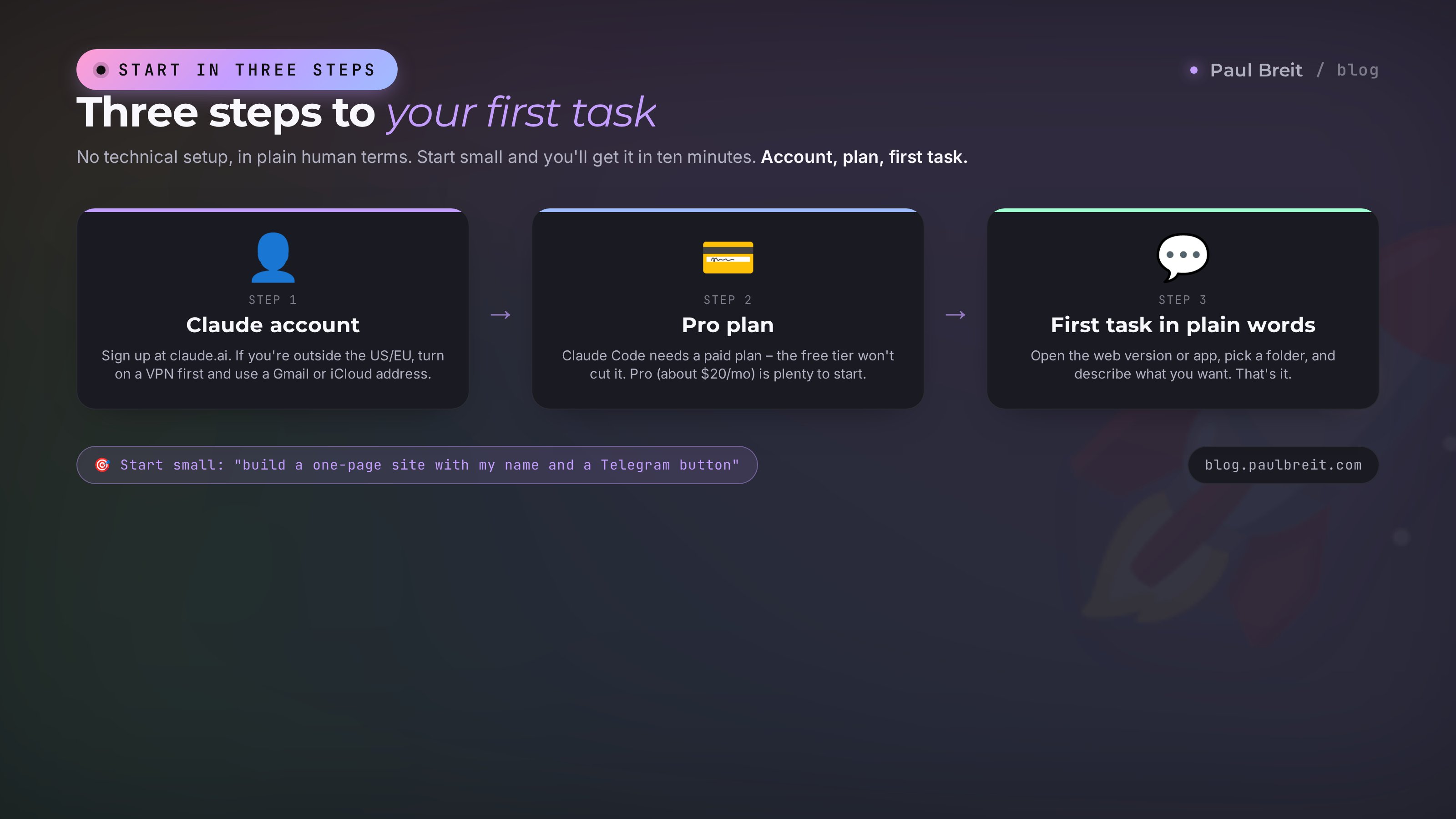
Let's pull it all together into a short route. No technical detail, plain and human.
Create a Claude account
Go to claude.ai and sign up. If you're outside the US or EU and Claude is blocked in your region, turn on a VPN with a US or EU location before you open the site. Use a Gmail or iCloud address. If you don't have one, create a new one with the VPN already on so the account isn't tied to a blocked IP.
Get the Pro plan
Claude Code needs a paid plan – the free tier won't cut it. Get Pro. Pay with your card, or through an intermediary if your card isn't accepted. After payment, Claude Code opens in the same account.
Open Claude Code and give it your first task
The easiest way in for a beginner is the web version at claude.ai/code or the app for Mac and Windows. Open it, sign in, create or pick a project folder, and write the task in words. If Claude is blocked in your region, keep the VPN on while you work.
Don't start with something huge. Take something small and clear. For example: "Build a one-page business-card site: my name, one line on what I help with, and a button linking to my Telegram. Keep the colors calm." See how it handles it, and ask for a couple of tweaks. In ten minutes you'll understand the tool better than in an hour of reading.
If you want the whole workflow broken down piece by piece, next up I have a detailed step-by-step walkthrough of how to use Claude Code from first launch to a finished project. And for the approach itself – building sites and apps in a conversation with AI – I wrote about that in the piece on vibe coding.
Section 10Common beginner mistakes and how to dodge them
Here are the rakes beginners step on most often. Know about them ahead of time and you walk right past.
Expecting it to read your mind. Claude Code is exactly as good as your task is clear. "Make it look nice" gives you a vague result. "Build a landing page for booking a consultation, warm colors, a button to Telegram, one screen" gives you what you actually wanted. Be specific.
Not checking the result. It works fast and usually gets it right, but the final check is on you. Read what it built, open the result, verify the links and the numbers. Especially when it comes to data and money.
Jumping straight into a giant task. First build something small and see it through. Break a big project into parts and go one at a time. That's how you keep quality and stay on top of what's happening.
Forgetting the VPN if Claude is blocked in your region. Without a VPN set to a US or EU location, sign-in simply won't go through – and you'll be left guessing what broke. Turn the VPN on first, then open Claude Code.
Keep tasks specific, start small, read what it proposes, and confirm the important actions one at a time. With that approach, Claude Code becomes a reliable helper rather than a source of surprises. For a rundown of the usual AI slip-ups in general, see common mistakes working with AI.
Section 11Examples for non-programmers, by profession
To stop this being abstract, here it is with real professions from my audience.
Therapist
Build a simple business-card site with session booking. Sort your working notes by client into a clean structure. Roll materials for a group into one guide. All in words, no site contractor.
Tutor
Build a page with your schedule and prices. Make a small bot that answers parents' common questions. Organize homework and materials into clear folders by topic.
Coach and mentor
A landing page for a free intro session. Automated reminder emails for meetings. A workbook for your program assembled from your notes.
Online school
Roll a sales report out of an export: how much, over what period, who the top clients are. Build a landing page for a launch. Bring order to your course files. For more on AI for a school specifically – AI for online schools.
Freelancer and entrepreneur
Automate the routine that eats your time: file renaming, sorting through emails, assembling standard documents. Spin up a site for a new service fast, instead of waiting a week on a contractor.
Notice the common thread. Not one example requires knowing how to code. It requires understanding your own task and being able to explain it in words. You already have that skill – you assign tasks to people every day. This is the same thing, only the person doing the work is always on hand.
Section 12The limits: what not to expect
So there's no disappointment, here's the honest word on the limits. Claude Code is a powerful tool, but it's not a magic wand, and it's better to know that up front.
It doesn't replace your own head. It's great at what you set clearly, but it won't decide for you what your product should be, who you sell to, or what your point is. You hold the strategy; it lends the hands. If the task is vague in your own mind, the result will be vague too.
It doesn't give a hundred-percent guarantee without a check. On hard tasks it sometimes gets things wrong or picks the wrong path. So the final control is always with a human: read it, open it, verify the numbers and the links. Especially where money, client data, and public pages are involved.
It won't do the things that need your personal logins and decisions unless you give them. Publishing a site to your domain, hooking up payments, putting a bot into permanent operation – all of that needs your accounts and your confirmation. Claude Code will build and prepare it, but pressing the final button and owning the result is on you.
And it doesn't read minds. The more specific you are, the closer the result is to what you wanted. And that's a plus, really. You learn to set clear tasks, and that skill pays off everywhere, not just with AI.
None of these limits stop you from getting value today. They just set the right expectations. Treat Claude Code as a very sharp, very fast helper that does the rough and routine work, while you keep the decisions and the checking. Set it up that way and it saves you dozens of hours.
Section 13The whole thing in a minute
Let's run through the essentials quickly so it sticks.
- Claude Code is Claude with hands. It lives on your computer and does the file and program work itself.
- A regular chat hands you text; Claude Code does it: builds sites, bots, automation, crunches spreadsheets, restores order.
- No programming needed. You set the task in plain words and check the result.
- It runs on the Claude 5 models. Keep Sonnet 5 as default; switch to Opus 5 for hard work.
- It runs in the terminal, in editors, in the app, and in the browser. Beginners are best off with the web version or app.
- It's included in the Claude Pro and Max plans, no separate payment. Sign up with a non-blocked email; use a VPN if your region is restricted.
- Start with a small task, give a specific brief, check the result. In ten minutes you'll know whether it's for you.
Claude Code erases the line between "I want this" and "I don't have the hands to do it." You no longer need to know how to program to build a site or automate your routine. Being able to clearly say what you need is enough. Try it on one small task today, and it takes off from there.
FAQFrequently asked questions
Is Claude Code free?
Claude Code itself is free; you pay for access to the Claude model. It's included in the Claude Pro plan (about $20/month) and Max ($100 and $200) with usage limits. You can also pay as you go through the API. For getting started and your first tasks, Pro is enough.
Do I need to know how to program to use Claude Code?
No. You describe the task in plain English, and Claude Code handles all the technical part: it writes code, edits files, and runs what's needed. Your job is to say clearly what you want and check the result.
How is Claude Code different from ChatGPT and a regular Claude chat?
A chat (claude.ai or ChatGPT) hands you text that you copy and apply yourself. Claude Code works right on your computer: it reads and edits files, runs programs, and builds sites and scripts. The chat suggests, Claude Code does it.
Can I use Claude Code if I'm outside the US or EU?
Yes, but you may need a VPN with a US or EU location, because Anthropic blocks some regions by IP. Sign up with a Gmail or iCloud address. If your country isn't supported, create the account with the VPN already on so it isn't tied to a blocked IP.
What device do I run Claude Code on?
There's a terminal version (Mac, Windows, Linux), extensions for the VS Code and JetBrains editors, an app for Mac and Windows, and a web version at claude.ai/code. Beginners are best off starting with the app or the web version; the terminal comes later.
Is it safe? Will Claude Code break my computer?
Before any action that changes or deletes something, Claude Code asks permission and shows you what it's about to do. Start with a separate project folder, read what it proposes, and confirm one step at a time. You always stay in control.
Which Claude model is best for a beginner?
For most tasks, use Sonnet 5 – it balances speed and quality. For hard tasks, switch to Opus 5, the smartest model. Haiku 4.5 is fast and cheap for simple jobs. You switch models right inside Claude Code.
Are Claude Code and regular Claude the same subscription?
Yes. One Claude Pro or Max subscription unlocks both the chat on claude.ai and Claude Code. There's nothing extra to pay; the limits are shared across the model.