Automate Your Routine with AI: 10 Working Combos
Routine eats three or four hours a day from anyone who sells services, courses, and consulting. Email, reports, DM replies, call notes, posts. This article gives you 10 ready combos that pair AI with your everyday tools and take that routine off your plate. For each one: what it does, how to build it in a plain chat with AI, a copy-paste prompt, and what to do when something goes sideways.
Automating your routine with AI runs on one pattern: AI takes the thinking (read, understand, write, analyze) and your everyday tool takes the action (send the email, log the row, book the meeting). You can wire them together with no code – either by copy-paste through a chat with Claude, or through a ready builder (Make, n8n, BotHelp) where AI plugs in with a couple of clicks. Below are 10 such combos for real work: email, reports, DM replies, call notes, content, leads, reviews, documents. The first one takes an evening to build and gives back 3 to 8 hours a week.
The morning starts with email. Then someone DMs a question you're answering for the twentieth time. Then you have to pull the week's numbers into a spreadsheet. Then there was an hour-long call, and now you owe it a summary and a task list. Then a post. And it's already evening, and you've done almost none of your actual work today.
I run four client projects and a channel of 20,000 followers with no team behind me. No amount of willpower would carry that. It all holds together on combos: a dozen small jobs get done by AI paired with ordinary tools. This article is exactly those combos, broken down so you can build them yourself.
Almost every combo below runs on Claude. It's available across the US, the EU, and most countries. If you happen to be in a region where it isn't offered directly, a VPN set to a US or EU location fixes it – Anthropic does block a handful of regions, so check their supported-countries list. You can sign up at claude.ai; the step-by-step for setup and payment is in the article on getting started with Claude.
What's inside
Section 01What automating your routine with AI means
Automation used to mean a developer. Someone wrote a script, the script poked your tools on a schedule, and you paid for the build and then paid again to keep it from breaking. For a person who sells their own services or a course, that was expensive and opaque. It was easier to just do the work by hand.
AI changed one thing here. The hardest part of any automation was never sending the email or logging the row. It was figuring out what to write and what to log. That understanding used to be a human-only skill. Now AI takes it on. And once that's true, tying the whole thing together became possible with almost no code.
The head and the hands
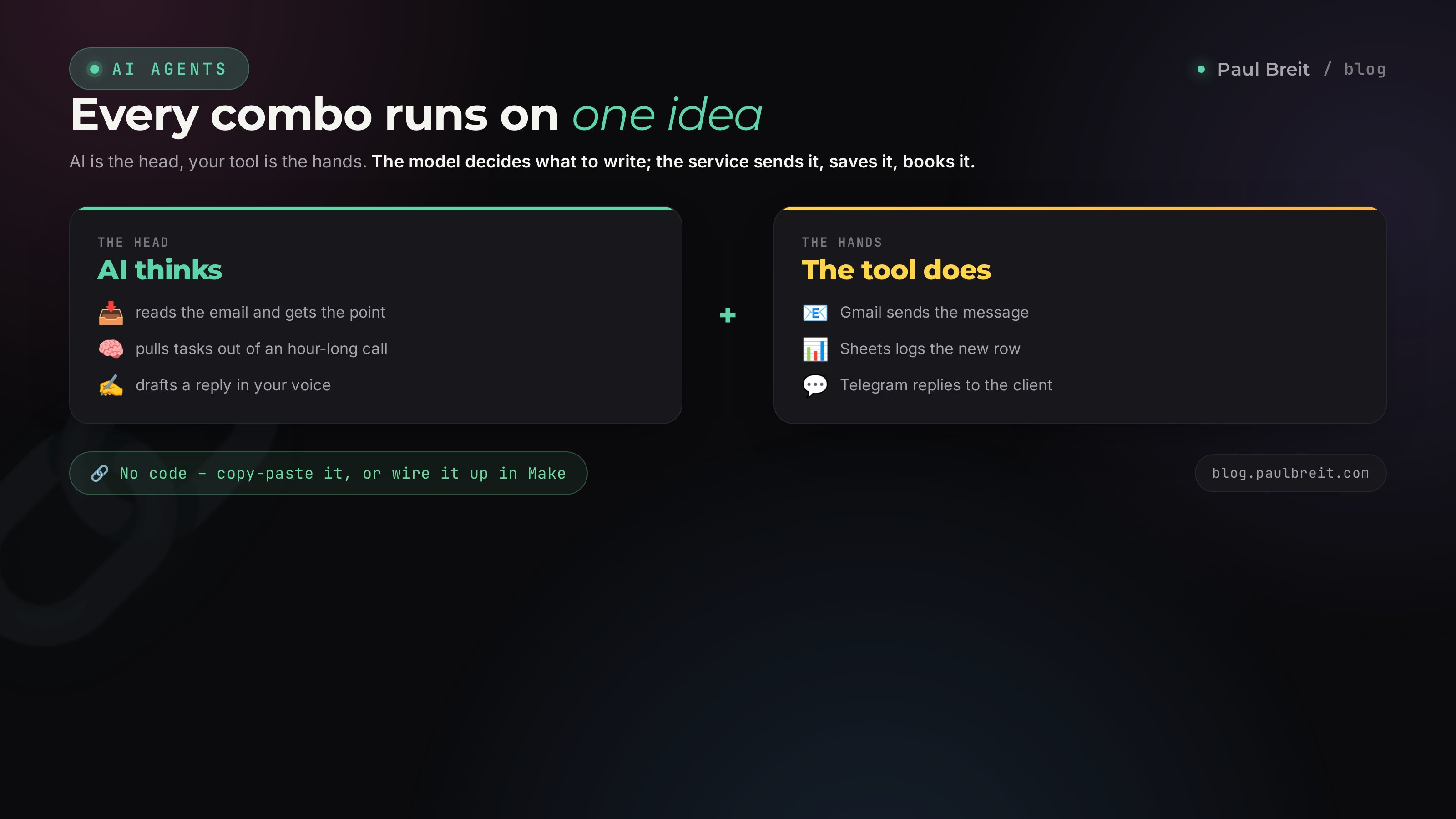
Hold a simple picture in your head. Every automation has two parts.
- The head is AI. It reads the incoming email and gets what it's about. It parses an hour-long call and pulls out the tasks. It looks at a spreadsheet and writes the takeaway. It thinks, phrases, and makes the small decisions.
- The hands are your everyday tool. Gmail, which sends the email. Google Sheets, where the row lands. The calendar, where the meeting appears. A Telegram bot that replies to the client. The hands decide nothing; they execute.
A combo is when the head and the hands work as a pair. AI decides, the tool acts. And in that moment you're doing your real work, or asleep.
Three levels you can build it at
The same combo can be built three ways, from the simplest to the most autonomous.
- By hand, through a chat. You hand AI the data, it returns the result, you copy that wherever it needs to go. This already saves time, though it still needs you in the loop. It's a great way to prove a combo is even useful before you automate it.
- Through a Project or skill. You explain the rules to AI once and hand it your knowledge base. From then on every request carries those rules and you never repeat the setup. There's a full breakdown in the article on Claude Projects.
- Through a builder, on autopilot. The combo runs itself on an event or a schedule. An email arrives – AI parses it and drops a draft reply in your folder. It's 8 a.m. – the report assembles. That's a real AI agent now, and building your first one is covered in how to build an AI agent without code.
One piece of advice for the whole article: don't jump straight to the third level. Run the combo by hand for a week first. If it really saves time, automate it. If it doesn't, you haven't spent money on a builder for nothing.
Section 02The combo principle: how to build it without code
Every one of the ten combos below follows a single four-step recipe. We'll walk it once, and after that you'll apply it on autopilot.
Step 1. Name the task in words
Take what annoys you in your routine and describe it as a process, in concrete actions, no vague terms. For example: every morning I come in, read twenty emails, five need a reply, the rest I delete or park. The moment the task is written out step by step, it's obvious which steps think (that's AI) and which steps do (that's the tool).
Step 2. Give AI the context
AI is only as good as the input you give it. To write client replies in your tone, it needs examples of your replies. To parse calls usefully, it needs to know what matters to you. The strongest move is to gather all of it into one Project and drop your materials in too: pricing, FAQs, sample texts. Teaching AI to speak in your voice is covered in detail in the article on the 30-posts method.
Step 3. Write the prompt-instruction
A combo prompt is different from a one-off question. It's a standing instruction that AI works from again and again. It needs four things: who it is (the role), what it gets as input, what it should do, and the form the result comes back in. Every prompt in this article is written to that frame, so treat them as templates. For a deeper look at phrasing, see the guide on how to write prompts.
Step 4. Decide who's the hands
If the combo is needed rarely, the hands are you, by copy-paste. That's zero setup. If it's every day, you plug in a builder. For inbound leads and messenger replies that's BotHelp or Salebot. For wiring any tools together it's Make or n8n, where AI plugs in as a ready block. Nothing to code – it all assembles with your mouse from building blocks.
You're not programming. You're explaining the task to AI the way you'd explain it to a sharp assistant: here's what comes in, here's what to do with it, here's where to put the result. Everything else is just choosing who presses the buttons – you, or a builder.
Section 0310 combos: AI + your tools
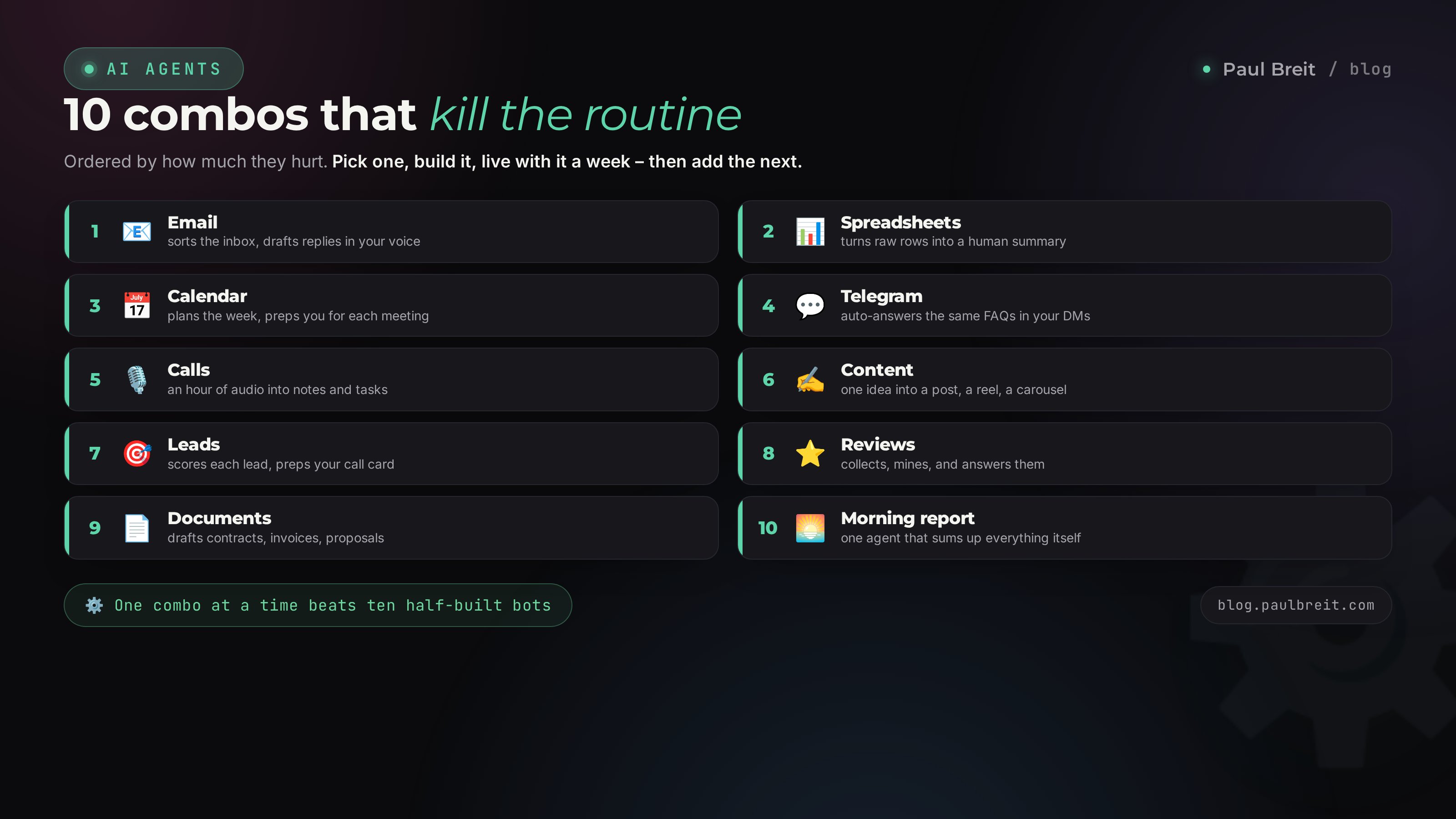
Here come ten combos that clear the most typical routine. They're roughly ordered by how much they hurt: the ones at the top eat time every day, the ones lower down come up less often but still sting. Don't grab them all at once. Pick one, build it, live with it a week.
Combo 1. Email: triage the inbox and draft replies
Email is the pit your morning drowns in first. The combo is simple: AI reads the inbox, sorts it by importance, and for anything that needs a reply it writes a draft in your tone right away. You skim and hit send.
At the by-hand level it looks like this: you paste the email text into a chat, get a draft, paste it back. On autopilot, a Gmail-and-AI combo through Make labels each email by importance itself and drops the draft reply into your drafts folder. You open your inbox and half the work is already done.
You're my inbox assistant. I'll give you the text of an incoming email. Do three things. One: rate its importance in a single line – urgent, normal, or ignorable. Two: sum up the gist in two sentences so I understand it without reading. Three: if the email needs a reply, write a draft in my tone – calm, warm, to the point, no corporate stiffness. If no reply is needed, say so. Here's the email: [paste].
What it gives you: an hour and a half to two hours a week and a quieter head. You stop reading spam in full and stop stalling over the wording of yet another polite no.
Combo 2. Spreadsheets: summaries and reports from raw rows
Everyone who sells has a spreadsheet: leads, payments, ad spend, reach. The data is there but the takeaways aren't, because there's never time to actually look. AI turns rows into a human conclusion.
By hand: copy a range straight from the sheet into a chat and ask it to break it down. AI doesn't need formulas – it reads numbers as text. On autopilot: Google Sheets sends the tab's contents to AI once a week through Make, and it sends a short report back to you in Telegram.
You're the finance analyst for a small business. Here's this week's spreadsheet: [paste rows]. Calculate the key numbers: how many leads, how many payments, lead-to-payment conversion, average order value, ad spend, and cost per acquired customer. Then, in three plain-language sentences, tell me what mattered this week and what I should pay attention to. No filler – only conclusions that change decisions.
What it gives you: you start seeing your numbers instead of fearing them. Cost per acquisition and conversion stop being abstractions. How to compute these numbers and why they matter is covered in the article on the money models.
Combo 3. Calendar: plan the week and prep for meetings
This combo kills two pains at once. First, Monday morning, when it's unclear what to grab. Second, the meeting you never got time to prep for. AI looks at your to-do list and your calendar, lays out the week by priority, and before each meeting hands you a short brief.
By hand: send over your task list and your busy slots, get a laid-out plan back. On autopilot: an hour before a meeting, your calendar sends a brief to Telegram through a builder – who this is, what you agreed last time, what questions to ask.
You're my planning assistant. Here are my tasks for the week: [list]. Here are my busy slots on the calendar: [list]. Lay the tasks out by day with priority in mind: money-making, project-moving work first, then routine. No more than three big tasks a day. Reserve two hours of deep work each morning with no meetings. Return the plan as a per-day list.
What it gives you: the week stops being mush. You walk into each day already knowing what to grab first, and you show up to meetings prepared.
Combo 4. Telegram: auto-answer the FAQs in your DMs
Anyone with an audience gets the same questions in their DMs: how much, how do I join, what's included, is there a payment plan. Answering them by hand for the hundredth time is pure lost time. This combo puts an AI helper in your DMs that answers on its own and only pulls you in for a real conversation.
It's built through BotHelp or Salebot: you connect AI, hand it your answer base (pricing, terms, FAQs), and it replies from that in your brand's tone. If a question falls outside the base, or the person is ready to talk, the bot hands the conversation to you. Building this helper end to end is covered in detail in the article on the AI agent in your Telegram DMs.
You're the assistant in an expert's direct messages. Reply in a warm, natural tone, briefly, no corporate stiffness. Answer only from the facts in this base: [pricing, terms, FAQs]. If there's no exact answer in the base, don't make anything up – gently offer to book a free consultation and hand the conversation to a human. If you see the client is ready to buy or is hesitating on money, pull them into a conversation with me too.
What it gives you: your DMs answer themselves around the clock, and you step in only where the deal is decided. It's one of the highest-ROI combos, because it's directly about money.
Combo 5. Calls: notes and tasks from an hour-long recording
After every coaching session or standup you're left with an hour of audio nobody rewatches. And it holds the agreements, the tasks, the client's important words. This combo turns the recording into notes and a task list in five minutes.
The scheme: the call recording is transcribed into text, the text goes to AI, and it returns a short summary, the decisions, and tasks with owners. A separate tool does the transcription; AI takes it from there. How to mine calls so you catch where sales leak is covered in the article on analyzing sales calls with AI.
Here's the transcript of an hour-long call: [paste text]. Give me four blocks. One: a summary of the meeting in five sentences. Two: every decision made, as a list. Three: tasks with who owns each and by when. Four: the client's important phrases word for word – their pains, objections, anything about money. Write in plain, businesslike language.
What it gives you: no agreement gets lost, and sales don't leak out through forgotten promises. Plus you build up a bank of real client phrases that later grows all your content and offers.
Combo 6. Content: one topic into a post, a reel, and a carousel
Content is the routine that never ends. This combo turns one idea into several pieces of content for different platforms at once, so you're not inventing from scratch every time.
It runs through a Project that holds your voice and brand rules. You give it a topic; AI returns a Telegram post, a reel script, and carousel copy – all in your style and shaped for each platform. How to put content production on a conveyor is covered in the article on a content plan in one evening.
You're my content editor and you know my voice (samples are in the Project). Topic: [topic]. Make three things from it. One: a Telegram post – lively, direct, short paragraphs, a strong first sentence, and a thought that nudges toward working with me. Two: a 40-second reel script – a hook in the first line, the core idea, a simple action at the end. Three: carousel copy for 6 slides – one thought per slide. No corporate stiffness, no clichés.
What it gives you: an hour of work on one topic yields a week of content instead of a single post. Your head is freed from the endless question of what to post today.
Combo 7. Leads: qualify the lead and prep for the call
When leads pile up, part of your time goes to conversations with people who aren't ready to buy. This combo breaks down each lead in advance: how warm the person is, what they need, what to talk about with them.
The scheme: a form from your site or a bot lands with AI, which scores the lead and preps a card for you before the call. You walk into the conversation already knowing the context. How a qualifier form on a landing page works is shown in the article on a lead magnet in an hour.
You're a sales assistant. Here are a person's answers from an intake form: [paste]. Score the lead on three axes: how acute their problem is, whether they have the money to solve it, and whether they're ready to move now. Give a rating of warm / medium / cold and one sentence on why. Then prep a call card: the person's main pain, what to offer them, two questions worth asking, and one likely objection with a response to it.
What it gives you: you spend live time on the people who are ready, and you arrive prepared. Call-to-payment conversion climbs, because you talk about what matters to that person.
Combo 8. Reviews: collect, mine, and reply
Reviews are both sales and reputation, but you never get around to them. This combo helps you collect them systematically, mine them for meaning, and reply on time.
AI takes a client's raw review and turns it into a clean result story for your site and social. It also analyzes all your reviews together and shows what you get praised for most – ready-made angles for your offers. And it writes replies to reviews, including the unpleasant ones, in a calm tone.
Here's a client review in their own words: [paste]. Turn it into a short result story for my site: what it was like before, what we did, what it became after, with numbers if they're there. Keep the person's living voice – don't polish it into ad gloss. Invent nothing beyond what was said. Separately, in one line, note which strong angle of mine this review confirms.
What it gives you: social proof stops sitting as dead weight in your chats and starts working for sales. And from analyzing reviews you learn what you're actually valued for.
Combo 9. Documents: contracts, invoices, and proposals
The paperwork side eats time and nerves: draft a contract, issue an invoice, write a proposal, check a document before you sign. AI drafts them and proofreads other people's documents for hidden catches.
Keep a Project with your templates on hand. Then you just state the terms of the deal, and AI slots them into the template and hands you a finished document. A contract someone sent you, it reads and flags the clauses worth a closer look.
Role one, drafting: using my template from the Project, draft a service contract. Terms: [scope, dates, amount, payment schedule]. Fill in the template, inventing nothing beyond the terms, and mark any debatable spots in square brackets. Role two, review: here's a contract sent to me [paste]. In plain language, list the clauses that are unfavorable or risky for me and what I should clarify before signing. You're not a lawyer and you don't give a final verdict – you only flag things for my attention.
What it gives you: routine paperwork gets done in minutes instead of an evening. And you don't blindly sign a contract with something extra hidden in the fine print.
Combo 10. The morning report: an AI agent that sums it all up itself
The top level of automation. This combo gathers data from your tools and sends you one short report every morning: how sales look, how content is doing, what needs attention today. This is a full AI agent now, running on a schedule without you.
The scheme: on a timer, a builder pulls the numbers from your sales spreadsheet and your channel stats, hands them to AI, which writes a human report and drops it into Telegram by the time you wake up. How to build an autonomous agent like this from scratch, step by step, is covered in the article on how to build an AI agent without code.
You're my morning analyst. Every morning I give you fresh numbers: sales for yesterday and for the week, ad spend, reach and new followers by channel. Return a short four-line report: the headline number of the day, what grew, what dipped, and one specific action worth taking today. Write like a real person, no dry data dumps. If there's no data for the day, say so – don't make it up.
What it gives you: you keep a finger on the pulse of the business in one minute each morning instead of an hour of tallying numbers at night. And you make decisions on fresh data, not on gut feel.
Section 04What to automate in your niche
The combos are universal, but the pain is different for everyone. Below is where it makes more sense to start depending on what you sell. It's a hint about where your time leaks most, not a strict rule.
| Who you are | What annoys you most | Which combo to start with |
|---|---|---|
| Coach, therapist | Session recordings, notes, DM replies | Combo 5 (calls), then 4 (Telegram) |
| Online school, mentor | Non-stop content, lead triage | Combo 6 (content), then 7 (leads) |
| Tutor, instructor | Repetitive questions, planning | Combo 4 (Telegram), then 3 (calendar) |
| Consultant, service expert | Email, documents, proposals | Combo 1 (email), then 9 (documents) |
| Nutritionist, trainer | Client replies, reviews | Combo 4 (Telegram), then 8 (reviews) |
| Producer, marketer | Reports, numbers, many projects | Combo 2 (spreadsheets), then 10 (morning report) |
The logic is the same for everyone: first take the task that repeats most often and stings the hardest. Automating it pays back fastest, and you'll feel the effect instead of disappointment.
Section 05How much time and money it saves
It's easy to treat automation as a toy. To avoid that, let's do the honest math. Take the three combos people usually build first and estimate the savings for someone working solo.
- Email (combo 1). Triage and replies usually eat about 5 hours a week. The combo removes roughly half. Savings: 2 to 2.5 hours a week.
- DMs (combo 4). Answering FAQs is easily an hour to an hour and a half a day if your audience is active. The bot takes most of it. Savings: 5 to 7 hours a week.
- Calls and content (combos 5 and 6). Notes and repurposing together are another 3 to 4 hours a week.
Add it up: 10 to 13 hours a week. That's a day and a half that comes back to you every single week. At even $40 an hour, that's $1,600 to $2,000 a month of your time that used to vanish into the sand.
Let's count the spend. Claude Pro is about $20 a month – the head of every combo. A builder for automated combos (BotHelp or Make) runs $15 to $30 a month, and you only need it once you move from manual to auto. So a few dozen dollars a month against a day and a half a week. The economics are obvious.
One important caveat. These numbers are a guide, not a promise. Your real savings depend on how much of that routine you have right now. So the first step is always the same: spend a week honestly measuring where your time goes. Then you'll know exactly what to automate first.
Section 06Where to start: your first week
The temptation is real – read the article and want to build all ten combos over the weekend. It doesn't work that way. Automation rolled out in a batch falls apart, because you never get used to any one of them. Take one week and one combo.
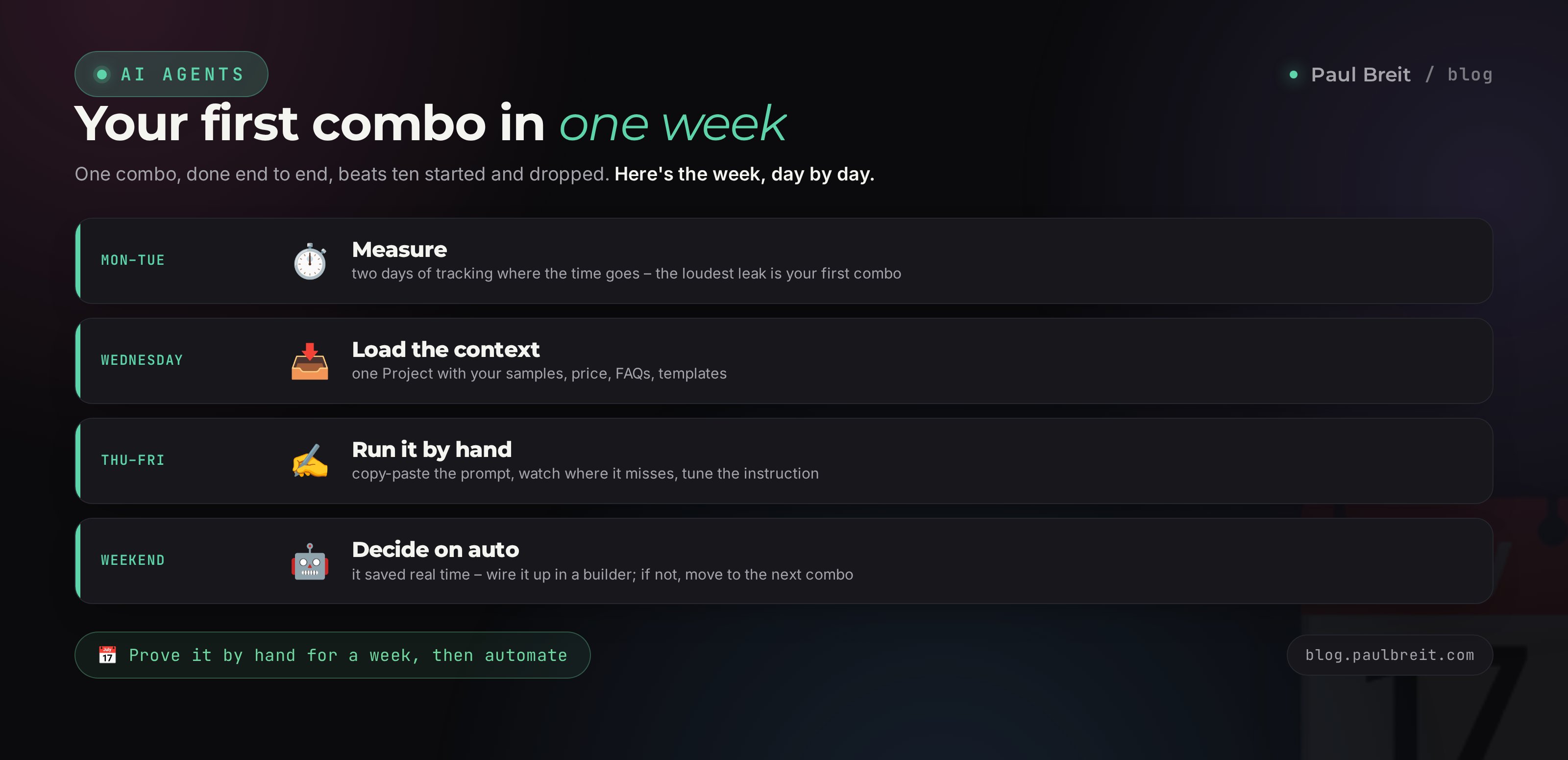
Monday and Tuesday: measure
For two days just write down where your time goes. Roughly, in a notebook: email – an hour, DMs – ninety minutes, reports – forty minutes. By Wednesday you'll have an honest picture of where it leaks hardest. That's your first combo.
Wednesday: gather the context
Set up a Project for the combo you picked and drop in everything AI will need: samples of your emails, pricing, FAQs, templates. Half an hour of work that pays back many times over.
Thursday and Friday: run it by hand
Spend two days working the combo in manual mode, by copy-paste. Take a ready prompt from this article and tune it to yourself. Watch where AI misses and fix the instruction. By the end of the week the prompt will be sharpened to you.
The weekend: decide on auto
If the combo really took the pain away over the week, move it to autopilot through a builder. If it turns out the task is rare and manual mode is enough, leave it as is and take up the next combo. Either one is the right outcome.
One combo at a time, taken all the way through, is worth more than ten started and dropped. Build it, get used to it, feel the time it frees up – only then take up the second. Over two or three months the whole set comes together, and it'll be a solid system, not a pile of half-built bots.
Section 075 automation mistakes
Almost everyone who starts steps on these five rakes. Knowing them in advance saves you a month of lost time.
Mistake 1. Automating a mess
If a process is crooked to begin with, automation makes it crooked and fast. First put the task in order by hand, understand how it should run properly, and only then hand it to AI. Automation amplifies what's there, in both directions.
Mistake 2. Handing over everything without checking
AI sometimes states falsehoods with confidence – it's called hallucination. So for anything that goes out to clients and touches money, keep your own eye on it at first. A draft email, a DM reply, a number in a report – check it until you're sure the combo is stable. Trust is earned over weeks of work, not one lucky answer.
Mistake 3. Dumping sensitive data into AI
IDs, full client databases with phone numbers, trade secrets – these aren't things to upload to a cloud AI carelessly. Anonymize the data: swap real names and numbers for placeholders. Exactly what you should never upload is covered in the article on protecting yourself against AI hacking.
Mistake 4. Building a complex automation right away
The dream of a chain of seven tools that does everything itself is pretty, but brittle. The longer the chain, the more often it breaks and the harder it is to find where. Start with one combo of two links. Add complexity only once the simple thing runs like clockwork.
Mistake 5. Not measuring the result
Without measuring, you don't know whether the combo helped or just added fuss. Write down how much time the task took before and how much after. If there's no saving, you don't need the combo, however fashionable it looks. Automation for its own sake is the same routine, just with an extra step.
Section 08Rollout checklist
Print it or save it. Tick the boxes as one combo comes together. When all seven are checked, the combo works and takes real routine off your plate.
- Task measured – you know how many hours a week it eats right now
- Process described step by step – it's clear where AI thinks and where the tool acts
- Context gathered – samples, pricing, templates live in a Project
- Prompt-instruction written on the role-input-task-format frame
- Combo run by hand for at least a week, prompt sharpened
- Output checked – everything that reaches clients and money, you review
- Result counted – it's clear how much time the combo actually saves
Automating with AI isn't a one-time weekend heroics. It's the habit of handing off routine one task at a time. One person, with no team and no code, can free up a day and a half a week if a dozen small jobs get done by combos of AI and ordinary tools. And the time you free goes where no AI can replace you – into real work with clients and into growing your own business.
How this connects to the other articles
The combos in this article are the hands. Their head is shared: the better AI knows your voice and your rules, the cleaner all ten run. How to set up that head is covered in the articles on Claude Projects and the 30-posts method. And when you want to take a combo fully automatic, start with the guide on how to build an AI agent without code. Three articles – one system.
FAQFrequently asked questions
Where do I start automating my routine with AI if I'm not technical at all?
With the one task that annoys you most. Track where your time goes for two days, pick the most frequent routine, and build a single combo for it. Start in manual mode: paste the data into a chat with AI and get the result. No code at this stage. Move to full auto only for what actually took the pain away over a week.
Do I need a developer to connect AI to my tools?
No. At the simple level a combo works by copy-paste through a chat. For automated combos there are builders – BotHelp, Salebot, Make, n8n – where everything is assembled with your mouse from ready blocks, and AI plugs in with a couple of clicks. You never need a developer at any level.
How much does it cost to build this kind of automation?
The head of every combo is Claude Pro, about $20 a month. A builder for automated combos runs roughly $15 to $30 a month, and you only need it when you move from manual to auto. Manual combos are free beyond the AI subscription.
Which combo should I build first?
The one that removes your most frequent pain. For a coach or therapist it's usually call notes and DM replies. For an online school it's content and lead triage. For a service consultant it's email and documents. There's a per-niche guide in the table inside the article.
Is it safe to upload client data into AI?
Sensitive data – IDs, full contact databases with phone numbers, trade secrets – shouldn't be uploaded carelessly. Anonymize it: swap real names and numbers for placeholders. For ordinary work tasks – email text, inquiries, reviews – it's safe once you strip the personal details.
AI makes mistakes. Can I really trust it with my routine?
AI sometimes states things confidently that are wrong. So for anything that reaches clients or touches money, keep your own eye on it at first: review draft emails, DM replies, numbers in reports. Once you're sure the combo is stable, you can ease off. Trust is earned over weeks of work.
Does this work outside the US?
Yes. Most combos run on Claude, which is available across the US, the EU, and most countries. If you're in a region where it isn't offered directly, a VPN set to a US or EU location fixes it – Anthropic does block a few regions, so check their supported-countries list. Builders like BotHelp and Salebot work everywhere. The step-by-step for signing up and paying is in the article on getting started with AI.
What's the difference between a combo and an AI agent?
A combo is the general principle: AI thinks, the tool acts. An AI agent is a combo taken fully automatic – it runs by itself on an event or a schedule, with no input from you. The morning report from combo ten is an example of exactly that.