How to Use Qwen: Alibaba's Free AI Step by Step
Qwen is the AI from the Chinese company Alibaba. It writes, reads documents and photos, creates images, makes short videos, searches the web, and builds simple web pages right in the chat. Two things make it stand out: the chat is free, and many of its models are open, so anyone can download and run them. I walk through how to sign up, which model to pick, which prompts to write for real work, where Qwen loses to ChatGPT and Claude, and what you should never upload to it. For everyone who sells services, courses, and consulting and wants a strong AI without paying for another subscription.
To use Qwen, open chat.qwen.ai or the Qwen app, sign in with email or Google, and type your task in plain words in the box at the bottom of the screen. The chat is free. You pick the model above the input box: Qwen3.8-Max for complex tasks, Flash for quick ones. The buttons below the box turn on thinking mode, web search, Deep Research, image and video creation, and Web Dev for simple pages. The paperclip adds documents and photos. Write your prompt with a formula: who you are, who the result is for, what to do, and in what format. Don't send your clients' personal data to Qwen.
Qwen fits if you want a strong AI with images, video, and research built in and don't want to pay $20 a month for it. It's good for posts, emails, notes, document reviews, and visuals for your content. If you're still deciding which AI should be your main one, look at the best AI tools of 2026 for the big picture, and come back here once Qwen makes your shortlist.
What's inside
- What Qwen is in 2026
- Where Qwen works and how to spot the real site
- Signing up for Qwen, step by step
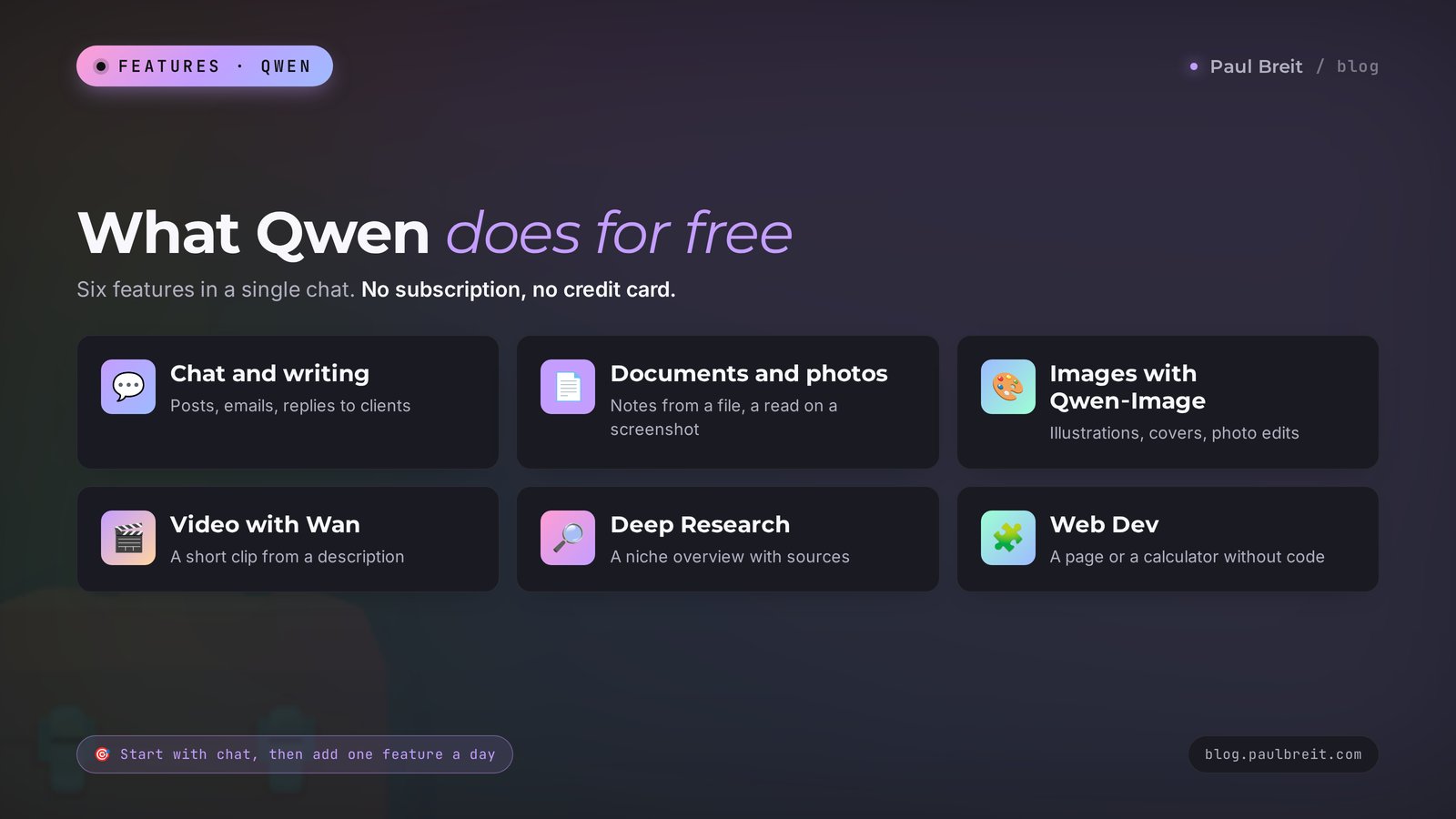
- What Qwen can do: 12 features in one table
- Your first chat, step by step
- Writing for work: 8 ready-to-use prompts
- Documents and photos: 3 prompts
- Images and video: 4 prompts
- Search and Deep Research: 2 prompts
- Web Dev: a page from one prompt
- Qwen on your own computer
- How much Qwen costs
- Qwen, DeepSeek, ChatGPT, Claude, and Gemini
- Limits, censorship, and privacy
- When something goes wrong
- Your first-week checklist
- The whole path in a minute
Here's how it usually goes. Someone pays for ChatGPT, then hears that Claude writes better and adds a second subscription. Then they need images and look at a third tool. A few months later they're spending $50 to $60 a month on AI and still switching between tabs to get one post with one picture done.
Meanwhile there's a chat that does text, images, short videos, web research, and simple web pages in one place, and it costs nothing. It's called Qwen, and it's made by Alibaba, the company that runs one of the largest cloud platforms in the world. As of May 2026, 234 million people were using the Qwen app, and Qwen models regularly land near the top of international AI rankings.
So why do so few people in the US talk about it? Partly because of the name, which nobody knows how to say. Partly because a Chinese AI still sounds like something rough and experimental. That view is out of date, and in this article I'll show on real tasks where Qwen does the job at the level of the big Western tools and where you're better off with something else.
Inside: sign-up step by step, your first chat, 20 ready-to-use prompts for writing, documents, images, video, research, and web pages, an honest comparison table, and a list of what you should never upload to Qwen. Read it in order or jump through the table of contents.
Section 01What Qwen is in 2026
Qwen is a family of language models from Alibaba Cloud and, at the same time, a chat where you talk to those models. The full Chinese name is Tongyi Qianwen. In English most people say "kwen," and you'll also hear "chwen." The first version came out in 2023, and since then Alibaba has shipped new models every few months.
Qwen has one feature that sets it apart from ChatGPT and Claude. Alibaba releases many of its models openly: you can download them for free, run them on your own computer, and use them in commercial projects. That's how the Qwen3 line shipped in April 2025, under the permissive Apache 2.0 license and with support for 119 languages. The same approach continues in 2026. For you it means one thing: thousands of developers around the world test and improve these models, so they get better fast.
Here's what's current as of early October 2026:
- Qwen3.8-Max – Alibaba's flagship, released on August 3, 2026. It understands text and images and holds up to 1 million tokens in a single conversation, which is several thick books at once. On September 2 Alibaba released an updated version with stronger coding and office tasks.
- Qwen3.8-Flash – the fast model, released on August 26, 2026. It fits everyday posts, emails, and short answers when speed matters.
- Qwen3.8-27B – a mid-size open model you can run on a powerful computer at home. It came out in August 2026.
- Qwen-Image 3.0 – the image model, released on August 4, 2026. It draws from a description and can put text on an image in 12 languages.
- Wan 3.0 – the video model from the same family. It builds a clip from text, an image, or a reference, and it has been generally available since August 24, 2026.
Which model should a beginner choose? The list of models sits above the input box, and Alibaba changes it almost every month. The rule is simple: for a complex task where you need reasoning, comparisons, or a long text, take the top model marked Max. For quick tasks, Flash is enough. If you can't tell the difference, leave the default. It's almost always one of the strongest.
You don't have to memorize version numbers. In a couple of months they'll change again. Remember the logic: Max for hard problems, Flash for speed, Qwen-Image for images, Wan for video. If the words "model," "token," and "context" still sound foggy, take a look at AI terms for beginners: 30 words in plain English.
Section 02Where Qwen works and how to spot the real site
Short answer: chat.qwen.ai is Alibaba's international site, and it opens in the US and most other countries directly, with no workarounds. You don't need a VPN, a foreign phone number, or a special account.
There are three things worth knowing up front:
- The chat and Alibaba Cloud are different things. The chat at chat.qwen.ai is for regular users and only needs an email. Alibaba Cloud is the platform where developers buy API access, and it asks you to verify a phone number and add a card. If you just use the chat, none of that applies to you.
- The terms can change. The free chat exists because Alibaba decided so, and the company can revisit that. I wouldn't build a whole business on one AI. Keep a second one in reserve, for example DeepSeek or Claude.
- Watch out for lookalikes. Search results are full of sites with similar addresses that promise "Qwen Pro" or "unlimited Qwen" and then ask for payment. There's one official address: chat.qwen.ai. You don't need to pay for the chat itself, it's free.
Middleman sites with Qwen in the address often forward your prompts to the same AI, add their own subscription on top, and collect your data. If a site asks for money for "access to Qwen," close it and open the official chat.qwen.ai.
Section 03Signing up for Qwen, step by step
Signing up takes a couple of minutes. Let's go through it on a computer. On a phone the steps are the same.
Open the official site
Type chat.qwen.ai in the address bar. Check the address with your own eyes: exactly chat, dot, qwen, dot, ai. You can ask a couple of questions without signing in, but chat history, files, and images only work after you sign up.
Click "Sign in" or "Sign up"
The button sits in the top right corner or in the left column. Pick the way you like: one click with your Google account, or sign-up by email. Any inbox works for the email option, and the confirmation email usually arrives within a minute.
Confirm your email and set a password
Open the email from Qwen and follow the link or enter the code. If nothing arrives in five minutes, check your Spam folder and the Promotions tab.
Check the interface language
Click the profile icon at the bottom left, open the settings, and find the language option. The interface is in English by default, and you can switch it if you prefer another language. Whatever the interface says, the AI itself answers in the language you write in.
Install the app on your phone
Qwen has official apps for Android and iPhone, and they sync your chats with the website. Look for the app whose developer is listed as Alibaba. Don't install apps with a similar icon from other publishers. If you can't find the official Qwen app in your store, open chat.qwen.ai in your phone's browser and add the site to your home screen. It works almost like an app.
That's it. Qwen doesn't ask for documents, a phone number, or a card. A couple of minutes later you have an empty chat and a box for your first prompt.
Section 04What Qwen can do: 12 features in one table
Below is everything Qwen Chat can do as of early October 2026, and how to use it in your work. Alibaba sometimes rearranges the buttons under the input box, so if you don't see a feature, check the plus-sign menu or the tools dropdown.
| Feature | What it does | How to use it |
|---|---|---|
| Chat and writing | Writes, rewrites, shortens, changes the tone | Posts, emails, replies to clients, service descriptions |
| Thinking mode | Reasons step by step before answering | Calculations, comparing options, complex plans |
| Web search | Finds fresh information and gives links | Industry news, prices, facts for a post |
| Deep Research | Goes through dozens of sites on its own and writes a report | Market overview, competitor review |
| Documents | Reads PDF, Word, spreadsheets, presentations | Notes, contract summary, report review |
| Photos and screenshots | Understands what's in an image and reads text from photos | Reviewing a stats screenshot, reading receipts |
| Image creation | Draws from a description and puts text on the image | Post illustrations, covers, banners |
| Photo editing | Changes the background, light, and details on an uploaded image | Photo for a service page, profile picture, cover |
| Video creation | Builds a short clip from text or an image | Background footage for Reels and Stories |
| Web Dev | Writes the code for a page and shows the result right away | Simple landing page, calculator, quiz |
| Voice | Understands speech and answers out loud | Brainstorming on the go, rehearsing a call |
| History and projects | Keeps your chats so you can return to an old conversation | A separate chat for each task and client |
Alibaba doesn't publish exact daily limits for prompts, images, or videos. In practice a regular user has plenty for text, while images and especially video hit the daily limit sooner. When you run out, the chat tells you, and usually it's enough to wait until the next day or switch to another model.
Section 05Your first chat, step by step
Let's go through a first conversation, from an empty screen to a text you can actually use. It takes about fifteen minutes.
Open a new chat and pick a model
Click "New chat" in the left column. Above the input box, open the model list and choose the top one, marked Max. For a first look, it's better to see right away what a strong model can do.
Introduce yourself in one paragraph
Qwen knows nothing about you. Until it understands who you are, who you work for, and how you talk to clients, its answers will be generic, like an article from a magazine in a waiting room. A short introduction at the start of the chat solves half the problem.
Give one task and name the format
One message, one task. Say what you want to get: a list of 10 items, a table, a 200-word post, a half-page email. The tighter the frame, the fewer rewrites.
Edit in the same chat
Treat the first answer as a draft. Follow up with "shorter," "drop the third point," "open with a scene from a client's life." Qwen remembers the whole conversation in this chat and edits that exact text. For a new topic, open a new chat so the old context doesn't confuse the model.
Take the result
Under the answer there's a copy button. If you don't like the answer at all, click the regenerate button, and Qwen will write a different version for the same prompt.
Here's what that conversation looks like on a real example:
You: I'm a therapist. I work online with women aged 30 to 45 who are burned out at work and can't rest without feeling guilty. I run an Instagram account and write in a warm, friendly tone with no jargon. Give me 10 post topics, and for each one write one line on which pain point it touches. Put it in a table.
Qwen: Here are 10 topics. 1. Why you check the work chat on vacation – the fear that everything falls apart without you. 2. The day off that leaves you more tired – rest has turned into a to-do list. 3. "I'm just lazy" – shame about ordinary tiredness…
You: Take topic 2. Write a 200-word post. Open with a Sunday evening scene, give three simple steps she can try next weekend, and end with a gentle question to readers.
Notice the order: context, then a list of ideas, then one idea into work. In three messages you get a post written about your client and her specific pain.
The working prompt formula is the same for any AI: who you are + who the result is for + what to do + in what format + an example or a constraint. I break it down in detail in how to write prompts: a 5-part formula. All the prompts below follow it. Copy them and change the details in square brackets.
Section 06Writing for work: 8 ready-to-use prompts
1. An introduction that saves time on every task
Remember this context for the whole chat. I'm a [fitness coach] and I work online with [men aged 35 to 50 who have desk jobs and back pain]. I sell [a 6-week program for $200]. I write in a friendly, plain tone, no jargon and no scare tactics. When I ask for a text and you're missing details, ask up to three clarifying questions. Reply with one word: "ready."Why it works: from here on you can write short prompts in this chat. "Write a post about a morning routine," and Qwen already knows who it's for and in what voice.
2. A social media post
Write an Instagram post of about [200] words on [why your back hurts more on Fridays]. Open with a short scene from my client's day. Then give [3] simple steps he can do right at his desk. Paragraphs of 2 to 3 sentences. No hashtags, no emoji on every line. End with one question to readers.Why it works: you set the length, the opening scene, the structure, and the ending. Qwen keeps the length well when you name it in words.
3. A content plan for the month
Build a content plan for my account for [4] weeks, [3] posts a week. The mix: 40% useful tips, 30% personal stories, 20% client case breakdowns, 10% sales posts. Make it a table: week, day, topic, post type, one line on the main point. Put the sales posts at the end of each week.Why it works: the proportions and the table format keep the AI from filling the plan with tips alone. For a full evening's workflow, see a content plan in one evening, and for more ready-made commands, the AI prompt library: 100 prompts.
4. A service description
Write a description of my service [a one-on-one nutrition consultation, 90 minutes, $70] for my website. Structure: who it's for, the problem people come with, what happens during the session, what they walk away with, the price. Up to [250] words. Be specific and don't use the words "unique," "effective," or "personalized approach."Why it works: the list of banned words cuts the marketing fluff. Without it, any AI reaches for the same clichés.
5. A reply to a tough client message
A client sent me a direct message: "[That's expensive. Another coach charges half as much]." Write three reply options: calm, warm with a story about another client, and short and businesslike. Each one under 70 words. No excuses and no discount. The goal is to keep the conversation going and find out what matters to them.Why it works: three tones to choose from, and you take the one that sounds like you. The goal at the end keeps the AI from sliding into persuasion.
6. An email sequence
Write a sequence of [3] emails for people who downloaded my free checklist [10 sugar-free breakfast ideas]. Email 1: a thank-you and one tip. Email 2: a client story with a result. Email 3: an invitation to a consultation. For each email, a subject line under 50 characters and a body under 250 words. Write in a friendly "you" voice.Why it works: you gave each email a job. More on emails people actually read in email newsletters with AI.
7. A short video script
Write a [40]-second Reels script on [three mistakes on day one of a diet]. Format: what I say on camera and what's on screen. The first line has to hook in 3 seconds. Use conversational language and short sentences. End with a call to send me the word ["start"] in a direct message.Why it works: splitting the script into "I say" and "on screen" gives you a ready shot list. More on this in Reels scripts with AI.
8. Translation and adaptation for another audience
Translate this post into Spanish for Spanish-speaking readers in the US. Translate the meaning, in a lively conversational style. Replace references that won't land with this audience. After the translation, list separately what exactly you changed. Text: [paste the post]Why it works: Qwen was trained on 119 languages and translates well. Asking for a list of changes keeps you in control of the meaning.
If an answer comes out dry, ask: "rewrite it like you're telling a friend over coffee." If it comes out pompous: "remove all the fancy words, keep the facts and actions." Those two edits fix most texts.
Section 07Documents and photos: 3 prompts
You add a file with the paperclip or the plus-sign button to the left of the input box. You can also just drag a document into the chat window. Qwen reads PDFs, Word documents, spreadsheets, presentations, photos, and screenshots.
9. Notes from a long document
Read the attached file. Make one page of notes: the main idea in one sentence, [5] key points, numbers and facts as a separate list, and what I can apply in my work [running an online English school]. If the document contradicts itself, point that out.Why it works: the structure of the notes is set up front, so you won't get a three-screen retelling "in its own words."
10. Reading a stats screenshot
The screenshot shows my Instagram Insights for the past month. Describe what you see: reach, growth, best and worst posts. Draw three conclusions and suggest three actions for next month. If something is missing from the screenshot for a conclusion, tell me what data you need.Why it works: Qwen reads numbers and labels from images well. The last line of the prompt guards against made-up conclusions where there's no data.
11. A table out of chaos
Here's a photo of my handwritten notes on this week's leads. Move everything into a table: date, name, where they came from, what they asked, status. If you can't read a word, put a question mark. Don't make anything up.Why it works: asking it not to invent lowers the risk that the model "fills in" the illegible parts. More table tricks in AI for spreadsheets.
Don't upload passports, contracts with personal data, medical records, or client conversations with names and phone numbers to Qwen. Before uploading, replace names with "Client 1," "Client 2" and remove contact details. I explain why in the privacy section.
Section 08Images and video: 4 prompts
For images, the chat has a separate image creation mode. You turn it on with the button under the input box or by picking the matching tool. The strong side of Qwen-Image is text on images: it writes captions neatly, though short captions come out more reliably than long ones.
12. A post illustration
Draw an illustration for a post about [burnout at work]. Scene: [a woman sitting by a window with a cup of tea, a closed laptop on the table, warm evening light]. Style: soft digital illustration, pastel colors. 4:5 format for Instagram. No text on the image.13. A cover with a caption
Make a cover for a post. A large caption in the center: "[5 beginner mistakes]". Background: [dark blue with a soft gradient], on the right [a laptop and a notebook]. Bold sans-serif font, easy to read on a phone. 16:9 format.Why it works: the caption in quotes and the font instructions help the model keep the letters straight. Check every word on the finished image, letter mistakes still happen.
14. Editing your own photo
This is my photo. Replace the background with [a bright office with bookshelves] and make the light soft and warm. Don't change my face, hair, or clothes. Square format.15. A short clip for Reels
Make a [5]-second video: [a cup of coffee on a wooden table, morning light from a window, steam rising from the cup]. The camera slowly moves in. Realistic style, vertical 9:16 format.The Wan model makes the video. Clips like this work well as background footage for Reels, Stories, and presentations, with your own voice on top. The free chat's daily video limit is lower than the image limit, so think the description through before you run it. More on video from text in AI video from text, and I compared image generators in AI image generators: what to pick in 2026.
Section 09Search and Deep Research: 2 prompts
A regular model only knows the world up to the date it was trained. For fresh facts, prices, and news, turn on web search: the globe button or the "Search" option under the input box. Then Qwen checks websites first and only then answers, with links to the sources under the reply.
Deep Research goes further. You give it a big task, Qwen makes its own plan, goes through dozens of pages, and a few minutes later hands you a report with sections and links. It's useful when you're entering a new niche, preparing a webinar, or want to see what your competitors offer.
16. A quick fact check
Find current data on the web as of [October 2026]: [how much nutritionists in the US charge for a month of online coaching]. Give a price range, 5 examples with links to the sources, and the date of each source. If the data contradicts itself, show that.17. A niche overview with Deep Research
Research this: [online drawing courses for adults in the US, 2026]. I need: who the main players are, what formats and prices they offer, what customers praise and complain about in reviews, and which open niches you can see. Make it a report with sections and links to sources. At the end, give 5 ideas for how I can stand out.AI can mix up numbers or pull an outdated page. Before you put a fact in a post or on your website, open the link and check it yourself. Five minutes of checking is cheaper than a correction after a reader complains.
Section 10Web Dev: a page from one prompt
This is one of Qwen's nicest features for people who don't write code. In Web Dev mode you describe a page in words, the AI writes the code and immediately shows the finished result in a panel on the right. You can click around in it, ask for changes, and download it.
Where it comes in handy: a simple one-page site, a price calculator for your service, a quiz that matches people to a program, a page with your live session schedule. For a serious landing page with payments and analytics, a site builder is a better choice, but for a draft, a prototype, or an internal tool, Web Dev gets it done in ten minutes. If you like this way of working, read about vibe coding next.
18. A one-page site
Make a one-page site for [a speech therapist who works online with kids aged 4 to 7]. Sections: a headline with the main benefit, 3 problems parents face, how sessions work, 3 placeholder reviews, prices [$35 per session, $120 for 4 sessions], and a "Book a session" button linking to [my booking page]. Style: light, warm colors, large font, looks good on a phone.19. A calculator for clients
Make a simple one-page calculator. The client picks [the number of sessions: 1, 4, or 8] and [the format: online or in person]. The calculator shows the total price and the savings compared with single sessions. Prices: [online $25, in person $40, 10% off for 4 sessions and 20% off for 8]. Put a "Book now" button under the result.Why it works: you gave all the numbers and rules, so the AI doesn't have to guess. If something is calculated wrong, say so in the same chat: "8 online sessions should come to $160, fix it."
Section 11Qwen on your own computer
Remember the open models? They mean you can run Qwen on your own machine without the internet, and not a single word leaves for someone else's servers. This is the option for people who work with sensitive information: therapists, lawyers, accountants, doctors.
Here's how it looks without any programming: you install a free app like LM Studio or Ollama, find a Qwen model of the right size in its catalog, and click "Download." From there you talk to it in the app window, like in a regular chat.
- Small models from the Qwen3 line, from 4 to 8 billion parameters, run on a regular modern laptop. They're enough for drafts, summaries, and simple emails.
- Mid-size models like Qwen3.8-27B need a powerful computer with a good graphics card or a Mac with lots of memory. The quality is noticeably higher.
- The flagship Qwen3.8-Max won't run on a home computer, it needs servers. You use it through the chat.
To be honest: a local model is weaker than the cloud flagship, and setting it up takes some fiddling. But for confidential work, it's the one version of Qwen where your data never leaves your desk.
Section 12How much Qwen costs
For a regular user, zero dollars. Qwen Chat on the website and in the apps is free, and as of early October 2026 there's no paid plan with extra features for individuals. The flagship model is also available in the free chat, with daily limits.
| Option | Who it's for | Price | What to know |
|---|---|---|---|
| Qwen Chat | Everyone who works in the chat | Free | Daily limits, Alibaba doesn't publish the exact numbers |
| Open models | People who want to run it themselves | Free | Needs a powerful computer, weaker than the flagship |
| Alibaba Cloud API | Developers, bots, services | Pay per volume of text | Needs phone verification and a card |
| Developer subscriptions | Programmers and agents | From a few dollars a month | Not needed for regular work in the chat |
The takeaway is simple. Unless you're building your own bot or service, you don't need to pay for Qwen. Every feature in this article is free. I collected other no-cost tools in free AI tools 2026.
Section 13Qwen, DeepSeek, ChatGPT, Claude, and Gemini
Qwen is good, but it's not the only option. Here's how it looks next to the most popular AI chats.
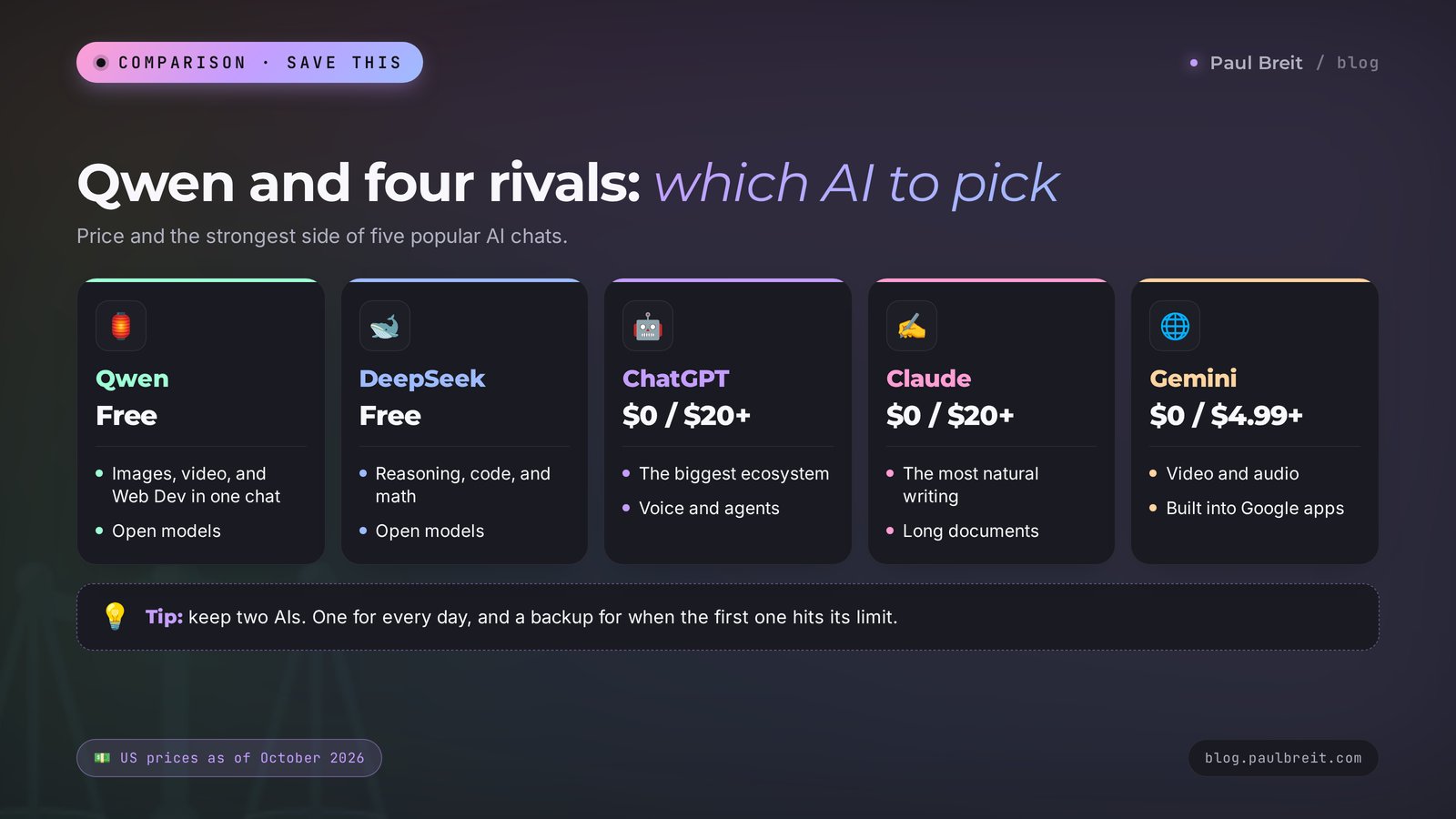
| AI | Price | Strengths | Weaknesses |
|---|---|---|---|
| Qwen | Free | Images, video, Web Dev, and documents in one free chat, open models | Limits with no numbers, servers in China |
| DeepSeek | Free | Strong reasoning, code, math, open models | Fewer tools for images and video, servers in China |
| ChatGPT | Free and from $20 | The biggest ecosystem, voice, agents | The free plan is tighter than Qwen's |
| Claude | Free and from $20 | The most natural-sounding writing, long documents | Free limits run out fast on long tasks |
| Gemini | Free and from $4.99 | Video and audio, built into Gmail, Docs, and Drive | Features roll out unevenly by country and plan |
How do you choose in practice? If you want one free AI for everything, start with Qwen: it has text, images, and video. If math and complex logic matter most, keep DeepSeek next to it. If you already live in Google's apps, try Gemini. And when the main thing is writing that sounds like a real person, Claude is the strongest, though the serious work starts on the $20 plan.
My working advice: don't look for one perfect AI. Keep two. A main one for daily tasks and a backup for when the first one doesn't open or hits its limit. For a detailed comparison of the Western flagships, see Claude vs ChatGPT in 2026.
Section 14Limits, censorship, and privacy
Now for what the enthusiastic reviews usually leave out.
- Political topics. Qwen is a product of a Chinese company and follows Chinese rules. On questions about Chinese politics, some historical events, and sensitive social issues, it answers cautiously, dodges, or refuses. For marketing, writing, and client work, this almost never gets in the way.
- Servers and data. Your conversations are stored on Alibaba's servers. The company describes how it handles data in its privacy policy, but you don't control where your data sits or for how long. So there's one rule for any cloud AI: no clients' passports, phone numbers, addresses, or diagnoses.
- Client confidentiality. If you're bound by HIPAA, a client NDA, or a professional code of ethics, uploading identifiable client information to a foreign cloud service can break those rules. Anonymize everything you upload: replace names with "Client 1" and delete contact details.
- Mistakes and made-up facts. Like any AI, Qwen sometimes states false things with confidence: it mixes up dates and invents quotes and studies. Always check facts, numbers, and links, especially if the text is going into a public post.
- Limits. Alibaba doesn't publish the exact number of free prompts per day. For text it's usually enough, for images and video the limit runs out sooner.
- Writing style. Qwen's English is correct, but sometimes it slips into stiff, formal phrasing and stock expressions. The fix is to ask "rewrite it simpler, the way people actually talk" and give it a list of banned words. A ready-made list is in how to make AI write like a human.
Check the data and history section in your profile settings. There you can delete old chats and, if you want, the whole account.
Section 15When something goes wrong
| What happened | Why | What to do |
|---|---|---|
| The site won't open | An outage on the service side or a network problem | Refresh the page in 10 minutes, try another browser or mobile data. If a VPN is on, turn it off |
| The sign-in email doesn't arrive | It landed in spam or your email provider is delaying it | Check Spam and Promotions, request the email again, or sign in with Google |
| It answers in the wrong language | The prompt mixes languages or started in another one | Add "answer in English" at the start of the prompt |
| "Limit reached" | The daily quota for the model or for generation ran out | Switch to another model or come back tomorrow |
| An image with letter mistakes | A long caption or an unusual font | Cut the caption to 2 to 4 words, put it in quotes, run it again |
| The answer is generic and dull | No context about you and your client | Start the chat with prompt 1 about yourself and set the format |
| It refuses to answer | The topic falls under the service's restrictions | Rephrase the task or use a different AI for it |
| A file won't upload | Too large or an unusual format | Split the document into parts, save it as a PDF, or paste the text straight into the chat |
Section 16Your first-week checklist
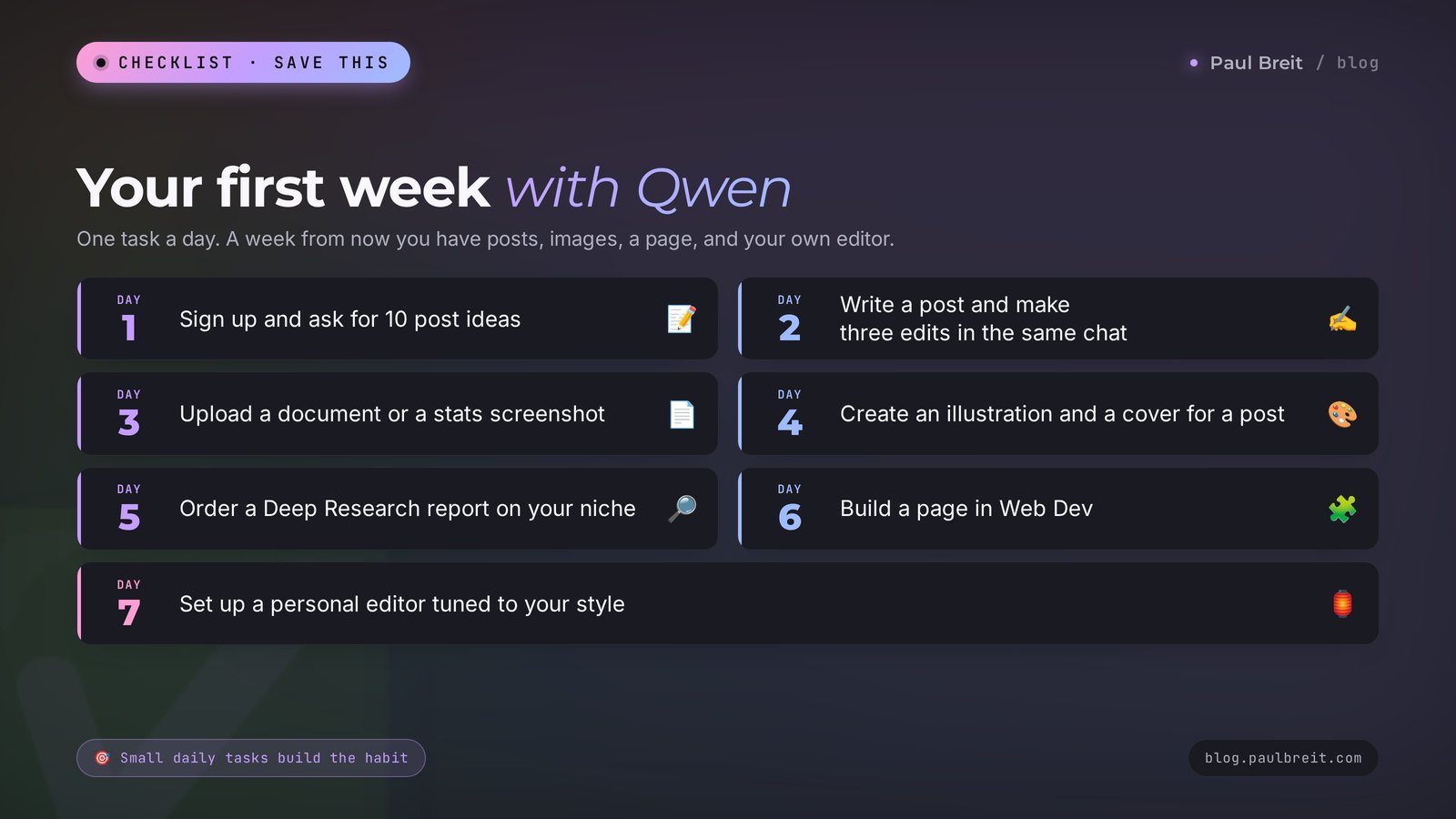
To make Qwen a working tool, give it one task a day. Each one takes 15 to 20 minutes.
- Day 1. Sign up at chat.qwen.ai, introduce yourself with prompt 1, and ask for 10 post ideas.
- Day 2. Take one idea, write a post with prompt 2, and make three edits in the same chat.
- Day 3. Upload a long document or a stats screenshot and break it down with prompt 9 or 10.
- Day 4. Create a post illustration with prompt 12 and a cover with a caption with prompt 13.
- Day 5. Run Deep Research on your niche with prompt 17 and open three sources from the report.
- Day 6. Build a one-page site or a calculator in Web Dev with prompt 18 or 19.
- Day 7. Ask Qwen to become your editor with prompt 20 below and run three old posts through it.
20. A personal editor
Be my editor. I'll send you texts for my social media and newsletter, and you will: remove bureaucratic phrasing and clichés, cut long sentences, make sure there's a hook at the start and a clear action for the reader at the end. Don't change my ideas or facts. First show the edited text, then a short list of what you changed. Reply "ready," and I'll send the first text.A week from now you'll have finished posts, a set of notes, images, a niche overview, a simple page, and an editor at hand. And you'll see on your own tasks where Qwen helps and where another tool is the better fit.
Section 17The whole path in a minute
- Qwen is Alibaba's AI, usually pronounced "kwen." The site is chat.qwen.ai, with apps for Android and iPhone.
- You sign in with email or Google, no phone number and no card.
- The chat is free, and there's no paid plan for regular users. Only developers pay for the API.
- The flagship Qwen3.8-Max for hard problems, Flash for speed, Qwen-Image for images, Wan for video.
- Write prompts with the formula: who you are, who it's for, what to do, the format, an example.
- Turn on search for fresh facts, Deep Research for a niche overview, Web Dev for simple pages.
- You can run Qwen's open models on your own computer if privacy matters.
- Don't upload clients' personal data, and check facts against the sources.
- Keep a second AI in reserve: DeepSeek, Claude, or Gemini.
Open chat.qwen.ai today and give it the first task from the checklist. Fifteen minutes, and you have ten post ideas for the weeks ahead.
FAQFrequently asked questions
Is Qwen free?
Yes. The chat at chat.qwen.ai and in the apps is free, and as of October 2026 there's no separate paid plan for regular users. The free chat includes the flagship Qwen3.8-Max model, web search, Deep Research, image and video creation, and Web Dev. There are daily limits, and Alibaba doesn't publish the exact numbers. Only developers pay, for API access.
Can I use Qwen in the US?
Yes. chat.qwen.ai is Alibaba's international site, and it opens in the US directly, with no VPN or workarounds. You sign up with email or a Google account, with no phone number or card. Phone verification and a card are only needed on Alibaba Cloud, the developer platform for API access.
How do you pronounce Qwen?
Most English speakers say "kwen." The name comes from the Chinese Tongyi Qianwen, so you'll also hear "chwen." Both versions are common, and people will understand you either way.
How do I sign up for Qwen?
Open chat.qwen.ai, click the sign-in or sign-up button, and choose Google or email. Confirm your email through the message Qwen sends you, and check the interface language in your profile settings if you like. You don't need a phone number or a credit card.
How is Qwen different from DeepSeek?
Both Chinese AIs are free and both release open models. Qwen has more built-in tools: image and video creation, Web Dev for pages, and Deep Research. DeepSeek is stronger at reasoning, math, and code. Many people keep both and choose by the task.
Can Qwen create images and video?
Yes. Images are made by the Qwen-Image model, which can add captions to an image and edit uploaded photos. Video is made by the Wan model: short clips from text or an image. Both features are in the free chat, but the daily limit for video is lower than for images.
Is it safe to upload documents to Qwen?
Your conversations are stored on servers owned by the Chinese company Alibaba. Work texts, posts, and anonymized documents are fine to upload. Don't upload passports, phone numbers, addresses, diagnoses, or other personal data of your clients. For sensitive data, you can run an open Qwen model on your own computer.
Can I install Qwen on my computer?
Yes. Many Qwen models are open and can be downloaded for free through apps like LM Studio or Ollama. Small models run on a regular laptop, while mid-size ones like Qwen3.8-27B need a powerful computer. The flagship Qwen3.8-Max can't run at home, so you use it through the chat.
Is Qwen better than ChatGPT?
It depends on the task. Qwen gives you images, video, Deep Research, and Web Dev for free in one chat, while ChatGPT has the bigger ecosystem, voice, and agents, with paid plans from $20 a month. For everyday writing the difference is small, so many people keep Qwen as a free second AI next to their main one.