How to Create a Digital Product with AI: Guides and Templates That Sell
A digital product is a guide, template, spreadsheet, checklist, or mini-course that you make once and sell as many times as you like without lifting a finger. With AI, your first one comes together over a weekend: Claude finds a topic people pay for, writes the text in your own words, builds the spreadsheet and the PDF, and comes up with the name, the price, and the posts that sell it. Inside: 12 micro-product formats, which AI tools to use for each job, a step-by-step build with ready prompts and sample conversations, pricing, checkout, automatic delivery, and 15 ideas for different niches.
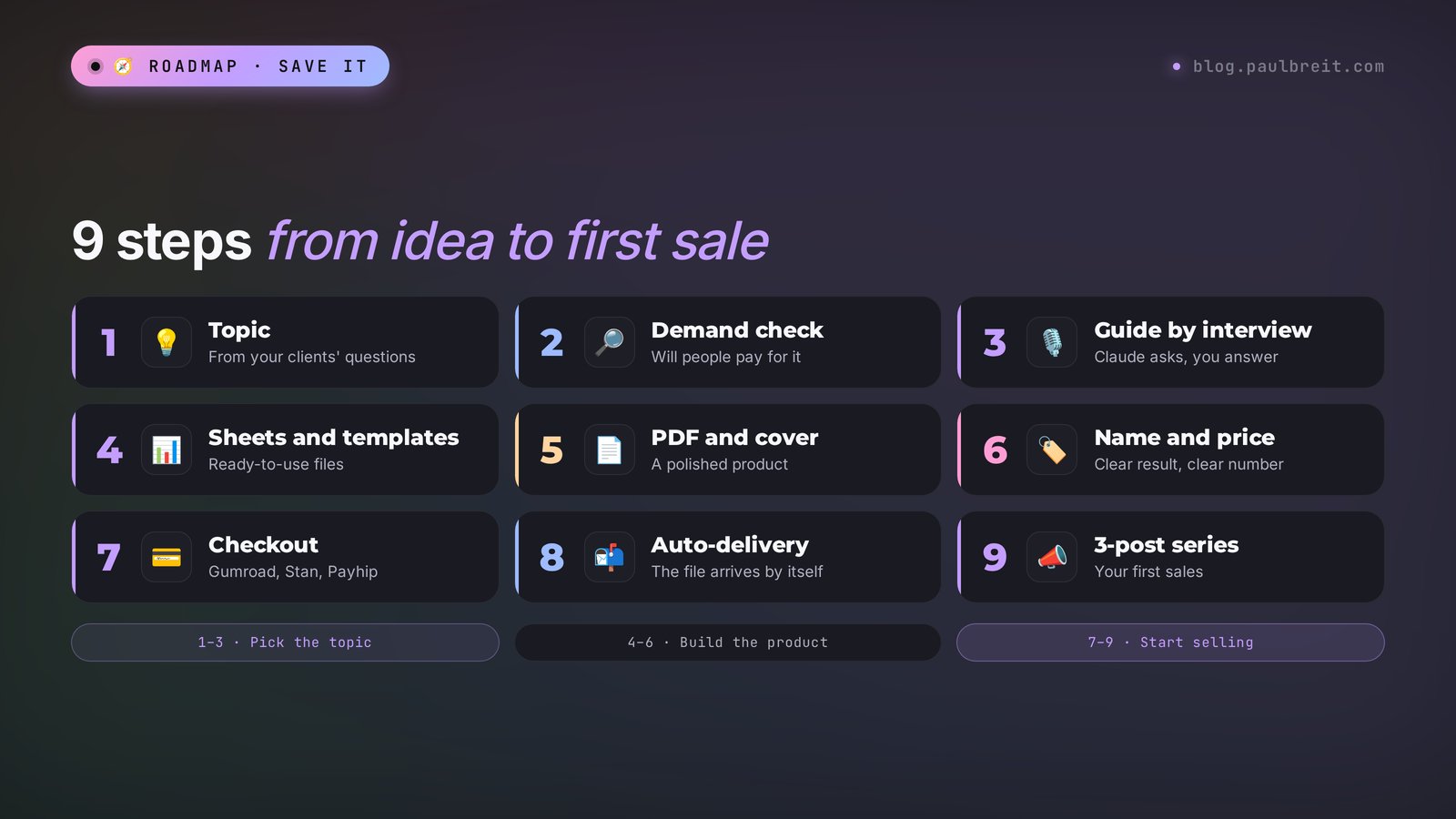
To create a digital product with AI, pick one narrow problem your client can solve in an evening and check demand with a poll or a pre-sale. Then ask Claude to interview you with 15 questions about your experience, turn your answers into an outline, and write the guide, template, or spreadsheet in your own words. Lay it out as a PDF right in Claude or in Gamma, make a cover in Canva or ChatGPT, set a price of $15–29, list it on Gumroad, Stan Store, or Payhip, and turn on automatic file delivery. Your first product takes 1–2 days this way.
Everyone who sells services, courses, and consulting and has hit the ceiling of their own hours. A therapist sells an anxiety journal. A nutritionist sells a one-week meal plan with a shopping list. A tutor sells an SAT practice spreadsheet. A personal trainer sells a month of home workouts. A designer sells a pack of Instagram Story templates. It also works if you're just starting to make money online: a micro-product built on your everyday experience is the simplest first step, because you don't need clients, a website, or a team for it.
What's inside
- What a micro-product is and why people buy it
- 12 formats of digital products
- Where a micro-product fits in your funnel
- Which AI tools you need in 2026
- Signing up for Claude
- Step 1. A topic people pay for
- Step 2. Validate demand before you build
- Step 3. Write the guide in your own words
- Step 4. Templates, spreadsheets, and checklists
- Step 5. PDF layout and cover
- Step 6. Name and price
- Step 7. Sales page and checkout
- Step 8. Automatic delivery
- Step 9. First sales from your audience
- 15 micro-product ideas by niche
- Taxes, rights, and terms
- When something goes wrong
- Your weekend plan
- The whole path in one minute
Here's how it usually goes. For years, a person answers the same client questions over and over. A nutritionist explains for the hundredth time how to build a lunch plate. A therapist hands out the same bedtime anxiety exercise for the hundredth time. A tutor draws the same diagram of a tricky grammar rule for the hundredth student. Every time it's free, every time it starts from scratch, and every time it costs half an hour of their life.
Now picture the same explanation packed into a 15-page file with a nice cover, a spreadsheet, and examples. You can sell it for $19 a hundred times a month while you sleep, take a walk, or work with other clients. A file like that used to take a month: write it, lay it out, find a designer, come up with a name. Today AI takes over almost all of it, and you can realistically put your first product together over a weekend.
Below is the whole path from zero, from choosing a topic to your first payment. If you need a free resource to grow your list, start with the article on building a lead magnet with AI in an hour. Here we're talking about a product people pay money for.
Section 01What a micro-product is and why people buy it
A micro-product is a small digital product that solves one specific problem and doesn't cost much, usually between $9 and $49. People buy it on impulse, in a minute, without a call and without a long think: they see a post, recognize their problem, pay, and a minute later the file is in their inbox.
"Digital" means the product exists only as a file, a link, or access. You don't have to manufacture it, store it in a warehouse, or ship it. You make it once, and every sale after that costs you nothing. The hundredth copy of your guide costs you exactly zero dollars.
Why do people pay for something they could find for free online? Because online, everything is scattered across a hundred websites, half of it is outdated, and the other half contradicts the first half. People pay for three things:
- Saved time. A ready one-week meal plan with a shopping list saves two hours of hunting for recipes and counting grams.
- Order. Everything sits in one place, step by step, in the right sequence. Open it and do it.
- Trust in the author. They see your channel, your results, and they know you know what you're talking about. The fifth tip from a Google search doesn't give them that.
A micro-product has three traits that make it easy to tell apart from a course or coaching:
- One problem. "Plan meals for the week" is a problem. "Lose weight and learn to love myself" is a huge life goal, and it needs a course or ongoing support.
- A fast result. The buyer gets value the same day: fills in the spreadsheet, uses the template, does the exercise.
- You're not needed. The product sells and delivers itself. No calls, no homework reviews, no chat support.
And here's the nicest part. You don't need a big audience for a product like this. A channel or list of 500 real followers with a good micro-product brings in its first sales on the day you post about it. I've been building my online school for 12 years, and more than 10,000 graduates have gone through it.
If you've ever explained the same thing to two different clients, you already have a topic for a micro-product. The AI's job is to pull that experience out of your head, put it in order, and package it so people want to pay for it.
Section 0212 formats of digital products
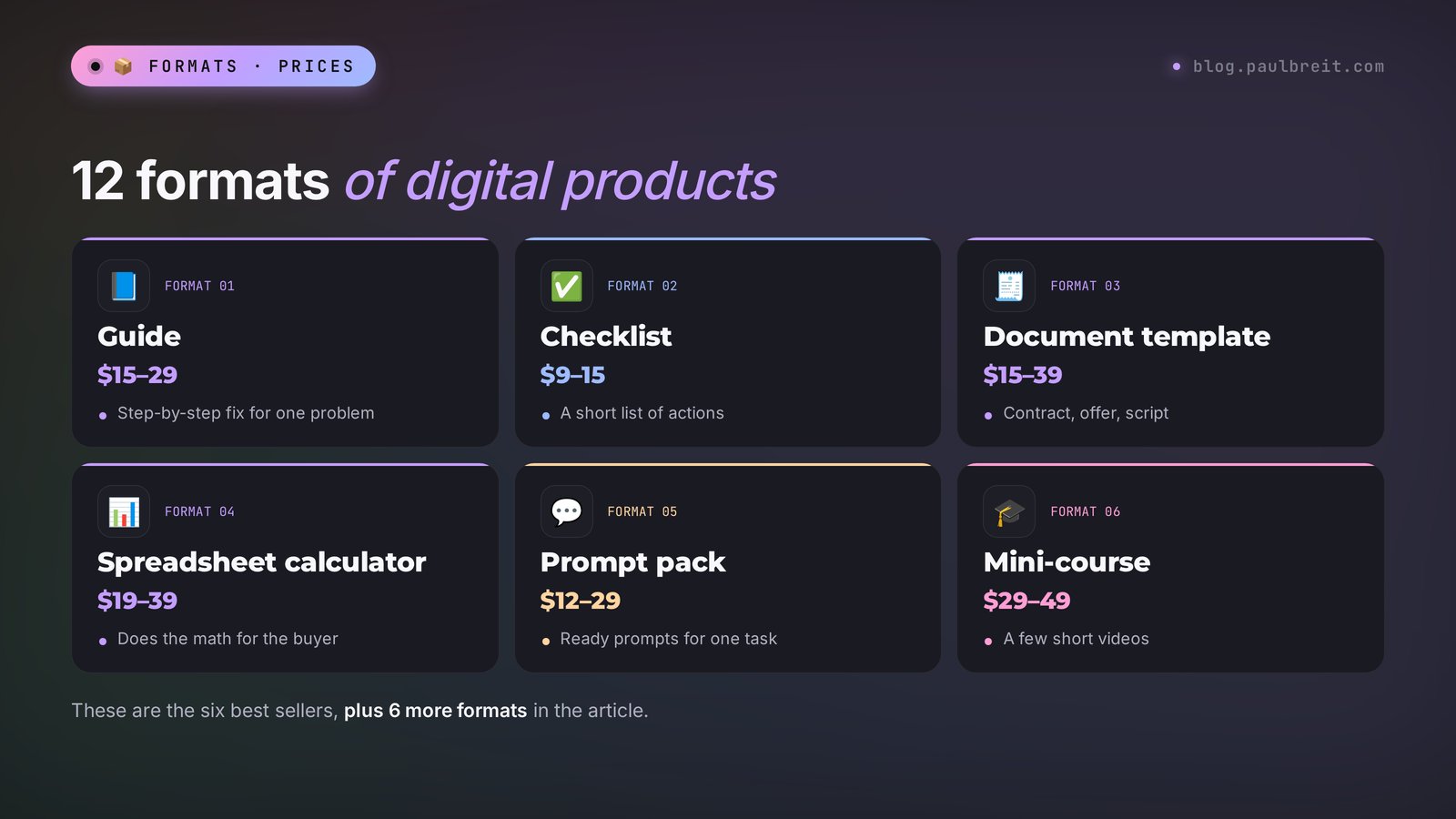
Choose the format based on your client's task. First decide what the person should be able to do after buying, and only then look at which shape delivers that most conveniently. Below are twelve formats that sell best and come together easily with AI.
| Format | What's inside | Example | Build time with AI | Typical price |
|---|---|---|---|---|
| Guide | A 10–30 page PDF: the problem, steps, examples, mistakes | "How to Rent Out Your Condo Without an Agent" | 4–6 hours | $15–29 |
| Checklist | 1–3 pages, a list of actions with checkboxes | "Instagram Ads Launch Checklist" | 1 hour | $9–15 |
| Document template | Ready text with blank fields | Service agreement, client intake form, creative brief | 2 hours | $15–39 |
| Spreadsheet calculator | A Google Sheet or Excel file with formulas | Service price calculator, budget tracker | 2–3 hours | $19–39 |
| Tracker or planner | A sheet or PDF to fill in daily | Habit tracker, 30-day planner | 2 hours | $9–19 |
| Prompt pack | 30–100 ready AI prompts for one task | "50 Post Prompts for Therapists" | 3 hours | $12–29 |
| Post template pack | Post frameworks with examples | "30 Posts for a Nutritionist's Instagram" | 3 hours | $15–29 |
| Scripts | Ready lines for calls or DMs | Consultation sales script, objection replies | 2–3 hours | $19–39 |
| Program or meal plan | A day-by-day plan for a week or a month | 7-day menu, 4 weeks of home workouts | 3–4 hours | $15–39 |
| Workbook | Exercises and questions with space for answers | "Yearly Goals Review," emotion journal | 3 hours | $12–25 |
| Mini-course | 3–5 short video or text lessons | "Your First 100 Followers in 2 Weeks" | 1–2 days | $29–49 |
| Workshop recording | A 60–90 minute video plus notes | A live session turned into a product | 3 hours for the notes | $25–49 |
The prices in the table are a ballpark for small creators selling to US and English-speaking audiences in 2026. In your niche it may be higher or lower. I'll show you how to work out your own price in step 6.
Which format should a beginner start with? A guide or a checklist. They're the easiest to build, the easiest to explain in a post, and the easiest for the buyer to use: open the file, read it, do it. Save spreadsheets and mini-courses for your second product, once the first one is selling and you know what buyers actually ask about.
A word on prompt packs. This is the fastest-growing format of the last two years, and it's a perfect fit if you already use AI in your work. The buyer pays because you've already spent dozens of hours finding the right wording, and they get it ready-made. You can see what a collection like that can look like in our AI prompt library.
Section 03Where a micro-product fits in your funnel
A micro-product can live on its own and simply bring in money. Its real strength shows up somewhere else, though: it becomes the second step of your sales funnel, between your free resource and your main offer. Marketers call this a tripwire, meaning "the first low-cost purchase."
The chain looks like this:
- Lead magnet. A free resource in exchange for a subscription to your list or channel. The person meets you and gets their first win.
- Micro-product. A low-cost purchase for $15–49. The person pays you for the first time and checks whether you're worth trusting.
- Main offer. A course, coaching, consulting, a done-for-you service. The people who loved your micro-product come here.
Why does this step work so well? Someone who has already paid you $19 and got a great result finds it much easier to pay $1,000 for the next step. They already know how you work, and the "what if this is a scam" barrier is gone.
I've watched this mechanic play out again and again with clients who sell services and coaching. They set up a free lead magnet, ran ads to it, added a low-cost product right after the opt-in, and finished that product with an invitation to a consultation. The small product did one job: it turned a stranger into a buyer. And the people who bought it came to the consultation already warm, with far fewer objections about price and trust.
You give a lead magnet away for free in exchange for a sign-up, and you sell a micro-product for money. That's why a micro-product needs more specifics: ready spreadsheets, examples, and templates the buyer can use right away. If your free lead magnet is more useful than your paid product, the buyer will sense something is off. The rule is simple: a lead magnet answers "what to do," and a micro-product gives a ready tool for "exactly how to do it."
How do you connect a micro-product to your main offer? At the end of the guide or spreadsheet, add one paragraph: what to do next if the person wants the result faster and with your support. No pressure, just a specific invitation. The full chain is broken down step by step in the article on building a sales funnel.
Section 04Which AI tools you need in 2026
You don't need a dozen services for a micro-product. One smart text AI and one image tool are enough. Everything else is optional. Here's what actually comes in handy and what for.
| Tool | What it does for your micro-product | Free plan | Best for |
|---|---|---|---|
| Claude | The main tool: topic, structure, long text, spreadsheets, Word, PDF, and Excel files | Free plan with limits, Pro is $20 a month | Writing the whole product |
| ChatGPT | Text, ideas, spreadsheets, cover images | Free plan available | Drafts and cover art |
| Gemini | Drafts, research, images, working inside Google Docs and Sheets | Free plan available | Google Workspace users |
| Gamma | Turns text into a nicely designed document or slides | Free starter credits | A premium look in minutes |
| Canva | Covers, mockups, page design, AI image generation | Free plan, Pro from about $15 a month | Covers and final polish |
| Midjourney | The most beautiful covers and illustrations | No, from $10 a month | Standout visuals |
Why do I keep recommending Claude? All my own work runs on it, and here's why. It writes in a natural, human voice. It holds a long text in its head as a whole: a 30-page guide doesn't fall apart into pieces that contradict each other. And it creates files itself: you ask for "make a PDF" or "build an Excel sheet with formulas," and a minute later you download the finished file right from the chat. On top of that, it has artifacts, mini-apps inside the chat window where you can see right away how your checklist or calculator will look.
If Claude isn't your thing yet, you can follow the whole path below in ChatGPT or Gemini with the same prompts. You'll just spend a little more time editing the text. A full lineup of tools for different jobs is in "The Best AI Tools of 2026," and what works with no money at all is in the roundup of free AI tools.
Section 05Signing up for Claude
Getting started takes about two minutes. Here's the order that goes smoothly.
Open Claude
Go to claude.ai and click "Continue with Google," or sign in with your email address. Claude also has apps for iPhone, Android, Mac, and Windows, and your chats sync across all of them.
Verify your account
If Claude asks for a phone number, enter your own and type in the code from the text message. Claude works in most countries. If you live outside the US and Europe and see a region error, check Anthropic's list of supported countries.
Tell Claude about yourself
In the settings, fill in a short profile: what you do, who your clients are, how you like to write. Claude takes this into account in every chat, so you won't have to explain yourself from scratch each time.
Start with the free plan
The free plan is usually enough for your first micro-product if you work in chunks. When you hit the limits, upgrade to Pro for $20 a month. One sale of your product almost covers it.
Section 06Step 1. A topic people pay for
People buy what hurts right now and what they can't quickly fix on their own. This is where most people trip up: they sit down, wonder "what should I write a guide about?" and write about whatever interests them as the author.
A good micro-product topic passes four checks:
- The pain is specific. "I don't know what to cook for dinner so I don't binge later" is specific. "I want to eat healthy" is vague.
- It's solved in one evening. The buyer gets a result on the day they buy.
- You have experience with it. You've done it yourself or with clients and know where the traps are.
- People already ask about it. In comments, in DMs, during consultations.
The fastest way to find a topic like that is to hand the AI everything your clients write to you. Copy questions from comments, DMs, emails, and session notes into one file, or just paste them into the chat as text. Even 20–30 questions are enough. If copying is a hassle, talk it through out loud, record it, and paste the transcript.
Prompt for finding a topic:
I'm a [who you are: nutritionist / therapist / English tutor], and I work with [whom]. Below are the questions my clients and followers ask me most often.

Analyze them and suggest 10 topics for a paid micro-product priced at $15–29. For each topic, write:
1. The one specific problem the product solves.
2. The best format: guide, checklist, template, spreadsheet, tracker, prompt pack, or mini-course.
3. The result the buyer gets on the day they buy.
4. How many questions from the list this topic covers.

Sort them from the strongest topic to the weakest. Don't suggest topics that require my personal involvement.

Questions:
[paste the questions]
Here's what the answer looks like. Say a nutritionist pasted in 25 questions. Claude replies with something like this:
1. "7-Day No-Binge Meal Plan with a Shopping List." Problem: the client doesn't know what to cook and ends up with takeout every evening. Format: guide plus spreadsheet. Result on the day of purchase: a shopping list for the week and tomorrow's dinner plan. Covers 9 of 25 questions: "what should I eat for dinner," "how do I stop snacking at night," "how much protein do I need a day," and others.
2. "Checklist: How to Read Food Labels at the Store." Problem: the client freezes in the aisle and can't make sense of labels. Format: a 2-page checklist for a phone. Result: the first grocery run with the checklist. Covers 5 questions…
From here, don't take the AI's word for it. Out of the ten, pick 2–3 topics that resonate with you and where you definitely have experience. Those are the ones we test in the next step.
No clients or questions of your own yet? Then ask Claude to find your audience's pain points in public sources: "Find what people who want [your topic] ask about most often on forums, Reddit, and in reviews." Claude can search the web and will put together a list with quotes. Just check the links: sometimes it mixes up sources.
Section 07Step 2. Validate demand before you build
The most expensive beginner mistake is spending two weeks on a perfect guide, launching it, and getting zero sales. So first we check whether people will buy, and only then do we build. There are three ways to do it, from the simplest to the most reliable.
Method 1. A poll
Post a poll in your channel, your Instagram Stories, or your newsletter: "What should I make a resource about next?" with the three topics from the previous step. Anyone can vote, so a poll shows interest, not yet a willingness to pay. But it's free and takes five minutes.
Method 2. A "who wants this" post
Write a post about the problem and ask at the end: "I'm turning this into a detailed guide with a spreadsheet. If you're interested, comment 'yes' and I'll send it to you first." Every comment is a person willing to take action for the product. If you get at least 10–15 comments from an audience of 1,000 followers, the topic is alive.
Method 3. A pre-sale
The most honest test. You announce the product before it's ready and sell it at a discount with delivery in 5–7 days. If people pay, you build it. If they don't, you refund the few who paid and pick another topic. In the worst case, you lose one post and keep two weeks of your life.
Prompt for a pre-sale post:
Write a post for my channel. I'm [who you are], and my followers are [who they are].

I'm building a paid product: [working title], format [guide / spreadsheet / checklist]. It solves this problem: [which one]. Inside: [3–5 bullet points].

The post should:
– open with a situation my followers will recognize from their own lives;
– show what life looks like once the problem is solved;
– announce the pre-sale: price [$X] until [date], then [$Y], delivery on [date];
– end with one simple action: DM me the word [WORD].

Write in a warm, conversational tone, no corporate speak and no hype. Up to 1,200 characters.Your first pre-sale buyers are your most loyal followers. They give you feedback while the product is still in progress: what to add, which questions to cover. You build the product exactly for them, and it comes out stronger. Their reviews then become the main argument in your sales post.
Section 08Step 3. Write the guide in your own words
This is where AI saves you the most time. But there's a catch. If you just type "write a guide about a weekly meal plan," Claude will hand you smooth, correct, and completely faceless text that anyone can find for free in a minute. Nobody pays for that.
The value of your product is your experience: your examples, your phrasing, your clients' mistakes, your tricks. So the right order goes like this: first the AI interviews you, then it writes from your answers.
The interview
Ask Claude to ask you questions that pull your expertise out of you. Answer by voice using dictation on your phone, or type, briefly and as-is, typos and all. The AI will sort it out.
I want to create a paid guide on this topic: [topic]. The buyer is [who they are and what their pain is].

Interview me. Ask 15 questions one at a time, and wait for my answer before the next one. The questions should draw out:
– my personal experience and client stories (no names);
– common mistakes and why they happen;
– the step-by-step order I follow myself;
– my tricks and non-obvious techniques;
– what to do when something doesn't work.

If my answer is short or generic, ask a follow-up and request an example.The outline
When the interview is done, ask for a table of contents. Look at it through the buyer's eyes: is everything there that they need to solve the problem in one evening? What's extra?
Based on my answers, create an outline for a 15–25 page guide. For each section: the heading, what goes in it, and which example from my answers belongs there.

Required sections: a short intro (why this guide exists and what the reader will have at the end), the step-by-step part, common mistakes, a spreadsheet or checklist to apply it, and what to do next.Text, section by section
Write one section at a time, never the whole guide in one request. The text comes out more detailed this way, and you can fix each piece as you go.
Write section [number and name] from the outline.

Rules:
– use my words and examples from the interview, and invent nothing: if an example is missing data, add a [need example] note and keep going;
– speak to the reader as "you";
– short paragraphs of 2–4 sentences, a warm conversational tone;
– end every step with a specific action the reader can take right away;
– no jargon and no filler: every sentence has to be useful.
Here's what a conversation at this step looks like:
Section 3 is too generic. Add my example about the client who raided the sweets every evening, and my trick with a protein snack at 4 p.m. Cut the phrase about a "balanced diet," nobody talks like that.
I rewrote the section. It now opens with your client's story: every evening at 9 p.m. she'd open the fridge "just to look." Then I explain why that happens and turn your 4 p.m. snack trick into its own step with three snack options from your answers. I replaced the "balanced diet" line with "a plate that doesn't send you back to the fridge."
The edit
Once all the sections are done, run the whole text through a review. AI loves to repeat itself and reuse the same phrases. A separate pass catches that.
Read the whole guide as a picky buyer who just paid $19.

1. Where does the text sound AI-written? List the phrases and suggest natural replacements.
2. Where do I promise something but give no specifics?
3. What questions will the reader still have after reading?
4. Are there repeats between sections?

First the list of problems, then the corrected passages.
For more on getting rid of that AI aftertaste, read "How to Make AI Write Like a Human." And so you don't have to explain your style to Claude every time, set up a project with a file about you and your clients: every chat inside the project will remember the context.
AI can state something false with full confidence: a wrong number, a study that doesn't exist, an outdated rule. Especially on health, money, and legal topics. Anything you don't know for sure, check against reliable sources before you publish. Your name is on the cover, and so is the responsibility.
Section 09Step 4. Templates, spreadsheets, and checklists
A guide explains, and a spreadsheet or template gives a ready tool. Buyers thank you most for exactly these add-ons, and they're what turns a $12 product into a $29 one. The good news: Claude builds them itself, formulas included.
A spreadsheet with formulas
Create an Excel file called "My Service Pricing Calculator" for [niche].

Sheet 1 "Inputs": fields the user fills in – [hours per client, monthly expenses, target income, clients per month, tax rate %].
Sheet 2 "Results": formulas that calculate the minimum hourly rate, the price of a 4-session package, and the break-even point.
Sheet 3 "How to use": a short 5-step guide.

Highlight input fields in light yellow, and make the final numbers large and bold. Add a filled-in example. Check that every formula works.
A minute later, a downloadable file appears in the chat. Open it, change the numbers in the yellow fields, and check that the totals recalculate. If something's off, just describe it in words: "with an income of $5,000, the hourly rate comes out negative, fix it." Claude will find the formula error itself.
Want to deliver the spreadsheet as a Google Sheet so the buyer makes their own copy from a link? Upload the Excel file to Google Drive and open it as a Google Sheet: the formulas carry over. Then set sharing to "Anyone with the link can view," and in the instructions tell the buyer "File → Make a copy." A handy trick: replace "/edit" at the end of the link with "/copy," and the buyer gets a "Make a copy" button right away.
A document template
Create a template for a [service agreement / new client intake form / creative brief] for [niche].

Mark every spot the user fills in like this: [ENTER CLIENT NAME]. Under each block, add a short italic hint about what to write there, with an example.
Save it as a Word file so it can be edited.
For contracts and anything legal, an AI template is only a draft. Show it to a lawyer before you sell it. You pay once, and it saves you trouble for good.
A checklist for your phone
From the guide, build a one-page checklist for printing and for phones.
No more than 15 items. Each item is one action that starts with a verb, with a checkbox.
Group the items by stage: before, during, after. Make a portrait PDF with a large font.
A prompt pack
If you sell a prompt collection, ask Claude to test each of the 50 prompts for real. Give it the task: "For each prompt, show a sample result and tell me whether anything needs clarifying." Weak prompts get weeded out before you sell. And be sure to add instructions at the start: where to paste the prompt and what to put in the square brackets. Buyers are often using AI for the first time, and this isn't obvious to them. You'll find examples of well-working prompts in "Claude Prompts."
Section 10Step 5. PDF layout and cover
People do judge a book by its cover. The same text in a plain Word document sells worse than in a neat PDF with a cover, a table of contents, and images. The buyer is paying money and wants something that looks like a real product.
Option 1. A PDF right in Claude
The fastest route. When the text is ready, ask:
Lay out the whole guide as a US Letter PDF.
– Cover: title [title], subtitle [what the reader gets], my name.
– Page two: table of contents.
– Style: calm and modern, main color [for example, dark green], lots of white space, large headings, a sans-serif font.
– Put tables and checklists in frames, and highlight tips with colored boxes.
– In small print at the bottom of every page: my name and a link to [your site or channel].
If you don't like the result, edit with words: "make the headings bigger," "remove the gray background from the boxes," "make the cover dark." You can also paste an image of a design you like into the chat and ask for "this style."
Option 2. Gamma or Canva
Gamma turns text into a nicely designed document or presentation. You paste the guide's text, choose "Document" and a theme, and a minute later you get pages with images and blocks. You can export the result to PDF. It's a good fit if you want the product to look more premium and modern. Canva works too: pick an ebook or workbook template, paste in your sections, and export to PDF. For more on slide tools, see "Making a Presentation with AI."
The cover
Generate the cover image in ChatGPT, Gemini, or Midjourney, or right inside Canva. Ask for an image without text, and add the title afterward in Canva or any editor. Image generators have gotten much better with lettering, but they still sometimes garble words, and fixing a title in an editor takes seconds.
Top-down product photo: an open notebook with a meal plan, next to it a plate of vegetables and Greek yogurt, a glass of water with lemon, a light wooden table, soft morning light, plenty of empty space at the top for a title, no text and no people.Use the same cover later in your post, on the sales page, and in the preview. The same image everywhere helps people recognize your product.
Buyers like to see what they're getting. Ask Claude: "Make a preview image: the guide's cover on a phone screen with three pages fanned out next to it." Canva also has ready mockup templates. An image like that in your sales post shows the size and quality better than any words.
Section 11Step 6. Name and price
The name sells half the product. Compare "Nutrition Guide" and "7-Day No-Binge Meal Plan: A Shopping List and 21 Dinners in 20 Minutes." The second name shows both the result and the specifics right away, so the hand reaches for the buy button faster.
The formula for a strong name: result + time frame or number + for whom or without what. Examples:
- "Calm Sleep Tracker: 21 Evenings Without Racing Thoughts";
- "Service Price Calculator: Find Your Fair Rate in 10 Minutes";
- "50 Post Prompts for Therapists: A Month of Content in One Evening";
- "Home Workout Program: 4 Weeks, 30 Minutes a Day, No Equipment."
Come up with 15 names for my product. What's inside: [briefly]. The buyer: [who and what pain].
Each name: result + a specific number or time frame + for whom or without what. Up to 70 characters.
Mark the three strongest and explain why.
Now the price. Beginners almost always price too low out of fear nobody will buy. $1 or $3 feels like a safe price, but it tells the buyer "there's nothing much inside" and doesn't pay you back even for one evening of work.
| Price | What the buyer expects | When to use it |
|---|---|---|
| $9–15 | A checklist, a short cheat sheet, a single template | First product, small audience, impulse buy |
| $15–29 | A detailed guide with a spreadsheet, a prompt pack, a tracker | The main range for a micro-product |
| $29–49 | A mini-course, a bundle of templates, a workshop recording with notes | When you have reviews and strong results |
A good habit: prices ending in 7 or 9 ($17, $19, $27) and a gap between the pre-sale price and the regular price. For example, $12 for the first three days and $19 after that. It's an honest reason to buy now, as long as you really do raise the price.
Section 12Step 7. Sales page and checkout
You don't need a website for your first micro-product. Creator platforms give you a product page, a checkout, and file delivery in one place. Here are the main options and what each one is good at.
| Platform | What it's good for | Cost |
|---|---|---|
| Gumroad | The classic for PDFs, templates, and prompt packs: product page, checkout, and delivery in 10 minutes | No monthly fee, a percentage of each sale |
| Stan Store | A link-in-bio store for Instagram and TikTok creators, with checkout right on your phone | Monthly subscription, free trial |
| Payhip | Digital downloads, courses, and memberships, with EU VAT handled for you | Free plan with a transaction fee, paid plans lower it |
| Lemon Squeezy | Digital products and software, acts as the seller of record and handles sales tax | A percentage of each sale |
| Etsy | Printable planners, trackers, and Canva templates with built-in search traffic | A listing fee plus a percentage of each sale |
| Stripe Payment Links | A plain checkout link if you already have a site or a bot | Stripe's processing fee per payment |
Fees and plans change, so check the current numbers on each platform's site before you choose. For a first product, Gumroad or Payhip is the easiest start, Stan Store makes sense if your audience lives on Instagram, and Etsy is worth a look for printables and templates.
Option 1. A post and a checkout link
You publish a sales post, and buyers either click the link or DM you a code word. In reply, you send them the checkout link. You create the link on the platform: add the product, set the name and price, and get a link where people pay by card, Apple Pay, or PayPal. For a broader look at payment options, read the article on accepting online payments.
Option 2. A product page
One page with a cover, a description, reviews, and a buy button. Gumroad, Payhip, and Stan Store give you one out of the box, or you can ask Claude to build a whole page from scratch. The AI writes the copy for it too:
Write the copy for a sales page for my product [name], price [$X].
Who it's for: [who]. The pain: [what]. What's inside: [list]. The result: [what].

Blocks: a headline with the main result; situations the buyer will recognize (3–4 of them); what's inside, point by point; what changes after using it; who it's for and who it's not for; about me in three sentences; answers to 5 common questions; a buy button.
Write in a warm, conversational tone, with no promises I can't keep.
Option 3. A chatbot
A bot tells people about the product, takes the payment, and delivers the file right away. It's the most convenient option for the buyer, and it works around the clock. You can build one in a no-code builder or with Claude's help, even with zero programming skills. Step by step in "How to Build a Telegram Bot Without a Programmer."
Short terms of sale (what the buyer gets, how delivery works, and your refund policy), a privacy policy, and a way to contact you. Platforms like Gumroad and Payhip cover part of this for you, but your own refund rules and contact details are on you. You can ask Claude for a first draft of the terms and the privacy policy, and it's worth having a lawyer look them over.
Section 13Step 8. Automatic delivery
The best part of a digital product is that you never send anything by hand. Someone pays at 3 a.m., and at 3 a.m. they get the file. You find out about the sale in the morning from a notification.
How to set it up:
- Through the platform. On Gumroad, Payhip, Stan Store, and Lemon Squeezy, you attach the file or link to the product, and the buyer gets it on the confirmation page and by email right after paying.
- Through a bot. After payment, the bot sends the file or link right in the chat. More convenient for the buyer: no digging through spam for the email.
- Through a private link. The file sits in Google Drive or Dropbox, and the link to it arrives in an email after payment, for example through Stripe's confirmation page. A simple option to start with.
Worried the file will get passed around for free? Full protection is impossible, and it isn't worth your energy. Keep it simple: put your name and a link to your site or channel in the footer. If the guide gets forwarded, new people find out about you. And at the end of the product, add a "what's next" block with an invitation to your main offer. That way even a "leaked" file works for you.
Always buy it yourself
Before launch, go through the whole buyer journey: open the post, click the link, pay (most platforms let you set a 100% discount code or run a test purchase), and wait for the file. Check it on your phone and on your computer. Beginners most often break two things: the link in the email points to the wrong file, or the file is locked by sharing settings.
Section 14Step 9. First sales from your audience
The product is ready, the checkout works. The most common mistake here is one post that says "my guide is out, link in bio" and then silence. Not all your followers see a single post, and of those who do, few are ready to buy the first time. You need a short series of three posts over 4–5 days.
- The problem post. A story from your practice or a situation people recognize. Something useful they can apply right now. At the end, a hint that a ready solution is coming soon.
- The launch post. What's inside, who it's for, what result, the price, and how long the special price lasts. A code word to DM you, or a direct link.
- The review or result post. The first reviews from pre-sale buyers, a screenshot of a thank-you message, an example of a filled-in spreadsheet. A reminder that the special price is ending.
Write a series of three posts for my [channel / Instagram / newsletter] to sell [product name] for [$X].
My audience: [what it's about, who reads it]. The product: [what's inside, what result].
Reviews from the first buyers: [paste them if you have any; if not, build the third post around a sample result from the product].

Post 1 – about the problem, useful, with no selling. Post 2 – the product launch, price [$X] until [date]. Post 3 – a review or result and a reminder about the deadline.
Each post up to 1,000 characters, addressed to "you," warm and conversational, with no repeats between posts. At the end of posts 2 and 3 – DM me the word [WORD].
Don't forget to pin the launch post and put the product link in your bio or channel description. If you have an email list, send the same series as three emails. And if you're on other platforms too, you can sell the same product through Reels and Stories: Claude will rewrite the series for that format in a minute.
A micro-product doesn't sell just once. Mention it once a month in posts on the topic, in answers to frequent questions, and in the automated welcome emails for new subscribers. Every new follower is a new potential buyer of a product you made once.
Section 1515 micro-product ideas by niche
If you can't settle on a topic yet, here are ready ideas. Use them as a starting point and add your own experience: the more specific your version, the better it sells.
| Niche | Micro-product | Format |
|---|---|---|
| Nutritionist | 7-day no-binge meal plan with a shopping list | Guide + spreadsheet |
| Therapist | 21-day anxiety tracking journal | Workbook |
| Coach | Quarterly goals review: 12 questions and a week-by-week plan | Workbook + tracker |
| Personal trainer | Home workouts: 4 weeks, 30 minutes a day | Program + videos |
| Tutor | Practice set for the most common SAT mistakes | Spreadsheet with answers |
| Marketer | Checklist for launching your first Instagram ads | Checklist |
| Designer | 30 Instagram Story templates for coaches | Template pack |
| Bookkeeper | Freelancer income tracker with quarterly tax reminders | Spreadsheet calculator |
| Lawyer | Service agreement template with plain-English notes | Document template |
| Stylist | Fall capsule wardrobe: 20 pieces and 40 outfits | Illustrated guide |
| Etsy or Amazon seller | Prompts for product listings: titles, descriptions, photos | Prompt pack |
| Realtor | Checklist for inspecting an apartment before you sign a lease | Checklist |
| Parenting | Daily schedule for kids aged 3–6 with a list of activities | Planner |
| Freelancer | Client message scripts: from the first DM to the invoice | Scripts |
| Any specialist | 50 post prompts for your niche | Prompt pack |
Notice that every idea has a number or a concrete result. Compare "SAT Practice" and "Practice Set for the Most Common SAT Mistakes": with the second one, it's clear right away why you'd need it. Ask Claude to run your idea through the same logic: "Make this name more specific, add a number and a result."
And if you don't have expertise of your own yet and you're just figuring out how to start making money online, a micro-product is one of the models we break down in "Making Money with AI from Scratch" and "How to Make Money with AI." You can start with what you're good at in everyday life or at your regular job: a family budget, organizing a move, prepping for a job interview.
Section 16Taxes, rights, and terms
Selling digital products is income, and income gets taxed. I'm not a tax advisor, so here are only the general outlines, and for your situation it's worth talking to an accountant.
- Sales tax and VAT. Many US states and most countries charge tax on digital goods. Platforms like Gumroad, Lemon Squeezy, and Payhip calculate and collect it for you in a lot of cases, and Etsy collects sales tax as a marketplace. If you sell through your own Stripe link, this part is on you, and Stripe Tax can help.
- Income tax. In the US, your profit from product sales usually counts as self-employment income. Keep a simple record of sales and expenses from day one: platform fees, subscriptions, and tools are often deductible.
- Payout forms. Platforms will ask for your tax details before they pay you out, and depending on your volume, they may send you a 1099-K at the end of the year.
Now about rights to the text. Who owns a guide if AI wrote it? If the text contains your experience, your examples, your structure, and your edits, it's your product. The question is covered in detail in "Who Owns AI-Generated Content." What you definitely can't do: sell someone else's materials reworded by AI, use other people's photos, or put other people's trademarks in your product name.
And a word on promises. Don't write anything in the product or on the sales page that you can't guarantee: "you'll lose 20 pounds," "you'll make $10,000." Write what the person gets and what they'll be able to do. For health topics, add a line saying the material doesn't replace a consultation with a doctor.
Section 17When something goes wrong
Below are the problems that come up most often and what to do about them.
The text comes out faceless
You skipped the interview or kept your answers too short. Go back to step 3 and ask Claude: "Ask me 10 more questions about my stories and my clients' mistakes, and follow up if I answer in general terms." Add 3–5 of your best posts to the project and ask it to write in that style.
Claude cuts off a long text
That happens when you ask for the whole guide at once. Write section by section. If it stops mid-sentence, type "continue from where you stopped."
You hit the free plan limits
Wait a few hours and the limit resets. Or continue in ChatGPT or Gemini by pasting in the outline and the finished sections. If you work with AI every day, Pro pays for itself with your first sale.
Claude won't open or shows an error
Refresh the page, clear your browser cache, or open Claude in an incognito window. Check the Anthropic status page: sometimes the service is just briefly down. If it says your region isn't supported, check Anthropic's list of available countries.
The PDF looks off
Describe the problem in words: "the text overlaps the image on page 4," "the table doesn't fit the page width." Or move the text into Gamma or Canva and export from there. Paste a screenshot of the problem page right into the chat: Claude can see images and will understand what to fix.
You launched and nobody bought
Check things in order. Did you validate the topic? If not, start with a poll. Does the post show a recognizable pain and a result, or does it only list what's inside? Rewrite it with the focus on the result. Is the price clear? Does the link work? Was it one post or a series of three? Most often, the problem is that the product was mentioned only once.
A buyer says the file never arrived
First, ask them to check their Spam and Promotions folders. Send the file by hand, apologize, and then check your delivery settings. If it keeps happening, switch to a platform with download on the confirmation page or to delivery through a bot.
Section 18Your weekend plan
A realistic two-day plan. By Sunday evening, you'll have a finished product and a pre-sale post.
Saturday
- Gather 20–30 questions from clients and followers into one text.
- Sign up for Claude using section 05 and find a topic with the prompt from step 1.
- Pick 2–3 topics and run a poll or a "who wants this" post.
- While people vote, do the interview with Claude on the strongest topic.
- Build the outline and write the first sections.
Sunday
- Finish the sections and run the edit with the prompt from step 3.
- Ask Claude to build a spreadsheet or checklist to go with the guide.
- Make a cover in Canva or ChatGPT and lay out the PDF.
- Come up with 15 names, choose one, and set the price.
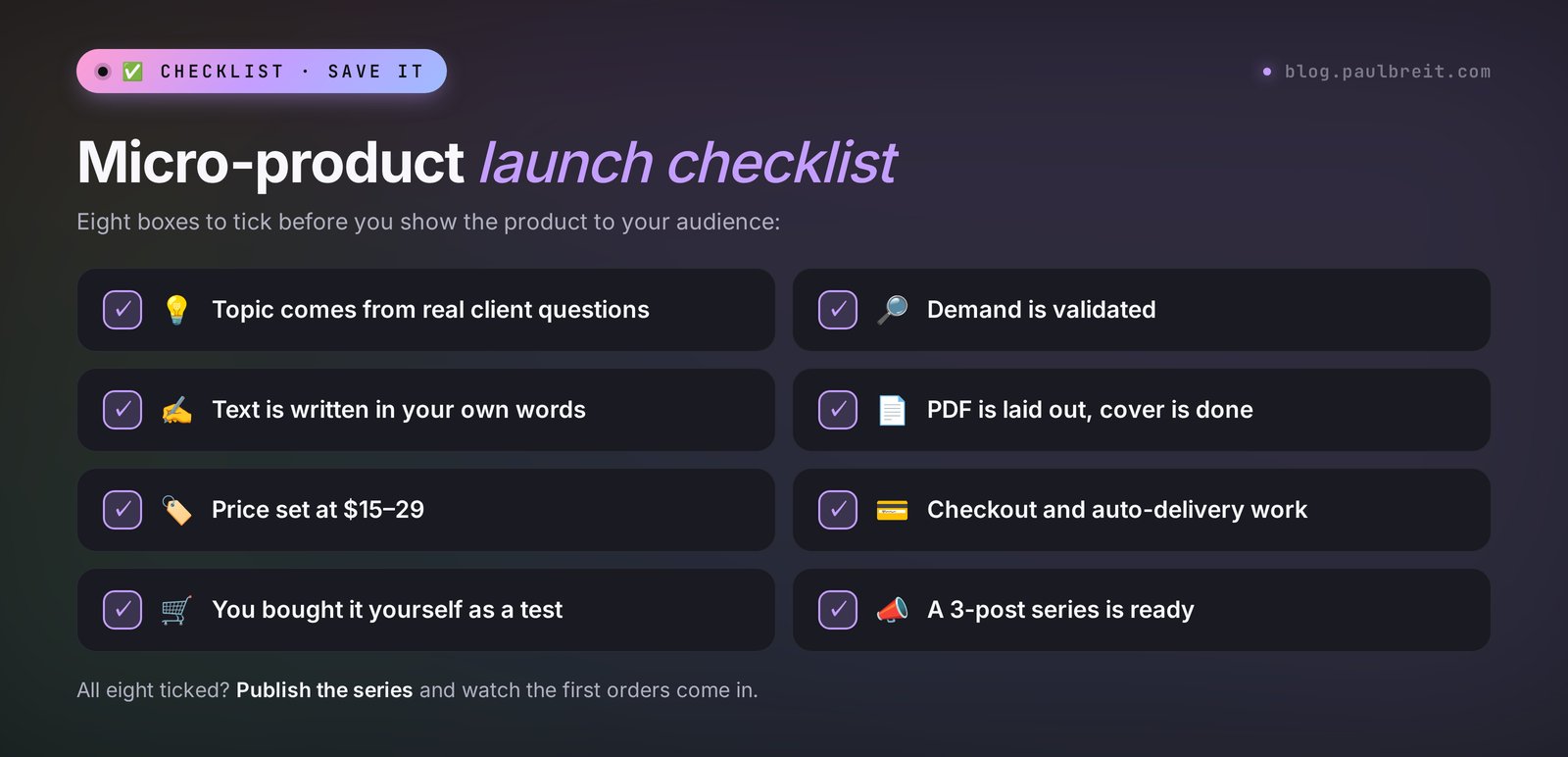
- Add the product to Gumroad, Payhip, or Stan Store, set up file delivery, and buy it yourself as a test.
- Write the three-post series and schedule the first one for Monday.
Section 19The whole path in one minute
- A micro-product is a $9–49 digital product that solves one problem in an evening and sells without you.
- The best formats to start with: a guide and a checklist. Then spreadsheets, prompt packs, and mini-courses.
- In your funnel, a micro-product sits between your free lead magnet and your main offer and removes the trust barrier.
- The main tool is Claude: topic, interview, text, spreadsheets, PDF. Sign up at claude.ai in two minutes.
- Find the topic in real client questions, and validate demand with a poll or a pre-sale before you build.
- Write through an interview: the AI asks, you answer from experience, and the text comes out in your words.
- Name: result + number + for whom. Price for a first product: $15–29.
- Sell on Gumroad, Stan Store, Payhip, Lemon Squeezy, or Etsy, deliver the file automatically, and buy it yourself before launch.
- Sell with a three-post series and come back to the product every month.
- Taxes: let the platform collect sales tax and VAT where it can, keep records of sales and expenses, and ask an accountant about your case.
FAQFrequently asked questions
What is a digital product in simple terms?
It's a product in the form of a file, a link, or access: a guide, template, spreadsheet, checklist, prompt pack, or video course. You make it once and sell it as many times as you like. Each extra copy costs the author nothing, and delivery after payment happens automatically.
How do I create a digital product from scratch with no experience?
Start with a narrow problem you already know how to solve in life or at work, and use the guide or checklist format. Ask Claude to interview you with 15 questions, turn your answers into an outline, and write the text section by section. Before you build, validate demand with a poll or a pre-sale.
Which AI is best for creating a digital product?
For text, spreadsheets, and PDFs, Claude is the best fit: it writes long, natural text and creates Word, PDF, and Excel files itself. ChatGPT and Gemini work as alternatives with the same prompts. For covers, use ChatGPT, Gemini, Midjourney, or Canva, and for a polished layout, Gamma.
How much does a micro-product cost, and how should I price my first one?
Micro-products usually cost between $9 and $49. For your first product, aim for $15–29: a checklist or cheat sheet goes lower, a detailed guide with a spreadsheet goes higher. A price that's too low, like $1 or $3, lowers the product's value in the buyer's eyes and doesn't pay for your work.
Where can I sell digital products?
The easiest options are creator platforms: Gumroad, Stan Store, Payhip, and Lemon Squeezy give you a product page, checkout, and automatic delivery. Etsy works well for printables and templates, and Stripe Payment Links suit you if you already have a site or a bot. Promote the product in your channel, newsletter, or social media.
Do I need to pay taxes on selling guides?
Yes, income from digital products is taxable. Platforms like Gumroad, Lemon Squeezy, and Payhip often calculate and collect sales tax and VAT for you, and Etsy collects sales tax as a marketplace. In the US, your profit usually counts as self-employment income, so keep records of sales and expenses and ask an accountant about your situation.
Can I sell text that AI wrote?
Yes, if the product is built on your experience, your examples, and your edits. Then it's your own product, and AI is the tool. You can't sell other people's materials reworded by AI or use other people's photos and trademarks. You need to check the facts in the text yourself.
How is a micro-product different from a lead magnet?
You give a lead magnet away for free in exchange for a sign-up, and you sell a micro-product for money. A lead magnet answers what to do. A micro-product gives a ready tool: a spreadsheet, a template, a step-by-step program. In a funnel, they follow each other: first the lead magnet, then the micro-product, then the main offer.
How long does it take to create a digital product with AI?
A checklist takes an hour, a guide with a spreadsheet takes 1–2 days including layout, and a mini-course takes 2–4 days. Most of the time goes into the interview with the AI and checking facts, while the AI handles the text and layout in minutes.